EJE-WB0017Lifebook E Series w/ CAL2 11BG WLAN & BT
Fujitsu Client Computing Limited (FCCL)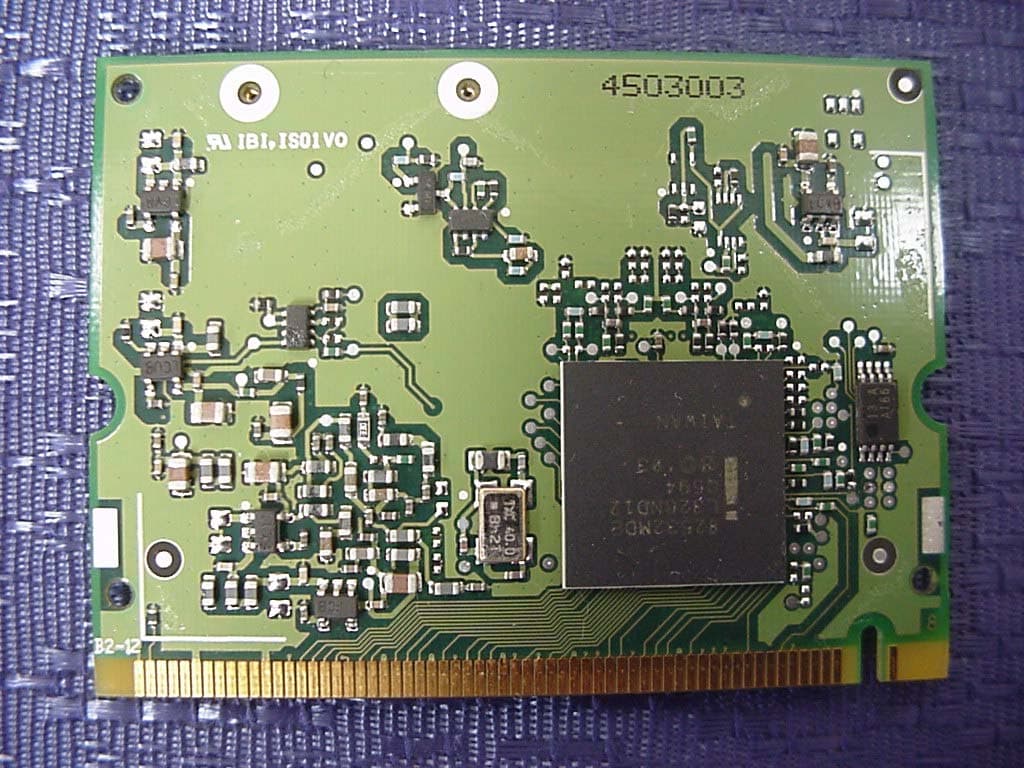
Click to zoom
Application Details
- Equipment Class
- DTS - Digital Transmission System
- Date of Grant
- Jan 17, 2005
- Application Purpose
- Original Equipment
- Date of Application
- Jan 17, 2005
- Equipment Note
- Lifebook E Series w/ CAL2 11BG WLAN & BT
- Frequency Range
- 2412.00000000 - 2462.00000000
- Country
- Japan
Documents & Files
Document Text
Text extracted from the exhibit documents filed with the FCC. Open a document above to read the original.
Users Manual
FCC ID: EJE-WB0017 (IC: 337J-WB0017) Report No. M050103_Cert_Eton_Cal2_BT EMC Technologies Pty Ltd – 57 Assembly Drive, Tullamarine VIC 3043 Australia www.emctech.com.au EMC Technologies Report Number: M050103_Cert_Eton_Cal2_BT APPENDIX P USER MANUAL – PART 1 Copyr ight C opyright Fujitsu Computer Systems Corporation has made every effort to ensure the accuracy and completeness of this document; however, as ongoing development efforts are continually improving the capabilities of our products, we cannot guarantee the accuracy of the contents of this document. We disclaim liability for errors, omissions, or future changes. Fujitsu, the Fujitsu logo, and LifeBook are registered trademarks of Fujitsu Limited. T he following are registered trademarks of I BM Corporation: I BM, I BM PC AT, I BM PS/2. T he following are registered trademarks of Microsoft Corporation: MS, MS-DOS, Windows. PC MC I A is a trademark of the Personal C omputer Memory Card International Association. Earthlink is a registered trademark of EarthLink Network, Inc. Intel and Pentium are registered trademarks of Intel Corporation or its subsidiaries in the United States and other countries. T he Bluetooth trademark is owned by Bluetooth SI G, Inc., U SA. Adobe Acrobat Reader is a registered trademark of Adobe Systems, Inc. Netscape 7.0 is a registered trademark of Netscape Communications Corporation. PowerQuest and Drive Image are registered trademarks of PowerQuest C orporation. Norton AntiVirus is a registered trademark of Symantec C orporation. BayManager is a registered trademark of Softex, Inc. T he DVD player found in some models of the LifeBook notebook incorporates copyright protection technology that is protected by method claims of certain U.S. patents and other intellectual property rights owned by Macrovision Corporation and other rights users. Use of this copyright protection technology must be authorized by Macrovision Corporation, and is intended for home and other limited viewing uses only unless authorized by Macrovision Corporation. Reverse engineering or disas- sembly is prohibited. Dolby Headphone manufactured under license from Dolby Laboratories. Dolby, Pro Logic, and the double-D symbol are trademarks of Dolby Laboratories. Copy- rights 1992-1999 Dolby Laboratories. All rights reserved. All other trademarks mentioned herein are the property of their respective owner s. © Copyright 2004 Fujitsu Computer Systems Corpora- tion. All rights reserved. No part of this publication may be copied, reproduced, or translated, without prior written consent of Fujitsu. No part of this publication may be stored or transmitted in any electronic form without the written consent of Fujitsu. B6FH - 1931- 01EN - 00 (DR AFT) Warning H andling the cord on this product will expose you to lead, a chemical known to the State of C alifornia to cause birth defects or other reproductive harm. Wa s h ha nds after ha ndling. DEC LAR ATIO N O F C O N FO R MITY according to FCC Part 15 Responsible Party Name:Fujitsu C omputer Systems C orporation Address: 1250 E. Arques Avenue, M/S 122 Sunnyvale, C A 94085 Telephone:( 408) 746-6000 Declares that product:Base Model Configurations: LifeBook E8020 notebook LifeBook E8020D notebook Complies with Part 15 of the FC C Rules. T his device complies with Part 15 of the FC C rules. Operations are subject to the following two conditions: ( 1) T his device must not be allowed to cause harmful interference, ( 2) T his device must accept any interference received, including interference that may cause undesired operation. E Series.book Page 1 Wednesday, April 14, 2004 10:28 AM LifeBook E8000 Notebook E Series.book Page 2 Wednesday, April 14, 2004 10:28 AM Table of Contents Fujitsu LifeBook ® E8000 Notebook Table of Contents 1 PREFACE Preface About This Guide . . . . . . . . . . . . . . . . . . . . . . . . . 1 Fujitsu Contact Information . . . . . . . . . . . . . . . . . 1 Limited Warranty . . . . . . . . . . . . . . . . . . . . . . . . . 1 2 GETTING TO KNOW YOUR LIFEBOOK Overview Unpacking . . . . . . . . . . . . . . . . . . . . . . . . . . . . . . 5 Locating the Controls and Connectors Top and Front Components . . . . . . . . . . . . . . . . . 6 Left-Side Panel Components . . . . . . . . . . . . . . . . 7 Right-Side Panel Components . . . . . . . . . . . . . . . 8 Back Panel Components . . . . . . . . . . . . . . . . . . . . 9 Bottom Components . . . . . . . . . . . . . . . . . . . . . 10 Status Indicator Panel Power Indicator . . . . . . . . . . . . . . . . . . . . . . . . . 11 AC Adapter Indicator . . . . . . . . . . . . . . . . . . . . . 11 Battery Level Indicators . . . . . . . . . . . . . . . . . . . 11 Battery Charging Indicators . . . . . . . . . . . . . . . . 12 DVD/CD-RW/CD-ROM Drive Access Indicator . 12 Hard Drive or Removable Media Drive Access Indicator . . . . . . . . . . . . 12 PC Card Access Indicators . . . . . . . . . . . . . . . . . 12 NumLk Indicator. . . . . . . . . . . . . . . . . . . . . . . . . 12 CapsLock Indicator . . . . . . . . . . . . . . . . . . . . . . . 12 ScrLk Indicator . . . . . . . . . . . . . . . . . . . . . . . . . . 12 Security Indicator . . . . . . . . . . . . . . . . . . . . . . . . 12 Keyboard Using the Keyboard . . . . . . . . . . . . . . . . . . . . . . 13 Numeric Keypad. . . . . . . . . . . . . . . . . . . . . . . . . 13 Windows Keys . . . . . . . . . . . . . . . . . . . . . . . . . . 13 Cursor Keys . . . . . . . . . . . . . . . . . . . . . . . . . . . . 13 Function Keys. . . . . . . . . . . . . . . . . . . . . . . . . . . 14 Touchpad Pointing Device Clicking . . . . . . . . . . . . . . . . . . . . . . . . . . . . . . . 15 Double-Clicking . . . . . . . . . . . . . . . . . . . . . . . . . 15 Dragging . . . . . . . . . . . . . . . . . . . . . . . . . . . . . . 16 Touchpad Control Adjustment . . . . . . . . . . . . . . 16 Scrolling . . . . . . . . . . . . . . . . . . . . . . . . . . . . . . . 16 Optional Quick Point Feature . . . . . . . . . . . . . . .…
Text truncated - open the document above for the full version.
Users Manual
FCC ID: EJE-WB0017 (IC: 337J-WB0017) Report No. M050103_Cert_Eton_Cal2_BT EMC Technologies Pty Ltd – 57 Assembly Drive, Tullamarine VIC 3043 Australia www.emctech.com.au EMC Technologies Report Number: M050103_Cert_Eton_Cal2_BT APPENDIX P USER MANUAL – PART 2 53 5 Troubleshooting E Series.book Page 53 Wednesday, April 14, 2004 10:28 AM 54 LifeBook E8000 Notebook E Series.book Page 54 Wednesday, April 14, 2004 10:28 AM 55 Troubleshooting Troubleshooting Your Fujitsu LifeBook notebook is sturdy and subject to few problems in the field. However, you may encounter simple setup or operating problems that you can solve on the spot, or problems with peripheral devices, that you can solve by replacing the device. The information in this section helps you isolate and resolve some of these straightforward problems and identify failures that require service. IDENTIFYING THE PROBLEM If you encounter a problem, go through the following procedure before pursuing complex troubleshooting: 1. Turn off your LifeBook notebook. 2. Make sure the AC adapter is plugged into your note- book and to an active AC power source. 3. Make sure that any card installed in the PC Card slot is seated properly. You can also remove the card from the slot, thus eliminating it as a possible cause of failure. 4. Make sure that any devices connected to the external connectors are plugged in properly. You can also disconnect such devices, thus eliminating them as possible causes of failure. 5. Turn on your notebook. Make sure it has been off at least 10 seconds before you turn it back on. 6. Go through the boot sequence. 7. If the problem has not been resolved, refer to the Troubleshooting Table, that follows, for more detailed troubleshooting information. 8. If you have tried the solutions suggested in the Trou- bleshooting Table without success, contact your support representative: Toll free: 1-800-8Fujitsu (1-800-838-5487) E-mail: [email protected] Web site: us.fujitsu.com/computers. Before you place the call, you should have the following information ready so that the customer support represen- tative can provide you with the fastest possible solution: ■ Product name ■ Product configuration number ■ Product serial number ■ Purchase date ■ Conditions under which the problem occurred ■ Any error messages that have occurred ■ Hardware configuration ■ Type of device connected, if any See the Configuration Label on the bottom of your notebook for configuration and serial numbers. (See figure 2-7 on page 10 for location) SPECIFIC PROBLEMS Using the Troubleshooting Table When you have problems with your LifeBook notebook, try to find the symptoms under the Problem column of the troubleshooting table for the feature giving you difficulty. You will find a description of common causes for that symptom under the column Possible Cause and what, if anything, you can do to correct the condition under Possible Solutions. All possible causes or solutions may not apply to your notebook. If you keep notes about what you have tried, your support representative may be able to help you more quickly by giving additional suggestions over the phone. E Series.book Page 55 Wednesday, April 14, 2004 10:28 AM 56 LifeBook E8000 Notebook TR O U B L E S H O O T I N G TA B L E ProblemPage Audio Problems . . . . . . . . . . . . . . . . . . . . . . . . . . page 56 DVD/CD-ROM Drive Problems. . . . . . . . . . . . . page 56 Port Replicator Problems. . . . . . . . . . . . . . . . . . . page 57 Floppy Disk Drive Problems . . . . . . . . . . . . . . . . page 57 Hard Drive Problems . . . . . . . . . . . . . . . . . . . . . . page 57 Keyboard or Mouse Problems . . . . . . . . . . . . . . . page 58 Memory Problems . . . . . . . . . . . . . . . . . . . . . . . . page 58 ProblemPage Modem Problems. . . . . . . . . . . . . . . . . . . . . . . . . page 58 Parallel, Serial and USB Device Problems . . . . . page 58 PC Card Problems . . . . . . . . . . . . . . . . . . . . . . . . page 59 Power Failures . . . . . . . . . . . . . . . . . . . . . . . . . . . page 59 Shutdown and Startup Problems . . . . . . . . . . . . page 61 Video Problems . . . . . . . . . . . . . . . . . . . . . . . . . . page 62 Miscellaneous Problems . . . . . . . . . . . . . . . . . . . page 63 ProblemPossible CausePossible Solutions Audio Problems There is no sound coming from the built-in speakers. The volume is turned too low.Adjust the volume control on your notebook. The software volume control is set too low. Adjust the sound volume control settings in your software, operating system and applications. Headphones are plugged into your notebook. Plugging in headphones disables the built-in speakers, remove the headphones. BIOS audio settings are incorrect. Set the BIOS setup utility to the default values within the Multimedia Device Configuration menu. (See BIOS Setup Utility on page 29 for more information) Software driver is not configured correctly. Refer to your application and operating system documentation for help. The speakers have been muted using the Volume icon in the system tray. Click on the Volume icon in the tool tray on the bottom right of the screen. (It looks like a speaker). If the Mute box is checked, click on it to uncheck it. DVD/CD-RW/CD-ROM Drive Problems LifeBook notebook fails to recognize DVD/CD-RW/ CD-ROM’s. Protective sheet is still in the DVD/CD-RW/CD-ROM drive tray. Replace DVD/CD-RW/CD-ROM in tray. DVD/CD-RW/CD-ROM is not pushed down onto raised center circle of the drive. Open DVD/CD-RW/CD-ROM tray and re-install DVD/CD-RW/CD-ROM properly. DVD/CD-RW/CD-ROM tray is not latched shut. Push on the front of the DVD/CD-RW/CD-ROM tray until it latches. Incorrect DVD Player or no DVD Player software is installed. Install DVD Player software. (See “Media Player Software” on page 39 for more information.) Wrong drive designator was used for DVD/CD-RW/CD- ROM in the application. Verify the drive designator used by the application is the same as the one used by the operat…
Text truncated - open the document above for the full version.
Block Diagram
Calexico 2 Block Diagrams Option1 miniPCI Ramon2 Radio Transceiver Ardon 2 MAC AND ANALOG PHY Differential I and Q RF PA P2023 BAND PASS FILTER T/R-DIVERSITY RF SWITCH BANDPASS FIL TER BAND PASS FILTER BALUN BALUN EEPROM Rx Tx 1.2V2.8V3.3V 2.9V MainAux 40 MHz Xtal 40MHz Clock 1.8V 2.8V 3.3V LNA VCO 2.9V 2.8V Option2 mPCI Connector Page 4 Ardon 2 MAC & Analog PHY Page 5,6 & 7 Voltage Regulators & DC/ DC Converter Page 3 Ramon 2 Radio Transceiver Page 8 T/R- Diversity Switch Page 11 Main Aux Antenna Ports Tx RF Rx RF Tx BB Rx BB Transceiver Control Front End Control Front End Bias Transceiver Bias MAC Bias Bias Interface EEPROM Page 5 Tx PA Page 9 Rx LNA Page 10 Ext. VCO Page 13 BB Filter Loop Filter Xtal Circuit Page 12 Option 3 mPCI Connecto r Ardon 2 MAC & Analog PHY Voltage Regulators & DC/ DC Converter Ramon 2 Radio Transceiver RF Front End Main Aux Antenna Ports Tx RF Rx RF Tx BB Rx BB Transceiver Control Fron t En d Control Front End Bias Transceiver Bias MAC Bias Bias Inter face EEPROM
Cover Letter(s)
TIMCO ENGINEERING INC. 849 NW State Rd 45 Newberry, Florida 32669 Ph: 888 472 2424 Fax: 352 472 2030 Subject: Request for Confidentiality for FCC Certification Application Company: Fujitsu Limited Test Sample: LifeBook E Series, Model E8020 (Eton) installed with a Mini-PCI WLAN module (Calexico2, WM3B2200BG) & Bluetooth (UGXZ5-102A). Pursuant to Rule 47 CFR, Chapter 1, Section 0.457(d)(1)(ii), Fujitsu Limited, requests that prior to the equipment authorization grant for the (test sample) the entire application be classified and deemed confidential by the Federal Communications Commission (FCC) and as such be withheld from public inspection. As per 47 CFR, Chapter 1, Section 0.457, the exhibits tendered for the purpose of this grant, contain details of trade secrets and technical data that is not made available to competitors and the general public. This information is treated in a confidential manner by Fujitsu Limited and guarded from disclosure to our competitors. The exhibits outlined below are not routinely made available to Fujitsu Limited, with such access granted only to those specifically involved with this particular project. They contain information detailing the unique technology and circuitry of the product that would be of significant benefit to our competitors. All employees treat this technical data in a confidential manner. The manufacture of this product has taken place after an extensive research and development process that has seen the company invest a considerable amount of time and money. The time and effort taken has enabled the product to meet the specific demands of the competitive market for which it is intended and it would be therefore detrimental to allow competitors easy access to design and development details. Apart from a limited number of employees, the information has previously only been disclosed to the Test House responsible for conducting testing and authorized to act as our agent during the certification process. Pursuant to 47CFR Chapter 1, Section 0.459, Fujitsu Limited requests post-grant confidentiality for the following items, ensuring that this material continue to be withheld from public inspection following the grant. Exhibits: Schematics, Block Diagram, Operational Description, Antenna Information Sincerely Yours,
ID Label/Location Info
FCC ID: EJE-WB0017 (IC: 337J-WB0017) Report No. M050103_Cert_Eton_Cal2_BT EMC Technologies Pty Ltd – 57 Assembly Drive, Tullamarine VIC 3043 Australia www.emctech.com.au EMC Technologies Report Number: M050103_Cert_Eton_Cal2_BT APPENDIX H FCC LABEL – DETAILS / LOCATION
Internal Photos
FCC ID: EJE-WB0017 (IC: 337J-WB0017) Report No. M050103_Cert_Eton_Cal2_BT EMC Technologies Pty Ltd – 57 Assembly Drive, Tullamarine VIC 3043 Australia www.emctech.com.au EMC Technologies Report Number: M050103_Cert_Eton_Cal2_BT APPENDIX B4 – Test Sample Photographs (internal) FCC ID: EJE-WB0017 (IC: 337J-WB0017) Report No. M050103_Cert_Eton_Cal2_BT EMC Technologies Pty Ltd – 57 Assembly Drive, Tullamarine VIC 3043 Australia www.emctech.com.au Test Sample WLAN Module – Calexico2 (11b/g), Model WM3B2200BG FCC ID: EJE-WB0017 (IC: 337J-WB0017) Report No. M050103_Cert_Eton_Cal2_BT EMC Technologies Pty Ltd – 57 Assembly Drive, Tullamarine VIC 3043 Australia www.emctech.com.au Test Sample Bluetooth, Model UGXZ5-102A Exploded view – Shielding removed FCC ID: EJE-WB0017 (IC: 337J-WB0017) Report No. M050103_Cert_Eton_Cal2_BT EMC Technologies Pty Ltd – 57 Assembly Drive, Tullamarine VIC 3043 Australia www.emctech.com.au Host PC - LifeBook E Series (Eton)
Operational Description
Intel® PRO/Wireless 2200BG Network Connection Mini PCI Adapter Functional Overview Notice: This document contains information on products in the design phase of development. The specifications are subject to change without notice. Verify with your local Intel sales office that you have the latest specifications before finalizing a design. Intel® PRO/Wireless 2200BG Network Connection Functional Overview 2 The information in this manual is furnished for informational use only, is subject to change without notice, and should not be construed as a commitment by Intel Corporation. Intel Corporation assumes no responsibility or liability for any errors or inaccuracies that may appear in this document or any software that may be provided in association with this document. Information in this document is provided in connection with Intel products. No license, express or implied, by estoppel or otherwise, to any intellectual property rights is granted by this document. Except as provided in Intel’s Terms and Conditions of Sale for such products, Intel assumes no liability whatsoever, and Intel disclaims any express or implied warranty, relating to sale and/or use of Intel products including liability or warranties relating to fitness for a particular purpose, merchantability, or infringement of any patent, copyright or other intellectual property right. Intel products are not intended for use in medical, life saving, or life sustaining applications. Intel may make changes to specifications and product descriptions at any time, without notice. Except as permitted by such license, no part of this document may be reproduced, stored in a retrieval system, or transmitted in any form or by any means without the express written consent of Intel Corporation. Contact your local Intel sales office or your distributor to obtain the latest specifications and before placing your product order. Copyright © 2003 Intel Corporation *Third-party brands and names are the property of their respective owners. Intel® PRO/Wireless 2200BG Network Connection Functional Overview 3 Table of Contents INTRODUCTION................................................................................................................ 4 INTEL® PRO/WIRELESS 2200BG NETWORK CONNECTION PRODUCT OVERVIEW ......................................................................................................................... 4 SYSTEM ARCHITECTURE ............................................................................................. 5 COMPONENT DESCRIPTIONS ...................................................................................... 5 GQ82532RGE RADIO...................................................................................................... 5 RC82532MDE MAC AND BASEBAND.............................................................................. 6 HARDWARE ENVIRONMENT ....................................................................................... 6 OVERVIEW.......................................................................................................................... 6 C ARD DIMENSIONS............................................................................................................ 6 S HIELD FOR TYPE IIIA AND IIIB:........................................................................................ 9 CONNECTOR INTERFACE................................................................................................... 9 M INI PCI SYSTEM CONNECTOR PINS............................................................................. 10 OPERATING CHANNELS................................................................................................... 11 Intel® PRO/Wireless 2200BG Network Connection Functional Overview 4 Introduction The primary purpose of this document is to communicate the Intel® PRO/Wireless 2200BG Network Connection features and specifications. The Intel® PRO/Wireless 2200BG Network Connection is Intel’s second generation of wireless Local Access Network (LAN) products supporting the 2.4GHz 802.11b and 2.4GHz 802.11g IEEE specifications. This document defines the functional characteristics of the Intel® PRO/Wireless 2200BG Network Connection Mobile Unit (MU). It is intended to inform PC OEM customers of the technical characteristics and assist in the evaluation of this product. This adapter is based upon the Intel 82532 chipset for 802.11b as well as for 802.11g. Intel® PRO/Wireless 2200BG Network Connection Product Overview The Intel® PRO/Wireless 2200BG Network Connection transfers data at fast wireless speeds (up to 54Mbps instantaneous data rate) over the air between two or more users or between a user and the wired network. The Intel® PRO/Wireless 2200BG Network Connection communicates to the wired LAN through 2.4GHz 802.11b or 802.11g Access Points (APs). The Intel® PRO/Wireless 2200BG Network Connection supports the Mini PCI Type IIIA/B form factor which is designed for notebook computer systems where overall thickness must be kept to an absolute minimum. The Intel® PRO/Wireless 2200BG Network Connection is 802.11b and 802.11g compliant, PCI 2.3, ACPI 2.0, WHQL compliant, and WiFi certified**. **Pending WiFi certification. Intel® PRO/Wireless 2200BG Network Connection Functional Overview 5 System Architecture The single-band 2.4 GHz dual mode 802.11b and 802.11g Wireless LAN Mini PCI card is a single PCB design using Intel’s 82532 2.4 GHz Wireless LAN chipset. The solution consists of two main IC’s RC82532MDE and GQ82532RGE. The RC82532MDE IC provides the processor, the OFDM and CCK modulation/demodulation and digital control for the radio. GQ82532RGE provides the RF to Baseband conversion In addition to these chips, the RF front-end consists of additional components such as antenna connectors, diversity/transmit/receive switch, bandpass filters, baluns, power amplifier (PA), and low- noise amplifier (LNA). Intel® PRO/Wireless 2200BG Network Connection supports P…
Text truncated - open the document above for the full version.
Operational Description
FCC ID: EJE-WB0017 (IC: 337J-WB0017) Report No. M050103_Cert_Eton_Cal2_BT EMC Technologies Pty Ltd – 57 Assembly Drive, Tullamarine VIC 3043 Australia www.emctech.com.au EMC Technologies Report Number: M050103_Cert_Eton_Cal2_BT APPENDIX B3 WLAN Module, BT and Antenna Location Photographs FCC ID: EJE-WB0017 (IC: 337J-WB0017) Report No. M050103_Cert_Eton_Cal2_BT EMC Technologies Pty Ltd – 57 Assembly Drive, Tullamarine VIC 3043 Australia www.emctech.com.au Calexico2 (WM3B2200BG) WLAN Location Calexico2 (WM3B2200BG) WLAN Location – exploded view Calexico2 WLAN FCC ID: EJE-WB0017 (IC: 337J-WB0017) Report No. M050103_Cert_Eton_Cal2_BT EMC Technologies Pty Ltd – 57 Assembly Drive, Tullamarine VIC 3043 Australia www.emctech.com.au Bluetooth Location Bluetooth Location – exploded view Bluetooth FCC ID: EJE-WB0017 (IC: 337J-WB0017) Report No. M050103_Cert_Eton_Cal2_BT EMC Technologies Pty Ltd – 57 Assembly Drive, Tullamarine VIC 3043 Australia www.emctech.com.au WLAN Antenna Location WLAN Antenna Location FCC ID: EJE-WB0017 (IC: 337J-WB0017) Report No. M050103_Cert_Eton_Cal2_BT EMC Technologies Pty Ltd – 57 Assembly Drive, Tullamarine VIC 3043 Australia www.emctech.com.au WLAN Antenna – Exploded view Left Antenna Right Antenna FCC ID: EJE-WB0017 (IC: 337J-WB0017) Report No. M050103_Cert_Eton_Cal2_BT EMC Technologies Pty Ltd – 57 Assembly Drive, Tullamarine VIC 3043 Australia www.emctech.com.au Bluetooth Antenna Location Bluetooth Antenna location - exploded view Bluetooth Antenna
Operational Description
FCC ID: EJE-WB0017 (IC: 337J-WB0017) Report No. M050103_Cert_Eton_Cal2_BT EMC Technologies Pty Ltd – 57 Assembly Drive, Tullamarine VIC 3043 Australia www.emctech.com.au EMC Technologies Report Number: M050103_Cert_Eton_Cal2_BT APPENDIX F1 – Cal2 WLAN Antenna Details Antenna Assembly Specifications 1A 1B 1C 1D 1E 1F 1G 1H Antenna Part Number Manufacture Antenna Type Cable Assembly Part Number and Information Peak Gain W/ Cable loss (dBi) Peak Gain w/o Cable Loss (dBi) V.S.W.R. Cable Loss (dBi) (P/N:CP115412-01 R side) 2400-2500MHz 2400-2500MHz 2400-2500MHz 2400-2500MHz Main antenna NISSEI ELECTRIC CO., Inverted-F P/N: U.FL-2LP- 066N1 -0.41 dBi (peak) 1.59 dBi (peak) 2.00 max 2.00 dB (peak) 50 ohm Coaxial. 5150-5350MHz 5150-5350MHz 5150-5350MHz 5150-5350MHz length: 600mm -2.33 dBi (peak) 0.75 dBi (peak) 2.00 max 3.08 dB (peak) diameter: 1.32mm 5470-5725MHz 5470-5725MHz 5470-5725MHz 5470-5725MHz Connector: U.FL -1.18 dBi (peak) 2.02 dBi (peak) 2.00 max 3.20 dB (peak) 5725-5850MHz 5725-5850MHz 5725-5850MHz 5725-5850MHz -1.18 dBi (peak) 2.17 dBi (peak) 2.00 max 3.35 dB (peak) (P/N:CP115412-01 L side) 2400-2500MHz 2400-2500MHz 2400-2500MHz 2400-2500MHz Auxiliary antenna NISSEI ELECTRIC CO., Inverted-F P/N: U.FL-2LP- 066N2 1.06 dBi (peak) 3.06 dBi (peak) 2.00 max 2.00 dB (peak) 50 ohm Coaxial. 5150-5350MHz 5150-5350MHz 5150-5350MHz 5150-5350MHz length: 600mm -2.00 dBi (peak) 1.08 dBi (peak) 2.00 max 3.08 dB (peak) diameter: 1.32mm 5470-5725MHz 5470-5725MHz 5470-5725MHz 5470-5725MHz Connector: U.FL -1.50 dBi (peak) 1.70 dBi (peak) 2.00 max 3.20 dB (peak) 5725-5850MHz 5725-5850MHz 5725-5850MHz 5725-5850MHz -1.50 dBi (peak) 1.85 dBi (peak) 2.00 max 3.35 dB (peak) A ntenna Avera g e & Peak Gain ( XY p lane ) Right(Main) Antenna Left(AUX) Antenna Frequency Peak Gain Average Gain Frequency Peak Gain Average Gain [MHz] [dBi] [dBi] [MHz] [dBi] [dBi] Horizontal -0.41 -6.07 Horizontal -0.29 -7.14 Vertical -0.65 -6.04 Vertical -1.51 -6.55 Horizontal -0.94 -6.61 Horizontal 0.61 -6.10 Vertical -0.66 -5.72 Vertical -0.43 -0.71 Horizontal -1.41 -7.93 Horizontal 1.06 -5.33 Vertical -1.40 -6.21 Vertical -0.79 -5.71 Horizontal -3.00 -6.69 Horizontal -3.61 -7.68 Vertical -3.35 -8.81 Vertical -3.83 -10.17 Horizontal -2.86 -6.53 Horizontal -3.37 -6.83 Vertical -2.76 -8.14 Vertical -3.37 -9.43 Horizontal -2.57 -6.52 Horizontal -2.97 -7.01 Vertical -2.33 -8.02 Vertical -2.00 -8.46 Horizontal -2.26 -6.74 Horizontal -1.61 -6.81 Vertical -1.18 -7.62 Vertical -2.06 -8.21 Horizontal -1.83 -7.78 Horizontal -1.50 -6.99 Vertical -3.69 -7.77 Vertical -4.07 -8.10 Horizontal -1.18 -8.52 Horizontal -2.75 -8.32 Vertical -4.48 -8.54 Vertical -4.31 -8.63 * Antenna gain includes the connector and cable loss. * Antenna gain includes the connector and cable loss. 5875 Polarization Polarization 52505350547057302400245025005150 240024502500515058755250535054705730 Radiation Pattern ( XY p lane ) f=2400MHz / 2450MHz / 2500MHz H Ave. H Peak V Ave. V Peak H Ave. H Peak V Ave. V Peak H Ave. H Peak V Ave. V Peak -6.07 -0.41 -6.04 -0.65 -6.61 -0.94 -5.72 -0.66 -7.93 -1.41 -6.21 -1.40 270° 180° 0° 90° H[dBi]V[dBi] H Ave. H Peak V Ave. V Peak H Ave. H Peak V Ave. V Peak H Ave. H Peak V Ave. V Peak -7.14 -0.29 -6.55 -1.51 -6.10 0.16 -5.71 -0.43 -5.33 1.06 -5.71 -0.79 270° 180° 0° 90° H[dBi]V[dBi] H Ave. H Peak V Ave. V Peak H Ave. H Peak V Ave. V Peak H Ave. H Peak V Ave. V Peak -4.68 -0.29 -4.33 -0.65 -4.45 0.16 -4.05 -0.43 -4.29 1.06 -4.34 -0.79 270° 180° 0° 90° H[dBi]V[dBi] 2450 MHz The Measurement Result Antenna Radiation Pattern X-Y 2500 MHz X-Y (Z Shaft) 2400 MHz MHz 2450 Diversity Diversity Diversity 2400 MHz 2450 MHz 2500 MHz L Antenna R Antenna R Antenna R Antenna L Antenna L Antenna 2500 MHz 2400 MHz X-Y (Z Shaft)X-Y (Z Shaft) -20-15-10 -5 0 180 175 170 165 160 155 150 145 140 135 130 125 120 115 110 105 100 95 90 85 80 75 70 65 60 55 50 45 40 35 30 25 20 15 10 5 0 355 350 345 340 335 330 325 320 315 310 305 300 295 290 285 280 275 270 265 260 255 250 245 240 235 230 225 220 215 210 205 200 195 190 185 -20-15-10 -5 0 180 175 170 165 160 155 150 145 140 135 130 125 120 115 110 105 100 95 90 85 80 75 70 65 60 55 50 45 40 35 30 25 20 15 10 5 0 355 350 345 340 335 330 325 320 315 310 305 300 295 290 285 280 275 270 265 260 255 250 245 240 235 230 225 220 215 210 205 200 195 190 185 -20-15-10 -5 0 180 175 170 165 160 155 150 145 140 135 130 125 120 115 110 105 100 95 90 85 80 75 70 65 60 55 50 45 40 35 30 25 20 15 10 5 0 355 350 345 340 335 330 325 320 315 310 305 300 295 290 285 280 275 270 265 260 255 250 245 240 235 230 225 220 215 210 205 200 195 190 185 -20-15-10 -5 0 180 175 170 165 160 155 150 145 140 135 130 125 120 115 110 105 100 95 90 85 80 75 70 65 60 55 50 45 40 35 30 25 20 15 10 5 0 355 350 345 340 335 330 325 320 315 310 305 300 295 290 285 280 275 270 265 260 255 250 245 240 235 230 225 220 215 210 205 200 195 190 185 -20-15-10 -5 0 180 175 170 165 160 155 150 145 140 135 130 125 120 115 110 105 100 95 90 85 80 75 70 65 60 55 50 45 40 35 30 25 20 15 10 5 0 355 350 345 340 335 330 325 320 315 310 305 300 295 290 285 280 275 270 265 260 255 250 245 240 235 230 225 220 215 210 205 200 195 190 185 -20-15-10 -5 0 180 175 170 165 160 155 150 145 140 135 130 125 120 115 110 105 100 95 90 85 80 75 70 65 60 55 50 45 40 35 30 25 20 15 10 5 0 355 350 345 340 335 330 325 320 315 310 305 300 295 290 285 280 275 270 265 260 255 250 245 240 235 230 225 220 215 210 205 200 195 190 185 -20-15-10 -5 0 180 175 170 165 160 155 150 145 140 135 130 125 120 115 110 105 100 95 90 85 80 75 70 65 60 55 50 45 40 35 30 25 20 15 10 5 0 355 350 345 340 335 330 325 320 315 310 305 300 295 290 285 280 275 270 265 260 255 250 245 240 235 230 225 220 215 210 205 200 195 190 185 -20-15-10 -5 0 180 175 170 165 160 155 150 145 140 135 130 125 120 115 110 105 100 95 90 85 80 75 70 65 60 55 50 45 40 35 30 25 20 15 10 5 0 355 350 345 340 335 330 325 320 315 310 305 300 295 290 285 280 275 270 265 260 255 250 245 240 235 230 225 220 21…
Text truncated - open the document above for the full version.
Contact Information
Applicant
Mr. Tsuyoshi Uchihara(Engineer)
Test Firm
EMC Technologies Pty. Ltd.Michael Evans
Technical Specifications
| # | Rule Parts | Frequency Range | Power Output |
|---|---|---|---|
| 1 | 15C | 2.41 GHz - 2.46 GHz | 145.00 mW |
Other Applications from Fujitsu Client Computing Limited (FCCL)
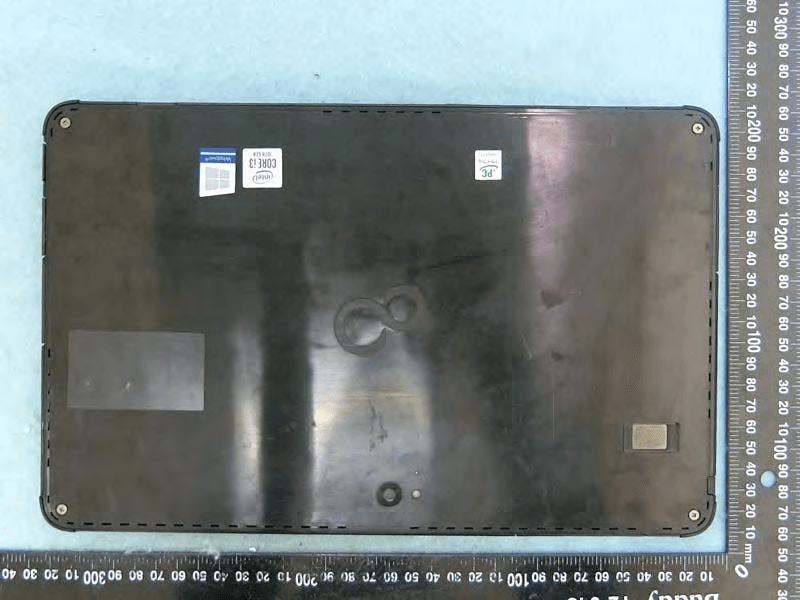
EJE-KST001
May 13, 2020Tablet Computer
Equipment Class
DXX - Part 15 Low Power Communication Device Transmitter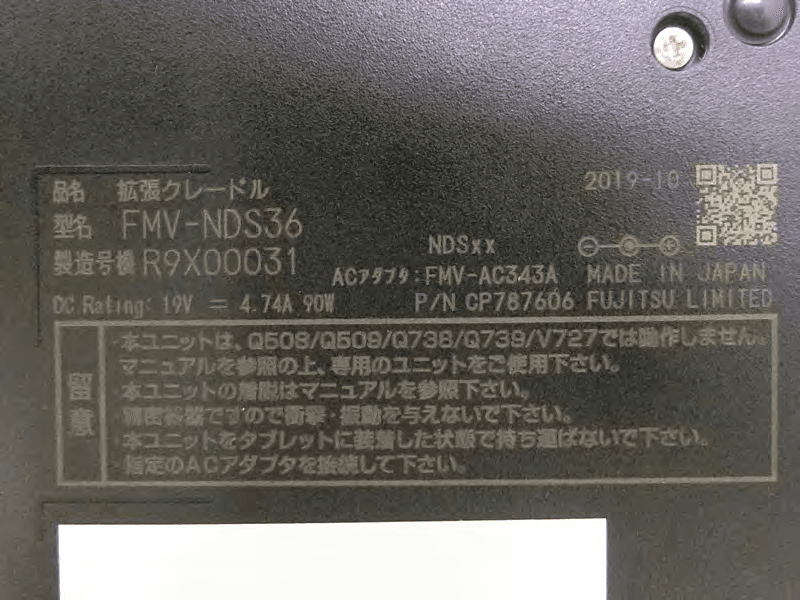
EJE-KSC001
May 13, 2020Port Replicator
Equipment Class
DXX - Part 15 Low Power Communication Device Transmitter
EJE-WB0099
Jan 27, 2016STYLISTIC Q series
Equipment Class
DSS - Part 15 Spread Spectrum Transmitter
EJE-BT0004
Dec 06, 2015Ubiquitous-warecore module
Equipment Class
DTS - Digital Transmission System
EJE-WB0097
Nov 12, 2015FUJITSU STYLISTIC Q736
Equipment Class
DTS - Digital Transmission System