EJE-WB0035LIFEBOOK P SERIES W/ WM3B2915ABG 11ABG WLAN & BT
Fujitsu Client Computing Limited (FCCL)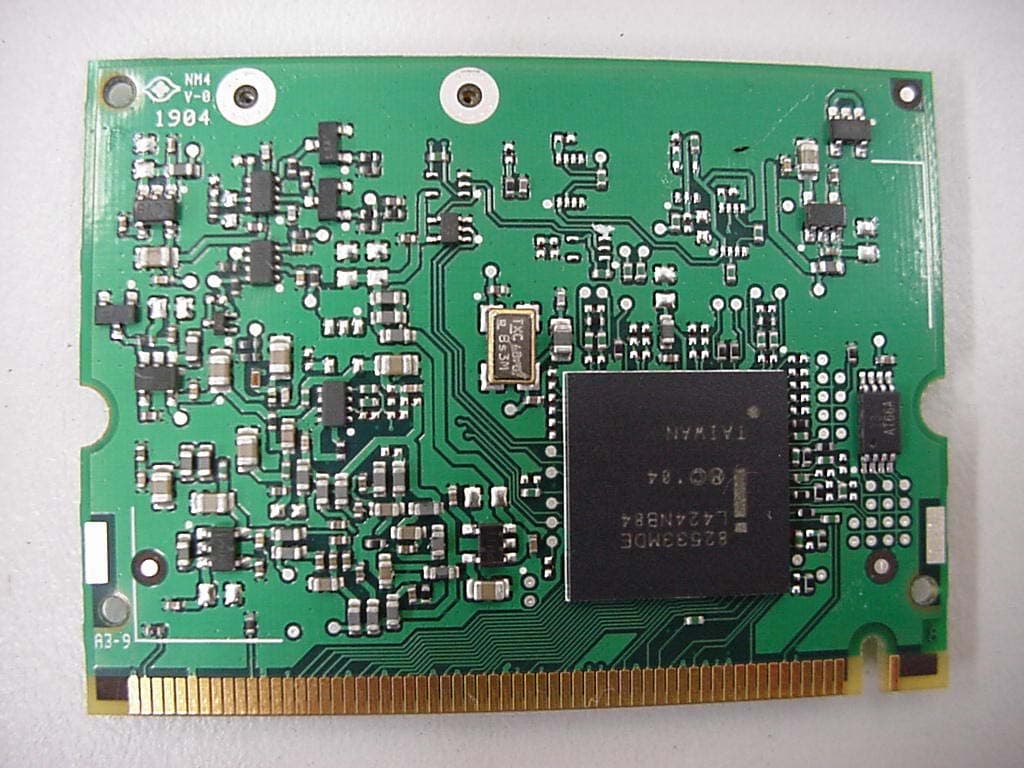
Click to zoom
Application Details
- Equipment Class
- NII - Unlicensed National Information Infrastructure TX
- Date of Grant
- Oct 12, 2005
- Application Purpose
- Original Equipment
- Date of Application
- Aug 29, 2005
- Equipment Note
- LIFEBOOK P SERIES W/ WM3B2915ABG 11ABG WLAN & BT
- Frequency Range
- 5180.00000000 - 5320.00000000
- Country
- Japan
Documents & Files
Document Text
Text extracted from the exhibit documents filed with the FCC. Open a document above to read the original.
Users Manual
FCC ID: EJE-WB0035 (IC: 337J-WB0035) Report No. M050752_Cert_WM3B2915ABG_NII_BT EMC Technologies Pty Ltd – 57 Assembly Drive, Tullamarine VIC 3043 Australia www.emctech.com.au APPENDIX H USER MANUAL (part 1) Copyright Copyright and Trademark Information Fujitsu Computer Systems Corporation has made every effort to ensure the accuracy and completeness of this document. However, as ongoing development efforts are continually improving the capabilities of our products, we cannot guarantee the accuracy of the contents of this document. We disclaim liability for errors, omissions, or future changes. The absence of a product or service name, slogan, or logo does not constitute a waiver of any trademark or other intellectual property rights relating to that name, slogan, or logo owned by Fujitsu Computer Systems Corporation, its parent, subsidiaries, and affiliated companies. Fujitsu, the Fujitsu logo, and LifeBook are registered trade- marks of Fujitsu Limited. Intel and Pentium are registered trademarks and Centrino is a trademark of Intel Corporation or its subsidiaries in the United States and other countries. IBM, IBM PC AT, and IBM PS/2 are registered trademarks of IBM Corporation in the United States, other countries, or both. MS, MS-DOS, and Windows are either registered trademarks or trademarks of Microsoft Corporation in the United States and/or other countries. PCMCIA is a trademark of the Personal Computer Memory Card International Association. Memory Stick and Memory Stick Duo are trademarks of Sony, its parent, and/or its affiliates. Adobe, Acrobat, and Acrobat Reader are either registered trade- marks or trademarks of Adobe Systems, Incorporated in the United States and/or other countries. Dolby Headphone manufactured under license from Dolby Laboratories. Dolby, Pro Logic, and the double-D symbol are trademarks of Dolby Laboratories. Quicken is a registered trademark and/or registered service mark of Intuit, Inc. or one of its subsidiaries in the United States and other countries. InterVideo and WinDVD are registered trademarks of Inter- video, Inc. Realtek is a registered trademark of Realtek Semiconductor Corporation. Norton AntiVirus is a registered trademark of Symantec Corporation in the United States and other countries. This product incorporates copyright protection technology that is protected by method claims of certain U.S. patents and other intellectual property rights owned by Macrovision Corporation and other rights owners. Use of this copyright protection tech- nology must be authorized by Macrovision Corporation, and is intended for home and other limited viewing uses only unless otherwise authorized by Macrovision Corporation. Reverse engineering or disassembly is prohibited. All other trademarks mentioned herein are the property of their respective owners. © Copyright 2005 Fujitsu Computer Systems Corporation. All rights reserved. No part of this publication may be copied, reproduced, translated, stored, or transmitted in any electronic form without the written consent of Fujitsu Computer Systems Corporation. B6FH-6071-01EN-00 Warning Handling the cord on this product will expose you to lead, a chemical known to the State of California to cause birth defects or other reproductive harm. Wash ha nds a fter ha ndling. DECLARATION OF CONFORMITY according to FCC Part 15 Responsible Party Name:Fujitsu Computer Systems Corporation Address: 1250 E. Arques Avenue Sunnyvale, CA 94085 Telephone:(408) 746-6000 Declares that product:Base Model Configurations: LifeBook P7120 notebook LifeBook P7120D notebook Complies with Part 15 of the FCC Rules. This device complies with Part 15 of the FCC rules. Operations are subject to the following two conditions: (1) This device must not be allowed to cause harmful interference, (2) This device must accept any interference received, including interference that may cause undesired operation. P7010.book Page 1 Wednesday, June 1, 2005 3:39 PM LifeBook P7000 Notebook UL Notice This unit requires an AC adapter to operate. Use only UL Listed Class 2 Adapters with an output rating of 16 VDC, with a current of 3.75A minimum. AC Adapter output polarity: ■ When using your notebook equipment, basic safety precautions should always be followed to reduce the risk of fire, electric shock and injury to persons, including the following: ■ Do not use this product near water for example, near a bathtub, washbowl, kitchen sink or laundry tub, in a wet basement or near a swimming pool. ■ Avoid using the modem during an electrical storm. There may be a remote risk of electric shock from lightning. ■ Do not use the modem to report a gas leak in the vicinity of the leak. ■ Use only the power cord and batteries indicated in this manual. Do not dispose of batteries in a fire. They may explode. Check with local codes for possible special disposal instructions. ■ To reduce the risk of fire, use only No. 26 AWG or larger UL Listed or CSA Certified Telecommunication Line Cord SAVE THESE INSTRUCTIONS For Authorized Repair Technicians Only System Disposal + ■ For continued protection against risk of fire, replace only with the same type and rating fuse. ■ Danger of explosion if Lithium (clock) battery is incorrectly replaced. Replace only with the same or equivalent type recommended by the manufacturer. Dis- pose of used batteries according to the manufacturer’s instructi on. Hg LAMP(S) INSIDE THIS PRODUCT CONTAIN MERCURY AND MUST BE RECYCLED OR DISPOSED OF ACCORDING TO LOCAL, STATE, OR FEDERAL LAWS. P7010.book Page 2 Wednesday, June 1, 2005 3:39 PM Table of Contents Fujitsu LifeBook ® P7000 Notebook Table of Contents 1 PREFACE Preface About This Guide . . . . . . . . . . . . . . . . . . . . . . . . . 1 Fujitsu Contact Information . . . . . . . . . . . . . . . . . 1 Warranty . . . . . . . . . . . . . . . . . . . . . . . . . . . . . . . 1 2 GETTING TO KNOW YOUR LIFEBOOK NOTEBOOK Overview Unpacking . . . . . . . . . . . . . . . . . . . . . . . . . . . . . . 5 Locating…
Text truncated - open the document above for the full version.
Users Manual
FCC ID: EJE-WB0035 (IC: 337J-WB0035) Report No. M050752_Cert_WM3B2915ABG_NII_BT EMC Technologies Pty Ltd – 57 Assembly Drive, Tullamarine VIC 3043 Australia www.emctech.com.au APPENDIX H USER MANUAL (part 2) 53 WIreless LAN User’s Guide Configuration of the WLAN Device The WLAN Device can be configured to establish wire- less network connectivity using one of the following tools: ■ Intel PROSet Software - The Intel PROSet Software allows for multiple profile setup and supports auto- matic profile switching. Support for most industry standard security solutions is contained in this soft- ware. ■ Atheros Client Utility - The Atheros Client Utility soft- ware allows for multiple profile setups and supports automatic profile switching. Support for most indus- try standard security solutions is contained in this software. FLOW OF OPERATIONS 1.Activate the WLAN Device (See Activating the WLAN Device on page 52 for more information). 2.Configure the Wireless Network parameters (See Configure Wireless Network Parameters on page 53 for more information). ■ Enter the network name (SSID) ■ Choose the appropriate WLAN architecture (Ad Hoc or Infrastructure) ■ Choose Authentication method: Open, Shared, WPA-Enterprise, WPA2-Enterprise, WPA- Personal, or WPA2-Personal ■ If using static WEP keys, enter static WEP key and choose key index. 3.Configure network settings (See Configure Net- work Parameters on page 53 for more information) ■ TCP/IP settings ■ Workgroup or Domain settings. CONFIGURATION USING INTEL PROSET SOFTWARE This section explains the procedure to properly configure the WLAN device using the Intel PROSet Soft- ware. Pre-defined parameters will be required for this procedure. Please consult with your network adminis- trator for these parameters: Network Name - Also known as the SSID Network Key (WEP) - Required if using static WEP keys. Authentication Type - Open, Shared, WPA, or WPA- PSK Procedure 1.Activate the WLAN device using either the Wireless On/Off Switch or the Intel PROSet software. 2.Click the [Start] button first and then [All Pro- grams]. 3.Click the icon [Intel PROSet Wireless] to execute the Intel PROSet Wireless software. 4.Click the [Add] button. The General Settings dialog displays. 5.Enter a profile name in the Profile Name field. 6.Enter the network SSID, in the Network Name (SSID) field. 7.Click Infrastructure or Ad Hoc for the operating mode. 8.Click [Advanced]. 9.The Mandatory Access Point option is only used if Infrastructure mode is selected. Use this option to connect to a specific access point. Enter the MAC address for the access point. Click OK to save the setting and return to the General Settings page. 10. Click [Next]. 11. If you are using Cisco CCX, click Cisco Options to enable Cisco CKIP data encryption on the Security Settings page. Check the Cisco Compatible Exten- sions Options. If you have checked the Cisco's "Mixed-Cell" box in the Advanced Setting, this option must also be checked. 12. Click [OK]. 13. Click Next. 14. Select Open, Shared, WPA-Enterprise, WPA2- Enterprise, WPA-Personal, or WPA2-Personal in the Network Authentication options. 15. Select either None, WEP, CKIP (if Enable Cisco Cli- ent eXtentions is enabled, use CKIP or WEP), or TKIP for the data encryption. 16. If WEP is selected, select either 64 or 128-bit for the Encryption Level. 17. Select the key index 1, 2, 3 or 4. 18. Enter the WEP key if required. If your network does not employ a 802.1x/EAP security mechanism, please skip to step 24. P7010.book Page 53 Wednesday, June 1, 2005 3:39 PM 54 LifeBook P7000 Series Notebook - Section Five 19. Click the Enable 802.1x checkbox to enable the 802.1x security option. Please contact your network administrator if configuration of this setting is required. 20. Select the appropriate Authentication Type. Please contact your network administrator if configura- tion of this setting is required. 21. After selecting your authentication type, enter the user name, domain, and password of the user you have created on the authentication server. The user name and password do not have to be the same as name and password of your current Windows user login. 22. Click [OK] to save the settings. 23. From the Intel ProSet Wireless page, click the new profile name shown in the Profile List. Use the up and down arrows to position the priority of the new profile in the priority list. 24. Click the Connect button to connect to the net- work. 25. Click [Close] if you want to close the Intel(R) PROSet for Wireless window. CONFIGURATION USING ATHEROS CLIENT UTILITY SOFTWARE This section explains the procedure to properly configure the WLAN device using the Atheros Client Utility. Pre-defined parameters will be required for this procedure. Please consult with your network adminis- trator for these parameters: Network Name - Also known as the SSID Network Key (WEP) - Required if using static WEP keys. Authentication Type - Open, Shared, WPA, or WPA- PSK Procedure 1.Activate the WLAN device using either the Wireless On/Off Switch or the Atheros Client Utility 2.Right-click on the “Atheros Client Utility” icon in the system tray, and select “Open Atheros Client Utility” from the menu. 3.From the Current Status page, click the Profile Management tab. 4.If this is your first time using this utility, highlight the profile [Default] and Click the [Modify] button, otherwise Click the [New] button. The General Set- tings dialog displays. 5.From the General page, enter a profile name in the Profile Name field. 6.Enter the network SSID, in the SSID1 field. If you wish to create a profile that can connect to up to 3 different wireless networks, SSID's can be entered in the SSID2 and SSID3 fields as well. 7.Click the Security tab. 8.The Security tab allows for the configuration of the Security modes listed in the table below. Please select the radio button of the desired security mode. If these settings are not known to you, please consult with your network administrator fo…
Text truncated - open the document above for the full version.
Attestation Statements
FCC ID: EJE-WB0035 (IC: 337J-WB0035) Report No. M050752_Cert_WM3B2915ABG_NII_BT EMC Technologies Pty Ltd – 57 Assembly Drive, Tullamarine VIC 3043 Australia www.emctech.com.au Attachment 2: FCC DOC for LifeBook P Series, Model P7120
Cover Letter(s)
EMC Technologies Pty Ltd, 57 Assembly Drive, Tullamarine VIC 3043 Australia Ph: +613 9335 3333 Fax: +613 9338 9260 www.emctech.com.au EMC Technologies Pty Ltd ABN 82 057 105 549 57 Assembly Drive Tullamarine Victoria Australia 3043 Ph: + 613 9335 3333 Fax: + 613 9338 9260 email: [email protected] To: Federal Communications Commission Attention: Certification Manager, OET No. of pages: 1 From: Donna Cleary Date: 30 th August 2005 EMC Ref: M050752_Cert_WM3B2915ABG_NII_BT Subject: FCC APPROVAL – FCC ID: EJE-WB0035 Please receive EMC Technologies’ Report M050752_Cert_WM3B2915ABG_NII_BT for review. The EUT is a LifeBook P Series, Model: P7120 installed with a Mini-PCI Wireless LAN (WLAN) Module (Calexico2 11a+b/g, Model WM3B2915ABG) & Bluetooth, Model UGXZ5-102A. The WLAN module is an OEM product from Intel Corp. and Bluetooth is an ALPS Bluetooth. The same WLAN radio module and Bluetooth combination (with different antennas) has been previously certified by Fujitsu under FCC ID: EJE-WB0030 and IC: 337J-WB0030 in a different host. The intention of this application is to FCC certify Calexico2 (11a+b/g) WLAN, Model WM3B2915ABG & Bluetooth, Model UGXZ5-102A in host – LifeBook P Series, Model P7210. WLAN antenna: Nissei Electric Inverted F Antenna - Model: CP254654 (Left), CP254655 (Right) Located on top edge of LCD screen) Bluetooth Antenna: Yokowa Monopole Chip Antenna, Model YCE-5250, Located – right palm rest area. Test results are recorded as follows: This is a composite submission. NII Submission EMC Technologies Report – M050752_Cert_WM3B2915ABG_NII_BT Test results - FCC Part 15.407 (Part E) - (Calexico2 802.11a NII results). Documents submitted: Report Number: M050752_Cert_WM3B2915ABG_NII_BT & all appendices. Required FCC Forms: Agent Authority, Confidentiality Request. The 802.11a, 802.11b & 802.11g (DTS) section of the WLAN transmitter & the Bluetooth results are submitted separately under DTS & DSS submissions. EMC Technologies Pty Ltd is acting as agent for Fujitsu Ltd during this product approval. Their corresponding FRNs are 0009379173 and 0013134713. The FCC ID for this composite application is EJE-WB0035 Regards ______________ Donna Lennon Report Secretary EMC Technologies Pty Ltd
Cover Letter(s)
30th August 2005
Cover Letter(s)
30th August 2005
Cover Letter(s)
To: Federal Communications Commission Attention: Stanley Lyles No of Pages: 1 Subject: FCC ID: EJE-WB0035 FCC Query: External photos shows L, R antennas; SAR report has A, B antenna ports – what is correspondence? 1. The external photos exhibits shows antenna – L & R. The Left antenna connects to Auxiliary antenna port (as marked on WLAN). The SAR test report has therefore been updated to show that antenna ‘B’ is actually the Auxiliary antenna. The Right antenna connects to Main antenna port (as marked on WLAN). The SAR test report has therefore been updated to show that antenna ‘A’ is actually the Main antenna. Updated SAR test reports M050753_Cert_WM3B2915ABG_SAR_2.4 & M050753_Cert_WM3B2915ABG_SAR_5.2 have been uploaded today as exhibits – RF Exposure Information. EMC Technologies Pty Ltd ABN 82 057 105 549 57 Assembly Drive Tullamarine Victoria Australia 3043 Ph: + 613 9335 3333 Fax: + 613 9338 9260 email: [email protected]
External Photos
FCC ID: EJE-WB0035 (IC: 337J-WB0035) Report No. M050752_Cert_ WM3B2915ABG _NII_BT EMC Technologies Pty Ltd – 57 Assembly Drive, Tullamarine VIC 3043 Australia www.emctech.com.au EMC Technologies Report Number: M050752_Cert_ WM3B2915ABG _NII_BT APPENDIX B1 – Test Sample Photographs (external) FCC ID: EJE-WB0035 (IC: 337J-WB0035) Report No. M050752_Cert_ WM3B2915ABG _NII_BT EMC Technologies Pty Ltd – 57 Assembly Drive, Tullamarine VIC 3043 Australia www.emctech.com.au Test Sample WLAN Module – WM3B2915ABG (11a+b/g)
External Photos
FCC ID: EJE-WB0035 (IC: 337J-WB0035) Report No. M050752_Cert_ WM3B2915ABG _NII_BT EMC Technologies Pty Ltd – 57 Assembly Drive, Tullamarine VIC 3043 Australia www.emctech.com.au EMC Technologies Report Number: M050752_Cert_WM3B2915ABG_NII_BT APPENDIX B3 WLAN Module and Antenna Location Photographs FCC ID: EJE-WB0035 (IC: 337J-WB0035) Report No. M050752_Cert_ WM3B2915ABG _NII_BT EMC Technologies Pty Ltd – 57 Assembly Drive, Tullamarine VIC 3043 Australia www.emctech.com.au APPENDIX B3 – WLAN & Antenna Location Calexico2 (WM3B2915ABG) WLAN Location Calexico2 (WM3B2915ABG) WLAN Location Calexico2 WLAN Calexico2 WLAN FCC ID: EJE-WB0035 (IC: 337J-WB0035) Report No. M050752_Cert_ WM3B2915ABG _NII_BT EMC Technologies Pty Ltd – 57 Assembly Drive, Tullamarine VIC 3043 Australia www.emctech.com.au APPENDIX B3 – WLAN & Antenna Location
ID Label/Location Info
FCC ID: EJE-WB0035 (IC: 337J-WB0035) Report No. M050752_Cert_ WM3B2915ABG _NII_BT EMC Technologies Pty Ltd – 57 Assembly Drive, Tullamarine VIC 3043 Australia www.emctech.com.au APPENDIX G FCC LABELLING DETAILS
Internal Photos
FCC ID: EJE-WB0035 (IC: 337J-WB0035) Report No. M050752_Cert_ WM3B2915ABG _NII_BT EMC Technologies Pty Ltd – 57 Assembly Drive, Tullamarine VIC 3043 Australia www.emctech.com.au EMC Technologies Report Number: M050752_Cert_WM3B2915ABG_NII_BT APPENDIX B4 – Test Sample Photographs (internal) FCC ID: EJE-WB0035 (IC: 337J-WB0035) Report No. M050752_Cert_ WM3B2915ABG _NII_BT EMC Technologies Pty Ltd – 57 Assembly Drive, Tullamarine VIC 3043 Australia www.emctech.com.au Test Sample WLAN Module – Calexico2 (11a+b/g), Model WM3B2915ABG
RF Exposure Info
FCC ID: EJE-WB0035 (IC: 337J-WB0035) Report No. M050752_Cert_WM3B2915ABG_NII_BT EMC Technologies Pty Ltd – 57 Assembly Drive, Tullamarine VIC 3043 Australia www.emctech.com.au Attachment 1: RF EXPOSURE INFORMATION FCC ID: EJE-WB0035 (IC: 337J-WB0035) Report No. M050752_Cert_WM3B2915ABG_NII_BT EMC Technologies Pty Ltd – 57 Assembly Drive, Tullamarine VIC 3043 Australia www.emctech.com.au RADIO FREQUENCY EXPOSURE (HAZARD) INFORMATION Testing was performed in accordance with the requirements of FCC Part 15.407(f) Spread spectrum transmitters operating in the 2400 - 2483.5 MHz and 5.150 – 5.350 GHz are required to be operated in a manner that ensures that the public is not exposed to RF energy levels in accordance with CFR 47, Section 1.1307(b)(1). Transmitter # 1 (WLAN): The antennas are located on the top edge of LCD screen (left and right hand side) and projected distance of less than 20cm from user. Transmitter # 2 (Bluetooth): The antenna is located on the right palm rest area and projected distance of less than 20cm from user. The separation distance between the WLAN and BT antennas is greater than 20cm. Therefore, they are not co-located transmitters. In accordance with this section and also section 2.1093 this device has been defined as a portable device. SAR testing was performed in accordance with OET Bulletin 65 and reported under EMC Technologies M050753_Cert_WM3B2915ABG_SAR_2.4 and M050753_Cert_WM3B2915ABG_SAR_5.2. The highest SAR value was less than 0.01mW/g which complies with the FCC human exposure requirements of 47 CFR 2.1093 (d). Refer to EMC Technologies' report - M050753_Cert_WM3B2915ABG_SAR_2.4 and M050753_Cert_WM3B2915ABG_SAR_5.2 for details of SAR compliance. Results: Complies
RF Exposure Info
FCC ID: EJE-WB0035 IC: 337J-WB0035 Report No. M050753_CERT_WM3B2915ABG_SAR_2.4 Page 1 of 31 This document shall not be copied or reproduced, except in full without the written permission of the Technical Director , EMC Technologies Pty. Ltd. www. emctech.com.au SAR Test Report Report Number: M050753_CERT_WM3B2915ABG_SAR_2.4 Test Sample: Portable Notebook Computer Wireless LAN Model: WM3B2915ABG Tested For: Fujitsu Australia Pty Ltd FCC ID: EJE-WB0035 IC: 337J-WB0035 Date of Issue: 2 nd September 2005 EMC Technologies Pty Ltd reports apply only to the specific samples tested under stated test conditions. It is the manufacturer’s responsibility to assure that additional production units of this model are manufactured with identical electrical and mechanical components. EMC Technologies Pty Ltd shall have no liability for any deductions, inferences or generalisations drawn by the client or others from EMC Technologies Pty Ltd issued reports. This report shall not be used to claim, constitute or imply product endorsement by EMC Technologies Pty Ltd. EMC Technologies Pty Ltd A.C.N. 057 105 549 57 Assembly Drive Tullamarine Victoria Australia 3043 Ph: + 613 9335 3333 Fax: + 613 9338 9260 email: [email protected] FCC ID: EJE-WB0035 IC: 337J-WB0035 Report No. M050753_CERT_WM3B2915ABG_SAR_2.4 Page 2 of 31 This document shall not be copied or reproduced, except in full without the written permission of the Technical Director , EMC Technologies Pty. Ltd. www. emctech.com.au CONTENTS 1.0 General Information ................................................................................................................3 2.0 Description of Device .............................................................................................................4 2.1 Description of Test Sample .......................................................................................................4 2.1.1 Summary of EUT Details .................................................................................................. 4 2.1.2 EUT Host Details .............................................................................................................. 4 2.2 Test sample Accessories ..........................................................................................................5 2.2.1 Battery Types ...................................................................................................................5 2.3 Test Signal, Frequency and Output Power................................................................................5 2.4 Battery Status ...........................................................................................................................6 2.5 Details of Test Laboratory .........................................................................................................7 2.5.1 Location............................................................................................................................ 7 2.5.2 Accreditations ................................................................................................................... 7 2.5.3 Environmental Factors...................................................................................................... 8 3.0 DESCRIPTION OF SAR MEASUREMENT SYSTEM...............................................................8 3.1 Probe Positioning System .........................................................................................................8 3.2 E-Field Probe Type and Performance .......................................................................................8 3.3 Data Acquisition Electronics......................................................................................................8 3.4 Calibration and Validation Procedures and Data.......................................................................8 3.4.1 Validation Results @ 2450MHz ........................................................................................ 9 3.4.2 Deviation from reference validation values ....................................................................... 9 3.4.3 Liquid Depth 15cm.......................................................................................................... 10 3.5 Phantom Properties (Size, Shape, Shell Thickness) ...............................................................11 3.6 Tissue Material Properties ......................................................................................................12 3.6.1 Liquid Temperature and Humidity................................................................................... 12 3.7 Simulated Tissue Composition Used for SAR Test .................................................................13 3.8 Device Holder for Laptops and P 10.1 Phantom .....................................................................13 4.0 SAR Measurement Procedure Using DASY4 ......................................................................14 5.0 MEASUREMENT UNCERTAINTY .........................................................................................15 6.0 Equipment List and Calibration Details...............................................................................17 7.0 OET Bulletin 65 – Supplement C Test Method....................................................................18 7.1 Description of the Test Positions (Lap Top) ............................................................................18 7.1.1 “Notebook” Position Definition (0mm spacing)................................................................ 18 7.2 List of All Test Cases (Antenna In/Out, Test Frequencies, User Modes).................................19 7.3 FCC RF Exposure Limits for Occupational/ Controlled Exposure............................................19 7.4 FCC RF Exposure Limits for Un-controlled/Non–occupational ................................................19 8.0 SAR measurement RESULTS....................…
Text truncated - open the document above for the full version.
RF Exposure Info
FCC ID: EJE-WB0035 IC: 337J-WB0035 Report No. M050751_CERT_WM3B2915ABG_SAR_5.2 Page 1 of 29 This document shall not be copied or reproduced, except in full without the written permission of the Technical Director , EMC Technologies Pty. Ltd. www. emctech.com.au SAR Test Report Report Number: M050751_CERT_WM3B2915ABG_SAR_5.2 Test Sample: Portable Notebook Computer Wireless LAN Model: WM3B2915ABG Tested For: Fujitsu Australia Pty Ltd FCC ID: EJE-WB0035 IC: 337J-WB0035 Date of Issue: 1 st September 2005 EMC Technologies Pty Ltd reports apply only to the specific samples tested under stated test conditions. It is the manufacturer’s responsibility to assure that additional production units of this model are manufactured with identical electrical and mechanical components. EMC Technologies Pty Ltd shall have no liability for any deductions, inferences or generalisations drawn by the client or others from EMC Technologies Pty Ltd issued reports. This report shall not be used to claim, constitute or imply product endorsement by EMC Technologies Pty Ltd. EMC Technologies Pty Ltd A.C.N. 057 105 549 57 Assembly Drive Tullamarine Victoria Australia 3043 Ph: + 613 9335 3333 Fax: + 613 9338 9260 email: [email protected] FCC ID: EJE-WB0035 IC: 337J-WB0035 Report No. M050751_CERT_WM3B2915ABG_SAR_5.2 Page 2 of 29 This document shall not be copied or reproduced, except in full without the written permission of the Technical Director , EMC Technologies Pty. Ltd. www. emctech.com.au CONTENTS 1.0 General Information ................................................................................................................3 2.0 Description of Device .............................................................................................................4 2.1 Description of Test Sample .......................................................................................................4 2.1.1 Summary of EUT Details .................................................................................................. 4 2.1.2 EUT Host Details .............................................................................................................. 4 2.2 Test sample Accessories ..........................................................................................................5 2.2.1 Battery Types ...................................................................................................................5 2.3 Test Signal, Frequency and Output Power................................................................................5 2.4 Battery Status ...........................................................................................................................6 2.5 Details of Test Laboratory .........................................................................................................7 2.5.1 Location............................................................................................................................ 7 2.5.2 Accreditations ................................................................................................................... 7 2.5.3 Environmental Factors...................................................................................................... 8 3.0 DESCRIPTION OF SAR MEASUREMENT SYSTEM...............................................................8 3.1 Probe Positioning System .........................................................................................................8 3.2 E-Field Probe Type and Performance .......................................................................................8 3.3 Data Acquisition Electronics......................................................................................................8 3.4 Calibration and Validation Procedures and Data.......................................................................8 3.4.1 Validation Results @ 5GHz .............................................................................................. 9 3.4.2 Deviation from reference validation values ....................................................................... 9 3.4.3 Liquid Depth 15cm.......................................................................................................... 10 3.5 Phantom Properties (Size, Shape, Shell Thickness) ...............................................................11 3.6 Tissue Material Properties ......................................................................................................12 3.6.1 Liquid Temperature and Humidity................................................................................... 13 3.7 Simulated Tissue Composition Used for SAR Test ..............................…
Text truncated - open the document above for the full version.
Contact Information
Applicant
Mr. Tsuyoshi Uchihara(Engineer)
Technical Contact
EMC Technologies Pty LtdChris Zombolas
[email protected]+613 9335 3333
57 Assembly Drive, Tullamarine · Melbourne, Victoria · Australia
Non-Technical Contact
EMC Technologies Pty LtdChris Zombolas
[email protected]+613 9335 3333
Test Firm
EMC Technologies Pty. Ltd.Chris Zombolas
Technical Specifications
| # | Rule Parts | Frequency Range | Power Output |
|---|---|---|---|
| 1 | 15E | 5.18 GHz - 5.32 GHz | 13.00 mW |
Other Applications from Fujitsu Client Computing Limited (FCCL)
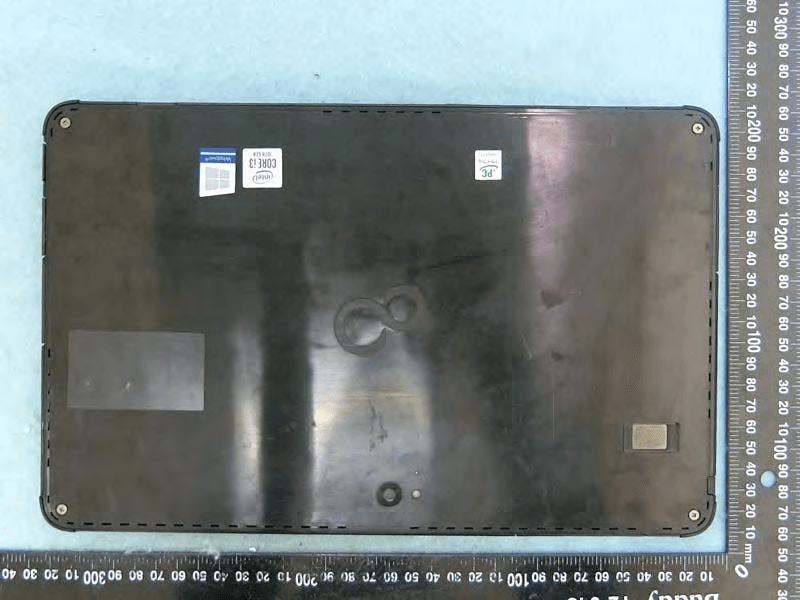
EJE-KST001
May 13, 2020Tablet Computer
Equipment Class
DXX - Part 15 Low Power Communication Device Transmitter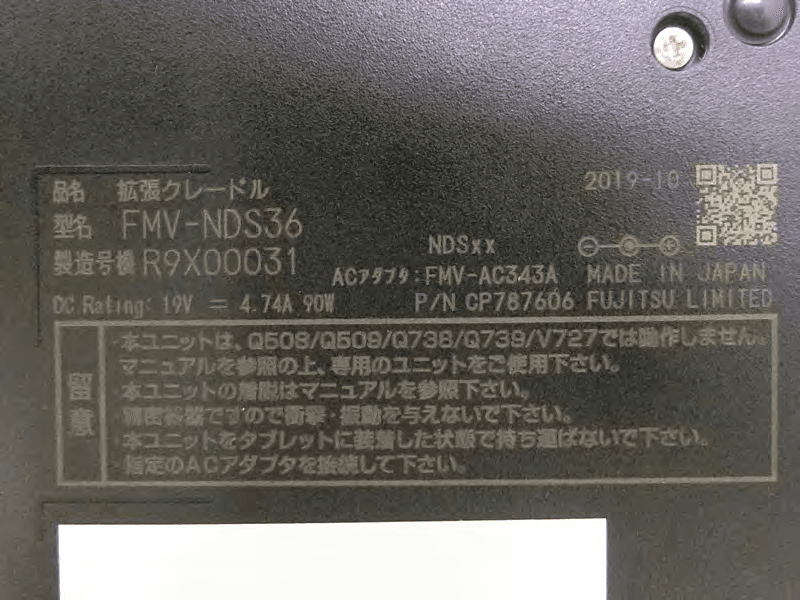
EJE-KSC001
May 13, 2020Port Replicator
Equipment Class
DXX - Part 15 Low Power Communication Device Transmitter
EJE-WB0099
Jan 27, 2016STYLISTIC Q series
Equipment Class
DSS - Part 15 Spread Spectrum Transmitter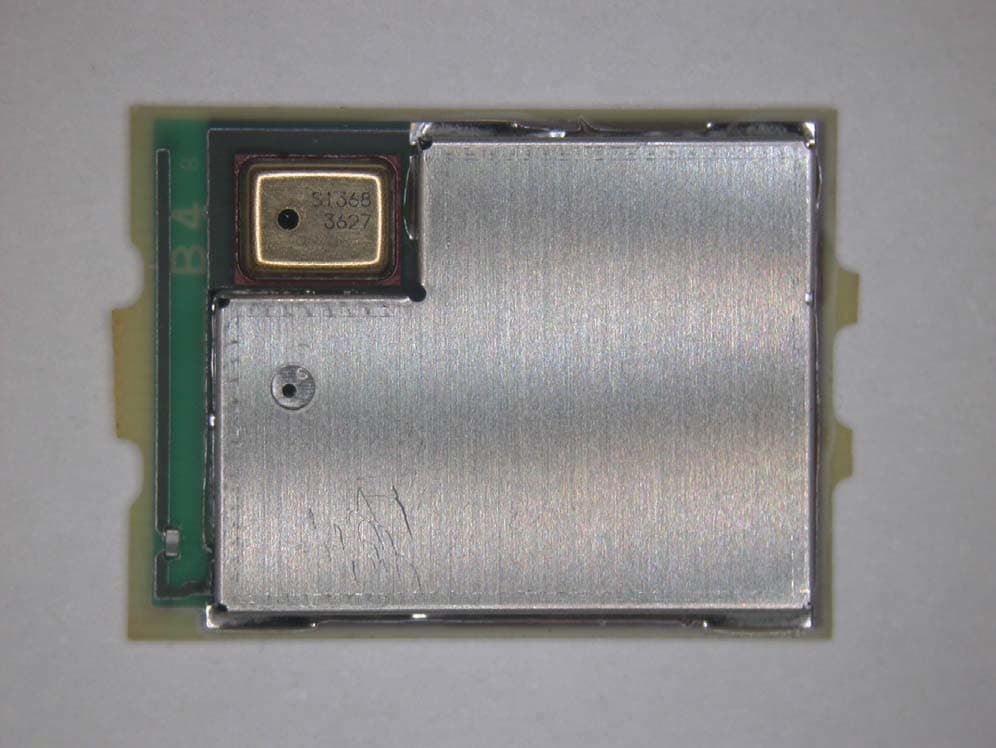
EJE-BT0004
Dec 06, 2015Ubiquitous-warecore module
Equipment Class
DTS - Digital Transmission System
EJE-WB0097
Nov 12, 2015FUJITSU STYLISTIC Q736
Equipment Class
DTS - Digital Transmission System