EJE-WB0037LifeBook P Series w/WLL4070 11ABG WLAN & BT
Fujitsu Client Computing Limited (FCCL)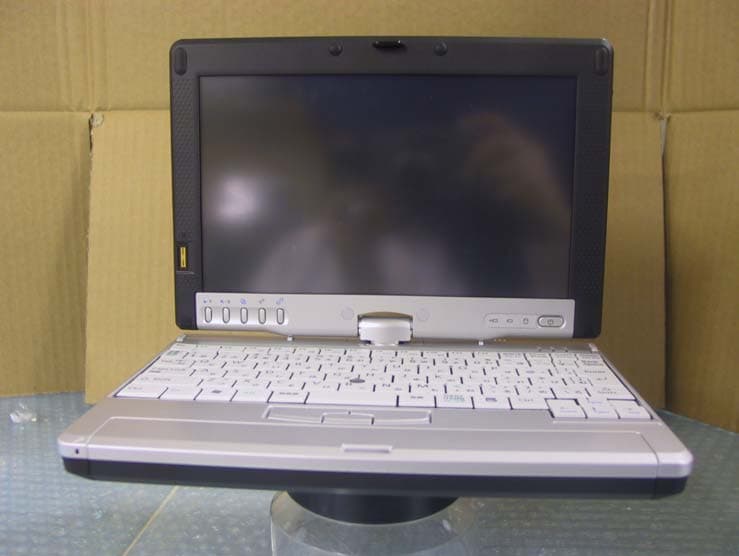
Click to zoom
Application Details
- Equipment Class
- NII - Unlicensed National Information Infrastructure TX
- Date of Grant
- Oct 11, 2005
- Application Purpose
- Original Equipment
- Date of Application
- Sep 13, 2005
- Equipment Note
- LifeBook P Series w/WLL4070 11ABG WLAN & BT
- Frequency Range
- 5745.00000000 - 5825.00000000
- Country
- Japan
Documents & Files
Document Text
Text extracted from the exhibit documents filed with the FCC. Open a document above to read the original.
Users Manual
Copyright Copyright & Trademark Information Fujitsu Computer Systems Corporation has made every effort to ensure the accuracy and completeness of this document. However, as ongoing development efforts are continually improving the capabilities of our products, we cannot guarantee the accuracy of the contents of this document. We disclaim liability for errors, omissions, or future changes. Fujitsu, the Fujitsu logo, and LifeBook are registered trademarks of Fujitsu Limited. Microsoft, MS-DOS, and Windows are either registered trademarks or trademarks of Microsoft Corporation in the United States and/or other countries. Atheros and Super AG are registered trademarks of Atheros Communications, Inc. Adobe, Acrobat, and Acrobat Reader are either regis- tered trademarks or trademarks of Adobe Systems Incorporated in the United States and/or other coun- tries. Realtek is a trademark of Realtek Semiconductor Corpo- ration. All other trademarks mentioned herein are the property of their respective owners. © Copyright 2005 Fujitsu Computer Systems Corpora- tion. All rights reserved. No part of this publication may be copied, reproduced, or translated, without prior written consent of Fujitsu Computer Systems Corpora- tion. No part of this publication may be stored or trans- mitted in any electronic form without the written consent of Fujitsu Computer Systems Corporation. B6FH-6861-01EN-00 WARNING Handling the cord on this product or cords associated with accessories sold with this product, will expose you to lead, a chemical known to the State of California to cause birth defects or other reproductive harm. Wash hands after handling. DECLARATION OF CONFORMITY according to FCC Part 15 Responsible Party Name:Fujitsu Computer Systems Corporation Address: 1250 E. Arques Avenue, MS 122 Sunnyvale, CA 94085 Telephone:(408) 746-6000 Declares that product:Model Configuration: LifeBook P1510D Notebook Complies with Part 15 of the FCC Rules. This device complies with Part 15 of the FCC rules. Operations are subject to the following two conditions: (1) This device must not be allowed to cause harmful interference, (2) This device must accept any interference received, including interference that may cause undesired operation. P Series.book Page 1 Wednesday, July 13, 2005 10:43 AM The Bluetooth trademark is owned by Bluetooth SIG, Inc., USA. LifeBook P Series Notebook IMPORTANT SAFETY INSTRUCTIONS This unit requires an AC adapter to operate. Use only UL Listed Class 2 Adapters with an output rating of 16 VDC, with a current of 2.5 A. AC adapter output polarity: When using your notebook equipment, basic safety precautions should always be followed to reduce the risk of fire, electric shock and injury to persons, including the following: ■ Do not use this product near water for example, near a bathtub, washbowl, kitchen sink or laundry tub, in a wet basement or near a swimming pool. ■ Avoid using the modem during an electrical storm. There may be a remote risk of electric shock from lightning. ■ Do not use the modem to report a gas leak in the vicinity of the leak. ■ Use only the power cord and batteries indicated in this manual. Do not dispose of batteries in a fire. They may explode. Check with local codes for possible special disposal instructions. ■ To reduce the risk of fire, use only No. 26 AWG or larger UL Listed or CSA Certified Telecommunication Line Cord. SAVE THESE INSTRUCTIONS For Authorized Repair Technicians Only System Disposal + Danger of explosion if Lithium (clock) bat- tery is incorrectly replaced. Replace only with the same or equivalent type recom- mended by the manufacturer. Dispose of used batteries according to the manufac- turer’s instruction. For continued protection against risk of fire, replace only with the same type and rating fuse. Hg LAMP(S) INSIDE THIS PRODUCT CONTAIN MERCURY AND MUST BE RECYCLED OR DISPOSED OF ACCORDING TO LOCAL, STATE, OR FEDERAL LAWS. P Series.book Page 2 Wednesday, July 13, 2005 10:43 AM Table of Contents Fujitsu LifeBook ® P Series Notebook Table of Contents 1 PREFACE Preface About This Guide . . . . . . . . . . . . . . . . . . . . . . . . . 3 Fujitsu Contact Information . . . . . . . . . . . . . . . . . 3 Warranty . . . . . . . . . . . . . . . . . . . . . . . . . . . . . . . 3 2 GETTING TO KNOW YOUR LIFEBOOK Overview Unpacking . . . . . . . . . . . . . . . . . . . . . . . . . . . . . . 7 Optional Accessories . . . . . . . . . . . . . . . . . . . . . . 7 Locating the Controls/Connectors Front and Display Components . . . . . . . . . . . . . . 9 Left-Side Panel Components . . . . . . . . . . . . . . . 10 Right-Side Panel Components . . . . . . . . . . . . . . 11 Rear Panel Components . . . . . . . . . . . . . . . . . . . 12 Bottom Components . . . . . . . . . . . . . . . . . . . . . 13 Status Indicators Power Indicator . . . . . . . . . . . . . . . . . . . . . . . . . 14 AC Adapter/Battery Charging Indicator . . . . . . . 14 Battery Level Indicator . . . . . . . . . . . . . . . . . . . . 14 Hard Drive Access Indicator . . . . . . . . . . . . . . . . 14 NumLk Indicator. . . . . . . . . . . . . . . . . . . . . . . . . 15 CapsLock Indicator . . . . . . . . . . . . . . . . . . . . . . . 15 ScrLk Indicator . . . . . . . . . . . . . . . . . . . . . . . . . . 15 Display Panel Opening the Display Panel . . . . . . . . . . . . . . . . . 16 Using the System as a Tablet . . . . . . . . . . . . . . . 16 Adjusting Display Panel Brightness . . . . . . . . . . . 17 Keyboard Using the Keyboard . . . . . . . . . . . . . . . . . . . . . . 18 Numeric Keypad. . . . . . . . . . . . . . . . . . . . . . . . . 18 Windows Keys . . . . . . . . . . . . . . . . . . . . . . . . . . 18 Cursor Keys . . . . . . . . . . . . . . . . . . . . . . . . . . . . 18 Function Keys. . . . . . . . . . . . . . . . . . . . . . . . . . . 19 LifeBook Application Panel Changing Button Functions . . . . . . . . . . . . . . . . 21 Quick Point/Touch Screen Clicking . . . . . . . . . . . . . . . . . . . . . . .…
Text truncated - open the document above for the full version.
Users Manual
35 4 User-Installable Features P Series.book Page 35 Wednesday, July 13, 2005 10:43 AM 36 LifeBook P Series Notebook - Section Four P Series.book Page 36 Wednesday, July 13, 2005 10:43 AM 37 User-Installable Features Lithium ion Battery Your LifeBook P Series notebook has a Lithium ion battery that provides power for operating your note- book when no external power source is available. The battery is durable and long lasting, but should not be exposed to extreme temperatures, high voltages, chemi- cals or other hazards. The Lithium ion battery operating time may become shorter if it is used under the following conditions: ■ When used at temperatures lower than 41° F (5° C) or higher than 95° F (35° C). Extreme temperatures not only reduce charging efficiency, but can also cause battery deterioration. The Charging icon on the Status Indicator panel will flash when you try to charge a battery that is outside its operating temperature range. See “” on page 14. ■ When using a high current device such as a modem, CD-ROM drive, or hard drive, using the AC adapter will conserve your battery life. RECHARGING THE BATTERY If you want to know the condition of the Lithium ion battery, check the Battery Level indicator located on the Status Indicator panel. The indicator changes as the battery level changes. The Lithium ion battery is recharged internally using the AC adapter or Auto/Airline adapter. To recharge the battery make sure the battery that needs to be charged is installed in your notebook and connect the AC or Auto/ Airline adapt er. There is no memory effect on the Lithium ion battery, therefore you do not need to discharge the battery completely before recharging. The charge times will be longer if your notebook is in use while the battery is charging. If you want to charge the battery more quickly, put your notebook into Standby mode, or turn it off while the adapter is charging the battery. See “Power Management” on page 32. Low Battery State When the battery is running low, the Battery Level indi- cator will glow red. If you do not respond to the low battery alarm, the batteries will continue to discharge until they are too low to operate. Your notebook will then go into Standby mode to try and protect your data for as long as possible. There is no guarantee that your data will not be lost once the notebook reaches this point. ■ Do not leave a faulty battery in your notebook. It may damage your AC adapter, optional Auto/Airline adapter, or your notebook itself. It may also pre- vent operation of your notebook by draining all available current into the bad battery. ■ Under federal, state, or local law it may be illegal to dispose of batteries by putting them in the trash. Please take care of our environment and dispose of batteries properly. Check with your local government authority for details regarding recycling or disposing of old batteries. If you cannot find this infor- mation elsewhere, contact your support representative at 1-800-8Fujitsu. Actual battery life will vary based on screen brightness, applications, features, power management settings, battery condition and other customer preferences. CD-ROM drive or hard drive usage may also have a significant impact on battery life. The battery charging capacity is reduced as the battery ages. If your battery is running low quickly, you should replace it with a new one. Make sure that the Battery Charging indicator and the Battery Level indicator icon on the Status Indicator Panel light. Using heavy current devices such as a modem or frequent CD-ROM and PCMCIA powered external device accesses may prevent charging completely. ■ Once the low battery indicator appears you must save all your data and put your notebook into Standby mode until you can provide a new power source. You should provide a charged battery or AC or Auto/Airline Adapter as soon as possible. ■ When you are in Standby mode there must always be at least one power source active. If you remove all power sources while your notebook is in Standby mode, any data that has not been saved to the hard drive will be lost. P Series.book Page 37 Wednesday, July 13, 2005 10:43 AM 38 LifeBook P Series Notebook - Section Four Once your notebook goes into Dead Battery Suspend mode you will be unable to resume operation until you provide a source of power either from an adapter, or a charged battery. Once you have provided power, you will need to press the Suspend/Resume button to resume operation. In the Dead Battery Suspend mode, your data can be maintained for some time, but if a power source is not provided promptly, the Power indicator will stop flashing and go out, meaning that you have lost the data that was not stored. Once you provide power, you can continue to use your notebook while an adapter is charging the battery. REPLACING THE BATTERY Your LifeBook P Series notebook comes with one battery pack; you might want to consider purchasing a spare. By keeping a spare battery fully charged, you can immedi- ately swap with one that is not charged. There are two ways to swap batteries: cold-swapping and hot-swapping. Cold-swapping means swapping batteries when the system has been powered down; hot-swapping is performed when the system is powered by AC power. Cold-swapping batteries To cold-swap batteries in your battery compartment, follow these easy steps: (Figure 4-1) 1. Have a charged battery ready to install. 2. Shut down your notebook and disconnect the AC adapter. 3. Lift the display enough to pull the display latch from the slot. 4. Press the battery release latches to open the compartment. 5. Remove the battery from the compartment. 6. Slide the new battery into the compartment. 7. Close the compartment and the battery release latches will click into place. 8. Plug in the AC adapter and turn the power on. Figure 4-1. Removing the Battery Hot-swapping Batteries To hot-swap batteries in your battery compartment follow these easy steps: (Figure 4-1) 1. Close any open files…
Text truncated - open the document above for the full version.
External Photos
External Photo FUJITSU LIMITED (Model: P1510D) FCC ID: EJE-WB0037 Back (Closed) Back (Open) External Photo FUJITSU LIMITED (Model: P1510D) FCC ID: EJE-WB0037 Front (Closed) Front (Open) External Photo FUJITSU LIMITED (Model: P1510D) FCC ID: EJE-WB0037 Side 1 (Closed) Side 2 (Closed)
Internal Photos
Internal Photo FUJITSU LIMITED (Model: P1510D) FCC ID: EJE-WB0037 Internal view (cover off) Internal view (with cover) Internal Photo FUJITSU LIMITED (Model: P1510D) FCC ID: EJE-WB0037 BT Module Close up (Cover off) Internal Photo FUJITSU LIMITED (Model: P1510D) FCC ID: EJE-WB0037 Circuit Board with Bluetooth Module(Top) Circuit Board with Bluetooth Module(Bottom) Internal Photo FUJITSU LIMITED (Model: P1510D) FCC ID: EJE-WB0037 Bluetooth Module (Cover Off) Bluetooth Module (with Shield) Internal Photo FUJITSU LIMITED (Model: P1510D) FCC ID: EJE-WB0037 RF Module Top (Cover Off) RF Module Top (with cover) Internal Photo FUJITSU LIMITED (Model: P1510D) FCC ID: EJE-WB0037 RF Module Bottom Internal Photo FUJITSU LIMITED (Model: P1510D) FCC ID: EJE-WB0037 Aux Antenna Main Antenna Internal Photo FUJITSU LIMITED (Model: P1510D) FCC ID: EJE-WB0037 Aux Antenna Main Antenna Front Panel (Cover off)
RF Exposure Info
Test report No. : 26AE0214-HO-6 Page : 2 of 136 Issued date : September 9, 2005 FCC ID : EJE-WB0037 UL Apex Co., Ltd. Head Office EMC Lab. 4383-326 Asama-cho, Ise-shi, Mie-ken 516-0021 JAPAN Telephone: +81 596 24 8116 Facsimile: +81 596 24 8124 CONTENTS PAGE SECTION 1 : Client information...............................................................................................................................................3 SECTION 2 : Equipment under test .........................................................................................................................................4 SECTION 3 : Requirements for compliance testing defined by the FCC ..............................................................................7 SECTION 4 : Dosimetry assessment setup ...............................................................................................................................7 SECTION 5 : Test system specifications.................................................................................................................................11 SECTION 6 : Test setup of EUT .............................................................................................................................................12 SECTION 7 : Measurement uncertainty ................................................................................................................................18 SECTION 8 : Simulated tissue liquid parameter ...................................................................................................................19 SECTION 9 : System validation data......................................................................................................................................21 SECTION 10 : Evaluation procedure .....................................................................................................................................22 SECTION 11 : Exposure limit .................................................................................................................................................23 SECTION 12 : SAR Measurement results (5150-5350MHz)[Normal Mode] ......................................................................24 SECTION 13 : SAR Measurement results (5725-5850MHz) [Normal mode]......................................................................28 SECTION 14 : SAR Measurement results (5150-5350MHz ,5725-5850MHz) [Turbo mode] ............................................32 SECTION 15 : Equipment & calibration information ..........................................................................................................34 SECTION 16 : References........................................................................................................................................................35 APPENDIX 1 : Photographs of test setup ............................................................................................................................ 36 APPENDIX 2 : SAR Measurement data (5150-5350MHz)[Normal mode]........................................................................ 49 APPENDIX 3 : SAR Measurement data (5725-5850MHz)[Normal mode]........................................................................ 69 APPENDIX 4 : SAR Measurement data (5150-5350MHz,5725-5850MHz)[Turbo mode] ............................................... 92 APPENDIX 5 : Validation Measurement data..................................................................................................................... 101 APPENDIX 6 : System Validation Dipole (D5GHzV2,S/N: 1020)...................................................................................... 105 APPENDIX 7 : Dosimetric E-field Probe Calibration (EX3DV4, S/N:3540)..................................................................... 116 APPENDIX 8 : The 5-6GHz Extension (SPEAG information)........................................................................................... 126 APPENDIX 9 : Power drift measurement ............................................................................................................................ 135 Test report No. : 26AE0214-HO-6 Page : 3 of 136 Issued date : September 9, 2005 FCC ID : EJE-WB0037 UL Apex Co., Ltd. Head Office EMC Lab. 4383-326 Asama-cho, Ise-shi, Mie-ken 516-0021 JAPAN Telephone: +81 596 24 8116 Facsimile: +81 596 24 8124 SECTION 1 : Client information Company Name : FUJITSU LIMITED Brand Name : FUJITSU Address : 1-1, Kamikodanaka 4-chome, Nakahara-ku, Kawasaki 211-8588, Japan Telephone Number : +81-44-754-3885 Facsimile Number : +81-44-754-3769 Contact Person : Tsuyoshi Uchihara Test report No. : 26AE0214-HO-6 Page : 4 of 136 Issued date : September 9, 2005 FCC ID : EJE-WB0037 UL Apex Co., Ltd. Head Office EMC Lab. 4383-326 Asama-cho, Ise-shi, Mie-ken 516-0021 JAPAN Telephone: +81 596 24 8116 Facsimile: +81 596 24 8124 SECTION 2 : Equipment under test 2.1 Identification of EUT Applicant : FUJITSU LIMITED Type of Equipment : Personal Computer Model No. : P1510D Serial No. : R5100002 Country of Manufacture : Japan Receipt Date of Sample : January 17, 2005 Condition of EUT : Engineering prototype (Not for sale: This sample is equivalent to mass-produced items.) Size of EUT(L*W:H) : 160*230*35 Category Identified : Portable device Supply : DC16.0V / 2.5A Battery : This PC (model : P1510D) has two types. Standard Battery (Li ion Battery) Model name CP229720 Serial No. P1510D_Battery_3_01 V / mAh 10.8Vdc / 2600mAh Option Battery(Li ion Battery) Model name CP229725 Serial No. P1510D_Battery_6_01 V / mAh 10.8Vdc / 5200mAh Test report No. : 26AE0214-HO-6 Page : 5 of 136 Issued date : September 9, 2005 FCC ID : EJE-WB0037 UL Apex Co., Ltd. Head Office EMC Lab. 4383-326 Asama-cho, Ise-shi, Mie-ken 516-0021 JAPAN Telephone: +81 596 24 8116 Facsimile: +81 596 24 8124 Photografhs of EUT Note type use Tablet type use 2.2 Product description of EUT This EUT has IEEE802.11 a/b/g…
Text truncated - open the document above for the full version.
RF Exposure Info
Test report No. : 26AE0214-HO-6 Page : 36 of 136 Issued date : September 9, 2005 FCC ID : EJE-WB0037 UL Apex Co., Ltd. Head Office EMC Lab. 4383-326 Asama-cho, Ise-shi, Mie-ken 516-0021 JAPAN Telephone: +81 596 24 8116 Facsimile: +81 596 24 8124 APPENDIX 1 : Photographs of test setup Test report No. : 26AE0214-HO-6 Page : 37 of 136 Issued date : September 9, 2005 FCC ID : EJE-WB0037 UL Apex Co., Ltd. Head Office EMC Lab. 4383-326 Asama-cho, Ise-shi, Mie-ken 516-0021 JAPAN Telephone: +81 596 24 8116 Facsimile: +81 596 24 8124 Main Front Test report No. : 26AE0214-HO-6 Page : 38 of 136 Issued date : September 9, 2005 FCC ID : EJE-WB0037 UL Apex Co., Ltd. Head Office EMC Lab. 4383-326 Asama-cho, Ise-shi, Mie-ken 516-0021 JAPAN Telephone: +81 596 24 8116 Facsimile: +81 596 24 8124 Aux Front Test report No. : 26AE0214-HO-6 Page : 39 of 136 Issued date : September 9, 2005 FCC ID : EJE-WB0037 UL Apex Co., Ltd. Head Office EMC Lab. 4383-326 Asama-cho, Ise-shi, Mie-ken 516-0021 JAPAN Telephone: +81 596 24 8116 Facsimile: +81 596 24 8124 Main Back Test report No. : 26AE0214-HO-6 Page : 40 of 136 Issued date : September 9, 2005 FCC ID : EJE-WB0037 UL Apex Co., Ltd. Head Office EMC Lab. 4383-326 Asama-cho, Ise-shi, Mie-ken 516-0021 JAPAN Telephone: +81 596 24 8116 Facsimile: +81 596 24 8124 Aux Back Main Bottom Test report No. : 26AE0214-HO-6 Page : 41 of 136 Issued date : September 9, 2005 FCC ID : EJE-WB0037 UL Apex Co., Ltd. Head Office EMC Lab. 4383-326 Asama-cho, Ise-shi, Mie-ken 516-0021 JAPAN Telephone: +81 596 24 8116 Facsimile: +81 596 24 8124 Main Bottom Test report No. : 26AE0214-HO-6 Page : 42 of 136 Issued date : September 9, 2005 FCC ID : EJE-WB0037 UL Apex Co., Ltd. Head Office EMC Lab. 4383-326 Asama-cho, Ise-shi, Mie-ken 516-0021 JAPAN Telephone: +81 596 24 8116 Facsimile: +81 596 24 8124 Aux Bottom Test report No. : 26AE0214-HO-6 Page : 43 of 136 Issued date : September 9, 2005 FCC ID : EJE-WB0037 UL Apex Co., Ltd. Head Office EMC Lab. 4383-326 Asama-cho, Ise-shi, Mie-ken 516-0021 JAPAN Telephone: +81 596 24 8116 Facsimile: +81 596 24 8124 Main Side Test report No. : 26AE0214-HO-6 Page : 44 of 136 Issued date : September 9, 2005 FCC ID : EJE-WB0037 UL Apex Co., Ltd. Head Office EMC Lab. 4383-326 Asama-cho, Ise-shi, Mie-ken 516-0021 JAPAN Telephone: +81 596 24 8116 Facsimile: +81 596 24 8124 Aux Side Test report No. : 26AE0214-HO-6 Page : 45 of 136 Issued date : September 9, 2005 FCC ID : EJE-WB0037 UL Apex Co., Ltd. Head Office EMC Lab. 4383-326 Asama-cho, Ise-shi, Mie-ken 516-0021 JAPAN Telephone: +81 596 24 8116 Facsimile: +81 596 24 8124 Main Side / 5mm Test report No. : 26AE0214-HO-6 Page : 46 of 136 Issued date : September 9, 2005 FCC ID : EJE-WB0037 UL Apex Co., Ltd. Head Office EMC Lab. 4383-326 Asama-cho, Ise-shi, Mie-ken 516-0021 JAPAN Telephone: +81 596 24 8116 Facsimile: +81 596 24 8124 Main Side / 10mm Test report No. : 26AE0214-HO-6 Page : 47 of 136 Issued date : September 9, 2005 FCC ID : EJE-WB0037 UL Apex Co., Ltd. Head Office EMC Lab. 4383-326 Asama-cho, Ise-shi, Mie-ken 516-0021 JAPAN Telephone: +81 596 24 8116 Facsimile: +81 596 24 8124 Aux Side / 5mm Test report No. : 26AE0214-HO-6 Page : 48 of 136 Issued date : September 9, 2005 FCC ID : EJE-WB0037 UL Apex Co., Ltd. Head Office EMC Lab. 4383-326 Asama-cho, Ise-shi, Mie-ken 516-0021 JAPAN Telephone: +81 596 24 8116 Facsimile: +81 596 24 8124 Aux Side / 10mm
RF Exposure Info
Test report No. : 26AE0214-HO-6 Page : 49 of 136 Issued date : September 9, 2005 FCC ID : EJE-WB0037 UL Apex Co., Ltd. Head Office EMC Lab. 4383-326 Asama-cho, Ise-shi, Mie-ken 516-0021 JAPAN Telephone: +81 596 24 8116 Facsimile: +81 596 24 8124 APPENDIX 2 : SAR Measurement data (5150-5350MHz)[Normal mode] Test report No. : 26AE0214-HO-6 Page : 50 of 136 Issued date : September 9, 2005 FCC ID : EJE-WB0037 UL Apex Co., Ltd. Head Office EMC Lab. 4383-326 Asama-cho, Ise-shi, Mie-ken 516-0021 JAPAN Telephone: +81 596 24 8116 Facsimile: +81 596 24 8124 P1510D / Body / Main Side / 11a 5260 / BPSK(9Mbps) Duty Cycle: 1:1 Medium parameters used: f = 5200 MHz; σ = 5.53 mho/m; ε r = 46.8; ρ = 1000 kg/m 3 Phantom section: Flat Section Measurement Standard: DASY4 (High Precision Assessment) DASY4 Configuration: Probe: EX3DV4 - SN3540; ConvF(4.4, 4.4, 4.4); Calibrated: 2005/01/14 Sensor-Surface: 2mm (Mechanical Surface Detection) Electronics: DAE3 Sn516; Calibrated: 2005/03/10 Phantom: SAM 1196 Measurement SW: DASY4, V4.5 Build 19; Postprocessing SW: SEMCAD, V1.8 Build 145 Area Scan (51x81x1): Measurement grid: dx=10mm, dy=10mm Maximum value of SAR (interpolated) = 2.41 mW/g Zoom Scan (7x7x8)/Cube 0: Measurement grid: dx=4.3mm, dy=4.3mm, dz=3mm Reference Value = 11.9 V/m; Power Drift = -0.155 dB Peak SAR (extrapolated) = 5.01 W/kg SAR(1 g) = 1.04 mW/g; SAR(10 g) = 0.279 mW/ Maximum value of SAR (measured) = 2.36 mW/g Test Date = 05/10/05 Ambient Temperature = 24.7 degree.C. Liquid Temperature = Before 24.8 degree.C. , After 24.8 degree.C. Test report No. : 26AE0214-HO-6 Page : 51 of 136 Issued date : September 9, 2005 FCC ID : EJE-WB0037 UL Apex Co., Ltd. Head Office EMC Lab. 4383-326 Asama-cho, Ise-shi, Mie-ken 516-0021 JAPAN Telephone: +81 596 24 8116 Facsimile: +81 596 24 8124 P1510D / Body / Main Side / 11a 5260 / QPSK(12Mbps) Duty Cycle: 1:1 Medium parameters used: f = 5200 MHz; σ = 5.53 mho/m; ε r = 46.8; ρ = 1000 kg/m 3 Phantom section: Flat Section Measurement Standard: DASY4 (High Precision Assessment) DASY4 Configuration: Probe: EX3DV4 - SN3540; ConvF(4.4, 4.4, 4.4); Calibrated: 2005/01/14 Sensor-Surface: 2mm (Mechanical Surface Detection) Electronics: DAE3 Sn516; Calibrated: 2005/03/10 Phantom: SAM 1196 Measurement SW: DASY4, V4.5 Build 19; Postprocessing SW: SEMCAD, V1.8 Build 145 Area Scan (51x81x1): Measurement grid: dx=10mm, dy=10mm Zoom Scan (7x7x8)/Cube 0: Measurement grid: dx=4.3mm, dy=4.3mm, dz=3mm Reference Value = 11.8 V/m; Power Drift = -0.053 dB Peak SAR (extrapolated) = 4.58 W/kg SAR(1 g) = 0.989 mW/g; SAR(10 g) = 0.266 mW/g Maximum value of SAR (measured) = 2.34 mW/g Test Date = 05/10/05 Ambient Temperature = 25.0degree.C. Liquid Temperature = Before 24.7 degree.C. , After 24.5 degree.C. Test report No. : 26AE0214-HO-6 Page : 52 of 136 Issued date : September 9, 2005 FCC ID : EJE-WB0037 UL Apex Co., Ltd. Head Office EMC Lab. 4383-326 Asama-cho, Ise-shi, Mie-ken 516-0021 JAPAN Telephone: +81 596 24 8116 Facsimile: +81 596 24 8124 P1510D / Body / Main Side / 11a 5260 / 16QAM(36Mbps) Duty Cycle: 1:1 Medium parameters used: f = 5200 MHz; σ = 5.53 mho/m; ε r = 46.8; ρ = 1000 kg/m 3 Phantom section: Flat Section Measurement Standard: DASY4 (High Precision Assessment) DASY4 Configuration: Probe: EX3DV4 - SN3540; ConvF(4.4, 4.4, 4.4); Calibrated: 2005/01/14 Sensor-Surface: 2mm (Mechanical Surface Detection) Electronics: DAE3 Sn516; Calibrated: 2005/03/10 Phantom: SAM 1196 Measurement SW: DASY4, V4.5 Build 19; Postprocessing SW: SEMCAD, V1.8 Build 145 Area Scan (51x81x1): Measurement grid: dx=10mm, dy=10mm Maximum value of SAR (interpolated) = 2.26 mW/g Zoom Scan (7x7x8)/Cube 0: Measurement grid: dx=4.3mm, dy=4.3mm, dz=3mm Reference Value = 12.2 V/m; Power Drift = -0.022 dB Peak SAR (extrapolated) = 4.69 W/kg SAR(1 g) = 0.988 mW/g; SAR(10 g) = 0.266 mW/g Maximum value of SAR (measured) = 2.35 mW/g Test Date = 05/10/05 Ambient Temperature = 25.0degree.C. Liquid Temperature = Before 24.5 degree.C. , After 24.5 degree.C. Test report No. : 26AE0214-HO-6 Page : 53 of 136 Issued date : September 9, 2005 FCC ID : EJE-WB0037 UL Apex Co., Ltd. Head Office EMC Lab. 4383-326 Asama-cho, Ise-shi, Mie-ken 516-0021 JAPAN Telephone: +81 596 24 8116 Facsimile: +81 596 24 8124 P1510D / Body / Main Side / 11a 5260 / 64QAM(54Mbps) Duty Cycle: 1:1 Medium parameters used: f = 5200 MHz; σ = 5.53 mho/m; ε r = 46.8; ρ = 1000 kg/m 3 Phantom section: Flat Section Measurement Standard: DASY4 (High Precision Assessment) DASY4 Configuration: Probe: EX3DV4 - SN3540; ConvF(4.4, 4.4, 4.4); Calibrated: 2005/01/14 Sensor-Surface: 2mm (Mechanical Surface Detection) Electronics: DAE3 Sn516; Calibrated: 2005/03/10 Phantom: SAM 1196 Measurement SW: DASY4, V4.5 Build 19; Postprocessing SW: SEMCAD, V1.8 Build 145 Area Scan (51x81x1): Measurement grid: dx=10mm, dy=10mm Maximum value of SAR (interpolated) = 2.41 mW/g Zoom Scan (7x7x8)/Cube 0: Measurement grid: dx=4.3mm, dy=4.3mm, dz=3mm Reference Value = 13.8 V/m; Power Drift = 0.267 dB Peak SAR (extrapolated) = 4.78 W/kg SAR(1 g) = 1.01 mW/g; SAR(10 g) = 0.270 mW/g Maximum value of SAR (measured) = 2.40 mW/g Test Date = 05/10/05 Ambient Temperature = 25.0degree.C. Liquid Temperature = Before 24.4 degree.C. , After 24.4 degree.C. Test report No. : 26AE0214-HO-6 Page : 54 of 136 Issued date : September 9, 2005 FCC ID : EJE-WB0037 UL Apex Co., Ltd. Head Office EMC Lab. 4383-326 Asama-cho, Ise-shi, Mie-ken 516-0021 JAPAN Telephone: +81 596 24 8116 Facsimile: +81 596 24 8124 P1510D / Body / Main Side / 11a 5260 / BPSK(9Mbps) / Option Battery Duty Cycle: 1:1 Medium parameters used: f = 5200 MHz; σ = 5.53 mho/m; ε r = 46.8; ρ = 1000 kg/m 3 Phantom section: Flat Section Measurement Standard: DASY4 (High Precision Assessment) DASY4 Configuration: Probe: EX3DV4 - SN3540; ConvF(4.4, 4.4, 4.4); Calibrated: 2005/01/14 Sensor-Surface: 2mm (Mechanical Surface Detection) Electronics: DAE3 Sn516; Calibrated: 2005/03/10 Phantom: SAM 1196 Measurement SW: DASY4, V4.5 Build 19; Postprocessing SW: …
Text truncated - open the document above for the full version.
RF Exposure Info
Test report No. : 26AE0214-HO-6 Page : 105 of 136 Issued date : September 9, 2005 FCC ID : EJE-WB0037 UL Apex Co., Ltd. Head Office EMC Lab. 4383-326 Asama-cho, Ise-shi, Mie-ken 516-0021 JAPAN Telephone: +81 596 24 8116 Facsimile: +81 596 24 8124 APPENDIX 6 : System Validation Dipole (D5GHzV2,S/N: 1020) Test report No. : 26AE0214-HO-6 Page : 106 of 136 Issued date : September 9, 2005 FCC ID : EJE-WB0037 UL Apex Co., Ltd. Head Office EMC Lab. 4383-326 Asama-cho, Ise-shi, Mie-ken 516-0021 JAPAN Telephone: +81 596 24 8116 Facsimile: +81 596 24 8124 Test report No. : 26AE0214-HO-6 Page : 107 of 136 Issued date : September 9, 2005 FCC ID : EJE-WB0037 UL Apex Co., Ltd. Head Office EMC Lab. 4383-326 Asama-cho, Ise-shi, Mie-ken 516-0021 JAPAN Telephone: +81 596 24 8116 Facsimile: +81 596 24 8124 Test report No. : 26AE0214-HO-6 Page : 108 of 136 Issued date : September 9, 2005 FCC ID : EJE-WB0037 UL Apex Co., Ltd. Head Office EMC Lab. 4383-326 Asama-cho, Ise-shi, Mie-ken 516-0021 JAPAN Telephone: +81 596 24 8116 Facsimile: +81 596 24 8124 Test report No. : 26AE0214-HO-6 Page : 109 of 136 Issued date : September 9, 2005 FCC ID : EJE-WB0037 UL Apex Co., Ltd. Head Office EMC Lab. 4383-326 Asama-cho, Ise-shi, Mie-ken 516-0021 JAPAN Telephone: +81 596 24 8116 Facsimile: +81 596 24 8124 Test report No. : 26AE0214-HO-6 Page : 110 of 136 Issued date : September 9, 2005 FCC ID : EJE-WB0037 UL Apex Co., Ltd. Head Offic…
Text truncated - open the document above for the full version.
Contact Information
Applicant
Mr. Tsuyoshi Uchihara(Engineer)
Technical Contact
UL Apex Co., Ltd.Miyo Ikuta
[email protected]+81-596-24-8116
4383-326 Asama-cho, · Ise-shi, Mie-ken · Japan
Non-Technical Contact
UL Apex Co., Ltd.Keijiro Kumagai
[email protected]+81-596-24-8116
Test Firm
UL Japan, Inc. Yokowa EMC Lab.Masamichi Ishii
Technical Specifications
| # | Rule Parts | Frequency Range | Power Output |
|---|---|---|---|
| 2 | 15E | 5.75 GHz - 5.83 GHz | 11.00 mW |
Other Applications from Fujitsu Client Computing Limited (FCCL)
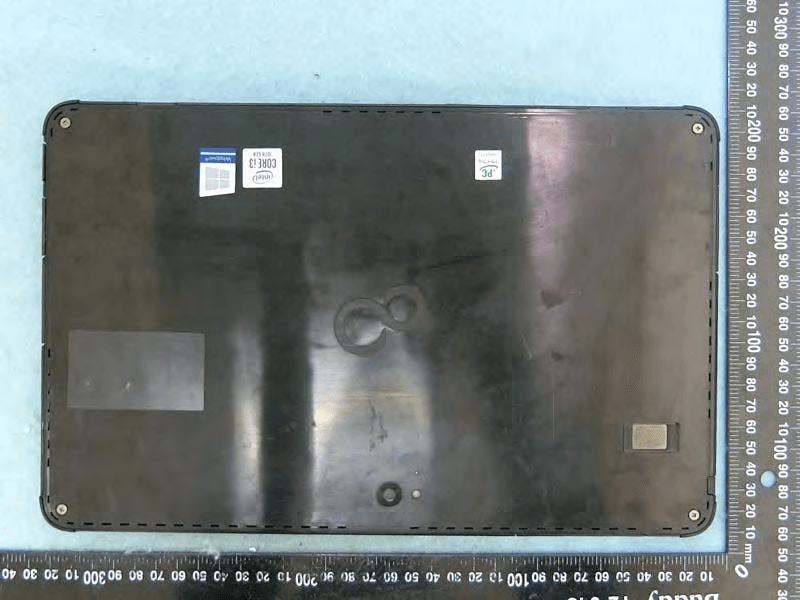
EJE-KST001
May 13, 2020Tablet Computer
Equipment Class
DXX - Part 15 Low Power Communication Device Transmitter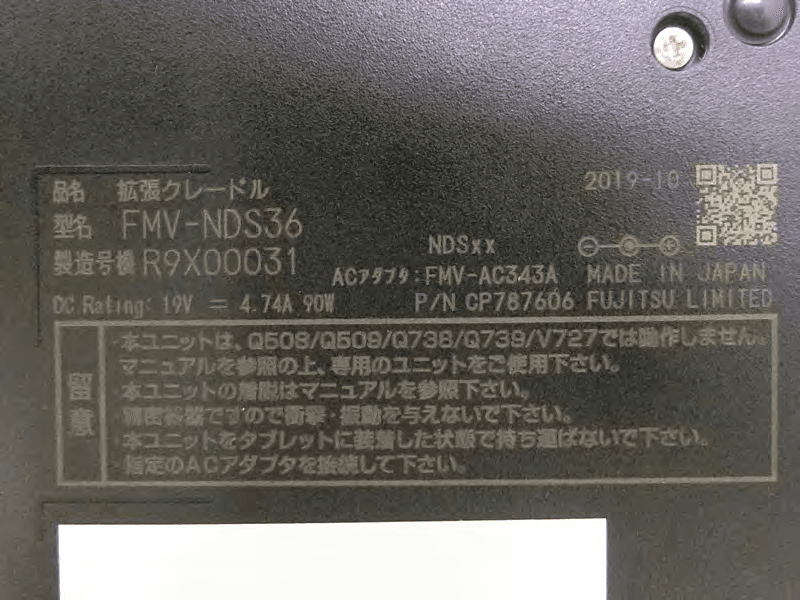
EJE-KSC001
May 13, 2020Port Replicator
Equipment Class
DXX - Part 15 Low Power Communication Device Transmitter
EJE-WB0099
Jan 27, 2016STYLISTIC Q series
Equipment Class
DSS - Part 15 Spread Spectrum Transmitter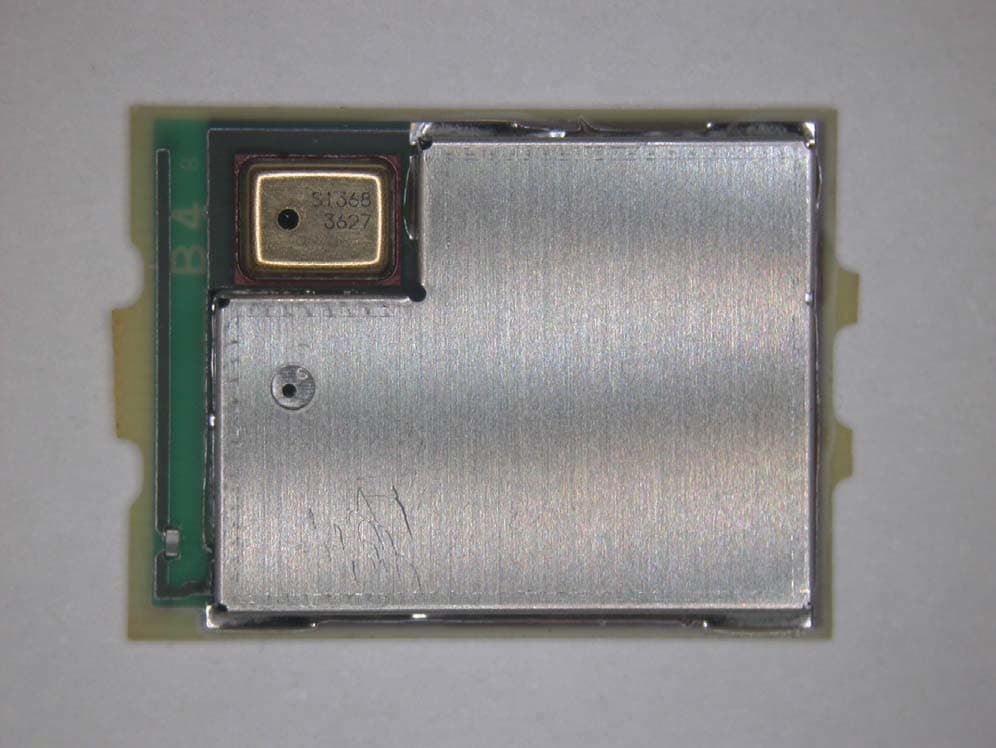
EJE-BT0004
Dec 06, 2015Ubiquitous-warecore module
Equipment Class
DTS - Digital Transmission System
EJE-WB0097
Nov 12, 2015FUJITSU STYLISTIC Q736
Equipment Class
DTS - Digital Transmission System