EJE-WL0002Notebook/Pentablet PC T3010D
Fujitsu Client Computing Limited (FCCL)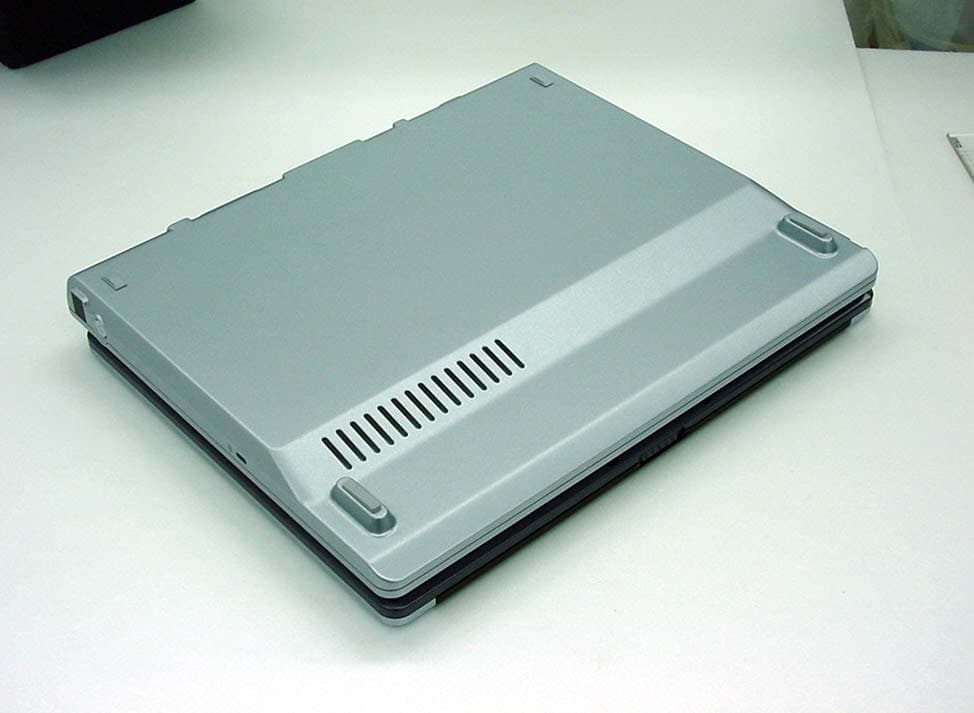
Click to zoom
Application Details
- Equipment Class
- DTS - Digital Transmission System
- Date of Grant
- Aug 20, 2003
- Application Purpose
- Original Equipment
- Date of Application
- Aug 20, 2003
- Equipment Note
- Notebook/Pentablet PC T3010D
- Frequency Range
- 2412.00000000 - 2462.00000000
- Country
- Japan
Documents & Files
Document Text
Text extracted from the exhibit documents filed with the FCC. Open a document above to read the original.
Users Manual
FCC ID: EJE-WL0002 (IC: 337J-WL0002) Report No. M030725_Certification_Mace_Broadcom EMC Technologies Pty Ltd. 57 Assembly Drive, Tullamarine VIC 3043 Australia www.emctech.com EMC Technologies Pty Ltd - Report No. M030725_Certification_Mace_Broadcom APPENDIX J – EUT USER MANUAL (SUPPLIED TO ALL END USERS) 54Mbps 802.11g Wireless LAN Card User’s Manual Information in this document is subject to change without notice. No part of this document may be reproduced or transmitted in any form or by any means, electronic or mechanical, for any purpose, without the express written permission of the seller. The seller provides this documentation without warranty, term, or condition of any kind. The seller may make improvements or changes in the product(s) and/or the program(s) described in this documentation at any time. Other product and company names herein may be trademarks of their respective owners. 2002 All rights reserved. Rev: 01 January 2003 I Contents About This Manual............................................................................................................................................V Chapter 1 Introduction....................................................................................................................................1 Wireless LAN Basics.......................................................................................................................................2 Local Area Network (LAN).........................................................................................................................................................................2 Ad-Hoc Mode.................................................................................................................................................................................................3 Infrastructure Mode.....................................................................................................................................................................................4 Roaming..........................................................................................................................................................................................................5 Chapter 2 Installing the Wireless LAN Card....................................................................................................7 System Requirements......................................................................................................................................7 Installing Wireless LAN Driver and Software......................................................................................................8 Chapter 3 Using Broadcom Wireless Configuration Utility............................................................................11 Accessing Broadcom Wireless Configuration Utility...........................................................................................12 Notice When Assessing Broadcom Utility under Windows XP...........................................................................................................12 Wireless Networks Tab...................................................................................................................................15 Connecting to an Existing Wireless Network.........................................................................................................................................15 Configuring a New Wireless Network Connection...............................................................................................................................17 54Mbps 802.11g Wireless LAN Card II Configuring an Existing Wireless Network Connection......................................................................................................................20 Specifying a Network Type to Access......................................................................................................................................................21 Link Status Tab..............................................................................................................................................22 Statistics........................................................................................................................................................25 Site Monitor....................................................................................................................................................26 Advanced Site Monitor...............................................................................................................................................................................29 Diagnostics Tab.............................................................................................................................................32 Information Tab..............................................................................................................................................35 Chapter 4 Windows XP Wireless Zero Configuration Utility..........................................................................37 Connecting to an Access Point or Wireless LAN Card........................................................................................................................37 Viewing Wireless Connection Status.......................................................................................................................................................39 Configuring Your Wireless Properties....................................................................................................................................................40 Chapter 7 Troubleshooting............................................................................................................................47 Radio Interference...............................................................................................…
Text truncated - open the document above for the full version.
Users Manual
Copyright Copyright Fujitsu PC Corporation has made every effort to ensure the accuracy and completeness of this document. However, as ongoing development efforts are continually improving the capabilities of our products, we cannot guarantee the accuracy of the contents of this document. We disclaim liability for errors, omissions, or future changes. Fujitsu, the Fujitsu logo, and LifeBook are registered trademarks of Fujitsu Limited. The following are registered trademarks of Microsoft Corporation: MS, MS-DOS, Windows. PCMCIA is a trademark of the Personal Computer Memory Card International Association. Intel and Pentium are registered trademarks of Intel Corporation. Adobe Acrobat Reader is a registered trademark of Adobe System Inc. PowerQuest and Drive Image are registered trademarks of PowerQuest Corporation. All other trademarks mentioned herein are the property of their respective owners. © Copyright 2003 Fujitsu PC Corporation. All rights reserved. No part of this publication may be copied, reproduced, or translated, without prior written consent of Fujitsu PC Corporation. No part of this publication may be stored or transmitted in any electronic form without the written consent of Fujitsu PC Corporation. B5FH-9011-01EN-00 DECLARATION OF CONFORMITY according to FCC Part 15 Responsible Party Name:Fujitsu PC Corporation Address: 5200 Patrick Henry Drive Santa Clara, CA 95054 Telephone:(408) 982-9500 Declares that product:Model Configuration: LifeBook T3010 Tablet PC LifeBook T3010D Tablet PC Complies with Part 15 of the FCC Rules. This device complies with Part 15 of the FCC rules. Operations are subject to the following two conditions: (1) This device must not be allowed to cause harmful interference, (2) This device must accept any interference received, including interference that may cause undesired operation. T Series.book Page 1 Thursday, July 31, 2003 10:49 AM LifeBook T Series Tablet PC T Series.book Page 2 Thursday, July 31, 2003 10:49 AM Table of Contents Fujitsu LifeBook ® T Series Tablet PC Table of Contents 1 PREFACE Preface About This Guide . . . . . . . . . . . . . . . . . . . . . . . . . 3 FPC Contact Information . . . . . . . . . . . . . . . . . . . 3 Warranty . . . . . . . . . . . . . . . . . . . . . . . . . . . . . . . 3 2 GETTING TO KNOW YOU R TABL ET PC Overview Unpacking . . . . . . . . . . . . . . . . . . . . . . . . . . . . . . 7 Optional Accessories . . . . . . . . . . . . . . . . . . . . . . 8 Locating the Controls and Connectors Top and Front Components . . . . . . . . . . . . . . . . 10 Left-Side Panel Components . . . . . . . . . . . . . . . 11 Right-Side Panel Components . . . . . . . . . . . . . . 12 Rear Panel Components . . . . . . . . . . . . . . . . . . . 13 Bottom Components . . . . . . . . . . . . . . . . . . . . . 14 Status Indicator Panel Power Indicator . . . . . . . . . . . . . . . . . . . . . . . . . 15 AC Adapter Indicator . . . . . . . . . . . . . . . . . . . . . 15 Battery Level Indicators . . . . . . . . . . . . . . . . . . . 15 Battery Charging Indicator . . . . . . . . . . . . . . . . . 16 Hard Drive Access Indicator . . . . . . . . . . . . . . . . 16 NumLk Indicator. . . . . . . . . . . . . . . . . . . . . . . . . 16 CapsLock Indicator . . . . . . . . . . . . . . . . . . . . . . . 16 ScrLk Indicator . . . . . . . . . . . . . . . . . . . . . . . . . . 16 Security Indicator . . . . . . . . . . . . . . . . . . . . . . . . 16 Display Panel Opening the Display Panel . . . . . . . . . . . . . . . . . 17 Using the System as a Tablet . . . . . . . . . . . . . . . 17 Adjusting Display Panel Brightness . . . . . . . . . . . 18 Keyboard Using the Keyboard . . . . . . . . . . . . . . . . . . . . . . 19 Numeric Keypad. . . . . . . . . . . . . . . . . . . . . . . . . 19 Windows Keys . . . . . . . . . . . . . . . . . . . . . . . . . . 19 Cursor Keys . . . . . . . . . . . . . . . . . . . . . . . . . . . . 20 Function Keys . . . . . . . . . . . . . . . . . . . . . . . . . . . 20 LifeBook Security/Tablet PC Buttons Changing Tablet PC Button Functions . . . . . . . . 22 Setting up LifeBook Security Panel . . . . . . . . . . . 22 Passwords . . . . . . . . . . . . . . . . . . . . . . . . . . . . . 22 Using Your LifeBook Security Panel . . . . . . . . . . 23 Uninstalling the Security Panel Application . . . . . 24 Touchpad Pointing Device Clicking . . . . . . . . . . . . . . . . . . . . . . . . . . . . . . . 25 Double-Clicking . . . . . . . . . . . . . . . . . . . . . . . . . 25 Dragging . . . . . . . . . . . . . . . . . . . . . . . . . . . . . . 26 Scrolling . . . . . . . . . . . . . . . . . . . . . . . . . . . . . . . 26 Touchpad Control Adjustment . . . . . . . . . . . . . . 26 Pen and Active Digitizer Using the Pen. . . . . . . . . . . . . . . . . . . . . . . . . . . 27 Calibrating the Pen. . . . . . . . . . . . . . . . . . . . . . . 27 Replacing the Pen Tip . . . . . . . . . . . . . . . . . . . . . 28 Using the Active Digitizer . . . . . . . . . . . . . . . . . . 28 Volume Control Controlling the Volume . . . . . . . . . . . . . . . . . . . 29 3 USING YOUR TABLET PC Power Sources Connecting the Power Adapters . . . . . . . . . . . . . 33 Starting Your Tablet PC Power On. . . . . . . . . . . . . . . . . . . . . . . . . . . . . . 34 Boot Sequence . . . . . . . . . . . . . . . . . . . . . . . . . . 34 BIOS Setup Utility. . . . . . . . . . . . . . . . . . . . . . . . 34 Booting the System . . . . . . . . . . . . . . . . . . . . . . 34 T Series.book Page 3 Thursday, July 31, 2003 10:49 AM LifeBook T Series Tablet PC Activating Additional Utilities . . . . . . . . . . . . . . . 35 Registering Your LifeBook T Series Tablet PC . . . 35 Power Management Suspend/Resume Button . . . . . . . . . . . . . . . . . . 36 Standby Mode . . . . . . . . . . . . . . . . . . . . . . . . . . 36 Hibernate Mode. . . . . . . . . . . . . . . . . . . . . . . . . 37 Display Timeout . . . . . . . . . . . . . . . . . . . . . . . . . 37 Hard Disk Timeout . . . . . . . . . . . . . .…
Text truncated - open the document above for the full version.
External Photos
FCC ID: EJE-WL0002 (IC: 337J-WL0002) Report No. M030725_Certification_Mace_Broadcom EMC Technologies Pty Ltd. 57 Assembly Drive, Tullamarine VIC 3043 Australia www.emctech.com EMC Technologies Pty Ltd - Report No. M030725_Certification_Mace_Broadcom APPENDIX B3 – EUT Host PC Photographs FCC ID: EJE-WL0002 (IC: 337J-WL0002) Report No. M030725_Certification_Mace_Broadcom EMC Technologies Pty Ltd. 57 Assembly Drive, Tullamarine VIC 3043 Australia www.emctech.com APPENDIX B3 Host – LifeBook T Series – Model T3010D (Mace) FCC ID: EJE-WL0002 (IC: 337J-WL0002) Report No. M030725_Certification_Mace_Broadcom EMC Technologies Pty Ltd. 57 Assembly Drive, Tullamarine VIC 3043 Australia www.emctech.com APPENDIX B3 Host – LifeBook T Series – Model T3010D (Mace)
Internal Photos
FCC ID: EJE-WL0002 (IC: 337J-WL0002) Report No. M030725_Certification_Mace_Broadcom EMC Technologies Pty Ltd. 57 Assembly Drive, Tullamarine VIC 3043 Australia www.emctech.com EMC Technologies Pty Ltd - Report No. M030725_Certification_Mace_Broadcom APPENDIX B1 – Test Sample Photographs EMC Technologies Pty Ltd, 57 Assembly Drive, Tullamarine VIC 3043 Australia www.emctech.com.au Test Sample – Wireless LAN Module (Broadcom, WLL3010-Mace) FCC ID: EJE-WL0002 (IC: 337J-WL0002) Report No. M030725_Certification_Mace_Broadcom EMC Technologies Pty Ltd, 57 Assembly Drive, Tullamarine VIC 3043 Australia www.emctech.com.au Test Sample – Wireless LAN Module (Broadcom, WLL3010-Mace) FCC ID: EJE-WL0002 (IC: 337J-WL0002) Report No. M030725_Certification_Mace_Broadcom
Internal Photos
FCC ID: EJE-WL0002 (IC: 337J-WL0002) Report No. M030725_Certification_Mace_Broadcom EMC Technologies Pty Ltd. 57 Assembly Drive, Tullamarine VIC 3043 Australia www.emctech.com EMC Technologies Pty Ltd - Report No. M030725_Certification_Mace_Broadcom APPENDIX B4 – EUT & Antenna Location FCC ID: EJE-WL0002 (IC: 337J-WL0002) Report No. M030725_Certification_Mace_Broadcom EMC Technologies Pty Ltd. 57 Assembly Drive, Tullamarine VIC 3043 Australia www.emctech.com APPENDIX B4 EUT Host - LifeBook T Series, Model T3010D (Mace) Wireless LAN Module (Broadcom) and Monopole Dielectric Antenna Location WLAN Antenna Antenna
RF Exposure Info
FCC ID: EJE-WL0002 IC: 337J-WL0002 Report No. M030726_Mace_Broadcom_SAR Page 1 of 44 This document shall not be copied or reproduced, except in full without the written permission of the Technical Director , EMC Technologies Pty. Ltd. The certificate on page 3 may be reproduced in full. www. emctech.com.au SAR Test Report Report Number: M030726_MACE_BROADCOM_SAR Test Sample: Portable Tablet Computer Wireless LAN Model Number: WLL3010-MACE Tested For: Fujitsu Australia Pty Ltd FCC ID: EJE-WL0002 IC: 337J-WL0002 Date of Issue: 8 th August 2003 EMC Technologies Pty Ltd reports apply only to the specific samples tested under stated test conditions. It is the manufacturer’s responsibility to assure that additional production units of this model are manufactured with identical electrical and mechanical components. EMC Technologies Pty Ltd shall have no liability for any deductions, inferences or generalisations drawn by the client or others from EMC Technologies Pty Ltd issued reports. This report shall not be used to claim, constitute or imply product endorsement by EMC Technologies Pty Ltd. EMC Technologies Pty Ltd A.C.N. 057 105 549 57 Assembly Drive Tullamarine Victoria Australia 3043 Ph: + 613 9335 3333 Fax: + 613 9338 9260 email: [email protected] FCC ID: EJE-WL0002 IC: 337J-WL0002 Report No. M030726_Mace_Broadcom_SAR Page 2 of 44 This document shall not be copied or reproduced, except in full without the written permission of the Technical Director , EMC Technologies Pty. Ltd. The certificate on page 3 may be reproduced in full. www. emctech.com.au CONTENTS 1.0 GENERAL INFORMATION........................................................................................................... 3 2.0 DESCRIPTION OF DEVICE..........................................................................................................4 2.1 Description of Test Sample .................................................................................................. 4 2.1.1 Summary of EUT Details .................................................................................................. 4 2.1.2 EUT Host Details .............................................................................................................. 5 2.2 Test sample Accessories ..................................................................................................... 5 2.2.1 Battery Types ...................................................................................................................5 2.3 Test Signal, Frequency and Output Power........................................................................... 5 2.4 Battery Status....................................................................................................................... 5 2.5 Details of Test Laboratory .................................................................................................... 6 2.5.1 Location............................................................................................................................ 6 2.5.2 Accreditations ................................................................................................................... 6 2.5.3 Environmental Factors...................................................................................................... 6 3.0 DESCRIPTION OF SAR MEASUREMENT SYSTEM ................................................................... 7 3.1 Probe Positioning System .................................................................................................... 7 3.2 E-Field Probe Type and Performance .................................................................................. 7 3.3 Data Acquisition Electronics ................................................................................................. 7 3.4 Calibration and Validation Procedures and Data .................................................................. 7 3.4.1 Validation Results @ 2450MHz ........................................................................................ 7 3.4.2 Deviation from reference validation values ....................................................................... 8 3.4.3 Liquid Depth 15cm............................................................................................................ 8 3.5 Phantom Properties (Size, Shape, Shell Thickness) ............................................................ 9 3.6 Tissue Material Properties.................................................................................................. 10 3.6.1 Liquid Temperature and Humidity................................................................................... 11 3.7 Simulated Tissue Composition Used for SAR Test ............................................................ 11 3.8 Device Holder for Laptops and PL550 Phantom ................................................................ 11 4.0 SAR MEASUREMENT PROCEDURE USING DASY4 ............................................................... 12 5.0 MEASUREMENT UNCERTAINTY.............................................................................................. 13 6.0 EQUIPMENT LIST AND CALIBRATION DETAILS .................................................................... 15 7.0 OET BULLETIN 65 – SUPPLEMENT C TEST METHOD ........................................................... 16 7.1 Description of the Test Positions (Lap Top)........................................................................ 16 7.1.1 “Tablet” Position Definition (0mm spacing) ..................................................................... 16 7.1.2 “Laptop no spacer” Position (0mm spacing) ................................................................... 16 7.1.3 “Lap Arm Held” Position (0mm spacing) ......................................................................... 16 7.1.4 “Back of Lid” Position (0mm spacing) ............................................................................. …
Text truncated - open the document above for the full version.
RF Exposure Info
FCC ID: EJE-WL0002 IC: 337J-WL0002 Report No. M030726_Mace_Broadcom_SAR Page 26 of 44 This document shall not be copied or reproduced, except in full without the written permission of the Technical Director , EMC Technologies Pty. Ltd. www. emctech.com.au APPENDIX B PLOTS OF THE SAR MEASUREMENTS Plots of the measured SAR distributions inside the phantom are given in this Appendix for only the “Lap Arm Held” and “Back of lid” tested configurations only. The spatial peak SAR values were assessed with the procedure described in this report. NOTE on SAR Plots: The measured SAR levels in the Tablet and Laptop positions were < 0.01mW/g (less than the required ambient noise level, per p1528-2003) and consequently the hotspot was not always clearly defined. The plots and graphs for these positions are not included because the measurement results are within the noise floor and the measurement sensitivity of the SAR system and do not have any significance for compliance purposes. NOTE on SAR Graphs: The Z-axis scans listed in this appendix do not always show a consistent decay over distance. It is our opinion that the effects are not due to an incorrect liquid level but caused by a much lower than average SAR level, a metallic laptop case and fields that have very steep gradients. The steep gradients occur because a small high frequency source is placed very close to the tissue. It is also suspected that the metallic case of the laptop causes reflections and inconsistencies close to the phantom surface. For reference the Validation Z-axis scans show the expected field decay over distance. Table 16: 2450 MHz DSSS Band SAR Measurement Plot Numbers Plot 1 Lap Arm Held Position – CH#01 Page 26 Plot 2 Lap Arm Held Position – CH#06 Page 27 Plot 3 Lap Arm Held Position – CH#11 Page 28 Plot 4 Back of Lid Position – CH#01 Page 29 Plot 5 Back of Lid Position – CH#06 Page 30 Plot 6 Back of Lid Position – CH#11 Page 31 Z-Axis Graphs Z-Axis graphs for Plots 1 to 6 Pages 32-34 Table 17: 2450 MHz OFDM Band SAR Measurement Plot Numbers Plot 7 Lap Arm Held Position – CH#06 Page 35 Plot 8 Back of Lid Position – CH#06 Page 36 Z-Axis Graphs Z-Axis graphs for Plots 7 and 8 Page 37 Table 18: 2450MHz Validation Plot Plot 9 Validation 2450MHz 1 st August 2003 Page 38 Plot 10 Validation 2450MHz 4 th August 2003 Page 39 Page 11 Validation 2450MHz 5 th August 2003 Page 40 Z-Axis Graphs Z-Axis graphs for Plots 9 to 11 Pages 41-42 FCC ID: EJE-WL0002 IC: 337J-WL0002 Report No. M030726_Mace_Broadcom_SAR Page 27 of 44 This document shall not be copied or reproduced, except in full without the written permission of the Technical Director , EMC Technologies Pty. Ltd. www. emctech.com.au Test Date: 05 August 2003 File Name: Arm Held DSSS Tablet 05-08-03.da4 DUT: Fujitsu Notebook with WLAN; Type: Mace B1; Serial: No.61 * Communication System: DSSS 2450 MHz; Frequency: 2412 MHz; Duty Cycle: 1:1 * Medium: Body 2450 MHz; (σ = 1.94733 mho/m, ε r = 53.2763, ρ = 1000 kg/m 3 ) - Electronics: DAE3 Sn442; Probe: ET3DV6 - SN1380; ConvF(4.5, 4.5, 4.5) - Phantom: Flat Phantom 10.1; Serial: P 10.1; Phantom section: Flat 2.2 Section Channel 01 Test 3/Area Scan (71x71x1): Measurement grid: dx=15mm, dy=15mm Reference Value = 6.5 V/m Power Drift = -0.3 dB Maximum value of SAR = 0.0991 mW/g Channel 01 Test 3/Zoom Scan (7x7x7)/Cube 0: Measurement grid: dx=5mm, dy=5mm, dz=5mm Peak SAR (extrapolated) = 0.412 W/kg SAR(1 g) = 0.182 mW/g; SAR(10 g) = 0.0784 mW/g Reference Value = 6.5 V/m Power Drift = -0.3 dB Maximum value of SAR = 0.0981 mW/g 0 dB = 0.0981mW/g SAR MEASUREMENT PLOT 1 Ambient Temperature 20.4 Degrees Celsius Liquid Temperature 19.5 Degrees Celsius Humidity 32 % FCC ID: EJE-WL0002 IC: 337J-WL0002 Report No. M030726_Mace_Broadcom_SAR Page 28 of 44 This document shall not be copied or reproduced, except in full without the written permission of the Technical Director , EMC Technologies Pty. Ltd. www. emctech.com.au Test Date: 04 August 2003 File Name: Arm Held DSSS Tablet 04-08-03.da4 DUT: Fujitsu Notebook with WLAN; Type: Mace B1; Serial: No.61 * Communication System: DSSS 2450 MHz; Frequency: 2437 MHz; Duty Cycle: 1:1 * Medium: Body 2450 MHz; (σ = 1.98058 mho/m, ε r = 52.7273, ρ = 1000 kg/m 3 ) - Electronics: DAE3 Sn442; Probe: ET3DV6 - SN1380; ConvF(4.5, 4.5, 4.5) - Phantom: Flat Phantom 10.1; Serial: P 10.1; Phantom section: Flat 2.2 Section Channel 06 Test/Area Scan (151x181x1): Measurement grid: dx=20mm, dy=20mm Reference Value = 5.88 V/m Power Drift = 0.05 dB Maximum value of SAR = 0.0697 mW/g Channel 06 Test/Zoom Scan (7x7x7)/Cube 0: Measurement grid: dx=5mm, dy=5mm, dz=5mm Peak SAR (extrapolated) = 0.274 W/kg SAR(1 g) = 0.131 mW/g; SAR(10 g) = 0.0566 mW/g Reference Value = 5.88 V/m Power Drift = 0.05 dB Maximum value of SAR = 0.0701 mW/g 0 dB = 0.0701mW/g SAR MEASUREMENT PLOT 2 Ambient Temperature 20.0 Degrees Celsius Liquid Temperature 19.4 Degrees Celsius Humidity 37 % FCC ID: EJE-WL0002 IC: 337J-WL0002 Report No. M030726_Mace_Broadcom_SAR Page 29 of 44 This document shall not be copied or reproduced, except in full without the written permission of the Technical Director , EMC Technologies Pty. Ltd. www. emctech.com.au Test Date: 05 August 2003 File Name: Arm Held DSSS Tablet 05-08-03.da4 DUT: Fujitsu Notebook with WLAN; Type: Mace B1; Serial: No.61 * Communication System: DSSS 2450 MHz; Frequency: 2462 MHz; Duty Cycle: 1:1 * Medium: Body 2450 MHz; (σ = 2.019 mho/m, ε r = 53.078, ρ = 1000 kg/m 3 ) - Electronics: DAE3 Sn442; Probe: ET3DV6 - SN1380; ConvF(4.5, 4.5, 4.5) - Phantom: Flat Phantom 10.1; Serial: P 10.1; Phantom section: Flat 2.2 Section Channel 11 Test/Area Scan (71x71x1): Measurement grid: dx=15mm, dy=15mm Reference Value = 7.05 V/m Power Drift = -0.5 dB Maximum value of SAR = 0.105 mW/g Channel 11 Test/Zoom Scan (7x7x7)/Cube 0: Measurement grid: dx=5mm, dy=5mm, dz=5mm Peak SAR (extrapolated) = 0.362 W/kg SAR(1 g) = 0.18 mW/g; SAR(10 g) = 0.0767 mW/g Reference Value = 7.05 V/m Power Drift = -0.5 dB Maximum value of SAR =…
Text truncated - open the document above for the full version.
RF Exposure Info
Title SubTitle March 20, 2003 02:54 AM Frequency 300.000000 MHz 344.000000 MHz 388.000000 MHz 432.000000 MHz 476.000000 MHz 520.000000 MHz 564.000000 MHz 608.000000 MHz 652.000000 MHz 696.000000 MHz 740.000000 MHz 784.000000 MHz 828.000000 MHz 872.000000 MHz 916.000000 MHz 960.000000 MHz 1.004000000 GHz 1.048000000 GHz 1.092000000 GHz 1.136000000 GHz 1.180000000 GHz 1.224000000 GHz 1.268000000 GHz 1.312000000 GHz 1.356000000 GHz 1.400000000 GHz 1.444000000 GHz 1.488000000 GHz 1.532000000 GHz 1.576000000 GHz 1.620000000 GHz 1.664000000 GHz 1.708000000 GHz 1.752000000 GHz e'e''/e' 4.60290.0208 4.3846-0.0209 4.59630.0008 4.4582-0.0061 4.58610.0127 4.49320.0044 4.51400.0167 4.55350.0030 4.41460.0020 4.48900.0104 4.47020.0150 4.56120.0199 4.44200.0145 4.41650.0220 4.44640.0082 4.45860.0224 4.39090.0215 4.43360.0192 4.40310.0218 4.45460.0180 4.41110.0254 4.44720.0244 4.45220.0251 4.44010.0260 4.49530.0214 4.44050.0218 4.45880.0266 4.42770.0248 4.47160.0286 4.45300.0250 4.44870.0289 4.44420.0231 4.42100.0267 4.44730.0234 1.796000000 GHz 1.840000000 GHz 1.884000000 GHz 1.928000000 GHz 1.972000000 GHz 2.016000000 GHz 2.060000000 GHz 2.104000000 GHz 2.148000000 GHz 2.192000000 GHz 2.236000000 GHz 2.280000000 GHz 2.324000000 GHz 2.368000000 GHz 2.412000000 GHz 2.456000000 GHz 2.500000000 GHz 4.42570.0285 4.41620.0301 4.40080.0237 4.36290.0293 4.37000.0235 4.35360.0259 4.32820.0198 4.30640.0114 4.32690.0099 4.40590.0058 4.40150.0116 4.46870.0181 4.45510.0221 4.51000.0287 4.52910.0304 4.48960.0299 4.52010.0379
RF Exposure Info
FCC ID: EJE-WL0002 (IC: 337J-WL0002) Report No. M030725_Certification_Mace_Broadcom This Laboratory is accredited by the National Association of Testing Authorities, Australia. The tests reported herein have been performed in accordance with its terms of accreditation for FCC Part 15.This document shall not be reproduced, except in full. EMC Technologies Pty Ltd - Report No. M030725_Certification_Mace_Broadcom APPENDIX C: EUT SPECIFICATION (BLOCK DIAGRAM) Askey Computer CORP. NO.119, CHIENKANG RD., CHUNG-HO HSIN-TIEN, TAIPEI, TAIWAN, R.O.C TEL: 886-2-2228-7588 FAX: 886-2-3234-9340 http: www.askey.com.tw WLL3010-D50 OVERVIEW 1. Specifications Host Interfaces Mini PCI Form factor Type III B Chipset Broadcom BCM 4306 & BCM 2050 Operation Voltage 3.3VDC Network Standards IEEE 802.11b (Wi-Fi™) standard and IEEE 802.11g draft standard (54G) Modulation Techniques DBPSK,DQPSK,CCK,16QAM,64QAM Modulation Technology OFDM,DSSS Data Rate 802.11b: 11, 5.5, 2, 1 Mbps 802.11g: 54, 48, 36, 24, 18, 12, 9, 6 Mbps Network Architectures Infrastructure and Ad Hoc Operating Frequencies 2.4-2.497 GHz Operating Channels 802.11b: 14 for Japan, 802.11g: 13 for Japan RF Output Power 15 dBm maximum output power (14 dBm nominal ± 1 dBm over operating temperature Receiver sensitivity (PER <10%) -80dBm @ 6Mbps Antenna Type Hardware diversity support: transmit and receive on Main and Auxiliary antenna connectors. Range 802.11b: 11 Mbps up to 180m LOS, 60m indoors; 1 Mbps up to 570m LOS, 125m indoors 802.11g: 54 Mbps up to 50m LOS, 20m indoors; 18 Mbps up to 150m LOS, 75m indoors Power Consumption Tx peak: 550 ma @ 3.3VDC; Rx peak: 350 ma @ 3.3VDC; Idle: 225mA @ 3.3VDC Security Hardware 64/128-bit WEP engine; WEP weak-key avoidance, TKIP, hardware AES engine supporting CCM and OCB, 802.1x, SSN Delay Tolerance 802.11b: Multipath R.M.S Delay Spread @ 1% FER: 11 Mbps > 250 nsec; 5.5 Mbps > 300 nsec Client Utility Automatic location profile, site monitor, current link status, and diagnostics Software Support Microsoft WHQL certified for Windows XP, 2000, and ME. Linux and VxWorks embedded drivers. LED Indicators WLAN Activity Monitor, WLAN Radio Status Indicators Switch Manual radio on/off disables transmit and receive to comply with aviation in-flight restrictions Temperatures Operates from 0 to 70 Storage from -40 to 90 Humidity (non-c…
Text truncated - open the document above for the full version.
Contact Information
Applicant
Mr. Tsuyoshi Uchihara(Engineer)
Test Firm
Lexmark International, Inc.John Fessler
Technical Specifications
| # | Rule Parts | Frequency Range | Power Output |
|---|---|---|---|
| 1 | 15C | 2.41 GHz - 2.46 GHz | 19.30 mW |
Other Applications from Fujitsu Client Computing Limited (FCCL)
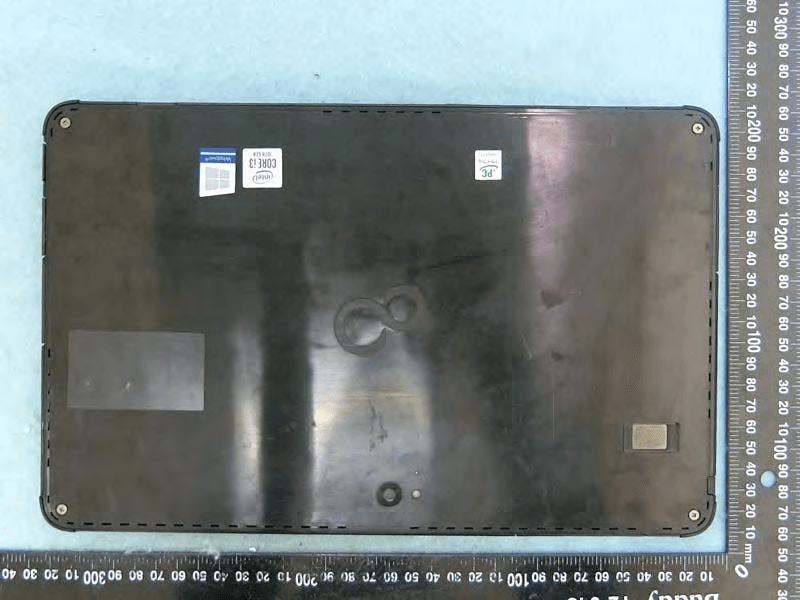
EJE-KST001
May 13, 2020Tablet Computer
Equipment Class
DXX - Part 15 Low Power Communication Device Transmitter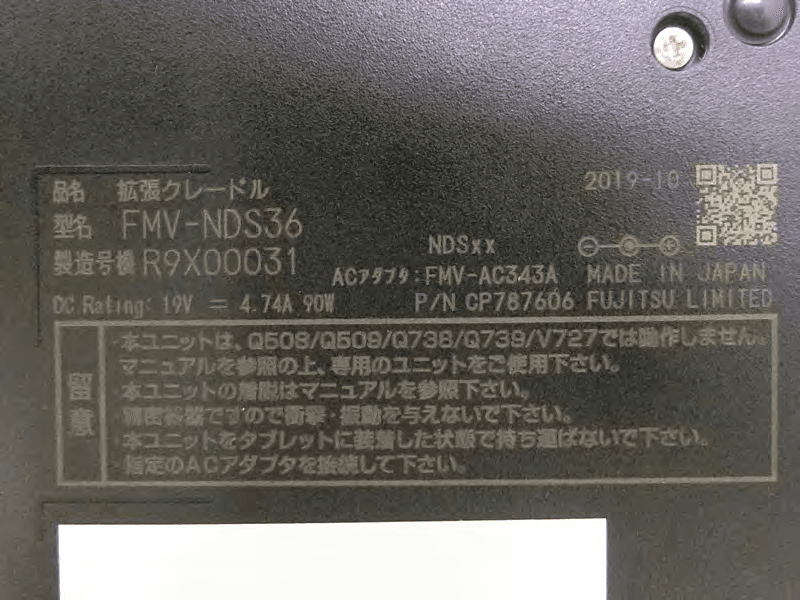
EJE-KSC001
May 13, 2020Port Replicator
Equipment Class
DXX - Part 15 Low Power Communication Device Transmitter
EJE-WB0099
Jan 27, 2016STYLISTIC Q series
Equipment Class
DSS - Part 15 Spread Spectrum Transmitter
EJE-BT0004
Dec 06, 2015Ubiquitous-warecore module
Equipment Class
DTS - Digital Transmission System
EJE-WB0097
Nov 12, 2015FUJITSU STYLISTIC Q736
Equipment Class
DTS - Digital Transmission System