EJE-WL0003Pentablet PC ST5010
Fujitsu Client Computing Limited (FCCL)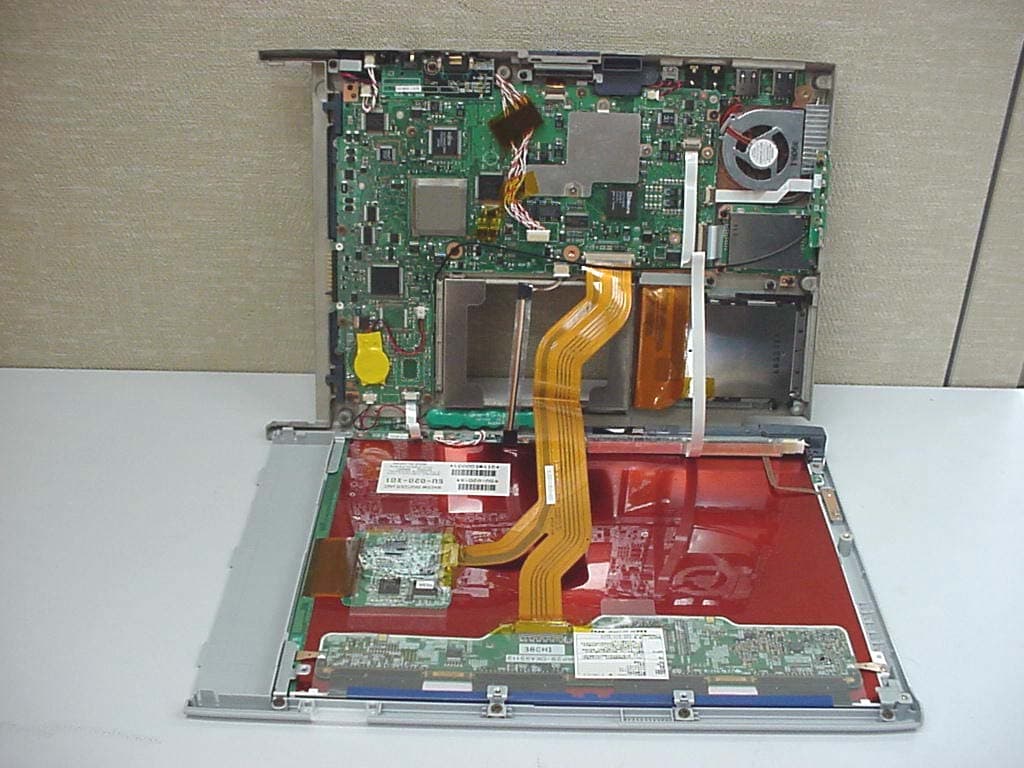
Click to zoom
Application Details
- Equipment Class
- DTS - Digital Transmission System
- Date of Grant
- Oct 23, 2003
- Application Purpose
- Original Equipment
- Date of Application
- Oct 23, 2003
- Equipment Note
- Pentablet PC ST5010
- Frequency Range
- 2412.00000000 - 2462.00000000
- Country
- Japan
Documents & Files
Document Text
Text extracted from the exhibit documents filed with the FCC. Open a document above to read the original.
Users Manual
FCC ID: EJE-WL0003 (IC: 337J-WL0003) Report No. M030949_Certification_Ocampa_Calexico EMC Technologies Pty Ltd. 57 Assembly Drive, Tullamarine VIC 3043 Australia www.emctech.com EMC Technologies Pty Ltd - Report No. M030949_Certification_Ocampa_Calexico APPENDIX L – USER GUIDE Intel(R) PRO/Wireless LAN Mini PCI Adapter User's Guide This document provides information for the following wireless devices: • Intel(R) PRO/Wireless LAN 2100 3B Mini PCI Adapter, operating at 2.4 GHz These wireless adapters operate with high-capacity networks using multiple access points within large or small environments. Using the Intel(R) PROSet Windows utility you can configure, manage wireless local area network (WLAN) management tasks, adapter switching functions, and connections. Wireless LAN General Information 1.About Wireless LAN Technology Adapter Setup and Configuration 2.Software Installation 3.Using Intel(R) PROSet 4.Connecting to a Network using Intel® PROSet 5.Security Overview 6.Setting Up WEP Encryption and Authentication 7.Troubleshooting 8.Specifications 9.Glossary Support and Warranty 10.Customer Support 11.Software License 12.Safety and Regulatory Notices 13.Limited Warranty 14.Legal Notices Copyright (c) 2003 Intel Corporation. All rights reserved. Intel Corporation, 5200 N.E. Elam Young Parkway, Hillsboro, OR 97124-6497 USA Intel Corporation assumes no responsibility for errors or omissions in this document. Nor does Intel make any commitment to update the information contained herein. Intel, Itanium, and Pentium are trademarks or registered trademarks of Intel Corporation or its subsidiaries in the United States and other countries. *Other names and brands may be claimed as the property of others. 1.About Wireless LAN Technology A wireless network connects computers without using network cables. Computers use radio communications to send data between each other. You can communicate directly with other wireless computers, or connect to an existing network through a wireless access point. When you set up your wireless adapter, you select the operating mode for the kind of wireless network you want. You can use your Intel(R) PRO/Wireless adapter to connect to other similar wireless devices that comply with the 802.11 standard for wireless networking. Choosing a Wireless LAN Mode Wireless LANs can operate with or without access points, depending on the number of users in the network. Infrastructure mode uses access points to allow wireless computers to send and receive information. Wireless computers transmit to the access point, the access point receives the information and rebroadcasts it to other computers. The access point can also connect to a wired network or to the Internet. Multiple access points can work together to provide coverage over a wide area. Peer-to-Peer mode, also called Ad Hoc mode, works without access points and allows wireless computers to send information directly to other wireless computers. You can use Peer-to-Peer mode to network computers in a home or small office or to set up a temporary wireless network for a meeting. Configuring a Wireless LAN There are three basic components that must be configured for a wireless LAN to operate properly: • Network Name—Each wireless network uses a unique Network Name to identify the network. This name is called the Service Set Identifier (SSID). When you set up your wireless adapter, you specify the SSID. If you want to connect to an existing network, you must use the name for that network. If you are setting up your own network you can make up your own name and use it on each computer. The name can be up to 32 characters long and contain letters and numbers. • Profiles —When you set up your computer to access a wireless network, Intel(R) PROSet creates a profile for the wireless settings that you specify. If you want to connect to another network, you can scan for existing networks and make a temporary connection, or create a new profile for that network. After you create profiles, your computer will automatically connect when you change locations. • Security —The 802.11 wireless networks use encryption to help protect your data. Wired equivalent privacy (WEP) uses a 64-bit or 128-bit shared encryption key to scramble data. Before a computer transmits data, it scrambles the data using the secret encryption key. The receiving computer uses this same key to unscramble the data. If you are connecting to an existing network, use the encryption key provided by the administrator of the wireless network. If you are setting up your own network you can make up your own key and use it on each computer. Identifying a Wireless Network Depending on the size and components of a wireless LAN, there are many ways to identify a wireless LAN: • The Network Name or Service Set Identifier (SSID)—Identifies a wireless network. All wireless devices on the network must use the same SSID. • Extended Service Set Identifier (ESSID)—A special case of SSID used to identify a wireless network that includes access points. • Independent Basic Service Set Identifier (IBSSID)—A special case of SSID used to identify a network of wireless computers configured to communicate directly with one another without using an access point. • Basic Service Set Identifier (BSSID) —A unique identifier for each wireless device. The BSSID is the Ethernet MAC address of the device. • Broadcast SSID—An access point can respond to computers sending probe packets with the broadcast SSID. If this feature is enabled on the access point, any wireless user can associate with the access point by using a blank (null) SSID. Surveying the Site of Your Wireless LAN Conducting a site survey for your wireless LAN is the most crucial step in the process of setting up a wireless network. It greatly reduces the amount of troubleshooting you will have to do once you have the wireless LAN set up and ready for connection testing. To conduct a site survey, you will need the following tools: • An a…
Text truncated - open the document above for the full version.
Users Manual
Copyright Fujitsu PC Corporation has made every effort to ensure the accuracy and completeness of this document. Because ongoing development efforts are made to continually improve the capabilities of our products, however, the data contained herein represents Fujitsu design objectives and is provided for comparative purposes; actual results may vary based on a variety of factors. This product data does not constitute a warranty. Specifications are subject to change without knowledge. Fujitsu and the Fujitsu logo are registered trademarks of Fujitsu Limited; Stylistic is a registered trademark of Fujitsu PC Corporation. Microsoft and Windows are registered trademarks of Microsoft Corporation. PCMCIA and CardBus are registered trademarks of the Personal Computer Memory Card International Associa- tion. Intel, Pentium, and SpeedStep are registered trademarks of Intel Corporation. Atheros is a registered trademark of Atheros Communi- cations, Inc. Kensington and MicroSaver are registered trademarks of the Kensington Technology Group. Wi-Fi is a trademark of the Wireless Ethernet Compati- bility Alliance (WECA). All other products are trademarks or registered trade- marks of their respective companies. Copyright 2002 - Fujitsu PC Corporation. All rights reserved. No part of this publication may be copied, reproduced, or translated, without the prior written consent of Fujitsu PC Corporation. No part of this publi- cation may be stored or transmitted in any electronic form without the prior consent of Fujitsu PC Corpora- tion B5FH-TBD-02EN-00 Note:For more detailed information about the FCC rules and their applicability to the Stylistic ST5000 Series Tablet PC, refer to Chapter 5 of this document. Warning Handling the cord on this product will expose you to lead, a chemical known to the State of California to cause birth defects or other reproductive harm. Wash hands after handling. DECLARATION OF CONFORMITY according to FCC Part 15 Responsible Party Name:Fujitsu PC Corporation Address:5200 Patrick Henry Drive Santa Clara, CA 95054 Telephone:408-982-9500 Declares that product:Model Series: Stylistic® ST5000 Tablet PC Complies with Part 15 of the FCC Rules This device complies with Part 15 of the FCC rules. Operation is subject to the following two conditions: (1) This device may not cause harmful interference, and, (2) This device must accept any interference received, including interference that may cause undesired operation. Ocampa_UG_Active B.book Page i Monday, September 29, 2003 5:04 PM Stylistic ST5000 Series Tablet PC - User’s Guide Ocampa_UG_Active B.book Page ii Monday, September 29, 2003 5:04 PM Table of Contents Table of Contents PREFACE About This Guide . . . . . . . . . . . . . . . . . . . . . . . . . v Fujitsu Contact Information . . . . . . . . . . . . . . . . . v Warranty Information . . . . . . . . . . . . . . . . . . . . . v 1 GETTING STARTED WITH YOUR TABLET PC In-box Items for the Stylistic ST5000 Series Tablet PC . . . . . . . . . . . . . . . . . 1 Optional Accessories . . . . . . . . . . . . . . . . . . . . . . 2 Stylistic Tablet PC Features. . . . . . . . . . . . . . . . . . 3 Status Display. . . . . . . . . . . . . . . . . . . . . . . . . . . . 8 Application Buttons . . . . . . . . . . . . . . . . . . . . . . 10 Navigation Buttons. . . . . . . . . . . . . . . . . . . . . . . 12 Tertiary Functions of Application and Navigation Buttons. . . . . . . . . . . . . . . . . 13 Security Functions of Application Buttons. . . . . . 14 Setting up the Security Panel . . . . . . . . . . . . . . . 14 Passwords . . . . . . . . . . . . . . . . . . . . . . . . . . . . . 14 Using Your Security Panel . . . . . . . . . . . . . . . . . 15 Precautions . . . . . . . . . . . . . . . . . . . . . . . . . . . . 15 Uninstalling the Security Panel Application . . . . . 15 Connectors and Peripheral Interfaces . . . . . . . . . 17 2 USING YOUR TABLET PC System States . . . . . . . . . . . . . . . . . . . . . . . . . . . 21 Powering Up the Tablet PC . . . . . . . . . . . . . . . . 22 Shutting Down the System. . . . . . . . . . . . . . . . . 22 Suspending System Operation . . . . . . . . . . . . . . 22 Resuming System Operation . . . . . . . . . . . . . . . 24 Adjusting the Display Brightness. . . . . . . . . . . . . 24 Using the Pen. . . . . . . . . . . . . . . . . . . . . . . . . . . 24 Calibrating the Pen. . . . . . . . . . . . . . . . . . . . . . . 25 Installing a Pen Tether . . . . . . . . . . . . . . . . . . . . 25 Replacing the Pen Tip . . . . . . . . . . . . . . . . . . . . 25 Charging the Battery . . . . . . . . . . . . . . . . . . . . . 26 Removing and Installing the Battery. . . . . . . . . . 26 Tips for Conserving Battery Power . . . . . . . . . . . 27 Modem Connection . . . . . . . . . . . . . . . . . . . . . 27 PC Card Slot . . . . . . . . . . . . . . . . . . . . . . . . . . . 27 Removing and Installing Memory Modules . . . . 28 3 CARE AND MAINTENANCE Protecting the Display Screen. . . . . . . . . . . . . . . 31 Storing the Tablet PC . . . . . . . . . . . . . . . . . . . . . 32 Avoiding Overheating . . . . . . . . . . . . . . . . . . . . 32 Cleaning the Display Screen . . . . . . . . . . . . . . . . 32 Troubleshooting. . . . . . . . . . . . . . . . . . . . . . . . . 32 Restoring Your Pre-Installed Software . . . . . . . . 33 Drive Image Special Edition (DISE) . . . . . . . . . . . 33 4 SPECIFICATIONS Physical Specifications . . . . . . . . . . . . . . . . . . . . 39 Processing Specifications . . . . . . . . . . . . . . . . . . 39 Memory/Storage Specifications . . . . . . . . . . . . . 39 Display Specifications . . . . . . . . . . . . . . . . . . . . . 39 Interface Specifications . . . . . . . . . . . . . . . . . . . 39 Power Specifications . . . . . . . . . . . . . . . . . . . . . 40 Environmental Specifications . . . . . . . . . . . . . . . 40 Agency Approval Specifications . . . . . . . . . . . . . 40 Additional Specifications . . . . . . . . . . . . . . . . . . 40 5 AGENCY NOTICES Noti…
Text truncated - open the document above for the full version.
Users Manual
Appendix B Regulatory Compliance FCC Part 15 Declaration of Conformity (DoC) The following equipment: Product Name: Wireless LAN Card is herewith confirmed to comply with the requirements of FCC Part 15 rules. The operation is subject to the following two conditions: 1. This device may not cause harmful interference, and 2. This device must accept any interference received, including interference that may cause undesired operation. FCC Rules and Regulations - Part 15 Warning: This device has been tested and found to comply with the limits for a Class B digital device pursuant to Part 15 of the Federal Communications Commissions Rules and Regulation. These limits are designed to provide reasonable protection against harmful interference when the equipment is operated in a commercial environment. This equipment generates, uses, and can radiate radio frequency energy and, if not installed and used in accordance with the instruction manual, may cause harmful interference to radio communications. However, there is no guarantee that interference will not occur in a particular installation. If this equipment does cause harmful interference to radio or television reception, which can be determined by turning the equipment off and on, the user is encouraged to try and correct the interference by one or more of the following measures: Relocate your WLAN equipped laptop computer. Increase the separation between the WLAN equipped laptop computer and other electronics. Connect the WLAN equipped laptop computer into an outlet on a circuit different from that of other electronics. Consult the dealer or an experienced radio/TV technician for help. FCC Radiation Exposure Statement This equipment complies with FCC radiation exposure limits set forth for an uncontrolled environment. The RF ransmission power from the antenna conforms to the general public FCC limit of SAR(Specific Absorption Rate), 1.6W/kg. The maximum SAR value measured from this device was 0.36 W/kg. This device must not be co-located or operating in conjunction with any other antenna or transmitter. Canadian Notice To prevent radio interference to the licensed service, this device is intended to be operated indoors and away from windows to provide maximum shielding. Equipment (or its transmit antenna) that is installed outdoors is subject to licensing." WARRANTY Users are not authorised to modify this product. Any modifications invalidate the Warranty. This equipment may not be modified, altered or changed in any way without signed written permission From Fujitsu. Unauthorised modification will void the equipment authorisation from the FCC and Industry Canada and the warranty.
Users Manual
FCC ID: EJE-WL0003 (IC: 337J-WL0003) Report No. M030949_Certification_Ocampa_Calexico EMC Technologies Pty Ltd – 57 Assembly Drive, Tullamarine VIC 3043 Australia www.emctech.com.au EMC Technologies Report Number M030949_Certification_Ocampa_Calexico APPENDIX N - USER MANUAL Copyright Fujitsu PC Corporation has made every effort to ensure the accuracy and completeness of this document. Because ongoing development efforts are made to continually improve the capabilities of our products, however, the data contained herein represents Fujitsu design objectives and is provided for comparative purposes; actual results may vary based on a variety of factors. This product data does not constitute a warranty. Specifications are subject to change without knowledge. Fujitsu and the Fujitsu logo are registered trademarks of Fujitsu Limited; Stylistic is a registered trademark of Fujitsu PC Corporation. Microsoft and Windows are registered trademarks of Microsoft Corporation. PCMCIA and CardBus are registered trademarks of the Personal Computer Memory Card International Associa- tion. Intel, Pentium, and SpeedStep are registered trademarks of Intel Corporation. Atheros is a registered trademark of Atheros Communi- cations, Inc. Kensington and MicroSaver are registered trademarks of the Kensington Technology Group. Wi-Fi is a trademark of the Wireless Ethernet Compati- bility Alliance (WECA). All other products are trademarks or registered trade- marks of their respective companies. Copyright 2002 - Fujitsu PC Corporation. All rights reserved. No part of this publication may be copied, reproduced, or translated, without the prior written consent of Fujitsu PC Corporation. No part of this publi- cation may be stored or transmitted in any electronic form without the prior consent of Fujitsu PC Corpora- tion B5FH-TBD-02EN-00 Note:For more detailed information about the FCC rules and their applicability to the Stylistic ST5000 Series Tablet PC, refer to Chapter 5 of this document. Warning Handling the cord on this product will expose you to lead, a chemical known to the State of California to cause birth defects or other reproductive harm. Wash hands after handling. DECLARATION OF CONFORMITY according to FCC Part 15 Responsible Party Name:Fujitsu PC Corporation Address:5200 Patrick Henry Drive Santa Clara, CA 95054 Telephone:408-982-9500 Declares that product:Model Series: Stylistic® ST5000 Tablet PC Complies with Part 15 of the FCC Rules This device complies with Part 15 of the FCC rules. Operation is subject to the following two conditions: (1) This device may not cause harmful interference, and, (2) This device must accept any interference received, including interference that may cause undesired operation. Ocampa_UG_Active B.book Page i Monday, September 29, 2003 5:04 PM Stylistic ST5000 Series Tablet PC - User’s Guide Ocampa_UG_Active B.book Page ii Monday, September 29, 2003 5:04 PM Table of Contents Table of Contents PREFACE About This Guide . . . . . . . . . . . . . . . . . . . . . . . . . v Fujitsu Contact Information . . . . . . . . . . . . . . . . . v Warranty Information . . . . . . . . . . . . . . . . . . . . . v 1 GETTING STARTED WITH YOUR TABLET PC In-box Items for the Stylistic ST5000 Series Tablet PC . . . . . . . . . . . . . . . . . 1 Optional Accessories . . . . . . . . . . . . . . . . . . . . . . 2 Stylistic Tablet PC Features. . . . . . . . . . . . . . . . . . 3 Status Display. . . . . . . . . . . . . . . . . . . . . . . . . . . . 8 Application Buttons . . . . . . . . . . . . . . . . . . . . . . 10 Navigation Buttons. . . . . . . . . . . . . . . . . . . . . . . 12 Tertiary Functions of Application and Navigation Buttons. . . . . . . . . . . . . . . . . 13 Security Functions of Application Buttons. . . . . . 14 Setting up the Security Panel . . . . . . . . . . . . . . . 14 Passwords . . . . . . . . . . . . . . . . . . . . . . . . . . . . . 14 Using Your Security Panel . . . . . . . . . . . . . . . . . 15 Precautions . . . . . . . . . . . . . . . . . . . . . . . . . . . . 15 Uninstalling the Security Panel Application . . . . . 15 Connectors and Peripheral Interfaces . . . . . . . . . 17 2 USING YOUR TABLET PC System States . . . . . . . . . . . . . . . . . . . . . . . . . . . 21 Powering Up the Tablet PC . . . . . . . . . . . . . . . . 22 Shutting Down the System. . . . . . . . . . . . . . . . . 22 Suspending System Operation . . . . . . . . . . . . . . 22 Resuming System Operation . . . . . . . . . . . . . . . 24 Adjusting the Display Brightness. . . . . . . . . . . . . 24 Using the Pen. . . . . . . . . . . . . . . . . . . . . . . . . . . 24 Calibrating the Pen. . . . . . . . . . . . . . . . . . . . . . . 25 Installing a Pen Tether . . . . . . . . . . . . . . . . . . . . 25 Replacing the Pen Tip . . . . . . . . . . . . . . . . . . . . 25 Charging the Battery . . . . . . . . . . . . . . . . . . . . . 26 Removing and Installing the Battery. . . . . . . . . . 26 Tips for Conserving Battery Power . . . . . . . . . . . 27 Modem Connection . . . . . . . . . . . . . . . . . . . . . 27 PC Card Slot . . . . . . . . . . . . . . . . . . . . . . . . . . . 27 Removing and Installing Memory Modules . . . . 28 3 CARE AND MAINTENANCE Protecting the Display Screen. . . . . . . . . . . . . . . 31 Storing the Tablet PC . . . . . . . . . . . . . . . . . . . . . 32 Avoiding Overheating . . . . . . . . . . . . . . . . . . . . 32 Cleaning the Display Screen . . . . . . . . . . . . . . . . 32 Troubleshooting. . . . . . . . . . . . . . . . . . . . . . . . . 32 Restoring Your Pre-Installed Software . . . . . . . . 33 Drive Image Special Edition (DISE) . . . . . . . . . . . 33 4 SPECIFICATIONS Physical Specifications . . . . . . . . . . . . . . . . . . . . 39 Processing Specifications . . . . . . . . . . . . . . . . . . 39 Memory/Storage Specifications . . . . . . . . . . . . . 39 Display Specifications . . . . . . . . . . . . . . . . . . . . . 39 Interface Specifications . . . . . . . . . . . . . . . . . . . 3…
Text truncated - open the document above for the full version.
Cover Letter(s)
Federal Communications Commission Equipment Authorization Division Application Processing Branch 7435 Oakland Mills Road Columbia, MD 21045 Date: 17th October 2003 Reference: FCC ID: EJE-WL0003 Subject: Request for Confidentiality for FCC Certification Application Company: FUJITSU Ltd Test Sample: Mini-PCI Wireless LAN Module (Calexico) Product Type: - Low power transmitter (intentional radiator) Pursuant to Rule 47 CFR, Chapter 1, Section 0.457(d)(1)(ii), FUJITSU requests that prior to the equipment authorization grant for the (test sample), the entire application be classified and deemed confidential by the Federal Communications Commission (FCC) and as such be withheld from public inspection. As per 47 CFR, Chapter 1, Section 0.457, the exhibits tendered for the purpose of this grant, contain details of trade secrets and technical data that is not made available to competitors and the general public. This information is treated in a confidential manner by FUJITSU and guarded from disclosure to our competitors. The exhibits outlined below are not routinely made available to FUJITSU staff, with such access granted only to those specifically involved with this particular project. They contain information detailing the unique technology and circuitry of the product that would be of significant benefit to our competitors. All employees treat this technical data in a confidential manner. The manufacture of this product has taken place after an extensive research and development process that has seen the company invest a considerable amount of time and money. The time and effort taken has enabled the product to meet the specific demands of the competitive market for which it is intended and it would be therefore detrimental to allow competitors easy access to design and development details. Apart from a limited number of employees, the information has previously only been disclosed to the Test House responsible for conducting testing and authorized to act as our agent during the certification process. Pursuant to 47CFR Chapter 1, Section 0.459, post-grant confidentiality is requested for the following items, ensuring that this material continue to be withheld from public inspection following the grant. Exhibits – Technical PCB Layouts, Technical Schematic Circuit Diagrams, Detailed Antenna Information Sincerely Yours, Kanbe Katsuhito Fujitsu Japan Mobile Computing Division FUJITSU LIMITED 1405 Ohmaru, Inagi-shi, Tokyo 206-8503, Japan Tel(+81-42)370-7632 FAX(+81-42)370-7708 Mobile Computing Division
Cover Letter(s)
EMC Technologies Pty. Ltd., 57 Assembly Dve., Tullamarine, Vic., 3043, Australia. Phone : +61 3 9335 3333 Fax: +61 3 9338 9260 www.emctech.com.au FCC ID: EJE-WL0003 Date: 23 rd October 2003 EMC Reference: M030949 Subject: Response to TCB Queries Q1. Has SAR testing been repeated for different modulation schemes within DSSS (namely DBPSK, DQPSK, CCK)? What were the differences observed? The WLAN modules can be configured in a number of different data rates corresponding to DBPSK, DQPSK, and CCK etc. A number of measurements were made in various data rates to determine the highest average conducted power. It was found that the highest source based time averaged power was measured when using a 1Mbps data rate. This data rate was used in all of the SAR testing to ensure a conservative result. The results of the conducted power measurements are listed below. Data Rate CH# Frequency (MHz) 1Mbps 2Mbps 5.5Mbps 11Mbps 1 2412 20.9 mW 20.3 mW 20.2 mW 19.7 mW 6 2437 17.3 mW 16.8 mW 16.8 mW 16.8 mW 11 2462 14.1 mW 14.0 mW 14.0 mW 13.8 mW EMC Technologies Pty Ltd ABN 82 057 105 549 57 Assembly Drive Tullamarine Victoria Australia 3043 Ph: + 613 9335 3333 Fax: + 613 9338 9260 email: [email protected]
External Photos
FCC ID: EJE-WL0003 (IC: 337J-WL0003) Report No. M030949_Certification_Ocampa_Calexico EMC Technologies Pty Ltd – 57 Assembly Drive, Tullamarine VIC 3043 Australia www.emctech.com.au EMC Technologies Report Number M030949_Certification_Ocampa_Calexico APPENDIX B3 - EUT HOST PHOTOGRAPHS EMC Technologies Pty Ltd – 57 Assembly Drive, Tullamarine VIC 3043 Australia www.emctech.com.au Test Sample Host PC – STYLISTIC ST Series, Model ST5010, ST5010D (Ocampa) EMC Technologies Pty Ltd – 57 Assembly Drive, Tullamarine VIC 3043 Australia www.emctech.com.au Test Sample Host PC – STYLISTIC ST Series, Model ST5010, ST5010D (Ocampa)
Internal Photos
FCC ID: EJE-WL0003 (IC: 337J-WL0003) Report No. M030949_Certification_Ocampa_Calexico EMC Technologies Pty Ltd – 57 Assembly Drive, Tullamarine VIC 3043 Australia www.emctech.com.au EMC Technologies Report Number M030949_Certification_Ocampa_Calexico APPENDIX B1 - TEST SAMPLE PHOTOGRAPHS EMC Technologies Pty Ltd – 57 Assembly Drive, Tullamarine VIC 3043 Australia www.emctech.com.au Test Sample – Mini PCI Wireless LAN Module Calexico, WM3B2100-Ocampa
Internal Photos
FCC ID: EJE-WL0003 (IC: 337J-WL0003) Report No. M030949_Certification_Ocampa_Calexico EMC Technologies Pty Ltd – 57 Assembly Drive, Tullamarine VIC 3043 Australia www.emctech.com.au EMC Technologies Report Number M030949_Certification_Ocampa_Calexico APPENDIX B4 - TEST SAMPLE & ANTENNA LOCATION PHOTOGRAPHS EMC Technologies Pty Ltd – 57 Assembly Drive, Tullamarine VIC 3043 Australia www.emctech.com.au TEST SAMPLE & ANTENNA LOCATION Test Sample Host PC – STYLISTIC ST Series, Model ST5010, ST5010D (Ocampa) Antenna W-LAN module EMC Technologies Pty Ltd – 57 Assembly Drive, Tullamarine VIC 3043 Australia www.emctech.com.au TEST SAMPLE & ANTENNA LOCATION ANTENNA LOCATION - EXPLODED VIEW EMC Technologies Pty Ltd – 57 Assembly Drive, Tullamarine VIC 3043 Australia www.emctech.com.au TEST SAMPLE & ANTENNA LOCATION WLAN LOCATION
RF Exposure Info
FCC ID: EJE-WL0003 IC: 337J-WL003 Report No. M030949_ Ocampa_Calexico_SAR Report Page 1 of 39 This document shall not be copied or reproduced, except in full without the written permission of the Technical Director , EMC Technologies Pty. Ltd. www. emctech.com.au SAR Test Report Report Number: M030949_OCAMPA_CALEXICO_SAR Test Sample: Portable Tablet Computer Wireless LAN Model Number: WM3B2100 Tested For: Fujitsu Australia Pty Ltd FCC ID: EJE-WL0003 IC: 337J-WL0003 Date of Issue: 20 th October 2003 EMC Technologies Pty Ltd reports apply only to the specific samples tested under stated test conditions. It is the manufacturer’s responsibility to assure that additional production units of this model are manufactured with identical electrical and mechanical components. EMC Technologies Pty Ltd shall have no liability for any deductions, inferences or generalisations drawn by the client or others from EMC Technologies Pty Ltd issued reports. This report shall not be used to claim, constitute or imply product endorsement by EMC Technologies Pty Ltd. EMC Technologies Pty Ltd A.C.N. 057 105 549 57 Assembly Drive Tullamarine Victoria Australia 3043 Ph: + 613 9335 3333 Fax: + 613 9338 9260 email: [email protected] FCC ID: EJE-WL0003 IC: 337J-WL0003 Report No. M030949_Ocampa_Calexico_SAR Page 2 of 39 This document shall not be copied or reproduced, except in full without the written permission of the Technical Director , EMC Technologies Pty. Ltd. www. emctech.com.au CONTENTS 1.0 GENERAL INFORMATION........................................................................................................... 3 2.0 DESCRIPTION OF DEVICE..........................................................................................................4 2.1 Description of Test Sample .................................................................................................. 4 2.1.1 Summary of EUT Details .................................................................................................. 4 2.1.2 EUT Host Details .............................................................................................................. 4 2.2 Test sample Accessories ..................................................................................................... 5 2.2.1 Battery Types ...................................................................................................................5 2.3 Test Signal, Frequency and Output Power........................................................................... 5 2.4 Battery Status....................................................................................................................... 5 2.5 Details of Test Laboratory .................................................................................................... 6 2.5.1 Location............................................................................................................................ 6 2.5.2 Accreditations ................................................................................................................... 6 2.5.3 Environmental Factors...................................................................................................... 6 3.0 DESCRIPTION OF SAR MEASUREMENT SYSTEM ................................................................... 7 3.1 Probe Positioning System .................................................................................................... 7 3.2 E-Field Probe Type and Performance .................................................................................. 7 3.3 Data Acquisition Electronics ........................................…
Text truncated - open the document above for the full version.
Contact Information
Applicant
Mr. Tsuyoshi Uchihara(Engineer)
Test Firm
Lexmark International, Inc.John Fessler
Technical Specifications
| # | Rule Parts | Frequency Range | Power Output |
|---|---|---|---|
| 1 | 15C | 2.41 GHz - 2.46 GHz | 21.00 mW |
Other Applications from Fujitsu Client Computing Limited (FCCL)
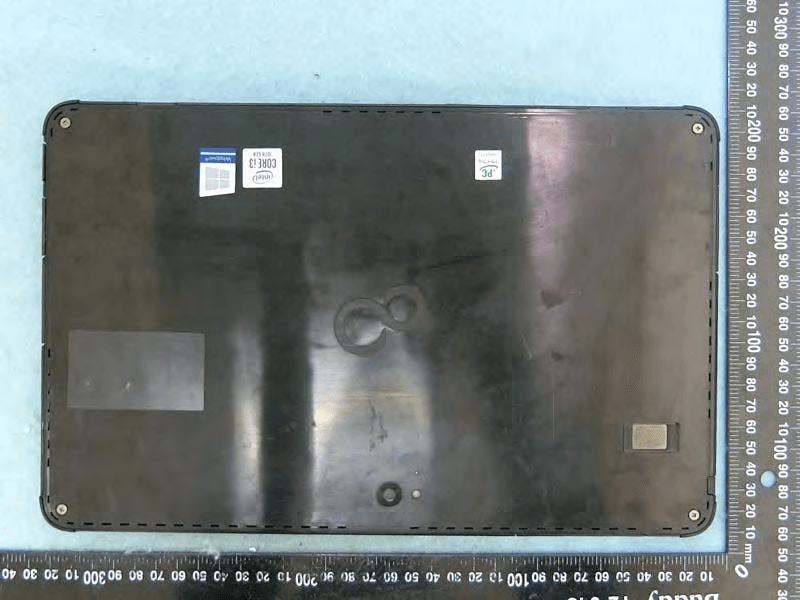
EJE-KST001
May 13, 2020Tablet Computer
Equipment Class
DXX - Part 15 Low Power Communication Device Transmitter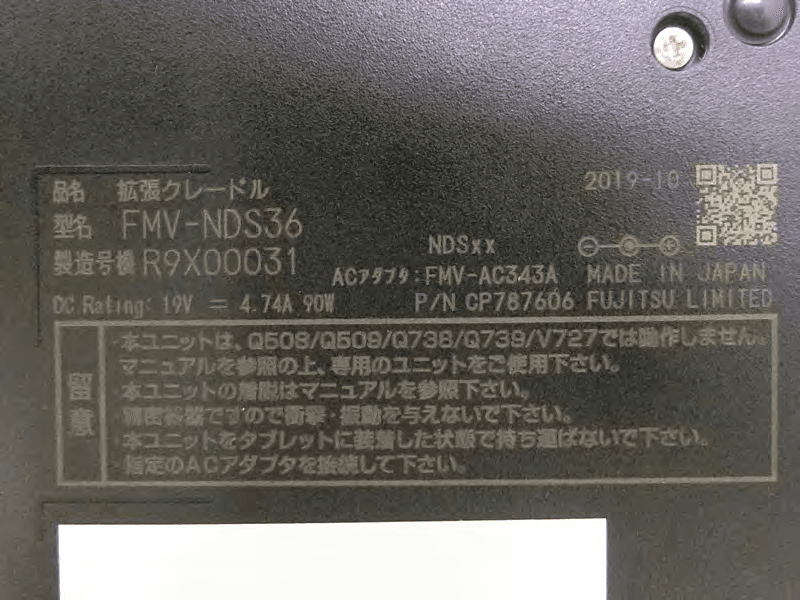
EJE-KSC001
May 13, 2020Port Replicator
Equipment Class
DXX - Part 15 Low Power Communication Device Transmitter
EJE-WB0099
Jan 27, 2016STYLISTIC Q series
Equipment Class
DSS - Part 15 Spread Spectrum Transmitter
EJE-BT0004
Dec 06, 2015Ubiquitous-warecore module
Equipment Class
DTS - Digital Transmission System
EJE-WB0097
Nov 12, 2015FUJITSU STYLISTIC Q736
Equipment Class
DTS - Digital Transmission System