EJE-WL0010WM3945ABG GOLAN INTEL WLAN IN FIJITSU NOTEBOOKS
Fujitsu Client Computing Limited (FCCL)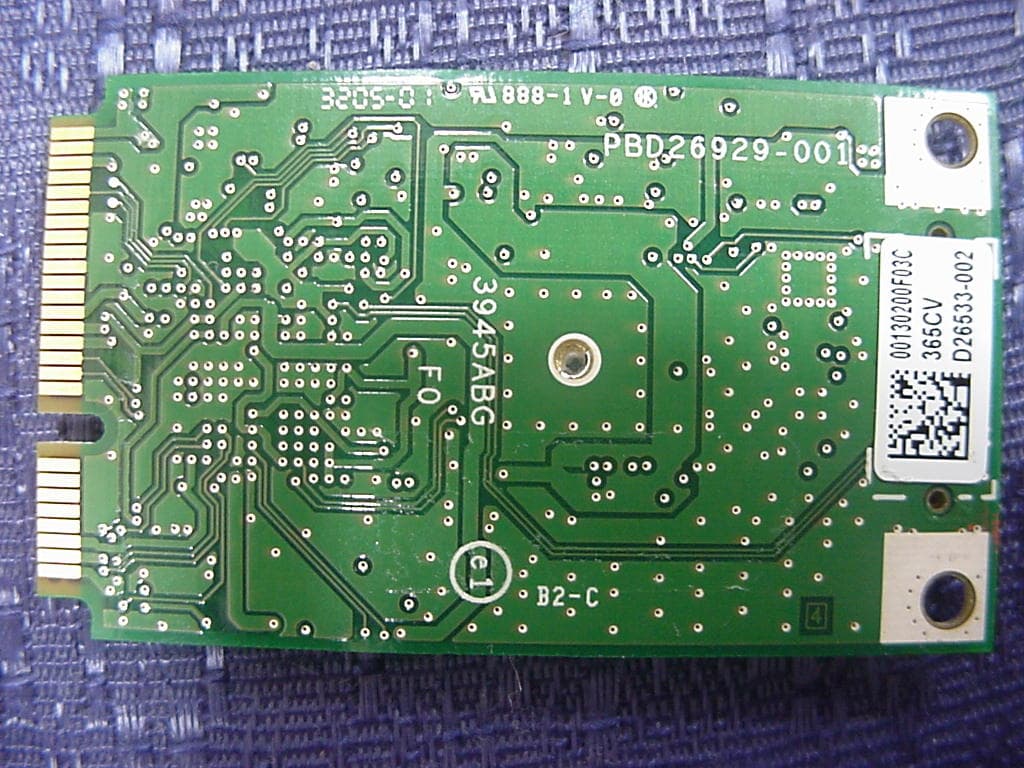
Click to zoom
Application Details
- Equipment Class
- NII - Unlicensed National Information Infrastructure TX
- Date of Grant
- Mar 06, 2006
- Application Purpose
- Original Equipment
- Date of Application
- Mar 06, 2006
- Equipment Note
- WM3945ABG GOLAN INTEL WLAN IN FIJITSU NOTEBOOKS
- Frequency Range
- 5180.00000000 - 5320.00000000
- Country
- Japan
Documents & Files
Document Text
Text extracted from the exhibit documents filed with the FCC. Open a document above to read the original.
Users Manual
FCC ID: EJE-WL0010 (IC: 337J-WL0010) Report No. M060108_Cert_WM3945ABG_NII EMC Technologies Pty Ltd – 57 Assembly Drive, Tullamarine VIC 3043 Australia www.emctech.com.au EMC Technologies Report Number: M060108_Cert_WM3945ABG_NII APPENDIX I2 FUJITSU NOTEBOOK USER MANUAL (part 1) Copyright Copyright and Trademark Information Fujitsu Computer Systems Corporation has made every effort to ensure the accuracy and completeness of this document; however, as ongoing development efforts are continually improving the capabilities of our products, we cannot guar- antee the accuracy of the contents of this document. We disclaim liability for errors, omissions, or future changes. Fujitsu, the Fujitsu logo, and LifeBook are registered trade- marks of Fujitsu Limited. The following are registered trademarks of IBM Corporation: IBM, IBM PC AT, IBM PS/2. ExpressCard TM Compliance ID EC100025. The ExpressCard word mark and logo are owned by the Personal Computer Memory Card International Association (PCMCIA) and any use of such marks by Fujitsu Computer Systems Corporation is under license. MS, MS-DOS, and Windows are either registered trademarks or trademarks of Microsoft Corporation in the United States and/or other countries. PCMCIA is a trademark of the Personal Computer Memory Card International Association. Intel and Pentium are registered trademarks of Intel Corpora- tion or its subsidiaries in the United States and other countries. The Bluetooth trademark is owned by Bluetooth SIG, Inc., USA. Adobe, Acrobat, and Acrobat Reader are either registered trade- marks or trademarks of Adobe Systems Inc. in the United States and/or other countries. Dolby Headphone is manufactured under license from Dolby Laboratories. Dolby, Pro Logic, and the double-D symbol are trademarks of Dolby Laboratories. Quicken® is a registered trademark of Intuit, Inc., or one of its subsidiaries, in the United States and other countries. Norton AntiVirus is a registered trademark of Symantec Corporation in the United States and other countries. WinDVD is a registered trademark of InterVideo, Inc. This product incorporates copyright protection technology that is protected by method claims of certain U.S. patents and other intellectual property rights owned by Macrovision Corporation and other rights owners. Use of this copyright protection tech- nology must be authorized by Macrovision Corporation, and is intended for home and other limited viewing uses only unless otherwise authorized by Macrovision Corporation. Reverse engineering or disassembly is prohibited. All other trademarks mentioned herein are the property of their respective owners . © Copyright 2005 Fujitsu Computer Systems Corporation. All rights reserved. No part of this publication may be copied, reproduced, or translated, without prior written consent of Fujitsu. No part of this publication may be stored or trans- mitted in any electronic form without the written consent of Fujitsu. B6FH-6031-01EN-00 WARNING Handling the cord on this product will expose you to lead, a chemical known to the State of California to cause birth defects or other reproductive harm. Wash hands after handling. DECLARATION OF CONFORMITY according to FCC Part 15 Responsible Party Name:Fujitsu Computer Systems Corporation Address: 1250 E. Arques Avenue, M/S 122 Sunnyvale, CA 94085 Telephone:(408) 746-6000 Declares that product:Base Model Configurations: LifeBook S7110 notebook LifeBook S7110D notebook Complies with Part 15 of the FCC Rules. This device complies with Part 15 of the FCC rules. Operations are subject to the following two conditions: (1) This device must not be allowed to cause harmful interference, (2) This device must accept any interference received, including interference that may cause undesired operation. S7020.book Page 1 Friday, May 13, 2005 3:49 PM LifeBook S7000 Notebook UL Notice This unit requires an AC adapter to operate. Use only UL Listed Class 2 Adapters with an output rating of 19 V DC, with a current of 3.15 A. AC Adapter output polarity: ■ When using your notebook equipment, basic safety precautions should always be followed to reduce the risk of fire, electric shock and injury to persons, including the following: ■ Do not use this product near water for example, near a bathtub, washbowl, kitchen sink or laundry tub, in a wet basement or near a swimming pool. ■ Avoid using the modem during an electrical storm. There may be a remote risk of electric shock from lightning. ■ Do not use the modem to report a gas leak in the vicinity of the leak. ■ Use only the power cord and batteries indicated in this manual. Do not dispose of batteries in a fire. They may explode. Check with local codes for possible special disposal instructions. ■ To reduce the risk of fire, use only No. 26 AWG or larger UL Listed or CSA Certified Telecommunication Line Cord SAVE THESE INSTRUCTIONS For Authorized Repair Technicians Only System Disposal + ■ For continued protection against risk of fire, replace only with the same type and rating fuse. ■ Danger of explosion if Lithium (clock) battery is incorrectly replaced. Replace only with the same or equivalent type recommended by the manufacturer. Dis- pose of used batteries according to the manufacturer’s instructi on. Hg LAMP(S) INSIDE THIS PRODUCT CONTAIN MERCURY AND MUST BE RECYCLED OR DISPOSED OF ACCORDING TO LOCAL, STATE, OR FEDERAL LAWS. S7020.book Page 2 Friday, May 13, 2005 3:49 PM Table of Contents Fujitsu LifeBook ® S7000/7000D Notebook Table of Contents 1 PREFACE Preface About This Guide . . . . . . . . . . . . . . . . . . . . . . . . . 1 Fujitsu Contact Information . . . . . . . . . . . . . . . . . 1 Limited Warranty . . . . . . . . . . . . . . . . . . . . . . . . . 1 2 GETTING TO KNOW YOUR LIFEBOOK NOTEBOOK Overview Unpacking . . . . . . . . . . . . . . . . . . . . . . . . . . . . . . 5 Locating the Controls/Connectors Top and Front Components . . . . . . . . . . . . . . . . . 6 Left-Side Panel Components . . . . . . . . . . …
Text truncated - open the document above for the full version.
Users Manual
FCC ID: EJE-WL0010 (IC: 337J-WL0010) Report No. M060108_Cert_WM3945ABG_NII EMC Technologies Pty Ltd – 57 Assembly Drive, Tullamarine VIC 3043 Australia www.emctech.com.au EMC Technologies Report Number: M060108_Cert_WM3945ABG_NII APPENDIX I2 FUJITSU NOTEBOOK USER MANUAL (part 1) Copyright Copyright and Trademark Information Fujitsu Computer Systems Corporation has made every effort to ensure the accuracy and completeness of this document; however, as ongoing development efforts are continually improving the capabilities of our products, we cannot guar- antee the accuracy of the contents of this document. We disclaim liability for errors, omissions, or future changes. Fujitsu, the Fujitsu logo, and LifeBook are registered trade- marks of Fujitsu Limited. The following are registered trademarks of IBM Corporation: IBM, IBM PC AT, IBM PS/2. ExpressCard TM Compliance ID EC100025. The ExpressCard word mark and logo are owned by the Personal Computer Memory Card International Association (PCMCIA) and any use of such marks by Fujitsu Computer Systems Corporation is under license. MS, MS-DOS, and Windows are either registered trademarks or trademarks of Microsoft Corporation in the United States and/or other countries. PCMCIA is a trademark of the Personal Computer Memory Card International Association. Intel and Pentium are registered trademarks of Intel Corpora- tion or its subsidiaries in the United States and other countries. The Bluetooth trademark is owned by Bluetooth SIG, Inc., USA. Adobe, Acrobat, and Acrobat Reader are either registered trade- marks or trademarks of Adobe Systems Inc. in the United States and/or other countries. Dolby Headphone is manufactured under license from Dolby Laboratories. Dolby, Pro Logic, and the double-D symbol are trademarks of Dolby Laboratories. Quicken® is a registered trademark of Intuit, Inc., or one of its subsidiaries, in the United States and other countries. Norton AntiVirus is a registered trademark of Symantec Corporation in the United States and other countries. WinDVD is a registered trademark of InterVideo, Inc. This product incorporates copyright protection technology that is protected by method claims of certain U.S. patents and other intellectual property rights owned by Macrovision Corporation and other rights owners. Use of this copyright protection tech- nology must be authorized by Macrovision Corporation, and is intended for home and other limited viewing uses only unless otherwise authorized by Macrovision Corporation. Reverse engineering or disassembly is prohibited. All other trademarks mentioned herein are the property of their respective owners . © Copyright 2005 Fujitsu Computer Systems Corporation. All rights reserved. No part of this publication may be copied, reproduced, or translated, without prior written consent of Fujitsu. No part of this publication may be stored or trans- mitted in any electronic form without the written consent of Fujitsu. B6FH-6031-01EN-00 WARNING Handling the cord on this product will expose you to lead, a chemical known to the State of California to cause birth defects or other reproductive harm. Wash hands after handling. DECLARATION OF CONFORMITY according to FCC Part 15 Responsible Party Name:Fujitsu Computer Systems Corporation Address: 1250 E. Arques Avenue, M/S 122 Sunnyvale, CA 94085 Telephone:(408) 746-6000 Declares that product:Base Model Configurations: LifeBook S7110 notebook LifeBook S7110D notebook Complies with Part 15 of the FCC Rules. This device complies with Part 15 of the FCC rules. Operations are subject to the following two conditions: (1) This device must not be allowed to cause harmful interference, (2) This device must accept any interference received, including interference that may cause undesired operation. S7020.book Page 1 Friday, May 13, 2005 3:49 PM LifeBook S7000 Notebook UL Notice This unit requires an AC adapter to operate. Use only UL Listed Class 2 Adapters with an output rating of 19 V DC, with a current of 3.15 A. AC Adapter output polarity: ■ When using your notebook equipment, basic safety precautions should always be followed to reduce the risk of fire, electric shock and injury to persons, including the following: ■ Do not use this product near water for example, near a bathtub, washbowl, kitchen sink or laundry tub, in a wet basement or near a swimming pool. ■ Avoid using the modem during an electrical storm. There may be a remote risk of electric shock from lightning. ■ Do not use the modem to report a gas leak in the vicinity of the leak. ■ Use only the power cord and batteries indicated in this manual. Do not dispose of batteries in a fire. They may explode. Check with local codes for possible special disposal instructions. ■ To reduce the risk of fire, use only No. 26 AWG or larger UL Listed or CSA Certified Telecommunication Line Cord SAVE THESE INSTRUCTIONS For Authorized Repair Technicians Only System Disposal + ■ For continued protection against risk of fire, replace only with the same type and rating fuse. ■ Danger of explosion if Lithium (clock) battery is incorrectly replaced. Replace only with the same or equivalent type recommended by the manufacturer. Dis- pose of used batteries according to the manufacturer’s instructi on. Hg LAMP(S) INSIDE THIS PRODUCT CONTAIN MERCURY AND MUST BE RECYCLED OR DISPOSED OF ACCORDING TO LOCAL, STATE, OR FEDERAL LAWS. S7020.book Page 2 Friday, May 13, 2005 3:49 PM Table of Contents Fujitsu LifeBook ® S7000/7000D Notebook Table of Contents 1 PREFACE Preface About This Guide . . . . . . . . . . . . . . . . . . . . . . . . . 1 Fujitsu Contact Information . . . . . . . . . . . . . . . . . 1 Limited Warranty . . . . . . . . . . . . . . . . . . . . . . . . . 1 2 GETTING TO KNOW YOUR LIFEBOOK NOTEBOOK Overview Unpacking . . . . . . . . . . . . . . . . . . . . . . . . . . . . . . 5 Locating the Controls/Connectors Top and Front Components . . . . . . . . . . . . . . . . . 6 Left-Side Panel Components . . . . . . . . . . …
Text truncated - open the document above for the full version.
Users Manual
FCC ID: EJE-WL0010 (IC: 337J-WL0010) Report No. M060108_Cert_WM3945ABG_NII EMC Technologies Pty Ltd – 57 Assembly Drive, Tullamarine VIC 3043 Australia www.emctech.com.au EMC Technologies Report Number: M060108_Cert_WM3945ABG_NII APPENDIX I2 FUJITSU NOTEBOOK USER MANUAL (part 3) 69 6 Care and Maintenance S7020.book Page 69 Friday, May 13, 2005 3:49 PM 70 LifeBook S7000 Notebook S7020.book Page 70 Friday, May 13, 2005 3:49 PM 71 Care and Maintenance Care and Maintenance If you use your Fujitsu LifeBook notebook carefully, you will increase its life and reliability. This section provides some tips for looking after the notebook and its devices. Caring for your LifeBook notebook ■ Your LifeBook notebook is a durable but sensitive electronic device. Treat it with respect and care. ■ Make a habit of transporting it in a suitable carrying case. To protect your notebook from damage and to optimize system performance, be sure to keep all air all vents unobstructed, clean, and clear of debris. This may require periodic cleaning, depending upon the environment in which the system is used. ■ Do not operate the notebook in areas where the air vents can be obstructed, such as in tight enclosures or on soft surfaces like a bed or cushion. ■ Do not attempt to service the computer yourself. Always follow installation instructions closely. ■ Keep it away from food and beverages. ■ If you accidentally spill liquid on your LifeBook note- book: 1. Turn it off. 2. Position it so that the liquid can run out. 3. Let it dry out for 24 hours, or longer if needed. 4. If your notebook will not boot after it has dried out, call your support representative. ■ Do not use your Fujitsu LifeBook notebook in a wet environment (near a bathtub, swimming pool). ■ Always use the AC adapter and batteries that are approved for your notebook. ■ Avoid exposure to sand, dust and other environmental hazards. ■ Do not expose your notebook to direct sunlight for long periods of time as temperatures above 140° F (60° C) may damage your notebook. ■ Keep the covers closed on the connectors and slots when they are not in use. ■ Do not put heavy or sharp objects on the computer. ■ If you are carrying your LifeBook notebook in a brief- case, or any other carrying case, make sure that there are no objects in the case pressing on the lid. ■ Never position your notebook such that the optical drive is supporting the weight of the notebook. ■ Do not drop your notebook. ■ Do not touch the screen with any sharp objects. Cleaning your LifeBook notebook ■ Always disconnect the power plug. (Pull the plug, not the cord.) ■ Clean your LifeBook notebook with a damp, lint-free cloth. Do not use abrasives or solvents. ■ Use a soft cloth to remove dust from the screen. Never use glass cleaners. Storing your LifeBook notebook ■ If storing your notebook for a month or longer, turn your LifeBook notebook off, fully charge the battery(s), then remove and store all Lithium ion batteries. ■ Store your notebook and batteries separately. If you store your LifeBook with a battery installed, the battery will discharge, and battery life will be reduced. In addi- tion, a faulty battery might damage your LifeBook. ■ Store your Fujitsu LifeBook in a cool, dry location. Temperatures should remain between 13ºF (-25ºC) and 140ºF (60ºC). Traveling with your LifeBook notebook ■ Do not transport your notebook while it is turned on. ■ It is recommended that you carry your notebook with you while traveling, rather than checking it in as bag- gage. ■ Always bring your System Recovery CD that came with your notebook when you travel. If you experience sys- tem software problems while traveling, you may need it to correct any problems. ■ Never put your notebook through a metal detector. Have your notebook hand-inspected by security per- sonnel. You can however, put your notebook through a properly tuned X-ray machine. To avoid problems, place your notebook close to the entrance of the machine and remove it as soon as possible or have your notebook hand-inspected by security personnel. Secu- rity officials may require you to turn your notebook On. Make sure you have a charged battery on hand. ■ When traveling with the hard drive removed, wrap the drive in a non-conducting materials (cloth or paper). If you have the drive checked by hand, be ready to install the drive if needed. Never put your hard drive through a metal detector. Have your hard drive hand-inspected by Electrical equipment may be hazardous if misused. Operations of this product or simi- lar products, must always be supervised by an adult. Do not allow children access to the interior of any electrical products and do not permit them to handle any cables. S7020.book Page 71 Friday, May 13, 2005 3:49 PM 72 LifeBook S7000 Notebook security personnel. You can however, put your hard drive through a properly tuned X-ray machine. ■ Take the necessary plug adapters if you're traveling over- seas. Check the following diagram to determine which plug adapter you'll need or ask your travel agent. BATTERIES Caring for your Batteries ■ Always handle batteries carefully. ■ Do not short-circuit the battery terminals (that is, do not touch both terminals with a metal object). Do not carry lose batteries in a pocket or purse where they may mix with coins, keys, or other metal objects. Doing so may cause an explosion or fire. ■ Do not drop, puncture, disassemble, mutilate or incin- erate the battery. ■ Recharge batteries only as described in this manual and only in ventilated areas. ■ Do not leave batteries in hot locations for more than a day or two. Intense heat can shorten battery life. ■ Do not leave a battery in storage for longer than 6 months without recharging it. Increasing Battery Life ■ Power your LifeBook notebook through the AC or optional auto/airline adapter whenever possible. ■ If your notebook is running on battery power all day, connect it to the AC adapter overnight to recharge the battery. ■ Keep brightness to the l…
Text truncated - open the document above for the full version.
Cover Letter(s)
EMC Technologies Pty Ltd, 57 Assembly Drive, Tullamarine VIC 3043 Australia Ph: +613 9335 3333 Fax: +613 9338 9260 www.emctech.com.au EMC Technologies Pty Ltd ABN 82 057 105 549 57 Assembly Drive Tullamarine Victoria Australia 3043 Ph: + 613 9335 3333 Fax: + 613 9338 9260 email: [email protected] To: TIMCO Engineering Inc. Attention: Certification Manager No. of pages: 1 From: Donna Lennon Date: 8 th February 2006 EMC Ref: M010608_Cert_WM3945ABG_NII Subject: FCC & IC APPROVAL – FCC ID: EJE-WL0010, IC: 337J-WL0010 Please receive EMC Technologies’ Report M060108_Cert_WM3945ABG_NII for review. The EUT is INTEL Mini-PCI Wireless LAN Module (GOLAN 11a+b/g), Model: WM3945ABG installed in Fujitsu notebook PCs. The GOLAN WLAN module was originally certified by INTEL as a modular approval under FCC ID: PD9WM3945ABG (Canada ID: 1000M-WM3945ABG). The intention of this application is to get a Limited Modular approval for this WLAN module for use in Fujitsu notebook PCs. The Radio modules are installed in a controlled environment at the Fujitsu notebook production/assembly factory. Limited Modular Approval (LMA) details to cover the following Fujitsu notebook configurations: Fujitsu Notebook Model WLAN Module WLAN Antenna E8110 2 x Inverted F antenna E8210 2 x Inverted F antenna S7110 GOLAN WM3945ABG 2 x Monopole Antenna The antenna gain details are provided in supplied documents This is a composite submission. Test results are recorded as follows: NII Submission EMC Technologies Report – M060108_Cert_WM3945ABG_NII Test results - FCC Part 15.401 (Part E), RSS-210 - (802.11a NII results). Documents submitted: Report Number: M060108_Cert_WM3945ABG_NII & all Appendices including Modular Letter. Required FCC Forms: Form 731, Agent Authority, Confidentiality Request, Required IC Forms: IC Application form, Agent Authority, Confidentiality request, IC Listing, RF Exposure Statement The 802.11a and 802.11b/g (DTS) section of the WLAN transmitter results are submitted separately under DTS submissions. EMC Technologies Pty Ltd is acting as agent for Fujitsu Ltd during this product approval. Their corresponding FRNs are 0009379173 and 0013134713. Regards ______________ Donna Lennon Report Secretary EMC Technologies Pty Ltd
Cover Letter(s)
Federal Communications Commission Date: 5 th February 2006 Equipment Authorization Division Application Processing Branch 7435 Oakland Mills Road Columbia, MD 21045 Subject: Request for Confidentiality for FCC Certification Application Company: Fujitsu Limited Pursuant to Rule 47 CFR, Chapter 1, Section 0.457(d)(1)(ii), Fujitsu Limited requests that prior to the equipment authorization grant for the (test sample) the entire application be classified and deemed confidential by the Federal Communications Commission (FCC) and as such be withheld from public inspection. As per 47 CFR, Chapter 1, Section 0.457, the exhibits tendered for the purpose of this grant, contain details of trade secrets and technical data that is not made available to competitors and the general public. This information is treated in a confidential manner by Fujitsu Limited and guarded from disclosure to our competitors. The exhibits outlined below are not routinely made available to Fujitsu Limited, with such access granted only to those specifically involved with this particular project. They contain information detailing the unique technology and circuitry of the product that would be of significant benefit to our competitors. All employees treat this technical data in a confidential manner. The manufacture of this product has taken place after an extensive research and development process that has seen the company invest a considerable amount of time and money. The time and effort taken has enabled the product to meet the specific demands of the competitive market for which it is intended and it would be therefore detrimental to allow competitors easy access to design and development details. Apart from a limited number of employees, the information has previously only been disclosed to the Test House responsible for conducting testing and authorized to act as our agent during the certification process. Pursuant to 47CFR Chapter 1, Section 0.459, Fujitsu Limited requests post-grant confidentiality for the following items, ensuring that this material continue to be withheld from public inspection following the grant. Exhibits: Schematics, Block Diagram, Operational Description, Antenna Information, Appendix B3 – WLAN Location Photographs Sincerely Yours,
Cover Letter(s)
2 nd March 2006 Transmitter Modular Approval Attestation Federal Communications Commission Re: Application for Modular Approval Certification for FCC ID: EJE-WL0010. (As per attestation for original filing from the WLAN Manufacturer – FCC ID: PD9WM3945ABG) The following attestation addresses the eight requirements to support modular approval as required by the FCC public notice DA00-1407 ‘Part 15 Unlicensed Modular Transmitter Approval’. 1. The modular transmitter has its own RF shielding and does not rely upon the shielding provided by the device into which it is installed in order to comply with Part 15 limits. 2. The modular transmitter has buffered modulation/data inputs. All inputs to the modules are buffered through the radio circuitry. 3. The modular transmitter has its own power supply regulator. 4. The modular transmitter has an antenna that complies with section 15.203 and 15.204c of the FCC rules. It has a UFL type of connector at the transmitter end and is soldered to the antenna (depending on OEM configuration). Also the antenna will be internal in the OEM host equipment and inaccessible to the user. 5. The modular transmitter was tested outside of a host desktop computer using a PCI extender card. The PCI extender card allows the transmitter to be placed outside of the chassis of the host desktop computer. 6. The modular transmitter will be labelled with its own FCC ID. Also, the OEM host computer manufacturer will be informed to display a label referring to the enclosed module. The exterior label will read as follows: ‘Contains Transmitter Module FCC ID’ or ‘Contains TXFCCID’. 7. The modular transmitter is manufactured so that the user cannot influence the operation of the transmitter that will operate outside of the scope of the regulations. 8. The modular transmitter meets the MPE calculations of 47 CFR 1.1307(b)(1). Also, SAR data is available if necessary. Regards _____________ Chris Zombolas Technical Director EMC Technologies Pty Ltd EMC Technologies Pty Ltd ABN 82 057 105 549 57 Assembly Drive Tullamarine Victoria Australia 3043 Ph: + 613 9335 3333 Fax: + 613 9338 9260 email: [email protected]
Cover Letter(s)
To: TIMCO ENGINEERING INC. Fax: Attention: CERTIFICATION OFFICER Phone: From: EMC TECHNOLOGIES PTY LTD No of pages: 2 EMC Ref: M060108 Date: 3 rd March 2006 Subject: FCC ID: EJE-WL0010 (Request for additional information) TIMCO job # 359AC6, 361AC6 1. Is this device for installation in Grantee’s product only? (i.e. not sold to second OEM). Yes, this device is for Fujitsu Notebooks only. 2. The label shows an additional FCC ID. Please explain compliance with possible co-location and co-transmission with another transmitter. Alternatively, please confirm that this FCC ID/filing is for the 802.11 abg transmitter only. A statement could be included in the cover letter for clarification. As explained in the main body of the test report, this is for 802.11 abg transmitter only. The separation distance between the WLAN and BT antennas is greater than 20cm. Therefore, they are not co-located transmitters. Co-location issues are covered in the submitted test report. 3. Modular approval: The LMA letter is signed by another test lab. Please provide a letter for this particular filing. Please refer to revised LMA letter. 4. Band-edges compliance for 11bg: compliance in the restricted band above 2483.5MHz is based on the limit of 15.209 (pk 74 and Avg 54dBuV/m). The screen captures provided are not sufficient to show compliance with these limits. Please provide additional information. Using the market delta method as prescribed under DA 00-705 requires reporting the High channel maximum field strength level. The delta (from the plots) is then subtracted from the fundamental amplitude (dBuV/m) to obtain the level at the band-edges. Additional information provided. Refer to attachment – Additional Bandedge_11b, 11g. 5. FYI – The user’s manual (Intel) for the WLAN will not be uploaded with this filing. Please comment if you would like. OK, Accepted. EMC Technologies Pty Ltd ABN 82 057 105 549 57 Assembly Drive Tullamarine Victoria Australia 3043 Ph: + 613 9335 3333 Fax: + 613 9338 9260 email: [email protected] 6. Labeling: Please address item 6. of DA00-1407. No information was found in this filing other than the Modular approval cover letter. Please see attached revised label for this application. 7. Confidentiality letter: Please include the exhibit “Appendix B3- WLAN Location Photos.pdf”, as to prevent providing the user with info on how to remove this device and associated antennas, etc. Please refer to revised confidentiality letter. 8. Part 15.207 - Attachment 3 lifebook test report: It is not clear whether the WLAN 802.11abg was operating during the tests reported. Please, explain. If so what configuration was evaluated (i.e. channel, power, data rate, etc.) The WLAN was configured in different modes of modulation, frequencies and power settings and the emissions measured were mainly from the host notebook PC. The WLAN emissions were insignificant in this range. For final testing, the WLAN was operating in default transmit mode.
External Photos
FCC ID: EJE-WL0010 (IC: 337J-WL0010) Report No. M060108_Cert_WM3945ABG_NII EMC Technologies Pty Ltd – 57 Assembly Drive, Tullamarine VIC 3043 Australia www.emctech.com.au EMC Technologies Report Number: M060108_Cert_WM3945ABG_NII APPENDIX B1 Test Sample External Photographs FCC ID: EJE-WL0010 (IC: 337J-WL0010) Report No. M060108_Cert_WM3945ABG_NII EMC Technologies Pty Ltd – 57 Assembly Drive, Tullamarine VIC 3043 Australia www.emctech.com.au GOLAN WLAN – WM3945ABG
Internal Photos
FCC ID: EJE-WL0010 (IC: 337J-WL0010) Report No. M060108_Cert_WM3945ABG_NII EMC Technologies Pty Ltd – 57 Assembly Drive, Tullamarine VIC 3043 Australia www.emctech.com.au EMC Technologies Report Number: M060108_Cert_WM3945ABG_NII APPENDIX B4 Test Sample Internal Photographs FCC ID: EJE-WL0010 (IC: 337J-WL0010) Report No. M060108_Cert_WM3945ABG_NII EMC Technologies Pty Ltd – 57 Assembly Drive, Tullamarine VIC 3043 Australia www.emctech.com.au GOLAN WLAN – WM3945ABG
RF Exposure Info
FCC ID: EJE-WL0010 (IC: 337J-WL0010) Report No. M060108_Cert_WM3945ABG_NII EMC Technologies Pty Ltd – 57 Assembly Drive, Tullamarine VIC 3043 Australia www.emctech.com.au Attachment 1 RF EXPOSURE INFORMATION FCC ID: EJE-WL0010 (IC: 337J-WL0010) Report No. M060108_Cert_WM3945ABG_NII EMC Technologies Pty Ltd – 57 Assembly Drive, Tullamarine VIC 3043 Australia www.emctech.com.au RADIO FREQUENCY EXPOSURE (HAZARD) INFORMATION Testing was performed in accordance with the requirements of FCC Part 15.407(f) Spread spectrum transmitters operating in the 2400 - 2483.5 MHz and 5.150 – 5.350 GHz are required to be operated in a manner that ensures that the public is not exposed to RF energy levels in accordance with CFR 47, Section 1.1307(b)(1). Transmitter # 1: The WLAN antennas are located on the top edge of LCD screen (2 antennas left and right) and projected distance of greater than 20cm from user. Transmitter # 2: The Bluetooth antenna is located under the LHS of keyboard (near Caps lock area) and projected distance of less than 20cm from user. SAR is not required as the WLAN transmitter is mobile device and the power for the Bluetooth transmitter is below the low threshold. The separation distance between the WLAN and BT antennas is greater than 20cm. Therefore, they are not co-located transmitters. The MPE calculation shown below is the aggregate of WLAN and BT power densities. In accordance with Section 1.13…
Text truncated - open the document above for the full version.
Contact Information
Applicant
Mr. Tsuyoshi Uchihara(Engineer)
Test Firm
EMC Technologies Pty. Ltd.Michael Evans
Technical Specifications
| # | Rule Parts | Frequency Range | Power Output |
|---|---|---|---|
| 1 | 15E | 5.18 GHz - 5.32 GHz | 60.00 mW |
Other Applications from Fujitsu Client Computing Limited (FCCL)
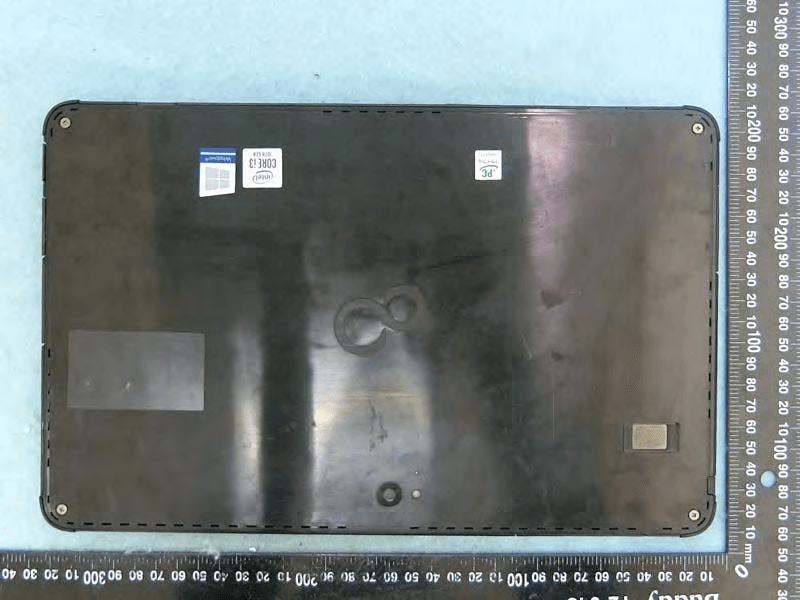
EJE-KST001
May 13, 2020Tablet Computer
Equipment Class
DXX - Part 15 Low Power Communication Device Transmitter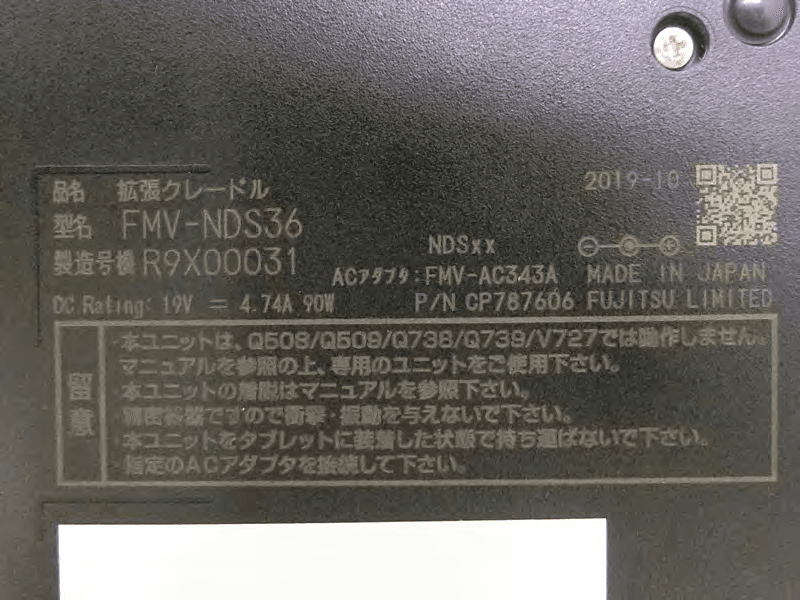
EJE-KSC001
May 13, 2020Port Replicator
Equipment Class
DXX - Part 15 Low Power Communication Device Transmitter
EJE-WB0099
Jan 27, 2016STYLISTIC Q series
Equipment Class
DSS - Part 15 Spread Spectrum Transmitter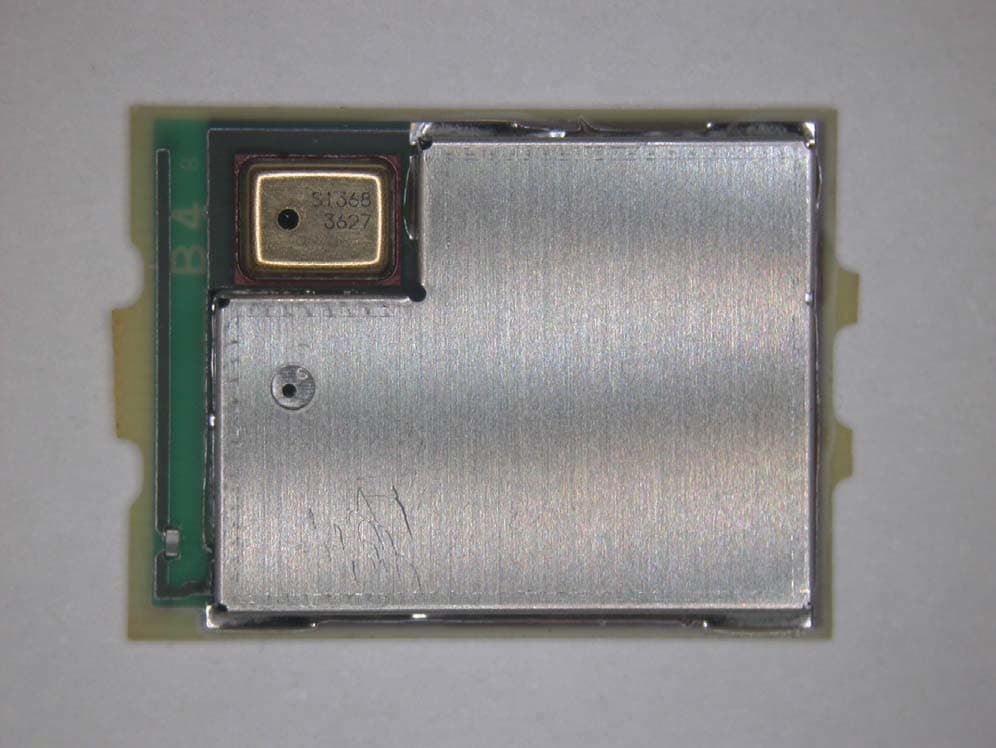
EJE-BT0004
Dec 06, 2015Ubiquitous-warecore module
Equipment Class
DTS - Digital Transmission System
EJE-WB0097
Nov 12, 2015FUJITSU STYLISTIC Q736
Equipment Class
DTS - Digital Transmission System