EMOIBT55NBluetooth Rechargeable Micro Speaker
SDI Technologies Inc.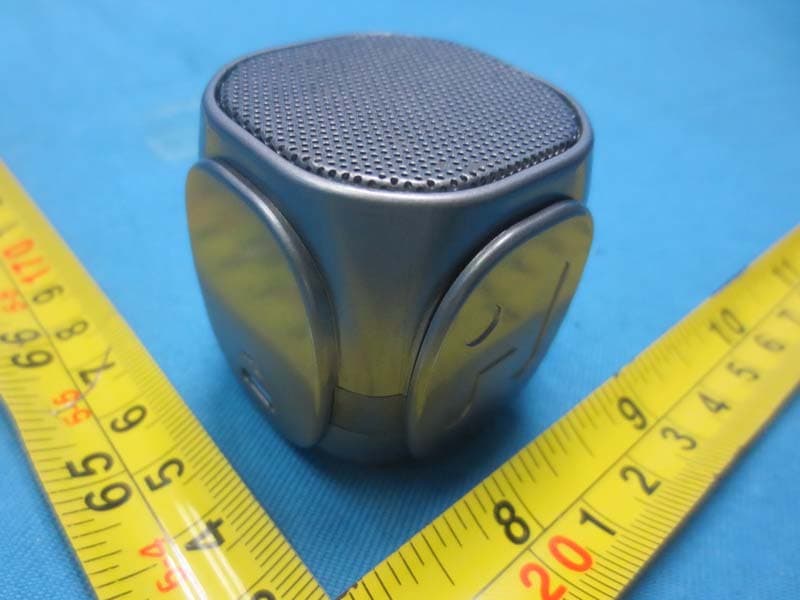
Click to zoom
Application Details
- Equipment Class
- DSS - Part 15 Spread Spectrum Transmitter
- Date of Grant
- Apr 13, 2015
- Application Purpose
- Original Equipment
- Date of Application
- Apr 12, 2015
- Equipment Note
- Bluetooth Rechargeable Micro Speaker
- Frequency Range
- 2402.00000000 - 2480.00000000
- Company
- SDI Technologies Inc.
- Country
- United States
Documents & Files
Document Text
Text extracted from the exhibit documents filed with the FCC. Open a document above to read the original.
Users Manual
Bluetooth Mode • Slide the Off/On Switch on the speaker to the ON ( ) position. • Press and hold the Bluetooth Pairing Button for 2 seconds.Tones will sound and the light will flash blue to indicate pairing attempt. • Place your audio device in Bluetooth mode (look in the device’s Settings menu) and make it “discoverable”. “iHome iBT55” should appear on your device. • If “Not Connected”, “Not Paired” or similar message appears, select “iHome iBT55” to connect. If prompted for a password, enter “1234” on your device’s keypad. • Once paired, the light will glow solid blue and a confirmation beep will sound and you can then stream audio. If pairing is not successful, turn the power OFF on the speaker and repeat pairing procedure. • To listen to Bluetooth audio in the future, slide the Off/On Switch on the speaker to the ON position. The light will flash blue slowly as the speak- er attempts to auto-link with the last previously linked unit in range (30 feet). • Control Bluetooth audio from your device. Remember to turn off the speaker and your device after listening. NOTE: When unit is charging, the blue light will appear solid red. Using Bluetooth with the iBT55 The iBT55 is powered by a rechargeable battery in the speaker. Make sure to charge the speaker before using. • Connect the micro-USB plug to the USB Charging jack on the speaker. • Connect the larger USB plug to USB AC adaptor or to a powered USB port, such as that on a computer. The light on the speaker will turn to solid red while charging and turn off when fully charged. When the red light flashes or if you start to notice sound distortion at higher volumes, it's time to recharge the battery. Charging the iBT55 Speaker Off/On Power Switch Bluetooth Pairing Button USB Charging Jack LED Charging the iBT55 Note: Charge speaker before use. Computer USB port • Place the unit on a level surface away from sources of direct sunlight or excessive heat. • Protect your furniture when placing your unit on a natural wood and lacquered finish. A cloth or other protective material should be placed between it and the furniture. • Clean your unit with a soft cloth moistened only with mild soap and water. Stronger cleaning agents such as thinner or similar materials can damage the surface of the unit. Maintenance Note: • When not in use, turn speaker OFF to save battery power. • Unit will automatically power down after 5 minutes if no audio or Bluetooth stream is detected. Following auto power off, slide the On/Off Power Switch to Off and then On to turn the iBT55 back on. FCC ID : EMOIBT55N IC : 986B-IBT55N Bluetooth Rechargeable Micro Speaker Limited 1 Year Warranty Information Printed in China iBT55-022715-B A Consumer Guide to Product Safety When used in the directed manner, this unit has been designed and manufactured to ensure your personal safety. However, improper use can result in potential electrical shock or fire hazards. Please read all safety and operating instructions carefully before installation and use, and keep these instructions handy for future reference. Take special note of all warnings listed in these instructions and on the unit. 1. Water and Moisture – The unit should not be used near water. For example: near a bathtub, washbowl, kitchen sink, laundry tub, swimming pool or in a wet basement. 2. Ventilation – The unit should be situated so that its location or position does not interfere with its proper ventilation. For example, it should not be situated on a bed, sofa, rug or similar surface that may block ventilation openings. Also, it should not be placed in a built-in installation, such as a bookcase or cabinet, which may impede the flow of air through the ventilation openings. 3. Heat – The unit should be situated away from heat sources such as radiators, heat registers, stoves or other appliances (including amplifiers) that produce heat. 4. Power Sources – The unit should be connected to a power supply only of the type described in the operating instructions or as marked on the appliance. 5. Power-Cable Protection – Power supply cables should be routed so that they are not likely to be walked on or pinched by items placed upon or against them. It is always best to have a clear area from where the cable exits the unit to where it is plugged into an AC socket. 6. Cleaning – The unit should be cleaned only as recommended. See the Maintenance section of this manual for cleaning instructions. 7. Objects and Liquid Entry – Care should be taken so that objects do not fall and liquids are not spilled into any openings or vents located on the product. 8. Attachments – Do not use attachments not recommended by the product manufacturer. 9. Lightning and Power Surge Protection – Unplug the unit from the wall socket and disconnect the antenna or cable system during a lightning storm or when it is left unattended and unused for long periods of time. This will prevent damage to the product due to lightning and power-line surges. 10. Overloading – Do not overload wall sockets, extension cords, or integral convenience receptacles as this can result in a risk of fire or electric shock. 11. Damage Requiring Service – The unit should be serviced by qualified service personnel when: A. the power supply cable or plug has been damaged. B. objects have fallen into or liquid has been spilled into the enclosure. C. the unit has been exposed to rain. D. the unit has been dropped or the enclosure damaged. E. the unit exhibits a marked change in performance or does not operate normally. 12. Periods of Nonuse – If the unit is to be left unused for an extended period of time, such as a month or longer, the power cable should be unplugged from the unit to prevent damage or corrosion. 13. Servicing – The user should not attempt to service the unit beyond those methods described in the user’s operating instructions. Service methods not covered in the operating instructions should be referred to qualified service personnel. For Models That Use Lithium…
Text truncated - open the document above for the full version.
Users Manual
Mode Bluetooth • Glissez l'interrupteur d'alimentation de l'enceinte sur la position ON ( ). • Maintenez appuyée la touche Bluetooth Pairing pendant 2 secondes. Lors du couplage un son sera émis et le témoin se met à clignoter en bleu. • Placez votre appareil audio en mode Bluetooth (à partir du menu Réglages de l'appareil) et le mettre dans l’état « détectable ». « iHome iBT55 » doit apparaître dans le menu de votre appareil. • Si « Not Connected », « Not Paired » ou un message similaire apparaît, sélectionnez « iHome iBT55 » pour la connecter. Répondez par « 1234 » si un mot de passe vous est demandé. • Une fois couplé, le témoin s'allume en bleu fixe et un bip de confirmation sera émis ; vous pouvez alors diffuser de l'audio. En cas d'échec du couplage, éteignez l'enceinte et répétez la procédure de couplage. • A chaque fois vous voulez écouter l'audio Bluetooth, positionnez l’inter- rupteur Off/On de l’enceinte sur ON. Le témoin se met à clignoter en bleu pendant que l’enceinte tente de se connecter au dernier appareil précédemment connecté se trouvant à portée (10 mètres). • Contrôler l'audio Bluetooth à partir de votre appareil. N'oubliez pas d'éteindre l'enceinte et votre appareil une fois vous aurez terminé d'écouter. REMARQUE : Lorsque l'enceinte est en cours charge, le témoin bleu s'allume en rouge. Utilisation de Bluetooth avec l'iBT55 L'enceinte iBT55 est alimentée par une batterie rechargeable placée à l'intérieur de l'enceinte. Veillez à charger l'enceinte avant de l'utiliser. • Branchez le connecteur micro USB dans le port de charge USB de l’enceinte.Branchez le connecteur micro USB dans la prise audio/de charge de l’enceinte. • Branchez le grand connecteur USB dans l'adaptateur secteur USB ou un port USB alimenté, celui d'un ordinateur par exemple. Le voyant de l'enceinte devient rouge fixe pendant la charge puis s'éteint lorsque la batterie est complètement chargée. Il faut recharger la batterie dès que le voyant se mette à clignoter en rouge ou le son est déformé à volume élevé. Recharge de l'iBT55 Haut-parleur Interrupteur d'alimentation Allumer/Éteindre Touche de couplage Bluetooth Port DE Charge USB LED Recharge de l'iBT55 Remarque : Chargez l'enceinte avant de l'utiliser. • Tenez l’appareil sur une surface plane hors des rayons direct du soleil ou de toute chaleur excessive. • Protégez vos meubles quand vous posez l’appareil sur du bois naturel ou sur une surface laquée. Un vêtement ou un autre matériau de protection doit être placé entre l’appareil et le meuble. • Nettoyez votre appareil uniquement avec un tissu doux et un peu de savon doux. Les agents nettoyants tels que le benzène ou autres détergents pourraient endommager la surface de l’appareil. Maintenance Remarque : • Si vous n'utilisez pas votre haut-parleur, éteignez-le pour économiser la pile. • L’unité s’éteint automatiquement après 5 minutes si aucun signal audio ou Bluetooth n’est détecté. Après un arrêt automatique, et pas d’alimentation secteur, positionnez l'interrupteur d'alimentation sur OFF, puis sur ON pour allumer iBT55. FCC ID : EMOIBT55N IC : 986B-IBT55N Micro enceinte Bluetooth rechargeable Garantie limitée de 1 an Imprimé en Chine iBT55-030215-B Guide du consommateur concernant la sécurité des produits Lorsqu'il est utilisé de la manière indiquée, cet appareil a été conçu et fabriqué pour assurer votre sécurité personnelle.Néanmoins, une utilisation incorrecte peut entraîner des risques de décharges électriques ou d'incendie. Veuillez lire soigneusement toutes les consignes de sécurité et le mode d'emploi avant toute installation et toute utilisation; conservez-les à titre de référence. Faites attention à tous les avertissements figurant dans ces consignes et sur l'appareil. 1. Eau et humidité – L'appareil ne doit pas être utilisé près de l'eau. Exemples : près d'une baignoire, d'un lavabo, d'un évier de cuisine ou de salle de lavage, dans un sous-sol humide ou près d'une piscine. 2. Ventilation – L'appareil doit être placé de sorte que son emplacement ou sa position ne nuise pas à une bonne ventilation. Par exemple, il ne doit pas être situé sur un lit, un sofa, un tapis ou une surface similaire pouvant bloquer les évents; d'autre part, ne le placez pas dans un endroit encastré, tel une bibliothèque ou une armoire pouvant empêcher l'air de s'écouler par les évents. 3. Chaleur – Placez l'appareil à l'écart de sources de chaleur telles qu'un radiateur, un registre de chaleur, un réchaud ou autre appareil (y compris un amplificateur) produisant de la chaleur. 4. Sources d'alimentation – Branchez l'appareil uniquement à un bloc d'alimentation du type décrit dans le mode d'emploi ou indiqué sur l'appareil. 5. Protection du câble d'alimentation – Acheminez les cordons d'alimentation de sorte que personne ne puisse marcher dessus ou qu'ils ne puissent être coincés par des éléments placés sur eux ou contre eux. Il vaut toujours mieux avoir une surface dégagée entre la sortie du cordon de l'appareil et son branchement dans une prise secteur. 6. Nettoyage – L'appareil ne doit être nettoyé que tel qu'il l'est recommandé. Consultez la section Entretien du présent manuel pour obtenir les instructions de nettoyage. 7. Pénétration par des objets et des liquides – Assurez-vous qu'aucun objet ne tombe ou qu'aucun liquide ne se déverse dans les ouvertures ou évents du produit. 8. Accessoires – Évitez d'utiliser des accessoires non recommandés par le fabricant du produit. 9. Protection contre la foudre et la surtension – Débranchez l'appareil de la prise murale et déconnectez l'antenne ou le câble pendant un orage électrique, ou lorsqu'il est laissé inutilisé et sans surveillance pendant de longues périodes. Ceci permettra d'éviter d'endommager l'appareil pour cause de foudre ou de surtension temporaire. 10. Surcharge – Évitez de surcharger les prises murales, cordons d'alimentation ou prises de courants intégrées car cela peut entraîner un risque de feu ou de choc électrique. 11. Dommages nécessitant un ent…
Text truncated - open the document above for the full version.
External Photos
Project No.: 1503C102 Page 2 of 10 Project No.: 1503C102 Page 3 of 10
ID Label/Location Info
Model: iBT55(USA) iBT55N(CANADA) Charging Voltage 5V, 500mA Toll Free: 1-800-288-2792 www.ihome.com Made In China Designed in the USA Serviced by SDI Technologies Inc. FCC ID: EMOIBT55N IC: 986B-IBT55N Service number: iBT55-B-A Part line Printing color: PMS Cool grey 11C **for all color version Bottom of the unit
Internal Photos
Project No.: 1503C102 Page 4 of 10 Project No.: 1503C102 Page 5 of 10 Project No.: 1503C102 Page 6 of 10 Project No.: 1503C102 Page 7 of 10 Project No.: 1503C102 Page 8 of 10 Project No.: 1503C102 Page 9 of 10 Project No.: 1503C102 Page 10 of 10
RF Exposure Info
FCC RF EXPOSURE REPORT FCC ID: EMOIBT55N Project No. : 1503C102 Equipment : Bluetooth Rechargeable Micro Speaker Model : iBT55; iBT55X; iBT55XC (“X”= a to Z; denote as color of cabinet) Applicant : SDI TECHNOLOGIES INC. Address : 1299 Main Street, Rahway, NJ 07065, U.S.A According: : FCC Guidelines for Human Exposure IEEE C95.1 BTL INC. No.3, Jinshagang 1st Road, Shixia, Dalang Town, Dongguan, China. TEL: +86-769-8318-3000 FAX: +86-769-8319-6000 Table for Filed Antenna Ant. Manufacturer Model NameAntenna TypeConnector Gain(dBi) 1 N/A N/A Printed N/A 2.3 GENERAL CONCULUSION: Maximum measured transmitter power: OutputPower (dBm) Output Power (mW) Limit (mW) 0.74 1.19 10 According to FCC KDB447498 V05, Appendix A, SAR Test Exclusion Thresholds for 100 MHz – 6 GHz and ≤ 50 mm The maximum measured output peak power of this EUT is 1.19mW, less than 10mW at 5mm distance. Conclusion: No SAR evaluation required since transmitter power is below FCC threshold
Test Report
Report No.: BTL-FICP-1-1503C102 Page 1 of 109 FCC&IC Radio Test Report FCC ID: EMOIBT55N IC: 986B-IBT55N This report concerns (check one): Original Grant Class II Change Project No. : 1503C102 Equipment : Bluetooth Rechargeable Micro Speaker Model Name For FCC : iBT55; iBT55X; iBT55XC (“X”= a to Z; denote as color of cabinet) Model Name For IC : iBT55N Applicant : SDI TECHNOLOGIES INC. Address : 1299 Main Street, Rahway, NJ 07065, U.S.A Date of Receipt : Mar. 12, 2015 Date of Test : Mar. 12, 2015 ~Mar. 24, 2015 Issued Date : Mar. 25, 2015 Tested by : BTL Inc. Testing Engineer : (David Mao) Technical Manager : (Leo Hung) Authorized Signatory : (Steven Lu) BTL INC. No.3, Jinshagang 1st Road, Shixia, Dalang Town, Dongguan, Guangdong, China. TEL: +86-769-8318-3000 FAX: +86-769-8319-6000 Report No.: BTL-FICP-1-1503C102 Page 2 of 109 Declaration BTL represents to the c lient that testing is done in accordance with standard procedures as applicable and that test instruments used has been calibrated with the standards traceable to National Measurement Laboratory (NML) of CHINA, or National Institute of Standards and Technology (NIST) of U.S.A. BTL's reports apply only to the specific samples tested under conditions. It is manufacture’s responsibility to ensure that additional production units of this model are manufactured with the identical electrical and mechanical components. BTL shall have no liability for any declarations, inferences or generalizations drawn by the client or others from BTL issued reports. BTL’s reports must not be used by the client to claim product endorsement by the authorities or any agency of the Government. This report is the confidential property of the client. As a mutual protection to the clients, the public and BTL-self, extracts from the test report shall not be reproduced except in full with BTL’s authorized written approval. BTL’s laboratory quality assurance procedures are in compliance with the ISO Guide 17025 requirements, and accredited by the conformity assessment authorities listed in this test report. Limitation For the use of the authority's logo is limited unless the Test Standard(s)/Scope(s)/Item(s) mentioned in this test report is (are) included in the conformity assessment authorities acceptance respective. Report No.: BTL-FICP-1-1503C102 Page 3 of 109 Table of Contents Page 1 . CERTIFICATION 7 2 . SUMMARY OF TEST RESULTS 8 2.1 TEST FACILITY 9 2.2 MEASUREMENT UNCERTAINTY 9 3 . GENERAL INFORMATION 10 3.1 GENERAL DESCRIPTION OF EUT 10 3.2 DESCRIPTION OF TEST MODES 12 3.3 TABLE OF PARAMETERS OF TEXT SOFTWARE SETTING 12 3.4 BLOCK DIAGRAM SHOWING THE CONFIGURATION OF SYSTEM TESTED 13 3.5 DESCRIPTION OF SUPPORT UNITS 13 4 . EMC EMISSION TEST 14 4.1 CONDUCTED EMISSION MEASUREMENT 14 4.1.1 POWER LINE CONDUCTED EMISSION LIMITS 14 4.1.2 TEST PROCEDURE 14 4.1.3 DEVIATION FROM TEST STANDARD 14 4.1.4 TEST SETUP 15 4.1.5 EUT OPERATING CONDITIONS 15 4.1.6 EUT TEST CONDITIONS 15 4.1.7 TEST RESULTS 15 4.2 RADIATED EMISSION MEASUREMENT 16 4.2.1 RADIATED EMISSION LIMITS 16 4.2.2 TEST PROCEDURE 17 4.2.3 DEVIATION FROM TEST STANDARD 17 4.2.4 TEST SETUP 18 4.2.5 EUT OPERATING CONDITIONS 19 4.2.6 EUT TEST CONDITIONS 19 4.2.7 TEST RESULTS (9KHZ TO 30MHZ) 19 4.2.8 TEST RESULTS (BETWEEN 30MHZ TO 1000 MHZ) 20 4.2.9 TEST RESULTS (ABOVE 1000 MHZ) 20 5 . NUMBER OF HOPPING CHANNEL 21 5.1 APPLIED PROCEDURES 21 5.1.1 TEST PROCEDURE 21 5.1.2 DEVIATION FROM STANDARD 21 5.1.3 TEST SETUP 21 5.1.4 EUT OPERATION CONDITIONS 21 5.1.5 EUT TEST CONDITIONS 21 5.1.6 TEST RESULTS 21 Report No.: BTL-FICP-1-1503C102 Page 4 of 109 Table of Contents Page 6 . AVERAGE TIME OF OCCUPANCY 22 6.1 APPLIED PROCEDURES / LIMIT 22 6.1.1 TEST PROCEDURE 22 6.1.2 DEVIATION FROM STANDARD 22 6.1.3 TEST SETUP 22 6.1.4 EUT OPERATION CONDITIONS 23 6.1.5 EUT TEST CONDITIONS 23 6.1.6 TEST RESULTS 23 7 . HOPPING CHANNEL SEPARATION MEASUREMENT 24 7.1 APPLIED PROCEDURES / LIMIT 24 7.1.1 TEST PROCEDURE 24 7.1.2 DEVIATION FROM STANDARD 24 7.1.3 TEST SETUP 24 7.1.4 EUT TEST CONDITIONS 24 7.1.5 TEST RESULTS 24 8 . BANDWIDTH TEST 25 8.1 APPLIED PROCEDURES 25 8.1.1 TEST PROCEDURE 25 8.1.2 DEVIATION FROM STANDARD 25 8.1.3 TEST SETUP 25 8.1.4 EUT OPERATION CONDITIONS 25 8.1.5 EUT TEST CONDITIONS 25 8.1.6 TEST RESULTS 25 9 . PEAK OUTPUT POWER TEST 26 9.1 APPLIED PROCEDURES / LIMIT 26 9.1.1 TEST PROCEDURE 26 9.1.2 DEVIATION FROM STANDARD 26 9.1.3 TEST SETUP 26 9.1.4 EUT OPERATION CONDITIONS 26 9.1.5 EUT TEST CONDITIONS 26 9.1.6 TEST RESULTS 26 10 . ANTENNA CONDUCTED SPURIOUS EMISSION 27 10.1 APPLIED PROCEDURES / LIMIT 27 10.1.1 TEST PROCEDURE 27 10.1.2 DEVIATION FROM STANDARD 27 10.1.3 TEST SETUP 27 10.1.4 EUT OPERATION CONDITIONS 27 10.1.5 EUT TEST CONDITIONS 27 10.1.6 TEST RESULTS 27 11 . MEASUREMENT INSTRUMENTS LIST 28 Report No.: BTL-FICP-1-1503C102 Page 5 of 109 Table of Contents Page 12 . EUT TEST PHOTO 30 ATTACHMENT A - CONDUCTED EMISSION 34 ATTACHMENT B - RADIATED EMISSION (9KHZ-30MHZ) 37 ATTACHMENT C - RADIATED EMISSION (30MHZ TO 1000MHZ) 39 ATTACHMENT D - RADIATED EMISSION (ABOVE 1000MHZ) 46 ATTACHMENT E - NUMBER OF HOPPING CHANNEL 71 ATTACHMENT F - AVERAGE TIME OF OCCUPANCY 73 ATTACHMENT G - HOPPING CHANNEL SEPARATION MEASUREMENT 86 ATTACHMENT H - BANDWIDTH 91 ATTACHMENT I - PEAK OUTPUT POWER 96 ATTACHMENT J - ANTENNA CONDUCTED SPURIOUS EMISSION 101 Report No.: BTL-FICP-1-1503C102 Page 6 of 109 REPORT ISSUED HISTORY Issued No. Description Issued Date BTL-FICP-1-1503C102 Original Issue. Mar. 25, 2015 Report No.: BTL-FICP-1-1503C102 Page 7 of 109 1. CERTIFICATION Equipment : Bluetooth Rechargeable Micro Speaker Brand Name : iHome Model Name For FCC : iBT55; iBT55X; iBT55XC (“X”= a to Z; denote as color of cabinet) Model Name For IC : iBT55N Applicant SDI TECHNOLOGIES INC. Manufacturer : SDI TECHNOLOGIES INC. Address : 1299 Main Street, Rahway, NJ 07065, U.S.A Factory : Add-On Technology Co., Ltd. Address : Seven Star Shopping Mall (Crossing of Meron Road and Man Wong Road), Bao An District, ShenZhen, China Date of Test : M…
Text truncated - open the document above for the full version.
Test Setup Photos
Report No.: BTL-FICP-1-1503C102 Page 30 of 109 12. EUT TEST PHOTO Conducted Measurement Photos Report No.: BTL-FICP-1-1503C102 Page 31 of 109 Radiated Measurement Photos 9KHz to 30MHz Report No.: BTL-FICP-1-1503C102 Page 32 of 109 Radiated Measurement Photos 30MHz to 1000MHz Report No.: BTL-FICP-1-1503C102 Page 33 of 109 Radiated Measurement Photos Above 1000MHz
Contact Information
Applicant
David Stetin(Compliance Officer)
Technical Contact
Non-Technical Contact
BTL Inc.Cathy Wang
[email protected]86-769-83183000
Test Firm
BTL Inc.Daisy Dai
Technical Specifications
| # | Rule Parts | Frequency Range | Power Output |
|---|---|---|---|
| 1 | 15C | 2.40 GHz - 2.48 GHz | 1.00 mW |
Other Applications from SDI Technologies Inc.
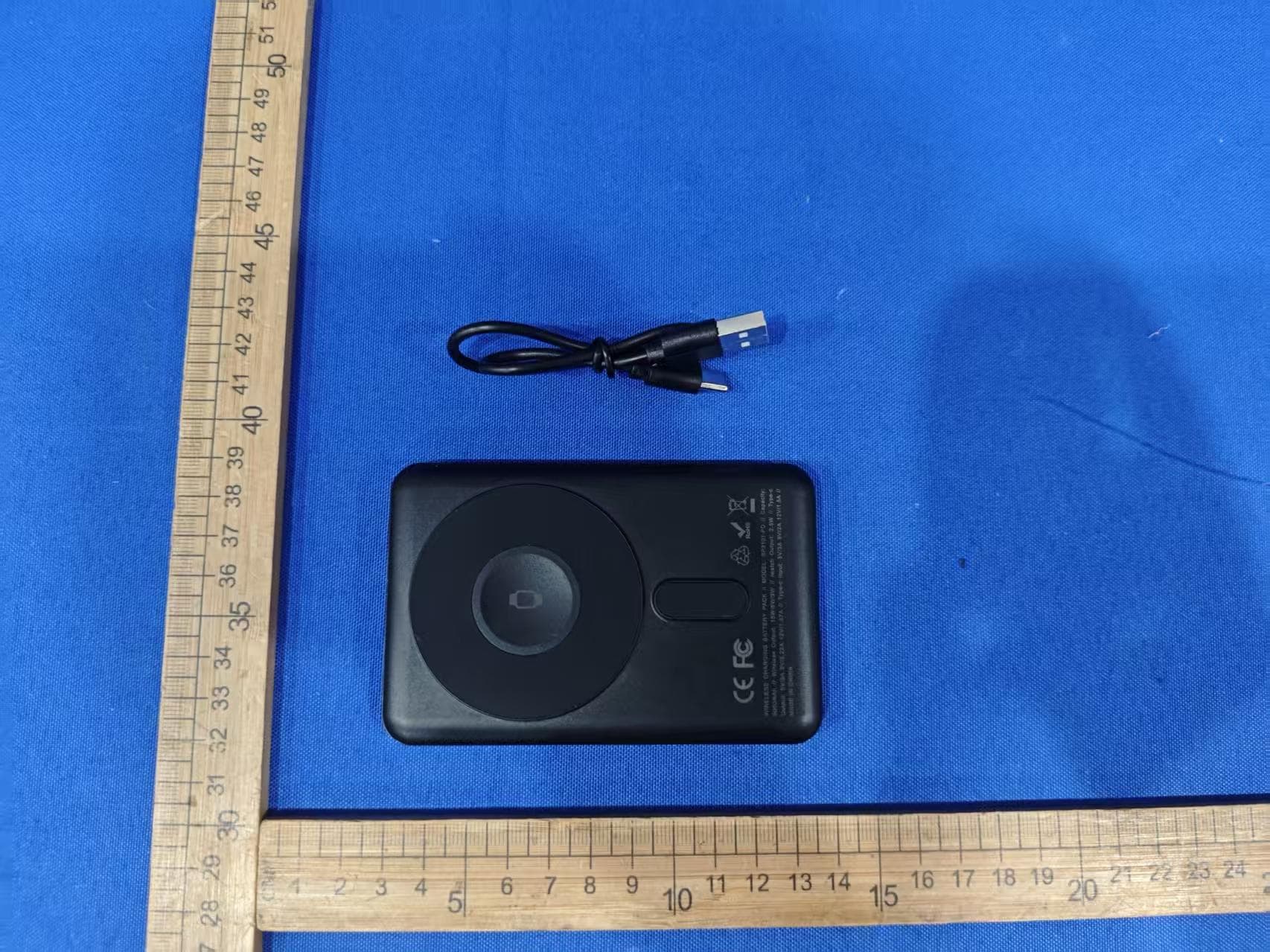
EMOIPCV3A
May 27, 2026Magnetic Wallet Power Bank
Equipment Class
DCD - Part 15 Low Power Transmitter Below 1705 kHz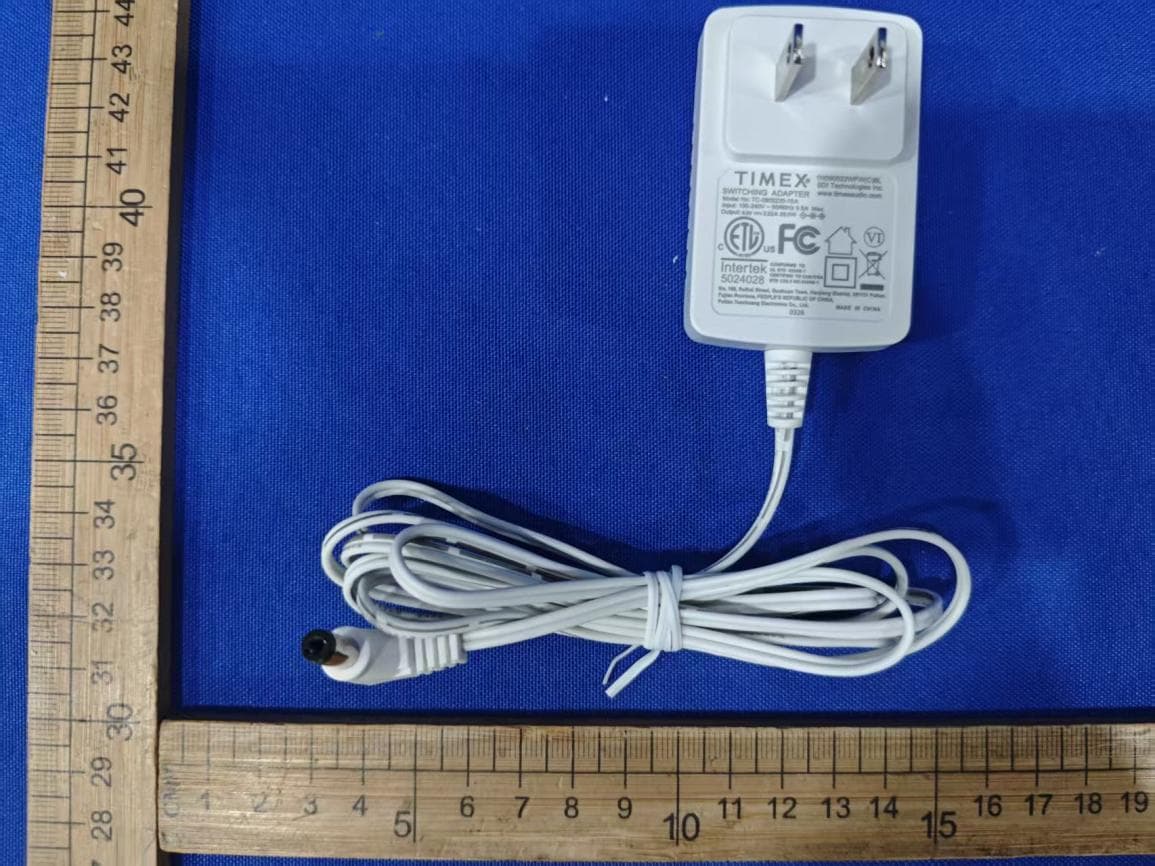
EMOTW502A
Apr 22, 2026ALARM CLOCK WITH NIGHTLIGHT AND FAST WIRELESS CHARGING
Equipment Class
DCD - Part 15 Low Power Transmitter Below 1705 kHz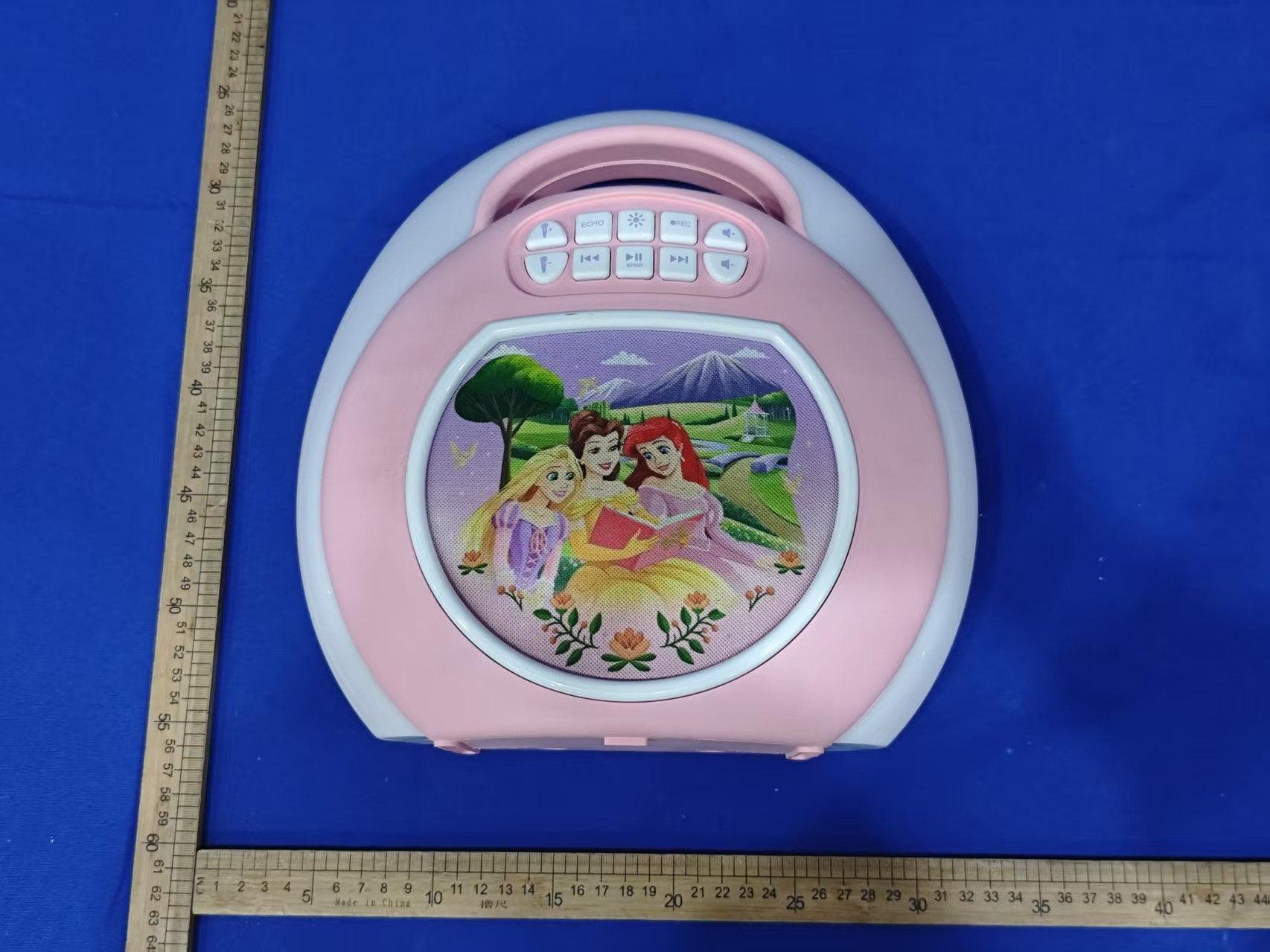
EMO555B
Nov 23, 2025Bluetooth Karaoke
Equipment Class
DSS - Part 15 Spread Spectrum Transmitter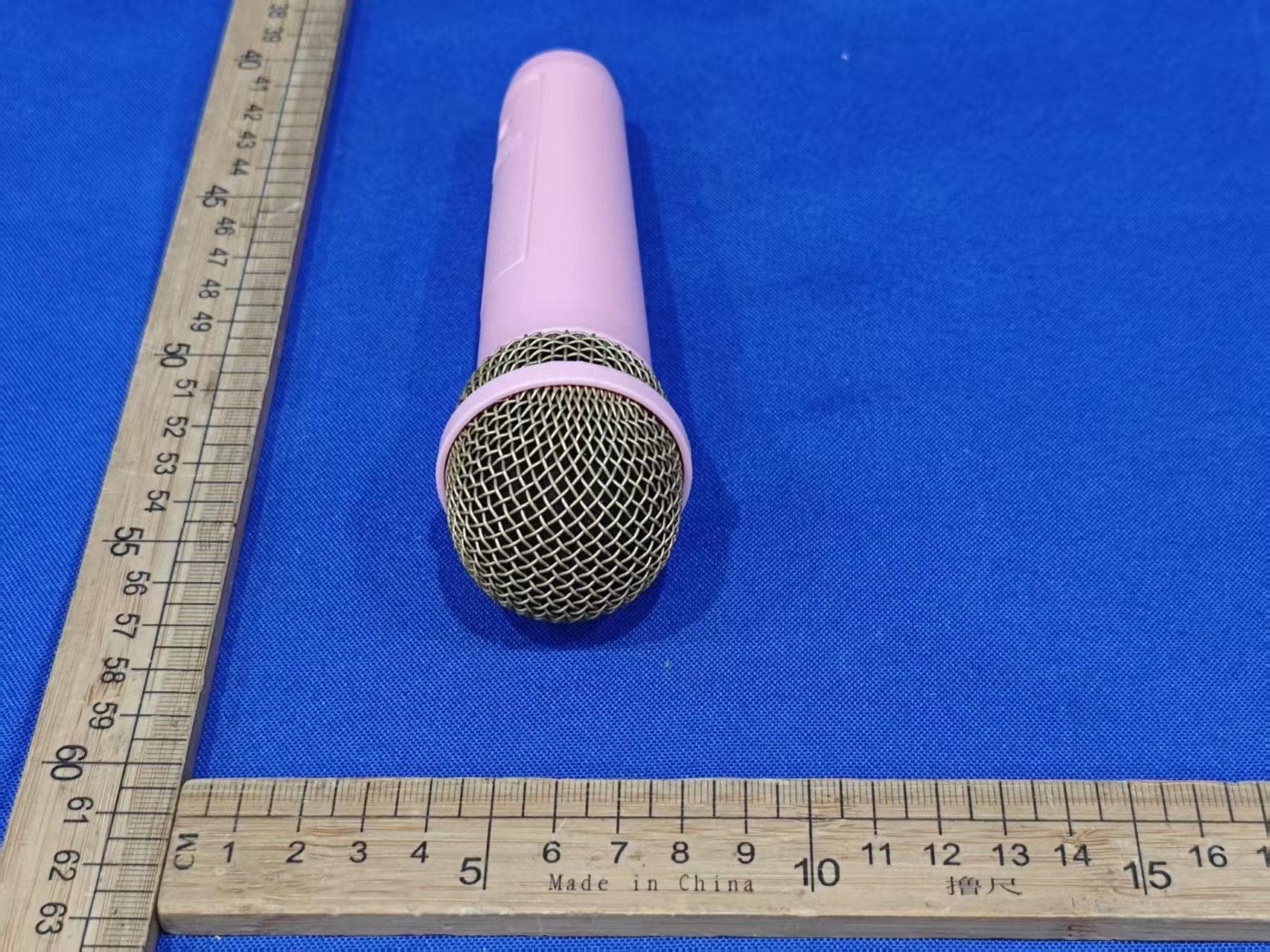
EMO555BM
Nov 23, 2025Bluetooth Karaoke
Equipment Class
DTS - Digital Transmission System
EMOIBTW112A
Sep 07, 2024Bluetooth Alarm Clock with wireless and USB charging
Equipment Class
DSS - Part 15 Spread Spectrum Transmitter