FSUGKZGXLuxeMate 810 Media Cruiser
KYE SYSTEMS CORP.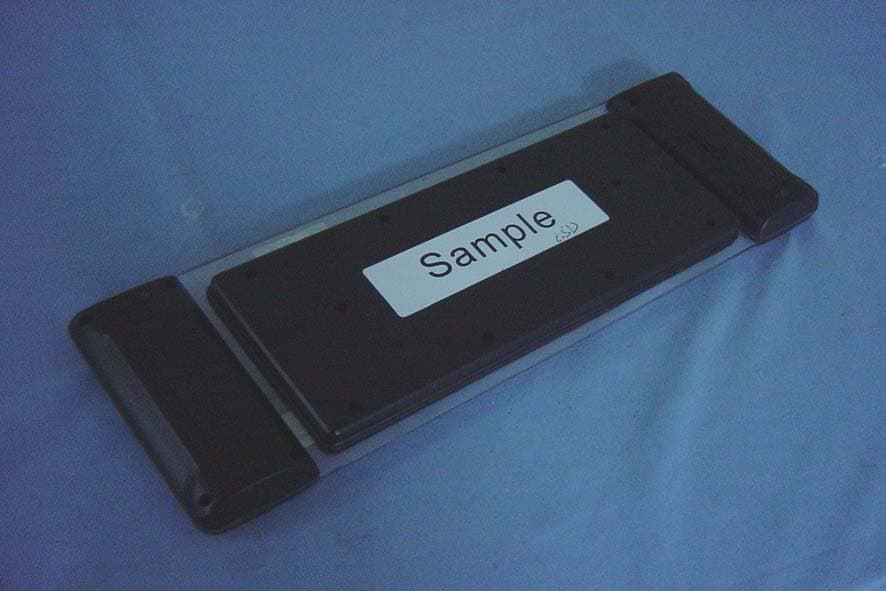
Click to zoom
Application Details
- Equipment Class
- DXX - Part 15 Low Power Communication Device Transmitter
- Date of Grant
- Oct 08, 2006
- Application Purpose
- Original Equipment
- Date of Application
- Oct 08, 2006
- Equipment Note
- LuxeMate 810 Media Cruiser
- Frequency Range
- 2402.00000000 - 2480.00000000
- Company
- KYE SYSTEMS CORP.
- Country
- Taiwan
Documents & Files
Document Text
Text extracted from the exhibit documents filed with the FCC. Open a document above to read the original.
Users Manual
ENGLISH 1 Hardware Installation 1. Place 2 AA batteries in the keyboard as shown below. 2. Connect the dongle receiver to a USB port of a PC. 3. Turn on your computer. Software Installation No software is required to start up the wireless device Replace Batteries If you feel that the wireless device does not respond when typing, please check if the red LED is flashing when any key is pressed. If not, this means that the batteries have lost their charge and need to be replaced. Important: Do not mix or use different types of batteries at the same time. ENGLISH 2 ID Channel Setting The channel ID is factory preset. The green LED (data transmission indicator) will be lit constantly when the wireless device is in normal operation. In case your wireless devices do not work, please reset the ID channel by: 1. Press the connect button on the receiver and the LED will be blinking for connection. 2. Press the connect button of the wireless device once within 20 seconds and observe if the LED light on the receiver has gone off. If yes, it means the wireless device is ready fro use. Warning (Trouble shooting) 1. In case the wireless device was not connected when you set the ID channel setting, check if you have installed the batteries with the positive (+) and negative (-) ends in the correct position, then repeat the ID channel setting again. 2. For optimum performance, please make sure that the distance between the wireless device and the dongle receiver does not exceed 10M. Hot keys and functions: 1. Click: Left mouse button 2. Right Click: Right mouse button 3. PC power off: Turn off the PC 4. Sleep: Turn the PC system into sleep mode 5. Logo display light: Turn on the Genius logo light 6. Channel/Page up/down: Change the channel or page ENGLISH 3 7. Volume up: Turn volume up 8. Volume down: Turn volume down 9. Mute: Activate mute function 10. Play/Pause: play /pause the selected song, CD, recorded TV or video 11. REC: To record live TV and save into your HD 12. Stop: Stop playing the current media, press play again to start. 13. Replay: For TV, play back. For playing media, play the previous page 14. Skip: For recorded TV, skip ahead. For playing media, go to next track. 15. Rew: Rewind the currently playing media 16. Fast Forward: Speed up the currently playing media 17. Pointer: Move mouse cursor on the screen 18. Scrolling wheel: Selection tool for Media center items. 19. Left arrow: Return to previous item page 20. Right arrow: Execute next item selection. 21. Scrolling wheel switch: Activate item selected in Media center 22. Back: Return to previous screen 23. More: Show the information about the selected item 24. My Music: Go to My Music item selection 25. My Picture: Go to My Picture item selection 26. My TV: Go to the TV home page 27. My Video: Go to My Video item selection 28. My Radio: Go to My Radio item selection 29. Live TV: Switch to playing live TV ENGLISH 4 30. Rec TV: Go to Rec TV page 31. Guide: Go to electronic programming guide 32. DVD menu: Show the DVD menu 33. MSN: Activate the messenger function in Media center 34. Start Button: Access to Media Center Notes on Battery Usage When you use the battery, carefully read and strictly observe the Safety Instructions and the notes described below: Different battery types and surrounding temperatures may affect the battery performance. Avoid using batteries in extremely cold environments as low temperatures can shorten the battery life and reduce wireless device performance. The wireless device may feel warm when being used continuously or for an extended period of time. This is normal ENGLISH 5 and not a malfunction. If you will not be using the batteries for an extended period of time, remove them from the wireless device to prevent leakage or corrosion. Always keep the terminals in a clean state. Never use manganese batteries. Risk of explosion if battery is replaced by an incorrect type. Dispose of used batteries according to the instructions. Symbol for Separate Collection in European Countries This symbol indicates that this product is to be collected separately. The following apply only to users in European countries: z This product is designated for separate collection at an appropriate collection point. Do not dispose of as household waste. z For more information, contact the retailer or the local authorities in charge of waste management. Per FCC 15.21, you are cautioned that changes or modifications not expressly approved by the part responsible for compliance could void the user’s authority to operate the equipment. This device and its antenna must not be co-located or operating in conjunction with any other antenna or transmitter.
External Photos
Compliance Certification Services Inc. Report No: 60811216 Date of Issue: September 18, 2006 Page 1 Total Page: 3 Rev. 00 EXTERNAL PHOTOGRAPHS OF EUT
Internal Photos
Compliance Certification Services Inc. Report No: 60811216 Date of Issue: September 18, 2006 Page 2 Rev.00 INTERNAL PHOTOGRAPHS OF EUT Compliance Certification Services Inc. Report No: 60811216 Date of Issue: September 18, 2006 Page 3 Rev.00
Test Report
Compliance Certification Services Inc. Report No.: 60811216-RP1 FCC ID: FSUGKZGX Date of Issue: September 18, 2006 Note: This report shall not be reproduced except in full, without the written approval of Compliance Certification Services Inc. This document may be altered or revised by Compliance Certification Services Inc. personnel only, and shall be noted in the revision section of the document. Page 1 Total Page: 24 Rev. 00 FCC 47 CFR PART 15 Subpart C TEST REPORT For LuxeMate 810 Media Cruiser Tr a d e Na me : G e n ius Model Number: GK-060003/K Issued to KYE SYSTEMS CORP. No. 492, Sec. 5, Chung Hsin Rd., San Chung, Taipei Hsien, 241, Taiwan, R.O.C. Issued by Compliance Certification Services Inc. No. 81-1, Lane 210, Bade Rd. 2, Luchu Hsiang, Taoyuan Hsien, (338) Taiwan, R.O.C. http://www.ccsemc.com.tw [email protected] Compliance Certification Services Inc. Report No.: 60811216-RP1 FCC ID: FSUGKZGX Date of Issue: September 18, 2006 Page 2 Rev. 00 TABLE OF CONTENTS 1. TEST RESULT CERTIFICATION................................................................................................. 3 2. EUT DESCRIPTION....................................................................................................................... 4 3. TEST METHODOLOGY................................................................................................................ 5 3.1 EUT CONFIGURATION................................................................................................................. 5 3.2 EUT EXERCISE............................................................................................................................. 5 3.3 GENERAL TEST PROCEDURES...................................................................................................... 5 3.4 FCC PART 15.205 RESTRICTED BANDS OF OPERATIONS................................................. 6 3.5 DESCRIPTION OF TEST MODES.................................................................................................... 6 4. INSTRUMENT CALIBRATION.................................................................................................... 7 4.1 MEASURING INSTRUMENT CALIBRATION............................................................................... 7 4.2 MEASUREMENT EQUIPMENT USED.................................................................................. 7 5. FACILITIES AND ACCREDITATIONS ....................................................................................... 8 5.1 FACILITIES .... .............................................................................................................................8 5.2 EQUIPMENT................................................................................................................................. 8 5.3 TABLE OF ACCREDITATIONS AND LISTINGS................................................................................ 9 6. SETUP OF EQUIPMENT UNDER TEST.................................................................................... 10 6.1 SETUP CONFIGURATION OF EUT................................................................................................ 10 6.2 SUPPORT EQUIPMENT ........................................................................................................ 10 7. FCC PART 15.249 REQUIREMENTS......................................................................................... 11 7.1 BAND EDGES MEASUREMENT ......................................................................................... 11 7.2 SPURIOUS EMISSION ..........................................................................................................16 7.3 POWERLINE CONDUCTED EMISSIONS........................................................................... 23 APPENDIX I PHOTOGRAPHS OF TEST SETUP ............................................................................ 24 Compliance Certification Services Inc. Report No.: 60811216-RP1 FCC ID: FSUGKZGX Date of Issue: September 18, 2006 Page 3 Rev. 00 1. TEST RESULT CERTIFICATION Applicant: KYE SYSTEMS CORP. No. 492, Sec. 5, Chung Hsin Rd., San Chung, Taipei Hsien, 241, Taiwan, R.O.C. Equipment Under Test: LuxeMate 810 Media Cruiser Trade Name: Genius Model Number: GK-060003/K Date of Test: September 9 ~ 15, 2006 APPLICABLE STANDARDS STANDARD TEST RESULT FCC 47 CFR Part 15 Subpart C No non-compliance noted We hereby certify that: The above equipment was tested by Compliance Certification Services Inc. The test data, data evaluation, test procedures, and equipment configurations shown in this report were made in accordance with the procedures given in ANSI C63.4: 2003 and the energy emitted by the sample EUT tested as described in this report is in compliance with the requirements emission limits of FCC Rules Part 15.107, 15.109,15.207, 15.209 and 15.249. The test results of this report relate only to the tested sample identified in this report. Approved by: Reviewed by: Gavin Lim Amanda Wu Section Manager Section Manager Compliance Certification Services Inc. Compliance Certification Services Inc. Compliance Certification Services Inc. Report No.: 60811216-RP1 FCC ID: FSUGKZGX Date of Issue: September 18, 2006 Page 4 Rev. 00 2. EUT DESCRIPTION Product LuxeMate 810 Media Cruiser Trade Name Genius Model Number GK-060003/K Model Discrepancy N/A Power Supply Rechargeable battery: AA *2 (DC 2.4V) Frequency Range 2402 ~ 2480 MHz Modulation Technique GFSK Number of Channels 79 Channels Antenna Gain 2.0 dBi Antenna Designation Printed PCB Antenna Remark: 1. The sample selected for test was engineering sample that approximated to production product and was provided by manufacturer. 2. This submittal(s) (test report) is intended for FCC ID: FSUGKZGX filing to comply with Section 15.107 & 15.109 and Section 15.207, 15.209, 15.249 (FCC Part 15, Subpart C Rules.) Compliance Certification Services Inc. Report No.: 60811216-RP1 FCC ID: FSUGKZGX Date of Issue: September 18, 2006…
Text truncated - open the document above for the full version.
Test Setup Photos
Compliance Certification Services Inc. Report No.: 60811216-RP1 FCC ID: FSUGKZGX Date of Issue: September 18, 2006 Page 24 Rev. 00 APPENDIX I PHOTOGRAPHS OF TEST SETUP Radiated Emission Set up Photos
Contact Information
Applicant
Ricky Chen(Section Supervisor)
Test Firm
Compliance Certification Services Inc.Kurt Chen
Technical Specifications
| # | Rule Parts | Frequency Range | Power Output |
|---|---|---|---|
| 1 | 15C | 2.40 GHz - 2.48 GHz | - |
Other Applications from KYE SYSTEMS CORP.

FSUGG0AM
Aug 20, 2026Wireless Speaker
Equipment Class
DSS - Part 15 Spread Spectrum Transmitter
FSUGKZI2
May 23, 2026Wireless Keyboard
Equipment Class
DXX - Part 15 Low Power Communication Device TransmitterFSUGMZN6
Apr 20, 2026Wireless Mouse
Equipment Class
DTS - Digital Transmission SystemFSUGMZN4
Apr 03, 2026Wireless Mouse
Equipment Class
DXX - Part 15 Low Power Communication Device TransmitterFSUGMZN7
Apr 01, 2026Wireless Mouse
Equipment Class
DTS - Digital Transmission System