FSUGMZGJWireless Mouse
KYE SYSTEMS CORP.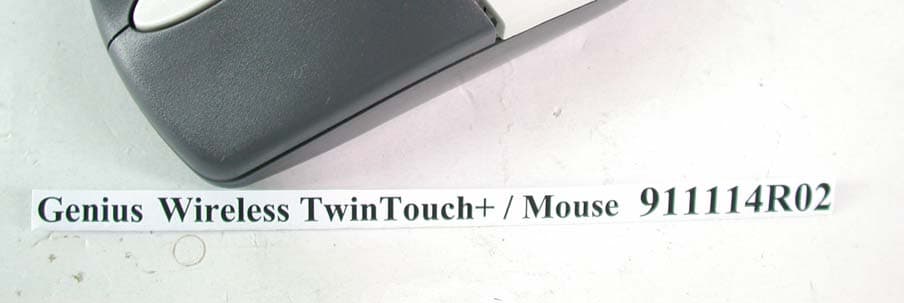
Click to zoom
Application Details
- Equipment Class
- DXX - Part 15 Low Power Communication Device Transmitter
- Date of Grant
- Dec 17, 2002
- Application Purpose
- Original Equipment
- Date of Application
- Dec 17, 2002
- Equipment Note
- Wireless Mouse
- Frequency Range
- 27.04500000 - 27.04500000
- Company
- KYE SYSTEMS CORP.
- Country
- Taiwan
Documents & Files
Document Text
Text extracted from the exhibit documents filed with the FCC. Open a document above to read the original.
Users Manual
Hardware Installation Hardware Installation Note: Always turn off your computer before you connect or disconnect your mouse and keyboard unless you’re using a USB device in Win98 or above. If you have a PC with the PC 99 spec, then the mouse port and keyboard port are green and purple respectively. 1. Connect the receiver’s green mouse connector to the computer’s 6-pin mouse port. Connect the receiver’s purple keyboard connector to the computer’s 6-pin keyboard port. 2. Install two AAA batteries in the mouse and two AA batteries in the keyboard. 3. Turn on your computer. 4. After you open Windows, please press the button under the receiver first and then press the button under the mouse and keyboard for channel setting. Make sure each button press is for at least three seconds. Wa r n i n g : 1. When you use Wireless TwinTouch+ on a desk that is made of metal, try using a pad and reduce the receiving distance. 2. Before the first installation is completed (channel setting ready), the keyboard and mouse will not work in DOS. 3. The Wireless TwinTouch+ channel provides 256 ID-codes, and it automatically selects the ID # for your keyboard and mouse. You can only set up one TwinTouch+ at a time. But if you have additional TwinTouch+ sets in an area of 10 square meters, more interference will occur between the receiver and your keyboard and mouse. 4. If you feel the mouse does not move smooth as usual or the keyboard does not work when typing, that the batteries have lost their charge, so please replace them. Also, the wireless icon will be blinking “red” when there is a battery-low situation . 5. The TwinTouch+ with radio frequency gives you free movement and an enjoyable experience. For optimal performance, place the receiver at least 8 inches (about 20 cm) away from the mouse and other electrical devices, such as the computer, monitor, and etc. Software Installation 1. Make sure the mouse and keyboard is connected to the computer. 2. Put the Setup disk (or CD) into the disk drive. 3. Follow the instructions on the screen to finish the software installation. Factory Setting 1. Mouse: 2. Keyboard: 1. Rewind: Previous track of audio or video CD’s 2. Play & Pause: Play and pause of audio or video CD’s 3. Stop: Stop play of audio or video CD’s 4. Forward: Next track of audio or video CD’s 5. Vol.-& +: decrease or increase volume 6. My favorite: Open my favorite folder 7. E-mail: Open mail folder 8. Back: See last page when viewing the Internet 9. www: Open browser in Netscape or IE 10. Forward: Go to next page when viewing the Internet 11. Sleep: Turn system into sleep mode Federal Communication Commission Interference Statement This equipment has been tested and found to comply with the limits for a Class B digital device, pursuant to Part 15 of the FCC Rules. These limits are designed to provide reasonable protection against harmful interference in a residential installation. This equipment generates, uses and can radiate radio frequency energy and, if not installed and used in accordance with the instructions, may cause harmful interference to radio communications. However, there is no guarantee that interference will not occur in a particular installation. If this equipment does cause harmful interference to radio or television reception, which can be determined by turning the equipment off and on, the user is encouraged to try to correct the interference by one of the following measures: -Reorient or relocate the receiving antenna. -Increase the separation between the equipment and receiver. -Connect the equipment into an outlet on a circuit different from that to which the receiver is connected. -Consult the dealer or an experienced radio/TV technician for help. FCC Caution: Any changes or modifications not expressly approved by the party responsible for compliance could void the user's authority to operate this equipment. This device complies with Part 15 of the FCC Rules. Operation is subject to the following two conditions: (1) This device may not cause harmful interference, and (2) this device must accept any interference received, including interference that may cause undesired operation. This transmitter must not be co-located or operating in conjunction with any other antenna or transmitter.
External Photos
Page 1 ANNEX PHOTOGRAPHS OF EUT Page 2
ID Label/Location Info
LABEL LOCATION FOR FCC ID
Internal Photos
Page 3 Page 4 Page 5 Page 6
Operational Description
FCC ID: FSUGMZGJ ADT No.911114R02 Operational Description The transmitter of the EUT (Wireless TwinTouch+ / Mouse) is powered by 3V Battery. The receiver is powered by host computer. Both transmitter and receiver use Integral Antenna. The output power of this device is very low. Under normal use condition, the transmitter and the receiver are quite close, so high EIRP power is neither necessary nor allowed because of interference.
Test Report
FCC ID: FSUGMZGJ Report No.: RF911114R021Issued: December 11, 2002 FCC TEST REPORT REPORT NO.: RF911114R02 MODEL NO.: Wireless TwinTouch+ / Mouse Wireless PowerScroll RECEIVED: Nov. 14, 2002 TESTED: Nov. 29, 2002 APPLICANT: KYE Systems Corp. ADDRESS: No. 492, Sec. 5, Chung Hsin Rd., San Chung, Taipei Hsien, Taiwan, R.O.C. ISSUED BY: Advance Data Technology Corporation LAB LOCATION: 47 14th Lin, Chia Pau Tsuen, Linkou Hsiang, Taipei, Taiwan, R.O.C. This test report consists of 14 pages in total. It may be duplicated completely for legal use with the approval of the applicant. It should not be reproduced except in full, without the written approval of our laboratory. The client should not use it to claim product endorsement by NVLAP or any U.S. government agencies. The test results in the report only apply to the tested sample. Lab Code: 200102-0 0528 FCC ID: FSUGMZGJ Report No.: RF911114R022Issued: December 11, 2002 Table of Contents 1CERTIFICATION..............................................................................................3 2SUMMARY OF TEST RESULTS .....................................................................4 3GENERAL INFORMATION ..............................................................................5 3.1GENERAL DESCRIPTION OF EUT ................................................................5 3.2DESCRIPTION OF TEST MODES ..................................................................6 3.3GENERAL DESCRIPTION OF APPLIED STANDARDS..................................6 3.4DESCRIPTION OF SUPPORT UNITS ............................................................6 4TEST PROCEDURE AND RESULT.................................................................7 4.1CONDUCTED EMISSION MEASUREMENT...................................................7 4.2RADIATED EMISSION MEASUREMENT........................................................7 4.2.1 LIMITS OF RADIATED EMISSION MEASUREMENT .....................................7 4.2.2 TEST INSTRUMENT .......................................................................................8 4.2.3 TEST PROCEDURE........................................................................................9 4.2.4 TEST SETUP.................................................................................................10 4.2.5 EUT OPERATING CONDITION.....................................................................10 4.2.6 TEST RESULT............................................................................................... 11 5PHOTOGRAPHS OF THE TEST CONFIGURATION ....................................13 6INFORMATION ON THE TESTING LABORATORIES...................................14 FCC ID: FSUGMZGJ Report No.: RF911114R023Issued: December 11, 2002 1 CERTIFICATION PRODUCT : Wireless Mouse BRAND NAME : Genius MODEL NO : Wireless TwinTouch+ / Mouse Wireless PowerScroll APPLICANT : KYE Systems Corp. STANDARDS : 47 CFR Part 15, Subpart C(15.227) ANSI C63.4-1992 We, Advance Data Technology Corporation, hereby certify that one sample of the designation has been tested in our facility on Nov. 29, 2002. The test record, data evaluation and Equipment Under Test (EUT) configurations represented herein are true and accurate accounts of the measurements of the sample's EMC characteristics under the conditions herein specified. FCC ID: FSUGMZGJ Report No.: RF911114R024Issued: December 11, 2002 2 SUMMARY OF TEST RESULTS The EUT has been tested according to the following specifications: APPLIED STANDARD: 47 CFR Part 15, Subpart C STANDARD PARAGRAPH TEST TYPERESULTREMARK 15.207Conducted Emission TestN/A Power supply is 3VDC from batteries 15.227Radiated Emission TestPASS Minimum passing margin is –15.0dBuV at 135.20MHz NOTE: The receiver part to communicate with the EUT has been verified to comply with FCC Part 15, Subpart B, Class B (DoC). The test report can be provided upon request. FCC ID: FSUGMZGJ Report No.: RF911114R025Issued: December 11, 2002 3 GENERAL INFORMATION 3.1 GENERAL DESCRIPTION OF EUT PRODUCT Wireless Mouse MODEL NO. Wireless TwinTouch+ / Mouse Wireless PowerScroll POWER SUPPLY 3VDC from batteries MODULATION TYPE FSK CARRIER FREQUENCY OF EACH CHANNEL 27.045MHz BANDWIDTH OF EACH CHANNEL NA NUMBER OF CHANNEL 1 ANTENNA TYPE Integral Antenna DATA CABLE NA I/O PORTS NA ASSOCIATED DEVICES NA NOTE: 1. The EUT is the transmitter part of a Wireless Mouse. 2. There are two models provided to this EUT. They are identical to each other except for their model number due to marketing requirement. 3. For more detailed features description of the EUT, please refer to the manufacturer's specifications or the User's Manual. FCC ID: FSUGMZGJ Report No.: RF911114R026Issued: December 11, 2002 3.2 DESCRIPTION OF TEST MODES One channel is provided to this EUT. ChannelFrequency 127.045 MHz 3.3 GENERAL DESCRIPTION OF APPLIED STANDARDS The EUT is the transmitter part of a Wireless Mouse. According to the specifications of the manufacturer, it must comply with the requirements of the following standards: FCC CFR 47 Part 15, Subpart C (15.227) ANSI C63.4-1992 All tests have been performed and recorded as per the above standards. 3.4 DESCRIPTION OF SUPPORT UNITS NA FCC ID: FSUGMZGJ Report No.: RF911114R027Issued: December 11, 2002 4 TEST PROCEDURE AND RESULT 4.1 CONDUCTED EMISSION MEASUREMENT NA 4.2 RADIATED EMISSION MEASUREMENT 4.2.1 LIMITS OF RADIATED EMISSION MEASUREMENT According to 15.227 the field strength of emissions from intentional radiators operated under these frequencies bands shall not exceed the following: Fundamental Frequency (MHz) Field Strength of Fundamental (dBuV/m) PeakAverage 26.96-27.28 10080 Emissions radiated outside of the specified bands, shall be according to the general radiated limits in 15.209 as following: Frequencies (MHz) Field strength (microvolts/meter) Measurement distance (meters) 0.009-0.4902400/F(kHz)300 0.490-1.70524000/F(kHz)30 1.705-30.03030 30-881003 88-2161503 216-9602003 Above 9605003 As shown in 15.35(b), for fre…
Text truncated - open the document above for the full version.
Test Setup Photos
FCC ID: FSUGMZGJ Report No.: RF911114R0213Issued: December 11, 2002 5 PHOTOGRAPHS OF THE TEST CONFIGURATION RADIATED EMISSION TEST
Contact Information
Applicant
Ricky Chen(Section Supervisor)
Technical Contact
Advance Data Technology CorporationEllis Wu
[email protected]+886 3 327 0892
13-1, Lane 19, WenShan 3rd St · Taoyuan · Taiwan
Test Firm
Bureau Veritas CPS (H.K.) Ltd. Taoyuan BranchRichard Chen
Technical Specifications
| # | Rule Parts | Frequency Range | Power Output |
|---|---|---|---|
| 1 | 15C | 27.045 MHz - 27.045 MHz | - |
Other Applications from KYE SYSTEMS CORP.

FSUGG0AM
Aug 20, 2026Wireless Speaker
Equipment Class
DSS - Part 15 Spread Spectrum Transmitter
FSUGKZI2
May 23, 2026Wireless Keyboard
Equipment Class
DXX - Part 15 Low Power Communication Device TransmitterFSUGMZN6
Apr 20, 2026Wireless Mouse
Equipment Class
DTS - Digital Transmission SystemFSUGMZN4
Apr 03, 2026Wireless Mouse
Equipment Class
DXX - Part 15 Low Power Communication Device TransmitterFSUGMZN7
Apr 01, 2026Wireless Mouse
Equipment Class
DTS - Digital Transmission System