FSUGMZHAWIRELESS DONGLE
KYE SYSTEMS CORP.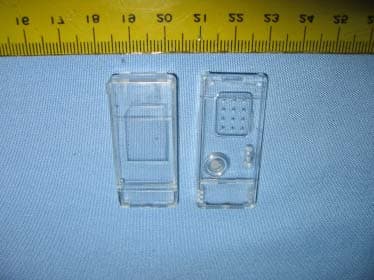
Click to zoom
Application Details
- Equipment Class
- DSS - Part 15 Spread Spectrum Transmitter
- Date of Grant
- Nov 10, 2005
- Application Purpose
- Original Equipment
- Date of Application
- Nov 10, 2005
- Equipment Note
- WIRELESS DONGLE
- Frequency Range
- 2402.00000000 - 2480.00000000
- Company
- KYE SYSTEMS CORP.
- Country
- Taiwan
Documents & Files
Document Text
Text extracted from the exhibit documents filed with the FCC. Open a document above to read the original.
Users Manual
FCC ID:FSUGMZH9 Hardware Installation 1.You can connect the receiver to a USB port of a PC or Notebook. 2.If you want to connect the receiver to a PC or recharge the batteries, please use the USB bat - tery charger Y cable.(Please do not connect the receiver directly to a PC that is placed under a table, or the RF performance will de- crease dramatically.) 3.Install twoAA rechargeablebatteries in the mouse.(Use only rechargeable batteries. Us- ing any other type of battery could cause seri- ous damage to your mouse or mainboard). Do not charge batteries unless there are other batteries in the mouse. Otherwise, you cannot use the mouse if you are charging the batteries. 4.Turn on your computer. 5.After you open Windows, press the button on the receiver first, then press the button under the mouse for channel setting. 1 ENGLISH Important: When you use this product for the first time, the mouse may seem to be sluggish because it takes between 12 to 16 hours of use for the batteries to be recharged to obtain full performance. The other alternative is to recharge the batteries before you use the Wireless optical mouse mouse device. Please remove the batteries if you do not use this device for at least two weeks. Warning:(Troubleshooting) 1.Please do not use Wireless optical mouse on a desk which is made of glass, mir - ror, iron, or black velvet. Also, a flat surface is necessary or the Optical Sensor will error easily. When you use Wireless optical mouse on a desk that is made of metal, try using a pad and reduce the receiving distance 2.Before the first installation is completed (channel setting ready), the mouse will not work. 3.The Wireless optical mouse channel provides 256 ID-codes, and it automatically selects the ID # for your mouse. You can only set up one Wireless optical mouse at a time. But if you have additional Wireless optical mouse sets in an area of 10 square meters, more interference will occur between the receiver and your mouse. 4.If you feel the mouse does not move as smooth as usual, then the batteries have lost their charge, so you need to replace them or use the USB battery charger Y cable to recharge the batteries. The LED on the mouse shows the battery-recharging status: it will shine when empty and be clear when the batteries are recharged.You should set up the channel every time you replace the batteries. 5.If you need to buy new batteries, please choose Ni-MH (Nickel-Metal-Hydride) AA batteries, 1300 to 1500 mAH, 1.2 V.Please do not mix or use other types of batteries (Li-ion, Ni-Cd, Alkaline, etc.). Recycle your batteries according to local law. 6.The Wireless optical mouse with radio frequency gives you free movement and an enjoyable experience. For optimal performance, place the receiver at least 8 inches (about 20 cm) away from the mouse and other electrical devices, such as the computer, monitor, and etc. Software Installation 1. Make sure the mouse is connected to the computer. 2. Put the Setup disk (or CD) into the disk drive. 3. Follow the instructions on the screen to finish the software installation. 2 Factory Setting Button Assignments 1. Left Button:Provides traditional mouse functions such as click, dou- ble click and drag. 2.Right Button:You can assign this button frequently used keyboard and mouse functions in addition to fea- tures like EasyJump, Auto-Panning, Zoom, etc. 3.Magic-Roller:Press the “Magic- Roller” to surf the Internet and Win- dows documents. Horizontal Scroll:Press the roller to the left and the cursor scrolls to the left; press the roller to the right and the cursor scrolls to the right. 4. Previous:See previous song when viewing the media Player. 5.Next:Go to next song when viewing the media player. 6.Vol. +:Increase volume 7.Vol. -:Decrease volume 8. Play & Pause:Play and pause of audio or video CD’s 3 ENGLISH NOTE: THE MANUFACTURER IS NOT RESPONSIBLE FOR ANY RADIO OR TV INTERFERENCE CAUSED BY UNAUTHORIZED MODIFICATIONS TO THIS EQUIPMENT. SUCH MODIFICATIONS COULD VOID THE USERS AUTHORITY TO OPERATE THE EQUIPMENT.
External Photos
Spectrum Research & Testing Lab., Inc. No. 101-10, Ling 8, Shan-Tong Li, Chung-Li City, Taoyuan, Taiwan Tel: 886-3-4987684 Fax: 886-3-4986528 Photo Page: 1 of 3 PHOTOS OF EUT -Receiver Spectrum Research & Testing Lab., Inc. No. 101-10, Ling 8, Shan-Tong Li, Chung-Li City, Taoyuan, Taiwan Tel: 886-3-4987684 Fax: 886-3-4986528 Photo Page: 2 of 3 PHOTOS OF EUT -Receiver Spectrum Research & Testing Lab., Inc. No. 101-10, Ling 8, Shan-Tong Li, Chung-Li City, Taoyuan, Taiwan Tel: 886-3-4987684 Fax: 886-3-4986528 Photo Page: 3 of 3 PHOTOS OF EUT –Cable
Internal Photos
Spectrum Research & Testing Lab., Inc. No. 101-10, Ling 8, Shan-Tong Li, Chung-Li City, Taoyuan, Taiwan Tel: 886-3-4987684 Fax: 886-3-4986528 Photo Page: 1 of 1 PHOTOS OF EUT-Receiver
Operational Description
FCC ID: FSUGMZHA Operational Description of equipment The EUT is an excellent tool for mobile professionals, Install a AA battery in the mouse and connect the receiver to a USB port of a PC an turn on your computer. PRODUCT WIRELESS MOUSE AND RECEIVER MODEL NO. GM-05004U/T,Ergo R8000/T POWER SUPPLY DC 3V FREQUENCY BAND 2400~2483.5MHz NUMBER OF CHANNEL 78 CHANNEL SPACING 80MHz RATED RF OUTPUT POWER 0dBm MODULATION TYPE FSK BIT RATE OF TRANSMISSION62.5kbps ANTENNA TYPE PIFA ANTENNA GAIN 0dBi DUTY CYCLE 50%
Schematics
C6 2pF 0603 Rev:3 C3 0.1uF 0402 C13 0.1uF 0402 NC R3 2.2k 0402 R6 320 0402 DP MISO 5 Add R4,R6,D1 C7 1pF 0603 CKT 210010425101 PCB 102304691004 GM-05004/R B 11Wednesday, June 29, 2005 Tit le SizeDocument NumberRev Date:Sheet of USB5V Rev:2 R E S E T C19 103 Y1 13M 5X3 VOUT Date:2005-6-6 PD Date:2005-5-3 L1 3.3nH 0603 C9 3.6pF 0603 S C K ACT_LED SCK "BIND" P D DP SW1 USB5V U1 CY 7C63743-QXC SSOP24 1 2 3 4 24 23 22 21 5 20 91 0 1 4 1 1 15 16 12 13 6 19 7 18 8 17 P0_0 P0_1 P0_2 P0_3 P0_4 P0_5 P0_6 P0_7 P1_0 P1_1 V S S V P P V C C V R E G DM DP XI XO P1_2 P1_3 P1_4 P1_5 P1_6 P1_7 "CONNECT" C4 10uF 1206 XC6204 R7 10k SS R8 10k C20 103 CE M O S I L3 2.2nH 0603 VCC_3 IRQ C17 0.1 uF 0402 3 R2 2.2k 0402 DM DM VCC_3 C2 0.1uF 0402 CYWUSB6934 U2 CY WUSB6934 48QFN 1 2 3 4 5 6 7 8 9 10 11 12 1 3 1 4 1 5 1 6 1 7 1 8 1 9 2 0 2 1 2 2 2 3 2 4 36 35 34 33 32 31 30 29 28 27 26 25 4 8 4 7 4 6 4 5 4 4 4 3 4 2 4 1 4 0 3 9 3 8 3 7 NC NC NC NC RFOUT VCC NC NC VCC NC NC NC G N D R E S E T N C V C C N C N C D I O V A L D I O I R Q S S M O S I M I S O NC X13IN PACTL PD VCC NC NC VCC VCC NC X13OUT SCK N C N C R F I N V C C V C C N C V C C V C C N C N C X 1 3 N C D1 LED Red 0603 VSS VCC_3 RESET New S1 SW PUSHBUTTON S-EVQ-PHP03 12 SCK_5 Remove l2,l3 C1 0.1uF 0402 C5 0.1uF 0402 2 S S Rev:1 MOSI Rev:4 ACT_LED ANT1 PIFA <PCB Footprint> VIN C11 0.1uF 0402 VCC_3 R1 1.3K 0402 Modify J1,U4 Package Date:2005-6-30 1 I R Q 4 U4 XC6204 SOT-23--3 15 234 VINVOUT G N D C E N C + C16 10 uF 1206 J1 STANDARD USB 1 2 3 4 VBUS DM DP GND ADD R7,R8,C19,C20 USB5V C12 0.1uF 0402 + C15 4.7 uF 0805 R4 320 0402 SW1 M I S O C8 1.2pF 0603 Remove:D2,R5,C14,U3 C18 0.1 uF 0402 USB5V VCC_3 C10 0.1uF 0402 Date:2005-3-17
Test Report
Spectrum Research & Testing Lab., Inc. No. 101-10, Ling 8, Shan-Tong Li, Chung-Li City, Taoyuan, Taiwan TEST REPORT Reference No.:A05080803 Report No.:FCCA05080803 FCCID: FSUGMZHA Page:1 of 45 Date:Aug. 26, 2005 Lab Code: 200099-0 Product Name: Wireless Dongle Model Number: GM-05004U/R,Ergo R8000/R Applicant: KYE SYSTEMS CORP. No.492,Sec.5,Chung Hsin Rd.,San Chung,Taipei Hsien,241, Taiwan,R.O.C. Date of Receipt: Aug 12, 2005 Finished date of Test: Aug. 23, 2005 Applicable Standards: 47 CFR Part 15, Subpart C ANSI C63.4:2003 DA 00-705 We, Spectrum Research & Testing Laboratory Inc., hereby certify that one sample of the above was tested in our laboratory with positive results according to the above-mentioned standards. The records in the report are an accurate account of the results. Details of the results are given in the subsequent pages of this report. Checked By : , Date: Approved By : ( Julian, Chiang ) , Date: ( Johnson Ho, Director ) Spectrum Research & Testing Lab., Inc. No. 101-10, Ling 8, Shan-Tong Li, Chung-Li City, Taoyuan, Taiwan TEST REPORT Reference No.:A05080803 Report No.:FCCA05080803 FCCID: FSUGMZHA Page:2 of 45 Date:Aug. 26, 2005 TABLE OF CONTENTS 1. DOCUMENT POLICY AND TEST STATEMENT .................................................. 4 1.1 DOCUMENT POLICY......................................................................................... 4 1.2 TEST STATEMENT ............................................................................................ 4 1.3 EUT MODIFICATION .......................................................................................... 4 2. DESCRIPTION OF EUT AND TEST MODE ................................................ 5 2.1 GENERAL DESCRIPTION OF EUT................................................................... 5 2.2 DESCRIPTION OF SUPPORT UNIT.................................................................. 5 2.3 DESCRIPTION OF TEST MODE ....................................................................... 6 3. DESCRIPTION OF APPLIED STANDARDS ............................................... 6 4.1 CONDUCTED EMISSION TEST FOR POWER PORT ..................................... 7 4.1.1 CONDUCTED EMISSION LIMIT ..................................................................... 7 4.1.2 TEST EQUIPMENT ......................................................................................... 7 4.1.3 TEST SETUP................................................................................................... 8 4.1.4 TEST PROCEDURE........................................................................................ 8 4.1.5 TEST RESULT ................................................................................................... 9 5.TECHNICAL CHARACTERISTICS TEST ....................................................... 13 5.1 6DB BANDWIDTH ........................................................................................... 13 5.1.1 LIMIT................................................................................................................ 13 5.1.2 TEST EQUIPMENT ....................................................................................... 13 5.1.3 TEST SET-UP ............................................................................................... 13 5.1.4 TEST PROCEDURE...................................................................................... 13 5.1.5 EUT OPERATING CONDITION .................................................................... 13 5.1.6 TEST RESULT .............................................................................................. 14 5.2 PEAK POWER TEST ....................................................................................... 17 5.2.1 LIMIT................................................................................................................ 17 5.2.2 TEST EQUIPMENT ....................................................................................... 17 5.2.3 TEST SET-UP ............................................................................................... 18 5.2.4 TEST PROCEDURE...................................................................................... 18 5.2.5 EUT OPERATING CONDITION .................................................................... 18 5.2.6 TEST RESULT .............................................................................................. 18 5.3 BAND EDGE TEST .......................................................................................... 21 5.3.1 LIMIT................................................................................................................ 21 5.3.2 TEST EQUIPMENT ....................................................................................... 22 5.3.3 TEST SET-UP ............................................................................................... 23 5.3.4 TEST PROCEDURE...................................................................................... 24 5.3.5 EUT OPERATING CONDITION .................................................................... 24 5.3.6 TEST RESULT .............................................................................................. 25 5.4 FUNDERMENTAL & SPURIOUS RADIATED EMISSION TEST ..................... 28 5.4.1 LIMIT................................................................................................................ 28 5.4.2 TEST EQUIPMENT ....................................................................................... 29 5.4.3 TEST SET-UP ............................................................................................... 30 Spectrum Research & Testing Lab., Inc. No. 101-10, Ling 8, Shan-Tong Li, Chung-Li City, Taoyuan, Taiwan TEST REPORT Reference No.:A05080803 Report No.:FCCA05080803 FCCID: FSUGMZHA Page:3 of 45 Date:Aug. 26, 2005 5.4.4 TEST PROCEDURE...................................................................................... 31 5.4.5 EUT OPERATING CONDITI…
Text truncated - open the document above for the full version.
Test Setup Photos
Spectrum Research & Testing Lab., Inc. No. 101-10, Ling 8, Shan-Tong Li, Chung-Li City, Taoyuan, Taiwan TEST REPORT Reference No.:A05080803 Report No.:FCCA05080803 FCCID: FSUGMZHA Page:63 of 69 Date:Aug. 26, 2005 FCC ID: FSUGMZHA 6. PHOTOS OF TESTING - Radiated test (Dongle-TX mode) Spectrum Research & Testing Lab., Inc. No. 101-10, Ling 8, Shan-Tong Li, Chung-Li City, Taoyuan, Taiwan TEST REPORT Reference No.:A05080803 Report No.:FCCA05080803 FCCID: FSUGMZHA Page:64 of 69 Date:Aug. 26, 2005 FCC ID: FSUGMZHA - Radiated test (Mouse-TX mode) Spectrum Research & Testing Lab., Inc. No. 101-10, Ling 8, Shan-Tong Li, Chung-Li City, Taoyuan, Taiwan TEST REPORT Reference No.:A05080803 Report No.:FCCA05080803 FCCID: FSUGMZHA Page:65 of 69 Date:Aug. 26, 2005 FCC ID: FSUGMZHA - Radiated test (Link-RX mode) Spectrum Research & Testing Lab., Inc. No. 101-10, Ling 8, Shan-Tong Li, Chung-Li City, Taoyuan, Taiwan TEST REPORT Reference No.:A05080803 Report No.:FCCA05080803 FCCID: FSUGMZHA Page:66 of 69 Date:Aug. 26, 2005 FCC ID: FSUGMZHA - Radiated test (Charge-RX mode) Spectrum Research & Testing Lab., Inc. No. 101-10, Ling 8, Shan-Tong Li, Chung-Li City, Taoyuan, Taiwan TEST REPORT Reference No.:A05080803 Report No.:FCCA05080803 FCCID: FSUGMZHA Page:67 of 69 Date:Aug. 26, 2005 FCC ID: FSUGMZHA - Conducted test (Link) Spectrum Research & Testing Lab., Inc. No. 101-10, Ling 8, Shan-Tong Li, Chung-Li City, Taoyuan, Taiwan TEST REPORT Reference No.:A05080803 Report No.:FCCA05080803 FCCID: FSUGMZHA Page:68 of 69 Date:Aug. 26, 2005 FCC ID: FSUGMZHA - Conducted test (Charge)
Contact Information
Applicant
Ricky Chen(Section Supervisor)
Test Firm
Spectrum Research & Testing Laboratory, Inc.Cheng Ho
Technical Specifications
| # | Rule Parts | Frequency Range | Power Output |
|---|---|---|---|
| 1 | 15C | 2.40 GHz - 2.48 GHz | 1.00 mW |
Other Applications from KYE SYSTEMS CORP.

FSUGG0AM
Aug 20, 2026Wireless Speaker
Equipment Class
DSS - Part 15 Spread Spectrum Transmitter
FSUGKZI2
May 23, 2026Wireless Keyboard
Equipment Class
DXX - Part 15 Low Power Communication Device TransmitterFSUGMZN6
Apr 20, 2026Wireless Mouse
Equipment Class
DTS - Digital Transmission SystemFSUGMZN4
Apr 03, 2026Wireless Mouse
Equipment Class
DXX - Part 15 Low Power Communication Device TransmitterFSUGMZN7
Apr 01, 2026Wireless Mouse
Equipment Class
DTS - Digital Transmission System