GFO-NANOBEATBluetooth Speaker
Cowin Electronics Corp., Limited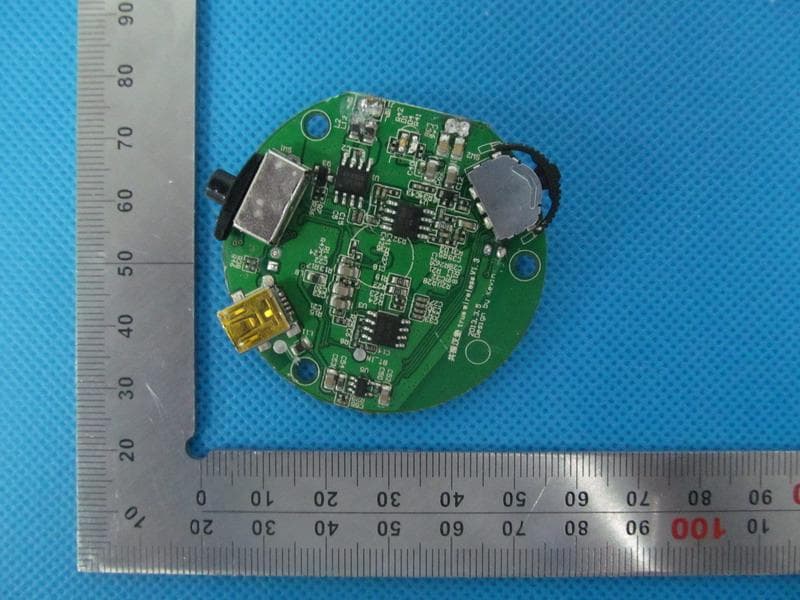
Click to zoom
Application Details
- Equipment Class
- DSS - Part 15 Spread Spectrum Transmitter
- Date of Grant
- Jun 19, 2013
- Application Purpose
- Original Equipment
- Date of Application
- Jun 19, 2013
- Equipment Note
- Bluetooth Speaker
- Frequency Range
- 2402.00000000 - 2480.00000000
- Country
- China
Documents & Files
Document Text
Text extracted from the exhibit documents filed with the FCC. Open a document above to read the original.
Users Manual
Bluetooth Speaker Brand Name:COWIN Model name: Nanobeat true wireless FCC ID: GFO-NANOBEAT Response: 12W 12W Truewireless operation Truewireless 9 9 8 8 5 5 Truewireless stereo V+/B/V- (1) Slide “ON/OFF/BT” switch to BT, you will hear the power-on indicating sound and quick beeps. Please ignore the later beeps.Press and hold until you hear ticks, then your speaker is ready for paring. (2) . Make sure that the Bluetooth is activated on your smart phone, scan bluetooth device under the name “True wireless stereo” and pair with it, you will hear an indicating sound that means a successful pairing and your phone shows the device is connected. (3). Open the music player, press , and you can play music from the speaker, then the speaker control the pause/play, next/previous song by pressing , , . (4). Long press till you hear a beep , dial the last number in your phone call history Short press , answer a call when a phone comes in, and press again, you can end the call. Truewireless operation Single speaker connection instruction (5). If your smart phone shows the device is connected, but no sound when you play music or you can’t dial a phone number when you long press , turn the smart phone Bluetooth o and turn on again, choose “True wireless stereo” record², reconnecting by hand hearing an indicating sound and your phone shows the device is connected. connection succeeded, then play music or dial the call. B. The speaker has paired with smart phone before (1) Slide “ON/OFF/BT”switch to “ BT”, you will hear the power-on indicating sound and three quick beeps. (2) Open your smart phone and activate Bluetooth, click the paired record² of "True wireless stereo", the smart phone and the speaker are in pairing mode. (3) Please follow 3-5 of Part A A pair of speakers connection instruction: A. A pair of speakers pair with smart phone for the rst time Slide “ON/OFF/BT” to “BT”of both speakers, you will hear the power-on indicating sounds and three quick beeps respectively. Press button and hold at the same time until you hear three ticks , the speakers will be in pairing mode for each other. The connection will be done with a di erent indicating sound around 20 seconds. Then choose either of the speakers, press button and hold until you hear two ticks ,then the speaker is ready for pairing. (1). Make sure that the Bluetooth is activated on your smart phone, scan Bluetooth device under the name “True wireless stereo” and pair with it, and you will hear an indicating sound that means a successful pairing with your smart phone. The one connected with Smart phone will be the Master speaker for left channel, and the other is slave speaker for right channel. (2). Open the music player, press , and you can play music from the speaker, then the speaker control the pause/play, next/previous song by pressing , , . (3). Long press till you hear a beep , dial the last number in your phone call history Short press , answer a call when a phone comes in, 6 and press again, you can end the call. (4). If your smart phone shows the device is connected, but no sound when you play music or you can’t dial a phone number when you long press , turn the smart phone Bluetooth o and turn on again, press “True wireless stereo” record, reconnecting by hand hearing a sound indicating connection succeeded, then play music or dial the call. B. The two speakers paired before: (1) Turn on the two speakers by sliding the “ON/OFF/BT” to “BT” respectively (the Interval time should be more than 1 seconds.), and the two speakers will be automatically connected with an indicating sound . (3) Set the Bluetooth on your smart phone, click the previous pairing record “True wireless stereo”, you will hear an indicating tone around 5 seconds and your phone shows the device is connected around (2) If the connection record was cleaned, please follow instruction A. Notice: (1) The one connected with your smart phone is the Master for the left chennal, the other is the slave for the right chennal. Only the Master speaker can redial the call(subject to the last number in call history) by press and hold around 3 seconds (2) If your smart phone shows the connection unsuccessful, but it can’t play the music or dial the call. Please turn o the blue-tooth, repeat above connection steps. Note 1: Open its own music player of the smart phone, press , and you can play music from the speaker, then press , , , which can control the pause/play, next/previous of your smart phone. But if the music player is downloaded, which may not support the speaker control of those functions on the phone. Note 2: If the paired record was deleted, please follow up the instruction A. 7 Note 3: Iphone can connect with two bluetooth speakers at the same time.So the phone can not pair with any other speakers when it has connected with a pair of true wireless speakers,the sound will be intermittent Note 4: If you slide “ON/OFF/BT” to “ON”, Bluetooth is still on and ready for pairing.If the speaker connect to your phone automatically,it can pause/play, next/previous ,but there will be no sound.So you have to use a USB cable to connect the speaker and play music. Note 5: The interval time between last turn-o and last turn-on should be longer than 3 seconds Note 6: The longest distance between two speakers is around 5 meters without barriers.There will be signal disconnection if the distance is longer or there are some barrier between the two speakers. Note 7: When two pairs of true wireless speakers work at the place and at the same time,or the sound will be intermittent. Note 8: If your body is too close to the speaker’s mic which is near to the antenna ,it may interfere wireless transmission which causes signal disconnection.Then please turn o all speakers and turn on just one pair of true wireless speakers and reconnect to your phone.Make sure the distance between the two speakers is within 5 meters and no barriers between them. Open bluetooth Into pairing mode 8 9 Importan…
Text truncated - open the document above for the full version.
Users Manual
Bluetooth Speaker Brand Name:COWIN Model name: Nanobeat true wireless FCC ID: GFO-NANOBEAT Response: 12W 12W Truewireless operation Truewireless 9 9 8 8 5 5 Truewireless stereo V+/B/V- (1) Slide “ON/OFF/BT” switch to BT, you will hear the power-on indicating sound and quick beeps. Please ignore the later beeps.Press and hold until you hear ticks, then your speaker is ready for paring. (2) . Make sure that the Bluetooth is activated on your smart phone, scan bluetooth device under the name “True wireless stereo” and pair with it, you will hear an indicating sound that means a successful pairing and your phone shows the device is connected. (3). Open the music player, press , and you can play music from the speaker, then the speaker control the pause/play, next/previous song by pressing , , . (4). Long press till you hear a beep , dial the last number in your phone call history Short press , answer a call when a phone comes in, and press again, you can end the call. Truewireless operation Single speaker connection instruction (5). If your smart phone shows the device is connected, but no sound when you play music or you can’t dial a phone number when you long press , turn the smart phone Bluetooth o and turn on again, choose “True wireless stereo” record², reconnecting by hand hearing an indicating sound and your phone shows the device is connected. connection succeeded, then play music or dial the call. B. The speaker has paired with smart phone before (1) Slide “ON/OFF/BT”switch to “ BT”, you will hear the power-on indicating sound and three quick beeps. (2) Open your smart phone and activate Bluetooth, click the paired record² of "True wireless stereo", the smart phone and the speaker are in pairing mode. (3) Please follow 3-5 of Part A A pair of speakers connection instruction: A. A pair of speakers pair with smart phone for the rst time Slide “ON/OFF/BT” to “BT”of both speakers, you will hear the power-on indicating sounds and three quick beeps respectively. Press button and hold at the same time until you hear three ticks , the speakers will be in pairing mode for each other. The connection will be done with a di erent indicating sound around 20 seconds. Then choose either of the speakers, press button and hold until you hear two ticks ,then the speaker is ready for pairing. (1). Make sure that the Bluetooth is activated on your smart phone, scan Bluetooth device under the name “True wireless stereo” and pair with it, and you will hear an indicating sound that means a successful pairing with your smart phone. The one connected with Smart phone will be the Master speaker for left channel, and the other is slave speaker for right channel. (2). Open the music player, press , and you can play music from the speaker, then the speaker control the pause/play, next/previous song by pressing , , . (3). Long press till you hear a beep , dial the last number in your phone call history Short press , answer a call when a phone comes in, 6 and press again, you can end the call. (4). If your smart phone shows the device is connected, but no sound when you play music or you can’t dial a phone number when you long press , turn the smart phone Bluetooth o and turn on again, press “True wireless stereo” record, reconnecting by hand hearing a sound indicating connection succeeded, then play music or dial the call. B. The two speakers paired before: (1) Turn on the two speakers by sliding the “ON/OFF/BT” to “BT” respectively (the Interval time should be more than 1 seconds.), and the two speakers will be automatically connected with an indicating sound . (3) Set the Bluetooth on your smart phone, click the previous pairing record “True wireless stereo”, you will hear an indicating tone around 5 seconds and your phone shows the device is connected around (2) If the connection record was cleaned, please follow instruction A. Notice: (1) The one connected with your smart phone is the Master for the left chennal, the other is the slave for the right chennal. Only the Master speaker can redial the call(subject to the last number in call history) by press and hold around 3 seconds (2) If your smart phone shows the connection unsuccessful, but it can’t play the music or dial the call. Please turn o the blue-tooth, repeat above connection steps. Note 1: Open its own music player of the smart phone, press , and you can play music from the speaker, then press , , , which can control the pause/play, next/previous of your smart phone. But if the music player is downloaded, which may not support the speaker control of those functions on the phone. Note 2: If the paired record was deleted, please follow up the instruction A. 7 Note 3: Iphone can connect with two bluetooth speakers at the same time.So the phone can not pair with any other speakers when it has connected with a pair of true wireless speakers,the sound will be intermittent Note 4: If you slide “ON/OFF/BT” to “ON”, Bluetooth is still on and ready for pairing.If the speaker connect to your phone automatically,it can pause/play, next/previous ,but there will be no sound.So you have to use a USB cable to connect the speaker and play music. Note 5: The interval time between last turn-o and last turn-on should be longer than 3 seconds Note 6: The longest distance between two speakers is around 5 meters without barriers.There will be signal disconnection if the distance is longer or there are some barrier between the two speakers. Note 7: When two pairs of true wireless speakers work at the place and at the same time,or the sound will be intermittent. Note 8: If your body is too close to the speaker’s mic which is near to the antenna ,it may interfere wireless transmission which causes signal disconnection.Then please turn o all speakers and turn on just one pair of true wireless speakers and reconnect to your phone.Make sure the distance between the two speakers is within 5 meters and no barriers between them. Open bluetooth Into pairing mode 8 9 Importan…
Text truncated - open the document above for the full version.
Users Manual
Bluetooth Speaker Brand Name:COWIN Model name: Nanobeat true wireless FCC ID: GFO-NANOBEAT Response: 12W 12W Truewireless operation Truewireless 9 9 8 8 5 5 Truewireless stereo V+/B/V- (1) Slide “ON/OFF/BT” switch to BT, you will hear the power-on indicating sound and quick beeps. Please ignore the later beeps.Press and hold until you hear ticks, then your speaker is ready for paring. (2) . Make sure that the Bluetooth is activated on your smart phone, scan bluetooth device under the name “True wireless stereo” and pair with it, you will hear an indicating sound that means a successful pairing and your phone shows the device is connected. (3). Open the music player, press , and you can play music from the speaker, then the speaker control the pause/play, next/previous song by pressing , , . (4). Long press till you hear a beep , dial the last number in your phone call history Short press , answer a call when a phone comes in, and press again, you can end the call. Truewireless operation Single speaker connection instruction (5). If your smart phone shows the device is connected, but no sound when you play music or you can’t dial a phone number when you long press , turn the smart phone Bluetooth o and turn on again, choose “True wireless stereo” record², reconnecting by hand hearing an indicating sound and your phone shows the device is connected. connection succeeded, then play music or dial the call. B. The speaker has paired with smart phone before (1) Slide “ON/OFF/BT”switch to “ BT”, you will hear the power-on indicating sound and three quick beeps. (2) Open your smart phone and activate Bluetooth, click the paired record² of "True wireless stereo", the smart phone and the speaker are in pairing mode. (3) Please follow 3-5 of Part A A pair of speakers connection instruction: A. A pair of speakers pair with smart phone for the rst time Slide “ON/OFF/BT” to “BT”of both speakers, you will hear the power-on indicating sounds and three quick beeps respectively. Press button and hold at the same time until you hear three ticks , the speakers will be in pairing mode for each other. The connection will be done with a di erent indicating sound around 20 seconds. Then choose either of the speakers, press button and hold until you hear two ticks ,then the speaker is ready for pairing. (1). Make sure that the Bluetooth is activated on your smart phone, scan Bluetooth device under the name “True wireless stereo” and pair with it, and you will hear an indicating sound that means a successful pairing with your smart phone. The one connected with Smart phone will be the Master speaker for left channel, and the other is slave speaker for right channel. (2). Open the music player, press , and you can play music from the speaker, then the speaker control the pause/play, next/previous song by pressing , , . (3). Long press till you hear a beep , dial the last number in your phone call history Short press , answer a call when a phone comes in, 6 and press again, you can end the call. (4). If your smart phone shows the device is connected, but no sound when you play music or you can’t dial a phone number when you long press , turn the smart phone Bluetooth o and turn on again, press “True wireless stereo” record, reconnecting by hand hearing a sound indicating connection succeeded, then play music or dial the call. B. The two speakers paired before: (1) Turn on the two speakers by sliding the “ON/OFF/BT” to “BT” respectively (the Interval time should be more than 1 seconds.), and the two speakers will be automatically connected with an indicating sound . (3) Set the Bluetooth on your smart phone, click the previous pairing record “True wireless stereo”, you will hear an indicating tone around 5 seconds and your phone shows the device is connected around (2) If the connection record was cleaned, please follow instruction A. Notice: (1) The one connected with your smart phone is the Master for the left chennal, the other is the slave for the right chennal. Only the Master speaker can redial the call(subject to the last number in call history) by press and hold around 3 seconds (2) If your smart phone shows the connection unsuccessful, but it can’t play the music or dial the call. Please turn o the blue-tooth, repeat above connection steps. Note 1: Open its own music player of the smart phone, press , and you can play music from the speaker, then press , , , which can control the pause/play, next/previous of your smart phone. But if the music player is downloaded, which may not support the speaker control of those functions on the phone. Note 2: If the paired record was deleted, please follow up the instruction A. 7 Note 3: Iphone can connect with two bluetooth speakers at the same time.So the phone can not pair with any other speakers when it has connected with a pair of true wireless speakers,the sound will be intermittent Note 4: If you slide “ON/OFF/BT” to “ON”, Bluetooth is still on and ready for pairing.If the speaker connect to your phone automatically,it can pause/play, next/previous ,but there will be no sound.So you have to use a USB cable to connect the speaker and play music. Note 5: The interval time between last turn-o and last turn-on should be longer than 3 seconds Note 6: The longest distance between two speakers is around 5 meters without barriers.There will be signal disconnection if the distance is longer or there are some barrier between the two speakers. Note 7: When two pairs of true wireless speakers work at the place and at the same time,or the sound will be intermittent. Note 8: If your body is too close to the speaker’s mic which is near to the antenna ,it may interfere wireless transmission which causes signal disconnection.Then please turn o all speakers and turn on just one pair of true wireless speakers and reconnect to your phone.Make sure the distance between the two speakers is within 5 meters and no barriers between them. Open bluetooth Into pairing mode 8 9 Importan…
Text truncated - open the document above for the full version.
Cover Letter(s)
May 31, 2013 Federal Communication Commission Authorization and Evaluation Division FCC ID: GFO-NANOBEAT Re: Confidentiality Request Pursuant to Sections 0.457 and 0.459 of the Commission’s Rules, the applicant hereby requests confidential treatment of information applied this application as outlined below: 1: Circuit Diagram 2: Parts List 3:Block Diagram 4: Operational Description The above materials contain trade secrets and proprietary information not customarily released to the public. The public disclosure of these matters might be harmful to the applicant and provide unjustified benefits to its competitors. The Applicant understands that pursuant to Rules 0.457, disclosure of this Application and all accompanying documentation will not be made before the date of the Grant for this application. Sincerely, Cowin Electronics Corp., Limited Contact: Emily Lu
ID Label/Location Info
FCC ID Label Location Bluetooth speaker Model: Nanobeat true wireless Brand Name: COWIN FCC ID: GFO-NANOBEAT
Internal Photos
Internal Photos OPEN VIEW OF EUT INTERNAL VIEW OF EUT-1 INTERNAL VIEW OF EUT-2 INTERNAL VIEW OF EUT-3 BT Antenna INTERNAL VIEW OF EUT-4
Internal Photos
Internal Photos OPEN VIEW OF EUT INTERNAL VIEW OF EUT-1 INTERNAL VIEW OF EUT-2 INTERNAL VIEW OF EUT-3 BT Antenna INTERNAL VIEW OF EUT-4
Test Report
Report No.: AGC00014130505FE03 Page 1 of 53 FCC Test Report Report No.: AGC00014130505FE03 FCC ID : GFO-NANOBEAT APPLICATION PURPOSE : Original Equipment PRODUCT DESIGNATION : Bluetooth speaker BRAND NAME : COWIN MODEL NAME : Nanobeat true wireless CLIENT : Cowin Electronics Corp., Limited DATE OF ISSUE : June 18,2013 STANDARD(S) : FCC Part 15 Rules REPORT VERSION : V1.0 Attestation of Global Compliance (Shenzhen) Co., Ltd CAUTION: This report shall not be reproduced except in full without the written permission of the test laboratory and shall not be quoted out of context. Report No.: AGC00014130505FE03 Page 2 of 53 Report Revise Record Report Version Revise Time Issued Date Valid Version Notes V1.0 / June 18,2013 Valid Original Report Report No.: AGC00014130505FE03 Page 3 of 53 TABLE OF CONTENTS 1. VERIFICATION OF CONFORMITY ...................................................................................... 5 2. GENERAL INFORMATION .................................................................................................. 6 2.1. PRODUCT DESCRIPTION ........................................................................................................ 6 2.2. TABLE OF CARRIER FREQUENCYS ....................................................................................... 6 2.3. RECEIVER INPUT BANDWIDTH ............................................................................................... 7 2.4. EXAMPLE OF A HOPPING SEQUENCY IN DATA MODE ......................................................... 7 2.5. EQUALLY AVERAGE USE OF FREQUENCIES AND BEHAVIOUR ........................................... 7 2.6. RELATED SUBMITTAL(S) / GRANT (S) .................................................................................... 8 2.7. TEST METHODOLOGY ............................................................................................................. 8 2.8. SPECIAL ACCESSORIES ......................................................................................................... 8 2.9. EQUIPMENT MODIFICATIONS ................................................................................................. 8 3. MEASUREMENT UNCERTAINTY........................................................................................ 9 4. DESCRIPTION OF TEST MODES........................................................................................ 9 5. SYSTEM TEST CONFIGURATION .................................................................................... 10 5.1. CONFIGURATION OF EUT SYSTEM ...................................................................................... 10 5.2. EQUIPMENT USED IN EUT SYSTEM ..................................................................................... 10 5.3. SUMMARY OF TEST RESULTS .............................................................................................. 10 6. TEST FACILITY .................................................................................................................. 11 7. PEAK OUTPUT POWER .................................................................................................... 12 7.1. MEASUREMENT PROCEDURE .............................................................................................. 12 7.2. TEST SET-UP (BLOCK DIAGRAM OF CONFIGURATION) ..................................................... 12 7.3. LIMITS AND MEASUREMENT RESULT .................................................................................. 12 8. 20DB BANDWIDTH ............................................................................................................ 14 8.1. MEASUREMENT PROCEDURE .............................................................................................. 14 8.2. TEST SET-UP (BLOCK DIAGRAM OF CONFIGURATION) ..................................................... 14 8.3. LIMITS AND MEASUREMENT RESULTS ................................................................................ 14 9. CONDUCTED SPURIOUS EMISSION ............................................................................... 21 9.1. MEASUREMENT PROCEDURE .............................................................................................. 21 9.2. TEST SET-UP (BLOCK DIAGRAM OF CONFIGURATION) ..................................................... 21 9.3. MEASUREMENT EQUIPMENT USED..................................................................................... 21 9.4. LIMITS AND MEASUREMENT RESULT .................................................................................. 21 10. RADIATED EMISSION ..................................................................................................... 25 10.1. MEASUREMENT PROCEDURE ............................................................................................ 25 10.2. TEST SETUP ......................................................................................................................... 27 Report No.: AGC00014130505FE03 Page 4 of 53 10.3. TEST RESULT ....................................................................................................................... 28 11. BAND EDGE EMISSION .................................................................................................. 32 11.1. MEASUREMENT PROCEDURE ............................................................................................ 32 11.2. TEST SET-UP ........................................................................................................................ 32 11.3. TEST RESULT ....................................................................................................................... 33 12. NUMBER OF HOPPING FREQUENCY ............................................................................ 37 12.1. MEASUREMENT PROCEDURE ............................................................................................ 37 12.2. TEST SETUP (BLOCK DIAGRAM OF CONFIGURATION) ................................…
Text truncated - open the document above for the full version.
Test Report
Report No.: AGC00014130505FE03 Page 1 of 53 FCC Test Report Report No.: AGC00014130505FE03 FCC ID : GFO-NANOBEAT APPLICATION PURPOSE : Original Equipment PRODUCT DESIGNATION : Bluetooth speaker BRAND NAME : COWIN MODEL NAME : Nanobeat true wireless CLIENT : Cowin Electronics Corp., Limited DATE OF ISSUE : June 18,2013 STANDARD(S) : FCC Part 15 Rules REPORT VERSION : V1.0 Attestation of Global Compliance (Shenzhen) Co., Ltd CAUTION: This report shall not be reproduced except in full without the written permission of the test laboratory and shall not be quoted out of context. Report No.: AGC00014130505FE03 Page 2 of 53 Report Revise Record Report Version Revise Time Issued Date Valid Version Notes V1.0 / June 18,2013 Valid Original Report Report No.: AGC00014130505FE03 Page 3 of 53 TABLE OF CONTENTS 1. VERIFICATION OF CONFORMITY ...................................................................................... 5 2. GENERAL INFORMATION .................................................................................................. 6 2.1. PRODUCT DESCRIPTION ........................................................................................................ 6 2.2. TABLE OF CARRIER FREQUENCYS ....................................................................................... 6 2.3. RECEIVER INPUT BANDWIDTH ............................................................................................... 7 2.4. EXAMPLE OF A HOPPING SEQUENCY IN DATA MODE ......................................................... 7 2.5. EQUALLY AVERAGE USE OF FREQUENCIES AND BEHAVIOUR ........................................... 7 2.6. RELATED SUBMITTAL(S) / GRANT (S) .................................................................................... 8 2.7. TEST METHODOLOGY ............................................................................................................. 8 2.8. SPECIAL ACCESSORIES ......................................................................................................... 8 2.9. EQUIPMENT MODIFICATIONS ................................................................................................. 8 3. MEASUREMENT UNCERTAINTY........................................................................................ 9 4. DESCRIPTION OF TEST MODES........................................................................................ 9 5. SYSTEM TEST CONFIGURATION .................................................................................... 10 5.1. CONFIGURATION OF EUT SYSTEM ...................................................................................... 10 5.2. EQUIPMENT USED IN EUT SYSTEM ..................................................................................... 10 5.3. SUMMARY OF TEST RESULTS .............................................................................................. 10 6. TEST FACILITY .................................................................................................................. 11 7. PEAK OUTPUT POWER .................................................................................................... 12 7.1. MEASUREMENT PROCEDURE .............................................................................................. 12 7.2. TEST SET-UP (BLOCK DIAGRAM OF CONFIGURATION) ..................................................... 12 7.3. LIMITS AND MEASUREMENT RESULT .................................................................................. 12 8. 20DB BANDWIDTH ............................................................................................................ 14 8.1. MEASUREMENT PROCEDURE .............................................................................................. 14 8.2. TEST SET-UP (BLOCK DIAGRAM OF CONFIGURATION) ..................................................... 14 8.3. LIMITS AND MEASUREMENT RESULTS ................................................................................ 14 9. CONDUCTED SPURIOUS EMISSION ............................................................................... 21 9.1. MEASUREMENT PROCEDURE .............................................................................................. 21 9.2. TEST SET-UP (BLOCK DIAGRAM OF CONFIGURATION) ..................................................... 21 9.3. MEASUREMENT EQUIPMENT USED..................................................................................... 21 9.4. LIMITS AND MEASUREMENT RESULT .................................................................................. 21 10. RADIATED EMISSION ..................................................................................................... 25 10.1. MEASUREMENT PROCEDURE .......................…
Text truncated - open the document above for the full version.
Contact Information
Applicant
Emily Lu
Test Firm
Attestation of Global Compliance Shenzhen Co. Ltd.Forrest Lei
Technical Specifications
| # | Rule Parts | Frequency Range | Power Output |
|---|---|---|---|
| 1 | 15C | 2.40 GHz - 2.48 GHz | 2.60 mW |
Other Applications from Cowin Electronics Corp., Limited
GFOE-1
Jun 03, 2013Bluetooth Headphone
Equipment Class
DSS - Part 15 Spread Spectrum Transmitter
GFO-MINIBOOM
May 30, 2013Bluetooth Speaker
Equipment Class
DSS - Part 15 Spread Spectrum Transmitter
GFOBX-5
Jul 02, 2012Bluetooth Speaker
Equipment Class
DSS - Part 15 Spread Spectrum Transmitter