H4IKB9061Wireless Keyboard
Lite-on Technology Corp.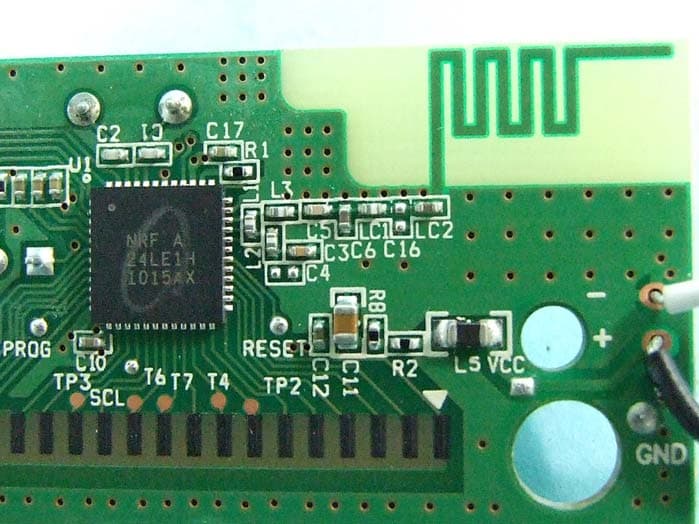
Click to zoom
Application Details
- Equipment Class
- DXX - Part 15 Low Power Communication Device Transmitter
- Date of Grant
- Oct 07, 2010
- Application Purpose
- Original Equipment
- Date of Application
- Oct 07, 2010
- Equipment Note
- Wireless Keyboard
- Frequency Range
- 2403.00000000 - 2480.00000000
- Company
- Lite-on Technology Corp.
- Country
- Taiwan
Documents & Files
Document Text
Text extracted from the exhibit documents filed with the FCC. Open a document above to read the original.
Users Manual
SK-9061 Wireless Keyboard /SD-9080 USB Transceiver Product Guide Getting Started Thank you for choosing this 2.4G Wireless Keyboard Kits. It operates with digital radio technology to ensure no hinder communication between the keyboard and your computer without connecting cable. The transmission and receiving of keyboard are free from angle restriction. Preparing keyboard and Dongle Before working with your new keyboard, look at the "Hardware Installation", and take a few one-time preparations. Hardware Installation ● Place the dongle at least 20 cm from other electrical devices (e.g. monitor) to achieve optimum performance. ● The distance between the keyboard and dongle should not exceed 10 M. ● Do not place the dongle on metal surfaces. Step 1: Connect the receiver ● Plug the dongle connector into an USB port. ● SYSTEM will take around 10 sec to find your keyboard and mouse automatically. Step 2: Insert batteries Inserting batteries in keyboard The keyboard requires two alkaline batteries (AAA). ● Remove the battery compartment cover on the bottom of the keyboard by pushing it in the direction of arrow. ● Insert two AAA batteries. The illustration in the battery compartment shows how to insert the batteries properly. ● Recover the battery compartment by pushing the locking lug under the battery compartment. CAUTION: Risk of explosion if battery is replaced by an incorrect type. Use and replace only with correct size and type (alkaline or zinc-carbon)of battery. Working Keyboard USB Transceiver and keyboard electrical specification The Transceiver will have one main function: translate radio communications from the mouse to the PC via USB Full Speed USB Specification Compliance., meets Universal Serial Bus Specification version 2.0. Support USB Suspend Mode. Keyboard The following description of few keys applies for the operating systems that support these functions (e.g. Windows 2000/XP/Vista/Windows 7). Vista Key Press Vista key to open Start Manu Application key Press Application key is same as Right Mouse key to open function Manu Previous Track Combine keys to skip to the forward title in the active player. Play/Pause Combine keys to Start or Pause the soundtrack in active player. Stop Combine keys to end the soundtrack or video. Next Track Combine keys to skip to the next title in the active player. Mute Press this key to On/Off the volume. Volume down Press this key to decreasing the volume. Volume Up Press this key to increasing the volume. Search Activate the OS default search function E-mail Use this key to start the standard e-mail program for your system Technical data Designation Value Modulation GFSK Operating Frequency 2403MHz~2480MHz channel 78 channel 2.4GHz ISM Band Storage temperature –20 °C ... +60 °C Operating temperature 0 °C ... +40 °C Keyboard Battery type two alkaline batteries, type AAA Keyboard Supply voltage 2.2~3.3V Keyboard Current consumption max. 50 mA USB Transceiver Supply voltage DC 5.0 V ±5 % USB Transceiver Current consumption max..100 mA FEDERAL COMMUNICATIONS COMMISSION (FCC) STATEMENT This equipment has been tested and found to comply with the limits for a Class B digital device, Pursuant to Part 15 the FCC rules. These limits are designed to provide reasonable protection against harmful interference in a residential installation. This equipment generates uses and can radiate radio frequency energy and, if not installed and used in accordance with the instructions, may cause harmful interference to radio communications. However, there is no guarantee that interference will not occur in a particular installation. If this equipment does cause harmful interference will not occur in a particular installation. If this equipment does cause harmful interference to radio or television reception, which can be determined by turning the equipment off and on, the user is encouraged to try to correct the interference by one or more of the following measures: ● Reorient or relocate the receiving antenna. ● Increase the separation between the equipment and receiver. ● Connect the equipment into an outlet on a circuit different from that to which the receiver is connected. ● Consult the dealer or an experienced radio/TV technician for help. This device complies with Part 15 of the FCC Rules. Operation is subject to the following two conditions: (1) This device may not cause harmful interference, and (2) this device must accept any interference received, including interference that may cause undesired operation. Any changes or modifications not expressly approved by the party responsible for compliance could void the user's authority to operate this equipment. This Class [B] digital apparatus complies with Canadian ICES-003. Cet appareil numérique de la classe [B] est conforme à la norme NMB-003 du Canada. -7- IMPORTANT BATTERY INFORMATION ● Keep batteries out of reach of children. ● Insert the batteries in the proper direction as indicated by the positive (+) and negative (-) markings in the battery compartment. ● Do not mix old and new batteries or batteries of different types (for example, carbon and alkaline batteries). ● Always remove old, weak, or worn-out batteries promptly and recycle or proper disposal of them in accordance with Local and National Disposal Regulations. ● If a battery leaks, remove all batteries and recycle or dispose of them in accordance with the battery manufacture's instructions and Local and National Disposal Regulations. Before inserting new batteries, thoroughly clean the compartment with a damp paper towel, or follow the battery manufacture's recommendations for cleanup. If fluid from the battery comes into contact with skin or clothes, flush skin with water immediately. ● Remove the batteries if your device is to be stored for an extended period of time without being used. PRODUCT DISPOSAL INFORMATION Dispose of this product in accordance with Local and National Disposal Regulations
Internal Photos
FCC TEST REPORT SPORTON International Inc. PAGE NUMBER : B1 OF B7 TEL : 886-2-2696-2468 ISSUED DATE : Oct. 05, 2010 FAX : 886-2-2696-2255 APPENDIX B. Photographs of EUT FCC TEST REPORT SPORTON International Inc. PAGE NUMBER : B4 OF B7 TEL : 886-2-2696-2468 ISSUED DATE : Oct. 05, 2010 FAX : 886-2-2696-2255 FCC TEST REPORT SPORTON International Inc. PAGE NUMBER : B5 OF B7 TEL : 886-2-2696-2468 ISSUED DATE : Oct. 05, 2010 FAX : 886-2-2696-2255 FCC TEST REPORT SPORTON International Inc. PAGE NUMBER : B6 OF B7 TEL : 886-2-2696-2468 ISSUED DATE : Oct. 05, 2010 FAX : 886-2-2696-2255 FCC TEST REPORT SPORTON International Inc. PAGE NUMBER : B7 OF B7 TEL : 886-2-2696-2468 ISSUED DATE : Oct. 05, 2010 FAX : 886-2-2696-2255
Test Report
FCC TEST REPORT Report No.: FR091804 SPORTON International Inc. Report Format Version: a FCC RADIO TEST REPORT according to 47 CFR FCC Part 15 Subpart C 15.249 Equipment : Wireless Keyboard Model No. : SK-9061 Brand Name : acer Filin g Type : New Application Applicant : Lite-on Technology Corp. 90,Chien 1 Road,Chung Ho,Taipei Hsien 235, Taiwan ,R.O.C FCC ID : H4IKB9061 Manufacturer : Silitek Electronics (DongGuan) Co., LTD The Mid. Of Keji Road, Shi Jie Town, Dongguan City Guangdong Province, P.R. China Received Date : Sep. 07, 2010 Final Test Date : Sep. 20, 2010 Statement The test result in this report refers exclusively to the presented test model / sample. Without written approval of SPORTON International Inc., the test report shall not be reproduced except in full. The measurements and test results shown in this test report were made in accordance with the procedures and found in compliance with the limit given in ANSI C63.4-2003 and 47 CFR FCC Part 15 Subpart C. The test equipment used to perform the test is calibrated and traceable to NML/ROC. SPORTON International Inc. No. 52 Hwa Ya 1 st Rd., Hwa Ya Technology Park, Kwei-Shan Hsiang, Tao Yuan Hsien, Taiwan, R.O.C. FCC TEST REPORT Report No.: FR091804 SPORTON International Inc. Page No. : i of ii TEL : 886-2-2696-2468 Issued Date : Oct. 05, 2010 FAX : 886-2-2696-2255 FCC ID : H4IKB9061 Table of Contents 1 SUMMARY OF THE TEST RESULT ...................................................................................................................... 2 2 GENERAL INFORMATION ..................................................................................................................................... 3 2.1 Product Details ........................................................................................................................................................................................ 3 2.2 Table for Test Modes .............................................................................................................................................................................. 3 2.3 Table for Testing Locations ..................................................................................................................................................................... 3 2.4 Table for Supporting Units ....................................................................................................................................................................... 3 2.5 Test Configuration ................................................................................................................................................................................... 4 3 TEST RESULT ........................................................................................................................................................ 5 3.1 AC Power Line Conducted Emissions Measurement .............................................................................................................................. 5 3.2 Field Strength of Fundamental Emissions Measurement ........................................................................................................................ 8 3.3 20dB Spectrum Bandwidth Measurement ............................................................................................................................................. 11 3.4 Radiated Emissions Measurement ........................................................................................................................................................ 14 3.5 Band Edge Emissions Measurement .................................................................................................................................................... 26 3.6 Antenna Requirements .......................................................................................................................................................................... 28 4 LIST OF MEASURING EQUIPMENTS ................................................................................................................. 29 5 TEST LOCATION .................................................................................................................................................. 31 6 TAF CERTIFICATE OF ACCREDITATION .......................................................................................................... 32 APPENDIX A. TEST PHOTOS ........................................................................................................................ A1 ~ A4 APPENDIX B. PHOTOGRAPHS OF EUT ....................................................................................................... B1 ~ B7 FCC TEST REPORT Report No.: FR091804 SPORTON International Inc. Page No. : ii of ii TEL : 886-2-2696-2468 Issued Date : Oct. 05, 2010 FAX : 886-2-2696-2255 FCC ID : H4IKB9061 History of This Test Report Original Issue Date: Oct. 05, 2010 Report No.: FR091804 ■ No additional attachment. □ Additional attachment were issued as following record: Attachment No. Issue Date Description 15.205(a) 15.209(a) 47 CFR FCC Part 15 Subpart C Further, this requirement does not apply to intentional radiators that must be professionally installed. FCC TEST REPORT Report No.: FR091804 SPORTON International Inc. Page No. : 1 of 32 TEL : 886-2-2696-2468 Issued Date : Oct. 05, 2010 FAX : 886-2-2696-2255 FCC ID : H4IKB9061 CERTIFICATE OF COMPLIANCE according to 47 CFR FCC Part 15 Subpart C § 15.249 Equipment : Wireless Keyboard Model No. : SK-9061 Brand Name : acer Applicant : Lite-on Technology Corp. 90,Chien 1 Road,Chung Ho,Taipei Hsien 235, Taiwan ,R.O.C Sporton International as requested by the applicant to evaluate the EMC performance of the product sample received on Sep. 07, 2010 would like to declare that the tested sample has been evaluated and found to be in compliance with the tested rule parts. The data recorded as well as the test configur…
Text truncated - open the document above for the full version.
Test Setup Photos
FCC TEST REPORT Report No.: FR091804 Page No. : A1 of A4 FCC ID : H4IKB9061 Appendix A. Test Photos FCC TEST REPORT Report No.: FR091804 Page No. : A2 of A4 FCC ID : H4IKB9061 1 Photographs of Radiated Emissions Test Configuration For radiated emissions 9kHz~30MHz FRONT VIEW REAR VIEW FCC TEST REPORT Report No.: FR091804 Page No. : A3 of A4 FCC ID : H4IKB9061 For radiated emissions 30MHz~1GHz FRONT VIEW REAR VIEW FCC TEST REPORT Report No.: FR091804 Page No. : A4 of A4 FCC ID : H4IKB9061 For radiated emissions above 1GHz FRONT VIEW REAR VIEW
Contact Information
Applicant
Chris Chuang(Engineer)
Test Firm
Sporton International Inc.Alex Chen
Technical Specifications
| # | Rule Parts | Frequency Range | Power Output |
|---|---|---|---|
| 1 | 15C | 2.40 GHz - 2.48 GHz | - |
Other Applications from Lite-on Technology Corp.
H4ISK2186
Dec 23, 2025Wireless Keyboard
Equipment Class
DXX - Part 15 Low Power Communication Device TransmitterH4ISM2186
Nov 19, 2025Wireless Mouse
Equipment Class
DXX - Part 15 Low Power Communication Device TransmitterH4IKB555
Mar 27, 2024Wireless Keyboard
Equipment Class
DTS - Digital Transmission System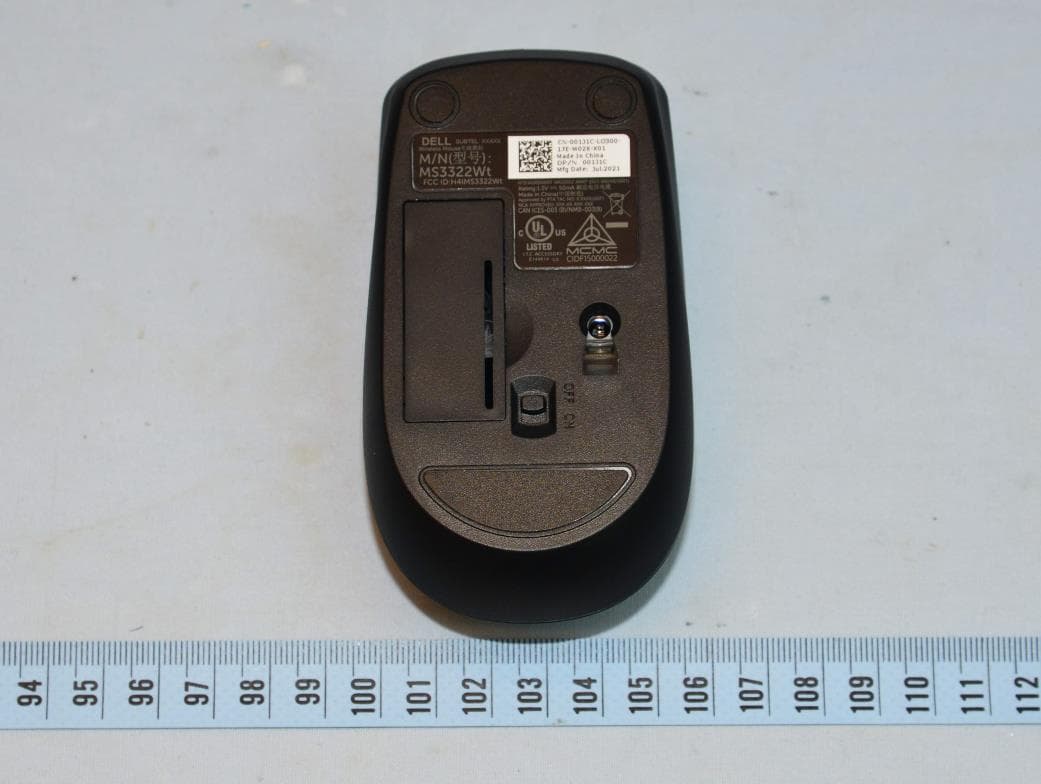
H4IWM118
Aug 25, 2021Wireless Mouse
Equipment Class
DTS - Digital Transmission System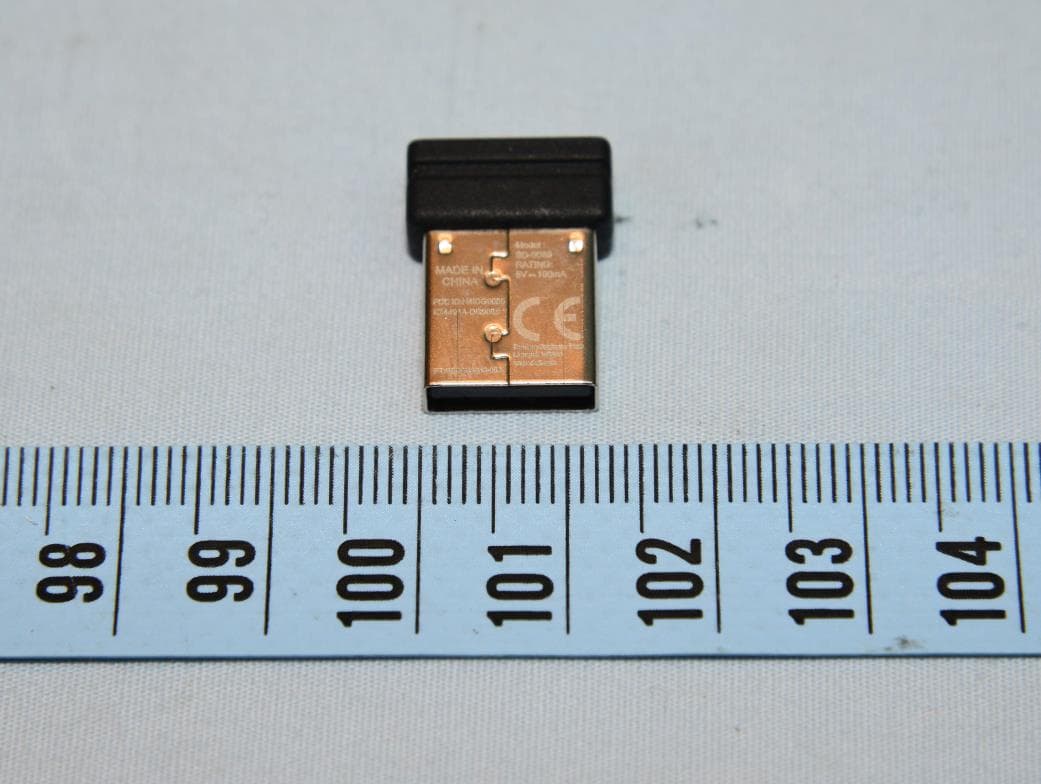
H4IUD2203
Aug 24, 2021Dongle
Equipment Class
DTS - Digital Transmission System