H4IMS9065Wireless Mouse
Lite-on Technology Corp.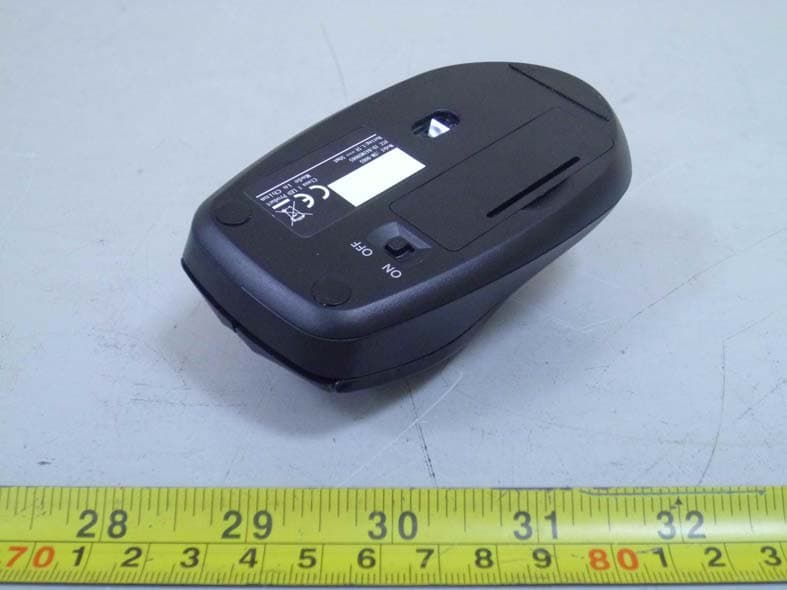
Click to zoom
Application Details
- Equipment Class
- DXX - Part 15 Low Power Communication Device Transmitter
- Date of Grant
- Dec 15, 2011
- Application Purpose
- Original Equipment
- Date of Application
- Dec 14, 2011
- Equipment Note
- Wireless Mouse
- Frequency Range
- 2404.00000000 - 2478.00000000
- Company
- Lite-on Technology Corp.
- Country
- Taiwan
Documents & Files
Document Text
Text extracted from the exhibit documents filed with the FCC. Open a document above to read the original.
Users Manual
User’s Manual SK-9065 Wireless Keyboard/SM-9065 Wireless Mouse /SD-9085 USB Dongle Product Guide Getting Started Thank you for choosing this Wireless Keyboard and Mouse Kit. It operates with 2.4GHz RF radio technology to ensure unhindered communication among the keyboard, the mouse and your computer without a cable connection. The transmission and reception of the keyboard and mouse are free from angle restrictions. Preparing Keyboard, Mouse and Receiver Before working with your new keyboard and mouse, please look at "Hardware Installation", and take a few steps for a one-time preparation. Hardware Installation ● Place the receiver at least 20 cm from other electrical devices (e.g. monitor) to achieve optimum performance. ● The distance among the keyboard, mouse and receiver should not exceed 6 M long in distance. ● Do not place the receiver on any metal surfaces. ● Do not move optical mouse on the following surfaces - Glass or any transparent materials Dark surface Mirrored or reflective surface Mouse pad with too many colors Rough surface Set up the Mouse Step 1: Take out the USB receiver and plug the receiver dongle into a USB port on your PC Step 2: Insert the battery into the mouse The mouse requires one alkaline AA battery. ● Open the battery compartment cover at the bottom of the mouse. ● Push the battery puller in and then insert one AA battery into the battery compartment. ● Replace the battery compartment cover. Step 3: Turn on the mouse ● Ensure the switch at the bottom of the mouse is “ON” ● The system will take around 10 sec to detect your mouse automatically Set up the keyboard Insert the battery. ● Remove the battery compartment cover at the bottom of the keyboard by pushing it in the direction of the arrow. ● Insert two AAA batteries. ● Place back the battery compartment cover . ● The system will take around 10 sec to detect your keyboard automatically CAUTION: Risk of explosion if battery is replaced by an incorrect type. Dispose of used batteries according to instructions. Refer to "Important Battery Information" for disposal instructions. Working with Keyboard and Mouse The following sections contain information on using the keyboard and the mouse. Mouse In addition to two buttons, the mouse also has a wheel that can be used as followings: ● As a 3 rd button: By pressing on the wheel. ● For scrolling, e.g. in reading document or on viewing Internet pages: Scroll the wheel forward or backward. Keyboard ● Re-install battery indicator One amber-colored LED on upper-right edge of keyboard will keep lit up for 5 seconds when you re-install a new battery to the keyboard. ● Low battery warning Amber-colored LED on upper-right edge of keyboard will keep flashing when it operates in low power. User’s Manual -2- ●The following description of keys applies for the operating systems that support these functions: (e.g. Windows 2000/XP/Vista/Windows 7) Windows Key Press Windoes key to open Start Menu. Application Key Pressing the Application key is the same as clicking the right mouse key to open the current function menu. Search Activate the default Internet/file search function. E-mail Use this key to start the standard e-mail for your system. Internet You can start the standard browser for your system with this key. ☆ My favorite You can start your favorite website with this key. Mute Press this key to mute/unmute the audio. Volume Down Press this key to decrease the volume. Volume Up Press this key to increase the volume. Previous Track Multimedia key to skip to the previous track in the active player. Stop Multimedia key to stop the track or video in the active player. Play/Pause Multimedia key to play or pause the track or video in the active player. Next Track Multimedia key to skip to the next track in the active player. Calculator Open the Calculator program. Technical data Designation Value Modulation GFSK Operating Frequency 2404MHz~2478MHz channel 75channel 2.4GHz ISM Band Storage temperature –20 °C ... +60 °C Operating temperature 0 °C ... +40 °C Keyboard Battery type two alkaline batteries, type AAA Keyboard Supply voltage 2.2~3.3V Keyboard Current consumption max. 50 mA Mouse Battery type One alkaline battery, type AA Mouse Supply voltage 1.2~1.65V Wireless Keyboard + Mouse Kits User’s Manual -3- Mouse Current consumption max. 50 mA USB Dongle Supply voltage DC 5.0 V ±5 % USB Dongle Current consumption max..100 mA FEDERAL COMMUNICATIONS COMMISSION (FCC) STATEMENT This equipment has been tested and found to comply with the limits for a Class B digital device, pursuant to Part 15 of FCC rules. These limits are designed to provide reasonable protection against harmful interference in a residential installation. This equipment generates, uses and can radiate radio frequency energy and, if not installed and used in accordance with the instructions, may cause harmful interference to radio communications. However, there is no guarantee that interference will not occur in a particular installation. If this equipment does cause harmful interference to radio or television reception, which can be determined by turning the equipment off and on, the user is encouraged to try to correct the interference by one or more of the following measures: ● Reorient or relocate the receiving antenna. ● Increase the separation between the equipment and receiver. ● Connect the equipment into an outlet on a circuit different from that to which the receiver is connected. ● Consult the dealer or an experienced radio/TV technician for help. This device complies with part 15 of FCC rules. Operation is subject to the following two conditions: (1) This device may not cause harmful interference, and (2) This device must accept any interference received, including interference that may cause undesired operation. WARNING: Use only shielded cables to connect I/O devices to this equipment. You are cautioned that changes or modifications not expressly approved by the party responsible for compliance could vo…
Text truncated - open the document above for the full version.
Cover Letter(s)
RF_160, Issue 03 Declaration of Authorization We Name: LITE-ON TECHNOLOGY CORP. Address: 90, Chien 1 Road, Chung Ho City, Taipei Hsien 235, Taiwan, R.O.C. City: Taipei Country: Taiwan Declare that: Agent Company name: Neutron Engineering, Inc. Address: B1, No. 37, Lane 365, YangGuang St., NeiHu District 114, Taipei, Taiwan City: Taipei Country Taiwan is authorized to apply for Certification of the following product(s): Product description: Wireless Mouse Type designation: SM-9065 Trademark: Liteon on our behalf. Date: Nov. 22, 2011 City: Taipei .. Name: Shirly Kuo .. (2) Function: Engineer............... Signature: . Notes: (1): Required for FCC application (2): For FCC it must be the Grantee Code “owner” or the authorized agent.
Cover Letter(s)
FCC, Request for non-disclosure Date: 16-Jul-10 RF_501, Issue 6 Page 1 of 1 Company Name: LITE-ON TECHNOLOGY CORP. Address: 90, Chien 1 Road, Chung Ho City, Taipei Hsien 235, Taiwan, R.O.C. City: Taipei Country: Taiwan To: Telefication B.V., Dept. FCC TCB Edisonstraat 12A 6902 PK ZEVENAAR The Netherlands Subject: Request for confidentiality FCC ID: H4IMS9065 Reference number: SM-9065 Dear FCC TCB, 1. Long-Term Confidentiality Pursuant to 47 CFR Section 0.459(a) & (b), we hereby requests non-disclosure and confidential treatment of the following materials submitted in support of FCC certification application: Bill(s) of Material Block Diagrams Operational Description Schematic Diagrams Above materials contain secrets, proprietary and technical information, which would customarily be guarded from competitors under 47 CFR, section 0.457(d)(2). Disclosure or publication or any portion of this company confidential material to other parties could cause substantial competitive harm and provide unjustified benefits for competitors. 2. Short-Term Confidentiality (STC) Pursuant to Public Notice DA 04-1705 of the Commission’s policy, in order to comply with the marketing regulations in 47 CFR §2.803 and the importation rules in 47 CFR §2.1204, applicant hereby requests Short-Term Confidential treatment of the following materials (note 1): Internal Photos User’s Manual Test Set-up Photos External Photos Justification: Planned Release Date STC: (notes 2, 3, 4, 5) Date: Nov. 22, 2011 Name and signature of applicant: Shirly Kuo Notes: 1) A document or type of document can only have ONE type of confidentiality! 2) Short-Term confidentiality is in principle for 45 days from date of grant; it can be extended max 3 times (total time 180 days max.)! 3) FCC must be informed when marketing begins earlier. 4) Release takes place automatically thus extension must be requested in time. Telefication does not remind you of this! 5) Request for extension or for release must be received by Telefication at least 7 days before date of actual marketing or before expiration of the STC period
External Photos
RV-0000000 Project No.: R1111003 Page 2 of 6 Neutron Engineering Inc. R1111003 R1111003
Internal Photos
RV-0000000 Project No.: R1111003 Page 3 of 6 Neutron Engineering Inc. R1111003 RV-0000000 Project No.: R1111003 Page 4 of 6 Neutron Engineering Inc. R1111003 R1111003 RV-0000000 Project No.: R1111003 Page 5 of 6 Neutron Engineering Inc. R1111003 R1111003 RV-0000000 Project No.: R1111003 Page 6 of 6 Neutron Engineering Inc. R1111003
Test Report
RV-0000000 Report No.: NEI-FCCP-1-R1111003 Page 1 of 3 5 Neutron Engineering Inc. Radio Test Report FCC ID: H4IMS9065 Issued Date : Nov. 24, 2011 Project No. : R1111003 Equipment : Wireless Mouse Model Name : SM-9065 Applicant : LITE-ON TECHNOLOGY CORP. Address : 90, Chien 1 Road, Chung Ho City, Taipei Hsien 235, Taiwan, R.O.C. Tested by: Neutron Engineering Inc. EMC Laboratory Date of Receipt: Nov. 10, 2011 Date of Test: Nov. 10, 2011 ~ Nov. 16, 2011 Testing Engineer : (Rush Kao) Technical Manager : (Jeff Yang) Authorized Signatory : (Andy Chiu) Neutron Engineering Inc. B1, No. 37, Lane 365, YangGuang St., NeiHu District 114, Taipei, Taiwan. TEL: +886-2-2657-3299 FAX: +886-2-2657-3331 RV-0000000 Report No.: NEI-FCCP-1-R1111003 Page 2 of 3 5 Neutron Engineering Inc. Declaration Neutron represents to the client that testing is done in accordance with standard procedures as applicable and that test instruments used has been calibrated with the standards traceable to National Measurement Laboratory (NML) of R.O.C., or National Institute of Standards and Technology (NIST) of U.S.A. Neutron's reports apply only to the specific samples tested under conditions. It is manufacture’s responsibility to ensure that additional production units of this model are manufactured with the identical electrical and mechanical components. Neutron shall have no liability for any declarations, inferences o r generalizations drawn by the client or others from Neutron issued reports. Neutron’s reports must not be used by the client to claim product endorsement by the authorities or any agency of the Government. This report is the confidential property of the client. As a mutual protection to the clients, the public and Neutron-self, extracts from the test report shall not be reproduced except in full with Neutron’s authorized written approval. Neutron’s laboratory quality assurance procedures are in compliance with the ISO Guide 17025 requirements, and accredited by the conformity assessment authorities listed in this test report. Limitation For the use of the authority's logo is limited unless the Test Standard(s)/Scope(s)/Item(s) mentioned in this test report is (are) included in the conformity assessment authorities acceptance respective. RV-0000000 Report No.: NEI-FCCP-1-R1111003 Page 3 of 3 5 Neutron Engineering Inc. Table of Contents Page 1 . CERTIFICATION 4 2 . SUMMARY OF TEST RESULTS 5 2.1 TEST FACILITY 6 2.2 MEASUREMENT UNCERTAINTY 6 3 . GENERAL INFORMATION 7 3.1 GENERAL DESCRIPTION OF EUT 7 3.2 DESCRIPTION OF TEST MODES 9 3.3 BLOCK DIAGRAM SHOWING THE CONFIGURATION OF SYSTEM TESTED 10 3.4 DESCRIPTION OF SUPPORT UNITS 11 4 . EMC EMISSION TEST 12 4.1 RADIATED EMISSION MEASUREMENT 12 4.1.1 RADIATED EMISSION LIMITS 12 4.1.2 MEASUREMENT INSTRUMENTS LIST 13 4.1.3 TEST PROCEDURE 14 4.1.4 DEVIATION FROM TEST STANDARD 15 4.1.5 TEST SETUP 15 4.1.6 EUT OPERATING CONDITIONS 16 4.1.7 TEST RESULTS-BETWEEN 30MHZ AND 1000MHZ 17 4.1.8 TEST RESULTS- FUNDAMENTAL FREQUENCY & ABOVE 1000MHZ 19 5 . ANTENNA CONDUCTED SPURIOUS EMISSION 31 5.1 APPLIED PROCEDURES / LIMIT 31 5.1.1 MEASUREMENT INSTRUMENTS LIST 31 5.1.2 TEST PROCEDURE 31 5.1.3 DEVIATION FROM STANDARD 31 5.1.4 TEST SETUP 31 5.1.5 EUT OPERATION CONDITIONS 31 5.1.6 TEST RESULTS 32 6 . EUT TEST PHOTO 34 RV-0000000 Report No.: NEI-FCCP-1-R1111003 Page 4 of 3 5 Neutron Engineering Inc. 1. CERTIFICATION Equipment : Wireless Mouse Brand Name : Liteon Model Name : SM-9065 A p p l i c a n t : LITE-ON TECHNOLOGY CORP. Date of Test : Nov. 10, 2011 ~ Nov. 16, 2011 Standards : FCC Part15, Subpart C(15.249) / ANCI C63.4: 2009 The above equipment has been tested and found compliance with the requirement of the relative standards by Neutron Engineering Inc. EMC Laboratory. The test data, data evaluation, and equipment configuration contained in our test report (Ref No. NEI-FCCP-1-R1111003) were obtained utilizing the test procedures, test instruments, test sites that has been accredited by the Authority of NVLAP and TAF according to the ISO-17025 quality assessment standard and technical standard(s). RV-0000000 Report No.: NEI-FCCP-1-R1111003 Page 5 of 3 5 Neutron Engineering Inc. 2. SUMMARY OF TEST RESULTS Test procedures according to the technical standards: FCC Part15, Subpart C Standard Section Test Item Judgment Remark FCC Part15, Subpart C 15.207 Conducted Emission N/A 15.209 Radiated Emission PASS 15.249 Radiated Spurious Emission PASS NOTE: (1) ” N/A” denotes test is not applicable in this Test Report. RV-0000000 Report No.: NEI-FCCP-1-R1111003 Page 6 of 3 5 Neutron Engineering Inc. 2.1 TEST FACILITY The test facilities used to collect the test data in this report: CB08: (VCCI RN: G-91; FCC RN: 614388; FCC DN: TW1054; IC Assigned Code: 4428C-1) 1F., No. 61, Ln. 77, Sing-ai Rd., Neihu Dist., Taipei City 114, Taiwan (R.O.C.) 2.2 MEASUREMENT UNCERTAINTY The reported uncertainty of measurement y ± U,where expended uncertainty U is based on a standard uncertainty multiplied by a coverage factor of k=2,providing a level of confidence of approximately 95%. The measurement instrumentation uncertainty considerations contained in CISPR 16-4-2. Test Site Item Measurement Frequency Range Uncertainty NOTE CB08 Radiated Emission at 3m Horizontal Polarization 30 - 200MHz 3.35 dB 200 - 1000MHz 3.11 dB 1 - 18GHz 3.97 dB 18 - 40GHz 4.01 dB Vertical Polarization 30 - 200MHz 3.22 dB 200 - 1000MHz 3.24 dB 1 - 18GHz 4.05 dB 18 - 40GHz 4.04 dB Our calculated Measurement Instrumentation Uncertainty is shown in the tables above. These are our U lab values in CISPR 16-4-2 terminology. Since Table 1 of CISPR 16-4-2 has values of measurement instrumentation uncertainty, called U CISPR , as follows: Conducted Disturbance (mains port) – 150 kHz – 30 MHz : 3.6 dB Radiated Disturbance (electric field strength on an open area test site or alternative test site) – 30 MHz – 1000 MHz : 5.2 dB It can be seen that our U lab values are smaller than U CISPR . RV-0000000 Report No.: NEI-FCCP-1-R1111003 Page 7 of 3 …
Text truncated - open the document above for the full version.
Test Setup Photos
RV-0000000 Report No.: NEI-FCCP-1-R1111003 Page 34 of 3 5 Neutron Engineering Inc. 6. EUT TEST PHOTO Radiated Measurement Photos RV-0000000 Report No.: NEI-FCCP-1-R1111003 Page 35 of 3 5 Neutron Engineering Inc. Radiated Measurement Photos
Contact Information
Applicant
Chris Chuang(Engineer)
Test Firm
BTL Inc.Andy Yeh
Technical Specifications
| # | Rule Parts | Frequency Range | Power Output |
|---|---|---|---|
| 1 | 15C | 2.40 GHz - 2.48 GHz | - |
Other Applications from Lite-on Technology Corp.
H4ISK2186
Dec 23, 2025Wireless Keyboard
Equipment Class
DXX - Part 15 Low Power Communication Device TransmitterH4ISM2186
Nov 19, 2025Wireless Mouse
Equipment Class
DXX - Part 15 Low Power Communication Device TransmitterH4IKB555
Mar 27, 2024Wireless Keyboard
Equipment Class
DTS - Digital Transmission System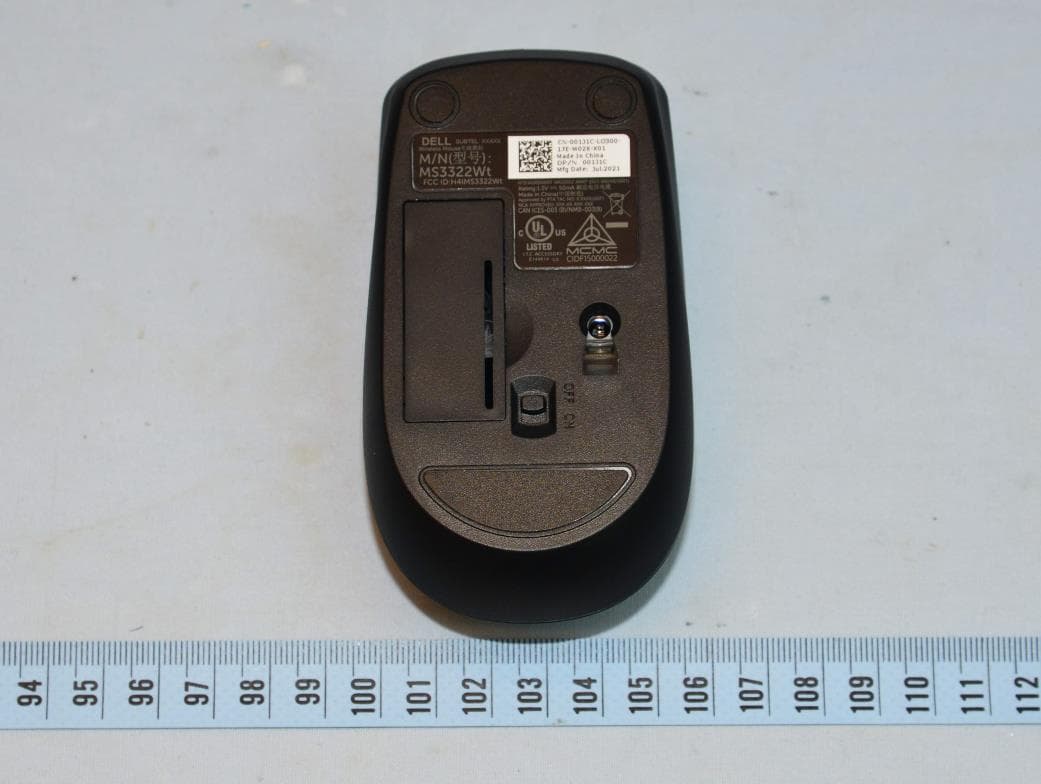
H4IWM118
Aug 25, 2021Wireless Mouse
Equipment Class
DTS - Digital Transmission System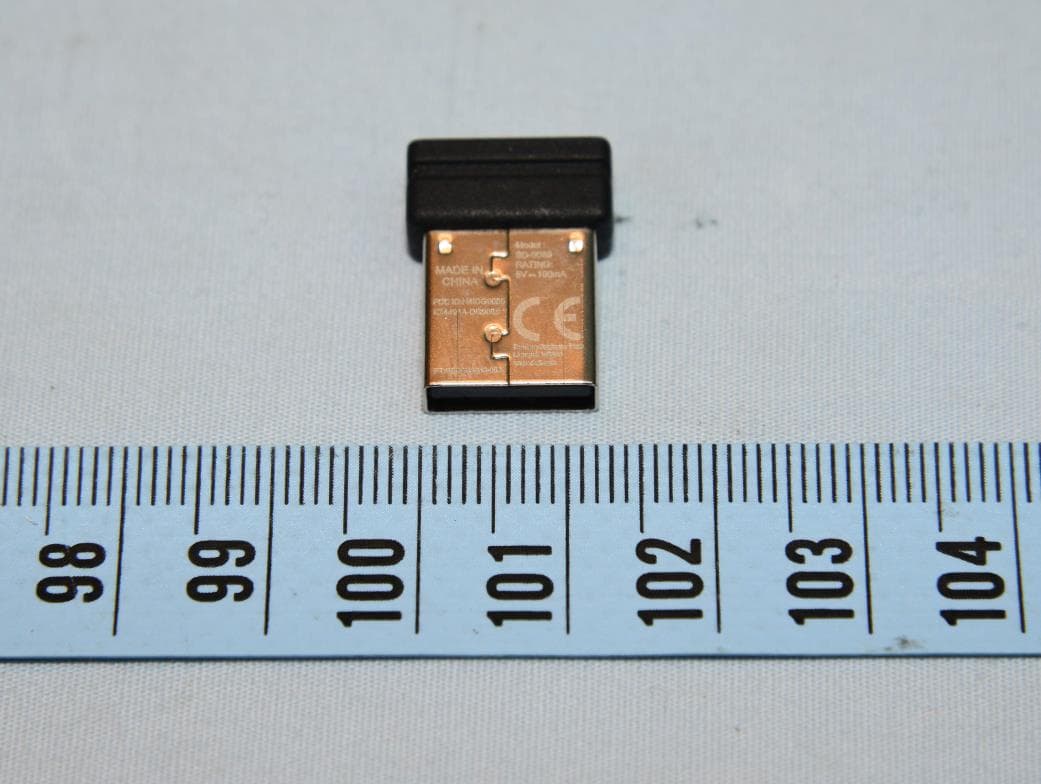
H4IUD2203
Aug 24, 2021Dongle
Equipment Class
DTS - Digital Transmission System