H79REP-X15PORT REPLICATOR ( for NOTE BOOK PC )
Delta Electronics Incorporated
Click to zoom
Application Details
- Equipment Class
- JBP - Part 15 Class B Computing Device Peripheral
- Date of Grant
- Apr 02, 2000
- Application Purpose
- Original Equipment
- Date of Application
- Mar 08, 2000
- Equipment Note
- PORT REPLICATOR ( for NOTE BOOK PC )
- Country
- Taiwan
Documents & Files
Document Text
Text extracted from the exhibit documents filed with the FCC. Open a document above to read the original.
Users Manual
1 User’s Guide REP-X15 PORT REPLICATOR FOR NOTEBOOK PC USED 2 U SER ’ S G UIDE This port replicator is a proprietary optional expansion module used for connecti ng your notebook. This user’s guide tells you how to use this external device for your notebook PC. Connecting the Port Replicator When you connected a peripheral device to port replicator, the same connecters on notebook PC must be disable or plug-off. You can easily attach this device to the notebook by following the steps below. 1. Be sure the notebook and any other peripheral devices you may have connected to the notebook are turned off. 2. Connect the port replicator to the expansion connector which is located the rear side of the notebook. 3. Slide the latch to the left to latch the port replicator. 1. Before you connect the port replicator to the notebook PC, please close the compartment cover located the rear side of the notebook PC first. 2. After connecti ng the port replicator, you should not use those connectors which are located the notebook PC at the same time. If you use these ports simultaneously, the I/O ports on the notebook PC will not be workable. ! CAUTION Figure 1-1 Port Replicator 3 FRONT SIDE Compartment Cover Figure 1-2 Connect the Port Replicator Figure 1-3 Slide the Latch to the Left Parallel Port Serial Port USB Por t Ga me Por t E xte r na l M icrop ho ne Audio Output TV-out Port VGA Port Audio Input Figure 1-4 Front-side Connectors 4 Parallel Port The 25-pin D-Sub parallel/printer port supports parallel devices such as a pri nter. Serial Port The 9-pi n D-Sub serial port supports serial devices such as a mouse, or modem. USB Port The USB (Uni versal Serial Bus) port supports several USB compatible devices such as keyboards, pointers, modems, and pri nters connected in series. Game Port The 15-pin D-Sub Game/MID I port supports a joystick, or gamepad devices. Audio Input Jack You can use this jack to i nput stereo sound from other devices, such as a radio or tape recorder, i nto your notebook. External Microphone Jack You can use this jack to i nput sound from an external microphone into your notebook. Audio Output Jack You can use this jack to output sound generated by your notebook to an external device, such as stereo loudspeakers or headphones. When an external device is connected, the built-in speakers are automatically disabled. VGA Port The15-pin D-Sub VGA port supports a standard VGA-compatible device such as a monitor. Video Out The video out port supports video display devices such as a television through an S- Video(SVHS)connector(or RCA connector usi ng the supplied adapter). 5 LEFT SIDE PS/2 Port for Keyboard You can connect your notebook to an external PS/2 keyboard. PS/2 Port for Mouse You can connect your notebook to an external PS/2 mouse. When you connect an external keyboard or mouse, the i nternal equivalent remains acti ve. PS/2 Port for Mouse 1. When the port replicator is connected to the system, we suggest you usi ng the video port on the port replicator i nstead of the one on the Notebook PC. 2. As soon as the port replicator is connected to the notebook PC, the i nternal speaker will be automatically disabled. You have to connect external speakers to output sound. CAUTINON PS/2 Port fo r Keyboa rd ! Figure 1-5 Le ft-side Vie w 6 RIGHT SIDE S-Video Port The S-Video out port supports video display devices such as a television through an S-Video (SVHS) connector. S-Video Port Figure 1-6 Right-side Vie w 7
ID Label/Location Info
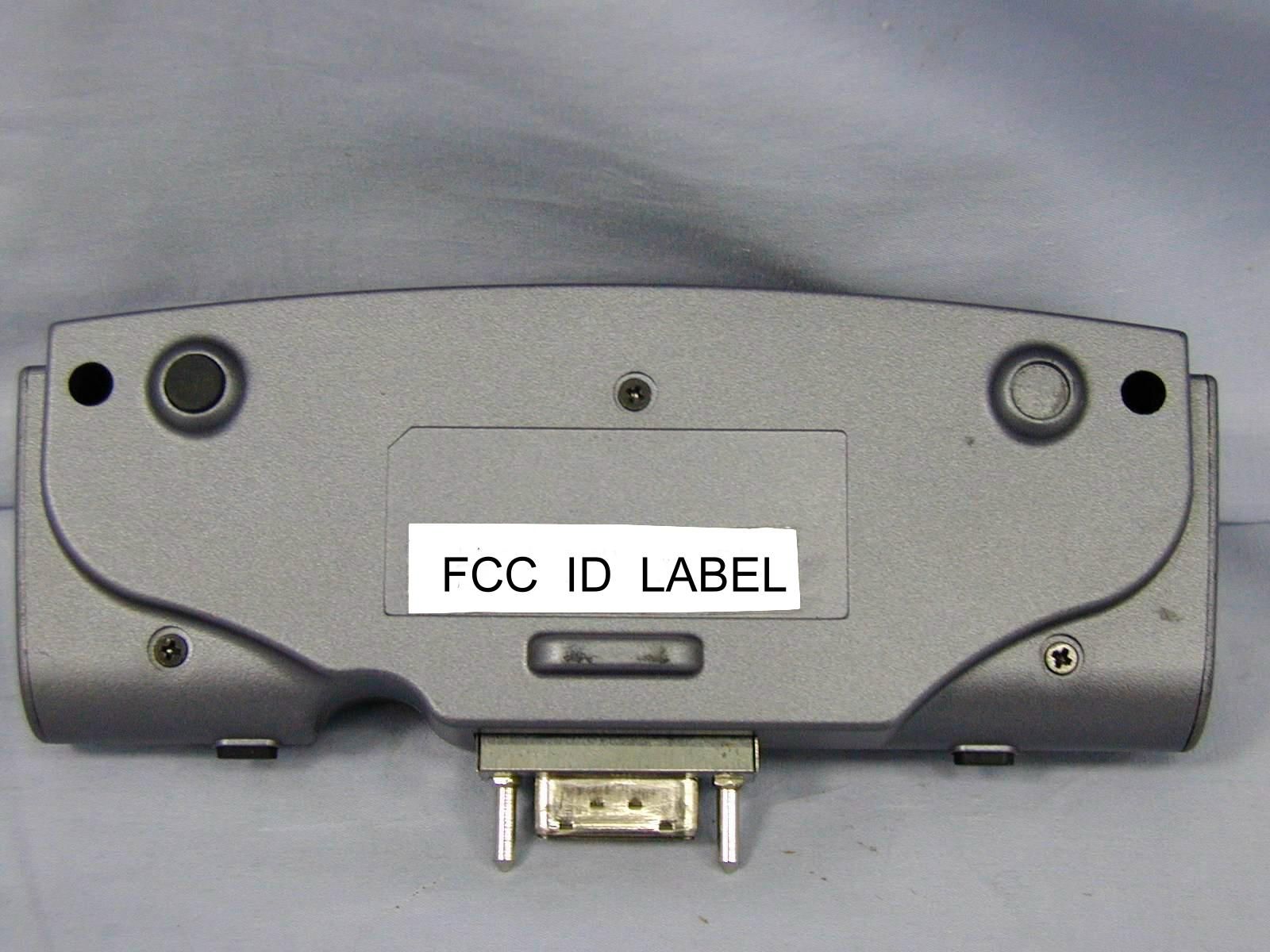
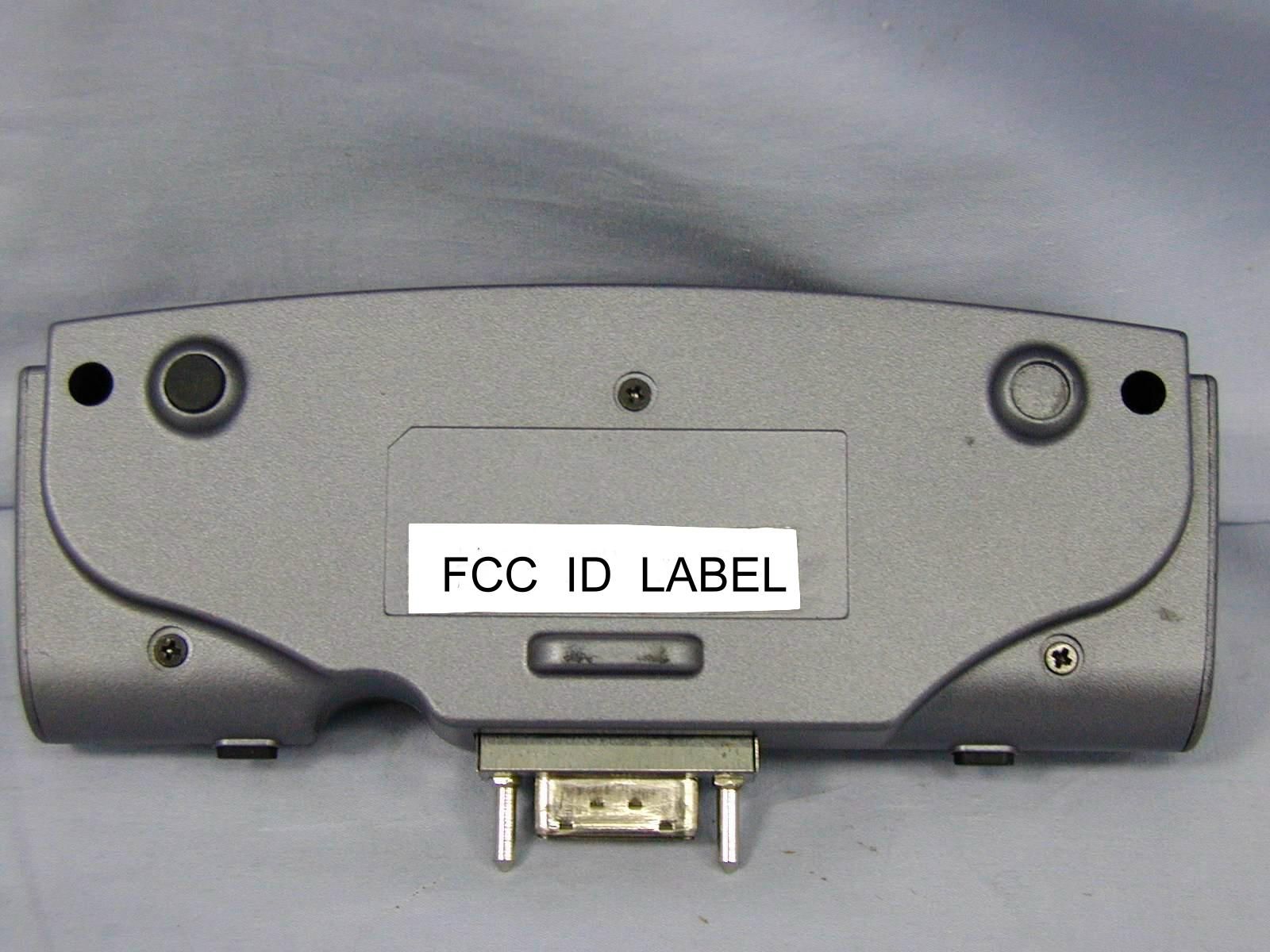
SAMPLE OF FCC ID LABEL : Please refer to photo of ID location. FCC ID : H79REP-X15 This device complies with part 15 of the FCC Rules. Operation is subject to the following two conditions: (1) This device may not cause harmful interference. And (2) this device must accept any interference that may cause undesired operation.
ID Label/Location Info
SAMPLE OF FCC ID LABEL : Please refer to photo of ID location. FCC ID : H79REP-X15 This device complies with part 15 of the FCC Rules. Operation is subject to the following two conditions: (1) This device may not cause harmful interference. And (2) this device must accept any interference that may cause undesired operation.
Internal Photos
FD9A020 PHOTO OF EUT E U T Rear V iew E U T Front V iew FD9A020 PHOTO OF EUT EUT Inside V iew E U T Case Inside V iew FD9A020 PHOTO OF EUT E U T Main Board Component Side V iew E U T Main Board Solder Side V iew
Schematics
A A B B C C D D E E 44 33 22 11 GND=81.82 DN-615 PORT REPLICATOR LOWER BOARD0.16 DELTA ELECTRONICS,INC. 13Friday, December 31, 1999 SizeDocument NumberRev Date:Sheet of P_INIT#_R3 LINEIN_R3 LINEIN_L3 PHONEJACK_SENSE3 ACK#_R3 PHONE_ROUT3 SLCTIN#_R3 AUTOFD#_R3 SLCT_R3 STROBE#_R3 BUSY_R3 ERROR#_R3 PHONE_LOUT3 DDC2_SCLK2 KB_DATA3 VSYNC2 BLUE2 KB_CLK3 RED2 HSYNC2 DDC2_SDAT2GREEN2 COM1_P1_R3 INT/EXT_MIC3 COM1_P8_R3 COM1_P4_R3 COM1_P2_R3COM1_P3_R3 COM1_P7_R3 INT_MIC3 COM1_P6_R3 COM1_P9_R3 USB0D+3USB0D-3 USB1D+3USB1D-3 PE_R3 PORT_EXIST# PD7_R3 PD0_R3 PD4_R3 PD2_R3 PD6_R3 PD5_R3 PD1_R3 PD3_R3 MOUSE_CLK3 MOUSE_DATA3 AV_COMP2 SVIDEO_Y2 SVIDEO_C2 GD53 MIDI_TXD3 MIDI_RXD3 GD63 GD73 GD03 GD43 GD23 GD33 GD13 PV5S_USB0 PV5S_USB1 PV5S_PS2 PV5S C37 0.1uF C36 10uF C34 0.1uF C35 10uF R24 1K C31 10uF C30 0.1uF C42 0.1uF C41 10uF M1MTH315D110 1 2 3 45 6 7 8 9 M2MTH315D110 1 2 3 45 6 7 8 9 M3 HOLE 1 M4 HOLE 1 M5 H1_GNDHOLE 1 M6 H1_GNDHOLE 1 M7 H1_GNDHOLE 1 M8 H1_GNDHOLE 1 M9 H1_GNDHOLE 1 M10 H1_GNDHOLE 1 M11 H1_GNDHOLE 1 M12 H1_GNDHOLE 1 M13 H1_GNDHOLE 1 M14 H1_GNDHOLE 1 CON5 PORT_REPLICATOR_80P 1 3 5 7 9 11 13 15 17 19 21 23 25 27 29 31 33 35 37 39 41 43 2 4 6 8 10 12 14 16 18 20 22 24 26 28 30 32 34 36 38 40 42 44 45 47 49 51 53 55 57 59 61 63 65 67 69 71 73 75 77 79 46 48 50 52 54 56 58 60 62 64 66 68 70 72 74 76 78 80 81 82 A A B B C C D D E E 44 33 22 11 Delete R1 , R2 , R3 DN-615 PORT REPLICATOR LOWER BOARD0.16 DELTA ELECTRONICS,INC. 23Tuesday, January 11, 2000 SizeDocument NumberRev Date:Sheet of TV_OUT TVGND AV_COMP1 RED1 GREEN1 BLUE1 HSYNC1 VSYNC1 SVIDEO_Y1 SVIDEO_C1 DDC2_SDAT1 DDC2_SCLK1 PV5S PV5S PV5S PV5S PV5S PV5S PV5S R25 75_NC C29 33pF L17 BK1608HM121 D17 1N4148_NC C A D18 1N4148_NC C A C28 10pF J5 RCA_JACK 1 23 C3 33pF C2 33pF C1 33pF L4 BK1608HM121 L11 BK1608HM121 L12 BK1608HM121 L5 BK1608HM121 L1 BK1608HM121 L2 BK1608HM121 L6 FBMJ1608HS280 D7 1N4148_NC C A D9 1N4148_NC C A D16 1N4148_NC C A D15 1N4148_NC C A D14 1N4148_NC C A D13 1N4148_NC C A D11 1N4148_NC C A D4 1N4148_NC C A D12 1N4148_NC C A D3 1N4148_NC C A F1 miniSMDC110 POLY SWITCH C6 0.1uF L3 BK1608HM121 D5 1N4148_NC C A C60 33pF C57 33pF C39 33pF C32 33pF R26 75_NC R23 75_NC C56 10pF C33 10pF D19 1N4148 C A D2 1N4148 C A D1 1N4148 C A D20 1N4148 C A L23 BK1608HM121 L24 BK1608HM121 L20 BK1608HM121 L19 BK1608HM121 C20 33pF C21 33pF L14 BK1608HM121 J1 CRT_DB15_F 1 6 2 7 3 8 4 9 5 10 16 11 12 13 14 15 17 CON3 SVIDEO_4P 6 4 2 5 3 1 7 C65 33pF C66 33pF C67 33pF D10 1N4148_NC C A D6 1N4148_NC C A D8 1N4148_NC C A C16 33pF C17 33pF C5 33pF C4 33pF C63 33pF C62 33pF C61 33pF C64 33pF A A B B C C D D E E 44 33 22 11 Delete L18 DN-615 PORT REPLICATOR LOWER BOARD0.16 DELTA ELECTRONICS,INC. 33Tuesday, January 04, 2000 SizeDocument NumberRev Date:Sheet of Z0138Z0139 Z0137Z0134 Z0143 Z0136Z0135 INT_MIC1 LINEIN_L1 LINEIN_R1 INT/EXT_MIC1 PHONE_ROUT1 PHONEJACK_SENSE1 PHONE_LOUT1 MOUSE_DATA1 MOUSE_CLK1 MIDI_TXD1 GD11 GD41 GD61 GD31 GD01 GD71 GD21 MIDI_RXD1 GD51 PD0_R1 AUTOFD#_R1 SLCTIN#_R1 P_INIT#_R1 PD2_R1 PD1_R1 STROBE#_R1 ERROR#_R1 SLCT_R1 ACK#_R1 PD7_R1 BUSY_R1PD5_R1 PD6_R1PE_R1 PD3_R1 PD4_R1 USB1D+1 USB1D-1USB0D-1 USB0D+1 COM1_P6_R1 COM1_P7_R1 COM1_P3_R1 COM1_P4_R1 COM1_P9_R1 COM1_P2_R1 COM1_P8_R1 COM1_P1_R1 KB_DATA1 KB_CLK1 PV5S_PS2 PV5S PV5S_PS2 PV5S_USB1 PV5S_USB0 J4 EXTMIC_JACK 2 10 11 3 1 C22 100pF C23 100pF C9 1000pF C10 1000pF R18 0 L10 BK1608HM121 L8 BK1608HM121 L9 BK1608HM121 R19 0 R21 10K R22 10K C15 100pF C14 100pF C13 100pF R15 0 J2 LINEIN_JACK 2 10 11 3 1 R20 0 C11 1000pF J3 EARPHONE_JACK 2 10 11 3 1 R16 1K C24 1000pF C12 1000pF R17 1K C25 1000pF L15 BK1608HM121 L16 BK1608HM121 J6 PS2_6P 6 4 2 5 3 1 789 C8 47pF C27 0.1uF C26 10uF L13 BK1608HM121 C7 47pF L7 BK1608HM121 C19 47pF C18 47pF C45 47pF L21 FBMJ1608HS280 R40 R5 10K C52 47pF C43 1000pF C44 47pF R947 C48 1000pF C53 0.01uF R13 10K C51 47pF R6 10K R12 10K F2 miniSMDC110 POLY SWITCH R1447 C40 0.1uF C38 10uF CON2 BOARD_TO_BOARD_30P 1 3 5 7 9 11 13 15 17 19 21 23 25 27 29 2 4 6 8 10 12 14 16 18 20 22 24 26 28 30 CON1 BOARD_TO_BOARD_30P 1 3 5 7 9 11 13 15 17 19 21 23 25 27 29 2 4 6 8 10 12 14 16 18 20 22 24 26 28 30 J8 JOYSTICK&MIDI_15P 8 15 7 14 6 13 5 12 4 11 3 10 2 9 1 16 17 L22 BK1608HM121 C59 47pF C54 47pF C55 47pF J7 PS2_6P 6 4 2 5 3 1 789 L25 BK1608HM121 C58 47pF C50 0.01uF R72.2K C71 0.01uF C46 0.01uF R112.2K C70 0.01uF C49 0.01uF C69 0.01uF R82.2K C47 0.01uF R102.2K C68 0.01uF
Schematics
A A B B C C D D E E 44 33 22 11 Delete L1 PREPARE : ____________________ CHECK : ______________________ APPROVED : ___________________ DN-615 PORT REPLICATOR UPPER BOARD0.16 DELTA ELECTRONICS,INC. 12Tuesday, January 04, 2000 SizeDocument NumberRev Date:Sheet of PD0_R2 AUTOFD#_R2 SLCTIN#_R2 P_INIT#_R2 PD2_R2 PD1_R2 STROBE#_R2 ERROR#_R2 SLCT_R2 ACK#_R2 PD7_R2 BUSY_R2PD5_R2 PD6_R2PE_R2 PD3_R2 PD4_R2 USB1D-2 USB1D+2 USB0D-2 USB0D+2 COM1_P6_R2 COM1_P7_R2 COM1_P3_R2 COM1_P4_R2 COM1_P9_R2 COM1_P2_R2 COM1_P8_R2 COM1_P1_R2 PV5S_USB1 PV5S_USB0 CON2 BOARD_TO_BOARD_30P 1 3 5 7 9 11 13 15 17 19 21 23 25 27 29 2 4 6 8 10 12 14 16 18 20 22 24 26 28 30 CON3 BOARD_TO_BOARD_30P 1 3 5 7 9 11 13 15 17 19 21 23 25 27 29 2 4 6 8 10 12 14 16 18 20 22 24 26 28 30 M1MTH315D110 1 2 3 45 6 7 8 9 M2MTH315D110 1 2 3 45 6 7 8 9 M3MTH315D110 1 2 3 45 6 7 8 9 M4MTH315D110 1 2 3 45 6 7 8 9 A A B B C C D D E E 44 33 22 11 DN-615 PORT REPLICATOR UPPER BOARD0.16 DELTA ELECTRONICS,INC. 22Tuesday, January 04, 2000 SizeDocument NumberRev Date:Sheet of PD0_R1 AUTOFD#_R1 SLCTIN#_R1 P_INIT#_R1 PD2_R1 PD1_R1 STROBE#_R1 ERROR#_R1 SLCT_R1 ACK#_R1 PD7_R1 BUSY_R1 PD5_R1 PD6_R1 PE_R1 PD3_R1 PD4_R1 USB0D+1 USB0D-1 USB1D-1 USB1D+1 COM1_P3_R1 COM1_P7_R1 COM1_P1_R1 COM1_P2_R1 COM1_P8_R1 COM1_P4_R1 COM1_P6_R1 COM1_P9_R1 PV5S_USB0 PV5S_USB1 C23 33pF C21 33pF C22 33pF C24 33pF C20 33pF C19 33pF C8 33PpF C7 33pF C6 33pF C4 33pF C2 33pF C1 33pF C3 33pF C13 33pF C15 33pF C10 33pF C11 33pF C16 33pF C17 33pF C12 33pF C9 33pF C14 33pF C18 33pF RP3 0x4 1 2 3 4 8 7 6 5 RP4 0x4 1 2 3 4 8 7 6 5 R9 0 RP1 0x4 1 2 3 4 8 7 6 5 J2 DB25_F 1 14 2 15 3 16 4 17 5 18 6 19 7 20 8 21 9 22 10 23 11 24 12 25 13 26 27 RP2 0x4 1 2 3 4 8 7 6 5 C25 33pF R20 R30 R40 R60 R70 R80 C26 0.1uF C30 33pF C28 33pF L4BK1608LL680 J3 USB_CON0 4 3 2 1 5 6 7 8 9 10 11 12 13 GND + - VCC GND GND GND GND GND GND GND GND GND L3BK1608LL680 L5BK1608LL680 C32 10uF C29 0.1uF L2BK1608LL680 J4 USB_CON1 4 3 2 1 5 6 7 8 9 10 11 12 13 GND + - VCC GND GND GND GND GND GND GND GND GND C27 33pF C31 33pF C33 10uF C34 33pF C35 33pF C44 33pF C45 33pF R10 C38 33pF C41 33pF C37 33pF C40 33pF C42 33pF C36 33pF C43 33pF C39 33pF J1 DB9_M 5 9 4 8 3 7 2 6 1 10 11 R50 C5 33pF
Test Report
HomeTek Technology Inc. FCC ID : H79REP-X15 FB9A020 TABLE OF CONTENTS GENERAL INFORMATION ............................................................................................................................................ 2 MODIFICATION LIST ..................................................................................................................................................... 4 CONDUCTED POWER LINE TEST...............................................................................................................................5 1TEST INSTRUMENTS & FACILITIES ........................................................................................................... 5 2TEST PROCEDURE......................................................................................................................................... 5 3TEST SETUP .................................................................................................................................................... 6 4CONFIGURATION OF THE EUT.................................................................................................................... 8 5EUT OPERATING CONDITION................................................................................................................... 13 6LIMIT OF CONDUCTED POWER LINE EMISSION CLASS B :................................................................. 13 7RESULT OF CONDUCTED POWER LINE TEST........................................................................................ 14 RADIATED EMISSION TEST....................................................................................................................................... 15 1TEST INSTRUMENTS & FACILITIES ......................................................................................................... 15 2TEST PROCEDURE....................................................................................................................................... 16 3TEST SETUP .................................................................................................................................................. 16 4CONFIGURATION OF THE EUT.................................................................................................................. 17 5EUT OPERATING CONDITION................................................................................................................... 17 6LIMIT OF RADIATED EMISSION CLASS B : ............................................................................................. 17 7RESULT OF RADIATED EMISSION TEST ................................................................................................. 18 PHOTO OF FCC ID LABEL .......................................................................................................................................... 20 APPENDIX A PHOTOS OF TEST CONFIGURATION APPENDIX B PHOTOS OF EUT HomeTek Technology Inc. FCC ID : H79REP-X15 FB9A020 Page : 2 of 20 GENERAL INFORMATION 1APPLICANT: DELTA ELECTRONICS INCORPORATED 2ADDRESS : No. 3, Tung Yuan Road, Chung Li Industrial Zone, Taoyuan, Taiwan, R. O. C. 3MANUFACTURER : DELTA ELECTRONICS INCORPORATED 4ADDRESS : No. 3, Tung Yuan Road, Chung Li Industrial Zone, Taoyuan, Taiwan, R. O. C. 5DESCRIPTION OF EUT : EUT: PORT REPLICATOR FCC ID: H79REP-X15 Model Number: REP-X15 Serial #: N/A Data Cable: N/A Power Cord: N/A Power Supply Type: FROM NOTEBOOK 5.1The EUT were investigated with delta notebook (Model No. : REP-X15) and test three modes as below (1) 1024 x 768 Monitor display (2) 800 x 600 LCD display (3) 640 x 480 TV display The test mode of (3) 640 x 480, TV display is worst case, and the final test data were shown with this test mode. HomeTek Technology Inc. FCC ID : H79REP-X15 FB9A020 Page : 3 of 20 6FEATURES OF EUT : 6.1Parallel Port The 25-pin D-Sub parallel/printer port supports parallel devices such as a printer 6.2Serial Port The 9-pin D-Sub serial port supports serial devices such as a mouse, or modem 6.3USB Port The USB (Universal Serial Bus) port supports several USB compatible devices such as keyboards, pointers, modems, and printers connected in series 6.4Game Port The 15-pin D-Sub Game/MIDI port supports a joystick, or gamepad devices 6.5Audio Input Jack You can use this jack to input stereo sound from other devices, such as a radio or tape recorder, into your notebook 6.6External Microphone Jack You can use this jack to input sound from an external microphone into your notebook 6.7Audio Output Jack You can use this jack to output sound generated by your notebook to an external device, such as stereo loudspeakers or headphones. When an external device is connected, the built-in speakers are automatically disabled 6.8VGA Port The 15-pin D-Sub VGA port supports a standard VGA-compatible device such as a monitor 6.9Video Out The video out port supports video display devices such as a television through an S- Video (SVHS) connector (or RCA connector using the supplied adapter) 6.10PS/2 Port for Keyboard You can connect your notebook to an external PS/2 keyboard 6.11PS/2 Port for Mouse You can connect your notebook to an external PS/2 mouse 6.12S-Video Port The S-Video out port supports video display devices such as a television through an S-Video (SVHS) HomeTek Technology Inc. FCC ID : H79REP-X15 FB9A020 Page : 4 of 20 MODIFICATION LIST THE FOLLOWING ACCESSORIES WERE ADDED TO THE EUT DURING TESTING : 1. These are copper-coated housing case. 2. One conductive gasket is paste on the extension connector to contact the housing case. 3. Two conductive gaskets are paste on the ground pad to contact I/O bracket. 4. Two conductive gaskets are separate pastes on the PS2 and S-Video connector. 5. One conductive gasket is paste on the I/O bracket to contact the housing case. 6. One conductive gasket is paste on the USB connector to contact the housing case. HomeTek Technology Inc. FCC ID : H79REP-X15 FB9A020 Page : 5 of 20 CONDUCTED P…
Text truncated - open the document above for the full version.
Test Setup Photos
FD9A020 PHOTO OF CONDUCTED POWER LINE TEST Front V iew Rear V iew Test Mode : 640 x 480 FD9A020 PHOTO OF RADIATED EMISSION TEST Front V iew Rear V iew Test Mode : 640 x 480
Contact Information
Applicant
Ray Chen(Manager)
Technical Contact
HomeTek Technology Inc.Grant Huang
[email protected]886-2-22608375
P.O. Box 13-131, Pan-Chiao City · Taipei Shien · Taiwan
Non-Technical Contact
HomeTek Technology Inc.Chu-Lin Chu
[email protected]408-7201661
Test Firm
Home Tek Technology Inc.Grant Huang
Technical Specifications
| # | Rule Parts | Frequency Range | Power Output |
|---|---|---|---|
| 1 | 15B | - | - |
Other Applications from Delta Electronics Incorporated

H79-023DS3
Jul 26, 2023NovoDS Digital Signage Solution
Equipment Class
DTS - Digital Transmission System
H79-023DS2
Jul 25, 2023NovoDS Digital Signage Solution
Equipment Class
DTS - Digital Transmission System
H79VFRU-25-46BT
Sep 27, 2022SIG Bluetooth speaker
Equipment Class
DSS - Part 15 Spread Spectrum Transmitter
H79-UNOC07X011
Nov 25, 2020UNOnext Indoor Air Quality Monitor
Equipment Class
DTS - Digital Transmission System
H79-019NC9
Jul 12, 2020NovoConnect Wireless Collaboration System
Equipment Class
NII - Unlicensed National Information Infrastructure TX