HLZN15P2Tablet Computer
Acer Incorporated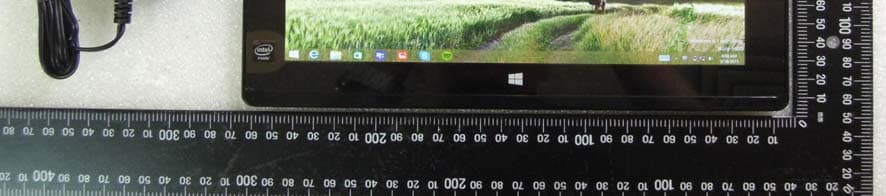
Click to zoom
Application Details
- Equipment Class
- DTS - Digital Transmission System
- Date of Grant
- Jun 04, 2015
- Application Purpose
- Original Equipment
- Date of Application
- Jun 02, 2015
- Equipment Note
- Tablet Computer
- Frequency Range
- 2412.00000000 - 2462.00000000
- Company
- Acer Incorporated
- Country
- Taiwan
Documents & Files
Document Text
Text extracted from the exhibit documents filed with the FCC. Open a document above to read the original.
Users Manual
- 1 User’s Manual 2 - © 2015. All Rights Reserved. Aspire One 10 Covers: S1002 This revision: April 2015 Regulatory model number: N15P2 Sign up for an Acer ID and enjoy great benefits Open the Acer Portal app from the Start screen to sign up for an Acer ID or sign in if you already have an Acer ID. There are three great reasons for you to get an Acer ID: • Build Your Own Cloud with Acer BYOC. • Get the latest offers and product information. • Register your device for warranty service. For more information, please visit the Acer BYOC website: www.acer.com/byoc-start Model number: _________________________________ Serial number: _________________________________ Date of purchase: ______________________________ Place of purchase: ______________________________ Important This manual contains proprietary information that is protected by copyright laws. The information contained in this manual is subject to change without notice. Images provided herein are for reference only and may contain information or features that do not apply to your computer. Acer Group shall not be liable for technical or editorial errors or omissions contained in this manual. Table of contents - 3 TABLE OF CONTENTS First things first 5 Your guides ............................................. 5 Basic care and tips for using your computer.................................................. 5 Turning your computer off........................... 5 Taking care of your computer ..................... 6 Taking care of your AC adapter .................. 6 Cleaning and servicing................................ 7 Your Acer computer tour 8 Computer................................................. 8 Cover view .................................................. 8 Front view ................................................... 9 Top view.................................................... 10 Bottom view .............................................. 10 Left/right views .......................................... 11 LED Indicators .......................................... 12 Keyboard ............................................... 13 Keyboard front view .................................. 13 Keyboard right view ................................. 14 Attaching and detaching the keyboard...... 15 Using the keyboard 17 Lock keys and embedded numeric keypad ................................................... 17 Hotkeys ..................................................... 18 Windows keys........................................ 19 Touchpad 20 Touchpad basics ................................... 20 Touchpad gestures................................ 20 Recovery 22 Creating a recovery backup................... 22 Creating a drivers and applications backup ................................................... 24 Recovering your system ........................ 26 Reinstalling drivers and applications......... 27 Returning to an earlier system snapshot .. 29 Returning your system to its factory condition.................................................... 30 Recovering from Windows ........................ 30 Recovering from a recovery backup ......... 33 Connecting to the Internet 36 Connecting wirelessly............................ 36 Connecting to a wireless LAN................... 36 Using a Bluetooth connection 37 Enabling and disabling Bluetooth .......... 37 Enable Bluetooth and add a device .......... 37 BIOS utility 40 Boot sequence....................................... 40 Setting passwords ................................. 40 Power management 41 Saving power ......................................... 41 Battery pack 43 Battery characteristics ........................... 43 Charging the battery ................................. 43 Optimizing battery life ............................... 44 Checking the battery level......................... 45 Battery-low warning .................................. 45 Memory card reader 47 Connectivity options............................... 47 Video and audio connectors 49 HDMI Micro 50 Universal Serial Bus (USB) 51 Micro USB 52 Frequently asked questions 54 Requesting service ................................ 56 Tips and hints for using Windows 8.1 .... 57 How do I get to Start? ............................... 57 What are "Charms?" ................................. 57 Can I boot directly to the desktop? ........... 58 How do I jump between apps?.................. 58 How do I turn off my computer?................ 58 How do I unlock my computer?................. 58 How do I set the alarm? ............................ 60 Where are my apps?................................. 61 What is a Microsoft ID (account)?............. 63 How do I add a favorite to Internet Explorer?................................................... 63 How do I check for Windows updates?..... 63 Where can I get more information?........... 63 Troubleshooting ..................................... 64 Troubleshooting tips.................................. 64 Error messages......................................... 64 Internet and online security 66 First steps on the net ............................. 66 Protecting your computer.......................... 66 Choose an Internet Service Provider ........ 66 Network connections................................. 68 Surf the Net!.............................................. 70 Security ..................................................... 70 4 - Getting started... In this section you will find: • Useful information on caring for your computer and your health • Where to find the power button, ports and connectors • Tips and tricks for using the touchpad and keyboard • How to create recovery backups • Guidelines for connecting to a network and using Bluetooth • Information on using Acer’s bundled software First things first - 5 FIRST THINGS FIRST We would like to thank you for making this Acer computer your choice for meeting your mobile computing needs. Your guides To help you use your Acer computer, we have …
Text truncated - open the document above for the full version.
Users Manual
1 English Safety and comfort SAFETY INSTRUCTIONS Read these instructions carefully. Keep this document for future reference. Follow all warnings and instructions marked on the product. Turning the product off before cleaning Unplug this product from the wall outlet before cleaning. Do not use liquid cleaners or aerosol cleaners. Use a damp cloth for cleaning. WARNINGS Accessing the power plug Be sure that the power outlet you plug the power cord into is easily accessible and located as close to the equipment operator as possible. When you need to disconnect power to the equipment, be sure to unplug the power plug from the electrical outlet. Mark sure the power plug is fixed at right position with the adaptor before plugging to the socket on the wall. Input rating: Refer to the rating label on the bottom of the computer and ensure that your power adapter complies with the specified rating. Under no circumstances should the user attempt to disassemble the power supply. The power supply has no user-replaceable parts. Inside the power supply are hazardous voltages that can cause serious personal injury. A defective power supply must be returned to your dealer. Using electrical power - If an extension cord is used with this product, make sure that the total ampere rating of the equipment plugged into the extension cord does not exceed the extension cord ampere rating. Also, make sure that the total rating of all products plugged into the wall outlet does not exceed the fuse rating. - Do not overload a power outlet, strip or receptacle by plugging in too many devices. The overall system load must not exceed 80% of the branch circuit rating. If power strips are used, the load should not exceed 80% of the power strip's input rating. General - Do not use this product near water. - Do not place this product on an unstable cart, stand or table. If the product falls, it could be seriously damaged. - Slots and openings are provided for ventilation to ensure reliable operation of the product and to protect it from overheating. These openings must not be blocked or covered. The openings should never be blocked by placing the product on a bed, sofa, rug or other similar surface. This product should never be placed near or over a radiator or heat register, or in a built- in installation unless proper ventilation is provided. - Never push objects of any kind into this product through cabinet slots as they may touch dangerous voltage points or shortout parts that could result in a fire or electric shock. Never spill liquid of any kind onto or into the product. - To avoid damage of internal components and to prevent battery leakage, do not place the product on a vibrating surface. - Your device and its enhancements may contain small parts. Keep them out of the reach of small children. Product servicing Do not attempt to service this product yourself, as opening or removing covers may expose you to dangerous voltage points or other risks. Refer all servicing to qualified service personnel. Unplug this product from the wall outlet and refer servicing to qualified service personnel when: - The power cord or plug is damaged, cut or frayed. - Liquid was spilled into the product. - The product was exposed to rain or water. - The product has been dropped or the case has been damaged. - The product exhibits a distinct change in performance, indicating a need for service. - The product does not operate normally after following the operating instructions. Note: Adjust only those controls that are covered by the operating instructions, since improper adjustment of other controls may result in damage and will often require extensive work by a qualified technician to restore the product to normal condition. DISPOSAL INSTRUCTIONS Do not throw this electronic device into the trash when discarding. To minimize pollution and ensure utmost protection of the global environment, please recycle. For more information on the Waste from Electrical and Electronics Equipment (WEEE) regulations, visit www.acer-group.com/public/Sustainability/sustainability01.htm REGULATORY INFORMATION CAUTION when listening To protect your hearing, follow these instructions. - Increase the volume gradually until you can hear clearly and comfortably. - Do not increase the volume level after your ears have adjusted. - Do not listen to music at high volumes for extended periods. - Do not increase the volume to block out noisy surroundings. - Decrease the volume if you can’t hear people speaking near you. Prevention of hearing loss Caution: Permanent hearing loss may occur if earphones or headphones are used at high volume for prolonged periods of time. This device have been tested to comply with the Sound Pressure Level requirement laid down in the applicable EN 50332-1 and/or EN 50332-2 standards. Note: For France, mobile headphones or earphones for this device have been tested to comply with the Sound Pressure requirement laid down in the applicable NF EN 50332-1:2000 and/or NF EN 50332-2:2003 standards as required by French Article L. 5232-1. WIRELESS ADAPTER REGULATORY INFORMATION Use On Aircraft Caution Caution: Regulations of the FCC and FAA prohibit airborne operation of radio- frequency wireless devices (wireless adapters) because their signals could interfere with critical interfere with critical aircraft instruments. The Wireless Adapter and Your Health The wireless adapter, like other radio devices, emits radio frequency electromagnetic energy. The level of energy emitted by the wireless adapter, however, is less than the electromagnetic energy emitted by other wireless devices such as mobile phones. The wireless adapter operates within the guidelines found in radio frequency safety standards and recommendations. These standards and recommendations reflect the consensus of the scientific community and result from deliberations of panels and committees of scientists who continually review and interpret the extensive research literature. In som…
Text truncated - open the document above for the full version.
Cover Letter(s)
Acer Incorporated 8F, 88, Sec. 1, Xintai 5th Rd., Xizhi New Taipei City 221, Taiwan Date: May. 28, 2015 Federal Communications Commission Authorization and Evaluation Division Subject: Request for Confidentiality FCC ID: HLZN15P2 To Whom It May Concern: Pursuant to the provisions of Sections 0.457 and 0.459 of the Commission’s Rules ( 47 CFR §§ 0.457,0.459),we are requesting the Commission to withhold the following attachments as confidential document from public disclosure indefinitely. Schematic Block Diagram Operational Description Above mentioned document contains detailed system and equipment description are considered as proprietary information in operation of the equipment. The public disclosure of above documents might be harmful to our company and would give competitor an unfair advantage in the market. In additional to above mentioned documents, pursuant to Public Notice DA 04-1705 of the Commission’s policy, in oder to comply with the marketing regulations in 47CFR §2.803 and the importation rules in 47 CFR §2.1204, while ensuring that business sensitive information remains confidential until the actual marketing of newly authorized devices. We are requesting the commission to grant short-term confidentiality request on the following attachments 180 days. External Photos Internal Photos Test Setup Photos User Manual It is our understanding that all measurement test reports, FCC ID label format and correspondent during certification review process cannot be granted as confidential documents and those information will be available for public review once the grant of equipment authorization is issued. Sincerely, _____________________________________ RU Jan / Manager Acer Incorporated
Cover Letter(s)
RF_160, Issue 03 Declaration of Authorization We Name: Acer Incorporated Address: 8F., No. 88, Sec. 1, Xintai 5th Rd., Xizhi, New Taipei City 22181, City: New Taipei City 22181 Country: Taiwan (R.O.C) Declare that: Name Representative of agent: ............. (1) Agent Company name: SGS Taiwan Ltd. Address: 134, Wu Kung Rd., Wuku Industrial Zone City: New Taipei City Country Taiwan is authorized to apply for Certification of the following product(s): Product description: Tablet Computer Type designation: N15P2 Trademark: on our behalf. Date: May. 28, 2015 City: Xizhi, New Taipei City Name: RU Jan Function: Manager Signature: ............................... Notes: (1): Required for FCC application (2): For FCC it must be the Grantee Code “owner” or the authorized agent.
Cover Letter(s)
FEDERAL COMMUNICATIONS COMMISSION DECLARATION OF CONFORMITY (DoC) Equipment: Tablet Computer Trademark(s) and Model(s): / N15P2 Manufacturer: PEGATRON CORPORATION FCC ID in case other parts of this equipment are subject to certification: HLZN15P2 This device complies with Part 15 of the FCC Rules. Operation is subject to the following two conditions: (1) this device may not cause harmful interference, and (2) this device must accept any interference received, including interference that may cause undesired operation. The following test reports are subject to this declaration: Test report number: Issue date: 1550154R-ITUSP01V00 2015/5/21 Company name: Acer Incorporated Name/Title (legal representative): RU Jan / Manager Address: 8F., No. 88, Sec. 1, Xintai 5th Rd., Xizhi, New Taipei City 22181, Taiwan (R.O.C) Phone: 886-2696-3131 ext.3289 Fax: 886-2-8691-3120 E-mail: [email protected] Date: June 3, 2015 Signature: FCC
External Photos
Issue Date: May. 19, 2015 Page: 1 of 11 Unless otherwise stated the results shown in this test report refer only to the sample(s) tested and such sample(s) are retained for 90 days only. 除非另有說明,此報告結果僅對測試之樣品負責,同時此樣品僅保留90天。本報告未經本公司書面許可,不可部份複製。 This document is issued by the Company subject to its General Conditions of Service printed overleaf, available on request or accessible at www.sgs.com/terms_and_conditions.htm and, for elec- tronic format documents, subject to Terms and Conditions for Electronic Documents at www.sgs.com/terms_e-document.htm. Attention is drawn to the limitation of liability, indemnification and jurisdiction issues defined therein. Any holder of this document is advised that information contained hereon reflects the Company’s findings at the time of its intervention only and within the limits of Client’s instructions, if any. The Company’s sole responsibility is to its Client and this document does not exonerate parties to a transaction from exercising all their rights and obligations under the transaction documents. This document cannot be reproduced except in full, without prior written approval of the Company. Any unauthorized alteration, forgery or falsification of the content or ap- pearance of this document is unlawful and offenders may be prosecuted to the fullest extent of the law. SGS Taiwan Ltd. No.134,WuKungRoad,NewTaipeiIndustrialPark,WukuDistrict,NewTaipeiCity,Taiwan24803/新北市五股區新北產業園區五工路134號 台灣檢驗科技股份有限公司 t (886-2) 2299-3279 f (886-2) 2298-0488 www.tw.sgs.com Member of SGS Group PHOTOGRAPHS OF EUT All View of EUT Front View of EUT Issue Date: May. 19, 2015 Page: 2 of 11 Unless otherwise stated the results shown in this test report refer only to the sample(s) tested and such sample(s) are retained for 90 days only. 除非另有說明,此報告結果僅對測試之樣品負責,同時此樣品僅保留90天。本報告未經本公司書面許可,不可部份複製。 This document is issued by the Company subject to its General Conditions of Service printed overleaf, available on request or accessible at www.sgs.com/terms_and_conditions.htm and, for elec- tronic format documents, subject to Terms and Conditions for Electronic Documents at www.sgs.com/terms_e-document.htm. Attention is drawn to the limitation of liability, indemnification and jurisdiction issues defined therein. Any holder of this document is advised that information contained hereon reflects the Company’s findings at the time of its intervention only and within the limits of Client’s instructions, if any. The Company’s sole responsibility is to its Client and this document does not exonerate parties to a transaction from exercising all their rights and obligations under the transaction documents. This document cannot be reproduced except in full, without prior written approval of the Company. Any unauthorized alteration, forgery or falsification of the content or ap- pearance of this document is unlawful and offenders may be prosecuted to the fullest extent of the law. SGS Taiwan Ltd. No.134,WuKungRoad,NewTaipeiIndustrialPark,WukuDistrict,NewTaipeiCity,Taiwan24803/新北市五股區新北產業園區五工路134號 台灣檢驗科技股份有限公司 t (886-2) 2299-3279 f (886-2) 2298-0488 www.tw.sgs.com Member of SGS Group Back View of EUT – 1 Side View of EUT – 1 Issue Date: May. 19, 2015 Page: 3 of 11 Unless otherwise stated the results shown in this test report refer only to the sample(s) tested and such sample(s) are retained for 90 days only. 除非另有說明,此報告結果僅對測試之樣品負責,同時此樣品僅保留90天。本報告未經本公司書面許可,不可部份複製。 This document is issued by the Company subject to its General Conditions of Service printed overleaf, available on request or accessible at www.sgs.com/terms_and_conditions.htm and, for elec- tronic format documents, subject to Terms and Conditions for Electronic Documents at www.sgs.com/terms_e-document.htm. Attention is drawn to the limitation of liability, indemnification and jurisdiction issues defined therein. Any holder of this document is advised that information contained hereon reflects the Company’s findings at the time of its intervention only and within the limits of Client’s instructions, if any. The Company’s sole responsibility is to its Client and this document does not exonerate parties to a transaction from exercising all their rights and obligations under the transaction documents. This document cannot be reproduced except in full, without prior written approval of the Company. Any unauthorized alteration, forgery or falsification of the content or ap- pearance of this document is unlawful and offenders may be prosecuted to the fullest extent of the law. SGS Taiwan Ltd. No.134,WuKungRoad,NewTaipeiIndustrialPark,WukuDistrict,NewTaipeiCity,Taiwan24803/新北市五股區新北產業園區五工路134號 台灣檢驗科技股份有限公司 t (886-2) 2299-3279 f (886-2) 2298-0488 www.tw.sgs.com Member of SGS Group Side View of EUT – 2 Side View of EUT – 3 Issue Date: May. 19, 2015 Page: 4 of 11 Unless otherwise stated the results shown in this test report refer only to the sample(s) tested and such sample(s) are retained for 90 days only. 除非另有說明,此報告結果僅對測試之樣品負責,同時此樣品僅保留90天。本報告未經本公司書面許可,不可部份複製。 This document is issued by the Company subject to its General Conditions of Service printed overleaf, available on request or accessible at www.sgs.com/terms_and_conditions.htm and, for elec- tronic format documents, subject to Terms and Conditions for Electronic Documents at www.sgs.com/terms_e-document.htm. Attention is drawn to the limitation of liability, indemnification and jurisdiction issues defined therein. Any holder of this document is advised that information contained hereon reflects the Company’s findings at the time of its intervention only and within the limits of Client’s instructions, if any. The Company’s sole responsibility is to its Client and this document does not exonerate parties to a transaction from exercising all their rights and obligations under the transaction documents. This document cannot be reproduced except in full, without prior written approval of the Company. Any unauthorized alteration, forgery or falsification of the content or ap- pearance of this documen…
Text truncated - open the document above for the full version.
ID Label/Location Info
Bottom Side Back Side
Internal Photos
Issue Date: May. 19, 2015 Page: 6 of 11 Unless otherwise stated the results shown in this test report refer only to the sample(s) tested and such sample(s) are retained for 90 days only. 除非另有說明,此報告結果僅對測試之樣品負責,同時此樣品僅保留90天。本報告未經本公司書面許可,不可部份複製。 This document is issued by the Company subject to its General Conditions of Service printed overleaf, available on request or accessible at www.sgs.com/terms_and_conditions.htm and, for elec- tronic format documents, subject to Terms and Conditions for Electronic Documents at www.sgs.com/terms_e-document.htm. Attention is drawn to the limitation of liability, indemnification and jurisdiction issues defined therein. Any holder of this document is advised that information contained hereon reflects the Company’s findings at the time of its intervention only and within the limits of Client’s instructions, if any. The Company’s sole responsibility is to its Client and this document does not exonerate parties to a transaction from exercising all their rights and obligations under the transaction documents. This document cannot be reproduced except in full, without prior written approval of the Company. Any unauthorized alteration, forgery or falsification of the content or ap- pearance of this document is unlawful and offenders may be prosecuted to the fullest extent of the law. SGS Taiwan Ltd. No.134,WuKungRoad,NewTaipeiIndustrialPark,WukuDistrict,NewTaipeiCity,Taiwan24803/新北市五股區新北產業園區五工路134號 台灣檢驗科技股份有限公司 t (886-2) 2299-3279 f (886-2) 2298-0488 www.tw.sgs.com Member of SGS Group Open View of EUT-1 Open View of EUT-2 Issue Date: May. 19, 2015 Page: 7 of 11 Unless otherwise stated the results shown in this test report refer only to the sample(s) tested and such sample(s) are retained for 90 days only. 除非另有說明,此報告結果僅對測試之樣品負責,同時此樣品僅保留90天。本報告未經本公司書面許可,不可部份複製。 This document is issued by the Company subject to its General Conditions of Service printed overleaf, available on request or accessible at www.sgs.com/terms_and_conditions.htm and, for elec- tronic format documents, subject to Terms and Conditions for Electronic Documents at www.sgs.com/terms_e-document.htm. Attention is drawn to the limitation of liability, indemnification and jurisdiction issues defined therein. Any holder of this document is advised that information contained hereon reflects the Company’s findings at the time of its intervention only and within the limits of Client’s instructions, if any. The Company’s sole responsibility is to its Client and this document does not exonerate parties to a transaction from exercising all their rights and obligations under the transaction documents. This document cannot be reproduced except in full, without prior written approval of the Company. Any unauthorized alteration, forgery or falsification of the content or ap- pearance of this document is unlawful and offenders may be prosecuted to the fullest extent of the law. SGS Taiwan Ltd. No.134,WuKungRoad,NewTaipeiIndustrialPark,WukuDistrict,NewTaipeiCity,Taiwan24803/新北市五股區新北產業園區五工路134號 台灣檢驗科技股份有限公司 t (886-2) 2299-3279 f (886-2) 2298-0488 www.tw.sgs.com Member of SGS Group Open View of EUT-3 Open View of EUT-4 Issue Date: May. 19, 2015 Page: 8 of 11 Unless otherwise stated the results shown in this test report refer only to the sample(s) tested and such sample(s) are retained for 90 days only. 除非另有說明,此報告結果僅對測試之樣品負責,同時此樣品僅保留90天。本報告未經本公司書面許可,不可部份複製。 This document is issued by the Company subject to its General Conditions of Service printed overleaf, available on request or accessible at www.sgs.com/terms_and_conditions.htm and, for elec- tronic format documents, subject to Terms and Conditions for Electronic Documents at www.sgs.com/terms_e-document.htm. Attention is drawn to the limitation of liability, indemnification and jurisdiction issues defined therein. Any holder of this document is advised that information contained hereon reflects the Company’s findings at the time of its intervention only and within the limits of Client’s instructions, if any. The Company’s sole responsibility is to its Client and this document does not exonerate parties to a transaction from exercising all their rights and obligations under the transaction documents. This document cannot be reproduced except in full, without prior written approval of the Company. Any unauthorized alteration, forgery or falsification of the content or ap- pearance of this document is unlawful and offenders may be prosecuted to the fullest extent of the law. SGS Taiwan Ltd. No.134,WuKungRoad,NewTaipeiIndustrialPark,WukuDistrict,NewTaipeiCity,Taiwan24803/新北市五股區新北產業園區五工路134號 台灣檢驗科技股份有限公司 t (886-2) 2299-3279 f (886-2) 2298-0488 www.tw.sgs.com Member of SGS Group Open View of EUT-5 Open View of EUT-6 Issue Date: May. 19, 2015 Page: 9 of 11 Unless otherwise stated the results shown in this test report refer only to the sample(s) tested and such sample(s) are retained for 90 days only. 除非另有說明,此報告結果僅對測試之樣品負責,同時此樣品僅保留90天。本報告未經本公司書面許可,不可部份複製。 This document is issued by the Company subject to its General Conditions of Service printed overleaf, available on request or accessible at www.sgs.com/terms_and_conditions.htm and, for elec- tronic format documents, subject to Terms and Conditions for Electronic Documents at www.sgs.com/terms_e-document.htm. Attention is drawn to the limitation of liability, indemnification and jurisdiction issues defined therein. Any holder of this document is advised that information contained hereon reflects the Company’s findings at the time of its intervention only and within the limits of Client’s instructions, if any. The Company’s sole responsibility is to its Client and this document does not exonerate parties to a transaction from exercising all their rights and obligations under the transaction documents. This document cannot be reproduced except in full, without prior written approval of the Company. Any unauthorized alteration, forgery or falsification of the content or ap- pearance of this document is unlawful and offen…
Text truncated - open the document above for the full version.
RF Exposure Info
Unless otherwise stated the results shown in this test report refer only to the sample(s) tested and such sample(s) are retained for 90 days only. 除 非另有說明,此報告結果僅對測試之樣品負責,同時此樣品僅保留90天 。本報告未經本公司 書面許可,不可部份複製。 This document is issued by the Company subject to its General Conditions of Service printed overleaf, available on request or accessible atand, for electronic format documents, subject to Terms and Conditions for Electronic Documents atAttention is drawn to the limitation of liability, indemnification and jurisdiction issues defined therein. Any holder of this document is advised that information contained hereon reflects the Company’s findings at the time of its intervention only and within the limits of Client’s instructions, if any. The Company’s sole responsibility is to its Client and this document does not exonerate parties to a transaction from exercising all their rights and obligations under the transaction documents. This document cannot be reproduced except in full, without prior written approval of the Company. Any unauthorized alteration, forgery or falsification of the content or appearance of this document is unlawful and offenders may be prosecuted to the fullest extent of the law. SGS Taiwan Ltd.No.134,Wu Kung Road, New Taipei Industrial Park, Wuku District, New Taipei City, Taiwan 24803/新北市五股區新北產業園區五工路134號 台灣檢驗科技股份有限公司t (8862) 22993279f (8862) 22980488www.tw.sgs.com Member of SGS Group Report No. : ES/2015/50002 Page : 1 of 54 SAR TEST REPORT The following samples were submitted and identified on behalf of the client as: Equipment Under Test Table Computer Brand Name Marketing Name S1002 Model No. N15P2 Company Name Acer Incorporated Company Address 8F., No. 88, Sec. 1, Xintai 5th Rd., Xizhi, New Taipei City 22181, Taiwan (R.O.C) Standards IEEE /ANSI C95.1 , C95.3, IEEE 1528, KDB447498D01v05r02, KDB616217D04v01r01, KDB248227D01v02,KDB865664D01v01r03, KDB865664D02v01r01 FCC ID HLZN15P2 Date of Receipt May. 05, 2015 Date of Test(s) May. 15, 2015 Date of Issue May. 21, 2015 In the configuration tested, the EUT complied with the standards specified above. Remarks: This report details the results of the testing carried out on one sample, the results contained in this test report do not relate to other samples of the same product. The manufacturer should ensure that all products in series production are in conformity with the product sample detailed in this report. This report may only be reproduced and distributed in full. If the product in this report is used in any confi guration other tha…
Text truncated - open the document above for the full version.
Contact Information
Applicant
RU Jan(Sr. Manager)
Technical Contact
SGS Taiwan Ltd.Willis Chen
[email protected]886222993279
134, Wu Kung Rd., Wuku Industrial Zone · Taiwan
Non-Technical Contact
SGS Taiwan Ltd.Willis Chen
[email protected]886222993279
Test Firm
SGS Taiwan Ltd.Jason Lin
Technical Specifications
| # | Rule Parts | Frequency Range | Power Output |
|---|---|---|---|
| 2 | 15C | 2.41 GHz - 2.46 GHz | 200.00 mW |
Other Applications from Acer Incorporated
HLZA26009
Sep 15, 2026Tablet PC
Equipment Class
NII - Unlicensed National Information Infrastructure TXHLZA26007
Aug 07, 2026Tablet PC
Equipment Class
DTS - Digital Transmission SystemHLZA26003
Jul 28, 2026Tablet PC
Equipment Class
6XD - 15E 6 GHz Low Power Indoor ClientHLZAMR570
Apr 21, 2026Acer Wireless Mouse
Equipment Class
DTS - Digital Transmission SystemHLZ-NSK510
Apr 09, 2026Gaming sound bar
Equipment Class
DSS - Part 15 Spread Spectrum Transmitter