HLZW510WIRELESS TABLET PC
Acer Incorporated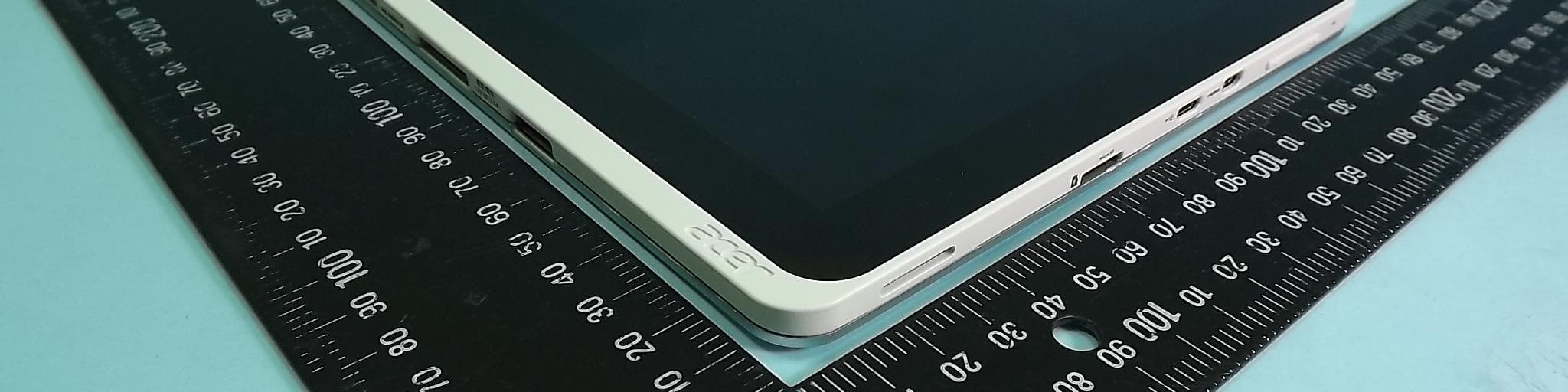
Click to zoom
Application Details
- Equipment Class
- DXX - Part 15 Low Power Communication Device Transmitter
- Date of Grant
- Oct 10, 2012
- Application Purpose
- Original Equipment
- Date of Application
- Oct 10, 2012
- Equipment Note
- WIRELESS TABLET PC
- Frequency Range
- 13.56000000 - 13.56000000
- Company
- Acer Incorporated
- Country
- Taiwan
Documents & Files
Document Text
Text extracted from the exhibit documents filed with the FCC. Open a document above to read the original.
Users Manual
- 1 Acer ICONIA W510 User’s Manual 2 - © 2012. All Rights Reserved. Acer ICONIA User’s Manual Model: W510 First issue: 4 September 2012 Table of contents - 3 TABLE OF CONTENTS Safety and comfort 5 First things first 16 Your guides ...................................................... 16 Basic care and tips for using your computer .......................................................... 16 Turning your computer on and off............. 16 Taking care of your computer ................... 17 Taking care of your AC adapter ................ 18 Cleaning and servicing.............................. 18 Your Acer tablet PC tour 19 Tablet PC ......................................................... 19 Front view ................................................ 20 Back view ................................................. 21 Top view ................................................... 22 Bottom view ............................................. 23 Left/right views ........................................ 24 LED Indicators .......................................... 25 Installing a SIM card (only for selected models) ............................................................ 26 Using the network connection................... 26 SIM card lock ............................................ 26 Removing the SIM card ............................ 27 Connect the tablet to the keyboard dock.......... 27 Secure the tablet to the keyboard dock .......................................................... 28 Keyboard dock ................................................. 28 Front view ................................................ 28 Top view ................................................... 29 Left view.................................................... 30 Right view ................................................. 30 Bottom view ............................................. 31 Environment ..................................................... 31 Micro USB 32 HDMI Micro 33 Using the virtual keyboard 34 Wireless networks 36 Connecting to the Internet ............................... 36 Wireless networks ........................................... 36 Acer clear.fi 38 Navigating media and photos .......................... 38 Shared files .............................................. 39 Which devices are compatible? ............... 39 Playing to another device ......................... 40 Screen orientation and G-sensor 41 Power management 42 Saving power................................................... 42 Battery pack 45 Battery pack characteristics............................. 45 Charging the battery................................. 45 Optimizing battery life............................... 47 Checking the battery level ........................ 47 Battery-low warning.................................. 48 Securing your computer 49 Using passwords ............................................. 49 Entering passwords.................................. 50 Frequently asked questions 51 Requesting service .......................................... 53 Tips and hints for using Windows 8................. 55 4 - Table of contents Three concepts you might want to keep in mind.............................................. 55 How do I access the charms?................... 55 How do I get to Start? ............................... 55 How do I jump between apps?.................. 56 How do I turn off my computer?................ 56 Why is there a new interface?................... 56 How do I unlock my computer?................. 56 How do I personalize my computer?......... 57 I want to use Windows in the way that I'm used to - give me my desktop back!............................................ 58 Where are my apps?................................. 58 What is a Microsoft ID (account)?............. 60 How do I add a favorite to Internet Explorer? .................................................. 60 How do I check for Windows updates? .................................................. 61 Where can I get more information? .......... 61 Troubleshooting............................................... 62 Troubleshooting tips ................................. 62 Error messages........................................ 62 Recovering your system 64 BIOS utility 65 Boot sequence................................................. 65 Enable disk-to-disk recovery ........................... 65 Setting passwords ........................................... 65 Regulations and safety notices 66 Safety and comfort - 5 SAFETY AND COMFORT SAFETY INSTRUCTIONS Read these instructions carefully. Keep this document for future reference. Follow all warnings and instructions marked on the product. Turning the product off before cleaning Unplug this product from the wall outlet before cleaning. Do not use liquid cleaners or aerosol cleaners. Use a damp cloth for cleaning. W ARNINGS Accessing the power cord Be sure that the power outlet you plug the power cord into is easily accessible and located as close to the equipment operator as possible. When you need to disconnect power to the equipment, be sure to unplug the power cord from the electrical outlet. Disconnecting the power source Observe the following guidelines when connecting and disconnecting power to the power supply unit: Install the power supply unit before connecting the power cord to the AC power outlet. Unplug the power cord before removing the power supply unit from the computer. If the system has multiple sources of power, disconnect power from the system by unplugging all power cords from the power supplies. Using electrical power - This product should be operated from the type of power indicated on the marking label. If you are not sure of the type of power available, consult your dealer or local power company. - Do not allow anything to rest on the power cord. Do not locate this product where people will walk on the cord. 6 - Safety and comfort - If an extension cord is used with this pro…
Text truncated - open the document above for the full version.
Users Manual
88 - Regulatory information REGULATORY INFORMATION PREVENTION OF HEARING LOSS -Caution: Permanent hearing loss may occur if earphones or headphones are used at high volume for prolonged periods of time. - A pleine puissance, l’écoute prolongée du baladeur peut endommager l’oreille de l’utilisateur. CAUTION when listening To protect your hearing, follow these instructions. - Increase the volume gradually until you can hear clearly and comfortably. - Do not increase the volume level after your ears have adjusted. - Do not listen to music at high volumes for extended periods. - Do not increase the volume to block out noisy surroundings. - Decrease the volume if you can’t hear people speaking near you. R ADIO DEVICE REGULATORY NOTICE -Note: Regulatory information below is for models with wireless LAN and/or Bluetooth only. Compliance accessories The accessories associated with this equipment are: shielded video cable when an external monitor is connected. These accessories are required to be used in order to ensure compliance with FCC rules. C ALIFORNIA PROPOSITION 65 WARNING This product contains chemicals known to the State of California to cause cancer, birth defects, and/or other reproductive harm. For additional information regarding this product warning, go to www.gateway.com/prop65. Regulatory information - 89 MERCURY WARNING THE LAMP IN THIS DISPLAY CONTAINS MERCURY. DISPOSE ACCORDING TO LOCAL, STATE, AND FEDERAL LAW. 日本 (JAPAN) 本装置は、第二種情報装置(住宅地域またはその隣接した地域において使用されるべき 情報装置)デ住宅地域での電波障害防止を目的とした情報装置等電波障害自主規制協議 会(VCCI)基準に適合しております。 しかし、本装置をラジオ、テレビジョン受信機に、近接してご使用になると、受信障害 の原因となることがあります。本書の説明にしたがって正しい取り扱いをしてくださ い。 W IRELESS ADAPTER REGULATORY INFORMATION USA—FCC and FAA The FCC with its action in ET Docket 96-8 has adopted a safety standard for human exposure to radio frequency(RF) electromagnetic energy emitted by FCC certified equipment. The wireless adapter meets the Human Exposurelimits found in OET Bulletin 65, supplement C, 2001, and ANSI/IEEE C95.1, 1992. Proper operation of this radioaccording to the instructions found in this manual will result in exposure substantially below the FCC’srecommended limits. - The following safety precautions should be observed: Do not touch or move antenna while the unit is transmitting or receiving. - Do not hold any component containing the radio such that the antenna is very close or touching anyexposed parts of the body, especially the face or eyes, while transmitting. - Do not operate the radio or attempt to transmit data unless the antenna is connected; this behavior maycause damage to the radio. 90 - Regulatory information Use in specific environments: - The use of wireless adapters in hazardous locations is limited by the constraints posed by the safetydirectors of such environments. - The use of wireless adapters on airplanes is governed by the Federal Aviation Administration (FAA). - The use of wireless adapters in hospitals is restricted to the limits set forth by each hospital. The product comply with the FCC portable RF exposure limit set forth for an uncontrolled environment and are safe for intended operation as described in this manual. The further RF exposure reduction can be achieved if the product can be kept as far as possible from the user body or set the device to lower output power if such function is available. Explosive Device Proximity Warning Warning: Do not operate a portable transmitter (including this wireless adapter) near unshielded blastingcaps or in an explosive environment unless the transmitter has been modified to be qualified for such use Use On Aircraft Caution Caution: Regulations of the FCC and FAA prohibit airborne operation of radio-frequency wireless devices(wireless adapters) because their signals could interfere with critical interfere with critical aircraft instruments. The Wireless Adapter and Your Health The wireless adapter, like other radio devices, emits radio frequency electromagnetic energy. The level of energy emitted by the wireless adapter, however, is less than the electromagnetic energy emitted by other wireless devices such as mobile phones. The wireless adapter operates within the guidelines found in radio frequency safety standards and recommendations. These standards and recommendations reflect the consensus of the scientific community and result from deliberations of panels and committees of scientists who continually review and interpret the extensive research literature. In some Regulatory information - 91 situations or environments, the use of the wireless adapter may be restricted by the proprietor of the building or responsible representatives of the applicable organization. Examples of such situations may include: - Using the wireless adapter on board airplanes, or - Using the wireless adapter in any other environment where the risk of interference with other devices or services is perceived or identified as being harmful. If you are uncertain of the policy that applies to the use of wireless adapters in a specific organization or environment (an airport, for example), you are encouraged to ask for authorization to use the adapter before you turn it on. FCC Radio Frequency Interference Requirements (applied to machine supports 802.11a) This device is restricted to indoor use due to its operation in the 5.15 to 5.25 GHz and 5.470 to 5.725 GHz frequency ranges. FCC requires this product to be used indoors for the frequency ranges 5.15 to 5.25 GHz and5.470 to 5.725 GHz to reduce the potential for harmful interference to co-channel mobile satellite systems. High power radars are allocated as primary users of the 5.25 to 5.35 GHz and 5.65 to 5.85 GHz bands. These radar stations can cause interference with and /or damage this device. No configuration controls are provided for this wireless adapter allowing any change in the frequency of operations outside the FCC grant of authorization for U.S operation according to Part 15.407 of the FCC rules. USA—Federal Communications Commission (FCC)…
Text truncated - open the document above for the full version.
Cover Letter(s)
Date: October 4, 2012 Product Equality Declaration FCC ID: HLZW510 IC: 1754F-W510 We, Acer Incorporated, declare on our sole responsibility for the product of Model Name: WT3, W510, W511, W510P, W511P. The differences of each model name are listed below. Model Name Function of Future SKU Note W510 WT3 A WLAN module will be integrated into Host FCC ID: HLZW510; IC: 1745F-W510 Marketing purpose for Consumer biz W510P A WLAN module will be integrated into Host FCC ID: HLZW510; IC: 1745F-W510 Marketing purpose for Commercial biz W511 A WWAN module will be integrated into model W510/WT3 Marketing purpose for Consumer biz W511P A WWAN module will be integrated into model W510P Marketing purpose for Commercial biz Should you have any questions or comments regarding this matter, please have my best attention. Sincerely yours, Contact Person: RU Jan Applicant: Acer Incorporated TEL: +886-2-8691-3289 FAX: +886-2-8691-3000 E-Mail: [email protected]
Cover Letter(s)
Date: October 4, 2012 Federal Communications Commission Authorization and Evaluation Division 1435 Oakland Mills Road Columbia, MD 21046 SUBJECT: FCC Application for FCC ID: HLZW510 To Whom It May Concern: We, Acer Incorporated, hereby attest to the fact that we will apply the Declaration of Conformity procedure to the class B computer portion of this composite filing. Sincerely yours, RU Jan
Cover Letter(s)
Rev. 1/1/03 Date: October 4, 2012 Federal Communications Commission Authorization and Evaluation Division Permanent Confidentiality Request regarding application for certification of FCC ID: HLZW510 Pursuant to Sections 0.457 and 0.459 of the Commission’s Rules, we hereby request Permanent Confidential treatment of information accompanying this application as outlined below: Schematics Block Diagram Parts List Operation Description The above materials contain trade secrets and proprietary information not customarily released to the public. The public disclosure of these materials may be harmful to the applicant and provide unjustified benefits to its competitors. Sincerely, ________________________ RU Jan
Cover Letter(s)
Date: October 4, 2012 Power of Attorney To whom it may concern, Please be notified that I, RU Jan, have designated Jones Tsai in Sporton International Inc. as the person being responsible for this project and to sign the form 731 and other documentation. Any and all acts carried out by Jones Tsai in Sporton International Inc. on the matters of relating to all processes required in the FCC approval and any communication needed with the national authority, shall have the same legal authority as acts on our own behalf. We further certifies that neither the applicant nor any party to this application, as defined in 47 CFR Ch. 1.2002 (b), is subject to a denial to Federal benefits, that include FCC benefits, pursuant to section 5301 of the Anti-Drug Abuse Act of 1998, 21 U.S.C. 835(a). This authorization is limited to the product of as following: FCC ID: HLZW510 If you have any acknowledgement and response, please send it to Sporton International Inc. directly. Should you have any questions or comments regarding this matter, please have my best attention. Sincerely yours, Contact Person: RU Jan Company: Acer Incorporated TEL: +886-2-8691-3289 FAX: +886-2-8691-3000 E-mail: [email protected]
Cover Letter(s)
1/1 Date: October 4, 2012 Federal Communications Commission Authorization and Evaluation Division RE : Certification Application FCC ID : HLZW510 To Whom It May Concern, Pursuant to sections 0.457 and 0.459 of CFR 47 and to avoid premature release of sensitive information prior to marketing or release of the product to the public, the applicant requests the following documents contained in this certification application be temporarily withheld from public disclosure for an initial period of 180 days: External Photos Internal Photos Test Setup Photos User’s Manual The application contains technical information, which Acer Incorporated deems to be trade secrets and proprietary. If made public, the information might be used to the disadvantage of the applicant in the market place. Sincerely, RU Jan
External Photos
FCC RADIO TEST REPORT EP282240-01 SPORTON International Inc. PAGE NUMBER : B1 OF B9 TEL : 886-3-327-3456 ISSUED DATE : Sep. 26, 2012 FAX : 886-3-327-0973 APPENDIX B. Photographs of EUT FCC RADIO TEST REPORT EP282240-01 SPORTON International Inc. PAGE NUMBER : B2 OF B9 TEL : 886-3-327-3456 ISSUED DATE : Sep. 26, 2012 FAX : 886-3-327-0973 FCC RADIO TEST REPORT EP282240-01 SPORTON International Inc. PAGE NUMBER : B3 OF B9 TEL : 886-3-327-3456 ISSUED DATE : Sep. 26, 2012 FAX : 886-3-327-0973
ID Label/Location Info
Camera Back of EUT Label Location
Internal Photos
FCC RADIO TEST REPORT EP282240-01 SPORTON International Inc. PAGE NUMBER : B4 OF B9 TEL : 886-3-327-3456 ISSUED DATE : Sep. 26, 2012 FAX : 886-3-327-0973 NFC Ant. FCC RADIO TEST REPORT EP282240-01 SPORTON International Inc. PAGE NUMBER : B5 OF B9 TEL : 886-3-327-3456 ISSUED DATE : Sep. 26, 2012 FAX : 886-3-327-0973 FCC RADIO TEST REPORT EP282240-01 SPORTON International Inc. PAGE NUMBER : B6 OF B9 TEL : 886-3-327-3456 ISSUED DATE : Sep. 26, 2012 FAX : 886-3-327-0973 NFC Chip FCC RADIO TEST REPORT EP282240-01 SPORTON International Inc. PAGE NUMBER : B7 OF B9 TEL : 886-3-327-3456 ISSUED DATE : Sep. 26, 2012 FAX : 886-3-327-0973 FCC RADIO TEST REPORT EP282240-01 SPORTON International Inc. PAGE NUMBER : B8 OF B9 TEL : 886-3-327-3456 ISSUED DATE : Sep. 26, 2012 FAX : 886-3-327-0973 FCC RADIO TEST REPORT EP282240-01 SPORTON International Inc. PAGE NUMBER : B9 OF B9 TEL : 886-3-327-3456 ISSUED DATE : Sep. 26, 2012 FAX : 886-3-327-0973
Test Report
FCC RADIO TEST REPORT Report No. : FR282240-01 SPORTON International Inc. Report Format Version: a FCC RADIO TEST REPORT According to 47 CFR FCC Part 15 Subpart C § 15.225 Equipment : Wireless Tablet PC Brand Name : Model No. : WT3, W510, W511, W510P, W511P Filing Type : New Application Applicant : Acer Inc. 8F., No.88, Sec. 1, Xintai 5th Rd., New Taipei City 22181, Taiwan, R.O.C. FCC ID : HLZW510 Manufacturer : Protek (shanghai) limited No. 3768 Xuiyan Road, Kangqiao Town, Pudong New District, Shanghai, China Received Date : Aug. 31, 2012 Final Test Date : Sep. 13, 2012 Statement The test result in this report refers exclusively to the presented test model / sample. Without written approval of SPORTON International Inc., the test report shall not be reproduced except in full. The measurements and test results shown in this test report were made in accordance with the procedures and found in compliance with the limit given in ANSI C63.4-2003 and 47 CFR FCC Part 15 Subpart C. The test equipment used to perform the test is calibrated and traceable to NML/ROC. SPORTON International Inc. No. 52, Hwa Ya 1 st Rd., Hwa Ya Technology Park, Kwei-Shan Hsiang, Tao Yuan Hsien, Taiwan, R.O.C. FCC RADIO TEST REPORT Report No. : FR282240-01 SPORTON International Inc. Page No. : i of ii TEL : 886-3-327-3456 Issued Date : Sep. 26, 2012 FAX : 886-3-327-0973 FCC ID : HLZW 510 Table of Contents 1. SUMMARY OF THE TEST RESULT .................................................................................................................. 2 2. GENERAL INFORMATION................................................................................................................................ 3 1.1 Product Details ............................................................................................................................................................................................. 3 1.2 Accessories .................................................................................................................................................................................................. 3 2.1 Table for Test Modes ................................................................................................................................................................................... 3 1.3 Table for Testing Locations ......................................................................................................................................................................... 3 1.4 Table for Supporting Units ........................................................................................................................................................................... 3 2.2 Test Configurations ...................................................................................................................................................................................... 4 3. TEST RESULT .................................................................................................................................................. 6 3.1 AC Power Line Conducted Emissions Measurement ................................................................................................................................. 6 3.2 Field Strength of Fundamental Emissions and Mask Measurement........................................................................................................ 10 3.3 20dB Spectrum Bandwidth Measurement ................................................................................................................................................ 13 3.4 Radiated Emissions Measurement............................................................................................................................................................ 16 3.5 Frequency Stability Measurement ............................................................................................................................................................. 20 3.6 Antenna Requirements .............................................................................................................................................................................. 22 4. LIST OF MEASURING EQUIPMENTS............................................................................................................. 23 5. TEST LOCATION ............................................................................................................................................ 25 6. TAF CERTIFICATE OF ACCREDITATION ...................................................................................................... 26 APPENDIX A. TEST PHOTOS ............................................................................................................................ A5 APPENDIX B. PHOTOGRAPHS OF EUT ............................................................................................................ B9 FCC RADIO TEST REPORT Report No. : FR282240-01 SPORTON International Inc. Page No. : ii of ii TEL : 886-3-327-3456 Issued Date : Sep. 26, 2012 FAX : 886-3-327-0973 FCC ID : HLZW 510 History of This Test Report Original Issue Date: Sep. 26, 2012 Report No.: FR282240-01 Ŷ No additional attachment. Ƒ Additional attachment were issued as following record: Attachment No. Issue Date Description 15.205(a) 15.209(a) 47 CFR FCC Part 15 Subpart C Further, this requirement does not apply to intentional radiators that must be professionally installed. FCC RADIO TEST REPORT Report No. : FR282240-01 SPORTON International Inc. Page No. : 1 of 26 TEL : 886-3-327-3456 Issued Date : Sep. 26, 2012 FAX : 886-3-327-0973 FCC ID : HLZW 510 CERTIFICATE OF COMPLIANCE According to 47 CFR FCC Part 15 Subpart C § 15.225 Equipment : Wireless Tablet PC Brand Name : Model : WT3, W510, W511, W510P, W511P Applicant : Acer Inc. 8F., No.88, Sec. 1, Xintai 5th Rd., New Taipei City 22181, Taiwan, R.O.C. Sporton International as req…
Text truncated - open the document above for the full version.
Test Setup Photos
FCC RADIO TEST REPORT Report No. : FR282240-01 Page No. : A1 of A5 Appendix A. Test Photos FCC RADIO TEST REPORT Report No. : FR282240-01 Page No. : A2 of A5 1 Photographs of Conducted Emissions Test Configuration FRONT VIEW REAR VIEW FCC RADIO TEST REPORT Report No. : FR282240-01 Page No. : A3 of A5 SIDE VIEW FCC RADIO TEST REPORT Report No. : FR282240-01 Page No. : A4 of A5 2 Photographs of Radiated Emissions Test Configuration For radiated emissions 9kHz~30MHz FRONT VIEW REAR VIEW FCC RADIO TEST REPORT Report No. : FR282240-01 Page No. : A5 of A5 For radiated emissions 30MHz~1GHz FRONT VIEW REAR VIEW
Contact Information
Applicant
RU Jan(Sr. Manager)
Test Firm
Sporton International Inc.Alex Chen
Technical Specifications
| # | Rule Parts | Frequency Range | Power Output |
|---|---|---|---|
| 1 | 15C | 13.56 MHz - 13.56 MHz | - |
Other Applications from Acer Incorporated
HLZA26007
Aug 07, 2026Tablet PC
Equipment Class
DTS - Digital Transmission SystemHLZA26003
Jul 28, 2026Tablet PC
Equipment Class
6XD - 15E 6 GHz Low Power Indoor ClientHLZAMR570
Apr 21, 2026Acer Wireless Mouse
Equipment Class
DTS - Digital Transmission SystemHLZ-NSK510
Apr 09, 2026Gaming sound bar
Equipment Class
DSS - Part 15 Spread Spectrum TransmitterHLZA26002
Apr 01, 2026Tablet PC
Equipment Class
NII - Unlicensed National Information Infrastructure TX