IHDP6MB1PERSONAL FITNESS DEVICE WITH WLAN, ANT+, AND BT
Motorola Mobility LLC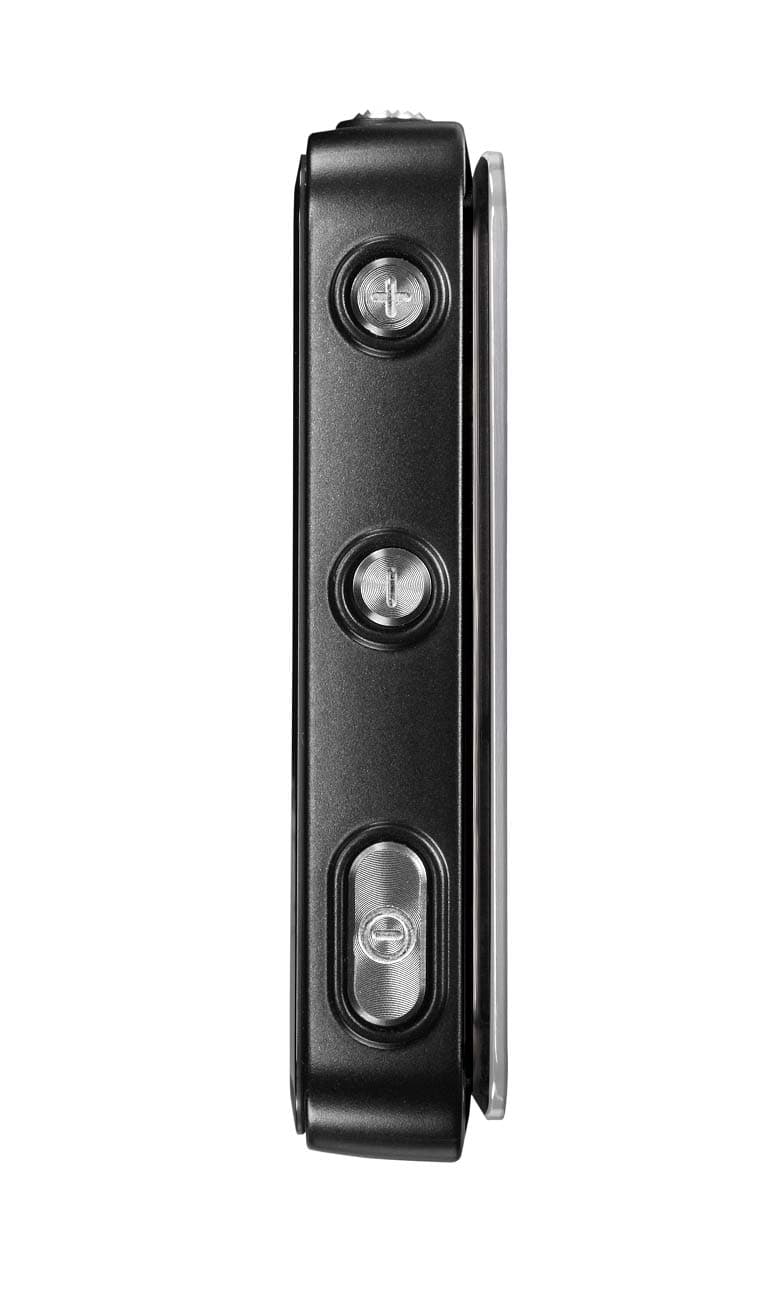
Click to zoom
Application Details
- Equipment Class
- JBP - Part 15 Class B Computing Device Peripheral
- Date of Grant
- Nov 01, 2011
- Application Purpose
- Original Equipment
- Date of Application
- Nov 01, 2011
- Equipment Note
- PERSONAL FITNESS DEVICE WITH WLAN, ANT+, AND BT
- Company
- Motorola Mobility LLC
- Country
- United States
Documents & Files
Document Text
Text extracted from the exhibit documents filed with the FCC. Open a document above to read the original.
Users Manual
APPLICANT: MOTOROLA MOBILITY, INC. FCC ID: IHDP6MB1 Temporary Confidentiality Requested Motorola Mobility, Inc.; 8000 W. Sunrise Blvd, Suite A; Plantation, FL 33322, USA www.motorola.com Page 8 - 1 Exhibit 8: Draft User’s Manual -- 47 CFR 2.1033(b)(3) The attached User’s Manual is the final production-intended version of the generic Motorola International English User Manual. This guide will be adapted to carrier-specific versions i , but the key information herein will be retained. Translations into other languages will also be done to support the needs of other markets. Minor revisions may be made to these manuals, prior to and subsequent to, placing this product onto the market. Selected portions of the User Guide can be found as indicated below: 8.1 Safety and Regulatory Section: Part 2; Page 12 8.2 Specific Absorption Rate (SAR) Data: Part 2; Page 14 i Motorola Mobility attests that the User’s Guide provided with product shipping into Canada will provide any required Industry Canada notices and/or statements in both English and French, per the requirements of RSS-Gen. MOTOACTV TM EN MOTOROLA PROPRIETARY INFORMATION CONFIDENTIAL & RESTRICTED 1 Congratulations CongratulationsWork hard, play hard: your MOTOACTV™ is strong and powerful, just like you. Set your workouts and load it up with music. Then, sync up with your web portal ( on MOTOACTV.com ) to track your progress and see results.• Set your workouts, then start them up with one press of a button. • Stream incoming messages and call notifications from your Android™ smartphone. • Use Motorola Media Link to load it up with music. • Hook up to heart rate sensors you already own. • Sync up with MOTOACTV.com to track your progress, see results, or challenge friends. Note: Certain apps and features may not be available in all countries. Caution: Before assembling, charging, or using your phone for the first time, please read the important safety, regulatory and legal information in this guide. More•Answers: Online: User guides, online help and more at www.motorola.com/support . • Accessories: Find more accessories at www.motorola.com/products . • Social: The latest news, tips & tricks, videos and so much more—join us on: YouTube ™ www.youtube.com/motorola Facebook ™ www.facebook.com/motorola Twitter www.twitter.com/motomobile 2 Your Device Your Devicethe important keys & connectors G 2 U S E R G U I D E D R A F T : : : : : : C O N T R O L L E D C O P Y : : : : : : Power Key B ac k/Home Key Charge & connect to PC. USB Conne c tor Volume Keys To u c hs c reen 3.5mm He a dset J ac k Music on the go. Press=Sleep/ W ake up. Hold=Turn on/off. START Key W orkout shortcuts, quick start, or pause. MUSIC Key Control m usic. Press= Go back. Hold= Ho m e screen. START MUSIC ContentsLLet’s go . . . . . . . . . . . . . . . . . . . . . . . . . . . . . . . . . . . . . . . . . . . . . . . . . 3Touchscreen & keys . . . . . . . . . . . . . . . . . . . . . . . . . . . . . . . . . . . . . . 5Home screens . . . . . . . . . . . . . . . . . . . . . . . . . . . . . . . . . . . . . . . . . . . . 7MOTOACTV.COM . . . . . . . . . . . . . . . . . . . . . . . . . . . . . . . . . . . . . . . . . . . . 9Workout setup. . . . . . . . . . . . . . . . . . . . . . . . . . . . . . . . . . . . . . . . . . 11Smartphone setup . . . . . . . . . . . . . . . . . . . . . . . . . . . . . . . . . . . . . . 13Tips & tricks. . . . . . . . . . . . . . . . . . . . . . . . . . . . . . . . . . . . . . . . . . . . . 15Music . . . . . . . . . . . . . . . . . . . . . . . . . . . . . . . . . . . . . . . . . . . . . . . . . . . 16Personalize. . . . . . . . . . . . . . . . . . . . . . . . . . . . . . . . . . . . . . . . . . . . . 19Bluetooth® wireless. . . . . . . . . . . . . . . . . . . . . . . . . . . . . . . . . . . . 20File management . . . . . . . . . . . . . . . . . . . . . . . . . . . . . . . . . . . . . . . . 21Troubleshooting . . . . . . . . . . . . . . . . . . . . . . . . . . . . . . . . . . . . . . . 21Safety, Regulatory & Legal. . . . . . . . . . . . . . . . . . . . . . . . . . . . . . 23 3 Let’s go Let’s goget up and runningCharge it upNote: The battery should be replaced only by a Motorola-approved service facility. ( See “ How to Obtain Warranty Service or Other Information ” on page 32 .) Any attempt to remove or replace your battery may damage the product. Caution: Please read “ Battery Use & Safety ” on page 23. Tip: To save battery life, see “ Battery tips ” on page 16. 3H Set up computerConnect your device to your computer (PC or Mac) using the USB cable, if you haven’t already. Note: The first time you use a USB connection, your computer may tell you it’s installing drivers. This may take a few minutes. 1 On your computer, create or sign in with your Motorola ID, which you’ll use to log into MOTOACTV.com . MotoCast Setup MOTOACTV Setup Need a MotoCast ID? Sign In Create MotoCast ID: Password: A MotoCast ID is used to log intoMOTOACTV.com. This ID will be used withyour MOTOACTV and any other Motoroladevices you own. Previous Next Sign in to link your MOTOACTV with your MotoCast ID and start syncingfitness data with the MOTOACTV.com portal.Forgot password? 4 Let’s go 2 When Motorola Media Link opens, use it to set up your load music onto your device and sync your workouts with MOTOACTV.com . 3 To log onto the Motorola Web Portal, click MOTOACTV.com . 4 For more info about using the Web Portal to set up workouts, challenges, and track results, see “ MOTOACTV.COM ” on page 9. Music Last Sync 06/14/2011 Device Tools Help Sync toDevice All Playlists Windows Media Player Selectted Playlists: Music(3) 3 Songs Refresh Sync Capacity: 6.5 GB Free 4.8 GB Other 0.0B Podcasts 1.7 MB Maps Podcasts Music 0.0B 14.4 MB 0.0B Sync fromDevice Sync Music from: Podcasts Last Sync Never MOTOACTV Sync to or fro m your device. Select Mus ic . Start the sync. Choose m usic player to sync with. Connect Wi-Fi While your device is connected to your computer, set up a Wi-Fi connection (if available) by c…
Text truncated - open the document above for the full version.
Users Manual
APPLICANT: MOTOROLA MOBILITY, INC. FCC ID: IHDP6MB1 Temporary Confidentiality Requested Motorola Mobility, Inc.; 8000 W. Sunrise Blvd, Suite A; Plantation, FL 33322, USA www.motorola.com Page 8 - 1 Exhibit 8: Draft User’s Manual -- 47 CFR 2.1033(b)(3) The attached User’s Manual is the final production-intended version of the generic Motorola International English User Manual. This guide will be adapted to carrier-specific versions i , but the key information herein will be retained. Translations into other languages will also be done to support the needs of other markets. Minor revisions may be made to these manuals, prior to and subsequent to, placing this product onto the market. Selected portions of the User Guide can be found as indicated below: 8.1 Safety and Regulatory Section: Part 2; Page 12 8.2 Specific Absorption Rate (SAR) Data: Part 2; Page 14 i Motorola Mobility attests that the User’s Guide provided with product shipping into Canada will provide any required Industry Canada notices and/or statements in both English and French, per the requirements of RSS-Gen. 13 Smartphone setup Workout settingsFind it: Settings screen > Workout • Auto start : Automatically detect when you start exercising. • Auto pause : Automatically detect when you stop exercising. • Auto advance : Automatically advances through workout screens after five seconds. • Auto -Interval : Automatically advances to the next interval when you complete one. • GPS : Turn on GPS for mapping routes. • Customize Views : Set the specifics for each type of workout (like whether to monitor your pace for running). • Coaching : Hear a coach’s voice giving you feedback on your workouts. • Laps : Set lap distance or time. • Rename Custom : If you created a custom workout, you can rename it. • Device Tap : Select the action to do when you tap the display during a workout ( Read Out Workout Data , Start New Lap , or Off ). • Bike profiles : Set a bike profile. • Elliptical Stride : Set your elliptical stride. Smartphone setupit’s good to talkMOTOACTV appConnect your MOTOACTV to your Motorola Android™ Smartphone so you can get calls, text messages, and calendar alerts. Just download the free app from Android Market™ or scan this QR code: 1 Download and install the MOTOACTV app from Android Market™.Tip: Check your phone! It may have come preloaded with the MOTOACTV app. 2 On your MOTOACTV, set your device to recognize your smartphone by touching Settings > General > Smartphone Setup . 3 On your smartphone, touch > and follow the setup steps. [QR CODE WHEN AVAILABLE. GOES HERE] 14 Smartphone setup Calls & text messagesAfter you connect your device and your smartphone, you can receive caller, message, and calendar notifications on your MOTOACTV.Receive callsAfter you connect to your smartphone, you can receive call notification.With a headset connectedIf you’re wearing a headset connected to your phone via Bluetooth, you can touch the MOTOACTV display to receive the call and interact with on your MOTOACTV. • To end a call, touch End . • To mute a call, touch Mute . • To ignore a call, touch Ignore . Without a headsetIf you don’t have a headset connected, you can:• See Answer and Ignore options on your device by connecting a headset to your phone. • Answer a call by using your phone. • Ignore a call by touching Silence . Tony Knight Mobile Answer Ignore 12:47 Return to an active callIf you are on a workout screen, to return to the call screen: 1 Flick to the Phone Streaming screen and touch it. 2 In the Notification list, touch the active phone call to return to it. Tip: To return a missed call, touch it, then touch CALL BACK . Pause Your Workout to Answer a callPress the Workout Key on the top of the device to pause your workout while you’re on a call.Press the Workout Key again when you’re ready to resume. Tony KnightTony KnightRick H.Indoor RunUncle Tate Active Call, 3:453:95 PM3:40 PM7:17 AM7:12 AM Notifications MARK ALL AS READ 15 Tips & tricks Receive messagesAfter you connect your MOTOACTV to your phone, when you receive a text message, it appears on your MOTOACTV.Touch it to see details.See Calendar alertsAfter you connect your MOTOACTV to your phone, when you receive a calendar reminder, it shows up on your MOTOACTV display.Touch it to see details. Jerry KnightJerry KnightRick H. Active Call, 3:453:95 PM Notifications OMW. Meet you on at Houston and Broadway in 5. view details Tony Knight Jerry KnightJerry KnightRick H. Active Call, 3:453:95 PM Notifications Today9:30 - 10:30 AMview details Meet Josh Tips & tricksa few handy hintsShortcuts To . . .Return to the home screen Touch and hold Back/Home . Sleep/wake your device Press the Power Key. Set screen timeout Touch Settings screen > Display > Screen timeout . Start or resume a workout . Press the START Key. Play music . Press the MUSIC Key. 16 Music Battery tipsWant to extend your battery life? Try these:• To turn off Bluetooth® power, touch Settings screen > Wireless & networks > Bluetooth . • To turn off Wi-Fi, touch Settings screen > Wireless & networks > Wi-Fi . • To turn off the display quicker, touch Settings screen > Display > Screen timeout . Musicwhen music is what you need...Load musicNote: Copyright—do you have the right? Always follow the rules. See “Content Copyright” in your legal and safety information. 1 Connect a Motorola micro USB data cable from your device’s to your PC to open Motorola Media Link.Note: When you connect your device to your PC, you see the MotoHelper icon in your PC’s taskbar. If Motorola Media Link doesn’t automatically open, right-click and select When device connects... > Launch Motorola Media Link . 2 If prompted, create or sign in with your Motorola ID. G 2 U S E R G U I D E D R A F T : : : : : : C O N T R O L L E D C O P Y : : : : : : 17 Music 3 Use Motorola Media Link to load music and podcasts onto your device. Note: If you need help, check out the Motorola Media Link help menu item.Tip: You can also connect your device to your…
Text truncated - open the document above for the full version.
Attestation Statements
APPLICANT: MOTOROLA MOBILITY, INC. FCC ID: IHDP6MB1 Motorola Mobility, Inc.; 8000 W. Sunrise Blvd, Suite A; Plantation, FL 33322, USA www.motorola.com Exhibit 2. Statements of Certification -- Pursuant to 47 CFR 2.907 2.1. Specification Compliance Transceiver type described herein (IHDP6MB1) has been tested in accordance with the requirements contained in the appropriate Commission regulations. To the best of my knowledge, these tests were performed using measurement procedures consistent with industry or Commission standards, and demonstrate that this equipment complies with the appropriate standards. Each unit manufactured, imported, or marketed will conform to the samples tested herein, within the statistical variations that can be expected due to high volume production and test measurement error. NAME: Ross Meloney SIGNATURE: /s/ Name DATE: 14 October 2011 TITLE: Engineering Manager, Companion Products 2.2. Statement of Certification I hereby certify that the above application was prepared under my direction and that to the best of my knowledge and belief, the facts set forth in this application and accompanying technical data are true and correct. The technical data supplied with this application was taken under my supervision and is hereby duly certified. I also certify that this transmit equipment (IHDP6MB1) is in compliance with all applicable parts of the FCC Rules. NAME: John Lewczak SIGNATURE: DATE: 17 October 2011 TITLE: Engineering Manager, Product Safety and Compliance Page 2 - 1 APPLICANT: MOTOROLA MOBILITY, INC. FCC ID: IHDP6MB1 Motorola Mobility, Inc.; 8000 W. Sunrise Blvd, Suite A; Plantation, FL 33322, USA www.motorola.com Page 2 - 2 2.3. Attestation Statement (Equipment Class DTS and DSS - Bluetooth/Wi-Fi) This device contains an embedded Bluetooth device, Wi-Fi device, and MOTOtalk capabilities that Motorola Mobility confirms are compliant with the applicable Part 15C regulations. 15.247(a)(1) • The hopping sequence must be pseudorandom. • All Channels are used equally on average. • The receiver input bandwidth is approximately equal to the transmit bandwidth. • The receiver hops in sequence with the transmitted signal. 15.247(g) The system is designed to comply with all of the regulations in Section 15.247 when the transmitter is presented with a continuous data (or information). 15.247(h) The system does not coordinate its channel selection/hopping sequence with other frequency hopping systems for the express purpose of avoiding the simultaneous occupancy of individual hopping frequencies by multiple transmitters. NAME: Ross Meloney SIGNATURE: /s/ Name DATE: 14 October 2011 TITLE: Engineering Manager, Companion Products
Cover Letter(s)
APPLICANT: MOTOROLA MOBILITY, INC. FCC ID: IHDP6MB1 Motorola Mobility, Inc.; 8000 W. Sunrise Blvd, Suite A; Plantation, FL 33322, USA www.motorola.com 14 October 2011 Authorization & Evaluation Division Federal Communications Commission Laboratory 7435 Oakland Mills Road Columbia, MD 21046 Subject: Application for Certification of transmitter with FCC ID: IHDP6MB1, Personal Fitness Devices, with Wi-Fi, ANT+, and Bluetooth. Dear Sir or Madam; Motorola Mobility, Inc.; 8000 W. Sunrise Blvd.; Plantation, FL 33322 herein submits its application for certification of the multi-mode handset with FCC ID: IHDP6MB1. This radio product is equipped with a Wi-Fi (802.11b/g/n) transceiver, which supports data for short range wireless communications. The Wi-Fi Band of Operation is 2.412 - 2.462 GHz, with channels up to 17 MHz in bandwidth for 802.11g operation. The Wi-Fi device complies 15.247 (c), 15.205 and 15.209 (b). This radio product also implements an ANT+ transmitter, which supports low rate, short-range data for telemetric operations. In this mode, the device’s operating range is 2.402 – 2.480 GHz. The ANT+ device complies with the requirements of FCC Rule Parts 15.249, 15.205 and 15.209 (b). This radio product is equipped with a Bluetooth transceiver. Bluetooth supports both voice and data for short range wireless communications. The Bluetooth Band of Operation is 2.402 – 2.480 GHz (1 MHz channel bandwidth). The Bluetooth device complies with the requirements of FCC Rule Parts 15.247 (c), 15.205 and 15.209 (b). All transmitters contained in this radio product have been subjected to routine environmental evaluation (as applicable) according to 47 CFR Part 2.1093 (c) for RF exposure and found to be compliant with the limits specified in 47 CFR 2.1093(d)(2). This radio product features integrated GPS and FM broadcast receivers, and is designed to function as a computer peripheral device when functioning as an RF modem, while connected to a computer via a data cable, as described in 47 CFR Part 15.3(r). A Part 15B test report is included for certification. Enclosed is a complete Certification Application. Contact me at (954) 723-6272 if you require any additional information. Page 13a - 1 APPLICANT: MOTOROLA MOBILITY, INC. FCC ID: IHDP6MB1 Motorola Mobility, Inc.; 8000 W. Sunrise Blvd, Suite A; Plantation, FL 33322, USA www.motorola.com Regards, FCC Liaison Motorola Mobility, Inc. 8000 W. Sunrise Blvd.; Suite A Mail Stop 52-5JJ Plantation, FL 33322 E-mail: [email protected] Page 13a - 2
Cover Letter(s)
FCC ID: IHDP6MB1 Motorola Mobility, Inc.; 8000 W. Sunrise Blvd, Suite A; Plantation, FL 33322, USA www.motorola.com Page 13b - 1 CONFIDENTIALITY REQUEST 14 October 2011 Federal Communications Commission Laboratory Authorization & Evaluation Division 7435 Oakland Mills Road Columbia, MD 21046 Subject: Confidentiality Request Regarding Application for Certification of FCC ID: IHDP6MB1X. Dear Sir or Madam: Pursuant to Sections 0.457 and 0.459 of the Commission’s Rules, we hereby respectfully request confidential treatment of information accompanying this application as outlined below: Exhibit Type File Name Block Diagrams. IHDP6MB1_Ex_04 (Block Diagrams).pdf Schematic Diagrams. IHDP6MB1 _Ex_05 (Schematic Diagrams).pdf Parts List and Tune Up Procedures. IHDP6MB1 _Ex_10 (Active Components).pdf Transmitter Characteristics. IHDP6MB1 _Ex_12 (TX Characteristics).pdf Motorola Mobility, Inc. requests that these exhibits be held as Permanently Confidential, and not be made routinely available for public inspection. Motorola considers that the information in these exhibits should be classified as trade secrets, pursuant to 47 CFR Section 0.457(d) and Section 552(b)(4) of the Freedom of Information Act. The public disclosure of these materials may be harmful to the applicant and provide unjustified benefits to its competitors. Motorola Mobility, Inc. understands that, pursuant to Section 0.457 of the Rules, disclosure of this application and all accompanying documentation will not be made before the date of the Grant for this application. FCC ID: IHDP6MB1 Motorola Mobility, Inc.; 8000 W. Sunrise Blvd, Suite A; Plantation, FL 33322, USA www.motorola.com SHORT TERM ONFIDENTIALITY REQUEST – 180 DAYS Pursuant to the Commission’s public notice DA 04-1705 (June 15, 2004), Motorola Mobility, Inc. is also requesting Temporary Confidentiality treatment of information accompanying this application as outlined below. This provision will give Motorola Mobility, Inc. temporary confidentiality prior to product launch. Exhibit Type File Name External product photographs. IHDP6MB1 _Ex_03 (External_Photos).pdf Test set-up photographs. IHDP6MB1 _Ex_07b (SAR Test Set- up_Details).pdf IHDP6MB1 _Ex_07c (Part 15 Test Set- up_Details).pdf User’s Manual. IHDP6MB1 _Ex_08 (User Guide).pdf Internal product photographs. IHDP6MB1 _Ex_09 (Internal Photos).pdf Please contact me if you require any additional information. Regards, FCC Liaison Motorola Mobility, Inc. 600 N. U.S. Highway 45 Libertyville, IL 60048-5343 E-mail: [email protected] Page 13b - 2
External Photos
APPLICANT: MOTOROLA MOBILITY, INC. FCC ID: IHDP6MB1 Temporary Confidentiality Requested Motorola Mobility, Inc.; 8000 W. Sunrise Blvd, Suite A; Plantation, FL 33322, USA www.motorola.com Exhibit 3. External Photographs -- Pursuant to 47 CFR 2.1033(c)(12) The radio product shapes, colors and housings/bezels may vary. Figure 3-1. Front of device Page 3 - 1 APPLICANT: MOTOROLA MOBILITY, INC. Temporary Confidentiality Requested FCC ID: IHDP6MB1 Motorola Mobility, Inc.; 8000 W. Sunrise Blvd, Suite A; Plantation, FL 33322, USA www.motorola.com Figure 3-2. Button Side of device Page 3 - 2 APPLICANT: MOTOROLA MOBILITY, INC. FCC ID: IHDP6MB1 Temporary Confidentiality Requested Motorola Mobility, Inc.; 8000 W. Sunrise Blvd, Suite A; Plantation, FL 33322, USA www.motorola.com Figure 3-3. USB Port Access Side of device Page 3 - 3 APPLICANT: MOTOROLA MOBILITY, INC. FCC ID: IHDP6MB1 Motorola Mobility, Inc.; 8000 W. Sunrise Blvd, Suite A; Plantation, FL 33322, USA www.motorola.com Temporary Confidentiality Requested Figure 3-4. Device in Intended Use Configuration (Wrist Band) Page 3 - 4 APPLICANT: MOTOROLA MOBILITY, INC. FCC ID: IHDP6MB1 Temporary Confidentiality Requested Motorola Mobility, Inc.; 8000 W. Sunrise Blvd, Suite A; Plantation, FL 33322, USA www.motorola.com Figure 3-5. Details of Wrist Band Page 3 - 5 APPLICANT: MOTOROLA MOBILITY, INC. FCC ID: IHDP6MB1 Temporary Confidentiality Requested Motorola Mobility, Inc.; 8000 W. Sunrise Blvd, Suite A; Plantation, FL 33322, USA www.motorola.com Figure 3-6. Details of Belt Clip Page 3 - 6 APPLICANT: MOTOROLA MOBILITY, INC. FCC ID: IHDP6MB1 Temporary Confidentiality Requested Motorola Mobility, Inc.; 8000 W. Sunrise Blvd, Suite A; Plantation, FL 33322, USA www.motorola.com Figure 3-7. Details of Arm Band Page 3 - 7
ID Label/Location Info
APPLICANT: MOTOROLA MOBILITY, INC. FCC ID: IHDP6MB1 Motorola Mobility, Inc.; 8000 W. Sunrise Blvd, Suite A; Plantation, FL 33322, USA www.motorola.com Exhibit 1: Identification Label -- Pursuant to 47 CFR 2.925 and 2.1033(c)(11) 1.1 Location On the rear (back) side of the product chassis (see also Exhibit 3). 1.2 Type The label information will be permanently etched into the back housing. 1.3 Markings (Text) The FCC label shown is representative of the label that will appear on the radio when in production. Figure 1.3.1. Representation of FCC Label information. This label will be permanently etched into the device’s rear housing, near the bottom edge, as shown below. Other information may also be included on this label, and other labels may also be present. Model No. SJUG6287AA FCC ID: IHDP6MB1 IC: 109O-P6MB1 Figure 1.3.2. Location of FCC Label (position, orientation, and other information shown may vary). Back of Device FCC Label Page 1 - 1 APPLICANT: MOTOROLA MOBILITY, INC. FCC ID: IHDP6MB1 Motorola Mobility, Inc.; 8000 W. Sunrise Blvd, Suite A; Plantation, FL 33322, USA www.motorola.com Page 1 - 2 Please note that this label and its placement complies with the requirement of FCC Rule 47 CFR 2.925(d) that the label be permanently affixed to the product, and be readily visible to the purchaser at the time of purchase.. The product’s Market or Trade Name is indelibly printed on the face of the product, as shown in Exhibit 3. Exhibit 1A: General Information 1A.1 Production Plans Quantity production is planned. 1A.2 Data Submittal Procedure Performance data located in Exhibit 6 are supplied in accordance with the Commission’s rules: 47 CFR Part 2, Subpart J. The intended use of this transceiver includes applications covered in the Code of Federal Regulations Title 47, Part 15, Subparts A, B, and C. 1A.3 Additional Considerations In addition to the radio receivers associated with the services authorized within this application, this device integrates a receiver designed to process signals from Global Positioning System satellites. Compliance with FCC requirements was done via the Verification process (47 CFR 2.902). This device may be considered to be a digital device, per47 CFR 15.3(k), and can function as a computer peripheral device when functioning as an RF modem, as described in 47 CFR 15.3(r). For this reason, a Part 15B test report is included with this application.
Internal Photos
APPLICANT: MOTOROLA MOBILITY, INC. FCC ID: IHDP6MB1 Temporary Confidentiality Requested Motorola Mobility, Inc.; 8000 W. Sunrise Blvd, Suite A; Plantation, FL 33322, USA www.motorola.com Exhibit 9: Internal Photographs -- Pursuant to 47 CFR 2.1033(c)(12) Photograph 9-1: Main PC Board, Top Side. Page 9 - 1 APPLICANT: MOTOROLA MOBILITY, INC. FCC ID: IHDP6MB1 Temporary Confidentiality Requested Motorola Mobility, Inc.; 8000 W. Sunrise Blvd, Suite A; Plantation, FL 33322, USA www.motorola.com Photograph 9-2: Main PC Board, Back Side. Page 9 - 2 APPLICANT: MOTOROLA MOBILITY, INC. FCC ID: IHDP6MB1 Temporary Confidentiality Requested Motorola Mobility, Inc.; 8000 W. Sunrise Blvd, Suite A; Plantation, FL 33322, USA www.motorola.com Photograph 9-3: Daughter Board, Top Size. Page 9 - 3 APPLICANT: MOTOROLA MOBILITY, INC. FCC ID: IHDP6MB1 Temporary Confidentiality Requested Motorola Mobility, Inc.; 8000 W. Sunrise Blvd, Suite A; Plantation, FL 33322, USA www.motorola.com Photograph 9-4: Daughter Board, Back Side. Page 9 - 4 APPLICANT: MOTOROLA MOBILITY, INC. Temporary Confidentiality Requested FCC ID: IHDP6MB1 Motorola Mobility, Inc.; 8000 W. Sunrise Blvd, Suite A; Plantation, FL 33322, USA www.motorola.com Photograph 9-5: Interior View: Front Housing. Page 9 - 5 APPLICANT: MOTOROLA MOBILITY, INC. FCC ID: IHDP6MB1 Temporary Confidentiality Requested Motorola Mobility, Inc.; 8000 W. Sunrise Blvd, Suite A; Plantation, FL 33322, USA www.motorola.com Photograph 9-5: Interior View: Rear Housing. Page 9 - 6
Test Report
APPLICANT: MOTOROLA MOBILITY, INC FCC ID: IHDP6MB1 Test Report Number: 24788-1 Supplement 1 of 12 EXHIBIT 6A4 MOBILE DEVICES BUSINESS PRODUCT SAFETY AND COMPLIANCE EMC LABORATORY EMC TEST REPORT Test Report Number – 24788-1 Supplement Report Date – October 12, 2011 The test results contained herein relate only to the model(s) identified. It is the manufacturer’s responsibility to assure that additional production units of this model are manufactured with identical electrical and mechanical characteristics. As the responsible EMC Engineer, I hereby declare that the equipment tested as specified in this report conforms to the requirements indicated. Signature: Name: Thanigaiselvan Palaniswami Title: EMC Engineer Date: October 12, 2011 This report must not be reproduced, except in full, without written approval from this laboratory. THIS REPORT MUST NOT BE USED TO CLAIM PRODUCT ENDORSEMENT BY UKAS OR ANY AGENCY OF THE U.S. GOVERNMENT. UKAS Certificate Number: 2404 APPLICANT: MOTOROLA MOBILITY, INC FCC ID: IHDP6MB1 Test Report Number: 24788-1 Supplement 2 of 12 EXHIBIT 6A4 Table of Contents Description Page Test Report Details 3 Applicable Standards 3 Summary of Testing 4 General and Special Conditions 4 Equipment and Cable Configuration 5 Measurement Procedures and Data 6 APPLICANT: MOTOROLA MOBILITY, INC FCC ID: IHDP6MB1 Test Report Number: 24788-1 Supplement 3 of 12 EXHIBIT 6A4 Test Report Details Tests Performed By: ADR Testing Service Location Code: ADR LV Motorola Mobility Inc Product Safety and Compliance Group 600 North US Hwy 45 Libertyville, IL 60048 PH (847) 523-6167 Fax (847) 523-4538 FCC Registration Number: 316588 Industry Canada Number: 109O-1 Tests Requested By: Motorola Mobility Inc. 600 North US Hwy 45 Libertyville, IL 60048 Product Type: Fitness Device Signaling Capability: Bluetooth LE + EDR, 802.11b/802.11g/802.11n, ANT + FCC ID: IHDP6MB1 Serial Numbers: TA3150005N Testing Complete Date: October 11, 2011 Applicable Standards All tests and measurements indicated in this document were performed in accordance with the Code of Federal Regulations Title 47: X Part 15 Subpart B – Unintentional Radiators Applicable Standards: ANSI 63.4 2003, RSS-210 Issue 8 APPLICANT: MOTOROLA MOBILITY, INC FCC ID: IHDP6MB1 Test Report Number: 24788-1 Supplement 4 of 12 EXHIBIT 6A4 Summary of Testing Test Test Name # Pass/Fail _________ 1 Field Strength of Spurious Emissions Pass from Unintentional Radiators 2 AC Line Conducted Emissions Pass Test Test Name Margin with respect # to the Limit_________ 1 Field Strength of Spurious Emissions see results from Unintentional Radiators 2 AC Line Conducted Emissions see results The margin with respect to the limit is the minimum margin for all modes and bands. General and Special Conditions This product utilizes an internal battery that is not removable. When applicable, EMC testing was performed with the internal battery fully charged. All testing was done in an indoor controlled environment. The temperature and the relative humidity were maintained within the ANSI C63.4 2003 Standard requirements during the entire duration of testing. Equipment and Cable Configurations The EUT was tested in a configuration as specified by ANSI C63.4 2003 Standard requirements. APPLICANT: MOTOROLA MOBILITY, INC FCC ID: IHDP6MB1 Test Report Number: 24788-1 Supplement 5 of 12 EXHIBIT 6A4 Equipment List Manufacturer Equipment Type Model No. Serial Number Calibration Due Date Rohde & Schwarz Receiver ESIB26 838786/010 12/21/2011 ETS DRG Horn Antenna SAS 200/571365 8/24/2012 ETS Log-Periodic Antenna 3148 1189 1/19/2012 ETS Biconical Antenna 3110B 3370 1/19/2012 Agilent Microwave Preamplifier8449B 3008A01442 09/22/2012 Rohde & Schwarz Receiver ESU 40 100286 7/13/2012 Attenuator Weinschel AS-6 6675 NCR Attenuator Weinschel AS-6 6677 NCR ETS LISN 3810/2NM 00023630 9/02/2012 ETS LISN 3810/2NM 2179 9/02/2012 Hewlett Packard Laptop Computer 8440P CND04111C8 NA Hewlett Packard Monitor HP2311X CNT101X68Q NA Dell Mouse M-UVDEL1 HCJ43516737 NA All equipment is on a one-year calibration cycle. All test equipment was within their calibration date during the time of testing. When equipment went out of calibration during testing it was replaced using a similar piece of calibrated equipment. All these equipments are listed in the equipment list. The HP 8440P Laptop Computer, HP Monitor and the Dell Mouse are labeled as DoC. APPLICANT: MOTOROLA MOBILITY, INC FCC ID: IHDP6MB1 Test Report Number: 24788-1 Supplement 6 of 12 EXHIBIT …
Text truncated - open the document above for the full version.
Contact Information
Applicant
Jeff Narducci(Director Product Compliance)
Test Firm
Motorola Inc.Albert Patapack
Technical Specifications
| # | Rule Parts | Frequency Range | Power Output |
|---|---|---|---|
| 1 | 15B | - | - |
Other Applications from Motorola Mobility LLC
IHDT56AW9
May 12, 2026Smart Watch
Equipment Class
NII - Unlicensed National Information Infrastructure TXIHDT56AW5
Apr 08, 2026Mobile Cellular Phone
Equipment Class
DTS - Digital Transmission SystemIHDT56AW6
Mar 18, 2026Smart Watch
Equipment Class
JBP - Part 15 Class B Computing Device PeripheralIHDT56AX4
Mar 17, 2026Mobile Cellular Phone
Equipment Class
PCE - PCS Licensed Transmitter held to earIHDT56AW3
Mar 03, 2026Mobile Cellular Phone
Equipment Class
6XD - 15E 6 GHz Low Power Indoor Client