IHDT56AU8Mobile Cellular Phone
Motorola Mobility LLC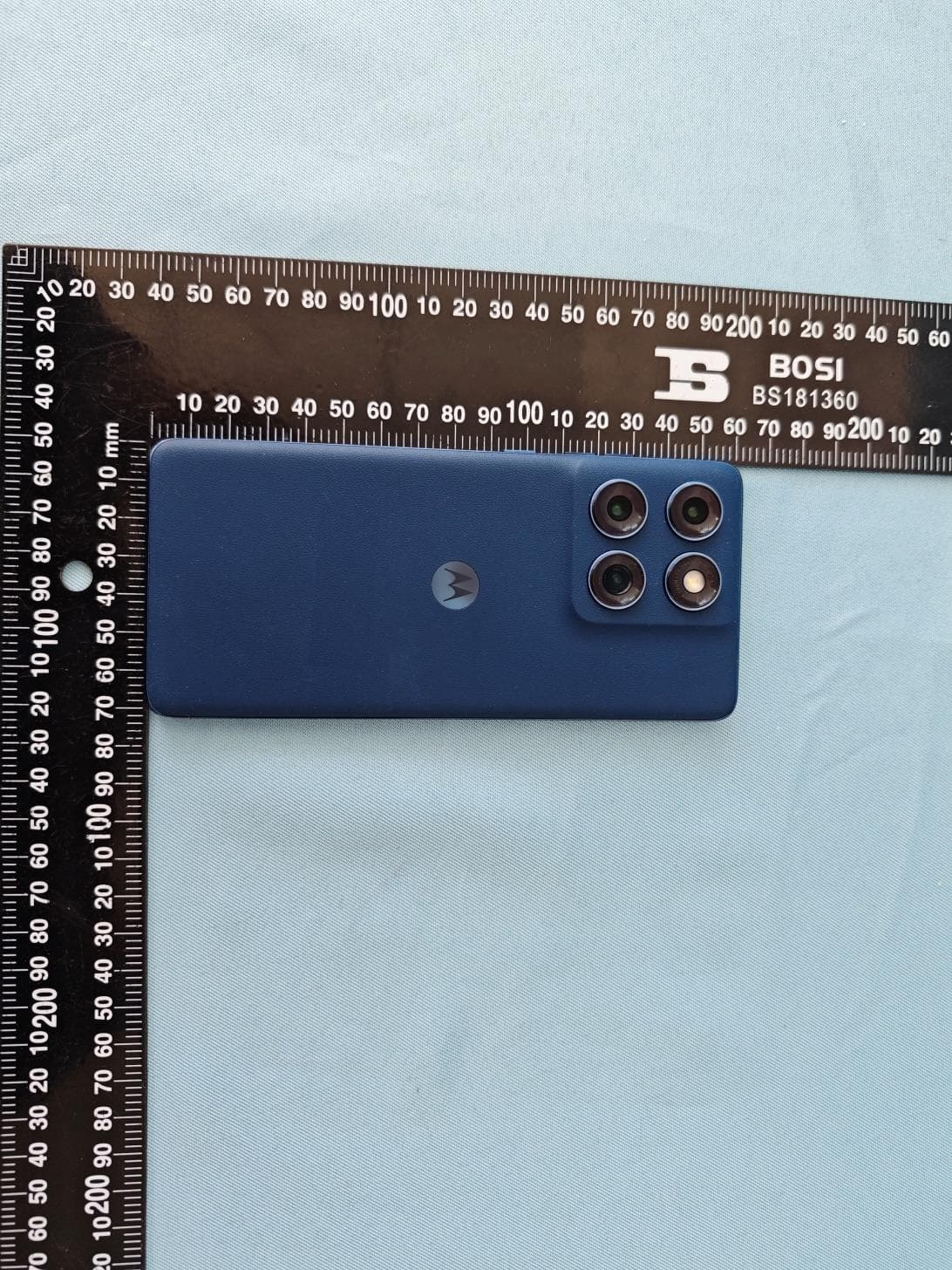
Click to zoom
Application Details
- Equipment Class
- DXX - Part 15 Low Power Communication Device Transmitter
- Date of Grant
- Feb 28, 2025
- Application Purpose
- Original Equipment
- Equipment Note
- Mobile Cellular Phone
- Frequency Range
- 13.56000000 - 13.56000000
- Company
- Motorola Mobility LLC
- Country
- United States
Documents & Files
Document Text
Text extracted from the exhibit documents filed with the FCC. Open a document above to read the original.
Users Manual
Front Camera Volume Buttons / Power Button Proximity Sensor Earpiece/ Speaker Ultrawide/ Macro Camera Main Camera Flash & Ambient Light Sensor Te lephoto Camera NFC To uchpoint Microphone USB-C®/Charging Port/ Headset Jack Speaker SIM & microSD Card Tray Microphone Fingerprint Sensor Air Vent Meet Your or product damage. Don’t charge your phone in temperatures below -20°C (-4°F) or above 45°C (113°F). To view applicable standards and to learn more, see the “Legal information” section of this guide, or visit www.motorola.com/device-legal . Warning about high volume usage. To prevent possible hearing damage, do not listen at high volume levels for long periods. When your headset volume reaches the high volume threshold, a warning shows. Tap OK to dismiss it, or wait one to five seconds, then press the Volume Up button to dismiss the alert and enable the volume to continue to be adjusted. Disposal & recycling. Don’t dispose of your battery or mobile device with your household waste. For help recycling products and packaging responsibly, visit www.motorola.com/recycling. Extreme heat or cold. Don’t use your phone in temperatures below -20°C (-4°F) or above 45°C (113°F). Don’t store/transport your phone in temperatures below -20°C (-4°F) or above 60°C (140°F). Legal disclaimers. Features, services and applications are network dependent and may not be available in all areas; additional terms/charges may apply. Product specifications and other information contained in this guide are believed to be accurate at the time of printing or release. Motorola reserves the right to correct or change any information without notice. Arbitration. Your purchase is governed by a binding arbitration clause. For more information and how to opt-out, see the legal guide that came with your phone. Copyright & trademarks. MOTOROLA, the stylized M logo, MOTO, and the MOTO family of marks are trademarks or registered trademarks of Motorola Trademark Holdings, LLC. Google, Android, Google Play and other related marks and logos are trademarks of Google LLC. microSD Logo is a trademark of SD-3C, LLC. USB Type-C® and USB-C® are registered trademarks of USB Implementers Forum. All other product or service names are the property of their respective owners. © 2025 Motorola Mobility LLC. All rights reserved. Product ID: Model XT2503-1/-2/-3/-4/-5) Manual Number: XXXXXXXX-A [VDR] [LOC] MMM/YY PART NUMBER Printed in [Country] motorola.com CE_FCC 6Dec24 CE_FCC 6Dec24 XT-2503-1/-2/-3/-4/-5 Put in the card(s) & power on 1 Insert the SIM tool into the hole next to the SIM & microSD card tray to pop out the tray. Make sure you use the correct size SIM card and don’t cut the SIM card. 2 Insert the SIM card with the gold contacts up, then gently push the tray into the slot. Add a microSD card (optional, sold separately) for additional storage. (turn the tray over) 2 1 Nano SIM eSIM option (one physical SIM model only): Your phone may support an eSIM (embedded SIM card) in addition to the physical SIM card. Contact your service provider for details if you want to activate and use it. 3 Press and hold the Power button to turn on your phone, then follow the prompts to get started. To turn off your phone, press the Power and Volume Up buttons at the same time. Scan with your Camera app for how-to videos. Or visit motorola.com/mtkname/region. Help & more Get answers, updates, and info: •Help is here: From the home screen, swipe up and tap Settings > Help to learn how to use your phone and get support. •Get more: Get software, user guides, and more at www.motorola.com/mymotoedge. •Get apps: Tap Play Store to browse and download apps. •Air vent: Make sure any accessory, such as a protective film or cover, does not obstruct the air vent hole to avoid noise during calls or media playback. •Use a digital headset: To use a digital headset, you’ll need one with a USB-C connector. If using a 3.5mm headset, you’ll need a 3.5mm to USB-C digital headset adapter to connect it. Headset and adapter may be sold separately. •Connect with 5G: 5G service plan and 5G network coverage required; available only in select areas; device not compatible with all 5G networks. Contact your service provider for details. Screen protector. Screen protectors may reduce your phone’s touchscreen sensitivity. Do not use screen protectors thicker than 0.5 mm. Legal information. This guide provides important legal, safety, and regulatory information that you should read before using your product. For the complete legal information, from the home screen swipe up and tap Settings > , then type Legal information, or visit www.motorola.com/device-legal. Dust and water resistance. Tested under controlled laboratory conditions, the phone is water, splash, and dust resistant to ratings of IP68 and IP69 (IEC 60529). The phone can be submerged up to 1.5 meters in still, fresh water for up to 30 minutes, and is protected against powerful, high-temperature water jets for up to 30 seconds. Exposure to conditions beyond these ratings is not covered by warranty. Resistance will decrease as a result of normal wear. Not designed to work while submerged underwater. Do not expose to liquids other than fresh water. Do not attempt to charge a wet phone. Designed to provide protection against the ingress of solid foreign objects of size bigger than 1 millimeter. Not waterproof or dustproof. For more information, swipe up and tap Settings > Help. Charging and battery safety. To prevent possible burning and injury, the battery in your phone should only be removed by a Motorola-approved service center or similar skilled personnel. If your phone becomes unresponsive, press and hold the Power button until the screen goes dark and your phone restarts. The phone is PD (Power Delivery) and QC (Quick Charge) capable. For the fastest charging speeds, choose a Motorola 68W or higher USB-C PD charger (may be sold separately) with the included PD cable, or a Motorola 33W or higher USB-A QC charger and compat…
Text truncated - open the document above for the full version.
Users Manual
Front Camera Volume Buttons / Power Button Proximity Sensor Earpiece/ Speaker Ultrawide/ Macro Camera Main Camera Flash & Ambient Light Sensor Te lephoto Camera NFC To uchpoint Microphone USB-C®/Charging Port/ Headset Jack Speaker SIM & microSD Card Tray Microphone Fingerprint Sensor Air Vent Meet Your or product damage. Don’t charge your phone in temperatures below -20°C (-4°F) or above 45°C (113°F). To view applicable standards and to learn more, see the “Legal information” section of this guide, or visit www.motorola.com/device-legal. Warning about high volume usage. To prevent possible hearing damage, do not listen at high volume levels for long periods. When your headset volume reaches the high volume threshold, a warning shows. Tap OK to dismiss it, or wait one to five seconds, then press the Volume Up button to dismiss the alert and enable the volume to continue to be adjusted. Disposal & recycling. Don’t dispose of your battery or mobile device with your household waste. For help recycling products and packaging responsibly, visit www.motorola.com/recycling . Extreme heat or cold. Don’t use your phone in temperatures below -20°C (-4°F) or above 45°C (113°F). Don’t store/transport your phone in temperatures below -20°C (-4°F) or above 60°C (140°F). Legal disclaimers. Features, services and applications are network dependent and may not be available in all areas; additional terms/charges may apply. Product specifications and other information contained in this guide are believed to be accurate at the time of printing or release. Motorola reserves the right to correct or change any information without notice. Arbitration. Your purchase is governed by a binding arbitration clause. For more information and how to opt-out, see the legal guide that came with your phone. Copyright & trademarks. MOTOROLA, the stylized M logo, MOTO, and the MOTO family of marks are trademarks or registered trademarks of Motorola Trademark Holdings, LLC. Google, Android, Google Play and other related marks and logos are trademarks of Google LLC. microSD Logo is a trademark of SD-3C, LLC. USB Type-C® and USB-C® are registered trademarks of USB Implementers Forum. All other product or service names are the property of their respective owners. © 2025 Motorola Mobility LLC. All rights reserved. Product ID: Model XT2505-1/-2/-3/-4) Manual Number: XXXXXXXX-A [VDR] [LOC] MMM/YY PART NUMBER Printed in [Country] motorola.com CE_FCC 6Dec24 CE_FCC 6Dec24 XT-2505-1/-2/-3/-4 Put in the card(s) & power on 1 Insert the SIM tool into the hole next to the SIM & microSD card tray to pop out the tray. Make sure you use the correct size SIM card and don’t cut the SIM card. 2 Insert the SIM card with the gold contacts up, then gently push the tray into the slot. Add a microSD card (optional, sold separately) for additional storage. (turn the tray over) 2 1 Nano SIM eSIM option (one physical SIM model only): Your phone may support an eSIM (embedded SIM card) in addition to the physical SIM card. Contact your service provider for details if you want to activate and use it. 3 Press and hold the Power button to turn on your phone, then follow the prompts to get started. To turn off your phone, press the Power and Volume Up buttons at the same time. Scan with your Camera app for how-to videos. Or visit motorola.com/mtkname/region. Help & more Get answers, updates, and info: •Help is here: From the home screen, swipe up and tap Settings > Help to learn how to use your phone and get support. •Get more: Get software, user guides, and more at www.motorola.com/mymotoedge. •Get apps: Tap Play Store to browse and download apps. •Air vent: Make sure any accessory, such as a protective film or cover, does not obstruct the air vent hole to avoid noise during calls or media playback. •Use a digital headset: To use a digital headset, you’ll need one with a USB-C connector. If using a 3.5mm headset, you’ll need a 3.5mm to USB-C digital headset adapter to connect it. Headset and adapter may be sold separately. •Connect with 5G: 5G service plan and 5G network coverage required; available only in select areas; device not compatible with all 5G networks. Contact your service provider for details. Screen protector. Screen protectors may reduce your phone’s touchscreen sensitivity. Do not use screen protectors thicker than 0.5 mm. Legal information. This guide provides important legal, safety, and regulatory information that you should read before using your product. For the complete legal information, from the home screen swipe up and tap Settings > , then type Legal information, or visit www.motorola.com/device-legal. Dust and water resistance. Tested under controlled laboratory conditions, the phone is water, splash, and dust resistant to ratings of IP68 and IP69 (IEC 60529). The phone can be submerged up to 1.5 meters in still, fresh water for up to 30 minutes, and is protected against powerful, high-temperature water jets for up to 30 seconds. Exposure to conditions beyond these ratings is not covered by warranty. Resistance will decrease as a result of normal wear. Not designed to work while submerged underwater. Do not expose to liquids other than fresh water. Do not attempt to charge a wet phone. Designed to provide protection against the ingress of solid foreign objects of size bigger than 1 millimeter. Not waterproof or dustproof. For more information, swipe up and tap Settings > Help. Charging and battery safety. To prevent possible burning and injury, the battery in your phone should only be removed by a Motorola-approved service center or similar skilled personnel. If your phone becomes unresponsive, press and hold the Power button until the screen goes dark and your phone restarts. The phone is PD (Power Delivery) and QC (Quick Charge) capable. For the fastest charging speeds, choose a Motorola 68W or higher USB-C PD charger (may be sold separately) with the included PD cable, or a Motorola 33W or higher USB-A QC charger and compatible Q…
Text truncated - open the document above for the full version.
Users Manual
1 en-US Legal, safety, and regulatory Legal information. This guide provides important legal, safety, and regulatory information that you should read before using your product. For the complete legal information, from the home screen swipe up and tap Settings > , then type Legal information, or visit www.motorola.com/device-legal. Water repellent. Your phone is not waterproof. For more about your phone’s water-repellent design and care, see the user guide. Regulatory information (e-label). To view regulatory information for this phone, from the home screen swipe up and tap Settings > , then type Regulatory, or visit www.motorola.com/device-legal. Battery safety. Your phone uses a removable battery. Don’t use tools, sharp objects, or excessive force to insert or remove the battery. This may damage the battery and could cause burning and injury. Battery safety. To prevent possible burning and injury, the battery in your phone should only be removed by a Motorola-approved service center or similar skilled personnel. If your phone becomes unresponsive, press and hold the Power button until the screen goes dark and your phone restarts. Charge your phone using a compatible Motorola charger. Use of other chargers is not recommended. Don’t charge your phone in temperatures below -20°C (-4°F) or above 45°C (113°F). For more, see the “Legal information” section of this guide, or visit www.motorola.com/device-legal. Driving precautions. Responsible and safe driving is your primary responsibility when driving a vehicle. Always obey local laws and regulations. For more, see the “Legal information” section of this guide to find the complete legal information, or visit www.motorola.com/device-legal. Seizures, blackouts, eyestrain & discomfort. This device may display flashing images or loud sounds. For more, see the “Legal information” section of this guide to find the complete legal information, or visit www.motorola.com/device-legal. Medical devices. This device may interfere with pacemakers and other medical devices. For more, see the “Legal information” section of this guide to find the complete legal information, or visit www.motorola.com/device-legal. Class 1 Laser. This device is classified as a Class 1 Laser product, which is safe in normal use per IEC60825-1:2007 and IEC60825-1:2014. This device complies with 21 CFR 1040.10 and 1040.11, except for deviations pursuant to Laser Notice 50, dated June 24, 2007. Do not attempt to modify or disassemble. Extreme heat or cold. Don’t use your phone in temperatures below 2 en-US -20°C (-4°F) or above 45°C (113°F). Don’t store/transport your phone in temperatures below -20°C (-4°F) or above 60°C (140°F). SAR information (on e-label). To view specific absorption rate (SAR) values for t phone, from the home screen swipe up and tap Settings > , then type Regulatory, or visit www.motorola.com/sar. Operational warnings. Obey all local restrictions when using mobile devices in public areas, such as hospitals, airplanes, or schools. • Potentially explosive areas: Potentially explosive areas are often, but not always, posted and can include blasting areas, fueling stations, fueling areas (such as below decks on boats), fuel or chemical transfer or storage facilities, or areas where the air contains chemicals or particles, such as grain dust, or metal powders. Turn off your phone before entering such an area, and do not charge batteries. In such areas, sparks can occur and cause an explosion or fire. • Symbol key: Your charger, phone, battery (if user-removable), phone display, user’s guide, or packaging may contain symbols, defined as follows: Important safety information follows. The package and paper products that came with your phone can be recycled. Don’t dispose of your battery or phone with your household waste. See “Disposal & recycling” for more information. Don’t dispose of your battery or phone in a fire. For indoor use only. Listening at high volume to music or voice through a headset or headphone may damage your hearing. Warning about high volume usage. To prevent possible hearing damage, do not listen at high volume levels for long 3 en-US periods. Disposal & recycling. For help recycling products and packaging responsibly, go to www.motorola.com/recycling. Usage. This phone supports apps and services that could use a lot of data, so make sure your data plan meets your needs. Contact your service provider for details. Certain apps and features may not be available in all countries. Warranty. This product is covered by Motorola’s limited warranty. o review the warranty on your phone, swipe up and tap Settings > , then type Legal information, or visit www.motorola.com/device-legal. You may also obtain a copy of the warranty by contacting Motorola at: Motorola Mobility LLC, Attention Customer Service—Warranty Request, 222 West Merchandise Mart Plaza, Suite 1800, Chicago, IL 60654. Arbitration & opt-out. Except where prohibited by law, any controversy or claim arising out of or relating to any Motorola product will be resolved by binding arbitration, instead of in court, unless you opt-out. To opt-out, send a written rejection notice within 30 days of purchase that includes your name, address, phone number, phone, and phone serial number, and tells Motorola that you are rejecting this Arbitration provision to: Motorola Mobility LLC, 222 West Merchandise Mart Plaza, Suite 1800, Attn: Arbitration Provision Opt-Out, Chicago, IL 60654 or [email protected]. To locate your phone’s serial (IMEI) number, from the home screen swipe up and tap Settings > , then type IMEI. For more information on this arbitration provision, on your phone, swipe up and tap Settings > , then type Legal information, or visit www.motorola.com/device-legal. Legal disclaimers. Features, services and applications are network dependent and may not be available in all areas; additional terms/ charges may apply. Features, functionality, and other product specifications, as well as the i…
Text truncated - open the document above for the full version.
RF Exposure Info
Date: 2024-12-31 System Check_Head_13MHz DUT: CLA13 - SN:1023 Communication System: ; Frequency: 13.000 Medium: HSL. Medium parameters used: f= 13.000 MHz; σ= 0.757 S/m; ε r =53.7 Ambient Temperature: 23.3°C; Liquid Temperature: 22.8°C DASY6 Configuration: - Probe: EX3DV4 - SN7706; ConvF(16.1, 16.1, 16.1); Calibrated: 2024-01-24 - Sensor-Surface: 1.4 mm - Electronics: DAE4 Sn1649; Calibrated: 2024-07-03 - Phantom: ELI V8.0 (20deg probe tilt); Serial: 2135 - Measurement Software: 16.4.0.5005 Area Scan (40.0 mm x 90.0 mm): Measurement Grid: 15.0 mm x 15.0 mm SAR (1g) = 0.160 W/kg; SAR (10g) = 0.093 W/kg; Zoom Scan (32.0 mm x 32.0 mm x 30.0 mm): Measurement Grid: 6.0 mm x 6.0 mm x 1.5 mm; Graded Ratio:1.4 Power Drift = 0.01 dB SAR (1g) = 0.143 W/kg; SAR (10g) = 0.081 W/kg; Smallest distance from peaks to all points 3dB below is 15.9 mm Ratio of SAR at M2 to SAR at M1 = 72.8 % Appendix AReport No. : FA4D1311A Page: 1/1
RF Exposure Info
Date: 2024-12-25 SystemCheck_Head_750MHz DUT: D750V3 - SN1087 Communication System: CW; Frequency: 750.000 MHz; Duty Cycle: 1:1 Medium: Head Simulating Liquid Medium parameters used: f= 750.000 MHz; σ= 0.888 S/m; ε r = 42.3 Ambient Temperature: 23.2°C; Liquid Temperature: 22.8°C DASY6 Configuration: - Probe: EX3DV4 - SN7774; ConvF(8.12, 8.81, 8.04); Calibrated: 2024-06-27 - Sensor-Surface: 1.4 mm - Electronics: DAE4 Sn1358; Calibrated: 2024-05-23 - Phantom: Twin-SAM V8.0 (30deg probe tilt); Serial: 2022; Section: Flat - Measurement Software: 16.4.0.5005 - UID: CW, 0-- Pin=50mW/Area Scan (40.0 mm x 90.0 mm): Measurement Grid: 10.0 mm x 15.0 mm SAR (1g) = 0.414 W/kg; SAR (10g) = 0.281 W/kg; Pin=50mW/Zoom Scan (32.0 mm x 32.0 mm x 30.0 mm): Measurement Grid: 6.0 mm x 6.0 mm x 1.5 mm Power Drift = 0.01 dB SAR (1g) = 0.426 W/kg; SAR (10g) = 0.284 W/kg Smallest distance from peaks to all points 3 dB below = 16.1 mm Ratio of SAR at M2 to SAR at M1 = 86.8 % Appendix AReport No. : FA4D1311 Page: 1/18 Date: 2024-12-27 SystemCheck_Head_835MHz DUT: D835V2 - SN4d298 Communication System: CW; Frequency: 835.000 MHz; Duty Cycle: 1:1 Medium: Head Simulating Liquid Medium parameters used: f= 835.000 MHz; σ= 0.911 S/m; ε r = 41.8 Ambient Temperature: 23.1°C; Liquid Temperature: 22.7°C DASY6 Configuration: - Probe: EX3DV4 - SN7774; ConvF(7.76, 8.53, 7.85); Calibrated: 2024-06-27 - Sensor-Surface: 1.4 mm - Electronics: DAE4 Sn1358; Calibrated: 2024-05-23 - Phantom: Twin-SAM V8.0 (30deg probe tilt); Serial: 2022; Section: Flat - Measurement Software: 16.4.0.5005 - UID: CW, 0-- Pin=50mW/Area Scan (40.0 mm x 90.0 mm): Measurement Grid: 10.0 mm x 15.0 mm SAR (1g) = 0.487 W/kg; SAR (10g) = 0.325 W/kg; Pin=50mW/Zoom Scan (32.0 mm x 32.0 mm x 30.0 mm): Measurement Grid: 6.0 mm x 6.0 mm x 1.5 mm Power Drift = 0.01 dB SAR (1g) = 0.503 W/kg; SAR (10g) = 0.333 W/kg Smallest distance from peaks to all points 3 dB below = 16.4 mm Ratio of SAR at M2 to SAR at M1 = 87.8 % Appendix AReport No. : FA4D1311 Page: 2/18 Date: 2024-12-29 SystemCheck_Head_1750MHz DUT: D1750V2 - SN1090 Communication System: CW; Frequency: 1750.000 MHz; Duty Cycle: 1:1 Medium: Head Simulating Liquid Medium parameters used: f= 1750.000 MHz; σ= 1.35 S/m; ε r = 40.6 Ambient Temperature: 23.2°C; Liquid Temperature: 22.7°C DASY6 Configuration: - Probe: EX3DV4 - SN7774; ConvF(6.82, 7.54, 7.06); Calibrated: 2024-06-27 - Sensor-Surface: 1.4 mm - Electronics: DAE4 Sn1358; Calibrated: 2024-05-23 - Phantom: Twin-SAM V8.0 (30deg probe tilt); Serial: 2022; Section: Flat - Measurement Software: 16.4.0.5005 - UID: CW, 0-- Pin=50mW/Area Scan (40.0 mm x 90.0 mm): Measurement Grid: 10.0 mm x 15.0 mm SAR (1g) = 1.79 W/kg; SAR (10g) = 0.951 W/kg; Pin=50mW/Zoom Scan (32.0 mm x 32.0 mm x 30.0 mm): Measurement Grid: 6.0 mm x 6.0 mm x 1.5 mm Power Drift = 0.01 dB SAR (1g) = 1.83 W/kg; SAR (10g) = 0.984 W/kg Smallest distance from peaks to all points 3 dB below = 10.8 mm Ratio of SAR at M2 to SAR at M1 = 80.9 % Appendix AReport No. : FA4D1311 Page: 3/18 Date: 2024-12-31 SystemCheck_Head_1900MHz DUT: D1900V2 - SN5d118 Communication System: CW; Frequency: 1900.000 MHz; Duty Cycle: 1:1 Medium: Head Simulating Liquid Medium parameters used: f= 1900.000 MHz; σ= 1.41 S/m; ε r = 40.2 Ambient Temperature: 23.1°C; Liquid Temperature: 22.7°C DASY6 Configuration: - Probe: EX3DV4 - SN7774; ConvF(6.48, 7.12, 6.7); Calibrated: 2024-06-27 - Sensor-Surface: 1.4 mm - Electronics: DAE4 Sn1358; Calibrated: 2024-05-23 - Phantom: Twin-SAM V8.0 (30deg probe tilt); Serial: 2022; Section: Flat - Measurement Software: 16.4.0.5005 - UID: CW, 0-- Pin=50mW/Area Scan (40.0 mm x 90.0 mm): Measurement Grid: 10.0 mm x 15.0 mm SAR (1g) = 1.76 W/kg; SAR (10g) = 0.927 W/kg; Pin=50mW/Zoom Scan (32.0 mm x 32.0 mm x 30.0 mm): Measurement Grid: 6.0 mm x 6.0 mm x 1.5 mm Power Drift = 0.00 dB SAR (1g) = 1.92 W/kg; SAR (10g) = 0.980 W/kg Smallest distance from peaks to all points 3 dB below = 9.6 mm Ratio of SAR at M2 to SAR at M1 = 78.7 % Appendix AReport No. : FA4D1311 Page: 4/18 Date: 2025-01-01 SystemCheck_Head_2600MHz DUT: D2600V2 - SN1112 Communication System: CW; Frequency: 2600.000 MHz; Duty Cycle: 1:1 Medium: Head Simulating Liquid Medium parameters used: f= 2600.000 MHz; σ= 1.88 S/m; ε r = 39.2 Ambient Temperature: 23.1°C; Liquid Temperature: 22.6°C DASY6 Configuration: - Probe: EX3DV4 - SN7774; ConvF(6.16, 6.71, 6.3); Calibrated: 2024-06-27 - Sensor-Surface: 1.4 mm - Electronics: DAE4 Sn1358; Calibrated: 2024-05-23 - Phantom: Twin-SAM V8.0 (30deg probe tilt); Serial: 2022; Section: Flat - Measurement Software: 16.4.0.5005 - UID: CW, 0-- Pin=50mW/Area Scan (40.0 mm x 96.0 mm): Measurement Grid: 10.0 mm x 12.0 mm SAR (1g) = 2.37 W/kg; SAR (10g) = 1.09 W/kg; Pin=50mW/Zoom Scan (30.0 mm x 30.0 mm x 30.0 mm): Measurement Grid: 5.0 mm x 5.0 mm x 1.5 mm Power Drift = -0.01 dB SAR (1g) = 2.59 W/kg; SAR (10g) = 1.17 W/kg Smallest distance from peaks to all points 3 dB below = 9.0 mm Ratio of SAR at M2 to SAR at M1 = 77.6 % Appendix AReport No. : FA4D1311 Page: 5/18 Date: 2025-01-03 SystemCheck_Head_3500MHz DUT: D3500V2 - SN1037 Communication System: CW; Frequency: 3500.000 MHz; Duty Cycle: 1:1 Medium: Head Simulating Liquid Medium parameters used: f= 3500.000 MHz; σ= 2.82 S/m; ε r = 38.5 Ambient Temperature: 23.3°C; Liquid Temperature: 22.9°C DASY6 Configuration: - Probe: EX3DV4 - SN7774; ConvF(5.49, 6.05, 5.64); Calibrated: 2024-06-27 - Sensor-Surface: 1.4 mm - Electronics: DAE4 Sn1358; Calibrated: 2024-05-23 - Phantom: Twin-SAM V8.0 (30deg probe tilt); Serial: 2022; Section: Flat - Measurement Software: 16.4.0.5005 - UID: CW, 0-- Pin=50mW/Area Scan (40.0 mm x 80.0 mm): Measurement Grid: 10.0 mm x 10.0 mm SAR (1g) = 2.93 W/kg; SAR (10g) = 1.15 W/kg; Pin=50mW/Zoom Scan (24.0 mm x 24.0 mm x 22.0 mm): Measurement Grid: 4.0 mm x 4.0mm x 1.4 mm Power Drift = 0.00 dB SAR (1g) = 3.24 W/kg; SAR (10g) = 1.25 W/kg Smallest distance from peaks to all points 3 dB below = 8.6 mm Ratio of SAR at M2 to SAR at M1 = 76.4 % Appe…
Text truncated - open the document above for the full version.
RF Exposure Info
Power reduction mechanism verification According to the May 2017 TCBC Workshop, Demonstration of proper functioning of the detection and triggering mechanisms is required to support the corresponding RF exposure conditions. The verification is through a base station simulator is used to establish a conducted RF connection and monitor output power under different operating conditions related to the power reduction mechanisms. Detail of power reduction mechanisms referring to Operational Description 1. Power Verification Procedure The power verification was performed according to the following procedure: 1. A base station simulator was used to establish a conducted RF connection and the output power was monitored. The power measurements were confirmed to be within expected tolerances for all states before and after a power reduction mechanism was triggered. 2. Step 1 was repeated for all relevant modes and frequency bands for the mechanism being investigated. 3. Steps 1 and 2 were repeated for all individual power reduction mechanisms and combinations thereof. For the combination cases, one mechanism was switched to a 'triggered' state at a time; powers were confirmed to be within tolerances after each additional mechanism was activated. General Note: 1. This device uses different Exposure Condition Index (ECI) to configure different time averaged power levels based on certain exposure scenarios. ECI = 2 represents the case where the device is held to ear, ECI = 7 represents the case when hotspot mode is active, ECI = 4 represents the case is body and P-sensor is not active, ECI = 3 represents the case when Body-worn exposure condition and P-sensor on is active, and ECI = 6 represents the case when extremity exposure condition and P-sensor on is active. 2. Select the bands with the largest power reduction for power verification: a. Establish voice call and audio routed through the earpiece to monitor output power under head power states. Tradition voice call for WCDMA, voice over IP CMRS operations for LTE LTE Band 42 is set at ‘highest BW, 1RB, RB Offset = 0, QPSK’, WCDMA II is set AMR 12.2Kbps. b. Establish data connection monitor hotspot power state. LTE Band 42 is set at ‘highest BW, 1RB, RB Offset = 0, QPSK’. c. Establish data connection monitor body worn power state. LTE Band 42 is set at ‘highest BW, 1RB, RB Offset = 0, QPSK’, WCDMA II is set RMC 12.2Kbps. Body Detect mechanism was performed for the in-hand and on a stationary object (placed on a table) d. Establish data connection monitor extremity power state. LTE Band 42 is set at ‘highest BW, 1RB, RB Offset = 0, QPSK’ WCDMA II is set RMC 12.2Kbps. Body Detect mechanism was performed for the in-hand and on a stationary object (placed on a table). 3. In this power validation purpose is to demonstrate of proper functioning of the detection and triggering mechanisms to support the corresponding RF exposure conditions. 4. Verification performed for one technology/Band to demonstrate that the power reduction applies for same technology/band and call origination. Appendix GReport No. : FA4D1311-01 Page:1/2 2. Verification output Power Results Head exposure conditions Head Exposure condition Output Power for Voice Call Ear acoustic output Status: ON OFF Power state WWAN Receiver on WWAN Receiver off Wireless technology Antenna Measured (dBm) Max. Tune-up (dBm) Measured (dBm) Max. Tune-up (dBm) LTE Band 42 Ant 7 18.57 19.6 22.45 24.00 WCDMA II Ant 1 17.76 19.0 22.76 22.00 Hotspot exposure condition Hotspot exposure condition Wifi Hotspot Status ON OFF Power state WWAN Hotspot on WWAN Hotspot off WiFi Standalone WiFi Simultaneous Wireless Technology Antenna Measured (dBm) Max. Tune-up (dBm) Measured (dBm) Max. Tune-up (dBm) LTE Band 42 Ant 7 15.86 17.2 22.45 24.00 Body worn exposure condition Body Worn exposure condition Output Power (data connection) Power state WWAN Sensor on WWAN Sensor off Wireless Technology Antenna Measured (dBm) Max. Tune-up (dBm) Measured (dBm) Max. Tune-up (dBm) LTE Band 42 Ant 7 19.43 20.4 22.45 24.00 WCDMA II Ant 1 16.78 18.2 22.76 22.00 Extremity exposure condition Body Worn exposure condition Output Power (data connection) Power state WWAN Sensor on WWAN Sensor off Wireless Technology Antenna Measured (dBm) Max. Tune-up (dBm) Measured (dBm) Max. Tune-up (dBm) LTE Band 42 Ant 7 19.96 21.3 22.45 24.00 WCDMA II Ant 1 20.33 21.4 22.76 22.00 Appendix GReport No. : FA4D1311-01 Page:2/2
RF Exposure Info
Power measurement connection diagram: The power measurement for 2G/3G/LTE/5G FR1/UL and DL CA is to establish a connection between device and call box, and via call box to configure Bands, channel, BWs, RB size, carrier aggregation of CA, frequency channels, SCS and maximum output power. Hereunder is screenshot call box connection information for 2G/3G/LTE/5G FR1/UL and DL CA. <GSM> Appendix FReport No. : FA4D1311-01 Page: 1/20 <WCDMA> <LTE> Appendix FReport No. : FA4D1311-01 Page: 2/20 <LTE TDD Power class 3> <5GNR FR1> Appendix FReport No. : FA4D1311-01 Page: 3/20 Appendix FReport No. : FA4D1311-01 Page: 4/20…
Text truncated - open the document above for the full version.
Contact Information
Applicant
Jeff Narducci(Director Product Compliance)
[email protected]Fax: 847-687-6928
Test Firm
Sporton International Inc. (Shenzhen)Johnny Chen
Technical Specifications
| # | Rule Parts | Frequency Range | Power Output |
|---|---|---|---|
| 1 | 15C | 13.56 MHz - 13.56 MHz | - |
Other Applications from Motorola Mobility LLC
IHDT6AC7
Sep 11, 2026Smart Watch
Equipment Class
JAB - Part 15 Class B Digital DeviceIHDT56AX5
Aug 28, 2026Mobile Cellular Phone
Equipment Class
JBP - Part 15 Class B Computing Device PeripheralIHDT56AW9
May 12, 2026Smart Watch
Equipment Class
NII - Unlicensed National Information Infrastructure TXIHDT56AW5
Apr 08, 2026Mobile Cellular Phone
Equipment Class
DTS - Digital Transmission SystemIHDT56AW6
Mar 18, 2026Smart Watch
Equipment Class
JBP - Part 15 Class B Computing Device Peripheral