IHDT56LZ2GSM/GPRS 850/1900 dual-band mobile phone
Motorola Mobility LLC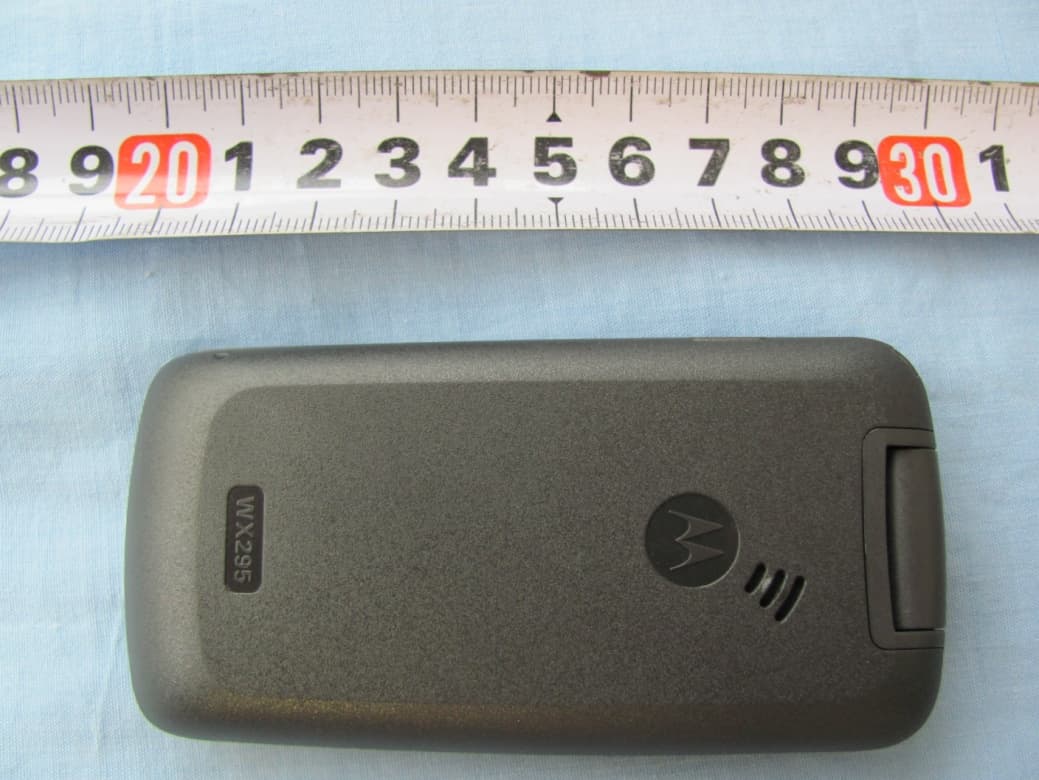
Click to zoom
Application Details
- Equipment Class
- PCE - PCS Licensed Transmitter held to ear
- Date of Grant
- Sep 19, 2010
- Application Purpose
- Original Equipment
- Date of Application
- Sep 09, 2010
- Equipment Note
- GSM/GPRS 850/1900 dual-band mobile phone
- Frequency Range
- 1850.20000000 - 1909.80000000
- Company
- Motorola Mobility LLC
- Country
- United States
Documents & Files
Document Text
Text extracted from the exhibit documents filed with the FCC. Open a document above to read the original.
Users Manual
personalize let’s go music playertips & tricks messages radiophotos calls contacts main menu home screen basics Getting Started Guide www.motorola.com accessories & more MOTOWX295 TM congratulations your phone congratulations! Congratulations on your purchase of the stylish Motorola WX295 phone. Whether you’re a talker, a texter, or just love listening to the music on the move, your new phone does it all. We’ve crammed all the main features of your phone into this handy guide—you can even take the guide with you. If you’d like even more information about how to use your new phone, visit www.motorola.com/support. So, let’s go. Note: Your phone may not appear exactly as the images in this manual. Important: A headset has been provided for use with your mobile phone. This headset is the only model headset that Motorola warrants to operate with your phone. It is compliant with the acoustic safety requirements specified in France. your phone 10:27 Power/ End Key Center Key Soft keys Performs function shown above the key. Lanyard Navigation S Key Charge, or connect a headset. Mini USB Connector Camera Call Key Camera Key Display/Torch Display Time, incoming call number, message, or service provider. s MenuRadio s calls make & answer calls Enter a number and press . When your phone rings or vibrates, press. end a call Press. emergency calls To call an emergency number, enter the emergency number and press . Your service provider programs emergency phone numbers, (such as 112 or 911), that you can call under any circumstances, even when your phone is locked. Emergency numbers vary by country. Your phone’s pre-programmed emergency number(s) may not work in all locations, and sometimes an emergency call cannot be placed due to network, environmental, or interference issues. messages send messages 1Press s > Messages > Messages >Create text message. 2Enter your message. Tip: Press Options > Input method to switch text entry modes. Press * to switch capitalization modes. Press # to enter a space. Press Options > Languages to change language. 3Press s. 4Select Add number, enter a number and press s, or select Add from directory and scroll to a contact. Press s to select a contact. 5Press s to send. read messages When you receive a message you will see 1 on your screen. Press s > s to open the message. You can reply to the message by pressing Options > Reply. shortcuts ring style To quickly switch your ring style, press and hold # from the home screen. ‘flip open’ to answer Just open the flip to answer a call. Press s> My settings> Clamshell> Clamshell open answer from the home screen. torch on To quickly turn on your torch, press and hold 5 from the home screen. Press 5 to turn it off. voicemail Press and hold 1. If your voicemail number is pre-set, you will connect. recent calls To see your dialled, received and missed calls, press from the home screen. FM radio To use the music player, insert a microSD memory card (optional). The music player supports music formats, such as MP3, MIDI, and AMR. play music Find it: s>Games & Apps >Music player > All songs. Tip: Press the music key on the left side of the phone. controls Note: To transfer songs to/from your memory card, use an optional microSD memory card reader on your computer to drag & drop files to the “Audios > Music” folder. function play/pausePress s. skip to next/ previous song Press S right or left. volumePress S up or down. Games&Apps • Music Player •Games Call Register •Call memory* • My numbers •Billing* • Call settings Directory Messages * • Messages •Voice message •Voicemail • Settings WA P * • Homepage • Bookmarks • Recent pages • Offline pages •Go to URL •Profiles This is a standard main menu layout. Your phone’s menu may be a little different. Profiles FM Radio Camera Bluetooth My settings • Color •Clamshell •Display •Clock •Keys •Call register • More settings Services * To o l s •Organizer •Alarm • Calculator • Fake call • Converter • File manager •Voice memo • Memory status • My shortcuts *Network Dependent let’s go 4H 1 2 3 4 5 6 cover offSIM in microSD inbattery in cover oncharge up basics turn it on & off Press and hold for a few seconds to turn the phone on/off. menu navigation Press the center key s to open the Main Menu. Press the navigation key S up, down, right or left to highlight a menu option. Press s to select the highlighted option. Press Options to display the options menu. save contacts 1Enter the number on the home screen and press Save. 2Enter the contact details and press Save. Tip: Press s > Directory > Options > Default storage to choose where to save your contacts (To SIM or To phone). call contacts 1Press s > Directory. 2Press S up or down, to scroll through the list to highlight the contact’s number. Tip: Press S right or left to change category (General, Most called, SIM directory, Phone directory or Group). 3Press . customise set your wallpaper Change the wallpaper to one that makes you smile. Find it: s> My settings> Display> Wallpaper set time & date Set the time & date shown on your home screen. Find it: s> My settings> Clock> Set time/date set ringtone & volume Play it loud or keep it quiet, you choose. Find it: s>Profiles Choose a profile. Press Options to edit a profile. create shortcuts Choose the features you want to access with a single key press from the home screen—really useful stuff: Find it: s>Tools>My shortcuts > Add >Functions > Keys USB Drag & Drop Note: You can only take photos with WX295. 1Press s > Camera > Camera. Tip: To quickly turn on your camera, press the camera key (on the side of your phone). 2Press s to take your photo, then to: • Set as your wallpaper press S up. • Send by Bluetooth press S down. • Send by MMS press S left. • Assign as contact press S right, • Delete press Delete. • Return to the viewfinder press Back. Tip: To set where your photos are stored press Options > Storage > Phone or Memory card. To transfer photos to/from your memory card, use an optional microSD memo…
Text truncated - open the document above for the full version.
Cover Letter(s)
September 14, 2010 Authorization of Agent Federal Communications Commission Authorization and Evaluation Division 7435 Oakland Mills Road Columbia, Maryland 21046 Re: Grantee Code IHD Authorization: I, Andrew Bachler, the FCC contact for Grantee Code “IHD”; hereby authorize the following company (agent) to act on behalf of Motorola Inc. Mobile Devices for the applications specified below. This includes: • Form 731, Attestation Statement Exhibit, and Confidentiality Request Signatures • Technical Contact • Non-Technical Contact • Test Firm Contact Information The grants should still be mailed to the applicant of record for Grantee Code “IHD”. Authorized Agent: TCT Mobile Limited 4/F South Building, No 2966, Jinke Road, Zhangjiang High Tech Park, Pudong#Shanghai. P R China Specific Applications: • FCC ID: IHDT56LY2 • FCC ID: IHDT56LZ2 Contact Information: Please contact me by telephone at (847) 523-6167, or by e-mail ( [email protected]), if there are questions or additional information needed concerning this authorization. Regards, Andrew J. Bachler FCC Liaison Mobile Devices 600 N. U.S. Highway 45 Libertyville, IL 60048-5343 Exhibit 13
External Photos
WX295 External photo Battery AE1 Battery AE1 Battery AE2 Battery AE2 Charger AE3 Label of Charger AE3 Headset AE4 Headset AE5
ID Label/Location Info
WX295 EUT Label Location
Internal Photos
WX295
RF Exposure Info
No.2010SAR00075 Page 1 of 96 ©Copyright. All rights reserved by TMC Beijing. SAR TEST REPORT No. 2010SAR00075 For Motorola, Inc. (Mobile Devices Business) GSM/GPRS 850/1900 dual-band mobile phone WX295 With Hardware Version: Lot0 Software Version: V568 FCCID: IHDT56LZ2 Issued Date: 2010-08-24 No. DGA-PL-114/01-02 Note: The test results in this test report relate only to the devices specified in this report. This report shall not be reproduced except in full without the written approval of TMC Beijing. Test Laboratory: TMC Beijing, Telecommunication Metrology Center of MIIT No. 52, Huayuan Bei Road, Haidian District, Beijing, P. R. China 100191. Tel:+86(0)10-62304633-2079, Fax:+86(0)10-62304793 Email:[email protected]. www.emcite.com No.2010SAR00075 Page 2 of 96 TABLE OF CONTENT 1 TEST LABORATORY..................................................................................................................3 1.1 TESTING LOCATION........................................................................................................................................ 3 1.2 TESTING ENVIRONMENT................................................................................................................................. 3 1.3 PROJECT DATA............................................................................................................................................... 3 1.4 SIGNATURE..................................................................................................................................................... 3 2 CLIENT INFORMATION..............................................................................................................4 2.1 APPLICANT INFORMATION.............................................................................................................................. 4 2.2 MANUFACTURER INFORMATION..................................................................................................................... 4 3 EQUIPMENT UNDER TEST (EUT) AND ANCILLARY EQUIPMENT (AE) ................................5 3.1 ABOUT EUT ................................................................................................................................................... 5 3.2 INTERNAL IDENTIFICATION OF EUT USED DURING THE TEST.......................................................................... 5 3.3 INTERNAL IDENTIFICATION OF AE USED DURING THE TEST............................................................................. 5 4 CHARACTERISTICS OF THE TEST ..........................................................................................5 4.1 APPLICABLE LIMIT REGULATIONS.................................................................................................................. 5 4.2 APPLICABLE MEASUREMENT STANDARDS...................................................................................................... 5 5 OPERATIONAL CONDITIONS DURING TEST ..........................................................................6 5.1 SCHEMATIC TEST CONFIGURATION................................................................................................................. 6 5.2 SAR MEASUREMENT SET-UP.......................................................................................................................... 6 5.3 DASY4 E-FIELD PROBE SYSTEM..................................................................................................................... 7 5.4 E-FIELD PROBE CALIBRATION........................................................................................................................ 8 5.5 OTHER TEST EQUIPMENT...............................................................................................................................9 5.6 EQUIVALENT TISSUES................................................................................................................................... 10 5.7 SYSTEM SPECIFICATIONS.............................................................................................................................. 10 6 LABORATORY ENVIRONMENT .............................................................................................. 11 7 CONDUCTED OUTPUT POWER MEASUREMENT................................................................. 11 7.1 SUMMARY.................................................................................................................................................... 11 7.2 CONDUCTED POWER.................................................................................................................................... 11 8 TEST RESULTS ........................................................................................................................12 8.1 DIELECTRIC PERFORMANCE......................................................................................................................... 12 8.2 SYSTEM VALIDATION.................................................................................................................................... 13 8.3 EVALUATION OF MULTI-BATTERIES.............................................................................................................. 14 8.4 SUMMARY OF MEASUREMENT RESULTS....................................................................................................... 14 8.5 SUMMARY OF MEASUREMENT RESULTS (BLUETOOTH FUNCTION) ............................................................... 16 8.6 CONCLUSION................................................................................................................................................ 17 9 MEASUREMENT UNCERTAINTY ............................................................................................17 10 MAIN TEST INSTRUMENTS ..................................................................................................19 ANNEX A MEASUREMENT PROCESS..................................................…
Text truncated - open the document above for the full version.
RF Exposure Info
No.2010SAR00075 Page 71 of 96 No.2010SAR00075 Page 72 of 96 No.2010SAR00075 Page 73 of 96 No.2010SAR00075 Page 74 of 96 No.2010SAR00075 Page 75 of 96 No.2010SAR00075 Page 76 of 96 No.2010SAR00075 Page 77 of 96 No.2010SAR00075 Page 78 of 96 No.2010SAR00075 Page 79 of 96 ANNEX F DIPOLE CALIBRATION CERTIFICATE 835 MHz Dipole Calibration Certificate No.2010SAR00075 Page 80 of 96 No.2010SAR00075 Page 81 of 96 No.2010SAR00075 Page 82 of 96 No.2010SAR00075 Page 83 of 96 No.2010SAR00075 Page 84 of 96 No.2010SAR00075 Page 85 of 96 No.2010SAR00075 Page 86 of 96 No.2010SAR00075 Page 87 of 96 No.2010SAR00075 Page 88 of 96 1900 MHz Dipole Calibration Certificate No.2010SAR00075 Page 89 of 96 No.2010SAR00075 Page 90 of 96 No.2010SAR00075 Page 91 of 96 No.2010SAR00075 Page 92 of 96 No.2010SAR00075 Page 93 of 96 No.2010SAR00075 Page 94 of 96 No.2010SAR00075 Page 95 of 96 No.2010SAR00075 Page 96 of 96
RF Exposure Info
Appendix A: SPEAG’s new calibration certifications Appendix B: SPEAG’s Evaluation report
Test Report
No.2010TAR341 Page1 of 66 TEST REPORT No. 2010TAR341 for Motorola, Inc. (Mobile Devices Business) GSM/GPRS 850/1900 dual-band mobile phone Marketing Name: WX295 FCC ID: IHDT56LZ2 with Hardware Version: Lot0 Software Version: V568 Issued Date: Aug 30, 2010 Note: The test results in this test report relate only to the devices specified in this report. This report shall not be reproduced except in full without the written approval of TMC Beijing. Test Laboratory: DAR accreditation (DIN EN ISO/IEC 17025): No. DGA-PL-114/01-02 FCC 2.948 Listed: No.733176 IC O.A.T.S listed: No.6629A-1 TMC Beijing, Telecommunication Metrology Center of Ministry of Industry and Information Technology 3/F Shou Xiang Technology Building, No.51 Xueyuan Road, Hai Dian District, Beijing, P. R. China,100191. Tel:+86(0)10-62304633-2604, Fax:+86(0)10-62304793, Email:[email protected], web: www.emcite.com No.2010TAR341 Page2 of 66 CONTENTS 1. TEST LABORATORY ......................................................................................................................... 3 1.1. TESTING LOCATION .................................................................................................................... 3 1.2. TESTING ENVIRONMENT ........................................................................................................... 3 1.3. PROJECT DATA .............................................................................................................................. 3 1.4. SIGNATURE ..................................................................................................................................... 3 2. CLIENT INFORMATION ................................................................................................................... 4 2.1. APPLICANT INFORMATION ....................................................................................................... 4 2.2. MANUFACTURER INFORMATION ............................................................................................ 4 3. EQUIPMENT UNDER TEST (EUT) AND ANCILLARY EQUIPMENT (AE) ............................. 5 3.1. ABOUT EUT ..................................................................................................................................... 5 3.2. INTERNAL IDENTIFICATION OF EUT USED DURING THE TEST .................................... 5 3.3. INTERNAL IDENTIFICATION OF AE USED DURING THE TEST ....................................... 5 3.4. GENERAL DESCRIPTION ............................................................................................................ 6 4. REFERENCE DOCUMENTS ............................................................................................................. 6 4.1. REFERENCE DOCUMENTS FOR TESTING ............................................................................. 6 5. LABORATORY ENVIRONMENT ..................................................................................................... 7 6. SUMMARY OF TEST RESULTS ....................................................................................................... 8 7. TEST EQUIPMENTS UTILIZED ...................................................................................................... 9 ANNEX A: MEASUREMENT RESULTS ................................................................................................ 1 0 A.1 OUTPUT POWER (§22.913(A)/§24.232(B)) ............................................................................... 10 A.2 EMISSION LIMT (§2.1051/§24.238) .......................................................................................... 15 A.3 CONDUCTED EMISSION (§15.107§15.207) ............................................................................. 29 A.4 FREQUENCY STABILITY (§2.1055/§24.235) ........................................................................... 33 A.5 OCCUPIED BANDWIDTH (§2.1049(H)(I)) ................................................................................. 35 A.6 EMISSION BANDWIDTH (§22.917(B)/§24.238(B)) .................................................................. 43 A.7 BAND EDGE COMPLIANCE (§22.917(B)/§24.238(B)) ................................................................ 51 A.8 CONDUCTED SPURIOUS EMISSION (§2.1057/§22.917/§24.238) ............................................... 56 No.2010TAR341 Page3 of 66 1. Test Laboratory 1.1. Testing Location Company Name: TMC Beijing, Telecommunication Metrology Center of MIIT Address: 3/F Shou Xiang Technology Building, No.51 Xueyuan Road, Hai Dian District, Beijing, P. R. China Postal Code: 100191 Telephone: 00861062304633 Fax: 00861062304793 1.2. Testing Environment Normal Temperature: 15-35°C Relative Humidity: 20-75% 1.3. Project data Testing Start Date: Aug 9, 2010 Testing End Date: Aug 28, 2010 1.4. Signature Zi Xiaogang (Prepared this test report) Sun Xiangqian (Reviewed this test report) Lu Bingsong Deputy Director of the laboratory (Approved this test report) No.2010TAR341 Page4 of 66 2. Client Information 2.1. Applicant Information Company Name: Motorola, Inc. (Mobile Devices Business) Address /Post: 600 N. US Highway 45 Libertyville, IL 60048-1286 U.S.A. City: Libertyville Postal Code: 60048-1286 Country: U.S.A. Telephone: +44 (0)1926 411371 Fax: +44 (0)1926 411371 2.2. Manufacturer Information Company Name: TCT Mobile Limited Address /Post: 4F, South Building, No.2966, JinKe Road, Zhangjiang High-Tech Park City: Shanghai Postal Code: 201203 Country: P.R.China Telephone: 0086 2161460890 Fax: 0086 2161460602 No.2010TAR341 Page5 of 66 3. Equipment Under Test (EUT) and Ancillary Equipment (AE) 3.1. About EUT Description GSM/GPRS 850/1900 dual-band mobile phone Marketing Name WX295 FCC ID IHDT56LZ2 Frequency GSM 850MHz; PCS 1900MHz Antenna Internal Power supply Battery or Charger(AC Adaptor) Output power 32.17 dBm maximum ERP measured for GSM850 Extreme vol. Limits 3.5VDC to 4.2VDC (nominal: 3.8VDC) Extreme temp. Tolerance -30°C to +50°C Note: Components…
Text truncated - open the document above for the full version.
Test Setup Photos
WX295 FCC test setup photos 1. Radiated Spurious Emission 2. Conducted Emission 3. Part 15C
Contact Information
Applicant
Jeff Narducci(Director Product Compliance)
Technical Contact
Telecommunications Metrology Center of MIITXue Zhen
[email protected]+86-10-62304633
100191 Floor 3, Shouxiang Science Building, No 51, · Beijing · China
Test Firm
TMC-Telecommunication Metrology Center of M.I.I.TChongwen Song
Technical Specifications
| # | Rule Parts | Frequency Range | Power Output | Emission | Tolerance |
|---|---|---|---|---|---|
| 2 | 24E | 1.85 GHz - 1.91 GHz | 1.222 W | 300KGXW | 0.1 ppm |
Other Applications from Motorola Mobility LLC
IHDT56AW9
May 12, 2026Smart Watch
Equipment Class
NII - Unlicensed National Information Infrastructure TXIHDT56AW5
Apr 08, 2026Mobile Cellular Phone
Equipment Class
DTS - Digital Transmission SystemIHDT56AW6
Mar 18, 2026Smart Watch
Equipment Class
JBP - Part 15 Class B Computing Device PeripheralIHDT56AX4
Mar 17, 2026Mobile Cellular Phone
Equipment Class
PCE - PCS Licensed Transmitter held to earIHDT56AW3
Mar 03, 2026Mobile Cellular Phone
Equipment Class
6XD - 15E 6 GHz Low Power Indoor Client