IHDT56ML2Mobile Phone
Motorola Mobility LLC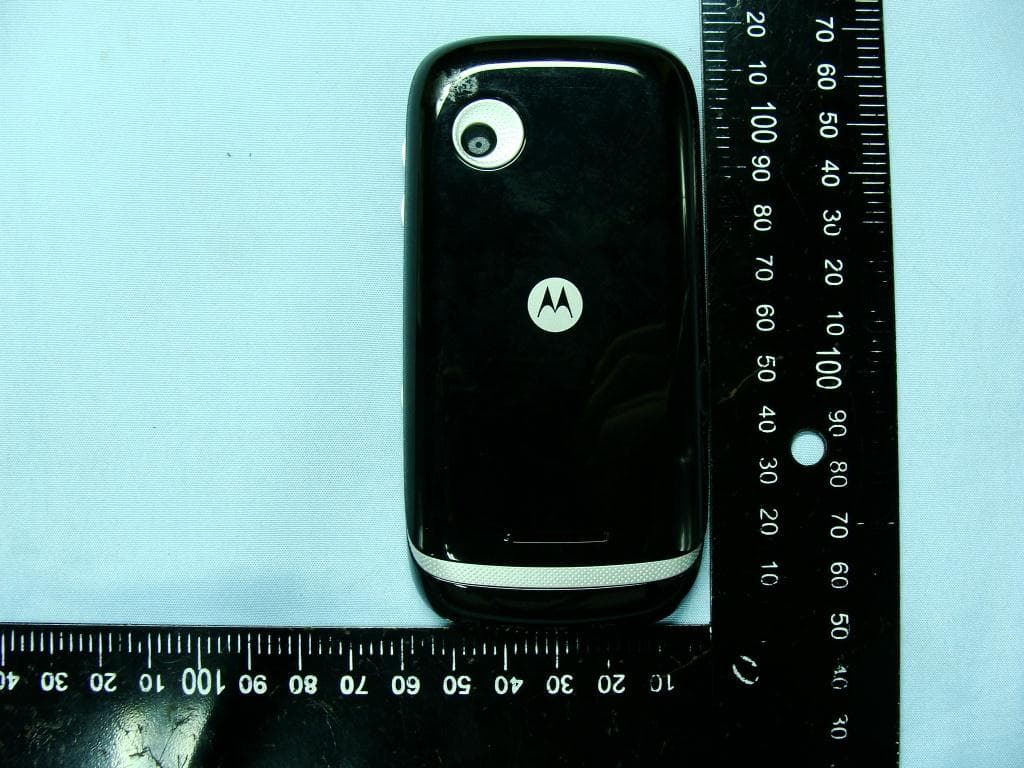
Click to zoom
Application Details
- Equipment Class
- PCE - PCS Licensed Transmitter held to ear
- Date of Grant
- Jun 28, 2011
- Application Purpose
- Original Equipment
- Date of Application
- Jun 28, 2011
- Equipment Note
- Mobile Phone
- Frequency Range
- 1852.40000000 - 1907.60000000
- Company
- Motorola Mobility LLC
- Country
- United States
Documents & Files
Document Text
Text extracted from the exhibit documents filed with the FCC. Open a document above to read the original.
Users Manual
MOTOROLA SPICE TM key 1Congratulations Congratulations Your MOTOROLA SPICE™ key (XT316) phone is loaded with features, including videos, music, Web access, a powerful set of business tools, and more—all in a stylish phone design. • Mobile video: Record and watch videos, download or stream videos to watch on your phone. • Photos: Take and share great photos with a high performance camera. •Web: Get more from the Web, with support for Adobe® Flash® Player. Search, browse, everything you want to do, all made easier. Note: Certain apps and features may not be available in all countries/carriers. Caution: Before assembling, charging, or using your phone for the first time, please read the important legal and safety information at the back of this guide. 2Congratulations want More? • Support: Online help and more at www.motorola.com/support . • Accessories: Find accessories for your phone at www.motorola.com/products . 3Your phone Your phone the important keys & connectors Note: Your phone might look a little different. Press = sleep. Hold = turn off. 3.5mm Headset Jack Back Key Menu Key Home Key To uchscreen Power/ Lock Key Volume Keys Touch to open menu options. Camera Key Search Key Micro USB Connector 4Your phone Contents Let’s go . . . . . . . . . . . . . . . . . . . . . . . . . . . . . . . . . . . . . . . . . . . . . . . . 5 Touchscreen & keys . . . . . . . . . . . . . . . . . . . . . . . . . . . . . . . . . . . . 8 Home screen . . . . . . . . . . . . . . . . . . . . . . . . . . . . . . . . . . . . . . . . . . . 13 Calls . . . . . . . . . . . . . . . . . . . . . . . . . . . . . . . . . . . . . . . . . . . . . . . . . . 17 Contacts. . . . . . . . . . . . . . . . . . . . . . . . . . . . . . . . . . . . . . . . . . . . . . 22 Messaging . . . . . . . . . . . . . . . . . . . . . . . . . . . . . . . . . . . . . . . . . . . . 24 Text entry . . . . . . . . . . . . . . . . . . . . . . . . . . . . . . . . . . . . . . . . . . . . 28 Tips & tricks . . . . . . . . . . . . . . . . . . . . . . . . . . . . . . . . . . . . . . . . . . 30 Web . . . . . . . . . . . . . . . . . . . . . . . . . . . . . . . . . . . . . . . . . . . . . . . . . . . 33 Location . . . . . . . . . . . . . . . . . . . . . . . . . . . . . . . . . . . . . . . . . . . . . . 35 Photos & videos . . . . . . . . . . . . . . . . . . . . . . . . . . . . . . . . . . . . . . . 38 Music . . . . . . . . . . . . . . . . . . . . . . . . . . . . . . . . . . . . . . . . . . . . . . . . . 40 personalize . . . . . . . . . . . . . . . . . . . . . . . . . . . . . . . . . . . . . . . . . . 43 Connections . . . . . . . . . . . . . . . . . . . . . . . . . . . . . . . . . . . . . . . . . . 46 Security . . . . . . . . . . . . . . . . . . . . . . . . . . . . . . . . . . . . . . . . . . . . . . . 51 Troubleshooting . . . . . . . . . . . . . . . . . . . . . . . . . . . . . . . . . . . . . 53 Safety, Regulatory & Legal . . . . . . . . . . . . . . . . . . . . . . . . . . . 54 5Let’s go Let’s go let’s get you up and running Assemble & charge 1Cover off2SIM in 3microSD in (may already be inserted) 4Battery in 5Cover on6Charge up 4H 6Let’s go Caution: Please read “Battery Use & Safety” on page 54. Tip: To save battery life, see “Battery tips” on page 31. Turn it on & off To turn on your phone, press Power/Lock key (on the top right). To turn off your phone, press and hold Power/Lock key, then touchPower off. Note: This phone supports data-intensive apps and services. It is strongly recommended that you purchase a data plan that meets your needs. Contact your service provider for details. Unlock To unlock your phone, drag to the right. Sounds off & on To turn phone sounds off, drag to the left. Wi-Fi™ connect You can use a Wi-Fi™ connection for even faster Internet access. Touch Menu >Settings >Wireless & networks >Wi-Fi settings. Touch Wi-Fi 7Let’s go to turn it on and search for nearby wireless networks. Touch a network to connect. There’s more in “Wi-Fi Networks” on page 48. 8Touchscreen & keys Touchscreen & keys Touchscreen on/off a few essentials Your touchscreen is on when you need it and off when you don’t. •To make your touchscreen sleep or wake up, just press Power/Lock key. •When you hold the phone to your ear during calls, your touchscreen sleeps to prevent accidental touches. •To let the touchscreen adjust brightness automatically, touch Menu >Settings >Display >Brightness and check Automatic brightness. Touch tips Here are some tips on how to navigate around your phone. Touch To choose an icon or option, touch it.
Users Manual
19Calls •Touch and hold an entry to call it, send a text message, view call details or add the number to your contacts. •Touch Menu >Clear call log to clear the list. Conference calls To start a conference call, call the first number. After they answer, touch Add call and call the next number. When the next number answers, touch Merge calls. Your phone number To show your phone number, touch Menu >Settings >About phone >Status > My phone number Your caller ID To hide your number from the people you call, touch Menu>Settings >Call settings >Additional settings >Caller ID. Call forwarding & waiting To forward calls, touch Menu >Settings >Call settings >Call forwarding. You can forward calls all the time, or only when your phone is busy, unanswered, or unreachable (not on the network) 20Calls To turn on call waiting, touch Menu>Settings >Call settings >Additional settings >Call waiting. Call waiting lets you answer new calls when you’re already on a call. If call waiting is off, new calls go straight to your voicemail. Restricted calls To restrict your phone so that it can only dial a few numbers, touch Menu>Settings >Call settings >Fixed Dialing Numbers. •To turn fixed dialing on, touchFDN activation. •To add or delete the allowed numbers, touch FDN list. Cool down In very limited circumstances, such as where your phone has been exposed to extreme heat, you may see “Cool Down” messages. To avoid possible damage to your battery and phone, you should follow these instructions until the phone is within its recommended temperature range. When your phone is in “Cool Down” mode, only emergency calls can be made. 21Calls Emergency calls Note: Your service provider programs one or more emergency phone numbers that you can call under any circumstances, even when your phone is locked. Emergency numbers vary by country. Your pre-programmed emergency number(s) may not work in all locations, and sometimes an emergency call cannot be placed due to network, environmental, or interference issues. 1Open the phone, then touch >Phone (if your phone is locked, touchEmergency Call). 2Enter the emergency number. 3TouchCall to call the emergency number. Note: Your mobile device can use AGPS satellite signals to help emergency services find you (“Location Services (GPS & AGPS)” on page 64). 22Contacts Contacts contacts like you’ve never had before Quick start: Contacts From the home screen, touch > Contacts. •To create a contact, touch > Contacts > Menu >New contact, choose where you want to store the contact, then enter details (to close the display keyboard, touch Back). •To open a contact’s details, touch > Contacts, then touch the contact. Cheyenne Medina Call log Phone Favorites Contacts A B C Arthur Baudo Barry Smyth Search New contact Accounts Import/Export More Display options To uch to open. To uch & hold to open options. Drag or flick to scroll. Switch to the dialer, recent calls, or favorites. Touch to open a menu where you can search, create, and more. 23Contacts •To edit or text a contact, touch > Contacts, then touch and hold the contact. SIM and Memory Card Contacts When you create a new contact you can choose to store it in your Google™ account, phone memory, or your SIM card. If you need to import or export contacts on your SIM or memory card, touch > Contacts, then touch Menu > Import/Export. 24Messaging Messaging sometimes it’s best to text or email... Quick start: Text Messaging From the home screen, touch > Messaging. Tip: To see more messages, flick or drag up. •To create a text message, touch >Messaging > New message. For options, touch Menu. Messaging New message Compose new message 12254558787 14447772222 You had 1 missed call from 122545458787 ... 17 Aug Wanna catch something to eat tonight? How about ... 17 Aug 12223334545 Ha! Thanks. 16 Aug Settings Delete threads Search Compose To uch to open. To uch & hold to open options. Drag or flick to scroll. Touch to open a menu where you can change settings and more. 25Messaging •To open text messages, touch > Messaging, then touch the sender’s name. When you see in the status bar at the top of your screen, flick down the status bar and touch the new message to open it. •To respond to a text message, just open it and enter your response in the text box at the bottom. •To forward, copy, and more, touch > Messaging, touch the sender’s name, then touch and hold the message. attachments To send a file in a text message, touch >Messaging > New message, then touch Menu >Attach. When you open a message with an attachment, touch Download to download it. Touch the downloaded attachment to open it, then touch it again to save it, share it, and more. Tip: To send and receive large attachments faster, use “Wi-Fi Networks” on page 48. 26Messaging Email •To set up Gmail or Corporate Microsoft™ Exchange server accounts, touch Menu > Settings > Accounts & sync > Add account. For details, contact the account provider. To set up a standard email account, touch > Email and follow the wizard. To add more standard accounts, open Email and touch Menu > Accounts > Menu > Add account. For details, contact the account provider. •To open email, touch > Email or Gmail. Touch a message to open it. Tip: Touch Menu for options like Refresh or Search. •To create an email, touch > Email or Gmail, then touch Menu >Compose. Tip: Touch Menu for options like Attach or Add Cc/Bcc. 27Messaging Voicemail When you have a new voicemail, shows in the status bar at the top of your screen. To hear voicemails, touch > Phone then touch and hold 1. If you need to change your voicemail number, in the home screen touch Menu >Settings >Call settings >Voicemail settings. 28Text entry Text entry keys when you need them Typing tips To . . . Enter alternate charactersFrom the number keyboard, touch Alternate. Touch again to return to symbols/numbers. Enter one capital letterTouch Shift. Enter only capital letters, until you touch Shift again To u ch S h i ft twice. Touch again to revert to lowerc…
Text truncated - open the document above for the full version.
Users Manual
34Web •To zoom in or out, pinch two fingers together or apart. Note: Your phone automatically uses your mobile phone network to connect to the web. Your service provider may charge to surf the web or download data. If you can’t connect, contact your service provider. Tip: You can connect to the web with “Wi-Fi Networks” on page 48. Downloads To download files in your browser, touch a file link or touch and hold a picture to choose Save image. To show the files you downloaded, touch > Browser > > More > Downloads. Touch and hold an item to open it, see details, or remove it from the list. You can download “App menu” on page 15. www.google.com: Google www.google.com: Google News results for android Verizon Droid Success Limited by Android Market - 7 hours ago The idon't ad campaign pits the Android-based Droid head-to-head against the formidable iphone. Based on preliminary predictions .. PC World - 1778 related articles » 35Location Location where you are, and where you’re going Quick Start: Location From the home screen, touch > Maps Google Maps™ offers powerful, user-friendly mapping technology and local business information—including business locations, contact information, and driving directions. •To find an address, touch Menu > Search, and enter it in the search bar at the top. The map moves to show the address. N Clark St Wacker Dr M E Ontario St E Ohio St N Rush St N Park St N New St N Wabash Ave N Dearborn St E Grand Ave E Randolph St N Micigan Ave N Micigan Ave r D s u b m u l o C N W Lake StW Lake St E Wacker Pl State/Lake Grand Red Lake Randolph St Metra Randolph/ Wabash Washington-Blue E S WaterSt M M M M Ontario St Search My Location Directions Join Latitude Layers More 12:09 AM To uch to open, then touch to add to Starred Places. Drag or flick to scroll. Touch to open a menu where you can get directions, open your starred places, windows, and more. 36Location Tip: You can touch and hold a spot on the map to show the nearest address. •To find stores, restaurants, and other places near you, touch Menu > My Location to see details. •To get directions, find an address on the map, touch it, then touch Menu > Directions. •For help, touch Menu > More > Help. Google Maps Navigation™ Google Maps Navigation is an Internet-connected GPS navigation system with voice guidance. To open navigation, touch >Navigation. Follow the prompts to speak or type your destination. For more, go to www.google.com/mobile/navigation . Latitude Latitude lets you see where your friends and family are on Google Maps™. Plan to meet up, check that they got home safely, or just stay in touch. Don’t worry, your location is not shared unless you agree to it. After you join Latitude, you can invite your friends to view your location, or accept their invitations. Touch > Maps and then: 37Location •To join Latitude, touch Menu > Join Latitude. Read the privacy policy and, if you agree with it, choose to continue. •To add friends touch Menu > Latitude > Menu > Add friends. Touch Select from Contacts or Add via email address, then touch a contact and Add friends. Your friend will receive an email notice. •To remove friends touch Menu > Latitude to show your friends list. Touch a name, then touch Remove this friend. •To share your location when you receive a request, you can choose Accept and share back (show your location and see theirs), Accept, but hide my location (hide your location, but see theirs), or Don’t accept (hide both locations). •To hide your location touch Menu > Latitude to show your friends list. Touch your contact name, then touch Menu > Settings > Do not detect your location. •To sign out of Latitude, touch Menu > Latitude to show your friends list. Touch Menu > Settings > Sign out of Latitude. 38Photos & videos Photos & videos see it, capture it, share it! Quick Start: Photos & Videos From any screen, press the Camera Key on the right side of the phone to open the camera. Tip: For the clearest photos and videos, clean the lens with a soft, dry cloth. •To t a k e a photo, open the camera, then press the Camera Key. •To record a video, open the camera, then touch the camcorder icon to switch to the camcorder. Press the Camera Key to start and stop recording. Open your last photo or video. Photo or video quality. Store your location in photos. Set white balance for your lighting. Zoom. Choose camera or camcorder. Capture. 39Photos & videos View & Share Photos & videos From the home screen, touch > My Gallery. Flick left and right to show folders. Touch a folder to show its photos or videos, then touch a thumbnail image to open, share, or delete it. Tip: From the viewfinder, you can touch the thumbnail in the top right to open your last photo or video. •To zoom in, touch the screen with two fingers and then drag them apart. To zoom out, drag your fingers together. •To send or post the photo or video, touchMenu > Share. •To delete the photo or video, touchMenu > Delete. •To set a photo as your wallpaper or a contact photo, touchMore > Set as. •To crop or rotate a photo, touch More. •To play a video, touch . Tip: Turn the phone sideways for a widescreen view. 40Music Music when music is what you need... Quick start: Music From the home screen, touch > Music, then choose a song to play it: •To a d j u s t volume, use the phone’s volume keys. 11:04 Music Artist Album Title Song Title 0:263:27 Open Playlist Shuffle On/Off Repeat Off/All/Current Music Controls To tal Song Time Progress Bar 41Music •When a song is playing, you touch Menu to add it to a playlist or use it as a Use it as a ringtone. To edit, delete, or rename playlists, touch > Music touch the Playlists tab, then touch and hold the playlist name. •To hide the player and use other apps, touch Home. Your music keeps playing. To return to the player, flick down the status bar and touch. Tip: For quick music player controls, touch and hold an empty spot in your home screen, then choose Widget > Music. •To stop the player, touch. • Before a flight…
Text truncated - open the document above for the full version.
Cover Letter(s)
SCS-F18: Project and Product Certification Representative Authorization Letter Page 1 of 2 Rev 2.0 2206 Ringwood Avenue San Jose, CA 95131 Tel: 408-526-1188 Fax: 408-526-1088 Email: [email protected] Project and Product Certification Representative Authorization Letter Reason for Amendment (current / obsolete) Revision History Approved Date From To Initial Release (current) 1.0 1.0 June 24, 2011 SCS-F18: Project and Product Certification Representative Authorization Letter Page 2 of 2 Rev 2.0 Sporton International Inc. June 24, 2011 To: SIEMIC, INC. 2206 Ringwood Avenue, San Jose, CA 95131 USA Dear Sir/Madam, Re: Project and Product Certification Representative Authorization Letter We, _Sporton International Inc._hereby authorize SIEMIC, INC. to act as a Certification Body for certifying for the following project(s): Product description: Mobile Phone Model name: XT316 We affirm that between SIEMIC and __Sporton Internationl Inc.___, any difference in understanding, including test plan, measurement methods, applicable standards and relevant procedures and processes have been resolved prior to commencement of testing activities. Sincerely, Client’s signature: Client’s name / title: Jones Tsai / Director Contact information / address: No.52, HwaYa 1st Rd., Kwei-Shan Hsiang, Taoyuan Hsien 333, Taiwan, R.O.C.
Cover Letter(s)
Rev. 1/1/03 Sporton International Inc. No. 52, Hwa Ya 1st Rd., Hwa Ya Technology Park, Kwei-Shan Hsiang, Tao Yuan Hsien, Taiwan, R.O.C. Tel: 886-3-327-3456 ; Fax: 886-3-328-4978 Date: June 24, 2011 Federal Communications Commission Authorization and Evaluation Division Confidentiality Request regarding application for certification of FCC ID: IHDT56ML2 Pursuant to Sections 0.457 and 0.459 of the Commission’s Rules, we hereby request confidential treatment of information accompanying this application as outlined below: Schematics (file: XT316_Schem.pdf) Block Diagram (file: XT316_BlkDia.pdf) Parts List (file: XT316_PartsLst.pdf) Operation Description (file: XT316_OpDes.pdf) Tune up Procedure (file: XT316_TunPro.pdf) The above materials contain trade secrets and proprietary information not customarily released to the public. The public disclosure of these materials may be harmful to the applicant and provide unjustified benefits to its competitors. The applicant understands that pursuant to Section 0.457 of the Rules, disclosure of this application and all accompanying documentation will not be made before the date of the Grant for this application. Sincerely, ________________________ Jones Tsai
Cover Letter(s)
1/1 Sporton International Inc. No. 52, Hwa Ya 1st Rd., Hwa Ya Technology Park, Kwei-Shan Hsiang, Tao Yuan Hsien, Taiwan, R.O.C. Tel: 886-3-327-3456 ; Fax: 886-3-328-4978 Date: June 24, 2011 Federal Communications Commission Authorization and Evaluation Division RE : Certification Application FCC ID : IHDT56ML2 To Whom It May Concern, Pursuant to sections 0.457 and 0.459 of CFR 47 and to avoid premature release of sensitive information prior to marketing or release of the product to the public, the applicant requests the following documents contained in this certification application be temporarily withheld from public disclosure for an initial period of 180 days: External Photos (file: XT316_ExtPho.pdf) Internal Photos (file: XT316_IntPho.pdf) Test Setup Photos (file: XT316_Tsup.pdf) User Manual (file: XT316_UserMan.pdf) The application contains technical information, which Sporton International Inc. deems to be trade secrets and proprietary. If made public, the information might be used to the disadvantage of the applicant in the market place. The Applicant understands that pursuant to Rule 0.457, disclosure of this Application and all accompanying documentation will not be made before the date of the Grant for this application Sincerely, Jones Tsai
Cover Letter(s)
Sporton International Inc. No. 52, Hwa Ya 1st Rd., Hwa Ya Technology Park, Kwei-Shan Hsiang, Tao Yuan Hsien, Taiwan, R.O.C. Tel: 886-3-327-3456 ; Fax: 886-3-328-4978 Date: June 24, 2011 Statement We, Sporton International Inc., states that our device, FCC ID: IHDT56ML2, has no space to put the label except the battery compartment of this device. The label will put under the battery compartment and it is visible to the users as they purchase the products and install the battery. Sincerely yours, _______________ Jones Tsai
External Photos
Photographs of EUT Report No.: EP130415 Brand Name: MOTOROLA / Model Name: XT316 SPORTON INTERNATIONAL INC. Page Number : 1 of 13 TEL : 886-3-327-3456 Report Issued Date : Mar. 28, 2011 FAX : 886-3-328-4978 Report Version : Rev. 01 FCC ID : IHDT56ML1 1. External Photograph of EUT Photographs of EUT Report No.: EP130415 Brand Name: MOTOROLA / Model Name: XT316 SPORTON INTERNATIONAL INC. Page Number : 2 of 13 TEL : 886-3-327-3456 Report Issued Date : Mar. 28, 2011 FAX : 886-3-328-4978 Report Version : Rev. 01 FCC ID : IHDT56ML1 720510 Photographs of EUT Report No.: EP130415 Brand Name: MOTOROLA / Model Name: XT316 SPORTON INTERNATIONAL INC. Page Number : 3 of 13 TEL : 886-3-327-3456 Report Issued Date : Mar. 28, 2011 FAX : 886-3-328-4978 Report Version : Rev. 01 FCC ID : IHDT56ML1 List of Accessory: Specification of Accessory AC Adapter Brand Name Motorola Model Name SPN5440B Battery Brand Name Motorola Model Name BP6X(SNN5843A) Earphone Brand Name Motorola Model Name SJYN0759A USB Cable Brand Name Motorola Model Name SKN6378A LCD Panel Brand Name Chi Mei Innolux Model Name PJ028NA-03A Camera Brand Name Chicony Model Name CBSA31220004090LH Remark: For accessories equipped with this EUT, please refer to the following photos. 2. Photograph of Accessory Photographs of EUT Report No.: EP130415 Brand Name: MOTOROLA / Model Name: XT316 SPORTON INTERNATIONAL INC. Page Number : 4 of 13 TEL : 886-3-327-3456 Report Issued Date : Mar. 28, 2011 FAX : 886-3-328-4978 Report Version : Rev. 01 FCC ID : IHDT56ML1 Photographs of EUT Report No.: EP130415 Brand Name: MOTOROLA / Model Name: XT316 SPORTON INTERNATIONAL INC. Page Number : 5 of 13 TEL : 886-3-327-3456 Report Issued Date : Mar. 28, 2011 FAX : 886-3-328-4978 Report Version : Rev. 01 FCC ID : IHDT56ML1 Photographs of EUT Report No.: EP130415 Brand Name: MOTOROLA / Model Name: XT316 SPORTON INTERNATIONAL INC. Page Number : 6 of 13 TEL : 886-3-327-3456 Report Issued Date : Mar. 28, 2011 FAX : 886-3-328-4978 Report Version : Rev. 01 FCC ID : IHDT56ML1 Photographs of EUT Report No.: EP130415 Brand Name: MOTOROLA / Model Name: XT316 SPORTON INTERNATIONAL INC. Page Number : 7 of 13 TEL : 886-3-327-3456 Report Issued Date : Mar. 28, 2011 FAX : 886-3-328-4978 Report Version : Rev. 01 FCC ID : IHDT56ML1 720510
External Photos
Photographs of EUT Report No.: EP130415-03 Brand Name: MOTOROLA / Model Name: XT316 SPORTON INTERNATIONAL INC. Page Number : 1 of 1 TEL : 886-3-327-3456 Issued Date : Jun. 08, 2011 FAX : 886-3-328-4978 Report Version : Rev. 01 FCC ID : IHDT56ML2 IC : 109O-T56ML2 GPS Antenna (RX) WLAN & Bluetooth Antenna (Tx/Rx) WWAN Antenna (Tx/Rx) 4.5cm m 0.2cm 0.2cm 0.2cm 1.4cm 0.1cm 0.3cm
ID Label/Location Info
1 XT316 Label 2 XT316 Label Location 116.5 58
Internal Photos
Photographs of EUT Report No.: EP130415-03 Brand Name: MOTOROLA / Model Name: XT316 SPORTON INTERNATIONAL INC. Page Number : 1 of 16 TEL : 886-3-327-3456 Report Issued Date : Jun. 08, 2011 FAX : 886-3-328-4978 Report Version : Rev. 01 FCC ID : IHDT56ML2 IC : 109O-T56ML2 Internal Photograph of EUT Photographs of EUT Report No.: EP130415-03 Brand Name: MOTOROLA / Model Name: XT316 SPORTON INTERNATIONAL INC. Page Number : 2 of 16 TEL : 886-3-327-3456 Report Issued Date : Jun. 08, 2011 FAX : 886-3-328-4978 Report Version : Rev. 01 FCC ID : IHDT56ML2 IC : 109O-T56ML2 Photographs of EUT Report No.: EP130415-03 Brand Name: MOTOROLA / Model Name: XT316 SPORTON INTERNATIONAL INC. Page Number : 3 of 16 TEL : 886-3-327-3456 Report Issued Date : Jun. 08, 2011 FAX : 886-3-328-4978 Report Version : Rev. 01 FCC ID : IHDT56ML2 IC : 109O-T56ML2 Photographs of EUT Report No.: EP130415-03 Brand Name: MOTOROLA / Model Name: XT316 SPORTON INTERNATIONAL INC. Page Number : 4 of 16 TEL : 886-3-327-3456 Report Issued Date : Jun. 08, 2011 FAX : 886-3-328-4978 Report Version : Rev. 01 FCC ID : IHDT56ML2 IC : 109O-T56ML2 Photographs of EUT Report No.: EP130415-03 Brand Name: MOTOROLA / Model Name: XT316 SPORTON INTERNATIONAL INC. Page Number : 5 of 16 TEL : 886-3-327-3456 Report Issued Date : Jun. 08, 2011 FAX : 886-3-328-4978 Report Version : Rev. 01 FCC ID : IHDT56ML2 IC : 109O-T56ML2 Photographs of EUT Report No.: EP130415-03 Brand Name: MOTOROLA / Model Name: XT316 SPORTON INTERNATIONAL INC. Page Number : 6 of 16 TEL : 886-3-327-3456 Report Issued Date : Jun. 08, 2011 FAX : 886-3-328-4978 Report Version : Rev. 01 FCC ID : IHDT56ML2 IC : 109O-T56ML2 Photographs of EUT Report No.: EP130415-03 Brand Name: MOTOROLA / Model Name: XT316 SPORTON INTERNATIONAL INC. Page Number : 7 of 16 TEL : 886-3-327-3456 Report Issued Date : Jun. 08, 2011 FAX : 886-3-328-4978 Report Version : Rev. 01 FCC ID : IHDT56ML2 IC : 109O-T56ML2 Photographs of EUT Report No.: EP130415-03 Brand Name: MOTOROLA / Model Name: XT316 SPORTON INTERNATIONAL INC. Page Number : 8 of 16 TEL : 886-3-327-3456 Report Issued Date : Jun. 08, 2011 FAX : 886-3-328-4978 Report Version : Rev. 01 FCC ID : IHDT56ML2 IC : 109O-T56ML2 Photographs of EUT Report No.: EP130415-03 Brand Name: MOTOROLA / Model Name: XT316 SPORTON INTERNATIONAL INC. Page Number : 9 of 16 TEL : 886-3-327-3456 Report Issued Date : Jun. 08, 2011 FAX : 886-3-328-4978 Report Version : Rev. 01 FCC ID : IHDT56ML2 IC : 109O-T56ML2 Photographs of EUT Report No.: EP130415-03 Brand Name: MOTOROLA / Model Name: XT316 SPORTON INTERNATIONAL INC. Page Number : 10 of 16 TEL : 886-3-327-3456 Report Issued Date : Jun. 08, 2011 FAX : 886-3-328-4978 Report Version : Rev. 01 FCC ID : IHDT56ML2 IC : 109O-T56ML2 Photographs of EUT Report No.: EP130415-03 Brand Name: MOTOROLA / Model Name: XT316 SPORTON INTERNATIONAL INC. Page Number : 11 of 16 TEL : 886-3-327-3456 Report Issued Date : Jun. 08, 2011 FAX : 886-3-328-4978 Report Version : Rev. 01 FCC ID : IHDT56ML2 IC : 109O-T56ML2 Photographs of EUT Report No.: EP130415-03 Brand Name: MOTOROLA / Model Name: XT316 SPORTON INTERNATIONAL INC. Page Number : 12 of 16 TEL : 886-3-327-3456 Report Issued Date : Jun. 08, 2011 FAX : 886-3-328-4978 Report Version : Rev. 01 FCC ID : IHDT56ML2 IC : 109O-T56ML2 Photographs of EUT Report No.: EP130415-03 Brand Name: MOTOROLA / Model Name: XT316 SPORTON INTERNATIONAL INC. Page Number : 13 of 16 TEL : 886-3-327-3456 Report Issued Date : Jun. 08, 2011 FAX : 886-3-328-4978 Report Version : Rev. 01 FCC ID : IHDT56ML2 IC : 109O-T56ML2 720510 Photographs of EUT Report No.: EP130415-03 Brand Name: MOTOROLA / Model Name: XT316 SPORTON INTERNATIONAL INC. Page Number : 14 of 16 TEL : 886-3-327-3456 Report Issued Date : Jun. 08, 2011 FAX : 886-3-328-4978 Report Version : Rev. 01 FCC ID : IHDT56ML2 IC : 109O-T56ML2 WWAN Antenna <Tx/Rx> Photographs of EUT Report No.: EP130415-03 Brand Name: MOTOROLA / Model Name: XT316 SPORTON INTERNATIONAL INC. Page Number : 15 of 16 TEL : 886-3-327-3456 Report Issued Date : Jun. 08, 2011 FAX : 886-3-328-4978 Report Version : Rev. 01 FCC ID : IHDT56ML2 IC : 109O-T56ML2 Bluetooth & WLAN Antenna <Tx/Rx> Photographs of EUT Report No.: EP130415-03 Brand Name: MOTOROLA / Model Name: XT316 SPORTON INTERNATIONAL INC. Page Number : 16 of 16 TEL : 886-3-327-3456 Report Issued Date : Jun. 08, 2011 FAX : 886-3-328-4978 Report Version : Rev. 01 FCC ID : IHDT56ML2 IC : 109O-T56ML2 GPS Antenna <Rx>
RF Exposure Info
Test Laboratory: Sporton International Inc. SAR/HAC Testing Lab Date: 2011/6/3 System Check_Head_835MHz_110603 DUT: Dipole 835 MHz Communication System: CW; Frequency: 835 MHz;Duty Cycle: 1:1 Medium: HSL_850_110603 Medium parameters used: f = 835 MHz; σ = 0.912 mho/m; ε r = 40.6; ρ = 1000 kg/m 3 Ambient Temperature:22.1 °C; Liquid Temperature:21.3 °C DASY4 Configuration: - Probe: ET3DV6 - SN1787; ConvF(6.71, 6.71, 6.71); Calibrated: 2011/5/20 - Sensor-Surface: 4mm (Mechanical Surface Detection) - Electronics: DAE4 Sn1249; Calibrated: 2011/2/21 - Phantom: SAM-Right; Type: QD 000 P40 C; Serial: TP-1383 - Measurement SW: DASY4, V4.7 Build 80; Postprocessing SW: SEMCAD, V1.8 Build 186 Pin=250mW/Area Scan (61x61x1): Measurement grid: dx=15mm, dy=15mm Maximum value of SAR (interpolated) = 2.60 mW/g Pin=250mW/Zoom Scan (7x7x7)/Cube 0: Measurement grid: dx=5mm, dy=5mm, dz=5mm Reference Value = 56.0 V/m; Power Drift = -0.033 dB Peak SAR (extrapolated) = 3.39 W/kg SAR(1 g) = 2.4 mW/g; SAR(10 g) = 1.59 mW/g Maximum value of SAR (measured) = 2.60 mW/g 0 dB = 2.60mW/g Test Laboratory: Sporton International Inc. SAR/HAC Testing Lab Date: 2011/6/3 System Check_Head_1900MHz_110603 DUT: Dipole 1900 MHz Communication System: CW; Frequency: 1900 MHz;Duty Cycle: 1:1 Medium: HSL_1900_110603 Medium parameters used: f = 1900 MHz; σ = 1.43 mho/m; ε r = 38.8; ρ = 1000 kg/m 3 Ambient Temperature:22.8 °C; Liquid Temperature:21.4 °C DASY4 Configuration: - Probe: ET3DV6 - SN1787; ConvF(5.03, 5.03, 5.03); Calibrated: 2011/5/20 - Sensor-Surface: 4mm (Mechanical Surface Detection) - Electronics: DAE4 Sn1249; Calibrated: 2011/2/21 - Phantom: SAM-Left; Type: QD 000 P40 C; Serial: TP-1477 - Measurement SW: DASY4, V4.7 Build 80; Postprocessing SW: SEMCAD, V1.8 Build 186 Pin=250mW/Area Scan (61x61x1): Measurement grid: dx=15mm, dy=15mm Maximum value of SAR (interpolated) = 11.4 mW/g Pin=250mW/Zoom Scan (7x7x7)/Cube 0: Measurement grid: dx=5mm, dy=5mm, dz=5mm Reference Value = 91.8 V/m…
Text truncated - open the document above for the full version.
Contact Information
Applicant
Jeff Narducci(Director Product Compliance)
Test Firm
Sporton International Inc.Alex Chen
Technical Specifications
| # | Rule Parts | Frequency Range | Power Output | Emission | Tolerance |
|---|---|---|---|---|---|
| 6 | 24E | 1.85 GHz - 1.91 GHz | 320.00 mW | 4M16F9W | 0.03 ppm |
Other Applications from Motorola Mobility LLC
IHDT56AW9
May 12, 2026Smart Watch
Equipment Class
NII - Unlicensed National Information Infrastructure TXIHDT56AW5
Apr 08, 2026Mobile Cellular Phone
Equipment Class
DTS - Digital Transmission SystemIHDT56AW6
Mar 18, 2026Smart Watch
Equipment Class
JBP - Part 15 Class B Computing Device PeripheralIHDT56AX4
Mar 17, 2026Mobile Cellular Phone
Equipment Class
PCE - PCS Licensed Transmitter held to earIHDT56AW3
Mar 03, 2026Mobile Cellular Phone
Equipment Class
6XD - 15E 6 GHz Low Power Indoor Client