IPH-03992Portable Transceiver
Garmin International Inc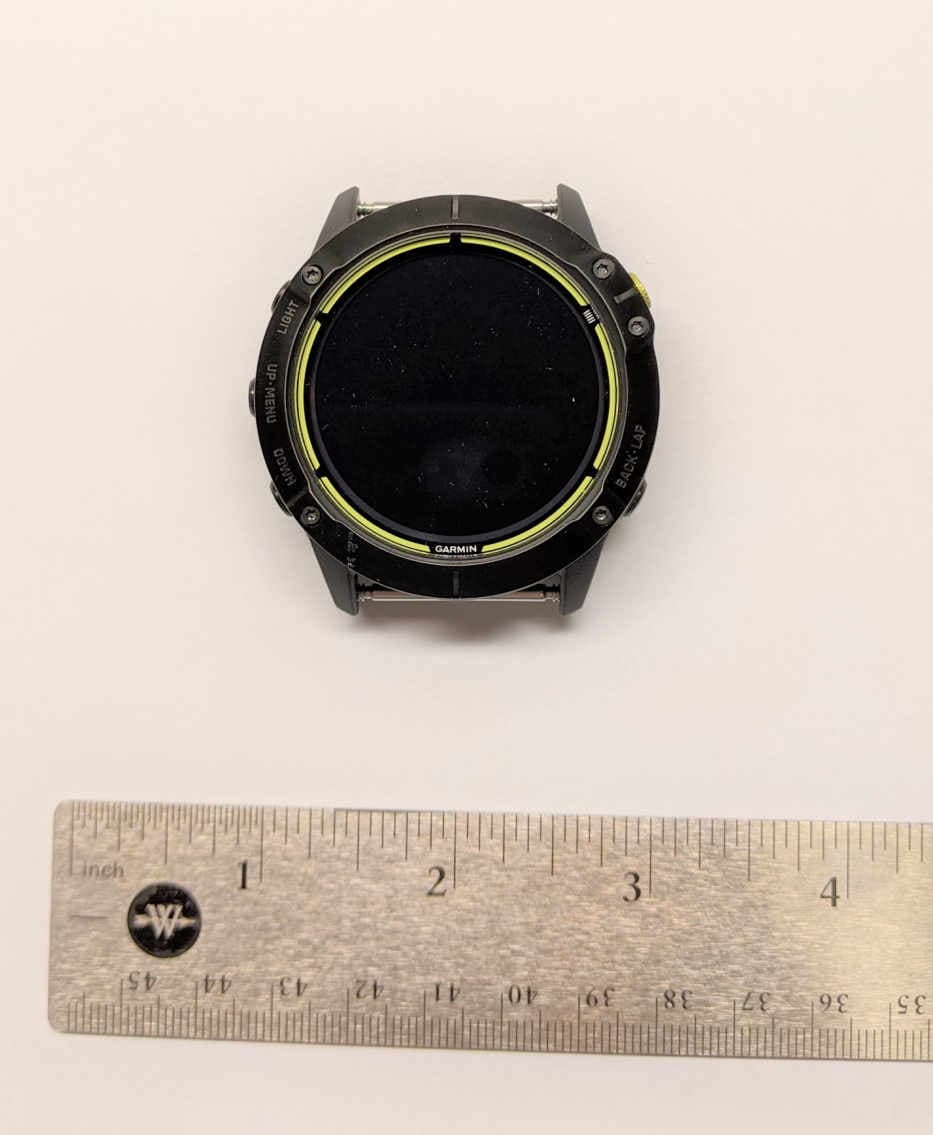
Click to zoom
Application Details
- Equipment Class
- DXX - Part 15 Low Power Communication Device Transmitter
- Date of Grant
- Jan 07, 2021
- Application Purpose
- Original Equipment
- Date of Application
- Jan 07, 2021
- Equipment Note
- Portable Transceiver
- Frequency Range
- 13.56000000 - 13.56000000
- Company
- Garmin International Inc
- Country
- United States
Documents & Files
Document Text
Text extracted from the exhibit documents filed with the FCC. Open a document above to read the original.
Users Manual
Important Safety and Product Information2 Informations importantes sur le produit et la sécurité11 guida Informazioni importanti sulla sicurezza e sul prodotto21 Wichtige Sicherheits- und Produktinformationen29 Información importante sobre el producto y tu seguridad39 Informações importantes sobre segurança e sobre o produto48 Belangrijke veiligheids- en productinformatie56 Vigtige produkt- og sikkerhedinformationer65 Viktig sikkerhets- og produktinformasjon73 Tärkeitä turvallisuus- ja tuotetietoja80 Guiden Viktig säkerhets- och produktinformation87 Ważne informacje dotyczące bezpieczeństwa i produktu94 Důležité bezpečnostní informace a informace o produktu102 Pomembne informacije o varnosti in izdelku110 Važne informacije o proizvodu i sigurnosti117 Правила техники безопасности и сведения об изделии124 Important Safety and Product Information WARNING Failure to heed the following warnings could result in an accident or medical event resulting in death or serious injury. Battery Warnings A lithium-ion battery is used in this device. If these guidelines are not followed, batteries may experience a shortened life span or may present a risk of damage to the device, fire, chemical burn, electrolyte leak, and/or injury. • Do not disassemble, modify, remanufacture, puncture or damage the device or batteries. • Do not remove or attempt to remove the non-user-replaceable battery. • Do not expose the device or batteries to fire, explosion, or other hazard. Device Warnings • Do not leave the device exposed to a heat source or in a high-temperature location, such as in the sun in an unattended vehicle. To prevent the possibility of damage, remove the device from the vehicle or store it out of direct sunlight, such as in the glove box. • Do not operate the device outside of the temperature ranges specified in the printed manual in the product packaging. • When storing the device for an extended time period, store within the temperature ranges specified in the printed manual in the product packaging. • Do not use a power cable, data cable and/or power adapter that is not approved or supplied by Garmin ® . Health Warnings • If you have a pacemaker or other internal electronic device, consult your physician before using a heart rate monitor. • The Garmin optical wrist heart rate monitor and pulse oximeter sensor emit green, red, and infrared light and flash occasionally. Consult your physician if you have epilepsy or are sensitive to bright or flashing lights. 2 EN • Always consult your physician before beginning or modifying any exercise program. • The Garmin device, accessories, heart rate monitor, pulse oximeter sensor, and related data are intended to be used only for recreational purposes and not for medical purposes, and are not intended to diagnose, monitor, treat, cure, or prevent any disease or condition. • The heart rate and blood oxygen saturation readings are for reference only, and no responsibility is accepted for the consequences of any erroneous readings. • While the Garmin optical wrist heart rate monitor technology typically provides an accurate estimate of a user's heart rate, there are inherent limitations with the technology that may cause some of the heart rate readings to be inaccurate under certain circumstances, including the user's physical characteristics, fit of the device, and type and intensity of activity. • While the Garmin pulse oximeter sensor technology typically provides an accurate estimate of a user's blood oxygen saturation, there are inherent limitations with the technology that may cause some of the oxygen saturation readings to be inaccurate under certain circumstances, including the user's physical characteristics, fit of the device, position of the device, and movement. • Garmin activity trackers rely on sensors that track your movement and other metrics. The data and information provided by these devices is intended to be a close estimation of your activity and metrics tracked, but may not be completely accurate, including step, sleep, distance, heart rate, oxygen saturation, and calorie data. Navigation Warnings If your Garmin device uses or accepts map data, follow these guidelines to ensure safe navigating. • Always carefully compare information displayed on the device to all available 3 EN navigation sources, including information from visual sightings, local waterway rules and restrictions, and maps. For safety, always resolve any discrepancies or questions before continuing navigation, and defer to posted signs and conditions. • Use this device only as a navigational aid. Do not attempt to use the device for any purpose requiring precise measurement of direction, distance, location, or topography. Off-Road Navigation Warnings If your Garmin device is able to suggest off-road routes for various outdoor activities, such as biking, hiking, and all- terrain vehicles, follow these guidelines to ensure safe off-road navigation. • Always use your best judgment and exercise common sense when making off-road navigational decisions. The Garmin device is designed to provide route suggestions only. It is not a replacement for attentiveness and proper preparation for outdoor activities. Do not follow the route suggestions if they suggest an illegal course or would put you in an unsafe situation. • Always carefully compare information displayed on the device to all available navigation sources, including trail signs, trail conditions, weather conditions, and other factors that may affect safety while navigating. For safety, always resolve any discrepancies before continuing navigation, and defer to posted signs and conditions. • Always be mindful of the effects of the environment and the inherent risks of the activity before embarking on off- road activities, especially the impact that weather and weather-related trail conditions can have on the safety of your activity. Ensure that you have the proper gear and supplies for your activity before navigating along unfam…
Text truncated - open the document above for the full version.
Users Manual
A03992 Quick Start Manual Introduction WARNING See the Important Safety and Product Information guide in the product box for product warnings and other important information. Getting Started When using your watch the first time, you should complete these tasks to set it up and get to know the basic features. 1 Press LIGHT to turn on the watch (page 3). 2 Follow the on-screen instructions to complete the initial setup. During the initial setup, you can pair your smartphone with your watch to receive notifications, set up your Garmin Pay ™ wallet, and more (page 6). 3 Charge the device completely (page 11). 4 Start an activity (page 8). 2Quick Start Manual Buttons LIGHT • Press to turn the backlight on and off. • Hold to view the controls menu. • Hold to turn the device on. UP·MENU • Press to scroll through the widget loop and menus. • Hold to view the menu. DOWN • Press to scroll through the widget loop and menus. • Press to view the activity list and start or stop an activity. • Press to choose an option in a menu. Quick Start Manual3 BACK·LAP • Press to return to the previous screen. • Press to record a lap, rest, or transition during a multisport activity. • Hold to view the watch face from any screen. Using the Watch • Hold LIGHT to view the controls menu. The controls menu provides quick access to frequently used functions, such as opening the Garmin Pay wallet, turning on do not disturb mode, and turning the watch off. • From the watch face, press UP or DOWN to scroll through the widget loop. Your watch comes preloaded with widgets that provide at-a-glance information. More widgets are available when you pair your watch with a smartphone. • From the watch face, press to start an activity or open an app (page 8). • Hold MENU to customize the watch face, adjust 4Quick Start Manual settings, and pair wireless sensors. Viewing the Solar Widget 1 From the watch face, press UP or DOWN to scroll to the solar widget. 2 Press to view a graph of the intensity of solar input for the last 6 hours. Tips for Solar Charging To maximize the battery life of your watch, follow these tips. • When you are wearing the watch, avoid covering the face with your sleeve. • When you are not wearing the watch, point the face toward a source of bright light, such as sunlight or fluorescent light. The watch will charge faster when exposed to sunlight, because the solar charging lens is optimized for the spectrum of sunlight. • For maximum battery performance, charge the watch in bright sunlight. Quick Start Manual5 NOTE: The watch protects itself from overheating and stops charging automatically if the internal temperature exceeds the solar charging temperature threshold (page 12). NOTE: The watch does not solar charge when connected to an external power source or when the battery is full. Smart Features Pairing Your Smartphone with Your Watch To use the connected features on your watch, you must pair it directly through the Garmin Connect ™ app, instead of from the Bluetooth ® settings on your smartphone. 1 From the app store on your smartphone, install and open the Garmin Connect app. 2 Bring your smartphone within 10 m (33 ft.) of your watch. 3 Press LIGHT to turn on the watch. The first time you turn on the watch, it is in pairing mode. 4 Follow the instructions in the app to complete the pairing and setup process. 6Quick Start Manual Setting Up Your Garmin Pay Wallet The Garmin Pay feature allows you to use your watch to pay for purchases in participating stores. You can add one or more participating credit or debit cards to your Garmin Pay wallet. Go to garmin.com /garminpay/banks to find participating financial institutions. 1 From the Garmin Connect app, select or . 2 Select Garmin Pay > Get Started. 3 Follow the on-screen instructions. You can open your Garmin Pay wallet from the controls menu on your device. See the owner's manual for more information on using the Garmin Pay feature. Connect IQ ™ Features You can add Connect IQ features to your watch from Garmin ® and other providers using the Connect IQ app. You can customize your device with watch faces, data fields, widgets, and apps. Downloading Connect IQ Features 1 From the app store on your smartphone, install and open the Connect IQ app. Quick Start Manual7 2 Follow the on-screen instructions. Activities and Apps Your device can be used for indoor, outdoor, athletic, and fitness activities. When you start an activity, the device displays and records sensor data. You can save activities and share them with the Garmin Connect community. You can also add Connect IQ activities and apps to your device using the Connect IQ app (page 7). Starting an Activity 1 From the watch face, press . 2 The first time you start an activity, select the checkbox next to each of your favorites, and select Done. Your favorite activities appear at the top of the list, providing quick access to the ones you use most. Additional activities appear in the extended list. 3 Select an activity. 4 If the activity requires GPS, go outside, and wait while the device locates satellites. 5 Press to start the timer. 8Quick Start Manual NOTE: The device does not record your activity data until you start the timer. 6 After you complete your activity, press to stop the timer. 7 Select Save to save the activity and review the activity summary. Recording an Ultra Run Activity 1 Press . 2 Select Ultra Run > . 3 Start running. 4 If resting, select BACK·LAP to create a rest interval. The display reverses to white text on a black background, and the rest screen appears. 5 From resting, select BACK·LAP to resume running and create a new interval. 6 After you complete your activity, press , and select Done > Save. Power Modes Power modes allow you to quickly adjust system settings, activity settings, and GPS Quick Start Manual9 settings to extend battery life during an activity. For example, power modes can disconnect paired sensors and turn on the UltraTrac GPS option. The watch displays the…
Text truncated - open the document above for the full version.
Cover Letter(s)
December 30, 2020 Federal Communications Commission Equip Approval Services Post Office Box 358315 Pittsburgh, Pennsylvania 15215-5315 To Whom It May Concern: Pursuant to 47 CFR 2.911, Garmin International, Inc. (Garmin) has authorized Nic Johnson of the Nebraska Center for Excellence in Electronics to act on Garmin’s behalf for the sole and express purpose of processing applications to the Federal Communication Commission (FCC) for equipment FCC authorization. This authorization is limited to FCC ID: IPH-03992. Consistent with the foregoing, Nic Johnson is authorized to: 1) Sign Form 731, 2) Sign letters of application, 3) Request confidentiality, and 4) Exchange data and information with the FCC, and authorized TCBs on behalf of Garmin. This authorization is not assignable to other beyond Nic Johnson. No party to this application is subject to a denial of benefits, including FCC benefits, pursuant to Section 5301 of the Anti-Drug Abuse Act of 1988, 21 U.S.C 862. We also declare that the information provided to the FCC is true and correct to the best of our knowledge (47 CFR 2.911(d)) and we have been informed of the grantee responsibilities (47 CFR 2.909) with regard to certified equipment. This authorization expires December 31, 2021. Sincerely, Dan Irish Senior Compliance Engineer -----------------------------------------------------nothing follows----------------------------------------------------
Cover Letter(s)
Dec. 11, 2020 Federal Communications Commission Authorization and Evaluation Division 1435 Oakland Mills Road Columbia, MD 21046 Innovation, Science and Economic Development Canada Certification and Engineering Bureau 3701 Carling Avenue PO Box 11490, Station H Ottawa, Ontario, Canada K2H 8S2 To Whom It May Concern: Pursuant to 47 CFR 2.911, Garmin International, Inc. (Garmin) has authorized the following Garmin International Associates to act on Garmin's behalf for the sole and express purpose of processing applications to the Federal Communication Commission (FCC) and Innovation, Science and Economic Development Canada (ISED) for equipment authorization or certification. Ms. Poojita Bhattu, Compliance Engineer Mr. Doug Burroughs, Senior Compliance Engineer Mr. Jeffrey Hailey, Staff Compliance Eng ineer Mr. Dan Irish, Senior Compliance Engineer Mr. Ben Karsak, Compliance Engineering Team Lead Mr. Kiran Kumar, Senior Compliance Engineer Mr. Tim Olson, Senior Compliance Engineer Mr. Carlos Ortega, Senior Compliance Engineer Mr. William Pertner, Compliance Engineering Team Lead Mr. Cody Riggle, Compliance Engineer Mr. David Utt, Staff Compliance Engineer Mr. Jonathan Shafer, Senior Design Certification Engineer Ms. Sara Jones, Design Certification Engineer 2 Mr. Jay Everett, Team Leader, System Validation As such, the Garmin Associates listed above are authorized to: 1) sign Form 731, 2) sign letters of application, 3) request confidentiality, and 4) exchange data and information with the FCC, IC and/or authorized TCBs on behalf of Garmin. In addition, these individuals shall be considered "authorized individuals" to act on Garmin's behalf where an "authorized individual's" attestation is necessary or preferred. This authorization remains in effect until notified to the contrary by Garmin. Sincerely, Mr. Douglas Kealey, Manager Environmental and Regulatory Affairs
Cover Letter(s)
Page 1 of 1 Request for Confidentiality Date: December 17, 2020 Subject: Confidentiality Request for: Garmin International, Inc. FCC ID: IPH-03992 IC: 1792A-03992 Pursuant to FCC 47 CFR 0.457(d) and 0.459 and IC RSP-100, Section 9.4, the applicant requests that a part of the subject FCC application be held confidential. Type of Confidentiality Requested Exhibit ☐ Short Term ☒ Permanent ☐ Not Provided Block Diagrams ☒ Short Term ☐ Not Provided External Photos ☒ Short Term ☐ Permanent ☐ Not Provided Internal Photos ☐ Short Term ☒ Permanent ☐ Not Provided Operation Description/Theory of Operation ☐ Short Term ☐ Permanent ☒ Not Provided Parts List & Placement/BOM ☐ Short Term ☐ Permanent ☒ Not Provided Tune-Up Procedure ☐ Short Term ☒ Permanent ☐ Not Provided Schematics ☒ Short Term ☐ Not Provided Test Setup Photos ☒ Short Term ☐ Permanent ☐ Not Provided User’s Manual The above-mentioned company has spent substantial effort in developing this product and it is one of the first of its kind in industry. Having the subject information easily available to "competition" would negate the advantage they have achieved by developing this product. Not protecting the details of the design will result in financial hardship. Permanent Confidentiality: The applicant requests the exhibits listed above as permanently confidential be permanently withheld from public review due to materials that contain trade secrets and proprietary information not customarily released to the public. Short-Term Confidentiality (if applicable): The applicant requests the exhibits selected above as short term confidential be withheld from public view for a period of 90 days from the date of the Grant of Equipment Authorization and prior to marketing. This is to avoid premature release of sensitive information prior to marketing or release of the product to the public. Applicant is also aware that they are responsible to notify ACB in the event information regarding the product or the product is made available to the public before the requested period has expired. ACB will then release the documents listed above for public disclosure pursuant to FCC Public Notice DA 04- 1705. NOTE for Industry Canada Applications: IC currently only distinguishes Permanent Confidentiality exhibits as shown above. Short Term confidentiality is not considered Provided to IC applications Sincerely, By: __________________________ Nic Johnson, Technical Manager, NCEE Labs
Cover Letter(s)
Federal Communications Commission Authorization and Evaluation Division 1435 Oakland Mills Road Columbia, MD 21046 Date: December 7, 2020 SUBJECT: FCC Application for FCC ID: IPH-03992 To Whom It May Concern: Garmin will continue to apply processes and procedures to ensure compliance with 47 CFR 2 requirements regarding products produced under Supplier’s Declaration of Conformity procedure for class B computer peripheral portion as applicable to this composite filing. Sincerely, Daniel C. Irish Senior Compliance Engineer Outdoor Products
External Photos
M/N: A03992 Photographs M/N: A03992 Photographs M/N: A03992 Photographs M/N: A03992 Photographs M/N: A03992 Photographs M/N: A03992 Photographs
ID Label/Location Info
Label and E-Label Information The following markings are molded into the rear of the case: Version with black housing: Version with grey housing: Markings for Country of Origin and EU requirements are printed on the top of the housing. The following specific instructions are provided in the printed Quick Start Manual that is provided with the device: The following information is provided in the on-line Owner’s Manual: The following information is displayed electronically: The above FCC ID and M/N are also printed on the product packaging.
Internal Photos
M/N: A03992 Photographs M/N: A03992 Photographs M/N: A03992 Photographs M/ N: A03992 Photographs M/N : A03992 Photographs 2.4 GHz antenna
Test Report
The Nebraska Center for Excellence in Electronics (NCEE) authorizes the above named company to reproduce this report provided it is reproduced in its entirety for use by the company’s employees only. Any use that a third party makes of this report, or any reliance on or decisions made based on it, are the responsibility of such third parties. NCEE accepts no responsibility for damages, if any, suffered by any third party as a result of decisions made or actions based on this report. This report applies only to the items tested. Test Report Prepared for: Garmin International Inc. Address: 1200 E. 151 st Street Olathe, Kansas, 66062, USA Product: A03992 Test Report No: R20200220-21-E3A Approved By: __________________ Nic S. Johnson, NCE Technical Manager iNARTE Certified EMC Engineer #EMC-003337-NE DATE: 4 January 2021 Total Pages: 23 Report Number: R20200220-21-E3 Rev A Prepared for: Garmin International, Inc. The Nebraska Center for Excellence in Electronics 4740 Discovery Drive Lincoln, NE 68521 Page 2 of 23 Revision Page Rev. No. Date Description Original 24 March 2020 Original – Prepared by KVepuri Approved by NJohnson A 4 January 2021 Corrected Figure 4 -NJ Report Number: R20200220-21-E3 Rev A Prepared for: Garmin International, Inc. The Nebraska Center for Excellence in Electronics 4740 Discovery Drive Lincoln, NE 68521 Page 3 of 23 TABLE OF CONTENTS 1 Summary of Test Results ............................................................................................................ 4 1.1 Emissions Test Results .......................................................................................................... 4 2 EUT Description ............................................................................................................................ 5 2.1 Equipment under Test (EUT) ................................................................................................. 5 2.2 Laboratory Description ........................................................................................................... 5 2.3 EUT Setup .............................................................................................................................. 5 3 Test Results .................................................................................................................................. 6 3.1 Radiated Emissions, Band Width, Output Power and Band edge ......................................... 6 3.2 Frequency Error ................................................................................................................... 15 3.3 Conducted Emissions ........................................................................................................... 17 Annex A: Measurement Uncertainty ................................................................................................ 20 Annex B: Sample Field Strength Calculation ................................................................................. 21 REPORT END ...................................................................................................................................... 23 TABLES Table 1 – Emissions Test Results .......................................................................................................... 4 Table 2 – Equipment under Test (EUT) ................................................................................................. 5 Table 3 – Radiated Emissions QP Data ................................................................................................. 8 Table 4 - Frequency Range Measurements ......................................................................................... 16 Table 5 - Voltage Range Measurements .............................................................................................. 16 FIGURES Figure 1 – Radiated Emissions Peak Plot, Horizontal Polarization, 10 MHz- 30 MHz ........................... 7 Figure 2 – Radiated Emissions Peak Plot, 30 MHz- 1 GHz ................................................................... 8 Figure 3 - 99% Occupied Bandwidth, NFC ............................................................................................ 9 Figure 4 – Output Power ...................................................................................................................... 10 Figure 5 – Lower Bandedge ................................................................................................................. 11 Figure 6 – Lower Bandedge ................................................................................................................. 12 Figure 7 – Higher Band edge ............................................................................................................... 13 Figure 8 – Higher Band edge ............................................................................................................... 14 Figure 9 - Conducted Emissions, Line.................................................................................................. 18 Figure 10 - Conducted Emissions, Neutral ........................................................................................... 19 Report Number: R20200220-21-E3 Rev A Prepared for: Garmin International, Inc. The Nebraska Center for Excellence in Electronics 4740 Discovery Drive Lincoln, NE 68521 Page 4 of 23 1 Summary of Test Results The EUT was tested for compliance to the following standards and/or regulations; 1.1 Emissions Test Results The EUT was tested for compliance to: US CFR Title 47 FCC Part 15.225 RSS-210 Issue 10 Below is a summary of the test results. Complete results of testing can be found in Section 3. Table 1 – Emissions Test Results Emissions Tests Test Method and Limits Result Radiated Emissions FCC Part 15.225 (a), (b), (c), (d) RSS-210, Sec 4.3 Complies Frequency Error FCC Part 15.225 (e) RSS-210, Annex D Complies Conducted Emissions FCC Part 15.207 RSS-Gen, Sec 8.8 Complies Report Number: …
Text truncated - open the document above for the full version.
Test Report
The Nebraska Center for Excellence in Electronics (NCEE) authorizes the above named company to reproduce this report provided it is reproduced in its entirety for use by the company’s employees only. Any use that a third party makes of this report, or any reliance on or decisions made based on it, are the responsibility of such third parties. NCEE accepts no responsibility for damages, if any, suffered by any third party as a result of decisions made or actions based on this report. This report applies only to the items tested. FCC/ISED Test Report Prepared for: Garmin International, Inc. Address: 1200 E. 151 st Street Olathe, Kansas, 66062, USA Product: A03992 Test Report No: R20200220-21-E1C Approved by: __________________ Nic S. Johnson, NCE Technical Manager iNARTE Certified EMC Engineer #EMC-003337-NE DATE: 8 January 2021 Total Pages: 49 Report Number: R20200220-21-E1B Rev C Prepared for: Garmin International, Inc. The Nebraska Center for Excellence in Electronics 4740 Discovery Drive Lincoln, NE 68521 Page 2 of 49 REVISION PAG E Rev. No. Date Description 0 20 March 2020 Original – NJohnson Prepared by KVepuri/CFarrington A 13 November 2020 Updated calibration table. Includes NCEE Labs report R20200220-21-E1 and its amendment in full. -NJ B 15 December 2020 Updated Band-Edge Measurements and test equipment table -KV/FL C 8 January 2021 Measured duty cycle and calculated duty cycle correction factor. DCCF was applied to peak band edge measurements to calculate average value. -NJ Report Number: R20200220-21-E1B Rev C Prepared for: Garmin International, Inc. The Nebraska Center for Excellence in Electronics 4740 Discovery Drive Lincoln, NE 68521 Page 3 of 49 CONT EN TS Revision Page ............................................................................................................................................................................... 2 1.0 Summary of test results ....................................................................................................................................... 4 2.0 EUT Description .................................................................................................................................................... 5 2.1 Equipment under test ........................................................................................................................................ 5 2.2 Description of test modes ................................................................................................................................ 5 2.3 Description of support units ............................................................................................................................ 5 3.0 Laboratory and General Test Description ........................................................................................................ 6 3.1 Laboratory description ...................................................................................................................................... 6 3.2 Test personnel ..................................................................................................................................................... 6 3.3 Test equipment.................................................................................................................................................... 7 3.4 General Test Procedure and Setup for Radio Measuremnts ................................................................... 8 4.0 Results .................................................................................................................................................................... 9 4.1 Bandwidth ........................................................................................................................................................... 10 4.3 Duty Cycle .......................................................................................................................................................... 11 4.4 Radiated emissions .......................................................................................................................................... 12 4.5 Band edges ........................................................................................................................................................ 22 4.6 Conducted AC Mains Emissions .................................................................................................................. 25 Appendix A: Sample Calculation ................................................................................................................................... 28 Appendix B – Measurement Uncertainty ...................................................................................................................... 30 Appendix C – Graphs and Tab…
Text truncated - open the document above for the full version.
Contact Information
Applicant
Ben Karsak(Manager, Compliance Engineering)
Test Firm
Nebraska Center for Excellence in ElectronicsNic Johnson
Technical Specifications
| # | Rule Parts | Frequency Range | Power Output |
|---|---|---|---|
| 2 | 15C | 13.56 MHz - 13.56 MHz | - |
Other Applications from Garmin International Inc
IPH-A5168
Aug 25, 2026Transceiver
Equipment Class
DTS - Digital Transmission SystemIPH-A5172
Aug 25, 2026Transceiver
Equipment Class
DSS - Part 15 Spread Spectrum TransmitterIPH-05419
Aug 25, 2026Portable Digital Transceiver
Equipment Class
DSS - Part 15 Spread Spectrum TransmitterIPH-05172
Aug 25, 2026Transceiver
Equipment Class
DXX - Part 15 Low Power Communication Device TransmitterIPH-05168
Aug 25, 2026Portable Digital Transceiver
Equipment Class
PCT - PCS Licensed Transmitter worn on body