JIAAWR1ACTIREADER
Mini Mitter Co. Inc.
Click to zoom
Application Details
- Equipment Class
- DCD - Part 15 Low Power Transmitter Below 1705 kHz
- Date of Grant
- Mar 27, 2008
- Application Purpose
- Original Equipment
- Date of Application
- Mar 27, 2008
- Equipment Note
- ACTIREADER
- Frequency Range
- 0.11200000 - 0.11200000
- Company
- Mini Mitter Co. Inc.
- Country
- United States
Documents & Files
Document Text
Text extracted from the exhibit documents filed with the FCC. Open a document above to read the original.
Users Manual
5015 B.U. Bowman Drive Buford, GA 30518 USA Voice: 770-831-8048 Fax: 770-831-8598 Certification Exhibit FCC ID: JIAAWR1 IC: 6041A-AWR1 FCC Rule Part: 15.209 IC Radio Standards Specification: RSS-210 ACS Report Number 08-0085 - 15C Manufacturer: Mini Mitter Company, Inc. Model(s): ActiReader Manual (Part 1 of 3) Instruction Manual Actiwatch Communication and Sleep Analysis Software Actiware ® 5.0 and Actiware-CT 5.1 Actiwatch-16, -64, -Score, -L Actireader Actiwatch ® -16 / Actiwatch ® -64 Actiwatch ® -L / Actiwatch ® -Score Actiware ® 5.0 / Actiware ® -CT 5.1 Actiwatch Communication and Sleep Analysis Software Instruction Manual Respironics, Mini-Mitter, Actiwatch, and Actiware are registered trademarks of Respironics, Inc. and its affiliates. Windows is a registered trademark of Microsoft Corporation. Pentium is a registered trademark of Intel. ActiReader is covered by the following US patent numbers: 6,129,663. Other patents pending. © 2006 Respironics, Inc. and its affiliates. All rights reserved. iii Mini Mitter, a Respironics Company WARRANTY POLICY 1. WARRANTY : Mini Mitter, a Respironics Company, warrants that upon delivery the goods sold hereunder will be free of defects in materials and workmanship, and such goods will substantially conform to the specifications furnished by the Seller, and to any drawings or specifications furnished to the Buyer by the Manufacturer (Mini Mitter, a Respironics Company) if approved by the Manufacturer. a) Commencement of Warranty – The warranty period begins on the date of delivery. b) Duration of Warranty – The goods sold hereunder are warranted for a period of twelve months, except PDT-4000 and PDT- 4000HR, which are warranted for two years. c) Third Party Product Warranty – Third party products purchased by Buyer through the Manufacturer are covered by the third party’s warranty and ARE NOT COVERED BY THE MANUFACTURER WARRANTY. d) Place of Repair or Replacement. Buyer must return the defective or nonconforming goods upon request to Mini Mitter, a Respironics Company, at 20300 Empire Avenue, Building B-3; Bend, OR 97701, 800-685-2999 (US or Canada only) or 1-541-598- 3800, not later than 15 days after the Manufacturer’s receipt of notice of the alleged defect or nonconformance. Buyer shall prepay transportation charges. The Manufacturer shall pay for the return of the goods to Buyer. No goods are to be returned to the Manufacturer without prior authorization and a valid Return Authorization (RA) number. e) Limitation of Warranty – The foregoing warranty shall not apply to defects resulting from (a) improper or inadequate maintenance by Buyer; (b) unauthorized modification of the goods; (c) operation of the goods outside of the environmental specifications for the goods; (d) neglect, misuse or abuse of the goods or (e) modification or integration with other goods not covered by a Mini Mitter, a Respironics Company, warranty when such modification or integration increases the likelihood of damage to the goods. f ) Technical assistance – The warranty set forth above shall not be enlarged, diminished or affected by and no obligation or liability shall arise from the Manufacturer’s rendering of technical advice, assistance or services in connection with Buyer’s order of the goods furnished hereunder. The Buyer is not relying on the Manufacturer’s skill or judgment to select or furnish suitable goods. THE WARRANTY SET FORTH ABOVE IS EXCLUSIVE AND THE MANUFACTURER GIVES NO OTHER WARRANTY WRITTEN OR VERBAL, EXPRESS OR IMPLIED. MINI MITTER, A RESPIRONICS COMPANY, SPECIFICALLY DISCLAIMS THE IMPLIED WARRANTIES OF MERCHANT-ABILITY AND FITNESS FOR A PARTICULAR PURPOSE. THE MANUFACTURER’S STANDARD WARRANTY POLICY COVERING ANY OF THE MANUFACTURER’S PRODUCTS SHALL BE NULL, VOID, AND OF NO EFFECT IF THE BUYER OR ANY THIRD PARTY USES THAT PRODUCT FOR ANY USE OTHER THAN THE INTENDED USE OF THAT PRODUCT. 2. LIMITATION OF REMEDIES AND LIABILITY. The remedies provided herein are Buyer’s sole and exclusive remedies. The Manufacturer shall have no responsibility other than, at the Manufacturer’s option, to repair or replace defective or nonconforming goods or to refund the purchase price of defective or nonconforming goods in the event of breach of any warranty. IN NO EVENT SHALL THE MANUFACTURER BE LIABLE FOR ANY DIRECT, INDIRECT, SPECIAL, INCIDENTAL OR CONSEQUENTIAL DAMAGES (INCLUDING LOSS OF PROFITS) WHETHER BASED ON CONTRACT, TORT OR ANY OTHER LEGAL THEORY. In the event that any limitation of warranty or disclaimer of liability is found to be unlawful or inapplicable, or to have failed of its essential purpose, the Manufacturer’s liability shall be limited to the amount paid by the Buyer for the specific goods that caused such liability. iv MINI MITTER, a Respironics Company SOFTWARE LICENSE AGREEMENT NOTICE TO USER: BY CLICKING THE “I ACCEPT THE TERMS IN THE LICENSE AGREEMENT” BUTTON, THE USER (“YOU”) AGREE(S) TO BE BOUND BY THE TERMS OF THIS SOFTWARE LICENSE AGREEMENT (“AGREEMENT”). BY CLICKING YES YOU ACCEPT ALL THE TERMS AND CONDITIONS OF THIS AGREEMENT, INCLUDING WITHOUT LIMITATION, THE RESTRICTIONS ON: USE CONTAINED IN SECTION 2; TRANSFERABILITY IN SECTION 4; WARRANTY IN SECTION 6; AND LIABILITY IN SECTION 7. YOU AGREE THAT THIS AGREEMENT IS ENFORCEABLE LIKE ANY WRITTEN NEGOTIATED AGREEMENT SIGNED BY YOU. IF YOU DO NOT AGREE TO BE BOUND TO THE TERMS AND CONDITIONS OF THIS AGREEMENT, YOU MAY OBTAIN A REFUND OF ANY AMOUNT YOU ORIGINALLY PAID IF YOU: (A) DO NOT USE THE SOFTWARE AND (B) RETURN THE SOFTWARE, WITH PROOF OF PAYMENT, TO THE LOCATION FROM WHICH IT WAS OBTAINED WITHIN THIRTY (30) DAYS OF THE PURCHASE DATE. 1. Definitions. “Software” means (a) all of the contents of the files, disk(s), CD-ROM(s) or other media with which this Agreement is provided, including but not limited to (i) MINI MITTER or third party computer information or software; (ii) related explanatory written materials or files (“Documentation”); and (b) upgrades, modified versions, updat…
Text truncated - open the document above for the full version.
Users Manual
5015 B.U. Bowman Drive Buford, GA 30518 USA Voice: 770-831-8048 Fax: 770-831-8598 Certification Exhibit FCC ID: JIAAWR1 IC: 6041A-AWR1 FCC Rule Part: 15.209 IC Radio Standards Specification: RSS-210 ACS Report Number 08-0085 - 15C Manufacturer: Mini Mitter Company, Inc. Model(s): ActiReader Manual (Part 2 of 3) 2-1 SECTION 2 WARNING! Actiware / Actiware-CT is for use only in a clinical, research, or home care provider setting. GETTING STARTED The workspace of the Actiware program is similar to many software applications. Dockable windows give the user direct access to the Actiwatch or subject data stored in the selected database. They also provide control over analysis viewing and exports. The Database Viewer and the Properties Viewer are docked at the left side of the main Actiware window by default. The Actogram View toolbar is shown on the right side of the main Actiware window. Actiware databases are organized in a hierarchical fashion. The top level is the subject level. The second level is the Actiwatch data for that subject. The third level is for saved analyses of the Actiwatch data. You can navigate through this hierarchy by clicking on the + (plus sign) or – (minus sign) buttons to the left of the subject or Actiwatch data icons. • Subjects are sorted by subject ID. • Actiwatch Data entries are sorted by data collection start time. • Analyses are sorted by saved name. 2-2 Getting Started Main Window Actiware workspace, full-window The main Actiware window can be broken into three main sections: • Toolbars • Database Viewer • Properties viewer Toolbars The Menu Bar is similar to most software applications. Keyboard shortcuts, actuated by pressing the ALT key plus the hotkey letter, (identified by an underscore) can be used to navigate through the toolbar menus. 2-3 The Standard toolbar, just below the Menu Bar, includes shortcuts to associated functions within the Actiware software program. Hover your mouse over the icon for a short text description. Standard Toolbar Icons Create A New SubjectEdit Subject, Data, or Analysis Configure My ActiwatchShow Audit Trail Retrieve Data from My ActiwatchOpen the Database Viewer Import an .awd FileOpen the Properties Viewer The following four icons determine how the data are shown in the Analysis window. Display Data as an ActogramDisplay the Data List Display Statistics within an IntervalDisplay Data as a Graph Print an Actiware ReportCreate a New Analysis File Export a Data FileOpen an Analysis File Copy Export Text to the ClipboardSave an Analysis File The Graph toolbar provides access to functions that are available only when viewing a graph. Print a GraphCopy Graph to the Clipboard Edit the Graph Display Properties 2-4 Getting Started The Actogram View toolbar is used for adjusting the viewing properties of an Actogram, and is available only when an Actogram is present. Changes made to this toolbar are immediately visible in the currently selected Actogram. • Days Displayed: controls how many days are displayed in the visible part of the Actogram window. Use the scroll bar on the right of the Actogram to see the remaining days. Pull down or type directly into this control to set the number of days. • Visibility: these buttons hide and show the data items in the Actogram: Actogram View Toolbar 2-5 • Activity Scale: adjusts the maximum value of activity counts displayed on the Actogram. Pull down or type directly into this control to set the activity scale. • Illuminance Scale: adjusts the maximum illuminance value displayed on the Actogram. Pull down or type directly into this control to set the scale. • Light/Dark Bar: use these controls to show or hide the bar at the top of the Actogram, to set the light on/light off time, or to set the light to all on (24 hours of light) or all off (24 hours of dark). • Interval Legend: provides a convenient reminder of the color scheme used for displayed intervals. Click the keyboard controls link to display quick reminders on how to set intervals. See Setting Intervals later in this section. To save your current Actogram View settings as default settings, click View > Save Current Actogram View as My Default View. Or, to restore your default view settings, click View > Restore My Default Actogram View. Database Viewer The Database Viewer is used to provide a hierarchical tree view of the data in your currently selected database. Below is an example view from the Demonstration Database that is provided with Actiware. Database Viewer 2-6 Getting Started Subjects, Actiwatch data, and Analyses are shown as indicated below: Commonly used functions can be accessed by right-clicking on an item in the Database Viewer and using the popup menu. Actiware automatically loads the last used database or when run for the first time, the Demonstration Database. To create a new database, click File > Database > New and use the Windows file selection to select a filename and location. Other database functions (such as Open, Save As, Backup, and Export) can be accessed from the File > Database menu. The Database Viewer can be undocked or docked by clicking and dragging the window title bar. In addition, it can be resized or closed. To show again, use the View > Database Viewer menu. LevelContent 1st Level (Subject) Subject Identity (Sorted Alphabetically or Numerically) 2nd Level (Actiwatch Data) Local Start Time (Sorted by Date) 3rd Level (Analysis) Analysis Name (Sorted Alphabetically) 2-7 Properties Viewer window Items in the Properties Viewer can be edited by double-clicking the item. The Properties Viewer can be undocked or docked by clicking and dragging the window title bar. In addition, it can be resized or closed. To show again, use the View > Properties Viewer menu. Properties Viewer The Properties Viewer displays information for the database item that is currently selected in the Database Viewer; hence the Database Viewer and Properties Viewer are linked. Click the + or – next to the Subject, Actiwatch Data…
Text truncated - open the document above for the full version.
Users Manual
5015 B.U. Bowman Drive Buford, GA 30518 USA Voice: 770-831-8048 Fax: 770-831-8598 Certification Exhibit FCC ID: JIAAWR1 IC: 6041A-AWR1 FCC Rule Part: 15.209 IC Radio Standards Specification: RSS-210 ACS Report Number 08-0085 - 15C Manufacturer: Mini Mitter Company, Inc. Model(s): ActiReader Manual (Part 3 of 3) 5-1 SECTION 5 ClINICAl TRIAlS Actiware-CT (clinical trial) software is designed especially for customers who are concerned about data security and compliance with 21 CFR Part 11. New features have been included in the software that ● Restrict access to only authorized users. ● Embed electronic signatures in data files. ● Secure data files with digital signatures. ● Detect and report unauthorized access. ● Record all changes to subject and data properties, as well as analysis settings and results. ● Provide an audit trail window to view versions and electronic signatures. Actiware-CT operates in the same manner as Actiware. Section 5 outlines the security features in CT. Please refer to Getting Started in Section 2 for information on using the software. Note: Actiware-CT requires you to authenticate using your Windows or Network username and password. Please contact your local administrator with any issues or questions. Note: Actiware-CT requires the Windows 2000 Professional or the Windows XP Professional operating system. 5-2 Clinical Trials Security Log on window When you launch the Actiware-CT program, the Security Log on window will appear. To access the program, you must log on with your User Name and Password that you would normally use to access the Windows operating system. When you are adding a new subject, attempting to save a file, or making any changes to a subject, Actiwatch data, or analysis, Actiware-CT will prompt you for your user name and password. 1. Enter User Name and Password. 2. Review the signature meaning. 3. Add any comments. 4. Click the Sign and Save button. Authenticate Sign and Save window 5. The file now carries your electronic signature and an Audit Trail is attached to the data file. The meaning of the signature is also recorded in the data file. 5-3 The Audit Trail feature of Actiware 5.0 is designed to display all changes made to subjects, Actiwatch data items and analyses. Because the relationship between these items is hierarchical, the Audit Trail window will display all the parents of any selected item. If an analysis is selected for Audit Trail display, then the Audit Trail will show all changes for that analysis, it’s parent Actiwatch data item and the subject that owns both of them. If an Actiwatch data item is chosen for Audit Trail display, then that Actiwatch data item and it’s parent subject will be displayed in the Audit Trail window. The picture below is the product of right-clicking on a saved analysis and selecting the Audit Trail menu item. Each row in the left side of the window represents either a record creation or a change to a record. In the screen shot below, there are five audit trail records: a subject creation and an edit to that subject, an Actiwatch data record creation and both an analysis creation and an edit to the same analysis. Note that the row that is highlighted is for a subject creation and no value is listed in the right hand display for Prior Value as there is no prior record. Audit Trail Results of right-clicking on a saved analysis and selecting the Audit Trail menu item. 5-4 Clinical Trials When a highlighted row represents an edit, such as the second line below, then the Prior Value column will contain the values before the edit. Note that in the two previous pictures the buttons at the bottom of the screen were not enabled. The most powerful feature of the Audit Trail window is the ability to display all previous revisions of records. When an Actiwatch data item is highlighted, the Show Graph button will be enabled. If you highlight an analysis row, then all the buttons will be enabled and you can create an audit version of an Actogram, statistics table or a data list. Highlight the row to see prior and new values. Audit Trail window provides the ability to view all previous revisions of the record. 5-5 If the analysis has been edited and saved, then multiple rows will be displayed, such as the picture above. Highlighting the last row will reflect the most recent version of the analysis. Pressing the Show Actogram button will display the current Actogram in the normal display window except the title will be preceded with the word Audit as shown below. Note: Closing the Audit Trail window will close all Actograms, data lists and statistics tables that were created by the Audit Trail window. To view historical audit items, keep the Audit Trail window open and either move it out of the way or minimize it. To view a past revision of the analysis, highlight the desired row and click the Show Actogram button etc. Only one audit Actogram can exist. If an audit Actogram is open and a new audit Actogram is created, the open Actogram will be closed and the new one will replace it. The same holds true for statistics tables and data lists. Items created from the Audit Trail window cannot be edited. Audit Actogram window 5-6 Clinical Trials Introduction to Electronic Signatures To use Actiware-CT you will be required to log on. The log on procedure is part of the security Actiware-CT offers to protect the data that is acquired from Actiwatch. Each time a record is created or revised, the user must sign with their username and password and an electronic signature is created and attached to the record. The electronic signature in Actiware-CT is considered to be the equivalent of a handwritten signature executed on paper. When the signature process has been completed, the resulting secure record consists of three parts: • Data • Public Key • Digital Signature Upon signing and saving the data record, a secret, private key is used to encrypt a special set of characters that represent the data. This is called a hash, or di…
Text truncated - open the document above for the full version.
Attestation Statements
& RESPIRONICS. I I~ iM MINIMmER 20300EmpireAve.,Bldg.B-3 Bend,Oregon97701-5745 Ph:541.598.3800 Fax:541.322.7277 Email:[email protected] www.minimitter.com A SharedVision.A SharedFuture. FederalCommunicationsCommission AuthorizationandEvaluationDivision 1435OaklandMillsRoad Columbia,MD21046 Date:3/27/2008 SUBJECT:FCCApplicationforJlAAWR1 ToWhomIt MayConcern: We,theundersigned,herebyattestto thefactthatwewillapplytheDeclarationofConformityprocedureto the classB computerperipheralportionof thiscompositefiling. Regards, Name:DonnaBarton Signature:~~~ Date:/Y!tLr..£}7I.::L<9D8Title:RFEngineer
Cover Letter(s)
~ RESPIRONICS" ~ ~ MINIMITTER 20300EmpireAve.,Bldg.B.3 Bend,Oregon97701-5745 Ph:541.598.3800 Fax:541.322.7277 Email:[email protected] www.minimitter.com A SharedVision.A SharedFuture. FederalCommunicationsCommissionDate: P.O.Box429 Columbia,MD21045 Gentlemen: I herebyappointKirbyMunroeat AdvancedComplianceSolutions,Inc.toactasouragentin thepreparationof anapplicationforequipmentauthorizationofmodelActiReaderto theFCCRulesandRegulations. I certifythatallexhibitscontainedwithinthisfilingproperlydescribethedeviceorsystemforwhichauthorization is sought. I furthercertifythatappropriatearrangementshavebeenmadetoassurethatproductionunitsof thisequipment bearingthenameandFCCIDENTIFIERlistedin thisapplicationwillcontinuetocomplywiththeCommission's requirements. I furthercertifybysignaturebelowthatnoparty(per47CFR1.2002(b»to theapplicationis subjectto a denialof Federalbenefits,includingFCCbenefits,pursuanttoSection5301of theAnti-DrugAbuseActof1988,21U.S.C. 853(a). ThisappointmentalsoincludestheauthoritytocompleteFCCForm731onourbehalfandsigntheapplicationas anauthorizedagent. Sincerely, Name:DonnaBarton Signature: ~ Date:MaA'.J:3I:<.eoB Title:RFEngineer ------------ ----- -------
Cover Letter(s)
& RESPIRONICS" - & MINIMmER 20300EmpireAve.,Bldg.B-3 Bend,Oregon97701-5745 Ph:541.598.3800 Fax:541.322.7277 Email:[email protected] www.minimitter.com A SharedVision.A SharedFuture. CONFIDENTIALITYREQUEST FederalCommunicationsCommissionDate: EquipmentAuthorizationBranch 7435OaklandMillsRoad Columbia,MD21046 Gentlemen: MiniMitterCompany,Inc.respectfullyrequestsconfidentialityof certainmaterialsprovidedwiththesubmissionof theActiReaderunderFCCID:JlAAWR1in accordancewithFCCRegulations0.459.Theconfidentialityrequest appliestotheexhibitscontainedin thisfilingandincludedin thefollowingfiles. 08-0085- Schematics.pdf 08-0085- PartsList.pdf 08-0085- Theoryof Operation.pdf 08-0085- SystemBlockDiagram.pdf TheActiReaderhasbeendevelopedat considerableeffortandexpensebyMiniMitterCompany,Inc.These itemsareconsideredasTradeSecretsandthereforepublicaccessto theproprietarymaterialcouldpossibly resultin duplicationofequipmentthatcouldseverelydamagethecompany'sbusinessadvantage. I appreciateyourassistancein thismatter. Sincerely, 7~~?n<-fl Name:DonnaBarton Signature7?~'~ Date:MtVt../3J:2Dt)8 Title:RFEngineer - ------ - --------
External Photos
5015 B.U. Bowman Drive Buford, GA 30518 USA Voice: 770-831-8048 Fax: 770-831-8598 Certification Exhibit FCC ID: JIAAWR1 IC: 6041A-AWR1 FCC Rule Part: 15.209 IC Radio Standards Specification: RSS-210 ACS Report Number 08-0085 - 15C Manufacturer: Mini Mitter Company, Inc. Model(s): ActiReader External Photos Model: ActiReader FCC ID: JIAAWR1 IC: 6041A-AWR1 ACS Report: 08-0085-15C Advanced Compliance Solutions Page 2 Figure 1: Front Model: ActiReader FCC ID: JIAAWR1 IC: 6041A-AWR1 ACS Report: 08-0085-15C Advanced Compliance Solutions Page 3 Figure 2: Back Model: ActiReader FCC ID: JIAAWR1 IC: 6041A-AWR1 ACS Report: 08-0085-15C Advanced Compliance Solutions Page 4 Figure 3: Top Model: ActiReader FCC ID: JIAAWR1 IC: 6041A-AWR1 ACS Report: 08-0085-15C Advanced Compliance Solutions Page 5 Figure 4: Bottom Model: ActiReader FCC ID: JIAAWR1 IC: 6041A-AWR1 ACS Report: 08-0085-15C Advanced Compliance Solutions Page 6 Figure 5: Side Model: ActiReader FCC ID: JIAAWR1 IC: 6041A-AWR1 ACS Report: 08-0085-15C Advanced Compliance Solutions Page 7 Figure 6: Side
ID Label/Location Info
5015 B.U. Bowman Drive Buford, GA 30518 USA Voice: 770-831-8048 Fax: 770-831-8598 Certification Exhibit FCC ID: JIAAWR1 IC: 6041A-AWR1 FCC Rule Part: 15.209 IC Radio Standards Specification: RSS-210 ACS Report Number 08-0085 - 15C Manufacturer: Mini Mitter Company, Inc. Model(s): ActiReader Label Information Model: ActiReader FCC ID: JIAAWR1 IC: 6041A-AWR1 ACS Report: 08-0085-15C Advanced Compliance Solutions Page 2 Figure 1: Label Sample Figure 2: Label Location LABEL LOCATION
Internal Photos
5015 B.U. Bowman Drive Buford, GA 30518 USA Voice: 770-831-8048 Fax: 770-831-8598 Certification Exhibit FCC ID: JIAAWR1 IC: 6041A-AWR1 FCC Rule Part: 15.209 IC Radio Standards Specification: RSS-210 ACS Report Number 08-0085 - 15C Manufacturer: Mini Mitter Company, Inc. Model(s): ActiReader Internal Photos Model: ActiReader FCC ID: JIAAWR1 IC: 6041A-AWR1 ACS Report: 08-0085-15C Advanced Compliance Solutions Page 2 Figure 1: Assembled View Model: ActiReader FCC ID: JIAAWR1 IC: 6041A-AWR1 ACS Report: 08-0085-15C Advanced Compliance Solutions Page 3 Figure 2: PCB Front Model: ActiReader FCC ID: JIAAWR1 IC: 6041A-AWR1 ACS Report: 08-0085-15C Advanced Compliance Solutions Page 4 Figure 3: PCB Back
Test Report
5015 B.U. Bowman Drive Buford, GA 30518 USA Voice: 770-831-8048 Fax: 770-831-8598 Certification Test Report Test Report FCC ID: JIAAWR1 IC: 6041A-AWR1 FCC Rule Part: 15.209 IC Radio Standards Specification: RSS-210 ACS Report Number 08-0085 - 15C Manufacturer: Mini Mitter Company, Inc. Model(s): ActiReader Test Begin Date: March 5, 2008 Test End Date: March 14, 2008 Report Issue Date: March 17, 2008 FOR THE SCOPE OF ACCREDITATION UNDER LAB Code 200612-0 This report is not be used to claim certification, approval, or endorsement by NVLAP, NIST or any government agency. Prepared by: Reviewed by: J. Kirby Munroe Manager Wireless Certifications ACS, Inc. R. Sam Wismer Engineering Manager ACS, Inc. This test report shall not be reproduced except in full. This report may be reproduced in part with prior written consent of ACS, Inc. The results contained in this report are representative of the sample(s) submitted for evaluation. This report contains 13 pages 5015 B.U. Bowman Drive Buford, GA 30518 USA Voice: 770-831-8048 Fax: 770-831-8598 Table of Contents 1.0 General 3 1.1 Purpose 3 1.2 Product Description 3 1.2.1 General 3 1.2.2 Intended Use 3 1.3 Test Methodology and Considerations 3 2.0 Test Facilities 4 2.1 Location 4 2.2 Laboratory Accreditations/Recognitions/Certifications 4 2.3 Radiated Emissions Test Site Description 5 2.3.1 Semi-Anechoic Chamber Test Site 5 2.3.2 Open Area Tests Site (OATS) 6 2.4 Conducted Emissions Test Site Description 7 3.0 Applicable Standards and References 7 4.0 List of Test Equipment 8 5.0 Support Equipment 9 6.0 EUT Setup Block Diagram 9 7.0 Summary of Tests 10 7.1 Antenna Requirement 10 7.2 Power Line Conducted Emissions 10 7.2.1 Test Methodology 10 7.2.2 Test Results 10 7.3 Radiated Emissions - Unintentional Radiation 10 7.3.1 Test Methodology 10 7.3.2 Test Results 10 7.4 20dB and 99% Bandwidth 11 7.4.1 Test Methodology 11 7.4.2 Test Results 11 7.5 Radiated Spurious Emissions – Intentional Radiation (Restricted Bands) 12 7.5.1 Test Methodology 12 7.5.2 Distance Correction Factor 12 7.5.3 Test Results 13 7.5.4 Sample Calculation 13 8.0 CONCLUSION 13 Additional Exhibits Included In Filing Internal Photographs External Photographs Test Setup Photographs Product Labeling Installation/Users Guide Theory of Operation BOM (Parts List) System Block Diagram Schematics Model: ActiReader FCC ID: JIAAWR1 IC: 6041A-AWR1 ACS Report: 08-0085 – 15C Advanced Compliance Solutions Page 3 1.0 GENERAL 1.1 Purpose The purpose of this report is to demonstrate compliance with Part 15 Subpart C of the FCC’s Code of Federal Regulations and Industry Canada’s Radio Standards Specification RSS-210. 1.2 Product Description 1.2.1 General The ActiReader directs communication between your PC and any of the Actiwatch models. It is connected to the PC via an RS-232 serial cable, and communicates with Actiwatches using a short range telemetric link. Manufacturer Information: Mini Mitter Company, Inc. A Respironics, Inc. Company 20300 Empire Avenue, Bldg B3 Bend, OR 97701 USA Test Sample Condition: The test sample was provided in good working condition with no visible defects. Detailed photographs of the EUT are filed separately with this filing. 1.2.2 Intended Use ActiWatch and ActiReader provide a means for clinicians and researchers to measure and sleep quality in individuals suffering from sleep disorders, such as insomnia, PLM, sleep apnea and others. ActiWatch and ActiReader can also be used in many other applications. 1.3 Test Methodology and Considerations The ActiWatch was included in the test configuration to offer full functionality to the system and simulate a data transfer. Model: ActiReader FCC ID: JIAAWR1 IC: 6041A-AWR1 ACS Report: 08-0085 – 15C Advanced Compliance Solutions Page 4 2.0 TEST FACILITIES 2.1 Location The radiated and conducted emissions test sites are located at the following address: Advanced Compliance Solutions 5015 B.U. Bowman Drive Buford, GA 30518 Phone: (770) 831-8048 Fax: (770) 831-8598 2.2 Laboratory Accreditations/Recognitions/Certifications The Semi-Anechoic Chamber Test Site, Open Area Test Site (OATS) and Conducted Emissions Site have been fully described, submitted to, and accepted by the FCC, Industry Canada and the Japanese Voluntary Control Council for Interference by information technology equipment. In addition, ACS is compliant to ISO 17025 as certified by the National Institute of Standards and Technology under their National Voluntary Laboratory Accreditation Program. The following certification numbers have been issued in recognition of these accreditations and certifications: FCC Registration Number: 894540 Industry Canada Lab Code: IC 4175 VCCI Member Number: 1831 VCCI OATS Registration Number R-1526 VCCI Conducted Emissions Site Registration Number: C-1608 NVLAP Lab Code: 200612-0 Model: ActiReader FCC ID: JIAAWR1 IC: 6041A-AWR1 ACS Report: 08-0085 – 15C Advanced Compliance Solutions Page 5 2.3 Radiated Emissions Test Site Description 2.3.1 Semi-Anechoic Chamber Test Site The Semi-Anechoic Chamber Test Site consists of a 20’ x 30’ x 18’ shielded enclosure. The chamber is lined with Toyo Ferrite Grid Absorber, model number FFG-1000. The ferrite tile grid is 101 x 101 x 19mm thick and weighs approximately 550 grams. These tiles are mounted on steel panels and installed directly on the inner walls of the chamber. The turntable is 150cm in diameter and is located 160cm from the back wall of the chamber. The chamber is grounded via 1 - 8’ copper ground rod, installed at the center of the back wall, it is bound to the ground plane using 3/4" stainless steel braided cable. The turntable is all steel, flush mounted table installed in an all steel frame. The table is remotely operated from inside the control room located 25’ from the range. The turntable is electrically bonded to the surrounding ground plane via steel fingers installed on the edge of the turn table. The steel fingers make constant contact with the ground plane during operation.…
Text truncated - open the document above for the full version.
Test Setup Photos
5015 B.U. Bowman Drive Buford, GA 30518 USA Voice: 770-831-8048 Fax: 770-831-8598 Certification Exhibit FCC ID: JIAAWR1 IC: 6041A-AWR1 FCC Rule Part: 15.209 IC Radio Standards Specification: RSS-210 ACS Report Number 08-0085 - 15C Manufacturer: Mini Mitter Company, Inc. Model(s): ActiReader Test Setup Photos Model: ActiReader FCC ID: JIAAWR1 IC: 6041A-AWR1 ACS Report: 08-0085-15C Advanced Compliance Solutions Page 2 Figure 1: Radiated Emissions Model: ActiReader FCC ID: JIAAWR1 IC: 6041A-AWR1 ACS Report: 08-0085-15C Advanced Compliance Solutions Page 3 Figure 2: Radiated Emissions Model: ActiReader FCC ID: JIAAWR1 IC: 6041A-AWR1 ACS Report: 08-0085-15C Advanced Compliance Solutions Page 4 Figure 3: AC Power Line Conducted Emissions Model: ActiReader FCC ID: JIAAWR1 IC: 6041A-AWR1 ACS Report: 08-0085-15C Advanced Compliance Solutions Pag…
Text truncated - open the document above for the full version.
Contact Information
Applicant
Donna Barton(RF Design Engineer)
Test Firm
Advanced Compliance Solutions, Inc.Douglas Massey
Technical Specifications
| # | Rule Parts | Frequency Range | Power Output |
|---|---|---|---|
| 1 | 15C | 0.112 MHz - 0.112 MHz | - |
Other Applications from Mini Mitter Co. Inc.
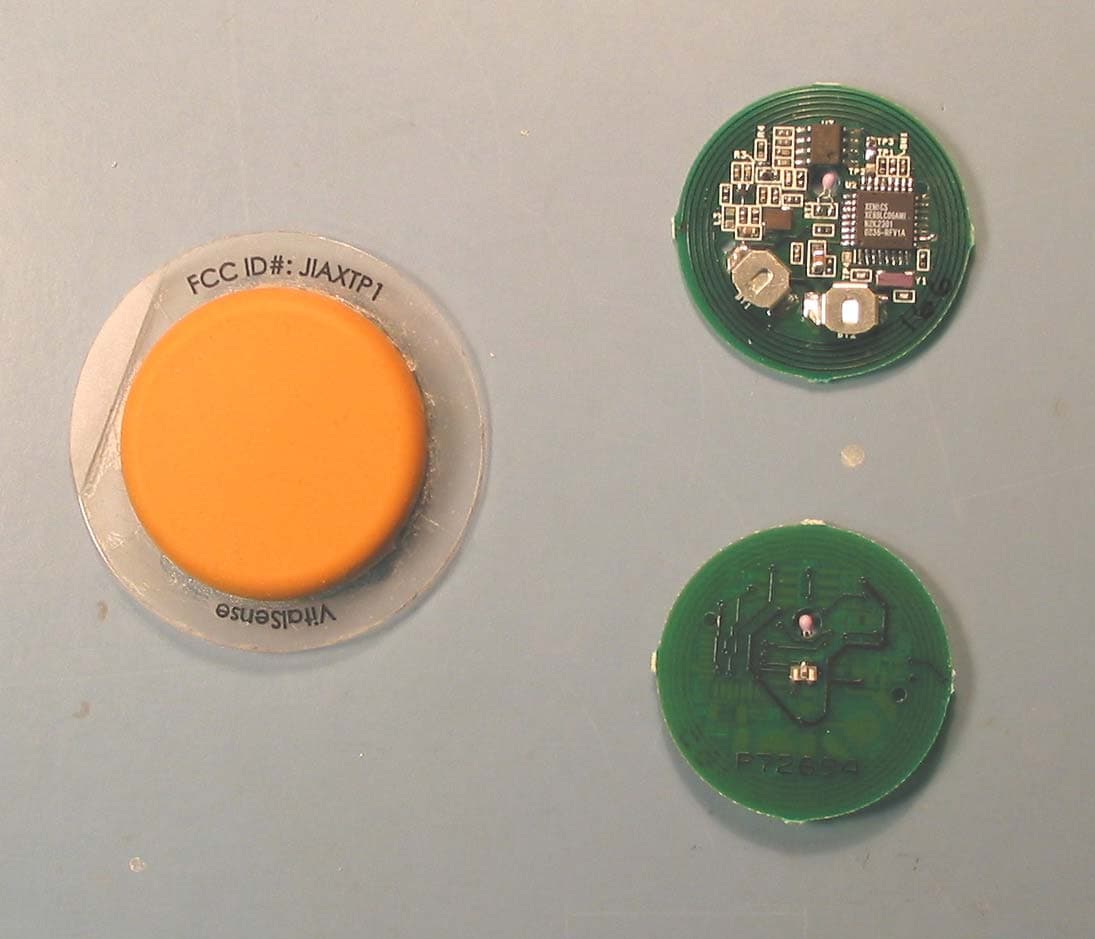
JIAXTP1
Dec 09, 2003Integrated Physiological Monitoring System
Equipment Class
DXX - Part 15 Low Power Communication Device Transmitter