JNZMR00222.4GHz Cordless Mouse
Logitech Far East Ltd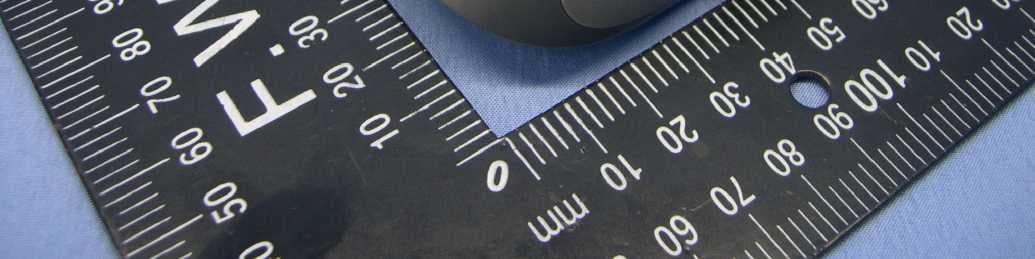
Click to zoom
Application Details
- Equipment Class
- DXX - Part 15 Low Power Communication Device Transmitter
- Date of Grant
- Oct 13, 2010
- Application Purpose
- Original Equipment
- Date of Application
- Oct 13, 2010
- Equipment Note
- 2.4GHz Cordless Mouse
- Frequency Range
- 2405.00000000 - 2474.00000000
- Company
- Logitech Far East Ltd
- Country
- Taiwan
Documents & Files
Document Text
Text extracted from the exhibit documents filed with the FCC. Open a document above to read the original.
Users Manual
Getting started with Première utilisation Logitech ® Wireless Mouse M315 OnOn 1 2 3 English Help with setup: Mouse is not working 1. Is the mouse powered on? 2. Is the Nano receiver securely plugged into a USB port? Try changing USB ports. 3. If the Nano receiver is plugged into a USB hub, try plugging it directly into a USB port on your computer. 4. Check the orientation of the battery inside the mouse. 5. Try a different surface. Remove metallic objects between the mouse and the Nano receiver. 6. Try moving the Nano receiver to a USB port closer to the mouse. If you are using a tower PC, go to www.logitech.com/usbextender for a USB extender. 7. For Windows® operating systems, reconnect the mouse with the Nano receiver by launching the Connect utility from www.logitech.com/ connect_utility. Español Help with setup: Mouse is not working 1. Is the mouse powered on? 2. Is the Nano receiver securely plugged into a USB port? Try changing USB ports. 3. If the Nano receiver is plugged into a USB hub, try plugging it directly into a USB port on your computer. 4. Check the orientation of the battery inside the mouse. 5. Try a different surface. Remove metallic objects between the mouse and the Nano receiver. 6. Try moving the Nano receiver to a USB port closer to the mouse. If you are using a tower PC, go to www.logitech.com/usbextender for a USB extender. 7. For Windows® operating systems, reconnect the mouse with the Nano receiver by launching the Connect utility from www.logitech.com/ connect_utility. Français Help with setup: Mouse is not working 1. Is the mouse powered on? 2. Is the Nano receiver securely plugged into a USB port? Try changing USB ports. 3. If the Nano receiver is plugged into a USB hub, try plugging it directly into a USB port on your computer. 4. Check the orientation of the battery inside the mouse. 5. Try a different surface. Remove metallic objects between the mouse and the Nano receiver. 6. Try moving the Nano receiver to a USB port closer to the mouse. If you are using a tower PC, go to www.logitech.com/usbextender for a USB extender. 7. For Windows® operating systems, reconnect the mouse with the Nano receiver by launching the Connect utility from www.logitech.com/ connect_utility. Português Help with setup: Mouse is not working 1. Is the mouse powered on? 2. Is the Nano receiver securely plugged into a USB port? Try changing USB ports. 3. If the Nano receiver is plugged into a USB hub, try plugging it directly into a USB port on your computer. 4. Check the orientation of the battery inside the mouse. 5. Try a different surface. Remove metallic objects between the mouse and the Nano receiver. 6. Try moving the Nano receiver to a USB port closer to the mouse. If you are using a tower PC, go to www.logitech.com/usbextender for a USB extender. 7. For Windows® operating systems, reconnect the mouse with the Nano receiver by launching the Connect utility from www.logitech.com/ connect_utility. Getting started with Première utilisation Logitech ® Wireless Mouse M315 1 2 5 7 3 4 6 English Features 1. Left and right mouse buttons 2. Battery LED flashes red when battery power is low 3. Scroll wheel 4. Press the wheel down for middle button (function can vary by software application) 5. On/Off slider switch 6. Battery door release 7. USB Nano-receiver storage Español Features 1. Left and right mouse buttons 2. Battery LED flashes red when battery power is low 3. Scroll wheel 4. Press the wheel down for middle button (function can vary by software application) 5. On/Off slider switch 6. Battery door release 7. USB Nano-receiver storage Français Features 1. Left and right mouse buttons 2. Battery LED flashes red when battery power is low 3. Scroll wheel 4. Press the wheel down for middle button (function can vary by software application) 5. On/Off slider switch 6. Battery door release 7. USB Nano-receiver storage Português Features 1. Left and right mouse buttons 2. Battery LED flashes red when battery power is low 3. Scroll wheel 4. Press the wheel down for middle button (function can vary by software application) 5. On/Off slider switch 6. Battery door release 7. USB Nano-receiver storage USB 1234 5 6 What do you think? ¿Cuál es su opinión? Qu'en pensez-vous? O que você acha? www.logitech.com/ithink Please take a minute to tell us. Thank you for purchasing our product. Nos gustaría conocerla, si puede dedicarnos un minuto. Le agradecemos la adquisición de nuestro producto. Prenez quelques minutes pour nous faire part de vos commentaires. Vous venez d'acheter ce produit et nous vous en remercions. Reserve um minuto para nos dizer. Obrigado por adquirir nosso produto. www.logitech.com/support United States +1 646-454-3200 Argentina +00800-555-3284 Canada +1 866-934-5644 Brasil +0 800-891-4173 Chile 1230 020 5484 Latin America +1 800-578-9619 Mexico 001 800 578 9619 www.logitech.com © 2010 Logitech. All rights reserved. Logitech, the Logitech logo, and other Logitech marks are owned by Logitech and may be registered. All other trademarks are the property of their respective owners. Logitech assumes no responsibility for any errors that may appear in this manual. Information contained herein is subject to change without notice. © 2010 Logitech. Tous droits réservés. Logitech, le logo Logitech et les autres marques Logitech sont la propriété exclusive de Logitech et sont susceptibles d’être des marques déposées. Toutes les autres marques sont la propriété exclusive de leurs détenteurs respectifs. Logitech décline toute responsabilité en cas d’erreurs dans ce manuel. Les informations énoncées dans le présent document peuvent faire l’objet de modifications sans avis préalable. 620-003141.002 English Important ergonomic information. Long periods of repetitive motion using an improperly set-up workspace, incorrect body position, and poor work habits may be associated with physical discomfort and injury to nerves, tendons, and muscles. If you feel pain, numbness, weakness, swelling, bur…
Text truncated - open the document above for the full version.
Cover Letter(s)
January.28.2011
External Photos
Page 1 CONSTRUCTION PHOTOS OF EUT MODEL No. : M-R0022 Page 2
ID Label/Location Info
(Fig.1) FCC ID: JNZMR0022 FCC LABEL LOCATION The label will be permanently affixed at a conspicuous location on the device. FCC ID
Internal Photos
Page 1 CONSTRUCTION PHOTOS OF EUT MODEL No. : M-R0022 Page 2 Page 3
Test Report
Report No.: RF990917E03 1 Report Format Version 3.0.1 FCC TEST REPORT REPORT NO.: RF990917E03 MODEL NO.: M-R0022 FCC ID: JNZMR0022 RECEIVED: Oct. 04, 2010 TESTED: Oct. 05 to 07, 2010 ISSUED: Oct. 11, 2010 APPLICANT: LOGITECH FAR EAST LTD. ADDRESS: #2 Creation Rd. 4, Science-Based Ind. Park Hsinchu Taiwan, R.O.C. ISSUED BY : Bureau Veritas Consumer Products Services (H.K.) Ltd., Taoyuan Branch Hsin Chu Laboratory LAB ADDRESS : No. 81-1, Lu Liao Keng, 9th Ling,Wu Lung Tsuen, Chiung Lin Hsiang, Hsin Chu Hsien 307, Taiwan TEST LOCATION (1): No. 81-1, Lu Liao Keng, 9th Ling,Wu Lung Tsuen, Chiung Lin Hsiang, Hsin Chu Hsien 307, Taiwan TEST LOCATION (2): No. 49, Ln. 206, Wende Rd., Shangshan Tsuen, Chiung Lin Hsiang, Hsin Chu Hsien 307, Taiwan This test report consists of 25 pages in total. It may be duplicated completely for legal use with the approval of the applicant. It should not be reproduced except in full, without the written approval of our laboratory. The client should not use it to claim product certification, approval, or endorsement by any government agencies. The test results in the report only apply to the tested sample. Report No.: RF990917E03 2 Report Format Version 3.0.1 Table of Contents 1 CERTIFICATION.................................................................................................3 2 SUMMARY OF TEST RESULTS........................................................................4 2.1 MEASUREMENT UNCERTAINTY.....................................................................4 3 GENERAL INFORMATION.................................................................................5 3.1 GENERAL DESCRIPTION OF EUT..................................................................5 3.2 DESCRIPTION OF TEST MODES.....................................................................6 3.2.1 TEST MODE APPLICABILITY AND TESTED CHANNEL DETAIL...................6 3.3 GENERAL DESCRIPTION OF APPLIED STANDARDS...................................8 3.4 DESCRIPTION OF SUPPORT UNITS...............................................................9 3.5 CONFIGURATION OF SYSTEM UNDER TEST...............................................9 4 TEST PROCEDURES AND RESULTS............................................................10 4.1 RADIATED EMISSION MEASUREMENT........................................................10 4.1.1 LIMITS OF RADIATED EMISSION MEASUREMENT....................................10 4.1.2 TEST INSTRUMENTS......................................................................................11 4.1.3 TEST PROCEDURES......................................................................................12 4.1.4 DEVIATION FROM TEST STANDARD............................................................12 4.1.5 TEST SETUP....................................................................................................13 4.1.6 EUT OPERATING CONDITIONS.....................................................................13 4.1.7 TEST RESULTS................................................................................................14 4.2 CONDUCTED - OUT BAND MEASUREMENT...............................................21 4.2.1 LIMITS OF CONDUCTED - OUT BAND MEASUREMENT............................21 4.2.2 TEST INSTRUMENTS......................................................................................21 4.2.3 TEST PROCEDURE.........................................................................................21 4.2.4 DEVIATION FROM TEST STANDARD............................................................21 4.2.5 EUT OPERATING CONDITION.......................................................................21 4.2.6 TEST RESULTS................................................................................................22 5 INFORMATION ON THE TESTING LABORATORIES....................................24 6 APPENDIX A - MODIFICATIONS RECORDERS FOR ENGINEERING CHANGES TO THE EUT BY THE LAB...........................................................25 Report No.: RF990917E03 3 Report Format Version 3.0.1 1 CERTIFICATION PRODUCT : 2.4GHz Cordless Mouse BRAND NAME : Logitech MODEL NO. : M-R0022 TESTED : Oct. 05 to 07, 2010 TEST SAMPLE : ENGINEERING SAMPLE APPLICANT : LOGITECH FAR EAST LTD. STANDARDS : 47 CFR Part 15, Subpart C (Section 15.249) ANSI C63.4-2003 The above equipment (Model: M-R0022) has been tested by Bureau Veritas Consumer Products Services (H.K.) Ltd., Taoyuan Branch, and found compliance with the requirement of the above standards. The test record, data evaluation & Equipment Under Test (EUT) configurations represented herein are true and accurate accounts of the measurements of the sample’s EMC characteristics under the conditions specified in this report. PREPARED BY : , DATE: Oct. 11, 2010 ( Carol Liao, Specialist ) TECHNICAL ACCEPTANCE : , DATE: Oct. 11, 2010 ( Hank Chung, Deputy Manager ) APPROVED BY : , DATE: Oct. 11, 2010 (May Chen, Deputy Manager ) Report No.: RF990917E03 4 Report Format Version 3.0.1 2 SUMMARY OF TEST RESULTS The EUT has been tested according to the following specifications: APPLIED STANDARD: 47 CFR Part 15, Subpart C Standard Paragraph Test Type Result Remark 15.207 Conducted Emission Test NA Not Applicable 15.249 Radiated Emission Test PASS Meet the requirement of limit. Minimum passing margin is -7.4dB at 2400.00MHz 15.249 Conducted - Out Band Measurement PASS Meet the requirement of limit 2.1 MEASUREMENT UNCERTAINTY Where relevant, the following measurement uncertainty levels have been estimated for tests performed on the EUT as specified in CISPR 16-4-2: This uncertainty represents an expanded uncertainty expressed at approximately the 95% confidence level using a coverage factor of k=2. Measurement Value Radiated emissions (30MHz-1GHz) 3.3 dB Radiated emissions (1GHz -18GHz) 2.19 dB Radiated emissions (18GHz -40GHz) 2.55 dB Report No.: RF990917E03 5 Report Format Version 3.0.1 3 GENERAL INFORMATION 3.1 GENERAL DESCRIPTION OF EUT PRODUCT 2.…
Text truncated - open the document above for the full version.
Test Setup Photos
1 PHOTOGRAPHS OF THE TEST CONFIGURATION RADIATED EMISSION TEST
Contact Information
Applicant
Rick Lien(Head of Product Compliance)
Technical Contact
Bureau Veritas CPS (H.K.) Ltd. Taoyuan BranchHank Chung
[email protected]886-3-593-5343
81-1, Lu Laio Keng, 9th Ling, Wu Lung Tsuen, Chiun · Hsinchu Hsien · Taiwan
Non-Technical Contact
Bureau Veritas CPS (H.K.) Ltd. Taoyuan BranchWendy Liao
[email protected]886-3-3183232
Test Firm
Bureau Veritas CPS (H.K.) Ltd. Taoyuan BranchRichard Chen
Technical Specifications
| # | Rule Parts | Frequency Range | Power Output |
|---|---|---|---|
| 1 | 15C | 2.40 GHz - 2.47 GHz | - |
Other Applications from Logitech Far East Ltd
JNZYR0126
Jul 30, 2026Wireless Keyboard
Equipment Class
DTS - Digital Transmission SystemJNZYR0116
Jul 30, 2026Wireless Keyboard
Equipment Class
DTS - Digital Transmission SystemJNZYR0115
Jul 30, 2026Wireless Keyboard
Equipment Class
DTS - Digital Transmission SystemJNZMR0143
Jul 21, 2026Wireless Mouse
Equipment Class
DTS - Digital Transmission SystemJNZMR0136
Jul 09, 2026Wireless Mouse
Equipment Class
DTS - Digital Transmission System