JNZMR00562.4GHz Cordless Mouse
Logitech Far East Ltd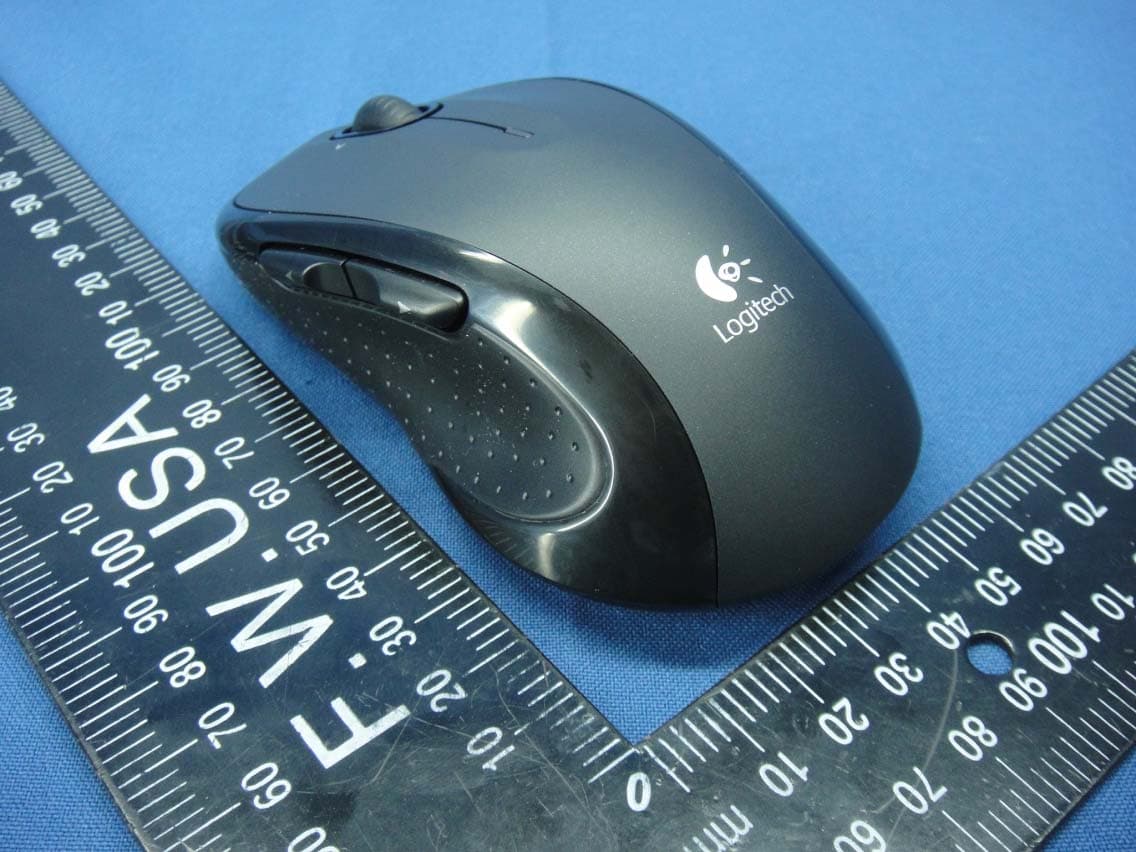
Click to zoom
Application Details
- Equipment Class
- DXX - Part 15 Low Power Communication Device Transmitter
- Date of Grant
- Mar 23, 2015
- Application Purpose
- Original Equipment
- Date of Application
- Mar 23, 2015
- Equipment Note
- 2.4GHz Cordless Mouse
- Frequency Range
- 2405.00000000 - 2474.00000000
- Company
- Logitech Far East Ltd
- Country
- Taiwan
Documents & Files
Document Text
Text extracted from the exhibit documents filed with the FCC. Open a document above to read the original.
Users Manual
Logitech® Important Information Safety, Regulatory, and Warranty English Additional compliance information: http://www.logitech.com/compliance. UL Statement: Your product is UL approved. Use only with UL listed ITE computers. FCC United States and IC-Canada This hardware device complies with Part 15 of the FCC Rules and Industry Canada licence-exempt RSS standard(s). Operation is subject to the following two conditions: 1) this device may not cause harmful interference, and 2) this device must accept any interference received, including interference that may cause undesired operation. Compliance Information Statements: This equipment has been tested and found to comply with the limits for a Class B digital device, pursuant to part 15 of the FCC Rules. These limits are designed to provide reasonable protection against harmful interference in a residential installation. This equipment generates, uses and can radiate radio frequency energy and, if not installed and used in accordance with the instructions, may cause harmful interference to radio communications. However, there is no guarantee that interference will not occur in a particular installation. If this equipment does cause harmful interference to radio or television reception, which can be determined by turning the equipment off and on, the user is encouraged to try to correct the interference by one or more of the following measures: 1) Reorient or relocate the receiving antenna. 2) Increase the separation between the equipment and receiver. 3) Connect the equipment into an outlet on a circuit different from that to which the receiver is connected. 4) Consult the dealer or an experienced radio/TV technician for help. Modifications to this product not authorized by Logitech could void your right to use or operate this product by the FCC. Where shielded interface cables or accessories have been provided with the product or specified additional components or accessories elsewhere defined to be used with the installation of the product, they must be used in order to ensure compliance with FCC regulations. IC-Canada Statements: Corded products: This Class B digital apparatus complies with Canadian ICES-003. Logitech hardware product limited warranty. Logitech warrants to the original purchaser that your Logitech hardware product shall be free from defects in material and workmanship for the period of time, identified on your product package and/or contained in the user documentation, from the date of purchase. You may also find this information by selecting your product in the Online Support section of our website at www.logitech.com/support. Except where prohibited by applicable law, This warranty is nontransferable and is limited to the original purchaser. This warranty gives you specific legal rights, and you may also have other rights that vary under local laws. Logitech's entire liability and your exclusive remedy for any breach of warranty shall be, at Logitech's option, (1) to repair or replace the hardware, or (2) to refund the price paid, provided that the hardware is returned to the point of purchase or such other place as Logitech may direct with a copy of the sales receipt or dated itemized receipt. Shipping and handling charges may apply, except where prohibited by applicable law. Logitech may, at its option, use new or refurbished or used parts in good working condition to repair or replace any hardware product. Any replacement hardware product will be warranted for the remainder of the original warranty period or thirty (30) days, whichever is longer or for any additional period of time that may be applicable in your jurisdiction. This warranty does not cover problems or damage resulting from (1) accident, abuse, misapplication, or any unauthorized repair, modification or disassembly; (2) improper operation or maintenance, usage not in accordance with product instructions or connection to improper voltage supply; or (3) use of consumables, such as replacement batteries, not supplied by Logitech except where such restriction is prohibited by applicable law. How to obtain warranty support. Before submitting a warranty claim, we recommend you visit the support section at www.logitech.com/support for technical assistance. Valid warranty claims are generally processed through the point of purchase during the first thirty (30) days after purchase; however, this period of time may vary depending on where you purchased your product - please check with Logitech or the retailer where you purchased your product for details. Warranty claims that cannot be processed through the point of purchase and any other product related questions should be addressed directly to Logitech. The addresses and customer service contact information for Logitech can be found in the documentation accompanying your product and on the web at www.logitech.com/support. Limitation of liability. LOGITECH SHALL NOT BE LIABLE FOR ANY SPECIAL, INDIRECT, INCIDENTAL OR CONSEQUENTIAL DAMAGES WHATSOEVER, INCLUDING BUT NOT LIMITED TO LOSS OF PROFITS, REVENUE OR DATA (WHETHER DIRECT OR INDIRECT) OR COMMERCIAL LOSS FOR BREACH OF ANY EXPRESS OR IMPLIED WARRANTY ON YOUR PRODUCT EVEN IF LOGITECH HAS BEEN ADVISED OF THE POSSIBILITY OF SUCH DAMAGES. Duration of implied warranties. EXCEPT TO THE EXTENT PROHIBITED BY APPLICABLE LAW, ANY IMPLIED WARRANTY OR CONDITION OF MERCHANTABILITY OR FITNESS FOR A PARTICULAR PURPOSE OF THIS HARDWARE PRODUCT IS LIMITED IN DURATION TO THE DURATION OF THE APPLICABLE LIMITED WARRANTY PERIOD FOR YOUR PRODUCT. Additional Rights. Some states do not allow limitations on how long an implied warranty lasts, or allow the exclusion or limitation of incidental or consequential damages, so the above limitations or exclusion may not apply to you. This warranty gives you specific legal rights, and you may also have other rights that vary from State to State or by country or other jurisdiction. National Statutory Rights. Consumers have legal rights under a…
Text truncated - open the document above for the full version.
Users Manual
DIE LINES SPOT COLORS PROCESS COLORS COL OR SPECIFIC ATIONS BRAND / L AUNCH: Logitech 2010 PROJECT TITLE: GomeraDETAILS: AMR / GSW Guide K525507595 SPECIFICATIONS / NOTES: F inal files Job is grey scale MODIFICATION DATE: January 11, 2010 THIS PRINT SIZE / SCALE: 100% of original Designer: Gregory Gomez Location: Fremont, CA, USA DIE LINE COLOR (NO PRINT) DIELINE NAME: n/a DIELINE RECEIVED: n/a 2 3 4 1 English Features 1. Battery LED flashes red when battery power is low. 2. Back and forward buttons. Customize with other preferred functions, like application switch or volume up and down through Logitech software. 3. Side-to-side scrolling. Great for navigating through photo albums and spreadsheets. (Function requires software download.) 4. On/Off slider. 5. Battery door release. To lighten your mouse, you can use it with just one AA battery. 6. Unifying Receiver storage. Español Funciones 1. El diodo de estado de batería emite destellos rojos cuando la batería se está agotando. 2. Botones de avance y retroceso. Personalizables con otras funciones preferidas, como el cambio de aplicaciones o subir y bajar el volumen mediante el software Logitech. 3. Desplazamiento horizontal. Excelente para navegar por álbumes de fotos y hojas de cálculo. (La función requiere descarga de software.) 4. Control deslizante de encendido/apagado. 5. Botón de compartimento de baterías. Para aligerar el mouse, puedes usarlo con una sola batería AA. 6. Almacenamiento de receptor Unifying. Français Fonctions 1. Le témoin lumineux clignote en rouge lorsque le niveau de charge de la pile est faible. 2. Boutons Précédent et Suivant. Ajoutez d'autres fonctions de votre choix, telles que le changement d'application ou le contrôle du volume à l'aide du logiciel Logitech. 3. Défilement horizontal. Parfait pour visionner les photos numériques et parcourir les feuilles de calcul (cette fonction nécessite le téléchargement d’un logiciel). 4. Interrupteur de marche/arrêt. 5. Système d'ouverture du compartiment des piles. Pour alléger votre souris, vous pouvez utiliser une seule pile AA. 6. Rangement du récepteur Unifying. Português Recursos 1. A luz vermelha do LED de pilhas pisca quando a energia está baixa. 2. Botões de avançar e voltar. Personalize com outras funções preferidas, como alternância de aplicativos ou tela inteira, através do software da Logitech. 3. Rolagem lado a lado. Excelente para a navegação de álbuns de fotografia e planilhas. (A função requer download do software.) 4. Controle deslizante para ligar/desligar. 5. Livramento da porta do compartimento de pilhas. Para tornar o mouse mais leve, use-o com apenas uma pilha AA. 6. Armazenamento do receptor Unifying. Getting started with Première utilisation Logitech ® Wireless Mouse M510 English 1. Pull the tab to activate the mouse batteries. 2. The ON/Off slider should be in the ON position. Español 1. Tira de la lengüeta para activar las baterías del mouse. 2. El conmutador deslizante de encendido/apagado debería estar en la posición ON. Français 1. Retirez la languette pour activer les piles de la souris. 2. L’interrupteur de marche/arrêt doit être sur la position ON. Português 1. Empurre a lingüeta para ativar as pilhas do mouse. 2. O controle deslizante de ON/Off deve estar na posição ON. Important information Safety, compliance, and warranty Getting started with Première utilisation Logitech ® Wireless Mouse M510 English Insert the Unifying receiver into a computer USB port. Mac ® OS X Users: When plugging in the Unifying receiver, the Keyboard Assistant dialog box may appear. You can just close this window. Español Inserta el receptor Unifying en un puerto USB de la computadora. Usuarios de Mac® OS X: Al conectar el receptor Unifying, puede aparecer el cuadro de diálogo Asistente Teclado. Puedes cerrar esta ventana. Français Branchez le récepteur Unifying sur un port USB de votre ordinateur. Utilisateurs Mac® OS X: lorsque vous branchez le récepteur Unifying, la boîte de dialogue de l'assistant de configuration du clavier peut s'afficher. Vous pouvez simplement fermer cette boîte de dialogue. Português Insira o receptor Unifying a uma porta USB no computador. Usuários do Mac® OS X: ao conectar o receptor Unifying, poderá ser exibida a caixa de diálogo Assistente de instalação do teclado. Simplesmente feche a janela. English Congratulations! You are now ready to use your mouse. Advanced features. Software is optional for this mouse! Download the free mouse software (Logitech® Setpoint™ for Windows® or Logitech Control Center for Macintosh®) at www.logitech.com/downloads to customize the mouse buttons and to enable side-to-side scrolling and middle button features. Español ¡Enhorabuena! Ya puedes empezar a usar el mouse. Funciones avanzadas. El software es opcional para este mouse. Descarga el software de mouse gratuito (Logitech® Setpoint™ para Windows® o Logitech Control Center para Macintosh®) en www.logitech.com/downloads para personalizar los botones del mouse y activar las funciones de desplazamiento horizontal y de botón central. Français Félicitations! Vous pouvez à présent utiliser la souris. Fonctions avancées. Le logiciel de cette souris est disponible en option. Téléchargez-le gratuitement (Logitech® Setpoint™ pour Windows® ou Logitech Control Center pour Macintosh®) sur www.logitech.com/downloads pour personnaliser l’utilisation des boutons de la souris et activer le défilement horizontal ainsi que les fonctionnalités du bouton central. Português Parabéns. Agora você está preparado para usar seu mouse. Recursos avançados. O software é opcional para este mouse! Faça o download gratuito do software do mouse (Logitech® Setpoint™ para Windows® ou Logitech Control Center para Macintosh®) em www.logitech.com/downloads para personalizar os botões do mouse e ativar os recursos de rolagem lado a lado e do botão do meio. 2 1 3 6 English Plug it. Forget it. Add to it. You’ve got a Logitech ® Unifying receiver. Now add a compatible wireless keyboard that…
Text truncated - open the document above for the full version.
External Photos
Report No. : 150309E02 Page 1 CONSTRUCTION PHOTOS OF EUT
ID Label/Location Info
FCC ID: JNZMR0056 FCC LABEL LOCATION The label will be permanently affixed at a conspicuous location on the device.
Internal Photos
Report No. : 150309E02 Page 2 Report No. : 150309E02 Page 3 Report No. : 150309E02 Page 4
Test Report
Report No.: RF150309E02 Page No. 1 / 20 Report Format Version: 6.1.1 FCC Test Report (15.249) Report No.: RF150309E02 FCC ID: JNZMR0056 Test Model: M-R0056 Received Date: Mar. 09, 2015 Test Date: Mar. 11, 2015 Issued Date: Mar. 16, 2015 Applicant: LOGITECH FAR EAST LTD. Address: #2 Creation Rd. 4, Science-Based Ind. Park Hsinchu Taiwan, R.O.C. Issued By: Bureau Veritas Consumer Products Services (H.K.) Ltd., Taoyuan Branch Hsin Chu Laboratory Lab Address: No. 81-1, Lu Liao Keng, 9th Ling,Wu Lung Tsuen, Chiung Lin Hsiang, Hsin Chu Hsien 307, Taiwan R.O.C. Test Location (1): No. 81-1, Lu Liao Keng, 9th Ling,Wu Lung Tsuen, Chiung Lin Hsiang, Hsin Chu Hsien 307, Taiwan R.O.C. Test Location (2): No. 49, Ln. 206, Wende Rd., Shangshan Tsuen, Chiung Lin Hsiang, Hsin Chu Hsien 307, Taiwan R.O.C. This report is for your exclusive use. Any copying or replication of this report to or for any other person or entity, or use of our name or trademark, is permitted only with our prior written permission. This report sets forth our findings solely with respect to the test samples identified herein. The results set forth in this report are not indicative or representative of the quality or characteristics of the lot from which a test sample was taken or any similar or identical product unless specifically and expressly noted. Our report includes all of the tests requested by you and the results thereof based upon the information that you provided to us. You have 60 days from date of issuance of this report to notify us of any material error or omission caused by our negligence, provided, however, that such notice shall be in writing and shall specifically address the issue you wish to raise. A failure to raise such issue within the prescribed time shall constitute your unqualified acceptance of the completeness of this report, the tests conducted and the correctness of the report contents. Unless specific mention, the uncertainty of measurement has been explicitly taken into account to declare the compliance or non-compliance to the specification. The report must not be used by the client to claim product certification, approval, or endorsement by TAF or any government agenci Report No.: RF150309E02 Page No. 2 / 20 Report Format Version: 6.1.1 Table of Contents Release Control Record .................................................................................................................................. 3 1 Certificate of Conformity ...................................................................................................................... 4 2 Summary of Test Results ..................................................................................................................... 5 2.1 Measurement Uncertainty ................................................................................................................... 5 2.2 Modification Record ............................................................................................................................ 5 3 General Information .............................................................................................................................. 6 3.1 General Description of EUT ................................................................................................................ 6 3.2 Description of Test Modes ................................................................................................................... 6 3.2.1 Test Mode Applicability and Tested Channel Detail ............................................................................. 7 3.3 Description of Support Units ............................................................................................................... 8 3.3.1 Configuration of System under Test .................................................................................................... 8 3.4 General Description of Applied Standards .......................................................................................... 8 4 Test Types and Results ........................................................................................................................ 9 4.1 Radiated Emission and Bandedge Measurement ............................................................................... 9 4.1.1 Limits of Radiated Emission and Bandedge Measurement ................................................................ 9 4.1.2 Test Instruments ................................................................................................................................ 10 4.1.3 Test Procedures .................................................................................................................................. 11 4.1.4 Deviation from Test Standard ............................................................................................................. 11 4.1.5 Test Set Up ........................................................................................................................................ 12 4.1.6 EUT Operating Conditions ................................................................................................................. 13 4.1.7 Test Results ....................................................................................................................................... 14 5 Pictures of Test Arrangements .......................................................................................................... 19 Appendix – Information on the Testing Laboratories ................................................................................ 20 Report No.: RF150309E02 Page No. 3 / 20 Report Format Version: 6.1.1 Release Control Record Issue No. Description Date Issued RF150309E02 Original release. Mar. 16, 2015 Report No.: RF150309E02 Page No. 5 / 20 Report Format Version: 6.1.1 2 Summary of Test Results 47 CFR FCC Part 15, Subpart C (SECTION 15.249) FCC Clause Test Item Result Remarks 15.207 A…
Text truncated - open the document above for the full version.
Test Setup Photos
Report No.: 141202E10 1 of 1 PHOTOGRAPHS OF THE TEST CONFIGURATION RADIATED EMISSION TEST
Contact Information
Applicant
Rick Lien(Head of Product Compliance)
Test Firm
Bureau Veritas CPS (H.K.) Ltd., Taoyuan BranchRichard Chen
Technical Specifications
| # | Rule Parts | Frequency Range | Power Output |
|---|---|---|---|
| 1 | 15C | 2.40 GHz - 2.47 GHz | - |
Other Applications from Logitech Far East Ltd
JNZYR0126
Jul 30, 2026Wireless Keyboard
Equipment Class
DTS - Digital Transmission SystemJNZYR0116
Jul 30, 2026Wireless Keyboard
Equipment Class
DTS - Digital Transmission SystemJNZYR0115
Jul 30, 2026Wireless Keyboard
Equipment Class
DTS - Digital Transmission SystemJNZMR0143
Jul 21, 2026Wireless Mouse
Equipment Class
DTS - Digital Transmission SystemJNZMR0136
Jul 09, 2026Wireless Mouse
Equipment Class
DTS - Digital Transmission System