JNZNR0010Remote Controller
Logitech Far East Ltd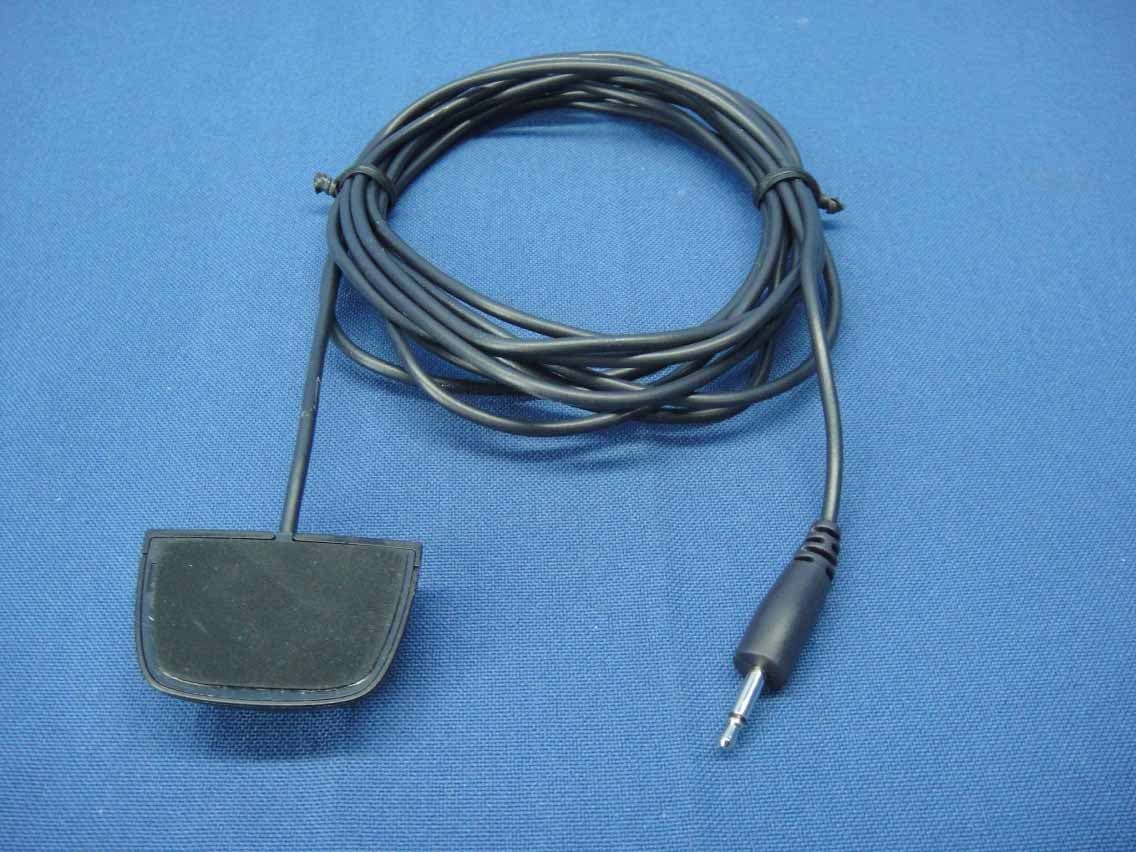
Click to zoom
Application Details
- Equipment Class
- DXX - Part 15 Low Power Communication Device Transmitter
- Date of Grant
- Jul 12, 2015
- Application Purpose
- Original Equipment
- Date of Application
- Jul 12, 2015
- Equipment Note
- Remote Controller
- Frequency Range
- 2405.00000000 - 2474.00000000
- Company
- Logitech Far East Ltd
- Country
- Taiwan
Documents & Files
Document Text
Text extracted from the exhibit documents filed with the FCC. Open a document above to read the original.
Users Manual
English Read Manual Before Product Use. POWER SUPPLY WARNING! The power supply is for indoor use only. Only use the power supply included with your product. Do not attempt to repair or use a damaged power supply. Do not immerse the power supply in water or subject it to physical abuse. Inspect the power supply regularly for cable, plug, and casing damage. BATTERY WARNING!: Improperly replaced batteries may present a risk of leak or explosion and personal injury. Mistreated rechargeable batteries may present a risk of fire or chemical burn. Do not disassemble or expose to conducting materials, moisture, liquid, or heat above 54° C (130° F). Do not use or charge the battery if it appears to be leaking, discolored, deformed, or in any way abnormal. Do not leave your battery discharged or unused for extended periods. Do not short circuit. Your device may contain an internal, rechargeable battery that is not replaceable. Battery life varies with usage. Non-operational batteries should be discarded according to local laws. If no laws or regulations govern,dispose of your device in a waste bin for electronics. Keep batteries away from children. Safe Usage Guidelines for Products • Do not open or modify the product except for battery removal and replacement. • Do not disassemble or attempt to service this product. • This product is safe under normal and reasonably foreseeable misuse operating conditions. • If product is operating improperly, call Logitech support. • Product must be returned to the manufacturer for any service or repair. • This is not a Children’s Product and is not intended for use by children under 14 years old. • Long periods of repetitive motion using the product may be associated with nerve, tendon or muscle injury in your hands, wrists, arms, shoulders, neck or back. See a qualified health professional for pain, numbness, weakness, swelling, burning, cramping, or stiffness. Please read guidelines at http://www.logitech.com/comfort. Logitech Compliance. For Product Safety, EMC, and RF information, go to www.logitech.com/compliance. Maintenance is not required for product compliance. FCC statement This device complies with Part 15 of the FCC Rules. Operation is subject to the following two conditions: 1) this device may not cause harmful interference, and 2) this device must accept any interference received, including interference that may cause undesired operation. This equipment has been tested and found to comply with the limits for a Class B digital device, pursuant to part 15 of the FCC Rules. These limits are designed to provide reasonable protection against harmful interference in a residential installation. This equipment generates , uses and can radiate radio frequency energy. And, if not installed and used in accordance with the instructions, may cause harmful interference to radio communications. However, there is no guarantee that interference will not occur in a particular installation. If this equipment does cause harmful interference to radio or television reception, which can be determined by turning the equipment off and on, the user is encouraged to try to correct the interference by one or more of the following measures: • Reorient or relocate the receiving antenna. • Increase the separation between the equipment and receiver. • Connect the equipment into an outlet on a circuit different from that to which the receiver is connected. • Consult the dealer or an experienced radio/TV technician for help. Warning: Where shielded interface cables or accessories have been provided with the product or specified additional components or accessories elsewhere defined to be used with the installation of the product, they must be used in order to ensure compliance with FCC. Changes or modifications to product not expressly approved by Logitech, Inc could void your right to use or operate your product by the FCC. IC statement : CAN ICES 003 (B) / NMB 003 Class (B) This device complies with Industry Canada licence exempt RSS standard(s). Operation is subject to the following two conditions: (1) this device may not cause interference, and (2) this device must accept any interference, including interference that may cause undesired operation of the device. Cordless (Radio Transmitter) products: Section A. RSS 310 (27 MHz transmitters and receivers): This Category II radio communication device complies with Industry Canada Standard RSS 310. Section B. RSS 210 (2.4 GHz transmitters or transceivers): This Category I radio communication device complies with RSS 210 of Industry Canada. Radiation Exposure Statement This equipment complies with FCC and IC radiation exposure limits set forth for an uncontrolled environment. This equipment should be installed and operated with minimum distance 20cm between the radiator & your body. Following 5 GHz regulatory statement/notices only apply to product which has 5 GHz WiFi function Caution: (i) the device for operation in the band 5150-5250 MHz is only for indoor use to reduce the potential for harmful interference to co channel mobile satellite systems; (ii) high power radars are allocated as primary users (i.e. priority users) of the bands 5250-5350 MHz and 5650 5850 MHz and that these radars could cause interference and/or damage to LE LAN devices. Brazil Statement: Este equipamento opera em caráter secundário, isto é, não tem direito á proteção contra interferencia prejudicial mesmo de estações do mesmo tipo e não pode causar interferência a sistemas operando em caráter primário. Mexico Statement: La operación de este equipo está sujeta a las siguientes dos condiciones: (1) es posible que este equipo o dispositivo no cause interferencia perjudicial y (2) este equipo o dispositivo debe aceptar cualquier interferencia incluyendo la que pueda causar su operación no deseada. Logitech Limited Hardware Product Warranty – A Summary Logitech warrants that its hardware product shall be free from defects in materials and workmanship for the l…
Text truncated - open the document above for the full version.
Users Manual
Setup Guide | Guide d’installation HARMONY ® Elite Plus Elite Plus 3 Languages English 4 Français 14 4 English Package contents 1. Elite Plus 2. Harmony Hub Controls devices via IR, Bluetooth ® , or Wi-Fi 3. Charging Station 4. USB cable Set up hub via PC or Mac if access to mobile device is not available 5. Power adapter Provides power to the Harmony Hub 6. 2 IR mini blasters Extend IR coverage when used in combination with the Harmony Hub 12 3 4 5 6 English 5 Congratulations on the purchase of Harmony Elite Plus The Harmony Hub is the center of your Harmony system—always keep it powered on! 1. The hub receives commands from the remote or mobile app The remote itself does not send commands directly to your devices * 2. The hub sends commands to your audio video and home control devices in the form of Bluetooth, Wi-Fi, and infrared signals (IR) *The remote can be configured to send IR signals directly to devices By default, it will communicate to the hub using RF signals, as shown above 1 2 6 English Lets get started STEP 1 Position the Harmony Hub The Harmony Hub can be placed in any unobstructed location where IR signals can be transmitted to AV equiment or it can be placed behind closed cabinets with the IR mini blaster transmitters connected to the hub and positioned as shown above Once plugged in, the hub takes approx 30 seconds to power up The LED will glow red when plugged in Once it has been successfully paired and has joined your home network, it will glow green (Step 3) Charging StationHarmony Elite PlusIR mini blasterHarmony Hub English 7 STEP 2 Charge your Remote Plug in the charging station and place the remote in it Keep the remote in the charging station until setup is complete The charging station should be in the same room as your hub to optimize communication between the remote and the hub 8 English STEP 3 Install the Harmony App • Visit the Apple App Store or Google Play and install the Harmony App • Launch the app, select the Set Up New Remote button, and follow setup instructions • Alternatively, you can set up your Elite Plus using a PC/Mac Visit setup.myharmony.com to download the Harmony desktop setup software Note: If you have an iPhone 4, iPad 1 or iPad 2, or an Android device that does not support Bluetooth, please visit setup.myharmony.com on a computer to connect the hub to your Wi-Fi network before beginning Step 3 of mobile setup For more detailed instructions and product info, please visit support.myharmony.com/elite-plus The remainder of setup will be done using your mobile device See next section for an overview of what to expect English 9 Mobile App Setup Overview After you download and open the Harmony Mobile app, you will be guided through the following steps: • Connect hub to Wi-Fi. Using your mobile device’s Bluetooth, connect your hub to your wireless network • Create a Harmony account. • Scan your Wi-Fi network for devices that can be controlled by Harmony (e g Roku, Sonos, hue, Smart TVs) • Add home entertainment devices for additional devices not found during Wi-Fi scan (e g TV, cable box, AVR, game console, Blu-ray player) • Add home control devices. Harmony supports various devices such as select lights, locks, thermostats and home control platforms See Home Controls Explained section for further detail • Create Activities. You’ll be guided through creating Activities such as Watch TV, Listen to Music, and Play Xbox See One-Touch Activities section for further details • Software Update: Your remote’s software may need to be updated If necessary (you will be informed after completing mobile setup), simply keep your remote in the cradle The amount of time remaining to complete the update will be displayed on the remote’s screen 10 English Home Controls Explained Your Harmony Elite Plus supports a variety of devices such as lights, light switches, locks, thermostats, and blinds Harmony Elite Plus also connects to other home control platforms to access additional devices supported by these solutions The list of supported devices includes:* Nest Learning Thermostats, Honeywell Wi-Fi Thermostats Philips hue Lights, Lutron Caséta Wireless Lights, Lifx Lutron Serena Window Shades SmartThings, PĒQ *The list of Harmony-compatible devices is always growing Visit myharmony.com/ compatibility for the most up-to-date list of compatible brands, devices, and model numbers Device compatibility is subject to change without notice English 11 Get creative—Make it Home! Add a Good Night activity that turns off all your lights, lowers your blinds and thermostat, locks your doors! Set the perfect Dinner Party mood with one touch—launch your favorite music video, set the lights to vibrant colors and turn up the heat One touch dims the lights, turns on rejuvenating music at just the perfect volume and it’s Relax Time 12 English How to use your remote 1. Clock/Battery Tap to toggle between clock and battery meter By default, the clock will be displayed If battery drops below 20%, the battery meter will automatically be displayed 2. Activities Tap the Activities “soft button” to access Activities Home Screen You will see a list of all your Activities 3. Devices Tap the Devices “soft button” to access Devices Home Screen You will see a list of all your Home Entertainment and Home Control devices 4. Button mapping Harmony Elite Plus includes special buttons that can be used to control supported Home Control devices For example you can map a button to turn your hue lights on and off and use the +/- button to adjust the bulb’s brightness 23 1 4 English 13 Gestures & Gesture Hints When an Activity is running, swiping down from the top of any screen will display the gesture screen Here, simple taps and swipes will perform functions related to the current Activity such as changing the volume, skipping forward or backward, pausing and playing, etc Tap the button at the top to see what gestures are available for each Activity © 2015 Logitech All rights reserved Logitech, the Log…
Text truncated - open the document above for the full version.
External Photos
Report No.: 150529E01 Page No. 1 / 9 CONSTRUCTION PHOTOS OF EUT Report No.: 150529E01 Page No. 2 / 9 Adapter - Brand: Logitech / Model No.: KSAS0050510100VUD Report No.: 150529E01 Page No. 3 / 9 Report No.: 150529E01 Page No. 4 / 9 Harmony HUB - Brand: Logitech / Model No.: O-R0004 Report No.: 150529E01 Page No. 5 / 9 Report No.: 150529E01 Page No. 6 / 9 Cradle - Brand: Logitech / Model No.: NA Report No.: 150529E01 Page No. 7 / 9 IR mini blaster - Brand: Logitech / Model No.: NA Report No.: 150529E01 Page No. 8 / 9 Report No.: 150529E01 Page No. 9 / 9
ID Label/Location Info
(Fig.1) FCC ID: JNZNR0010 FCC LABEL & Label LOCATION The label will be permanently affixed at a conspicuous location on the device.
Internal Photos
Report No.: 150529E01 Page No. 1 / 9 CONSTRUCTION PHOTOS OF EUT Report No.: 150529E01 Page No. 2 / 9 Report No.: 150529E01 Page No. 3 / 9 Report No.: 150529E01 Page No. 4 / 9 Report No.: 150529E01 Page No. 5 / 9 Report No.: 150529E01 Page No. 6 / 9 Report No.: 150529E01 Page No. 7 / 9 Report No.: 150529E01 Page No. 8 / 9 Report No.: 150529E01 Page No. 9 / 9
RF Exposure Info
Report No.: SA150529E01 Page No. 1 / 6 Report Format Version: 6.1.1 RF Exposure Report Report No.: SA150529E01 FCC ID: JNZNR0010 Test Model: N-R0010 Received Date: May 29, 2015 Test Date: June 08, 2015 Issued Date: June 16, 2015 Applicant: LOGITECH FAR EAST LTD. Address: #2 Creation Rd. 4, Science-Based Ind. Park Hsinchu Taiwan, R.O.C. Issued By: Bureau Veritas Consumer Products Services (H.K.) Ltd., Taoyuan Branch Hsin Chu Laboratory Lab Address: No. 81-1, Lu Liao Keng, 9th Ling,Wu Lung Tsuen, Chiung Lin Hsiang, Hsin Chu Hsien 307, Taiwan R.O.C. Test Location (1): No. 81-1, Lu Liao Keng, 9th Ling,Wu Lung Tsuen, Chiung Lin Hsiang, Hsin Chu Hsien 307, Taiwan R.O.C. Test Location (2): No. 49, Ln. 206, Wende Rd., Shangshan Tsuen, Chiung Lin Hsiang, Hsin Chu Hsien 307, Taiwan R.O.C. This report is for your exclusive use. Any copying or replication of this report to or for any other person or entity, or use of our name or trademark, is permitted only with our prior written permission. This report sets forth our findings solely with respect to the test samples identified herein. The results set forth in this report are not indicative or representative of the quality or characteristics of the lot from which a test sample was taken or any similar or identical product unless specifically and expressly noted. Our report includes all of the tests requested by you and the results thereof based upon the information that you provided to us. You have 60 days from date of issuance of this report to notify us of any material error or omission caused by our negligence, provided, however, that such notice shall be in writing and shall specifically address the issue you wish to raise. A failure to raise such issue within the prescribed time shall constitute your unqualified acceptance of the completeness of this report, the tests conducted and the correctness of the report contents. Unless specific mention, the uncertainty of measurement has been explicitly taken into account to declare the compliance or non-compliance to the specification. The report must not be used by the client to claim product certification, approval, or endorsement by any government agencies. Report No.: SA150529E01 Page No. 2 / 6 Report Format Version: 6.1.1 Table of Contents Release Control Record .................................................................................................................................. 3 1 Certificate of Conformity ...................................................................................................................... 4 2 Evaluation Result .................................................................................................................................. 5 3 SAR Test Exclusion Thresholds .......................................................................................................... 6 4 Conclusion ............................................................................................................................................ 6 Report No.: SA150529E01 Page No. 3 / 6 Report Format Version: 6.1.1 Release Control Record Issue No. Description Date Issued SA150529E01 Original release. June 16, 2015 Report No.: SA150529E01 Page No. 4 / 6 Report Format Version: 6.1.1 1 Certificate of Conformity Product: Remote Controller Brand: Logitech Test Model: N-R0010 Sample Status: ENGINEERING SAMPLE Applicant: LOGITECH FAR EAST LTD. Test Date: June 08, 2015 Standards: FCC Part 2 (Section 2.1093) KDB 447498 D03 IEEE C95.1 The above equipment has been tested by Bureau Veritas Consumer Products Services (H.K.) Ltd., Taoyuan Branch, and found compliance with the requirement of the above standards. The test record, data evaluation & Equipment Under Test (EUT) configurations represented herein are true and accurate accounts of the measurements of the sample’s EMC characteristics under the conditions specified in this report. Prepared by : , Date:June 16, 2015 Elsie Hsu / Specialist Approved by : , Date:June 16, 2015 May Chen / Manager Report No.: SA150529E01 Page No. 5 / 6 Report Format Version: 6.1.1 2 Evaluation Result Following FCC KDB 447498 D01 “General SAR test exclusion guidance” The corresponding SAR Exclusion Threshold condition, listed below: 1) The 1-g and 10-g SAR test exclusion thresholds for 100 MHz to 6 GHz at test separation distances ≤ 50 mm are determined by: [(max. power of channel, including tune-up tolerance, mW)/(min. test separation distance, mm)] ·[√f(GHz)] ≤ 3.0 for 1-g SAR and ≤ 7.5 for 10-g extremity SAR, where f(GHz) is the RF channel transmit frequency in GHz . Power and distance are rounded to the nearest mW and mm before calculation . The result is rounded to one decimal place for comparison The test exclusions are applicable only when the minimum test separation distance is ≤ 50 mm and for transmission frequencies between 100 MHz and 6 GHz. When the minimum test separation distance is < 5 mm, a distance of 5 mm is applied to determine SAR test exclusion. 2) At 100 MHz to 6 GHz and for test separation distances > 50 mm, the SAR test exclusion threshold is determined according to the following: a) [Threshold at 50 mm in step 1) + (test separation distance - 50mm)·( f(MHz)/150)] mW, at 100MHz to 1500 MHz b) [Threshold at 50 mm in step 1) + (test separation distance - 50 mm)·10] mW at > 1500 MHz and ≤ 6 GHz 3) At frequencies below 100 MHz, the following may be considered for SAR test exclusion. a) The threshold at the corresponding test separation distance at 100 MHz in step 2) is multiplied by [1 + log(100/f(MHz))] for test separation distances > 50 mm and < 200 mm. b) The threshold determined by the equation in a) for 50 mm and 100 MHz is multiplied by ½ for test separation distances ≤ 50 mm. c) SAR measurement procedures are not established below 100 MHz. When SAR test exclusion cannot be applied, a KDB inquiry is required to determine SAR evaluation requirements for any test results to be acceptable. Report No.: SA150529E01 Page N…
Text truncated - open the document above for the full version.
Test Report
Report No.: RF150529E01 Page No. 1 / 26 Report Format Version: 6.1.1 FCC Test Report (15.249) Report No.: RF150529E01 FCC ID: JNZNR0010 Test Model: N-R0010 Received Date: May 29, 2015 Test Date: June 04 to 08, 2015 Issued Date: June 16, 2015 Applicant: LOGITECH FAR EAST LTD. Address: #2 Creation Rd. 4, Science-Based Ind. Park Hsinchu Taiwan, R.O.C. Issued By: Bureau Veritas Consumer Products Services (H.K.) Ltd., Taoyuan Branch Hsin Chu Laboratory Lab Address: No. 81-1, Lu Liao Keng, 9th Ling,Wu Lung Tsuen, Chiung Lin Hsiang, Hsin Chu Hsien 307, Taiwan R.O.C. Test Location (1): No. 81-1, Lu Liao Keng, 9th Ling,Wu Lung Tsuen, Chiung Lin Hsiang, Hsin Chu Hsien 307, Taiwan R.O.C. Test Location (2): No. 49, Ln. 206, Wende Rd., Shangshan Tsuen, Chiung Lin Hsiang, Hsin Chu Hsien 307, Taiwan R.O.C. This report is for your exclusive use. Any copying or replication of this report to or for any other person or entity, or use of our name or trademark, is permitted only with our prior written permission. This report sets forth our findings solely with respect to the test samples identified herein. The results set forth in this report are not indicative or representative of the quality or characteristics of the lot from which a test sample was taken or any similar or identical product unless specifically and expressly noted. Our report includes all of the tests requested by you and the results thereof based upon the information that you provided to us. You have 60 days from date of issuance of this report to notify us of any material error or omission caused by our negligence, provided, however, that such notice shall be in writing and shall specifically address the issue you wish to raise. A failure to raise such issue within the prescribed time shall constitute your unqualified acceptance of the completeness of this report, the tests conducted and the correctness of the report contents. Unless specific mention, the uncertainty of measurement has been explicitly taken into account to declare the compliance or non-compliance to the specification. The report must not be used by the client to claim product certification, approval, or endorsement by TAF or any government agenci Report No.: RF150529E01 Page No. 2 / 26 Report Format Version: 6.1.1 Table of Contents Release Control Record .................................................................................................................................. 3 1 Certificate of Conformity ...................................................................................................................... 4 2 Summary of Test Results ..................................................................................................................... 5 2.1 Measurement Uncertainty ................................................................................................................... 5 2.2 Modification Record ............................................................................................................................ 5 3 General Information .............................................................................................................................. 6 3.1 General Description of EUT ................................................................................................................ 6 3.2 Description of Test Modes ................................................................................................................... 7 3.2.1 Test Mode Applicability and Tested Channel Detail ............................................................................. 8 3.3 Duty Cycle of Test Signal .................................................................................................................... 9 3.4 Description of Support Units ............................................................................................................. 10 3.4.1 Configuration of System under Test .................................................................................................. 10 3.5 General Description of Applied Standards ......................................................................................... 11 4 Test Types and Results ...................................................................................................................... 12 4.1 Radiated Emission and Bandedge Measurement ............................................................................. 12 4.1.1 Limits of Radiated Emission and Bandedge Measurement .............................................................. 12 4.1.2 Test Instruments ................................................................................................................................ 13 4.1.3 Test Procedures ................................................................................................................................. 14 4.1.4 Deviation from Test Standard ............................................................................................................ 14 4.1.5 Test Setup .......................................................................................................................................... 15 4.1.6 EUT Operating Conditions ................................................................................................................. 16 4.1.7 Test Results ....................................................................................................................................... 17 4.2 Conducted Emission Measurement .................................................................................................. 21 4.2.1 Limits of Conducted Emission Measurement .................................................................................... 21 4.2.2 Test Instruments ................................................................................................................................ 21 4.2.3 Test Procedures ....................................…
Text truncated - open the document above for the full version.
Test Setup Photos
Report No.: 140717E01A-1 1 of 2 Reference No.: 140805E09 PHOTOGRAPHS OF THE TEST CONFIGURATION CONDUCTED EMISSION TEST Report No.: 140717E01A-1 2 of 2 Reference No.: 140805E09 RADIATED EMISSION TEST
Contact Information
Applicant
Rick Lien(Head of Product Compliance)
Test Firm
Bureau Veritas CPS (H.K.) Ltd., Taoyuan BranchRichard Chen
Technical Specifications
| # | Rule Parts | Frequency Range | Power Output |
|---|---|---|---|
| 1 | 15C | 2.40 GHz - 2.47 GHz | - |
Other Applications from Logitech Far East Ltd
JNZYR0126
Jul 30, 2026Wireless Keyboard
Equipment Class
DTS - Digital Transmission SystemJNZYR0116
Jul 30, 2026Wireless Keyboard
Equipment Class
DTS - Digital Transmission SystemJNZYR0115
Jul 30, 2026Wireless Keyboard
Equipment Class
DTS - Digital Transmission SystemJNZMR0143
Jul 21, 2026Wireless Mouse
Equipment Class
DTS - Digital Transmission SystemJNZMR0136
Jul 09, 2026Wireless Mouse
Equipment Class
DTS - Digital Transmission System