JNZYR00422.4GHz Cordless Keyboard
Logitech Far East Ltd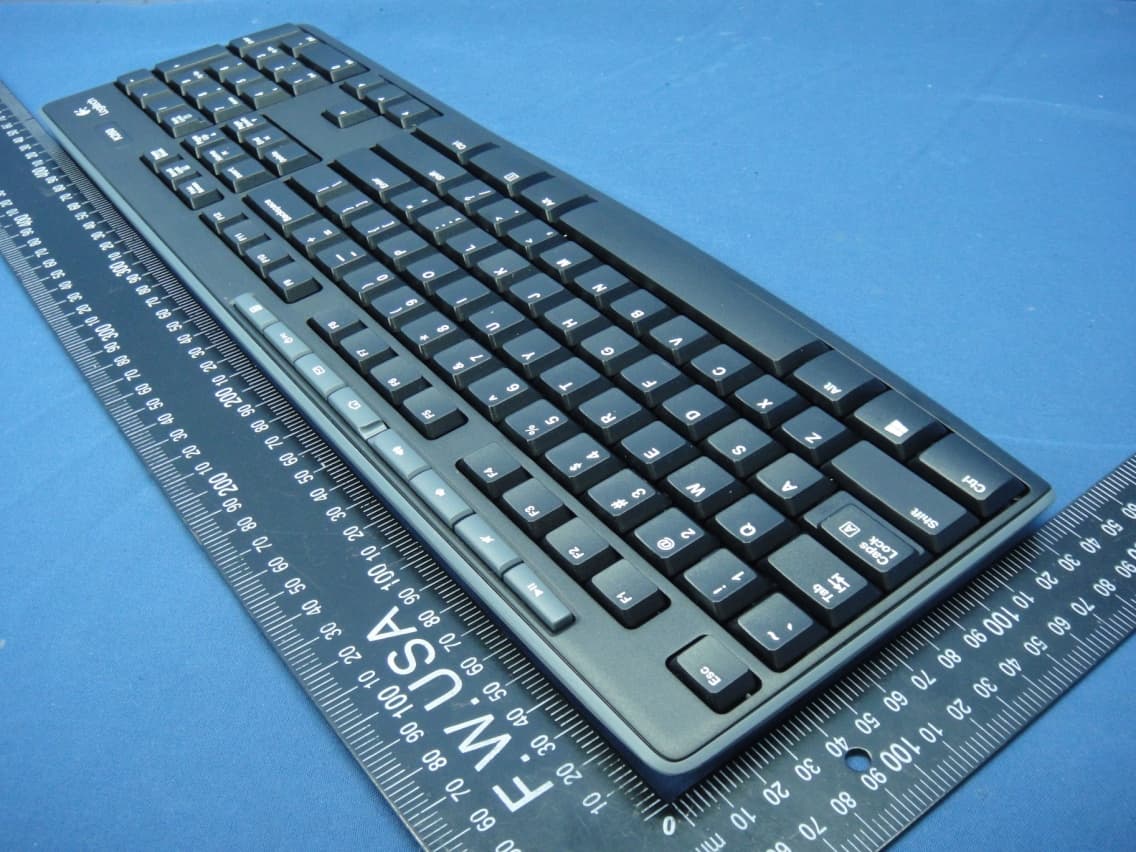
Click to zoom
Application Details
- Equipment Class
- DXX - Part 15 Low Power Communication Device Transmitter
- Date of Grant
- Nov 17, 2013
- Application Purpose
- Original Equipment
- Date of Application
- Nov 17, 2013
- Equipment Note
- 2.4GHz Cordless Keyboard
- Frequency Range
- 2405.00000000 - 2474.00000000
- Company
- Logitech Far East Ltd
- Country
- Taiwan
Documents & Files
Document Text
Text extracted from the exhibit documents filed with the FCC. Open a document above to read the original.
Users Manual
Safety, R egulator y, and Warranty English Additional compliance information: http://www.logitech.com/compliance. UL Statement: Your product is UL approved. Use only with UL listed ITE computers. FCC – United States and Canada This hardware device complies with Part 15 of the FCC Rules. Operation is subject to the following two conditions: 1) this device may not cause harmful interference, and 2) this device must accept any interference received, including interference that may cause undesired operation. Compliance Information Statements: This equipment has been tested and found to comply with the limits for a Class B digital device, pursuant to part 15 of the FCC Rules. These limits are designed to provide reasonable protection against harmful interference in a residential installation. This equipment generates, uses and can radiate radio frequency energy and, if not installed and used in accordance with the instructions, may cause harmful interference to radio communications. However, there is no guarantee that interference will not occur in a particular installation. If this equipment does cause harmful interference to radio or television reception, which can be determined by turning the equipment off and on, the user is encouraged to try to correct the interference by one or more of the following measures: 1) Reorient or relocate the receiving antenna. 2) Increase the separation between the equipment and receiver. 3) Connect the equipment into an outlet on a circuit different from that to which the receiver is connected. 4) Consult the dealer or an experienced radio/TV technician for help. Modifications to this product not authorized by Logitech could void your right to use or operate this product by the FCC. Where shielded interface cables or accessories have been provided with the product or specified additional components or accessories elsewhere defined to be used with the installation of the product, they must be used in order to ensure compliance with FCC regulations. Canada (IC) Statements: Corded products: This Class B digital apparatus complies with Canadian ICES-003. Logitech hardware product limited warranty. Logitech warrants to the original purchaser that your Logitech hardware product shall be free from defects in material and workmanship for the period of time, identified on your product package and/or contained in the user documentation, from the date of purchase. You may also find this information by selecting your product in the Online Support section of our website at www.logitech.com/support. Except where prohibited by applicable law, this warranty is nontransferable and is limited to the original purchaser. This warranty gives you specific legal rights, and you may also have other rights that vary under local laws. Logitech's entire liability and your exclusive remedy for any breach of warranty shall be, at Logitech's option, (1) to repair or replace the hardware, or (2) to refund the price paid, provided that the hardware is returned to the point of purchase or such other place as Logitech may direct with a copy of the sales receipt or dated itemized receipt. Shipping and handling charges may apply, except where prohibited by applicable law. Logitech may, at its option, use new or refurbished or used parts in good working condition to repair or replace any hardware product. Any replacement hardware product will be warranted for the remainder of the original warranty period or thirty (30) days, whichever is longer or for any additional period of time that may be applicable in your jurisdiction. This warranty does not cover problems or damage resulting from (1) accident, abuse, misapplication, or any unauthorized repair, modification or disassembly; (2) improper operation or maintenance, usage not in accordance with product instructions or connection to improper voltage supply; or (3) use of consumables, such as replacement batteries, not supplied by Logitech except where such restriction is prohibited by applicable law. How to obtain warranty support. Before submitting a warranty claim, we recommend you visit the support section at www.logitech.com/support for technical assistance. Valid warranty claims are generally processed through the point of purchase during the first thirty (30) days after purchase; however, this period of time may vary depending on where you purchased your product - please check with Logitech or the retailer where you purchased your product for details. Warranty claims that cannot be processed through the point of purchase and any other product related questions should be addressed directly to Logitech. The addresses and customer service contact information for Logitech can be found in the documentation accompanying your product and on the web at www.logitech.com/support. Limitation of liability. LOGITECH SHALL NOT BE LIABLE FOR ANY SPECIAL, INDIRECT, INCIDENTAL OR CONSEQUENTIAL DAMAGES WHATSOEVER, INCLUDING BUT NOT LIMITED TO LOSS OF PROFITS, REVENUE OR DATA (WHETHER DIRECT OR INDIRECT) OR COMMERCIAL LOSS FOR BREACH OF ANY EXPRESS OR IMPLIED WARRANTY ON YOUR PRODUCT EVEN IF LOGITECH HAS BEEN ADVISED OF THE POSSIBILITY OF SUCH DAMAGES. Duration of implied warranties. EXCEPT TO THE EXTENT PROHIBITED BY APPLICABLE LAW, ANY IMPLIED WARRANTY OR CONDITION OF MERCHANTABILITY OR FITNESS FOR A PARTICULAR PURPOSE OF THIS HARDWARE PRODUCT IS LIMITED IN DURATION TO THE DURATION OF THE APPLICABLE LIMITED WARRANTY PERIOD FOR YOUR PRODUCT. Additional Rights. Some states do not allow limitations on how long an implied warranty lasts, or allow the exclusion or limitation of incidental or consequential damages, so the above limitations or exclusion may not apply to you. This warranty gives you specific legal rights, and you may also have other rights that vary from State to State or by country or other jurisdiction. National Statutory Rights. Consumers have legal rights under applicable national legislation governing the sale of consumer goods. Such rights…
Text truncated - open the document above for the full version.
Users Manual
DIE LINES SPOT COLORS PROCESS COLORS COLOR SPECIFICATIONS BRAND / LAUNCH: Logitech 2009 PROJECT TITLE: Sanya DETAILS: AMR / GSW Guide K525507595 SPECIFICATIONS / NOTES: Final files Job is grey scale MODIFICATION DATE: March 23, 2010 THIS PRINT SIZE / SCALE: 100% of original Designer: Gregory Gomez Location: Fremont, CA, USA DIE LINE COLOR (NO PRINT) DIELINE NAME: n/a DIELINE RECEIVED: n/a Getting started with Logitech ® Wireless Combo MK260 1 2 4 5 6 7 8 English Features 1. Play/Pause 2. Mute volume 3. Decrease volume 4. Increase volume 5. Navigate to Internet home 6. Launch email application 7. Place PC in standby mode 8. Launch calculator 1. / 2. 3. 4. 5. 6. 7. PC 8. 简体中文 功能 1. 播放/暂停 2. 音量静音 3. 降低音量 4. 增大音量 5. 浏览互联网主页 6. 启动电子邮件应用程序 7. 将电脑置于待机状态 8. 启动计算器 한국어 기능 1. 재생/일시정지 2. 음소거 3. 볼륨 줄이기 4. 볼륨 높이기 5. 인터넷 홈으로 이동 6. 이메일 응용 프로그램 실행 7. P C 를 대기 모드로 전환 8. 계산기 실행 English Help with setup • Check the battery installation in the keyboard and mouse, or replace the batteries. • Plug the receiver into a different USB port. Remove any metal object between the receiver and the keyboard/mouse that may interfere with reception. • Try moving the keyboard/mouse closer to the receiver. • If the receiver is plugged into a USB hub, try plugging it directly into your computer. • Restart the computer. • If these suggestions don’t work, download the Reconnection Utility from http://www.logitech.com/connect_utility. • • USB / • / • USB • • (Reconnection Utility) http://www.logitech.com/connect_utility 简体中文 设置帮助 • 检查键盘和鼠标的电池安装情况,或更换电池。 • 将接收器插入到不同的 USB 端口。移走任何位 于接收器和键盘/鼠标之间可能会影响接收的金 属物体。 • 尝试将键盘/鼠标移近接收器。 • 如果该接收器是插入到 USB 集线器中,请尝试 将其直接插入电脑中。 • 重新启动电脑。 • 如果这些建议不能解决问题,请从 http://www.logitech.com/connect_utility 页面下载 Reconnection Utility (重新连接实用程序)。 한국어 설치 도움말 • 키보드와 마우스의 배터리 설치 상태를 확인하거나, 배터리를 새것으로 교체합니다. • 수신기를 다른 USB 포트에 꽂습니다. 수신기와 키보드/마우스 사이의 수신을 방해할 수 있는 금속 물체를 제거합니다. • 키보드/마우스를 수신기에 보다 가까운 곳으로 옮겨 봅니다. • 수신기가 USB 허브에 연결되어 있는 경우 컴퓨터에 직접 연결해 봅니다. • 컴퓨터를 다시 시작합니다. • 이렇게 해도 문제가 해결되지 않을 경우 http://www.logitech.com/connect_utility 에서 Reconnection Utility 를 다운로드하십시오. © 2010 Logitech. All rights reserved. Logitech, the Logitech logo, and other Logitech marks are owned by Logitech and may be registered. All other trademarks are the property of their respective owners. Logitech assumes no responsibility for any errors that may appear in this manual. Information contained herein is subject to change without notice. 620-002798.004 Getting started with Logitech ® Wireless Combo MK260 3 4 English Replacing keyboard batteries: 1. Open battery compartment on keyboard bottom. 2. Remove old batteries. 3. Wait 15 seconds before inserting the new batteries to allow the keyboard to reset. 4. Follow diagram in battery compartment to insert two new AAA batteries in keyboard. Close battery compartment. Replacing mouse battery: 1. Press on battery compartment door and slide down to open. 2. Remove old battery. 3. Follow diagram in battery compartment to insert one new AA battery. Close battery compartment. 1. 2. 3. 15 4. 4 AAA 1. 2. 3. 3 AA 简体中文 更换键盘电池: 1. 打开位于键盘底部的电池匣。 2. 取出旧电池。 3. 在安装新电池之前请等待 15 秒让键盘进行重置。 4. 依照电池匣中的示意图将两节新的 AAA 电池装入键盘。合上电 池匣盖。 更换鼠标电池: 1. 按电池匣盖并向下滑动以打开电池匣。 2. 取出旧电池。 3. 依照电池匣中的示意图装入一节新的 AA 电池。合上电池匣盖。 한국어 키보드 배터리 교체: 1. 키보드 밑의 배터리 함을 엽니다. 2. 기존 배터리를 빼냅니다. 3. 키보드가 재설정될 수 있도록 15 초 기다린 후에 새 배터리를 넣습니다. 4. 배터리 함의 그림을 참조하여 새 AAA 배터리 두 개를 키보드에 넣습니다. 배터리 함을 닫습니다. 마우스 배터리 교체: 1. 배터리 함 뚜껑을 누른 후 아래로 밀어 엽니다. 2. 기존 배터리를 빼냅니다. 3. 배터리 함의 그림을 참조하여 새 AA 배터리 한 개를 넣습니다. 배터리 함을 닫습니다. 5 AAA AAA 1 2 Logitech ® 䚨Gⱨ㉔㉘缶⏈G㤸䑀䝰㐔Gᴴ⏙㉥㢨G㢼㡰⦐G 㢬 ⮹㙼㤸ḰGḴ⥜═G㉐缶㏘⏈G䚔G㍌G㛺㢀
External Photos
Report No.: 130522E02A 1 of 5 Reference No.: 131030E06 CONSTRUCTION PHOTOS OF EUT Report No.: 130522E02A 2 of 5 Reference No.: 131030E06
ID Label/Location Info
(Fig.1) FCC ID: JNZYR0042 FCC LABEL LOCATION The label will be permanently affixed at a conspicuous location on the device.
Internal Photos
Report No.: 130522E02A 3 of 5 Reference No.: 131030E06 Report No.: 130522E02A 4 of 5 Reference No.: 131030E06 Report No.: 130522E02A 5 of 5 Reference No.: 131030E06
Test Report
Report No.: RF130522E02A 1 of 23 Report Format Version 5.0.0 Reference No.: 131030E06 FCC TEST REPORT REPORT NO.: RF130522E02A MODEL NO.: Y-R0042 FCC ID: JNZYR0042 RECEIVED: May 22, 2013 TESTED: May 27 to 28, 2013 ISSUED: Nov. 06, 2013 APPLICANT: LOGITECH FAR EAST LTD. ADDRESS: #2 Creation Rd. 4, Science-Based Ind. Park Hsinchu Taiwan, R.O.C. ISSUED BY: Bureau Veritas Consumer Products Services (H.K.) Ltd., Taoyuan Branch LAB ADDRESS : No. 81-1, Lu Liao Keng, 9th Ling,Wu Lung Tsuen, Chiung Lin Hsiang, Hsin Chu Hsien 307, Taiwan, R.O.C. TEST LOCATION (1): No. 81-1, Lu Liao Keng, 9th Ling,Wu Lung Tsuen, Chiung Lin Hsiang, Hsin Chu Hsien 307, Taiwan, R.O.C. TEST LOCATION (2): No. 49, Ln. 206, Wende Rd., Shangshan Tsuen, Chiung Lin Hsiang, Hsin Chu Hsien 307, Taiwan, R.O.C. This report should not be used by the client to claim product certification, approval, or endorsement by TAF or any government agencies. This report is for your exclusive use. Any copying or replication of this report to or for any other person or entity, or use of our name or trademark, is permitted only with our prior written permission. This report sets forth our findings solely with respect to the test samples identified herein. The results set forth in this report are not indicative or representative of the quality or characteristics of the lot from which a test sample was taken or any similar or identical product unless specifically and expressly noted. Our report includes all of the tests requested by you and the results thereof based upon the information that you provided to us. You have 60 days from date of issuance of this report to notify us of any material error or omission caused by our negligence, provided, however, that such notice shall be in writing and shall specifically address the issue you wish to raise. A failure to raise such issue within the prescribed time shall constitute your unqualified acceptance of the completeness of this report, the tests conducted and the correctness of the report contents. Unless specific mention, the uncertainty of measurement has been explicitly taken into account to declare the compliance or non-compliance to the specification Report No.: RF130522E02A 2 of 23 Report Format Version 5.0.0 Reference No.: 131030E06 Table of Contents RELEASE CONTROL RECORD ................................................................................. 3 1 CERTIFICATION ............................................................................................... 4 2 SUMMARY OF TEST RESULTS ....................................................................... 5 2.1 MEASUREMENT UNCERTAINTY ......................................................................... 5 3 GENERAL INFORMATION ............................................................................... 6 3.1 GENERAL DESCRIPTION OF EUT ................................................................. 6 3.2 DESCRIPTION OF TEST MODES ................................................................... 7 3.3 TEST MODE APPLICABILITY AND TESTED CHANNEL DETAIL .................... 7 3.4 GENERAL DESCRIPTION OF APPLIED STANDARDS ................................... 8 3.5 DESCRIPTION OF SUPPORT UNITS .............................................................. 9 3.6 CONFIGURATION OF SYSTEM UNDER TEST ............................................... 9 4 TEST PROCEDURES AND RESULTS ........................................................... 10 4.1 RADIATED EMISSION AND BAND EDGE MEASUREMENT ........................ 10 4.1.1 LIMITS OF RADIATED EMISSION AND BAND EDGE MEASUREMENT ...... 10 4.1.2 TEST INSTRUMENTS .................................................................................... 11 4.1.3 TEST PROCEDURES ..................................................................................... 13 4.1.4 DEVIATION FROM TEST STANDARD ........................................................... 13 4.1.5 TEST SETUP .................................................................................................. 14 4.1.6 EUT OPERATING CONDITIONS .................................................................... 15 4.1.7 TEST RESULTS .............................................................................................. 16 5 PHOTOGRAPHS OF THE TEST CONFIGURATION ..................................... 21 6 INFORMATION ON THE TESTING LABORATORIES .................................... 22 7 APPENDIX A - MODIFICATIONS RECORDERS FOR ENGINEERING CHANGES TO THE EUT BY THE LAB ........................................................... 23 Report No.: RF130522E02A 3 of 23 Report Format Version 5.0.0 Reference No.: 131030E06 RELEASE CONTROL RECORD ISSUE NO. REASON FOR CHANGE DATE ISSUED RF130522E02A Original release Nov. 06, 2013 Report No.: RF130522E02A 4 of 23 Report Format Version 5.0.0 Reference No.: 131030E06 1 CERTIFICATION PRODUCT : 2.4GHz Cordless Keyboard BRAND NAME : Logitech MODEL NO. : Y-R0042 TEST SAMPLE : ENGINEERING SAMPLE APPLICANT : LOGITECH FAR EAST LTD. TESTED : May 27 to 28, 2013 STANDARDS : FCC Part 15, Subpart C (Section 15.249) ANSI C63.10-2009 The above equipment (Model: Y-R0042) has been tested by Bureau Veritas Consumer Products Services (H.K.) Ltd., Taoyuan Branch, and found compliance with the requirement of the above standards. The test record, data evaluation & Equipment Under Test (EUT) configurations represented herein are true and accurate accounts of the measurements of the sample’s EMC characteristics under the conditions specified in this report. PREPARED BY : , DATE: May 09, 2013 ( Lori Chung, Specialist ) APPROVED BY : , DATE: May 09, 2013 ( May Chen, Manager ) Report No.: RF130522E02A 5 of 23 Report Format Version 5.0.0 Reference No.: 131030E06 2 SUMMARY OF TEST RESULTS The EUT has been tested according to the following specifications: APPLIED STANDARD: FCC Part 15, Subpart C (Section 15.249) STANDARD PARAGRAPH TEST TYPE RESULTREMARK 15.207 Conducted Emission Test NA Power from battery. 15.209 15.249 15…
Text truncated - open the document above for the full version.
Test Setup Photos
Report No.: 120702E04 1 of 2 PHOTOGRAPHS OF THE TEST CONFIGURATION RADIATED EMISSION TEST (Below 1GHz) Report No.: 120702E04 2 of 2 RADIATED EMISSION TEST (Above 1GHz)
Contact Information
Applicant
Rick Lien(Head of Product Compliance)
Test Firm
Bureau Veritas CPS (H.K.) Ltd., Taoyuan BranchRichard Chen
Technical Specifications
| # | Rule Parts | Frequency Range | Power Output |
|---|---|---|---|
| 1 | 15C | 2.40 GHz - 2.47 GHz | - |
Other Applications from Logitech Far East Ltd
JNZYR0126
Jul 30, 2026Wireless Keyboard
Equipment Class
DTS - Digital Transmission SystemJNZYR0116
Jul 30, 2026Wireless Keyboard
Equipment Class
DTS - Digital Transmission SystemJNZYR0115
Jul 30, 2026Wireless Keyboard
Equipment Class
DTS - Digital Transmission SystemJNZMR0143
Jul 21, 2026Wireless Mouse
Equipment Class
DTS - Digital Transmission SystemJNZMR0136
Jul 09, 2026Wireless Mouse
Equipment Class
DTS - Digital Transmission System