JNZYRR71Cordless Keyboard
Logitech Far East Ltd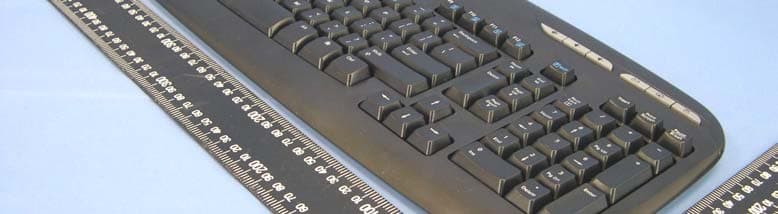
Click to zoom
Application Details
- Equipment Class
- DXX - Part 15 Low Power Communication Device Transmitter
- Date of Grant
- Apr 13, 2005
- Application Purpose
- Original Equipment
- Date of Application
- Apr 13, 2005
- Equipment Note
- Cordless Keyboard
- Frequency Range
- 27.09500000 - 27.14500000
- Company
- Logitech Far East Ltd
- Country
- Taiwan
Documents & Files
Document Text
Text extracted from the exhibit documents filed with the FCC. Open a document above to read the original.
Users Manual
© 2005 Logitech. All rights reserved. Logitech, the Logitech logo, and other Logitech marks are owned by Logitech and may be registered. All other trademarks are the property of their respective owners. Logitech assumes no responsibility for any errors that may appear in this manual. Information contained herein is subject to change without notice. 623853-0914.A English 1. Navigation keys. 2. F-Keys. 3. Media keys. 4. Volume controls. 5. E-mail/Internet Home/On-screen calculator. 6. Mouse wheel and buttons. See the software help system and visit the QuickTour software. Also visit www.logitech.com/comfort for more information about using your products and for ergonomics. Deutsch 1. Navigationstasten. 2. F-Tasten. 3. Media-Tasten. 4. Lautstärkeregelung. 5. E-Mail/Internet-Startseite/Rechner auf Bildschirm. 6. Mausrad und -tasten. Weitere Informationen finden Sie in der Hilfe und in der QuickTour. Auf der Logitec Website finden Sie unter www.logitech.com/comfort Informationen zu den Produkten und zur Ergonomie. Français 1. Touches de navigation. 2. Touches F. 3. Touches Media. 4. Contrôles de volume. 5. Courrier électronique/Page d’accueil Internet/Calculatrice à l’écran. 6. Roulette et boutons de la souris. Reportez-vous au système d’aide logiciel et le logiciel QuickTour. Pour en savoir plus sur l'utilisation des produits et leur confort, effectuez la visite guidée et accédez au site Web www.logitech.com/comfort . Italiano 1. Tasti di navigazione. 2. Tasti funzione. 3. Tasti multimediali. 4. Controlli volume. 5. Posta elettronica/Pagina iniziale Internet/Calcolatrice a schermo. 6. Tasto Scroller e pulsanti del mouse. Vedere la Guida in linea del software e il QuickTour. Per ulteriori informazioni relative al comfort e all'utilizzo del prodotto, visitare il sito www.logitech.com/comfort. Español 1. Controles de navegación. 2. Teclas F. 3. Botones multimedia. 4. Controles de volumen. 5. Correo electrónico/Inicio de Internet/Calculadora en pantalla. 6. Botones y botón rueda del ratón. También puede consultar el sistema de ayuda del software o ejecutar el Recorrido rápido. En www.logitech.com/comfort encontrará más información sanitaria y sobre el uso de los productos. Português 1. Teclas de navegação. 2. Teclas F. 3. Teclas de multimédia. 4. Controlos do volume. 5. Correio electrónico/Home da Internet/Calculadora no ecrã. 6. Roda e botões do rato. Consulte o sistema de ajuda no software e visite o software QuickTour. Visite também www.logitech.com/comfort para obter mais informações sobre como utilizar os produtos e sobre ergonomia. Nederlands 1. Navigatietoetsen. 2. F-toetsen. 3. Mediatoetsen. 4. Volumeregelaars. 5. E-mail/internet-startpagina/calculator op het scherm. 6. Muiswiel en -knoppen. Zie ook de online-Help en bezoek de QuickTour-software. Bezoek ook www.logitech.com/comfort voor meer informatie over uw producten en verantwoord gebruik. Svenska 1. Navigeringsknappar. 2. F-tangenter. 3. Multimedieknappar. 4. Volymkontroller. 5. Knappar för e-post/startsida/kalkylator. 6. Mushjul och knappar. Se även programhjälpen och självstudien (QuickTour). Se även www.logitech.com/comfort för vidare information om produkten samt ergonomiska råd och tips. Dansk 1. Navigationsknapper. 2. F-taster. 3. Medieknapper. 4. Lydstyrkeregulering. 5. Knapper til at starte e-mail-programmet/browseren/lommeregneren. 6. Musens scrollehjul og knapper. Der er flere oplysninger i den elektroniske hjælp eller QuickTour-softwaren. Du kan også besøge www.logitech.com/comfort hvis du vil vide mere om hvordan produkterne bruges, og om arbejdsfysiologi. Norsk 1. Navigeringsknapper. 2. F-taster. 3. Medieknapper. 4. Volum-knapper. 5. E-post/nettleser/kalkulator. 6. Musehjul og -knapper. Du finner også informasjon i den elektroniske hjelpen samt i QuickTour-programvaren. Gå til www.logitech.com/comfort hvis du ønsker mer informasjon om riktig bruk av enhetene med tanke på ergonomiske spørsmål. Suomi 1. Siirtymisnäppäimet. 2. F-näppäimet. 3. Medianäppäimet. 4. Äänenvoimakkuuden säätö. 5. Sähköposti/Internet-kotisivu/laskin. 6. Hiiren rulla ja painikkeet. Katso ohjelmiston ohje tai QuickTour-ohjelmisto. Käy myös www.logitech.com/comfort -sivustolla saadaksesi lisätietoja tuotteen käytöstä ja ergonomiasta. Ελληνικά 1. Πλήκτρα περιήγησης. 2. Πλήκτρα F. 3. Πλήκτρα πλυμέσων. 4. Πλήκτρα έντασης ήυ. 5. Ηλεκτρνικ ταυδρμεί/Αρική σελίδα Internet /Αριθμμηανή στην θνη. 6. Ρδάκι και κυμπιά τυ πντικιύ. Ανατρέτε στ σύστημα ήθειας τυ λγισμικύ και συμυλευτείτε τ λγισμικ σύντμης περιήγησης. Επισκεθείτε επίσης την τπθεσία www.logitech.com/comfort για περισστερες πληρρίες σετικά με τη ρήση τυ πρϊντς σας και την εργνμία. По-русски 1. Клавиши перемещения. 2. F-клавиши. 3. Мультимедийные клавиши. 4. Регуляторы громкости. 5. Электронная почта/Домашняя страница в Интернете/Экранный калькулятор. 6. Колесико и кнопки мыши. Воспользуйтесь справкой программного обеспечения или программой QuickTour. Дополнительные сведения по использованию продукта и эргономике содержатся на веб-узле www.logitech.com/comfort . Magyar 1. Navigációs billentyűk 2. Funkcióbillentyűk 3. Médiavezérlő billentyűk 4. Hangerőszabályzók 5. E-mail/Internetes kezdőlap/Számológép 6. Egér kereke és gombjai További információ a szoftver súgójában és a QuickTour programban található. A termék használatával, valamint az ergonómiai tudnivalókkal kapcsolatban a www.logitech.com/comfort webhely nyújt bővebb tájékoztatást. Česká verze 1. Navigační klávesy. 2. Funkční klávesy. 3. Tlačítka pro práci s multimédii. 4. Ovládání hlasitosti. 5. E-maily/Domovská stránka sítě internet/Kalkulačka. 6. Kolečko a tlačítka na myši. Přečtěte si nápovědu k software a vydejte se na prohlídku QuickTour. Více informací o používání produktu a ergonomických vlastnostech naleznete na webu www.logitech.com/comfort . Po polsku 1. Klawisze nawigacji. 2. Klawisze funkcyjne. 3. Klawisze mediów. 4. Regulatory głośności. 5. E-mail/Strona domowa/Kalkulator na ekranie. 6. Kół…
Text truncated - open the document above for the full version.
Users Manual
English Turn OFF computer. Deutsch Schalten Sie den Computer AUS . Français Mettez l’ordinateur hors tension . Italiano Spegnere il computer. Español Apague el ordenador. Português Desligue o computador. Nederlands Zet de computer UIT. Svenska Stäng av datorn. Dansk Sluk for computeren. Norsk Slå AV maskinen. Suomi Sammuta tietokone. Ελληνικά Απενεργπιήστε τν υπλγιστή. По-русски Выключите компьютер. Magyar Kapcsolja ki a számítógépet. Česká verze Vypněte počítač. Po polsku WYŁĄCZ komputer. OFF Installation Guide 5 4 3 1 2 Logitech ® www.logitech.com 1 2 3 4 5 English Install the batteries: the mouse uses 2 large AA batteries; the keyboard uses 2 small AAA batteries. Follow the diagram for battery orientation. Deutsch Legen Sie die Batterien ein: Zwei AA-Batterien in die Maus; zwei AAA-Batterien in die Tastatur. Richten Sie sich nach der Abbildung im Batteriefach. Français Insérez les piles: la souris utilise 2 grosses piles AA, le clavier utilise 2 petites piles AAA. Suivez le schéma pour la disposition des piles. Italiano Inserire le batterie: nel mouse vi sono due batterie AA grandi; nella tastiera vi sono due batterie AAA piccole. Per il corretto orientamento delle batterie fare riferimento allo schema. Español Coloque las pilas: el ratón utiliza dos 2 pilas AA grandes; el teclado utiliza 2 pilas AAA pequeñas. El diagrama muestra la posición correcta. Português Introduza as pilhas: o rato utiliza 2 pilhas AA; o teclado utiliza 2 pilhas AAA. Siga o diagrama para a posição das pilhas. Nederlands Installeer de batterijen: de muis gebruikt 2 grote AA-batterijen en het toetsenbord 2 kleine AAA-batterijen. Volg het diagram voor juiste plaatsing van de batterijen. Svenska Sätt i batterierna. 2 AA-batterier i musen och 2 AAA-batterier i tangentbordet. Se till att du sätter i batterierna åt rätt håll (se schemat i batterifacket). Dansk Sæt batterier i: Der skal 2 AA-batterier i musen, og 2 AAA-batterier i tastaturet. Se på tegningen hvordan de skal vende. Norsk Sett inn batteriene: musen bruker 2 AA-batterier; tastaturet bruker 2 AAA-batterier. Se plassering av batteriene på diagrammet. Suomi Asenna paristot: hiiressä käytetään kahta suurta AA-paristoa, näppäimistössä kahta pientä AAA-paristoa. Seuraa paristokaavion ohjeita. Ελληνικά Τπθετήστε τις μπαταρίες: για τ πντίκι ρειάνται 2 μεγάλες μπαταρίες AA, ενώ για τ πληκτρλγι δύ μικρές μπαταρίες AAA. ∆είτε στ διάγραμμα τν πρσανατλισμ των μπαταριών. По-русски Установите батареи: две больших батареи AA в мышь и две малых батареи AAA — в клавиатуру. Порядок установки батарей указан на схеме. Magyar Helyezze be az elemeket: az egérhez két ceruzaelem kell (AA méret), a billentyűzethez két kisméretű ceruzaelem (AAA méret). Ügyeljen az ábra szerinti elempolaritásra. Česká verze Vložte baterie: myš je napájena dvěma bateriemi rozměru AA, klávesnice dvěma bateriemi rozměru AAA. Orientace baterií je vyznačena na obrázku. Po polsku Zainstaluj baterie: mysz zasilana jest z dwóch dużych baterii AA; klawiatura – z dwóch małych baterii AAA. Diagram ułożenia baterii pomoże Ci je prawidłowo zainstalować. ON English Turn ON computer. Deutsch Schalten Sie den Computer EIN. Français Mettez l’ordinateur sous tension . Italiano Accendere il computer. Español Encienda el ordenador. Português Ligue o computador. Nederlands Zet de computer AAN. Svenska Starta datorn. Dansk Tænd for computeren. Norsk Slå på datamaskinen. Suomi Käynnistä tietokone. Ελληνικά Ενεργπιήστε τν υπλγιστή. По-русски Включите компьютер. Magyar Kapcsolja be a számítógépet. Česká verze Zapněte počítač. Po polsku WŁĄCZ komputer. 6 7 8 20 sec.20 sec. 1 3 2 4 English Press Connect button on receiver, and then press Connect button under mouse. Wait 20 seconds. Press Connect button on receiver, and then press Connect button under keyboard. Deutsch Drücken Sie die Connect-Taste am Empfänger und dann an der Unterseite der Maus. Warten Sie 20 Sekunden. Drücken Sie die Verbindungs-taste am Empfänger und dann an der Unterseite der Tastatur. Français Appuyez sur le bouton Connect du récepteur, puis sur le bouton Connect situé sous la souris. Patientez 20 secondes. Appuyez sur le bouton Connect du récepteur, puis sur le bouton Connect situé sous le clavier. Italiano Premere il pulsante Connect sul ricevitore, quindi il pulsante di connessione sul retro del mouse. Attendere 20 secondi. Premere il pulsante Connect sul ricevitore, quindi il pulsante Connect sul retro della tastiera. Español Pulse el botón Connect del receptor y luego el botón de conexión situado en la parte inferior del ratón. Espere 20 segundos. Pulse el botón de conexión del receptor y luego el botón de conexión situado en la parte inferior del teclado. Português Prima o botão Connect no receptor e, em seguida, prima o botão Connect em baixo do rato. Aguarde 20 segundos. Prima o botão Connect no receptor e, em seguida, prima o botão Connect em baixo do teclado. Nederlands Druk eerst op de knop Connect van de ontvanger en dan op de knop Connect aan de onderkant van de muis. Wacht 20 seconden. Druk eerst op de knop Connect van de ontvanger en dan op de knop Connect aan de onderkant van het toetsenbord. Svenska Tryck på Connect-knappen på mottagaren och därefter på Connect-knappen på musens undersida. Vänta i 20 sekunder. Tryck på Connect-knappen på mottagaren och därefter på Connect-knappen på tangentbordets undersida. Dansk Tryk på Connect-knappen på modtageren, og derefter på Connect-knappen på undersiden af musen. Vent i 20 sekunder. Tryk på Connect-knappen på modtageren, og derefter på Connect-knappen på undersiden af tastaturet. Norsk Trykk på Connect-knappen på mottakeren, og trykk deretter på Connect-knappen på undersiden musen. Vent i 20 sekunder. Trykk på Connect-knappen på mottakeren, og trykk deretter på tilkoplingsknappen på undersiden tastaturet. Suomi Paina Connect-painiketta vastaanottimessa ja paina sitten Connect-painiketta hiiren pohjassa. Odota 20 sekuntia. Paina Connect-painiketta vastaanottimessa ja p…
Text truncated - open the document above for the full version.
Cover Letter(s)
From: [email protected] [mailto:[email protected]] Sent: Thursday, April 14, 2005 3:19 AM To: steve.cheng Cc: [email protected]; [email protected] Subject: RE: RE: One new FCC approval project, FCC ID: JNZYRR71 Dear Steve, Thank you for your comments on this application! The following items are our replies for your comments: 1) Please see the attached jpg file. (pic04664.jpg) 2) Our client answers: There are 3 crystals on the the schematic and PCB , 16 MHz crystal (XT1) is the working frequency of CPU , XT2 (13.547MHz) and XT3 (13.572MHz) is for Tx and there two crystals will create the Tx frequency 27.095 MHz ( 2 times of 13.5475 ) and 27.145 MHz ( 2 times of 13.5725) Thanks! Best Regards, Amanda Chu / 朱芳誼 ~~~~~~~~~~~~~~~~~~~~~~~~~ Certification Specialist ADT Corp. (Hsin Chu Office) TEL: 03-5935343 ext. 1737 FAX: 03-5934728 ~~~~~~~~~~~~~~~~~~~~~~~~~ "steve.cheng" <[email protected]> 2005/04/12 下午 03:00 收件人 [email protected] 副本抄送 [email protected], [email protected] 主旨 RE: One new FCC approval project, FCC ID: JNZYRR71 Dear Amanda, Below is TCB Review Comments for (Logitech:Cordless Kekyboard, FCC ID:JNZYRR71, 940312H01) -EMC- Question #1: Not able to identify the transmitter and antenna circuit from the schematics. Please explain which portion is for Tx circuit or revise the schematic if necessary. Question #2: Schematic drawing is not agreed with operational description and internal photos. The schematic shows a 16MHz crystal (XT1) but PCB layout show 2 crystals, and also, operational description describes there are 2 different crystals, 27.095 and 27.145MHz, used in the circuit. Please clarify if the submitted schematics are correct or certain info is missing. The items indicated above must be submitted before processing can continue on the above referenced application. Failure to provide the requested information within 60 days of the original e-mail date may result in application dismissal and forfeiture of the filing fee. Also, please note that partial responses increase processing time and should not be submitted. Any questions about the content of this correspondence should be directed to the e-mail address listed below the name of the sender. Best Regards Steve Cheng / Technical Reviewer TCB/FCB/NB CKC Certification Services. North American EMC Certification Services Inc. Email: [email protected] Tel: 403-241-8826 Best regards, Steve Cheng North American EMC Certification Services Inc. 359 Hawkland Cir., NW. Calgary, Alberta Canada T3G 3R3 Tel: (403) 241-8826 Email: [email protected] From: [email protected] [mailto:[email protected]] Sent: Monday, April 11, 2005 9:10 PM To: [email protected] Cc: [email protected]; [email protected] Subject: One new FCC approval project, FCC ID: JNZYRR71 Dear Steve, We already uploaded one new project for FCC approval on your FTP today. FCC ID: JNZYRR71, the folder name is "JNZYRR71, 940312H01 ". Please help us to check it... If you have any question, please contact us. Your earliest response of this matter would be greatly appreciated! Thanks! Best Regards, Amanda Chu / 朱芳誼 ~~~~~~~~~~~~~~~~~~~~~~~~~ Certification Specialist ADT Corp. (Hsin Chu Office) TEL: 03-5935343 ext. 1737 FAX: 03-5934728 ~~~~~~~~~~~~~~~~~~~~~~~~~
External Photos
Page 1 CONSTRUCTION PHOTOS OF EUT
ID Label/Location Info
The logo will be engraved in the area FCC ID: JNZYRR71 M/N: Y-RR71
ID Label/Location Info
This device complies with Part 15 of the FCC Rules. Operation is subject to the following two conditions: (1) this device may not cause harmful interference, and (2) this device must accept any interference received, including interference that may cause undesired operation. FCC ID: JNZYRR71
Internal Photos
Page 2 Page 3 Page 4 Page 5
Operational Description
FCC ID: JNZYRR71 Report No. 940312H01 Operational Description The transmitter of the EUT (Cordless Keyboard) is powered by 3VDC batteries. The antenna is Loop Antenna. The output power of this device is very low. This equipment is a 2-channel equipment with frequency 27.095 MHz, 27.145MHz that operating frequency is 2nd harmonic of the generating Xtal frequency. Under normal use condition, the transmitter and the receiver are quite close, so high EIRP power is neither necessary nor allowed because of interference.
Test Report
FCC ID: JNZYRR71 Report No.: RF940312H011 Report Format Version 2.0.1 FCC TEST REPORT REPORT NO.: RF940312H01 MODEL NO.: Y-RR71 RECEIVED: Mar. 12, 2005 TESTED: Mar. 16 to 17, 2005 ISSUED: Mar. 22, 2005 APPLICANT:LOGITECH FAR EAST LTD. ADDRESS:#2 Creation Rd. 4, Science-Based Ind. Park Hsinchu Taiwan, R.O.C. ISSUED BY:Advance Data Technology Corporation LAB LOCATION:No. 81-1, Lu Liao Keng, 9 Ling, Wu Lung Tsuen, Chiung Lin Hsiang, Hsin Chu Hsien, Taiwan, R.O.C. This test report consists of 16 pages in total. It may be duplicated completely for legal use with the approval of the applicant. It should not be reproduced except in full, without the written approval of our laboratory. The client should not use it to claim product endorsement by CNLA, A2LA or any government agencies. The test results in the report only apply to the tested sample. 0536 No. 2177-01 ILAC MRA FCC ID: JNZYRR71 Report No.: RF940312H012Report Format Version 2.0.1 Table of Contents 1CERTIFICATION..............................................................................................3 2SUMMARY OF TEST RESULTS .....................................................................4 3.1MEASUREMENT UNCERTAINTY...................................................................4 3GENERAL INFORMATION ..............................................................................5 3.2GENERAL DESCRIPTION OF EUT ................................................................5 3.3DESCRIPTION OF TEST MODES ..................................................................6 3.4GENERAL DESCRIPTION OF APPLIED STANDARDS..................................6 3.5DESCRIPTION OF SUPPORT UNITS ............................................................6 4EMISSION TEST .............................................................................................7 4.1RADIATED EMISSION & OCCUPIED BANDWIDTH MEASUREMENT..........7 4.1.1 LIMITS OF RADIATED EMISSION MEASUREMENT .....................................7 4.1.2 TEST INSTRUMENT .......................................................................................8 4.1.3 TEST PROCEDURE........................................................................................9 4.1.4 DEVIATION FROM TEST STANDARD..........................................................10 4.1.5 TEST SETUP (RADIATED EMISSION) ......................................................... 11 4.1.6 EUT OPERATING CONDITION..................................................................... 11 4.1.7 TEST RESULT (RADIATED EMISSION) .......................................................12 4.1.8 TEST RESULT (RADIATED EMISSION) .......................................................13 4.1.9 TEST RESULTS (OCCUPIED BANDWIDTH) ...............................................14 5PHOTOGRAPHS OF THE TEST CONFIGURATION ....................................15 6INFORMATION ON THE TESTING LABORATORIES...................................16 FCC ID: JNZYRR71 Report No.: RF940312H013Report Format Version 2.0.1 1 CERTIFICATION PRODUCT : Cordless Keyboard BRAND NAME : Logitech MODEL NO : Y-RR71 TESTED:Mar. 16 to 17, 2005 APPLICANT : LOGITECH FAR EAST LTD. STANDARDS : 47 CFR Part 15, Subpart C(Section 15.227) ANSI C63.4: 2003 The above equipment (Model: Y-RR71) has been tested by Advance Data Technology Corporation, and found compliance with the requirement of the above standards. The test record, data evaluation & Equipment Under Test (EUT) configurations represented herein are true and accurate accounts of the measurements of the sample’s EMC characteristics under the conditions specified in this report. PREPARED BY : , DATE:Mar. 22, 2005 ( Carol Liao ) TECHNICAL ACCEPTANCE : , DATE:Mar. 22, 2005 Responsible for RF ( Hank Chung ) APPROVED BY :, DATE:Mar. 22, 2005 ( Eric Lin, Manager ) FCC ID: JNZYRR71 Report No.: RF940312H014Report Format Version 2.0.1 2 SUMMARY OF TEST RESULTS The EUT has been tested according to the following specifications: APPLIED STANDARD: 47 CFR Part 15, Subpart C STANDARD PARAGRAPH TEST TYPERESULTREMARK 15.207Conducted Emission TestNA Power supply is 3VDC from batteries 15.227 / 15.209Radiated Emission TestPASS Minimum passing margin is –18.20 dB at 81.44 MHz NOTE: The receiver part to communicate with the EUT has been verified to comply with FCC Part 15, Subpart B, Class B (DoC). The test report can be provided upon request. 3.1 MEASUREMENT UNCERTAINTY Where relevant, the following measurement uncertainty levels have been estimated for tests performed on the EUT: Conducted emissions2.53dB Radiated emissions, transmitter2.98dB Humidity±0.7°C Temperature±2.5% FCC ID: JNZYRR71 Report No.: RF940312H015Report Format Version 2.0.1 3 GENERAL INFORMATION 3.2 GENERAL DESCRIPTION OF EUT PRODUCTCordless Keyboard MODEL NO.Y-RR71 POWER SUPPLY3VDC from batteries MODULATION TYPEFSK CARRIER FREQUENCY OF EACH CHANNEL 27.095 MHz, 27.145MHz NUMBER OF CHANNEL2 ANTENNA TYPELoop antenna DATA CABLE NA I/O PORTSNA ASSOCIATED DEVICESNA NOTE: 1. The EUT is the transmitter part of Cordless Keyboard. 2. The above EUT information was declared by the manufacturer and for more detailed features description, please refer to the manufacturer's specifications or User's Manual. FCC ID: JNZYRR71 Report No.: RF940312H016Report Format Version 2.0.1 3.3 DESCRIPTION OF TEST MODES There are two channels have been pre-tested in our facility as following: Pre-test ModeFrequency 127.095MHz 227.145MHz NOTE: 27.145MHz, the worst case, was chosen for final test and it’s data was recorded in this report. 3.4 GENERAL DESCRIPTION OF APPLIED STANDARDS The EUT is the transmitter part of a Cordless Keyboard. According to the specifications of the manufacturer, it must comply with the requirements of the following standards: 47 CFR Part 15, Subpart C (Section 15.227) ANSI C63.4-2003 All tests have been performed and recorded as per the above standards. 3.5 DESCRIPTION OF SUPPORT UNITS The EUT has been tested as an independent unit. FCC ID: JNZYRR71 Report No.: RF9403…
Text truncated - open the document above for the full version.
Test Setup Photos
FCC ID: JNZYRR71 Report No.: RF940312H0115Report Format Version 2.0.1 5 PHOTOGRAPHS OF THE TEST CONFIGURATION RADIATED EMISSION TEST
Contact Information
Applicant
Rick Lien(Head of Product Compliance)
Technical Contact
Advance Data Technology CorporationEric Lin
[email protected]886-3-593-5343
81-1 Luliaoken, 9th Lin, Wulung Tsuen Chiunglin · Hsinchu · Taiwan
Non-Technical Contact
Advance Data Technology CorporationEric Lin
[email protected]886-3-593-5343
Test Firm
Bureau Veritas CPS (H.K.) Ltd. Taoyuan BranchRichard Chen
Technical Specifications
| # | Rule Parts | Frequency Range | Power Output |
|---|---|---|---|
| 1 | 15C | 27.095 MHz - 27.145 MHz | - |
Other Applications from Logitech Far East Ltd
JNZYR0126
Jul 30, 2026Wireless Keyboard
Equipment Class
DTS - Digital Transmission SystemJNZYR0116
Jul 30, 2026Wireless Keyboard
Equipment Class
DTS - Digital Transmission SystemJNZYR0115
Jul 30, 2026Wireless Keyboard
Equipment Class
DTS - Digital Transmission SystemJNZMR0143
Jul 21, 2026Wireless Mouse
Equipment Class
DTS - Digital Transmission SystemJNZMR0136
Jul 09, 2026Wireless Mouse
Equipment Class
DTS - Digital Transmission System