JUK0798GES702Internet/Computer/Video Interface Device
GES Singapore Pte Ltd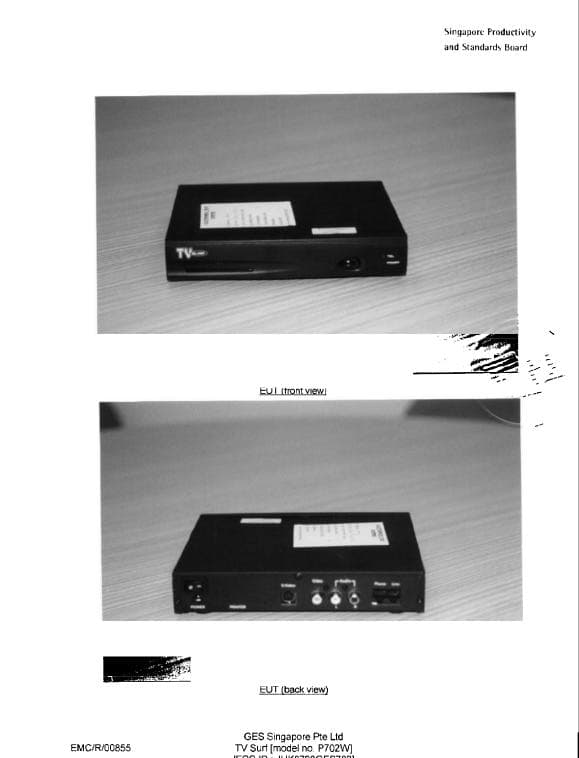
Click to zoom
Application Details
- Equipment Class
- JBC - Part 15 Class B Computing Device/Personal Computer
- Date of Grant
- Feb 07, 1999
- Application Purpose
- Original Equipment
- Date of Application
- Dec 03, 1998
- Equipment Note
- Internet/Computer/Video Interface Device
- Company
- GES Singapore Pte Ltd
- Country
- Singapore
Documents & Files
Document Text
Text extracted from the exhibit documents filed with the FCC. Open a document above to read the original.
Users Manual
USER'S MANUAL Second Publication November 1998 P702W Who should use this manual... Congratulations on your purchase of TVsurf! This manual will guide you through the setup and assist you in connecting TVsurf to the proper devices. It also pro- vides a guide through the TVsurf Browser and Email Application. Many useful graphics are included in this manual for illustration. GES Part No: 54300121 TVsurf manual GES Singapore Pte Ltd 28 Marsiling Lane Singapore 739152 Tel: 7329898 Fax: 3687671 All Rights Reserved. Printed in Singapore. Second Edition - November 1998 NOTICE Our company may make improvements and/or changes in the product(s) described in this publication at any time without notice. Changes are made periodically to the information herein, these changes will be incorporated in new editions of the publication. This publication may include technical inaccuracies or typographical errors. TRADEMARKS All registered trademarks are the property of their respective owners. FCC Information This equipment has been tested and found to comply with limits for a Class B digital device, pursuant to Part 15 of FCC Rules. These limits are de- signed to provide reasonable protection against harmful interference when the equipment is operated in a residential installation. This equipment gen- erates, uses, and can radiate radio frequency energy and, if not installed and used in accordance with the instruction manual, may cause harmful interference to radio communications. However, there is no guarantee that interference will not occur in a particular installation. If this equipment does cause interference to radio or television reception, which can be de- termined by turning the equipment off and on, the user is encouraged to try to correct the interference by one or more of following measures: FCC ID: JUK0798GES702 CE Certification This device complies with the requirements of the EEC directive 89/336/ EEC with regard to "Electromagnetic compatibility." - Reorient or relocate the receiving antenna. - Increase the separation between the equipment and the receiver. - Connect the equipment into an outlet on a circuit different from that to which the receiver is located. - Consult the dealer or an experienced radio/TV technician for help. Operation of this equipment in a residential area may cause harmful inter- ference in which case the user will be required to correct the interference at his own expense. Any changes or modifications not expressedly approved by the manufacturer could void the user’s authority to operate the equip- ment. CONTENTS Chapter 1 Introduction Introduction ........................................................................... 1-1 1.1 What exactly is TVsurf? ............................................ 1-2 Chapter 2 Overview of TVsurf Overview of TV Surf ............................................................ 2-1 2.1 Front View of TVsurf ................................................ 2-2 2.2 Back View of TVsurf ................................................ 2-3 2.3 Video Settings ........................................................... 2-4 2.4 Remote Control Functions ......................................... 2-5 2.5 Wireless Keyboard .................................................... 2-6 Chapter 3 Get Started! Get Started! ........................................................................... 3-1 3.1 Check List .................................................................. 3-1 3.2 Placement of TVsurf ................................................. 3-2 3.3 Connection of TVsurf ................................................ 3-3 3.3.1 Connecting to the Power Supply ............................ 3-3 3.3.2 Connecting the Telephone Line ............................. 3-4 3.3.3 Connecting the Video and Audio Cable ................. 3-4 3.3.4 Connecting the S-Video Cable ............................... 3-5 3.4 Setting TVsurf's Video Settings ................................ 3-6 3.5 Wireless Keyboard .................................................... 3-6 3.6 Switching on your TV ............................................... 3-7 3.7 Switching on TVsurf ................................................. 3-7 3.8 Settings Up TVsurf .................................................... 3-7 3.8.1 Connection Environment ...................................... 3-10 3.8.2 Browser Environment ........................................... 3-12 3.8.3 Mail Environment ................................................. 3-14 3.8.4 Template Configuration ....................................... 3-15 3.8.5 System Environment ............................................ 3-18 3.9 Connecting to the Internet with TVsurf .................. 3-20 Chapter 4 The Browser The Browser .......................................................................... 4-1 4.1 Outline ....................................................................... 4-1 4.2 Browser Screen and Menu ........................................ 4-2 4.3 Control ....................................................................... 4-5 4.3.1 Scheme ................................................................... 4-5 4.3.2 Scroll ...................................................................... 4-5 4.3.3 Move and select the focus ...................................... 4-5 4.3.4 Form ....................................................................... 4-5 4.3.5 Switching Frames ................................................... 4-6 4.3.6 Clickable Map ........................................................ 4-6 4.3.7 Sound Files ............................................................. 4-7 4.3.8 User Authentication ................................................ 4-8 4.4 Entry of Characters .................................................... 4-9 4.4.1 Supported Functions ............................................... 4-9 4.4.2 Template ............................................................... 4-…
Text truncated - open the document above for the full version.
Contact Information
Applicant
Rain Liang(Manager)
Technical Contact
MET Laboratories, Inc.Chris R Harvey
[email protected](410)354-3300
914 West Patapsco Ave. · Baltimore, Maryland · United States
Non-Technical Contact
MET Laboratories, Inc.Chris R Harvey
[email protected](410)354-3300
Test Firm
PSB Corporation Pte Ltd.Damien Lee
Technical Specifications
| # | Rule Parts | Frequency Range | Power Output |
|---|---|---|---|
| 1 | 15B | - | - |
Other Applications from GES Singapore Pte Ltd
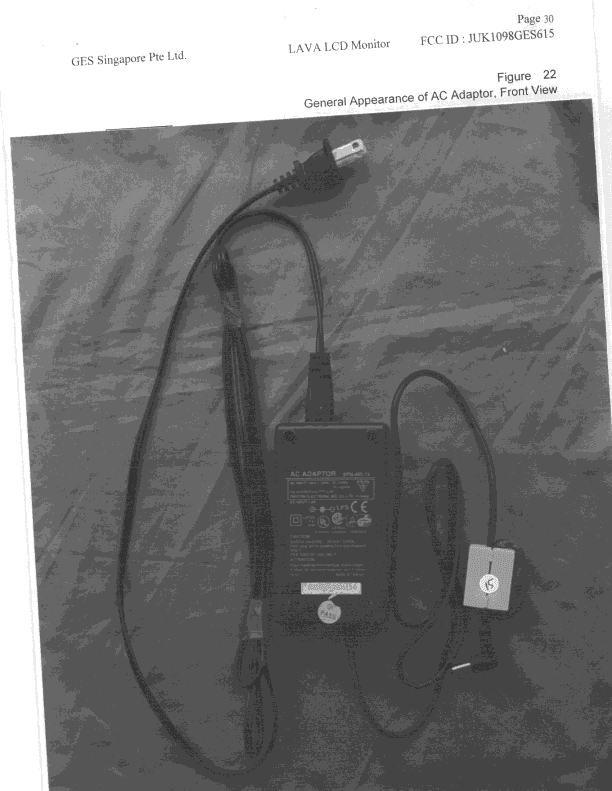
JUK1098GES615
Feb 15, 1999Color Monitor, 15" LCD Flat Panel 1024 X 768
Equipment Class
JBP - Part 15 Class B Computing Device Peripheral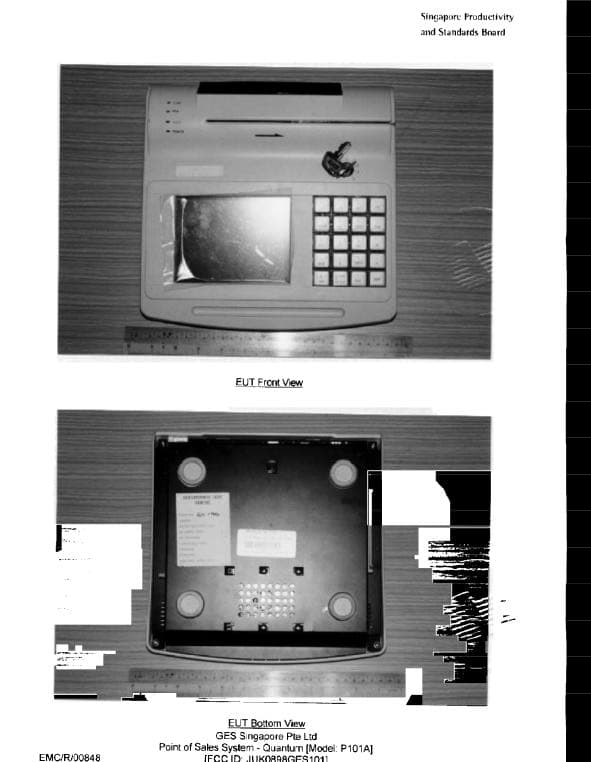
JUK0898GES101
Jan 21, 1999Point Of Sales System
Equipment Class
JBC - Part 15 Class B Computing Device/Personal ComputerJUKPLUSFLEX9040
Sep 16, 1998Keyboard Computer An AC Adapter incorporating ferrite cores on both ends of the DC line must be supplied with each unit.
Equipment Class
JBC - Part 15 Class B Computing Device/Personal Computer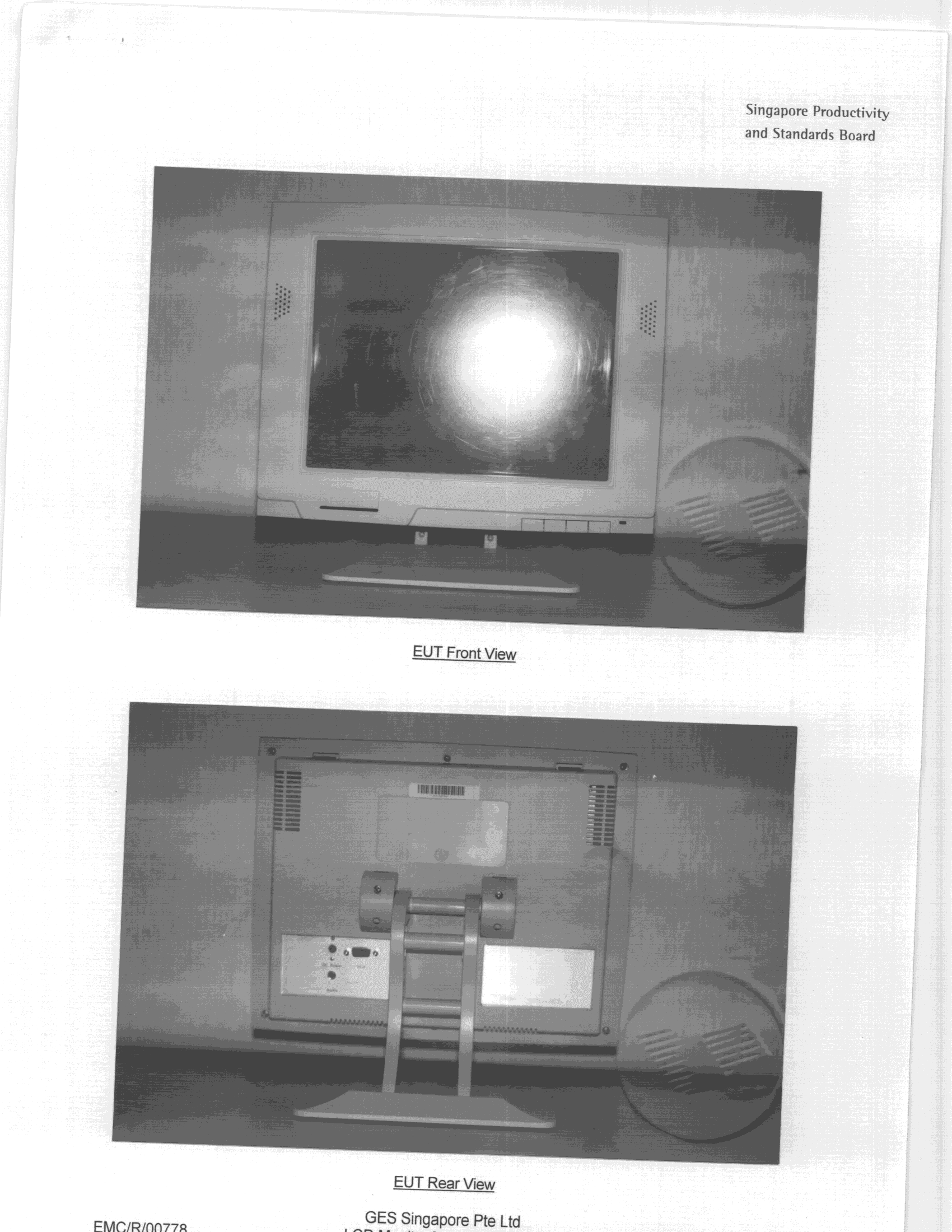
JUK0398GES612
Sep 15, 1998JBP - Part 15 Class B Computing Device Peripheral
Equipment Class
JBP - Part 15 Class B Computing Device PeripheralJUKS531
Feb 19, 1996Fax Modem Multimedia Card
Equipment Class
JBP - Part 15 Class B Computing Device Peripheral