K7SF8M026Low power FM Stereo transmitter
Belkin International, Inc.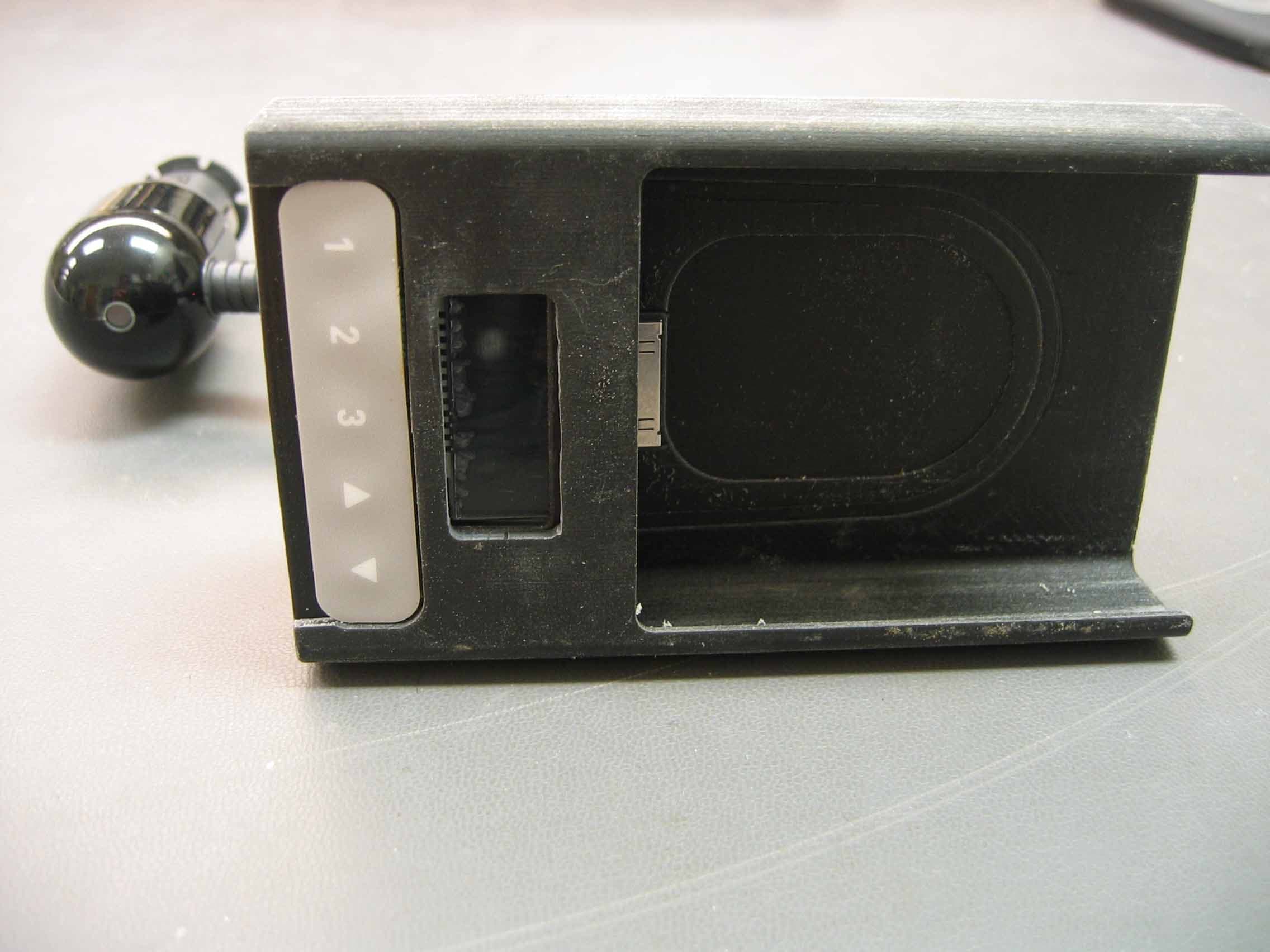
Click to zoom
Application Details
- Equipment Class
- DXX - Part 15 Low Power Communication Device Transmitter
- Date of Grant
- Jan 21, 2007
- Application Purpose
- Original Equipment
- Date of Application
- Jan 21, 2007
- Equipment Note
- Low power FM Stereo transmitter
- Frequency Range
- 88.10000000 - 107.90000000
- Company
- Belkin International, Inc.
- Country
- United States
Documents & Files
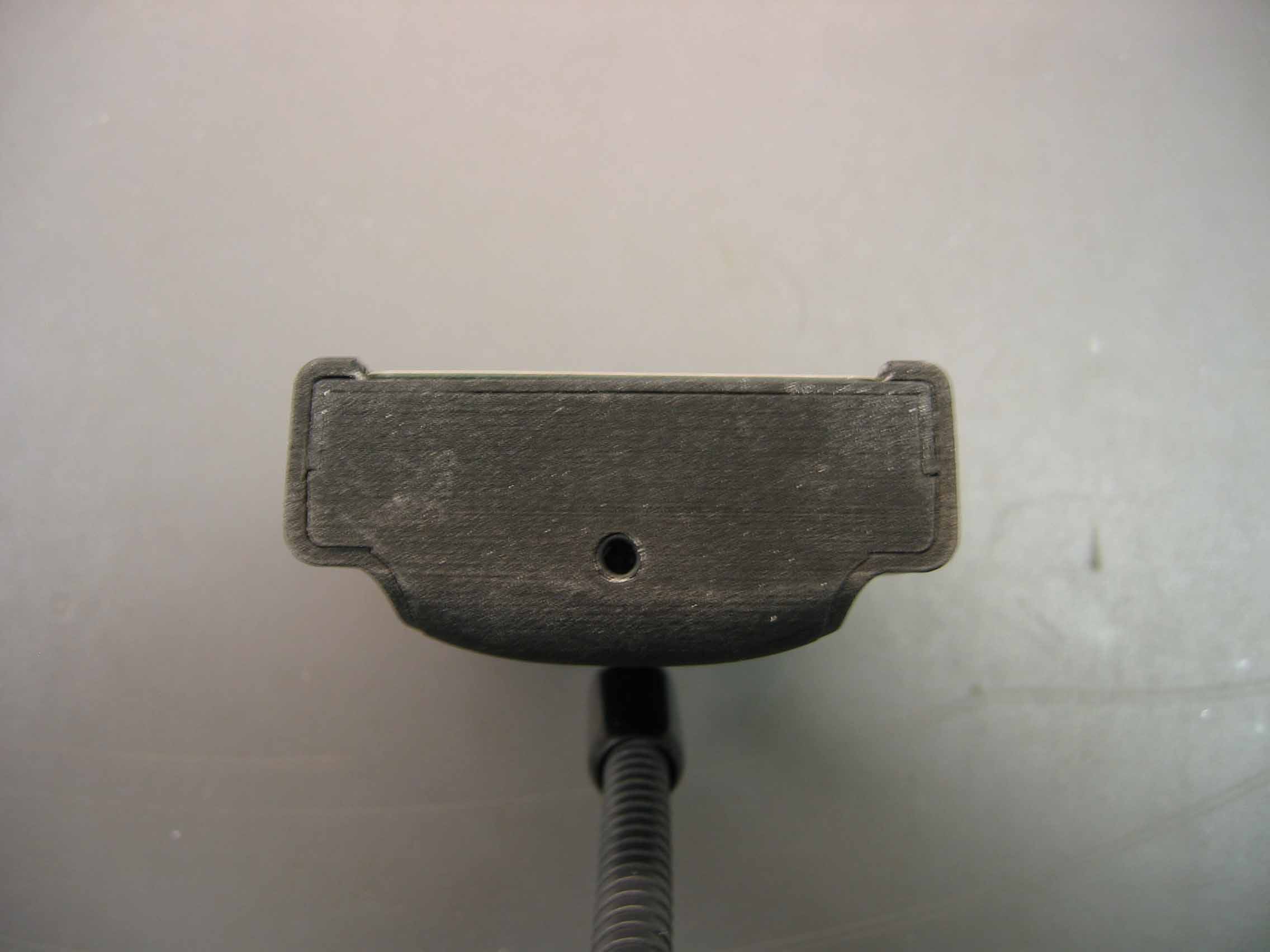
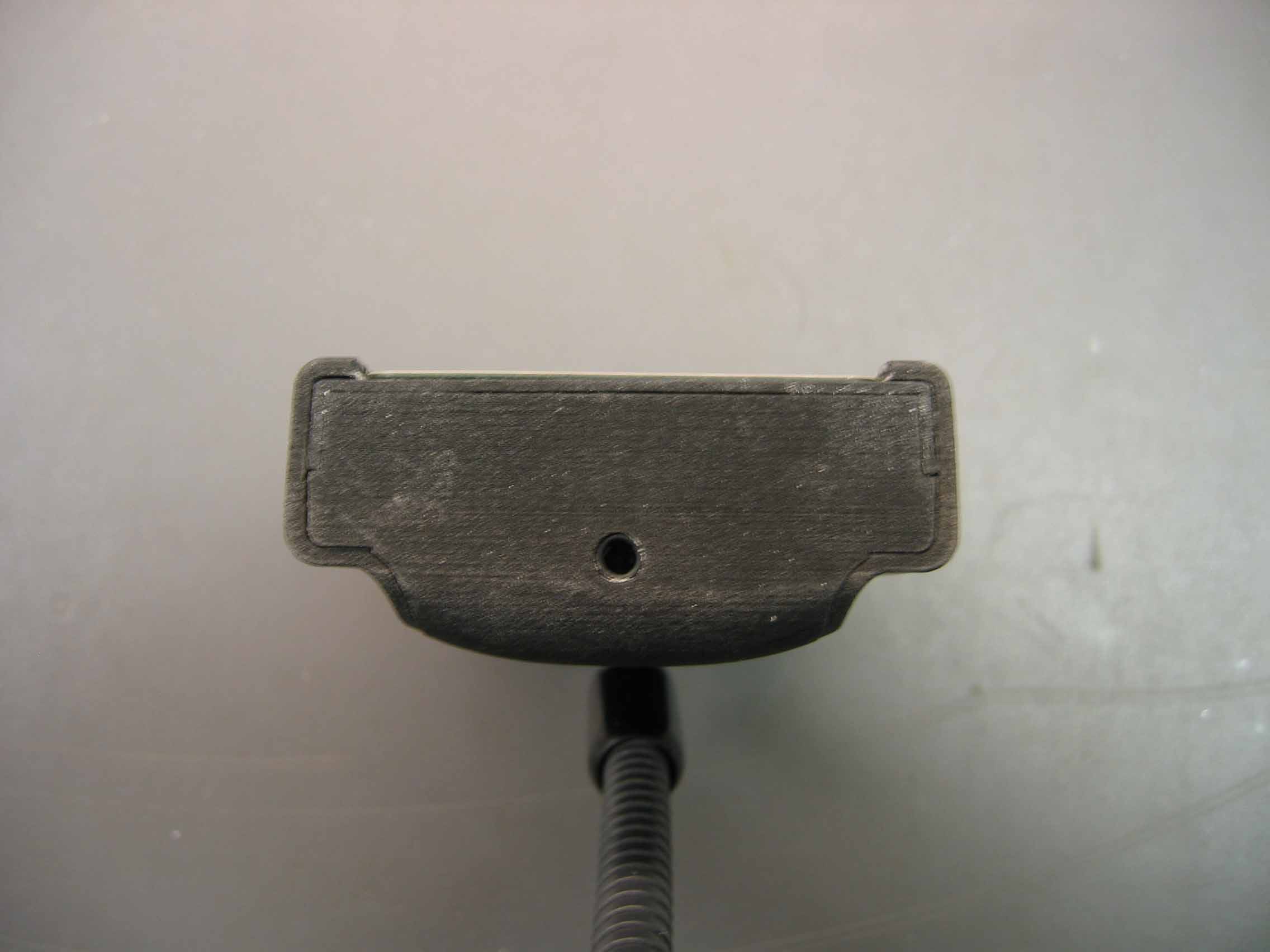
Document Text
Text extracted from the exhibit documents filed with the FCC. Open a document above to read the original.
Users Manual
User Manual TuneBase ™ FM for Microsoft ® Zune ™ Introduction Introduction | 01 Congratulations and thank you for purchasing the innovative TuneBase FM from Belkin. This product is designed to mount, stabilize, charge, power, and play your Zune device as you drive. Please review this User Manual carefully so that you can be sure to get the most from your Zune, virtually anywhere you go. ������������������ ������� ��������� ����������� ������ Setup Instructions Setup Instructions | 02 1. Turn your car stereo volume down. 2. Connect the Belkin TuneBase FM to your cigarette lighter adapter in your car. The LED on the TuneBase FM indicates proper connection. Warning: Avoid excessive force when rotating the connector in the cigarette lighter adapter. When you face resistance, unplug the connector from the outlet and reinsert it in the desired position. Failure to do so may result in damage to the car’s cigarette lighter adapter or power outlet. Note: The exact dimensions of power outlets vary by make and model of the car. In some cases, the fit might be improved by pressing the collar (included with the product) into the power outlet before inserting the connector in order to ensure a tight fit. However, the collar will not be necessary in most cars (and will not fit in the power outlet). ��������������������������������� ������������������������������������� ������������������������������������ ���������������������� �������� ��������� Setup Instructions Setup Instructions | 03 3. Bend and position the flexible-steel neck to a desired position for your Zune. 4. Carefully slide your Zune into the form-fitted cradle at the top of the TuneBase FM. The Zune will power on if the car battery is on. The Zune will go into sleep mode if power is removed from the cigarette lighter or the car is turned off. 5. As an optional user method, connect your cassette adapter or audio cables to the 3.5mm audio-out jack and listen to your Zune through your car stereo or portable stereo device. Using the TuneBase FM Transmitter Using the TuneBase FM Transmitter | 04 The TuneBase FM transmitter function automatically turns on when the Zune is connected and car power is available. It automatically turns off when the Zune is removed or car power becomes unavailable. 1. Tune your car stereo frequency to a channel with a weak broadcast signal. The ideal channel is one that is not broadcasting a radio program, or is doing so weakly. 2. Press the h or i button on the TuneBase FM to select the transmission frequency chosen in step 1, in your car, for broadcast. Press and hold either button for fast-forward or backward tuning. 3. To memorize a specific frequency (three stations maximum) for easy selection: (a) select desired frequency using up and down arrows; (b) press and hold the desired preset button for 2 seconds; the first digit of the display will indicate the chosen memory spot; and (c) press 1 of the 3 memory buttons briefly to toggle among the 3 memory slots and retrieve the memorized frequency. ����������������� ���������������� ������������������ ������ Using the TuneBase FM Transmitter Using the TuneBase FM Transmitter | 05 4. Adjust the volume of your FM radio to the desired listening level. Note: In some instances, when open frequencies are hard to find, lowering the car antenna (available in some cars) will improve the clarity of the TuneBase FM’s signal. Note: To avoid damage to the Zune, please make sure to disconnect the Zune from the TuneBase FM’s cradle before disconnecting the TuneBase FM from the power outlet of the car. Troubleshooting Troubleshooting | 06 Issue: My Zune does not seem to be charging. Solution 1 Make sure that the TuneBase FM is correctly connected to your car’s power outlet. The green indicator light on the cigarette lighter adapter portion of the product should be lit up at all times. Solution 2 Check to see that the Zune is pushed all the way into the cradle. Solution 3 Ensure that your car’s power outlet is receiving power. Some cars are designed so that power is not provided to the power outlet unless the car is in ignition mode or the engine is started. If none of these solutions solves the problem, the fuse of the TuneBase FM might be burned. In order to exchange the fuse, please carefully follow the steps on the next page: Troubleshooting Troubleshooting | 07 NOTE: DO NOT ATTEMPT TO DO THIS IN THE CAR. Use a clean, level surface or table for disassembly so that components do not get lost. The contact piece at the front end of the cigarette lighter adapter is spring-loaded. With pliers, carefully and slowly remove the nut at the front end, so that the spring inside the cigarette lighter adapter does not get lost. The fuse will be easily accessible now. Please exchange for a new one available at any car supply store. Please refer to figure below for correct order of assembly. Be sure to tighten the nut firmly with pliers. ������ ���� ��������������� ������������ ��� ������� �������������� ������� Troubleshooting Troubleshooting | 08 Issue: The TuneBase FM and Zune are in the way of my car’s controls. Solution The TuneBase FM has been designed to easily position in a wide range of orientations within the car. Use the gooseneck and the articulation behind the docking cradle to position it away from any controls of the car. Be sure to position the gooseneck in as close to an upright position in relation to the Adapter as possible. Issue: The TuneBase FM rotates out of position around the center of the power outlet. Solution 1 Be sure to solidly attach the cigarette lighter adapter portion of the product in the power outlet. Test the stability by pushing the product sideways before driving. Solution 2 In some cars, the power outlet is bigger in diameter than the cigarette lighter adapter. You will notice a wiggle in the TuneBase FM when pushing it. In that case, fit the collar provided around the TuneBase FM’s cigarette lighter adapter. Then, attach the cigarette lighter adapter t…
Text truncated - open the document above for the full version.
Users Manual
User Manual TuneBase ™ FM for Microsoft ® Zune ™ Introduction Introduction | 01 Congratulations and thank you for purchasing the innovative TuneBase FM from Belkin. This product is designed to mount, stabilize, charge, power, and play your Zune device as you drive. Please review this User Manual carefully so that you can be sure to get the most from your Zune, virtually anywhere you go. ������������������ ������� ��������� ����������� ������ Setup Instructions Setup Instructions | 02 1. Turn your car stereo volume down. 2. Connect the Belkin TuneBase FM to your cigarette lighter adapter in your car. The LED on the TuneBase FM indicates proper connection. Warning: Avoid excessive force when rotating the connector in the cigarette lighter adapter. When you face resistance, unplug the connector from the outlet and reinsert it in the desired position. Failure to do so may result in damage to the car’s cigarette lighter adapter or power outlet. Note: The exact dimensions of power outlets vary by make and model of the car. In some cases, the fit might be improved by pressing the collar (included with the product) into the power outlet before inserting the connector in order to ensure a tight fit. However, the collar will not be necessary in most cars (and will not fit in the power outlet). ��������������������������������� ������������������������������������� ������������������������������������ ���������������������� �������� ��������� Setup Instructions Setup Instructions | 03 3. Bend and position the flexible-steel neck to a desired position for your Zune. 4. Carefully slide your Zune into the form-fitted cradle at the top of the TuneBase FM. The Zune will power on if the car battery is on. The Zune will go into sleep mode if power is removed from the cigarette lighter or the car is turned off. 5. As an optional user method, connect your cassette adapter or audio cables to the 3.5mm audio-out jack and listen to your Zune through your car stereo or portable stereo device. Using the TuneBase FM Transmitter Using the TuneBase FM Transmitter | 04 The TuneBase FM transmitter function automatically turns on when the Zune is connected and car power is available. It automatically turns off when the Zune is removed or car power becomes unavailable. 1. Tune your car stereo frequency to a channel with a weak broadcast signal. The ideal channel is one that is not broadcasting a radio program, or is doing so weakly. 2. Press the h or i button on the TuneBase FM to select the transmission frequency chosen in step 1, in your car, for broadcast. Press and hold either button for fast-forward or backward tuning. 3. To memorize a specific frequency (three stations maximum) for easy selection: (a) select desired frequency using up and down arrows; (b) press and hold the desired preset button for 2 seconds; the first digit of the display will indicate the chosen memory spot; and (c) press 1 of the 3 memory buttons briefly to toggle among the 3 memory slots and retrieve the memorized frequency. ����������������� ���������������� ������������������ ������ Using the TuneBase FM Transmitter Using the TuneBase FM Transmitter | 05 4. Adjust the volume of your FM radio to the desired listening level. Note: In some instances, when open frequencies are hard to find, lowering the car antenna (available in some cars) will improve the clarity of the TuneBase FM’s signal. Note: To avoid damage to the Zune, please make sure to disconnect the Zune from the TuneBase FM’s cradle before disconnecting the TuneBase FM from the power outlet of the car. Troubleshooting Troubleshooting | 06 Issue: My Zune does not seem to be charging. Solution 1 Make sure that the TuneBase FM is correctly connected to your car’s power outlet. The green indicator light on the cigarette lighter adapter portion of the product should be lit up at all times. Solution 2 Check to see that the Zune is pushed all the way into the cradle. Solution 3 Ensure that your car’s power outlet is receiving power. Some cars are designed so that power is not provided to the power outlet unless the car is in ignition mode or the engine is started. If none of these solutions solves the problem, the fuse of the TuneBase FM might be burned. In order to exchange the fuse, please carefully follow the steps on the next page: Troubleshooting Troubleshooting | 07 NOTE: DO NOT ATTEMPT TO DO THIS IN THE CAR. Use a clean, level surface or table for disassembly so that components do not get lost. The contact piece at the front end of the cigarette lighter adapter is spring-loaded. With pliers, carefully and slowly remove the nut at the front end, so that the spring inside the cigarette lighter adapter does not get lost. The fuse will be easily accessible now. Please exchange for a new one available at any car supply store. Please refer to figure below for correct order of assembly. Be sure to tighten the nut firmly with pliers. ������ ���� ��������������� ������������ ��� ������� �������������� ������� Troubleshooting Troubleshooting | 08 Issue: The TuneBase FM and Zune are in the way of my car’s controls. Solution The TuneBase FM has been designed to easily position in a wide range of orientations within the car. Use the gooseneck and the articulation behind the docking cradle to position it away from any controls of the car. Be sure to position the gooseneck in as close to an upright position in relation to the Adapter as possible. Issue: The TuneBase FM rotates out of position around the center of the power outlet. Solution 1 Be sure to solidly attach the cigarette lighter adapter portion of the product in the power outlet. Test the stability by pushing the product sideways before driving. Solution 2 In some cars, the power outlet is bigger in diameter than the cigarette lighter adapter. You will notice a wiggle in the TuneBase FM when pushing it. In that case, fit the collar provided around the TuneBase FM’s cigarette lighter adapter. Then, attach the cigarette lighter adapter t…
Text truncated - open the document above for the full version.
Operational Description
F8M026 – TuneBase FM for Zune Operational Description, refer to Block Diagram: The device communicates serially with the Zune to get the Zune to pass audio signals to our device. This audio is conditioned and divided down to a level acceptable for the stereo modulator and FM transmitter IC. The audio is then modulated onto FM audio(generated by the same IC). This FM signal is then attenuated and connected to our gooseneck antenna. The EUT gets its’ power from the CLA(cigarette lighter adapter). The car voltage is passed through an LDO to supply 5V EUT system power. The car voltage is also connected to a switching power supply(1MHz switching), which converts the car voltage into 5V, which is then supplied to the Zune. The microprocessor controls all communications with the Zune, updates the LCD display, senses button presses, and digitally communicates with the FM Transmitter IC to set its transmission frequency. There are 5 buttons on the device. One increments the frequency, one decrements the frequency, and there are 3 presets that are user programmable. An up button press when the transmitter is already on 107.9MHz will “wrap” the frequency down to 88.1MHz. The opposite is true when the user presses the down arrow when the transmitter is set to 88.1MHz.
Test Report
TEST SERVICES EMC EVALUATION OF THE BELKIN CORPORATION TUNEBASE FM FOR ZUNE- MODEL F8M026 Date: DECEMBER 12, 2006 Test Report Number: TRR0358.06 REVISION 5 IN ACCORDANCE WITH FCC PART 15 SUBPART A 15.33 FCC PART 15 SUBPART C 15.209 FCC PART 15 SUBPART C 15.239 AS/NZS 4268:2003 Prepared For: BELKIN CORPORATION 1057 EAST HENRIETTA ROAD ROCHESTER, NEW YORK 14623 ATTENTION: JEFF MEYERS Prepared By: MATTHEW HANEL CHOMERICS TEST SERVICES ROCHESTER FACILITY 100 INDIGO CREEK DRIVE ROCHESTER, NEW YORK 14626 WOBURN FACILITY 77 DRAGON COURT WOBURN, MASSACHUSETTS 01801 This report shall not be reproduced except in full without the written approval of Chomerics Test Services. TEST SERVICES Belkin Corporation TuneBase FM for Zune - Model F8M026 Document #: TRR0358.06 Rev. 5 Date: December 12, 2006 Page 2 of 51 TABLE OF CONTENTS 1.0 General 1.1 Introduction 1.1.1 Purpose 1.1.2 Requirements 1.2 Test Summary 1.2.1 Summary of Recommendations 1.3 Administrative Data 1.3.1 Test Facility 1.3.2 Equipment Calibration 1.3.3 Test Personnel 1.4 Test Set-up 1.4.1 Test Site Matrix 1.4.2 Test Site Descriptions 1.4.3 Equipment Under Test 1.4.4 Block Diagram 2.0 Emissions Tests Performed 2.1 -26 dB Fundamental Emission 2.1.1 Equipment Used 2.1.2 Test Conditions 2.1.3 Test Method 2.1.4 Results 2.1.5 Test data 2.1.6 Photographic Documentation 2.2 FCC Part 15 Subpart C Field Strength (FCC 47 CFR 15.239) 2.2.1 Equipment Used 2.2.2 Test Conditions 2.2.3 Test Method 2.2.4 Results 2.2.5 Test Data 2.2.6 Photographic Documentation 2.3 FCC Part 15 Subpart C Field Strength (FCC 47 CFR 15.209) 2.3.1 Equipment Used 2.3.2 Test Conditions 2.3.3 Test Method 2.3.4 Result 2.3.5 Test Data 2.3.6 Photographic Documentation TEST SERVICES Belkin Corporation TuneBase FM for Zune - Model F8M026 Document #: TRR0358.06 Rev. 5 Date: December 12, 2006 Page 3 of 51 TABLE OF CONTENTS (continued) 2.4 Effective Isotropic Radiated Power 2.4.1 Equipment Used 2.4.2 Test Conditions 2.4.3 Test Method 2.4.4 Result 2.4.5 Test Data 2.4.6 Photographic Documentation 2.5 FCC Subpart A Radiated Emissions (FCC 47 CFR 15.33) 2.5.1 Equipment Used 2.5.2 Test Conditions 2.5.3 Test Method 2.5.4 Results 2.5.5 Test Data 2.5.6 Photographic Documentation Appendix A: Test Log TEST SERVICES Belkin Corporation TuneBase FM for Zune - Model F8M026 Document #: TRR0358.06 Rev. 5 Date: December 12, 2006 Page 4 of 51 LIST OF DEFINITIONS/ABBREVIATIONS AC Alternating Current BB Broadband BW Bandwidth cm Centimeter CPU Calibrate Prior to Use dB Decibel DC Direct Current EMC Electromagnetic Compatibility EMI Electromagnetic Interference ER Electric Radiation EUT Equipment Under Test GHz GigaHertz Hz Hertz I-face Interface kHz KiloHertz m Meter MHz MegaHertz mm Millimeter mS Millisecond mV MilliVolt MR Magnetic Radiation NB Narrowband NCR No Calibration Required PLC Power Line Conduction PPS Pulses Per Second uF MicroFarad uH MicroHenry uS Microsecond uV MicroVolt UWC Use With Calibrated Equipment TEST SERVICES Belkin Corporation TuneBase FM for Zune - Model F8M026 Document #: TRR0358.06 Rev. 5 Date: December 12, 2006 Page 5 of 51 1.0 GENERAL 1.1 Introduction 1.1.1 Purpose The purpose of this report is to document the performance of the Belkin Corporation TuneBase FM for Zune - Model F8M026 during an electromagnetic interference (EMI) test and record the test requirements and procedures used. At the request of Belkin Corporation, the tests were performed by Chomerics Test Services (CTS) of Woburn, Massachusetts at Chomerics’ test facility located in Rochester, New York. The assessment will determine the compliance or non-compliance with the requirements set up by the FCC Part 15 Subpart C 15.239 and AS/NZS 4268:2003 Radio Equipment and Systems – Short Range Devices- Limits and Methods measurement. Jeff Meyers from Belkin Corporation was present during testing. Testing was performed during the period of October 5 - 6, and December 8, 2006 under purchase order number 126416. 1.1.2 Requirements The requirements for the sequence of tests performed on the TuneBase FM for Zune - Model F8M026 are as follows: FCC Part 15 Subpart C 15.239 – Section 2.0 FCC Part 15 Subpart C 15.239, Emission requirements: Sec. 15.239: Operation in the band 88-108 MHz. - Emissions from the intentional radiator shall be confined within a band 200 kHz wide centered on the operating frequency. The 200 kHz band shall lie wholly within the frequency range of 88-108 MHz. The field strength of any emissions within the permitted 200 kHz band shall not exceed 250 microVolts/meter (47.95 dBuV) at 3 meters. The emission limit in this paragraph is based on measurement instrumentation employing an average detector. The provisions for limiting Peak emissions in 15.35 apply The field strength of any emissions radiated on any frequency outside of the specified 200 kHz band shall not exceed the general radiated emission limits in Sec. 15.209. AS/NZS 4268:2003 – Section 2.4 Table 1 Maximum EIRP = 10uW Maximum Transmitter Spurious Emissions EIRP = 0.1uW Maximum -26 dB Bandwidth 180kHz TEST SERVICES Belkin Corporation TuneBase FM for Zune - Model F8M026 Document #: TRR0358.06 Rev. 5 Date: December 12, 2006 Page 6 of 51 FCC Part 15 Subpart C 15.33 – Section 2.5 FCC Part 15 Subpart C 15.33, Radio Frequency Devices: For an intentional radiator, the spectrum shall be investigated from the lowest radio frequency signal generated in the device, without going below 9 kHz, up to at least the frequency shown in paragraph (1). (1) If the intentional radiator operates below 10 GHz: to the tenth harmonic of the highest fundamental or to 40 GHz, whichever is lower. FCC Part 15 Subpart A 15.35 FCC Part 15 Subpart C 15.35, Measurement Detector Functions and Bandwidths: (a) On any frequency or frequencies below or equal to 1000 MHz, the limits shown are based on measuring equipment employing a CISPR quasi-peak detector function and related measurement bandwidths, unless otherwise specified. The specifications for the measuring instrument used were …
Text truncated - open the document above for the full version.
Test Report
TEST SERVICES EMC EVALUATION OF THE BELKIN CORPORATION TUNEBASE FM FOR ZUNE- MODEL F8M026 Date: DECEMBER 12, 2006 Test Report Number: TRR0358.06 REVISION 5 IN ACCORDANCE WITH FCC PART 15 SUBPART A 15.33 FCC PART 15 SUBPART C 15.209 FCC PART 15 SUBPART C 15.239 AS/NZS 4268:2003 Prepared For: BELKIN CORPORATION 1057 EAST HENRIETTA ROAD ROCHESTER, NEW YORK 14623 ATTENTION: JEFF MEYERS Prepared By: MATTHEW HANEL CHOMERICS TEST SERVICES ROCHESTER FACILITY 100 INDIGO CREEK DRIVE ROCHESTER, NEW YORK 14626 WOBURN FACILITY 77 DRAGON COURT WOBURN, MASSACHUSETTS 01801 This report shall not be reproduced except in full without the written approval of Chomerics Test Services. TEST SERVICES Belkin Corporation TuneBase FM for Zune - Model F8M026 Document #: TRR0358.06 Rev. 5 Date: December 12, 2006 Page 2 of 51 TABLE OF CONTENTS 1.0 General 1.1 Introduction 1.1.1 Purpose 1.1.2 Requirements 1.2 Test Summary 1.2.1 Summary of Recommendations 1.3 Administrative Data 1.3.1 Test Facility 1.3.2 Equipment Calibration 1.3.3 Test Personnel 1.4 Test Set-up 1.4.1 Test Site Matrix 1.4.2 Test Site Descriptions 1.4.3 Equipment Under Test 1.4.4 Block Diagram 2.0 Emissions Tests Performed 2.1 -26 dB Fundamental Emission 2.1.1 Equipment Used 2.1.2 Test Conditions 2.1.3 Test Method 2.1.4 Results 2.1.5 Test data 2.1.6 Photographic Documentation 2.2 FCC Part 15 Subpart C Field Strength (FCC 47 CFR 15.239) 2.2.1 Equipment Used 2.2.2 Test Conditions 2.2.3 Test Method 2.2.4 Results 2.2.5 Test Data 2.2.6 Photographic Documentation 2.3 FCC Part 15 Subpart C Field Strength (FCC 47 CFR 15.209) 2.3.1 Equipment Used 2.3.2 Test Conditions 2.3.3 Test Method 2.3.4 Result 2.3.5 Test Data 2.3.6 Photographic Documentation TEST SERVICES Belkin Corporation TuneBase FM for Zune - Model F8M026 Document #: TRR0358.06 Rev. 5 Date: December 12, 2006 Page 3 of 51 TABLE OF CONTENTS (continued) 2.4 Effective Isotropic Radiated Power 2.4.1 Equipment Used 2.4.2 Test Conditions 2.4.3 Test Method 2.4.4 Result 2.4.5 Test Data 2.4.6 Photographic Documentation 2.5 FCC Subpart A Radiated Emissions (FCC 47 CFR 15.33) 2.5.1 Equipment Used 2.5.2 Test Conditions 2.5.3 Test Method 2.5.4 Results 2.5.5 Test Data 2.5.6 Photographic Documentation Appendix A: Test Log TEST SERVICES Belkin Corporation TuneBase FM for Zune - Model F8M026 Document #: TRR0358.06 Rev. 5 Date: December 12, 2006 Page 4 of 51 LIST OF DEFINITIONS/ABBREVIATIONS AC Alternating Current BB Broadband BW Bandwidth cm Centimeter CPU Calibrate Prior to Use dB Decibel DC Direct Current EMC Electromagnetic Compatibility EMI Electromagnetic Interference ER Electric Radiation EUT Equipment Under Test GHz GigaHertz Hz Hertz I-face Interface kHz KiloHertz m Meter MHz MegaHertz mm Millimeter mS Millisecond mV MilliVolt MR Magnetic Radiation NB Narrowband NCR No Calibration Required PLC Power Line Conduction PPS Pulses Per Second uF MicroFarad uH MicroHenry uS Microsecond uV MicroVolt UWC Use With Calibrated Equipment TEST SERVICES Belkin Corporation TuneBase FM for Zune - Model F8M026 Document #: TRR0358.06 Rev. 5 Date: December 12, 2006 Page 5 of 51 1.0 GENERAL 1.1 Introduction 1.1.1 Purpose The purpose of this report is to document the performance of the Belkin Corporation TuneBase FM for Zune - Model F8M026 during an electromagnetic interference (EMI) test and record the test requirements and procedures used. At the request of Belkin Corporation, the tests were performed by Chomerics Test Services (CTS) of Woburn, Massachusetts at Chomerics’ test facility located in Rochester, New York. The assessment will determine the compliance or non-compliance with the requirements set up by the FCC Part 15 Subpart C 15.239 and AS/NZS 4268:2003 Radio Equipment and Systems – Short Range Devices- Limits and Methods measurement. Jeff Meyers from Belkin Corporation was present during testing. Testing was performed during the period of October 5 - 6, and December 8, 2006 under purchase order number 126416. 1.1.2 Requirements The requirements for the sequence of tests performed on the TuneBase FM for Zune - Model F8M026 are as follows: FCC Part 15 Subpart C 15.239 – Section 2.0 FCC Part 15 Subpart C 15.239, Emission requirements: Sec. 15.239: Operation in the band 88-108 MHz. - Emissions from the intentional radiator shall be confined within a band 200 kHz wide centered on the operating frequency. The 200 kHz band shall lie wholly within the frequency range of 88-108 MHz. The field strength of any emissions within the permitted 200 kHz band shall not exceed 250 microVolts/meter (47.95 dBuV) at 3 meters. The emission limit in this paragraph is based on measurement instrumentation employing an average detector. The provisions for limiting Peak emissions in 15.35 apply The field strength of any emissions radiated on any frequency outside of the specified 200 kHz band shall not exceed the general radiated emission limits in Sec. 15.209. AS/NZS 4268:2003 – Section 2.4 Table 1 Maximum EIRP = 10uW Maximum Transmitter Spurious Emissions EIRP = 0.1uW Maximum -26 dB Bandwidth 180kHz TEST SERVICES Belkin Corporation TuneBase FM for Zune - Model F8M026 Document #: TRR0358.06 Rev. 5 Date: December 12, 2006 Page 6 of 51 FCC Part 15 Subpart C 15.33 – Section 2.5 FCC Part 15 Subpart C 15.33, Radio Frequency Devices: For an intentional radiator, the spectrum shall be investigated from the lowest radio frequency signal generated in the device, without going below 9 kHz, up to at least the frequency shown in paragraph (1). (1) If the intentional radiator operates below 10 GHz: to the tenth harmonic of the highest fundamental or to 40 GHz, whichever is lower. FCC Part 15 Subpart A 15.35 FCC Part 15 Subpart C 15.35, Measurement Detector Functions and Bandwidths: (a) On any frequency or frequencies below or equal to 1000 MHz, the limits shown are based on measuring equipment employing a CISPR quasi-peak detector function and related measurement bandwidths, unless otherwise specified. The specifications for the measuring instrument used were …
Text truncated - open the document above for the full version.
Test Setup Photos
TEST SERVICES EMC EVALUATION OF THE BELKIN CORPORATION TUNEBASE FM FOR ZUNE- MODEL F8M026 Date: DECEMBER 12, 2006 Test Report Number: TRR0358.06 REVISION 5 IN ACCORDANCE WITH FCC PART 15 SUBPART A 15.33 FCC PART 15 SUBPART C 15.209 FCC PART 15 SUBPART C 15.239 AS/NZS 4268:2003 Prepared For: BELKIN CORPORATION 1057 EAST HENRIETTA ROAD ROCHESTER, NEW YORK 14623 ATTENTION: JEFF MEYERS Prepared By: MATTHEW HANEL CHOMERICS TEST SERVICES ROCHESTER FACILITY 100 INDIGO CREEK DRIVE ROCHESTER, NEW YORK 14626 WOBURN FACILITY 77 DRAGON COURT WOBURN, MASSACHUSETTS 01801 This report shall not be reproduced except in full without the written approval of Chomerics Test Services. TEST SERVICES Belkin Corporation TuneBase FM for Zune - Model F8M026 Document #: TRR0358.06 Rev. 5 Date: December 12, 2006 Page 2 of 51 TABLE OF CONTENTS 1.0 General 1.1 Introduction 1.1.1 Purpose 1.1.2 Requirements 1.2 Test Summary 1.2.1 Summary of Recommendations 1.3 Administrative Data 1.3.1 Test Facility 1.3.2 Equipment Calibration 1.3.3 Test Personnel 1.4 Test Set-up 1.4.1 Test Site Matrix 1.4.2 Test Site Descriptions 1.4.3 Equipment Under Test 1.4.4 Block Diagram 2.0 Emissions Tests Performed 2.1 -26 dB Fundamental Emission 2.1.1 Equipment Used 2.1.2 Test Conditions 2.1.3 Test Method 2.1.4 Results 2.1.5 Test data 2.1.6 Photographic Documentation 2.2 FCC Part 15 Subpart C Field Strength (FCC 47 CFR 15.239) 2.2.1 Equipment Used 2.2.2 Test Conditions 2.2.3 Test Method 2.2.4 Results 2.2.5 Test Data 2.2.6 Photographic Documentation 2.3 FCC Part 15 Subpart C Field Strength (FCC 47 CFR 15.209) 2.3.1 Equipment Used 2.3.2 Test Conditions 2.3.3 Test Method 2.3.4 Result 2.3.5 Test Data 2.3.6 Photographic Documentation TEST SERVICES Belkin Corporation TuneBase FM for Zune - Model F8M026 Document #: TRR0358.06 Rev. 5 Date: December 12, 2006 Page 3 of 51 TABLE OF CONTENTS (continued) 2.4 Effective Isotropic Radiated Power 2.4.1 Equipment Used 2.4.2 Test Conditions 2.4.3 Test Method 2.4.4 Result 2.4.5 Test Data 2.4.6 Photographic Documentation 2.5 FCC Subpart A Radiated Emissions (FCC 47 CFR 15.33) 2.5.1 Equipment Used 2.5.2 Test Conditions 2.5.3 Test Method 2.5.4 Results 2.5.5 Test Data 2.5.6 Photographic Documentation Appendix A: Test Log TEST SERVICES Belkin Corporation TuneBase FM for Zune - Model F8M026 Document #: TRR0358.06 Rev. 5 Date: December 12, 2006 Page 4 of 51 LIST OF DEFINITIONS/ABBREVIATIONS AC Alternating Current BB Broadband BW Bandwidth cm Centimeter CPU Calibrate Prior to Use dB Decibel DC Direct Current EMC Electromagnetic Compatibility EMI Electromagnetic Interference ER Electric Radiation EUT Equipment Under Test GHz GigaHertz Hz Hertz I-face Interface kHz KiloHertz m Meter MHz MegaHertz mm Millimeter mS Millisecond mV MilliVolt MR Magnetic Radiation NB Narrowband NCR No Calibration Required PLC Power Line Conduction PPS Pulses Per Second uF MicroFarad uH MicroHenry uS Microsecond uV MicroVolt UWC Use With Calibrated Equipment TEST SERVICES Belkin Corporation TuneBase FM for Zune - Model F8M026 Document #: TRR0358.06 Rev. 5 Date: December 12, 2006 Page 5 of 51 1.0 GENERAL 1.1 Introduction 1.1.1 Purpose The purpose of this report is to document the performance of the Belkin Corporation TuneBase FM for Zune - Model F8M026 during an electromagnetic interference (EMI) test and record the test requirements and procedures used. At the request of Belkin Corporation, the tests were performed by Chomerics Test Services (CTS) of Woburn, Massachusetts at Chomerics’ test facility located in Rochester, New York. The assessment will determine the compliance or non-compliance with the requirements set up by the FCC Part 15 Subpart C 15.239 and AS/NZS 4268:2003 Radio Equipment and Systems – Short Range Devices- Limits and Methods measurement. Jeff Meyers from Belkin Corporation was present during testing. Testing was performed during the period of October 5 - 6, and December 8, 2006 under purchase order number 126416. 1.1.2 Requirements The requirements for the sequence of tests performed on the TuneBase FM for Zune - Model F8M026 are as follows: FCC Part 15 Subpart C 15.239 – Section 2.0 FCC Part 15 Subpart C 15.239, Emission requirements: Sec. 15.239: Operation in the band 88-108 MHz. - Emissions from the intentional radiator shall be confined within a band 200 kHz wide centered on the operating frequency. The 200 kHz band shall lie wholly within the frequency range of 88-108 MHz. The field strength of any emissions within the permitted 200 kHz band shall not exceed 250 microVolts/meter (47.95 dBuV) at 3 meters. The emission limit in this paragraph is based on measurement instrumentation employing an average detector. The provisions for limiting Peak emissions in 15.35 apply Th…
Text truncated - open the document above for the full version.
Contact Information
Applicant
Jay TU(Manager, Regulatory Compliance)
Technical Contact
Belkin R&D LabsJeff Meyers
[email protected]585-324-7839
1057 E Henrietta Rd · Rochester, New York · United States
Non-Technical Contact
Belkin CorporationMarc Matejka
[email protected](310) 604-2448
Test Firm
Chomerics Test ServicesDavid Inman
Technical Specifications
| # | Rule Parts | Frequency Range | Power Output |
|---|---|---|---|
| 1 | 15C | 88.1 MHz - 107.9 MHz | - |
Other Applications from Belkin International, Inc.
K7S-CAB029
Aug 11, 2026SureFind Loop Cable Tag
Equipment Class
DTS - Digital Transmission SystemK7SBPD024
Aug 10, 2026UltraCharge Pro Slim Magnetic Power Bank 5K with BoostSolid Cell
Equipment Class
DCD - Part 15 Low Power Transmitter Below 1705 kHzK7SMMA016
Jul 22, 2026SureFind Wallet Stand
Equipment Class
DTS - Digital Transmission SystemK7SMMA015
Jul 10, 2026SureFind
Equipment Class
DTS - Digital Transmission SystemK7SAUC018
Jun 17, 2026SoundForm Dot ANC Earbuds, SoundForm Dot Earbuds
Equipment Class
DTS - Digital Transmission System