K7SF8Z125Low Power Stereo Transmitter
Belkin International, Inc.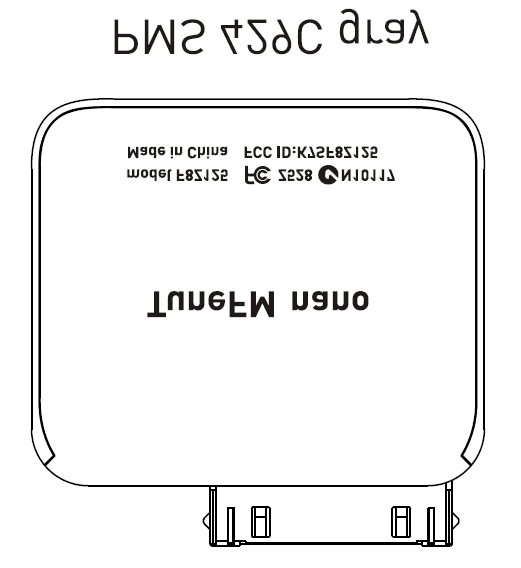
Click to zoom
Application Details
- Equipment Class
- DXX - Part 15 Low Power Communication Device Transmitter
- Date of Grant
- Dec 10, 2006
- Application Purpose
- Original Equipment
- Date of Application
- Dec 10, 2006
- Equipment Note
- Low Power Stereo Transmitter
- Frequency Range
- 88.10000000 - 107.90000000
- Company
- Belkin International, Inc.
- Country
- United States
Documents & Files
Document Text
Text extracted from the exhibit documents filed with the FCC. Open a document above to read the original.
Users Manual
Introduction User Manual TuneFM ™ for iPod ® nano Introduction | 01 Introduction Congratulations and thank you for purchasing the innovative TuneFM from Belkin. This product is designed to play your iPod nano through your car, home, or portable stereo. Please review this User Manual carefully so that you can be sure to get the most from your iPod nano, virtually anywhere you go. | 02 Car Setup Instructions Car Setup Instructions 1. Turn down your car stereo’s volume. 2. Connect the Belkin TuneFM to your iPod nano (at the bottom of the nano). 3. Connect the included Auto Power Cord to your cigarette-lighter outlet in your car and to the bottom of your TuneFM for optional powering and charging in the car. The TuneFM transmitter function automatically turns on when the iPod is connected. It automatically turns off when the iPod is removed. 1. Tune your stereo frequency to a channel with a weak broadcast signal. The ideal channel is one that is not broadcasting a radio program, or is doing so weakly. 2. Insert the TuneFM into your iPod nano. The iPod backlight will turn on and the current transmitter frequency will be displayed on the iPod screen. 3. Press the ▲ or ▼ button on the TuneFM to select the transmission frequency chosen in step 1. The frequency will be visible on the iPod nano’s screen. Pressing and holding either button will provide faster tuning. 4. After displaying the current frequency for five seconds, the iPod screen will return to the iPod Main Menu. This happens whenever you make changes to the TuneFM’s settings. All settings—including transmission frequency and stereo/mono control settings—are permanently stored in memory at this time. Note: iPod playback will pause momentarily when entering and exiting the TuneFM control menu. Playback will quickly resume. Using the TuneFM Transmitter Using the TuneFM Transmitter | 03 | 04 5. Adjust the iPod nano volume to about three-fourths of the maximum. Adjust the volume of your FM radio to the desired listening level. NOTE: We recommend that you remove the TuneFM from the iPod when not in use. Frequency display Frequency selector Memory station display Memory stations 1 – 4 Using the TuneFM Transmitter Using the TuneFM Transmitter ��������������������� ������������������������������������������������������������������������� ������������������������� ��������������������� ������������������������� ��������������������� ������������������������������������������������������������������������� ������������������������� ��������������������� ������������������������� 1. To store a preset, select the desired frequency using ▲ or ▼ buttons. Press and hold the desired preset button (1, 2, 3, or 4) for two seconds. An audible beep sounds in the transmitted audio when the new frequency is programmed*. The iPod nano display reflects the change when the memory button is released by showing which memory button was pressed followed by the frequency saved in that memory position. * Do NOT remove the TuneFM from the iPod nano until it returns to the Main Menu screen or new settings may not be saved. 2. To transmit over one of your preset frequencies, momentarily press “1”, “2”, ”3”, or “4”. This will instantly tune the FM transmitter to the frequency stored in that preset. Transmission-Volume Setting Although the default volume setting will be ideal for most conditions, you may be able to improve the performance of the TuneFM by adjusting the volume of the transmitted audio signal. The TuneFM allows you to select one of five volume levels. You may wish to decrease the volume if you experience distorted audio. You can access the transmission-volume menu by pressing the “1” and “2” buttons simultaneously. TuneFM displays the current volume setting on the iPod, which is represented by “VOL 1” (low), “VOL 2”, “VOL 3” (default), “VOL 4”, and “VOL 5” (high). You can then change the volume level by using the up and down arrows. To accept your volume selection, simply wait for the iPod screen to return to the iPod Main Menu. Note: The iPod nano has a lower audio-output level than other iPod models, so a volume setting of “VOL 4” or “VOL 5” works best for iPod nano. Storing and Using Presets | 05 Storing and Using Presets ���������������������������������������������������������������������������������� ������������������������������������������������������� ������������������������� | 06Stereo/Mono Selection Stereo/Mono Selection ���������������������������������������������������������������������������������� ������������������������������������������������������� ������������������������� ���������������������������������������������������������������������������������� ������������������������������������������������������� ������������������������� Transmitting music in stereo generally gives you the highest-quality listening experience. However, you may get better FM signal reception by changing the transmission to mono. The TuneFM transmits in stereo mode by default. We suggest that you switch from stereo to mono transmission only if your car stereo is NOT receiving a clear signal from the TuneFM, or if you are listening to mono recordings such as audio books. You can access the stereo/mono transmission menu by pressing the “1” and “3” buttons simultaneously for two seconds. The TuneFM then displays the current mode setting, which is represented by “MONO” or “ST”. You can change the mode by pressing the up or down arrows. Either arrow will change between the two modes. The new setting takes effect immediately. To accept your mode selection, press one of the memory preset buttons, or simply wait for the iPod screen to return to the iPod Main Menu. Issue – The audio is distorted. Solution 1 Decrease the volume of your iPod nano until you no longer hear distortion. Keeping the iPod nano volume level at or below three-fourths of the maximum should prevent audio distortion. Solution 2 Tune your car stereo and the TuneFM to a different frequency. Issue…
Text truncated - open the document above for the full version.
Cover Letter(s)
501 W. Walnut Street – Compton – California 90220 USA Date: November 10, 2006 FCC ID: K7SF8Z125 To Whom It May Concern: We request under 47CFR0.459 that materials submitted to the Telecommunications Certification Body be withheld from public inspection. Specifically, Belkin Corporation requests that the following materials be withheld from public inspection under 47CFR0.459 because they are confidential trade secrets and technical data which would be guarded from competitors. (1) detailed circuit schematic of unit under test (2) parts list (3) PCB Layout (4) Block diagram Therefore, in accordance with 47CFR0.459 we request that the above listed materials, copies of which are attached here, be withheld from public inspection. Marc Matejka Manager, Document Control & Regulatory Compliance
Cover Letter(s)
501 W. Walnut Street – Compton – California 90220 USA Date: NOVEMBER 10, 2006 Federal Communications Commission Equipment Approval Services P.O. Box 358315 Pittsburgh, PA 15251-5315 USA Dear Sirs, Re.: Letter of Appointment This is the letter of authorization to accept our appointment of The Hong Kong Standards and Testing Centre Ltd. as agent for Belkin Corporation, 501 West Walnut Street, Compton, CA 90220 to sign applications before the Commission on our behalf, to make representations to you on our behalf, and to receive and exchange data between our company and the Commission in connection with Certification of the following product of Belkin Corporation Product name : TuneFM for Nano 2G Model : F8Z125 This authorization will expire one year from the date of this letter. Marc Matejka Manager, Document Control & Regulatory Compliance
External Photos
PHOTOGRAPH OF THE PRODUCT FRONT VIEW OF THE PRODUCT PHOTOGRAPH OF THE PRODUCT REAR VIEW OF THE PRODUCT PHOTOGRAPH OF THE PRODUCT
Operational Description
Application No.: HM157605 Date: 2006-10-31 FCC ID: K7SF8Z125 Circuit Description The 88.1 – 107.9 MHz crystal oscillator drives the base of IC the final/buffer amplifier. The modulation provided by IC. The output of IC has the matching network consisting of C20, C23 and L2 that limit the harmonic content and effect the proper coupling of the antenna to the output stage. Antenna, Ground and Power Source There is no external antenna. There is no external ground connection. The ground is only that of the printed circuit board. Electric current is supplied by a i-Pod primary battery. Operation Descriptions The transmitter is a FM transmitter operating at 88-107.9MHz band. The transmitter is powered by a i-Pod and the transmitting frequency is crystal controlled. The operation is achieved by different combinations of form Frequency modulating signal on the 88.1- 107.9MHz carrier frequency. Remarks: The transmitter is a trigger transmitter. The EUT continues to transmitter while trigger is being pressed. It is Voice transmitter, Modulation by i-Pod; and type is Frequency modulation.
Test Setup Photos
TEST SET UP PHOTOGRAPH OF THE PRODUCT MEASUREMENT OF RADIATED EMISSION TEST SET UP
Contact Information
Applicant
Jay TU(Manager, Regulatory Compliance)
Technical Contact
The Hong Kong Standards and Testing Centre Ltd.KC Lee
[email protected]+852 2666 1888
10 Dai Wang Street · Hong Kong · Hong Kong
Non-Technical Contact
The Hong Kong Standards and Testing Centre Ltd.KC Lee
[email protected]+852 2666 1888
Test Firm
The Hong Kong Standards and Testing Centre Ltd.Wilson Wong
Technical Specifications
| # | Rule Parts | Frequency Range | Power Output |
|---|---|---|---|
| 1 | 15C | 88.1 MHz - 107.9 MHz | - |
Other Applications from Belkin International, Inc.
K7S-CAB029
Aug 11, 2026SureFind Loop Cable Tag
Equipment Class
DTS - Digital Transmission SystemK7SBPD024
Aug 10, 2026UltraCharge Pro Slim Magnetic Power Bank 5K with BoostSolid Cell
Equipment Class
DCD - Part 15 Low Power Transmitter Below 1705 kHzK7SMMA016
Jul 22, 2026SureFind Wallet Stand
Equipment Class
DTS - Digital Transmission SystemK7SMMA015
Jul 10, 2026SureFind
Equipment Class
DTS - Digital Transmission SystemK7SAUC018
Jun 17, 2026SoundForm Dot ANC Earbuds, SoundForm Dot Earbuds
Equipment Class
DTS - Digital Transmission System