K7SF8Z136Low Power Stereo Transmitter
Belkin International, Inc.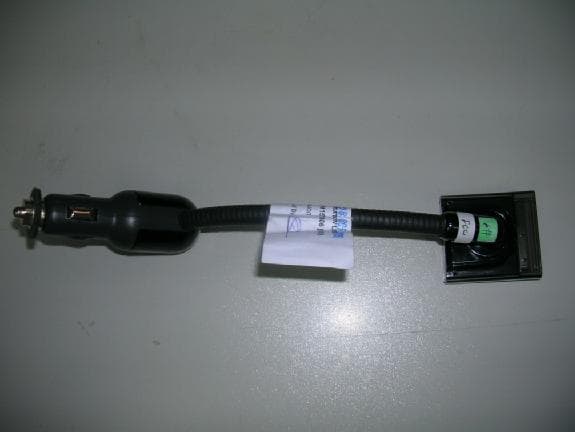
Click to zoom
Application Details
- Equipment Class
- DXX - Part 15 Low Power Communication Device Transmitter
- Date of Grant
- Dec 10, 2006
- Application Purpose
- Original Equipment
- Date of Application
- Dec 10, 2006
- Equipment Note
- Low Power Stereo Transmitter
- Frequency Range
- 88.10000000 - 107.90000000
- Company
- Belkin International, Inc.
- Country
- United States
Documents & Files
Document Text
Text extracted from the exhibit documents filed with the FCC. Open a document above to read the original.
Users Manual
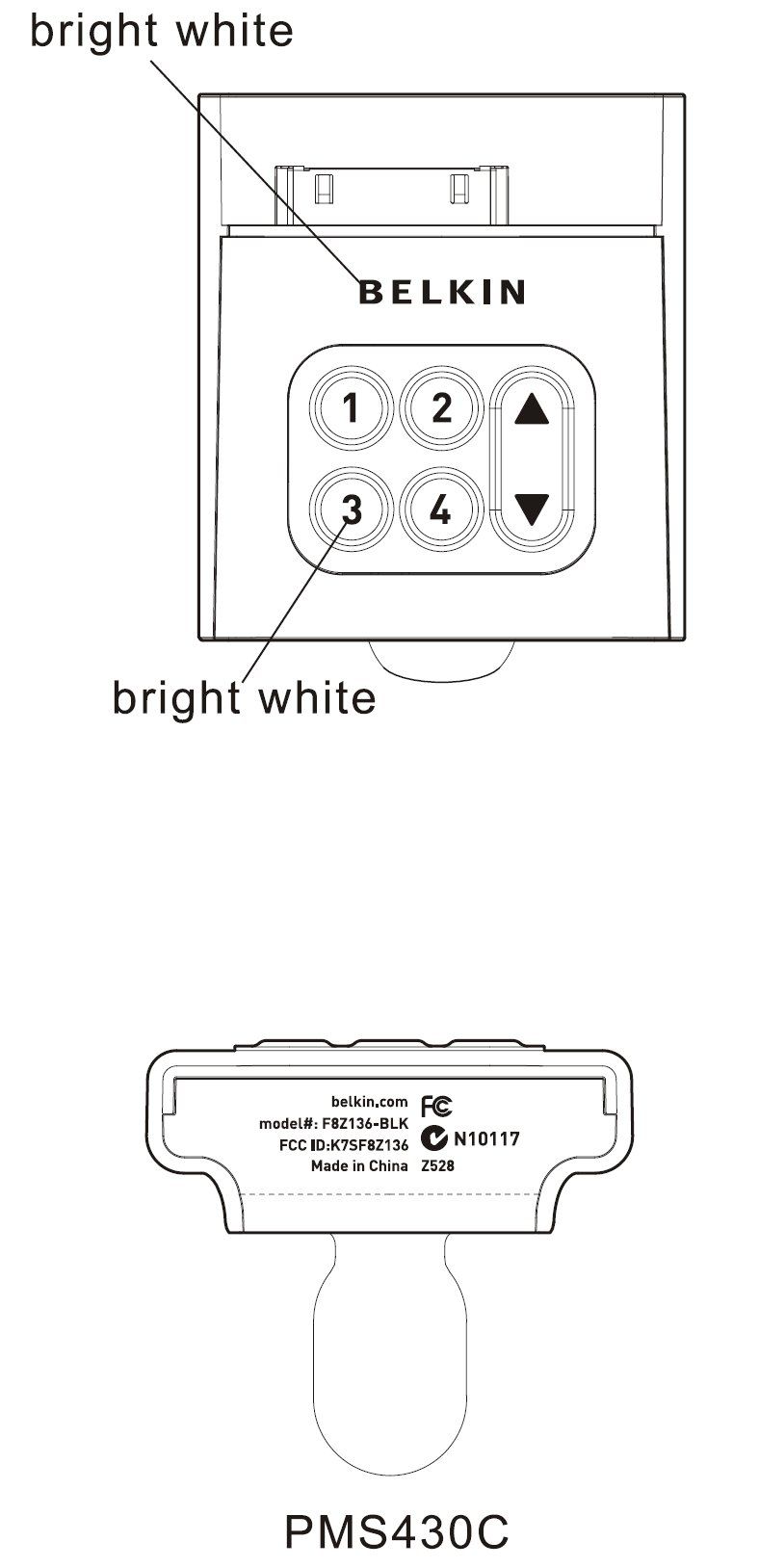
User Manual TuneBase ™ FM for iPod ® nano Introduction | 01 Introduction Congratulations and thank you for purchasing the innovative TuneBase FM from Belkin. This product is designed to mount, stabilize, charge, power, and play your iPod nano as you drive. Please review this User Manual carefully so that you can be sure to get the most from your iPod nano, virtually anywhere you go . Setup Instructions 1. Turn your car stereo volume down. 2. Connect the Belkin TuneBase FM to your cigarette-lighter adapter in your car. The LED on the TuneBase FM indicates proper connection. Warning: Avoid excessive force when rotating the connector in the cigarette-lighter adapter. If you experience resistance, unplug the connector from the outlet and reinsert it in the desired position. Failure to do so may result in damage to the car’s cigarette-lighter adapter or power outlet. Note: The exact dimensions of power outlets vary by make and model of the car. In some cases, the fit might be improved by pressing the collar (included with the product) into the power outlet before inserting the connector in order to ensure a tight fit. However, the collar will not be necessary in most cars (note: when it is not necessary, it will not fit in the power outlet). A. Be sure to position the ring securely around the metal contact to ensure proper electrical connection within the power outlet. B. Power source (cigarette-lighter outlet) C. Fit ring D. Connector Setup Instructions | 0 2 (B) (A) (D) (C) Setup Instructions | 03 ��������������������� ������������������������������������������������������������������������� ������������������������� ��������������������� ������������������������� Setup Instructions 3. Bend and position the flexible-steel neck to a desired position for your iPod nano. 4. Carefully slide your iPod nano into the cradle at the top of the TuneBase FM. The iPod nano will power on if the car battery is on. Note: The iPod nano automatically pauses playback when power is removed from the cigarette lighter or the car is turned off. Note: To avoid damage to the iPod nano, please be sure to disconnect it from the TuneBase FM’s cradle before disconnecting the TuneBase FM from the power outlet of the car. Using the TuneBase FM Transmitter The TuneBase FM transmitter function automatically turns on when the iPod nano is connected and car power is available. It automatically turns off when the iPod nano is removed or car power becomes unavailable. 1. Tune your car stereo frequency to a channel with a weak broadcast signal. The ideal channel is one that is not broadcasting a radio program, or is doing so weakly. 2. Insert your iPod nano into the TuneBase FM. The iPod nano backlight turns on and the current transmitter frequency displays on the iPod nano screen. 3. Press the ” ▲” or “▼” button on the TuneBase FM to select the transmission frequency chosen in step 1. The frequency will be visible on the iPod nano’s screen. Pressing and holding either button will provide faster tuning. 4. After displaying the current frequency for five seconds, the iPod nano screen will return to the iPod nano Main Menu. This will happen after making any changes to the TuneBase FM’s settings. All settings—including transmission frequency, volume control setting, and stereo/mono control setting—are permanently stored in memory at this time. Note: iPod nano playback pauses momentarily when entering and exiting the TuneBase FM control menu. Playback will quickly resume. 5. Adjust the volume of your FM radio to the desired listening level. Using the TuneBase FM Transmitter | 0 4 Frequency display ��������������������� ������������������������������������������������������������������������� ������������������������� ��������������������� ������������������������� Frequency selector Storing and Using Presets 1. To store a preset, select the desired frequency using ”▲” or “▼” buttons. Press and hold the desired preset button (1, 2, 3, or 4) for two seconds. An audible beep sounds when the new frequency is programmed*. The iPod nano display reflects the change when the memory button is released by showing which memory button was pressed followed by the frequency saved in that memory position. * Do NOT remove the iPod nano from the cradle until it returns to the Main Menu screen or new settings may not be saved. 2. To select a preset frequency, momentarily press “ 1”, “2”, “3”, or “4”. This instantly tunes the FM transmitter to the frequency stored in that preset. Storing and Using Presets | 0 5 ��������������������� ������������������������������������������������������������������������� ������������������������� ��������������������� ������������������������� Frequency display Frequency selector Memory station display Memory stations 1 - 4 ��������������������� ������������������������������������������������������������������������� ������������������������� ��������������������� ������������������������� Transmission Volume Setting Although the default volume setting will be ideal for most conditions, you may be able to improve the performance of the TuneBase FM by adjusting the volume of the transmitted audio signal. The TuneBase FM allows you to select one of five volume levels. You may wish to decrease the volume if you experience distorted audio. The transmission volume setting menu can be accessed by pressing the “1” and “2” buttons simultaneously. TuneBase FM will display the current volume setting on the iPod nano, which is represented by “VOL 1” (low), “VOL 2”, “VOL 3” (default), “VOL 4”, and “VOL 5” (high). You can then change the volume level by using the up and down arrows. To accept your volume selection, simply wait for the iPod nano screen to return to the iPod Main Menu. Stereo/Mono Selection Transmitting music in stereo generally gives you the highest-quality listening experience. However, you may get better FM signal reception by changing the transmission to mono. TuneBase FM transmits in stereo mode by default.…
Text truncated - open the document above for the full version.
Cover Letter(s)
501 W. Walnut Street – Compton – California 90220 USA Date: November 10, 2006 FCC ID: K7SF8Z136 To Whom It May Concern: We request under 47CFR0.459 that materials submitted to the Telecommunications Certification Body be withheld from public inspection. Specifically, Belkin Corporation requests that the following materials be withheld from public inspection under 47CFR0.459 because they are confidential trade secrets and technical data which would be guarded from competitors. (1) detailed circuit schematic of unit under test (2) parts list (3) PCB Layout (4) Block diagram Therefore, in accordance with 47CFR0.459 we request that the above listed materials, copies of which are attached here, be withheld from public inspection. Marc Matejka Manager, Document Control & Regulatory Compliance
Cover Letter(s)
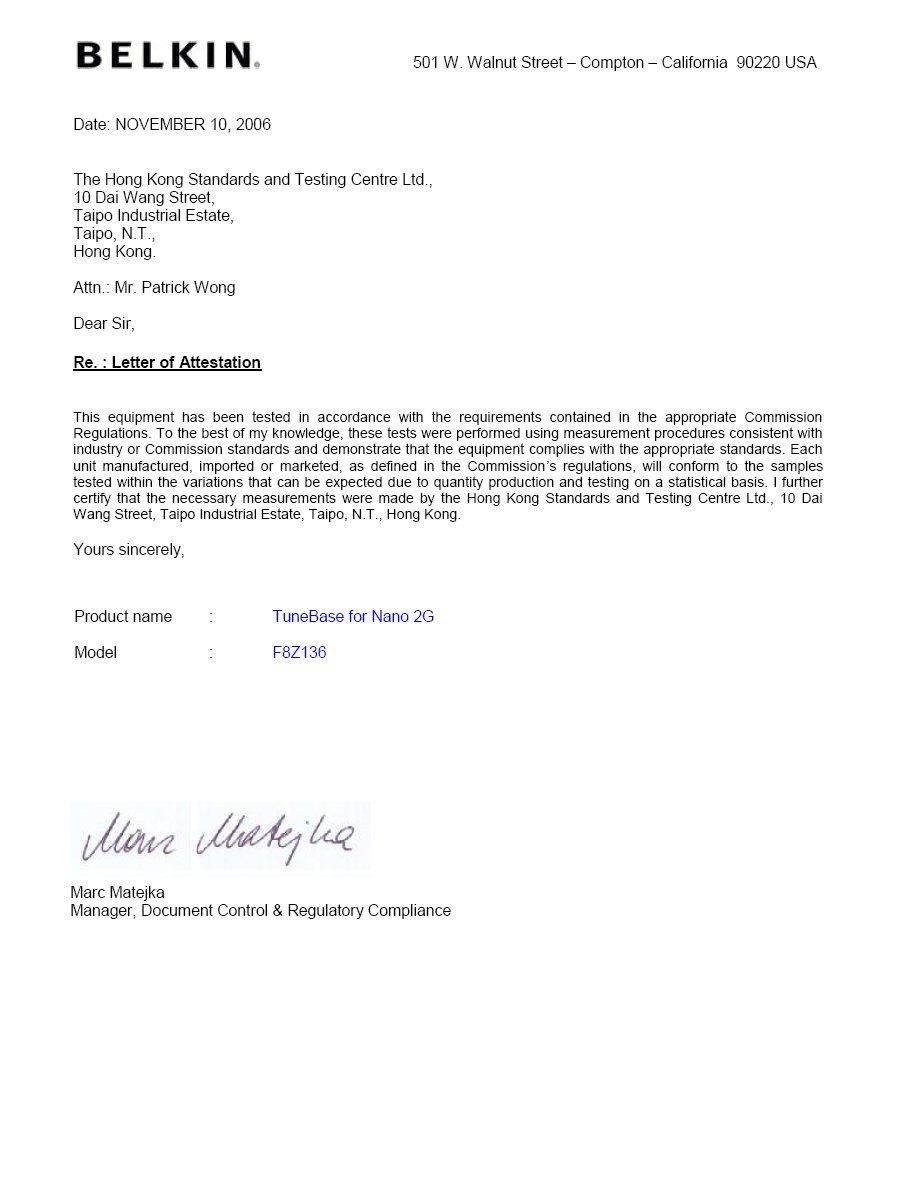
501 W. Walnut Street – Compton – California 90220 USA Date: NOVEMBER 10, 2006 Federal Communications Commission Equipment Approval Services P.O. Box 358315 Pittsburgh, PA 15251-5315 USA Dear Sirs, Re.: Letter of Appointment This is the letter of authorization to accept our appointment of The Hong Kong Standards and Testing Centre Ltd. as agent for Belkin Corporation, 501 West Walnut Street, Compton, ca 90220 to sign applications before the Commission on our behalf, to make representations to you on our behalf, and to receive and exchange data between our company and the Commission in connection with Certification of the following product of Belkin Corporation Product name : TuneBase for Nano 2G Model : F8Z136 This authorization will expire one year from the date of this letter. Marc Matejka Manager, Document Control & Regulatory Compliance
Cover Letter(s)
501 W. Walnut Street – Compton – California 90220 USA Date: NOVEMBER 16, 2006 Federal Communications Commission Equipment Approval Services P.O. Box 358315 Pittsburgh, PA 15251-5315 USA FCC ID: K7SF8Z136 To Whom It May Concern: Due to the actual product is too small to put the FCC part 15 Section 15.19 statement, so we will placed in user manual. This authorization will expire one year from the date of this letter. ----------------------------------- Marc Matejka Manager, Document Control & Regulatory Compliance
External Photos
PHOTOGRAPH OF THE PRODUCT FRONT VIEW OF THE PRODUCT PHOTOGRAPH OF THE PRODUCT REAR VIEW OF THE PRODUCT PHOTOGRAPH OF THE PRODUCT
Operational Description
STC Test Report Date : 2006-11-03 Page 19 of 22 No. : HM157606 The Hong Kong Standards and Testing Centre Ltd. 10 Dai Wang Street, Taipo Industrial Estate, N.T., Hong Kong Tel: (852) 2666 1888 Fax: (852) 2664 4353 Homepage: www.hkstc.org E-mail: [email protected] This report shall not be reproduced unless with prior written approval from The Hong Kong Standards and Testing Centre Ltd. For Conditions of Issuance of this test report, please refer to the overleaf or Homepage 3.3 Operation Description Circuit Description The 88.1-107.9MHz crystal oscillator driver the base of IC the final / buffer amplifier. The modulation provide by audio input. The output of IC has the matching network consisting C20, C23, C24, R39, R40, R44 and L2 that limit the harmonic content and effect the proper coupling of the antenna to the output stage. Antenna, ground and power source The antenna is single wire as an internal antenna. There is no external ground connection. The ground is only that of the printed circuit board. Electronic current is supplied by I-Pod nano for primary battery. Operation Description The transmitter is a FM transmitter operating at 88-108MHz band. The transmitter is power by I-Pod nano and the transmitting frequency is crystal with IC controlled. The operation is achieved by different combinations of form frequency modulating signal on the 88.1-107.9MHz carrier frequency.
Test Report
STC Test Report Date : 2006-11-03 Page 1 of 23 No. : HM157606 The Hong Kong Standards and Testing Centre Ltd. 10 Dai Wang Street, Taipo Industrial Estate, N.T., Hong Kong Tel: (852) 2666 1888 Fax: (852) 2664 4353 Homepage: www.hkstc.org E-mail: [email protected] This report shall not be reproduced unless with prior written approval from the Hong Kong Standards and Testing Centre Ltd. For full text of “Conditions of Issuance of Test Report”, please refer to overleaf or refer to the website of Homepage. Applicant: Belkin Corporation 501 West Walnut Street, Compton, California 90220 United States Description of Samples: Model name: TuneBase for Nano 2G Model no.: F8Z136 Brand name: Belkin FCC ID: K7SF8Z136 Date Samples Received: 2006-10-16 Date Tested: 2006-10-16 to 2006-10-31 Investigation Requested: FCC Part 15 Subpart C Conclusions: The submitted product COMPLIED with the requirements of Federal Communications Commission [FCC] Rules and Regulations Part 15. The tests were performed in accordance with the standards described above and on Section 2.2 in this Test Report. Remarks: ---- TSANG Chi Ho, Steven, EMD For and on behalf of The Hong Kong Standards and Testing Centre Ltd. STC Test Report Date : 2006-11-03 Page 2 of 23 No. : HM157606 The Hong Kong Standards and Testing Centre Ltd. 10 Dai Wang Street, Taipo Industrial Estate, N.T., Hong Kong Tel: (852) 2666 1888 Fax: (852) 2664 4353 Homepage: www.hkstc.org E-mail: [email protected] This report shall not be reproduced unless with prior written approval from The Hong Kong Standards and Testing Centre Ltd. For Conditions of Issuance of this test report, please refer to the overleaf or Homepage CONTENT: Cover Page 1 of 23 Content Page 2-3 of 23 1.0 General Details 1.1 Test Laboratory Page 4 of 23 1.2 Applicant Details Page 4 of 23 Applicant HKSTC Code Number for Applicant Manufacturer 1.3 Equipment Under Test [EUT] Page 5 of 23 Description of EUT operation 1.4 Date of Order Page 5 of 23 1.5 Submitted Samples Page 5 of 23 1.6 Test Duration Page 5 of 23 1.7 Country of Origin Page 5 of 23 2.0 Technical Details 2.1 Investigations Requested Page 6 of 23 2.2 Test Standards and Results Summary Page 6 of 23 3.0 Test Results 3.1 Emission Page 7-14 of 23 3.2 Bandwidth Measurement Page 15-18 of 23 3.3 Operation Description Page 19 of 23 STC Test Report Date : 2006-11-03 Page 3 of 23 No. : HM157606 The Hong Kong Standards and Testing Centre Ltd. 10 Dai Wang Street, Taipo Industrial Estate, N.T., Hong Kong Tel: (852) 2666 1888 Fax: (852) 2664 4353 Homepage: www.hkstc.org E-mail: [email protected] This report shall not be reproduced unless with prior written approval from The Hong Kong Standards and Testing Centre Ltd. For Conditions of Issuance of this test report, please refer to the overleaf or Homepage Appendix A List of Measurement Equipment Page 20 of 23 Appendix B Photographs Page 21-23 of 23 STC Test Report Date : 2006-11-03 Page 4 of 23 No. : HM157606 The Hong Kong Standards and Testing Centre Ltd. 10 Dai Wang Street, Taipo Industrial Estate, N.T., Hong Kong Tel: (852) 2666 1888 Fax: (852) 2664 4353 Homepage: www.hkstc.org E-mail: [email protected] This report shall not be reproduced unless with prior written approval from The Hong Kong Standards and Testing Centre Ltd. For Conditions of Issuance of this test report, please refer to the overleaf or Homepage 1.0 General Details 1.1 Test Laboratory The Hong Kong Standards and Testing Centre Ltd. EMC Laboratory 10 Dai Wang Street, Taipo Industrial Estate New Territories, Hong Kong Telephone: 852 2666 1888 Fax: 852 2664 4353 1.2 Applicant Details Applicant Belkin Corporation 501 West Walnut Street, Compton, California 90220 United States Manufacturer Sheenway Limited Mco Flat A8, 6/F., Chong Fok Commercial Centre, No 1287 Avenida Da Amizade, Macau STC Test Report Date : 2006-11-03 Page 5 of 23 No. : HM157606 The Hong Kong Standards and Testing Centre Ltd. 10 Dai Wang Street, Taipo Industrial Estate, N.T., Hong Kong Tel: (852) 2666 1888 Fax: (852) 2664 4353 Homepage: www.hkstc.org E-mail: [email protected] This report shall not be reproduced unless with prior written approval from The Hong Kong Standards and Testing Centre Ltd. For Conditions of Issuance of this test report, please refer to the overleaf or Homepage 1.3 Equipment Under Test [EUT] Description of Sample Model Name: TuneBase for Nano 2G Manufacturer: Sheenway Limited Mco Brand Name: Belkin Model Number: F8Z136 Input Voltage: 12Vd.c. 1.3.1 Description of EUT Operation The Equipment Under Test (EUT) is a Belkin Corporation., TuneBase for Nano 2G. It is trigger transmitter; The EUT continues to transmit while trigger is being pressed. It is voice transmitter, modulation by i-Pod and type is frequency modulation. 1.4 Date of Order 2006-10-16 1.5 Submitted Sample(s): 1 Sample 1.6 Test Duration 2006-10-16 to 2006-10-31 1.7 Country of Origin China STC Test Report Date : 2006-11-03 Page 6 of 23 No. : HM157606 The Hong Kong Standards and Testing Centre Ltd. 10 Dai Wang Street, Taipo Industrial Estate, N.T., Hong Kong Tel: (852) 2666 1888 Fax: (852) 2664 4353 Homepage: www.hkstc.org E-mail: [email protected] This report shall not be reproduced unless with prior written approval from The Hong Kong Standards and Testing Centre Ltd. For Conditions of Issuance of this test report, please refer to the overleaf or Homepage 2.0 Technical Details 2.1 Investigations Requested Perform ElectroMagnetic Interference measurement in accordance with FCC 47CFR [Codes of Federal Regulations] Part 15: 2005 and ANSI C63.4: 2003 for FCC Certification. 2.2 Test Standards and Results Summary Tables EMISSION Results Summary Test Condition Test Requirement Test Method Class / Test Result Severity Pass Failed N/A Field Strength of Fundamental Emissions & Spurious Emissions FCC 47CFR 15.239 ANSI C63.4:2003 N/A Radiated Emissions, 9kHz to 1GHz FCC 47CFR 15.209 ANSI C63.4:2003 Class B Conducted Emissions on AC, 0.15MHz to 30MHz FCC 47CFR 15.207 ANSI C63.4:2003 Class B Note: N/A - Not Ap…
Text truncated - open the document above for the full version.
Test Setup Photos
TEST SET UP PHOTOGRAPH OF THE PRODUCT MEASUREMENT OF RADIATED EMISSION TEST SET UP MEASUREMENT OF RADIATED EMISSION TEST SET UP
Contact Information
Applicant
Jay TU(Manager, Regulatory Compliance)
Technical Contact
The Hong Kong Standards and Testing Centre Ltd.KC Lee
[email protected]+852-26661888
10 Dai Wang Street · Tai Po, N.T. · Hong Kong
Test Firm
Hong Kong Standards and Testing CentreWilson Wong
Technical Specifications
| # | Rule Parts | Frequency Range | Power Output |
|---|---|---|---|
| 1 | 15C | 88.1 MHz - 107.9 MHz | - |
Other Applications from Belkin International, Inc.
K7S-CAB029
Aug 11, 2026SureFind Loop Cable Tag
Equipment Class
DTS - Digital Transmission SystemK7SBPD024
Aug 10, 2026UltraCharge Pro Slim Magnetic Power Bank 5K with BoostSolid Cell
Equipment Class
DCD - Part 15 Low Power Transmitter Below 1705 kHzK7SMMA016
Jul 22, 2026SureFind Wallet Stand
Equipment Class
DTS - Digital Transmission SystemK7SMMA015
Jul 10, 2026SureFind
Equipment Class
DTS - Digital Transmission SystemK7SAUC018
Jun 17, 2026SoundForm Dot ANC Earbuds, SoundForm Dot Earbuds
Equipment Class
DTS - Digital Transmission System