KA2WM156A33.75G HSUPA USB ADAPTER
D-Link Corporation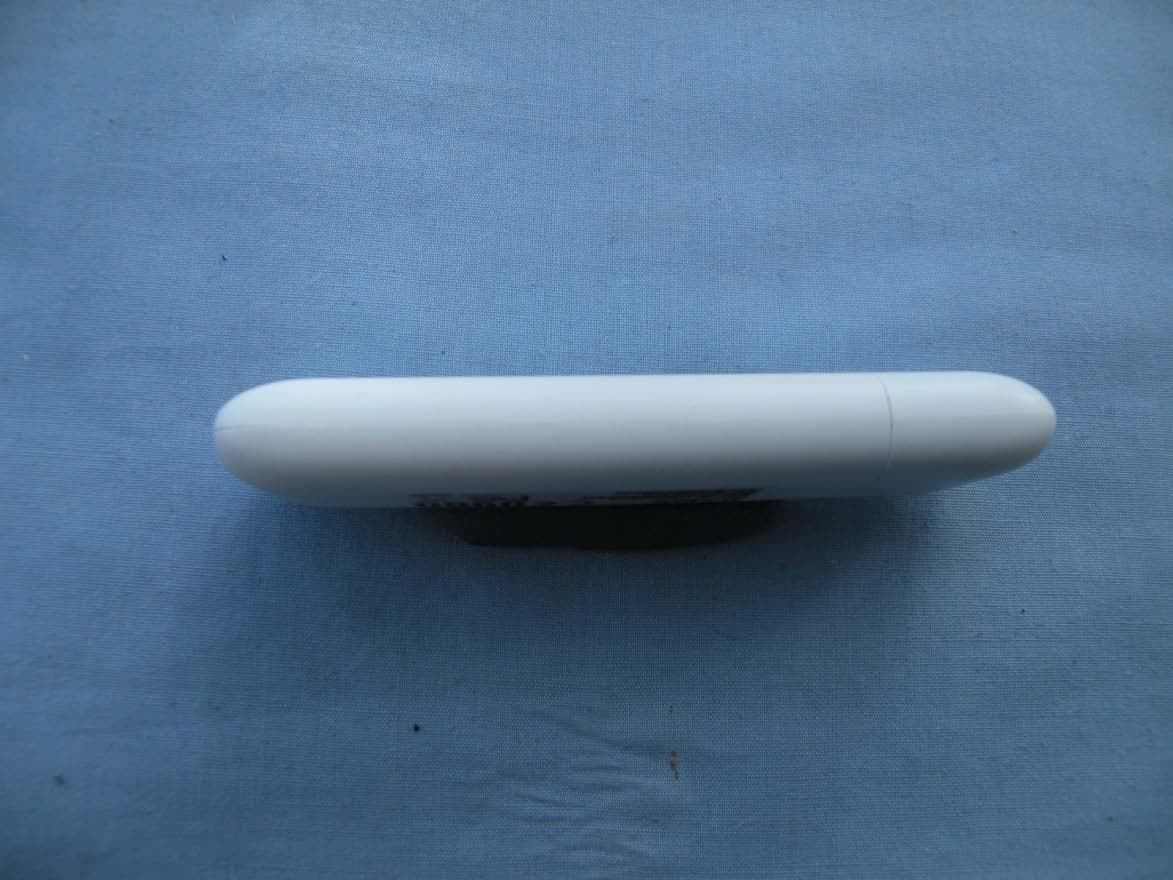
Click to zoom
Application Details
- Equipment Class
- PCB - PCS Licensed Transmitter
- Date of Grant
- Jun 08, 2010
- Application Purpose
- Original Equipment
- Date of Application
- Jun 06, 2010
- Equipment Note
- 3.75G HSUPA USB ADAPTER
- Frequency Range
- 1852.40000000 - 1907.60000000
- Company
- D-Link Corporation
- Country
- United States
Documents & Files
Document Text
Text extracted from the exhibit documents filed with the FCC. Open a document above to read the original.
Users Manual
1 D-LINK DWM-156 USB Modem User Manual 2 Copyright © 2008 by D-LINK Corporation All rights reserved. No part of this publication may be excerpted, reproduced, translated or utilized in any form or by any means, electronic or mechanical, including photocopying and microfilm, without the prior written permission of D-LINK Corporation. The manual is published by D-LINK Corporation. We reserve the right to make modifications on print errors or update specifications without prior notice. Edition 1st edition, Dec 2008 3 Contents 1 Modem Introduction .................................................... 5 1.1 Introduction ........................................................ 5 1.2 Warning and Notice ......................................... 5 1.3 Applicability Scope .......................................... 8 1.4 System requirements ...................................... 8 1.5 Functions ............................................................. 8 2 Installation ................................................................... 11 2.1 Software Installation .................................... 11 2.2 Run the Application Software .................... 13 2.3 Software Uninstall ......................................... 17 3 Functions & Operation ............................................. 18 3.1 Interface introduction ................................... 18 3.1.1 Main Interface .......................................................18 3.1.2 Description of Mini Icons .....................................19 3.2 Connecting Internet ...................................... 20 3.3 SMS ...................................................................... 20 3.3.1 Read SMS .............................................................21 3.3.2 Create new message ..............................................21 3.3.3 The SMS box Operating Guide .............................22 3.4 Phonebook ........................................................ 22 3.4.1 Creating a new contact ..........................................22 3.4.2 Modifying contacts ................................................23 3.4.3 Deleting contacts ...................................................23 3.4.4 Sending SMS to a contact .....................................23 3.4.5 Searching for a contact ..........................................23 3.5 Settings .............................................................. 23 3.5.1 Connect Settings ....................................................24 4 3.5.2 Network Selection .................................................24 3.5.3 Preference Network ...............................................25 3.5.4 SMS Settings .........................................................25 3.5.5 Alert settings ..........................................................26 3.5.6 Security Settings ....................................................26 3.5.7 System Settings ..................... 错误!未定义书签。 3.5.8 Speed Manager ...................... 错误!未定义书签。 3.5.9 Upgrade Settings ................... 错误!未定义书签。 3.6 Data Record ...................................................... 26 3.8 MicroSD card .................................................... 26 3.9 Help ..................................................................... 26 4 FAQ & Answers ........................................................... 28 5 1 Modem Introduction 1.1 Introduction Thank you for using D-LINK USB Modem. To guarantee the modem always in its best condition, please read this manual carefully and keep it for further use. The pictures, symbols and contents in this manual are just for your reference. They might not be completely identical with your modem. We operate a policy of continuous development. We reserve the right to update the technical specifications in this document at any time without prior notice. The D-LINK USB Modem is a type of multi-mode, 3G modem, suitable for GSM/GPRS/WCDMA/EDGE/HSDPA network. It adopts USB interface which provides an easy interface to laptop and desktop PC. With the GSM/ GPRS/ EDGE/ UMTS/ HSDPA mobile network, it can help you carry out SMS, data service and will help you break away from the limit of time and zone, and realize wireless communication at any moment everywhere. 1.2 Warning and Notice To the owner Some electronic devices are susceptible to electromagnetic interference sent by modem if inadequately shielded, such as electronic system of vehicles. Please consult the manufacturer of the device before using the modem if necessary. Operating of laptop and desktop PC and modem may interfere with medical devices like hearing aids and pacemakers. Please always keep them more than 20 centimeters away from such medical devices when they are turned on. Turn the modem off if necessary. Consult a physician or the manufacturer of the medical device before using the modem. Be aware of the usage limitation when using a modem at 6 places such as oil warehouses or chemical factories, where there are explosive gases or explosive products being processed. Therefore, turn off your modem if required. Don’t touch the inner antenna area if not necessary. Otherwise it will affect your modem’s performance. Store the modem out of the reach of little children. The modem may cause injury if used as a toy. Modem Please use original accessories or accessories that are authorized. Using any unauthorized accessories may affect your modem’s performance, and violate related national regulations about telecom terminals. Avoid using the modem near metallic structure device or establishment that can emit electromagnet wave. Otherwise it may influence receiving signals. The modem is non-waterproof type, please keep it dry and store in shady and cool place. Don’t use the modem immediately after a sudden temperature change. In such case, it will produce dew inside and outside the modem, so don’t use it until it becomes dry. Take the modem carefully. Don’t lose, bend or cause it struck. Otherwis…
Text truncated - open the document above for the full version.
External Photos
DWM-156 External Photos
ID Label/Location Info
DWM-156 Label Location Label
Internal Photos
DWM-156 Internal Photos
RF Exposure Info
Report No.: RZA2010-0615 TESTING No. L2264 OET 65 TEST REPORT Product Name 3.75G HSUPA USB ADAPTER Model DWM-156 FCC ID KA2WM156A3 Client D-Link Corporation TA Technology (Shanghai) Co., Ltd. GENERAL SUMMARY Product Name 3.75G HSUPA USB ADAPTER Model DWM-156 FCC ID KA2WM156A3 Report No. RZA2010-0615 Client D-Link Corporation Manufacturer D-Link Corporation Reference Standard(s) IEEE Std C95.1, 1999: IEEE Standard for Safety Levels with Respect to Human Exposure to Radio Frequency Electromagnetic Fields, 3 kHz to 300 GHz. SUPPLEMENT C Edition 01-01 to OET BULLETIN 65 Edition 97-01 June 2001 including DA 02-1438, published June 2002: Evaluating Compliance with FCC Guidelines for Human Exposure to Radio frequency Electromagnetic Fields Additional Information for Evaluation Compliance of Mobile and Portable Devices with FCC Limits for Human Exposure to Radio frequency Emissions. KDB 447498 D02: 2009-11-13 Conclusion This portable wireless equipment has been measured in all cases requested by the relevant standards. Test results in Chapter 7 of this test report are below limits specified in the relevant standards. General Judgment: Pass (Stamp) Date of issue: May 14 th , 2010 Comment The test result only responds to the measured sample. Approved by Yang Weizhong Revised by Ling Minbao Performed by Li Jinchang TA Technology (Shanghai) Co., Ltd. Test Report Report No. RZA2010-0615 Page 3 of 111 TABLE OF CONTENT 1. General Information ........................................................................................................................ 5 1.1. Notes of the test report............................................................................................................ 5 1.2. Testing laboratory .................................................................................................................... 5 1.3. Applicant Information ............................................................................................................... 6 1.4. Manufacturer Information ......................................................................................................... 6 1.5. Information of EUT................................................................................................................... 7 1.6. Test Date ................................................................................................................................. 8 2. Operational Conditions during Test ................................................................................................. 9 2.1. General description of test procedures .................................................................................... 9 2.2. GSM Test Configuration ........................................................................................................... 9 2.3. WCDMA Test Configuration ................................................................................................... 10 2.4. HSDPA Test Configuration ..................................................................................................... 10 2.5. HSUPA Test Configuration ..................................................................................................... 12 2.6. Position of module in Portable devices .................................................................................. 14 2.7. Picture of host product ........................................................................................................... 15 3. SAR Measurements System Configuration ................................................................................... 17 3.1. SAR Measurement Set-up .....................................................................................................17 3.2. DASY5 E-field Probe System ................................................................................................ 18 3.2.1. EX3DV4 Probe Specification .......................................................................................... 18 3.2.2. E-field Probe Calibration ................................................................................................. 19 3.3. Other Test Equipment ............................................................................................................19 3.3.1. Device Holder for Transmitters ....................................................................................... 19 3.3.2. Phantom .........................................................................................................................20 3.4. Scanning procedure............................................................................................................... 20 3.5. Data Storage and Evaluation ................................................................................................. 22 3.5.1. Data Storage...................................................................................................................22 3.5.2. Data Evaluation by SEMCAD ......................................................................................... 22 3.6. System check......................................................................................................................... 25 3.7. Equivalent Tissues ................................................................................................................. 26 4. Laboratory Environment................................................................................................................ 26 5. Characteristics of the Test ............................................................................................................. 27 5.1. Applicable Limit Regulations .................................................................................................. 27 5.2. Applicable Measurement S tandards...................................................................................... 27 6. Conducted Output Power Measurement.................................…
Text truncated - open the document above for the full version.
Test Report
No.2010TAR161 Page1 of 70 TEST REPORT No. 2010TAR161 for D-Link Corporation 3.75G HSUPA USB ADAPTER Model Name: DWM-156 FCC ID : KA2WM156A3 with Hardware Version: A3 Software Version: 3.0.0 Issued Date: May 17th, 2010 Note: The test results in this test report relate only to the devices specified in this report. This report shall not be reproduced except in full without the written approval of TMC Beijing. Test Laboratory: DAR accreditation (DIN EN ISO/IEC 17025): No. DGA-PL-114/01-02 FCC 2.948 Listed: No.733176 IC O.A.T.S listed: No.6629A-1 TMC Beijing, Telecommunication Metrology Center of Ministry of Industry and Information Technology No. 52, Huayuan Bei Road, Haidian District, Beijing, P. R. China 100191. Tel:+86(0)10-62304633-2678, Fax:+86(0)10-62304793 Email:[email protected]. www.emcite.com No.2010TAR161 Page2 of 70 CONTENTS 1. TEST LABORATORY ............................................................................................................... 3 1.1. TESTING LOCATION ........................................................................................................... 3 1.2. TESTING ENVIRONMENT ................................................................................................... 3 1.3. PROJECT DATA ................................................................................................................... 3 1.4. SIGNATURE .......................................................................................................................... 3 2. CLIENT INFORMATION ........................................................................................................... 4 2.1. APPLICANT INFORMATION ................................................................................................ 4 2.2. MANUFACTURER INFORMATION ...................................................................................... 4 3. EQUIPMENT UNDER TEST (EUT) AND ANCILLARY EQUIPMENT (AE) ............................ 5 3.1. ABOUT EUT .......................................................................................................................... 5 3.2. INTERNAL IDENTIFICATION OF EUT USED DURING THE TEST ................................... 5 3.3. GENERAL DESCRIPTION ................................................................................................... 5 4. REFERENCE DOCUMENTS .................................................................................................... 5 4.1. REFERENCE DOCUMENTS FOR TESTING ....................................................................... 5 5. LABORATORY ENVIRONMENT .............................................................................................. 6 6. SUMMARY OF TEST RESULTS .............................................................................................. 7 7. TEST EQUIPMENTS UTILIZED ............................................................................................... 8 ANNEX A: MEASUREMENT RESULTS ......................................................................................... 9 A.1 OUTPUT POWER ................................................................................................................ 9 A.2 EMISSION LIMT ................................................................................................................. 14 A.3 FREQUENCY STABILITY .................................................................................................. 28 A.4 OCCUPIED BANDWIDTH .................................................................................................. 30 A.5 EMISSION BANDWIDTH ................................................................................................... 42 A.6 BAND EDGE COMPLIANCE .............................................................................................. 54 A.7 CONDUCTED SPURIOUS EMISSION .............................................................................. 60 No.2010TAR161 Page3 of 70 1. Test Laboratory 1.1. Testing Location Company Name: TMC Beijing, Telecommunication Metrology Center of MIIT Address: No 52, Huayuan beilu, Haidian District, Beijing,P.R.China Postal Code: 100191 Telephone: 00861062304633 Fax: 00861062304793 1.2. Testing Environment Normal Temperature: 15-35°C Relative Humidity: 20-75% 1.3. Project data Testing Start Date: Mar 29,2010 Testing End Date: May 11,2010 1.4. Signature Zi Xiaogang (Prepared this test report) Sun Xiangqian (Reviewed this test report) Lu Bingsong Deputy Director of the laboratory (Approved this test report) No.2010TAR161 Page4 of 70 2. Client Information 2.1. Applicant Information Company Name: D-Link Corporation Address /Post: No.289, Sinhu 3rd Rd., Neihu District, Taipei City 114, Taiwan Contact: Amy Wang Email: [email protected] Telephone: 02-66000123 ext 5834 Fax: 02-55509988 2.2. Manufacturer Information Company Name: D-Link Corporation Address /Post: No.289, Sinhu 3rd Rd., Neihu District, Taipei City 114, Taiwan Contact: Amy Wang Email: [email protected] Telephone: 02-66000123 ext 5834 Fax: 02-55509988 No.2010TAR161 Page5 of 70 3. Equipment Under Test (EUT) and Ancillary Equipment (AE) 3.1. About EUT Description 3.75G HSUPA USB ADAPTER Model Name DWM-156 FCC ID KA2WM156A3 Frequency GSM 850MHz; PCS 1900MHz; EGSM900; DCS1800; WCDMA Band I; WCDMA Band II; WCDMA Band V Antenna Internal Power supply USB Output power 26.82 dBm maximum ERP measured for GSM850 Extreme vol. Limits 4.8VDC to 5.2VDC (nominal: 5VDC) Extreme temp. Tolerance -30°C to +50°C Note: Components list, please refer to documents of the manufacturer; it is also included in the original test record of Telecommunication Metrology Center of MIIT of People’s Republic of China. 3.2. Internal Identification of EUT used during the test EUT ID* SN or IMEI HW Version SW Version N02 351833040001116 A3 3.0.0 N12 351833040002197 A3 3.0.0 *EUT ID: is used to identify the test sample in the lab internally. 3.3. General Description The Equipment Under Test (EUT) is…
Text truncated - open the document above for the full version.
Test Report
No.2010TAR162 Page1 of 46 TEST REPORT No. 2010TAR162 for D-Link Corporation 3.75G HSUPA USB ADAPTER Model Name: DWM-156 FCC ID : KA2WM156A3 with Hardware Version: A3 Software Version: 3.0.0 Issued Date: May 17th, 2010 Note: The test results in this test report relate only to the devices specified in this report. This report shall not be reproduced except in full without the written approval of TMC Beijing. Test Laboratory: DAR accreditation (DIN EN ISO/IEC 17025): No. DGA-PL-114/01-02 FCC 2.948 Listed: No.733176 IC O.A.T.S listed: No.6629A-1 TMC Beijing, Telecommunication Metrology Center of Ministry of Industry and Information Technology No. 52, Huayuan Bei Road, Haidian District, Beijing, P. R. China 100191. Tel:+86(0)10-62304633-2678, Fax:+86(0)10-62304793 Email:[email protected]. www.emcite.com No.2010TAR162 Page2 of 46 CONTENTS 1. TEST LABORATORY ............................................................................................................... 3 1.1. TESTING LOCATION ........................................................................................................... 3 1.2. TESTING ENVIRONMENT ................................................................................................... 3 1.3. PROJECT DATA ................................................................................................................... 3 1.4. SIGNATURE .......................................................................................................................... 3 2. CLIENT INFORMATION ........................................................................................................... 4 2.1. APPLICANT INFORMATION ................................................................................................ 4 2.2. MANUFACTURER INFORMATION ...................................................................................... 4 3. EQUIPMENT UNDER TEST (EUT) AND ANCILLARY EQUIPMENT (AE) ............................ 5 3.1. ABOUT EUT .......................................................................................................................... 5 3.2. INTERNAL IDENTIFICATION OF EUT USED DURING THE TEST ................................... 5 3.3. GENERAL DESCRIPTION ................................................................................................... 5 4. REFERENCE DOCUMENTS .................................................................................................... 5 4.1. REFERENCE DOCUMENTS FOR TESTING....................................................................... 5 5. LABORATORY ENVIRONMENT .............................................................................................. 6 6. SUMMARY OF TEST RESULTS .............................................................................................. 7 7. TEST EQUIPMENTS UTILIZED ............................................................................................... 8 ANNEX A: MEASUREMENT RESULTS ......................................................................................... 9 A.1 OUTPUT POWER ................................................................................................................ 9 A.2 EMISSION LIMT ................................................................................................................. 12 A.3 FREQUENCY STABILITY .................................................................................................. 26 A.4 OCCUPIED BANDWIDTH .................................................................................................. 28 A.5 EMISSION BANDWIDTH ................................................................................................... 32 A.6 BAND EDGE COMPLIANCE .............................................................................................. 36 A.7 CONDUCTED SPURIOUS EMISSION .............................................................................. 38 No.2010TAR162 Page3 of 46 1. Test Laboratory 1.1. Testing Location Company Name: TMC Beijing, Telecommunication Metrology Center of MIIT Address: No 52, Huayuan beilu, Haidian District, Beijing,P.R.China Postal Code: 100191 Telephone: 00861062304633 Fax: 00861062304793 1.2. Testing Environment Normal Temperature: 15-35°C Relative Humidity: 20-75% 1.3. Project data Testing Start Date: Mar 29,2010 Testing End Date: May 12,2010 1.4. Signature Zi Xiaogang (Prepared this test report) Sun Xiangqian (Reviewed this test report) Lu Bingsong Deputy Director of the laboratory (Approved this test report) No.2010TAR162 Page4 of 46 2. Client Information 2.1. Applicant Information Company Name: D-Link Corporation Address /Post: No.289, Sinhu 3rd Rd., Neihu District, Taipei City 114, Taiwan Contact: Amy Wang Email: [email protected] Telephone: 02-66000123 ext 5834 Fax: 02-55509988 2.2. Manufacturer Information Company Name: D-Link Corporation Address /Post: No.289, Sinhu 3rd Rd., Neihu District, Taipei City 114, Taiwan Contact: Amy Wang Email: [email protected] Telephone: 02-66000123 ext 5834 Fax: 02-55509988 No.2010TAR162 Page5 of 46 3. Equipment Under Test (EUT) and Ancillary Equipment (AE) 3.1. About EUT Description 3.75G HSUPA USB ADAPTER Model Name DWM-156 FCC ID KA2WM156A3 Frequency GSM 850MHz; PCS 1900MHz; EGSM900; DCS1800; WCDMA Band I; WCDMA Band II; WCDMA Band V Antenna Internal Power supply USB Output power 16.94 dBm maximum ERP measured for WCDMA Band II Extreme vol. Limits 4.8VDC to 5.2VDC (nominal: 5VDC) Extreme temp. Tolerance -30°C to +50°C Note: Components list, please refer to documents of the manufacturer; it is also included in the original test record of Telecommunication Metrology Center of MIIT of People’s Republic of China. 3.2. Internal Identification of EUT used during the test EUT ID* SN or IMEI HW Version SW Version N02 351833040001116 A3 3.0.0 N12 351833040002197 A3 3.0.0 *EUT ID: is used to identify the test sample in the lab internally. 3.3. General Description The Equipment Under Test (E…
Text truncated - open the document above for the full version.
Test Setup Photos
TA Technology (Shanghai) Co., Ltd. Test Report Report No. RZA2010-0615 Page 109 of 111 ANNEX H: The EUT Appearances and Test Configuration Picture 5: Constituents of the EUT TA Technology (Shanghai) Co., Ltd. Test Report Report No. RZA2010-0615 Page 110 of 111 Picture 6: Test position 1 Picture 7: Test position 2 5mm 5mm TA Technology (Shanghai) Co., Ltd. Test Report Report No. RZA2010-0615 Page 111 of 111 Picture 8: Test Position 3 Picture 9: Test Position 4 5mm 5mm
Test Setup Photos
DWM-156 test setup photos Part22/24 Radiated Spurious Emission
Contact Information
Applicant
Brett Adair(General Counsel)
Technical Contact
TMC Beijing, Telecommunication Metrology Center ofXue Zhen
+86-62304633
No. 52, Huayuan Bei Road, Haidian District, · Beijing · China
Test Firm
TMC-Telecommunication Metrology Center of M.I.I.TChongwen Song
Technical Specifications
| # | Rule Parts | Frequency Range | Power Output | Emission | Tolerance |
|---|---|---|---|---|---|
| 6 | 24E | 1.85 GHz - 1.91 GHz | 50.00 mW | 4M50F9W | 0.1 ppm |
Other Applications from D-Link Corporation

KA2CS6012A1
Jul 07, 20262K Fixed Indoor Cloud Camera, 2K Fixed Indoor Wi-Fi Camera
Equipment Class
DTS - Digital Transmission SystemKA2AE65UA1
Mar 02, 2026Wi-Fi 7 BE6500 USB 3.0 Dongle
Equipment Class
NII - Unlicensed National Information Infrastructure TXKA2APE9560A1
Nov 17, 2025BE9500 Celling mount Access Point
Equipment Class
6ID - 15E 6 GHz Low Power Indoor Access PointKA2AX9UA1
Dec 04, 2024AX900 Wi-Fi 6 USB Adapter, Wi-Fi 6 AX900 USB 2.0 Dongle
Equipment Class
DSS - Part 15 Spread Spectrum TransmitterKA2AC13UA1
Dec 04, 2024AC1300 Wi-Fi 5 USB Adapter, Wi-Fi 5 AC1300 USB 2.0 Dongle
Equipment Class
DTS - Digital Transmission System