KA2WR113A13G WiFi Router
D-Link Corporation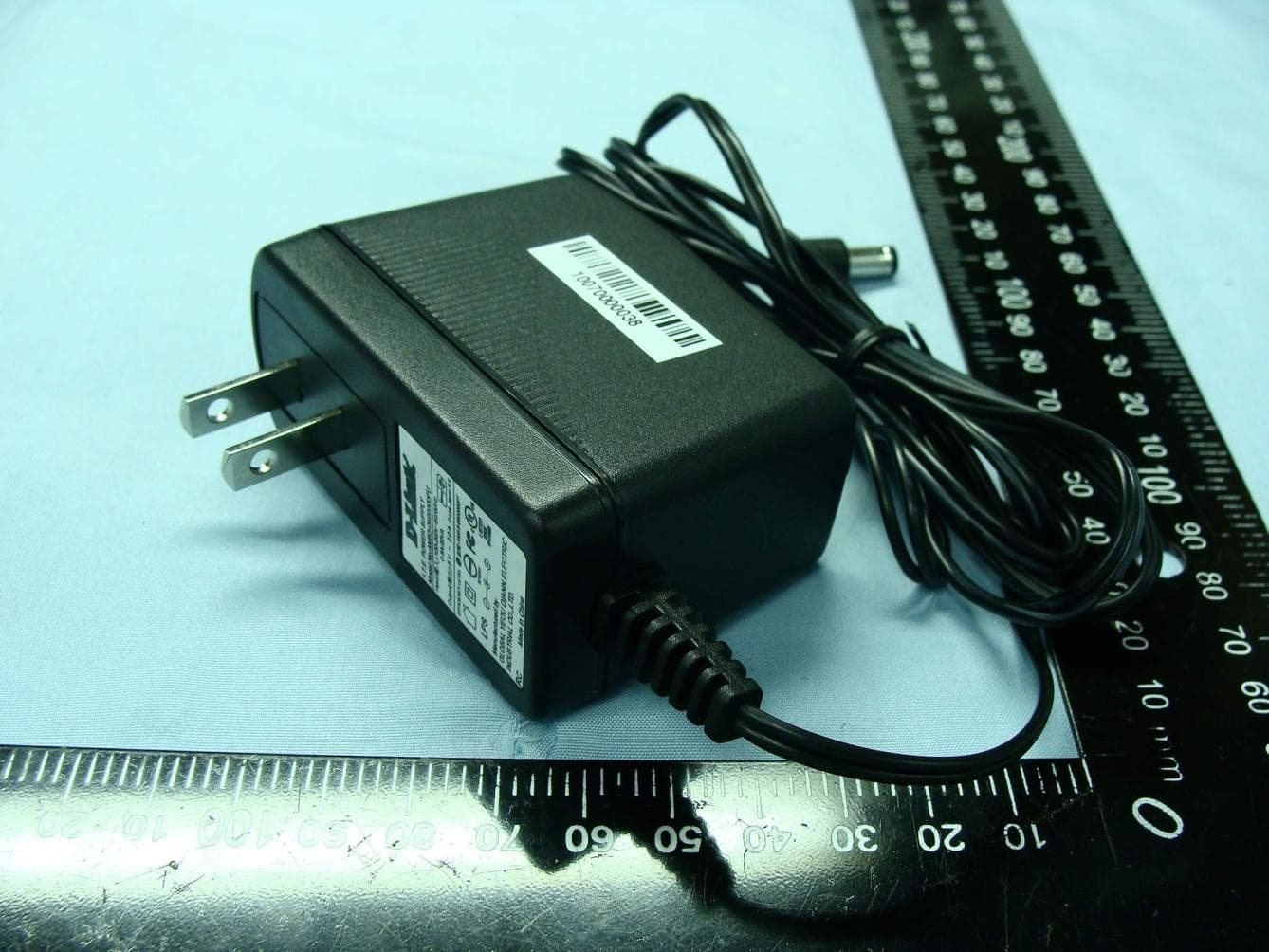
Click to zoom
Application Details
- Equipment Class
- DTS - Digital Transmission System
- Date of Grant
- Mar 09, 2011
- Application Purpose
- Original Equipment
- Date of Application
- Mar 09, 2011
- Equipment Note
- 3G WiFi Router
- Frequency Range
- 2422.00000000 - 2452.00000000
- Company
- D-Link Corporation
- Country
- United States
Documents & Files
Document Text
Text extracted from the exhibit documents filed with the FCC. Open a document above to read the original.
Users Manual
iD-Link DWR-113 User Manual D-Link reserves the right to revise this publication and to make changes in the content hereof without obligation to notify any person or organization of such revisions or changes. Trademarks D-Link and the D-Link logo are trademarks or registered trademarks of D-Link Corporation or its subsidiaries in the United States or other countries. All other company or product names mentioned herein are trademarks or registered trademarks of their respective companies. Copyright © 2010 by D-Link Systems, Inc. All rights reserved. This publication may not be reproduced, in whole or in part, without prior expressed written permission from D-Link Systems, Inc. Preface iiD-Link DWR-113 User Manual Table of Contents Preface...........................................................................i Trademarks ..............................................................i Product Overview ........................................................1 Package Contents ...................................................1 System Requirements .............................................1 Introduction ..............................................................2 Hardware Overview .................................................3 Back Panel .........................................................3 Front Panel and LEDs .......................................4 Installation ....................................................................5 Connect to Your Network ........................................5 Wireless Installation Considerations ........................6 Configuration ...............................................................7 Web-based Configuration Utility ..............................7 Setup Wizard ...........................................................8 Internet Connection Setup Wizard .....................8 Manual Internet Connection Setup ..................12 Internet Connection .........................................13 Internet Connection Type ................................13 Dynamic IP (DHCP) .........................................14 PPPoE .............................................................15 PPTP ...............................................................16 L2TP ................................................................17 3G ....................................................................18 Static IP ...........................................................19 Wireless Settings .............................................20 Network Settings ..............................................22 Router Settings ............................................22 DHCP Server Settings .................................23 Virtual Server ...................................................24 Application Rules .............................................25 QoS Engine .....................................................26 MAC Address Filter ..........................................27 URL Filter .........................................................28 Outbound Filter ................................................29 Inbound Filter ...................................................30 SNMP ..............................................................31 Routing ............................................................32 Advanced Wireless ..........................................33 Advanced Network ...........................................34 Admin ...............................................................35 Time .................................................................36 Syslog ..............................................................37 E-mail Settings .................................................38 System .............................................................39 Firmware ..........................................................40 Dynamic DNS ..................................................41 System Check ..................................................42 Schedules ........................................................43 Device Information ...........................................44 Table of Contents iiiD-Link DWR-113 User Manual Table of Contents Logs .................................................................45 Statistics ..........................................................46 Wireless ...........................................................47 Support ............................................................48 Wireless Security.......................................................49 What is WEP? .......................................................49 Configure WEP ......................................................50 What is WPA? .......................................................51 Configure WPA-PSK .............................................52 Configure WPA (RADIUS) .....................................53 Connect to a Wireless Network ................................54 Using Windows Vista™ .........................................54 Configure Wireless Security ............................55 Using Windows ® XP ...............................................57 Configure WEP ................................................58 Configure WPA-PSK ........................................60 Troubleshooting ........................................................62 Wireless Basics .........................................................64 What is Wireless? ..................................................65 Tips ........................................................................67 Wireless Modes .....................................................68 Networking Basics ....................................................69 Check your IP address ..........................................69 Statically Assign an IP address .............................70 Technical Specifications...........................................71 1D-Link DWR-113 User Manual Section 1 - Pro…
Text truncated - open the document above for the full version.
Users Manual
39D-Link DWR-113 User Manual Section 3 - Configuration System Use this option to save your current router configuration settings to a file and onto your computer. Click Save to open a file dialog, and then select a location and file name for the settings. Use this option to load the previously saved router configuration settings. Browse to find the saved file and then click Upload Settings to transfer those settings to the router. This option will restore all settings back to their defaults. Any settings that have not been backed up will be lost, including any rules that you have created. Save Settings To Local Hard Drive Load Settings From Local Hard Drive: Restore To Factory Default Settings: Here, you can save the current system settings onto the local hard drive. 40D-Link DWR-113 User Manual Section 3 - Configuration Firmware Displays your current firmware version. Displays your current firmware date. After you have downloaded the new firmware, click Browse to locate the firmware on your computer. Tick Accept unofficial firmware if you want to update the DWR- 113 with unofficial firmware (not recommended). Click Upload to start the firmware upgrade. Here, you can upgrade the firmware of your router. Make sure the firmware you want to use is on the local hard drive of the computer and then click Browse to upload the file. Please check the D-Link support site for firmware updates at http://support.dlink.com. You can download firmware upgrades to your hard drive from the D-Link support site. Current Firmware Version: Current Firmware Date: Browse: 41D-Link DWR-113 User Manual Section 3 - Configuration Dynamic DNS Dynamic Domain Name System is a method of keeping a domain name linked to a changing IP Address. Select this box to enable DDNS. Select your DDNS provider from the drop-down box. Enter the Host Name that you registered with your DDNS service provider. Enter the Username for your DDNS account. Enter the Password for your DDNS account. The DDNS feature allows you to host a server (Web, FTP, or Game Server) using a domain name that you have purchased (www. whateveryournameis.com) with your dynamically assigned IP address. Sign up for D-Link’s free DDNS service at www.dlinkddns.com. Enable DDNS: Provider: Host Name: Username / E-mail: Password / Key: Click Save Settings to save your changes, or click Don’t Save Settings to discard your changes. 42D-Link DWR-113 User Manual Section 3 - Configuration System Check Enter a host name or the IP address that you want to ping (Packet Internet Groper) and click Ping. The status of your Ping attempt will be displayed in the Ping Result box. This useful diagnostic utility can be used to check if a computer is connected to the network. It sends ping packets and listens for responses from the specific host. Host Name or IP Address: PING Result: 43D-Link DWR-113 User Manual Section 3 - Configuration Schedules Tick this check box to enable schedules. Click this button to specify the start time, end time, and name of the rule. Edit the rule’s start and end time. Delete the rule. Enter a name for your new schedule. Enter the time at which you would like the schedule to become active. Select the time at which you would like the schedule to become inactive. Click Save Settings to save your changes, or click Don’t Save Settings to discard your changes. This section allows you to manage schedule rules for various firewall and parental control features. Enable Schedule: Add New Rule...: Edit: Delete: Name of Rule 1: Start Time (hh:mm): End Time (hh:mm): 44D-Link DWR-113 User Manual Section 3 - Configuration Device Information All of your Internet and network connection details are displayed on this page. The firmware version is also displayed here. Displays the current time and firmware version. Displays the MAC address and the private (local) IP settings for the router. Displays 3G card info, link status, and the network name. Displays the MAC address and the public IP settings for the router. Displays the wireless MAC address and your wireless settings such as SSID, Channel, and Encryption type. Displays the list of DHCP clients. General: WAN: 3G Card: LAN: Wireless LAN: LAN Computers: 45D-Link DWR-113 User Manual Section 3 - Configuration Logs Here, you can view logs and define events that you want to view. This router also has an internal syslog server, so you can send the log files to a computer that is running a syslog utility. 46D-Link DWR-113 User Manual Section 3 - Configuration Statistics Here you can view the packets transmitted and received passing through your router on both WAN and LAN ports. The traffic counter will reset if the device is rebooted. 47D-Link DWR-113 User Manual Section 3 - Configuration Wireless This table displays a list of wireless clients that are connected to your wireless router. It also displays the connection time and MAC address of the connected wireless clients. 48D-Link DWR-113 User Manual Section 3 - Configuration Support 49D-Link DWR-113 User Manual Section 4 - Security Wireless Security This section will show you the different levels of security you can use to protect your data from intruders. The DWR-113 offers the following types of security: • WPA2 (Wi-Fi Protected Access 2) • WPA2-PSK (Pre-Shared Key) • WPA (Wi-Fi Protected Access) • WPA-PSK (Pre-Shared Key) • WEP (Wired Equivalent Privacy) What is WEP? WEP stands for Wired Equivalent Privacy. It is based on the IEEE 802.11 standard and uses the RC4 encryption algorithm. WEP provides security by encrypting data over your wireless network so that it is protected as it is transmitted from one wireless device to another. To gain access to a WEP network, you must know the key. The key is a string of characters that you create. When using WEP, you must determine the level of encryption. The type of encryption determines the key length. 128-bit encryption requires a longer key than 64-bit encryption. Keys are defined by entering in a string in HEX (hexadecimal -…
Text truncated - open the document above for the full version.
Users Manual
FCC Regulations: This device complies with part 15 of the FCC Rules. Operation is subject to the following two conditions: (1) This device may not cause harmful interference, and (2) this device must accept any interference received, including interference that may cause undesired operation. This device has been tested and found to comply with the limits for a Class B digital device, pursuant to Part 15 of the FCC Rules. These limits are designed to provide reasonable protection against harmful interference in a residential installation. This equipment generates, uses and can radiated radio frequency energy and, if not installed and used in accordance with the instructions, may cause harmful interference to radio communications. However, there is no guarantee that interference will not occur in a particular installation If this equipment does cause harmful interference to radio or television reception, which can be determined by turning the equipment off and on, the user is encouraged to try to correct the interference by one or more of the following measures: -Reorient or relocate the receiving antenna. -Increase the separation between the equipment and receiver. -Connect the equipment into an outlet on a circuit different from that to which the receiver is connected. -Consult the dealer or an experienced radio/TV technician for help. Changes or modifications not expressly approved by the party responsible for compliance could void the user‘s authority to operate the equipment. The antenna(s) used for this transmitter must not be co-located or operating in conjunction with any other antenna or transmitter. This device complies with FCC radiation exposure limits set forth for an uncontrolled environment. In order to avoid the possibility of exceeding the FCC radio frequency exposure limits, human proximity to the antenna shall not be less than 20cm (8 inches) during normal operation.
External Photos
Photographs of EUT Report No.: EP0O0724-01 Brand Name: D-Link / Model Name: DWR-113 SPORTON INTERNATIONAL INC. Page Number : 1 of 10 TEL : 886-3-327-3456 Report Issued Date : Feb. 16, 2011 FAX : 886-3-328-4978 Report Version : Rev. 03 FCC ID : KA2WR113A1 1. External Photograph of EUT Photographs of EUT Report No.: EP0O0724-01 Brand Name: D-Link / Model Name: DWR-113 SPORTON INTERNATIONAL INC. Page Number : 2 of 10 TEL : 886-3-327-3456 Report Issued Date : Feb. 16, 2011 FAX : 886-3-328-4978 Report Version : Rev. 03 FCC ID : KA2WR113A1 720510 Photographs of EUT Report No.: EP0O0724-01 Brand Name: D-Link / Model Name: DWR-113 SPORTON INTERNATIONAL INC. Page Number : 3 of 10 TEL : 886-3-327-3456 Report Issued Date : Feb. 16, 2011 FAX : 886-3-328-4978 Report Version : Rev. 03 FCC ID : KA2WR113A1 List of Accessory: Specification of Accessory AC Adapter Brand Name D-Link Model Name AMS3-0502000FU Remark: For accessories equipped with this EUT, please refer to the following photos. 2. Photograph of Accessory Photographs of EUT Report No.: EP0O0724-01 Brand Name: D-Link / Model Name: DWR-113 SPORTON INTERNATIONAL INC. Page Number : 4 of 10 TEL : 886-3-327-3456 Report Issued Date : Feb. 16, 2011 FAX : 886-3-328-4978 Report Version : Rev. 03 FCC ID : KA2WR113A1 720510 Photographs of EUT Report No.: EP0O0724-01 Brand Name: D-Link / Model Name: DWR-113 SPORTON INTERNATIONAL INC. Page Number : 5 of 10 TEL : 886-3-327-3456 Report Issued Date : Feb. 16, 2011 FAX : 886-3-328-4978 Report Version : Rev. 03 FCC ID : KA2WR113A1 Photographs of EUT Report No.: EP0O0724-01 Brand Name: D-Link / Model Name: DWR-113 SPORTON INTERNATIONAL INC. Page Number : 6 of 10 TEL : 886-3-327-3456 Report Issued Date : Feb. 16, 2011 FAX : 886-3-328-4978 Report Version : Rev. 03 FCC ID : KA2WR113A1
ID Label/Location Info
Label Location FCC ID: KA2WR113A1 Bottom of the device Label Location
Internal Photos
Photographs of EUT Report No.: EP0O0724-01 Brand Name: D-Link / Model Name: DWR-113 SPORTON INTERNATIONAL INC. Page Number : 7 of 10 TEL : 886-3-327-3456 Report Issued Date : Jan. 25, 2011 FAX : 886-3-328-4978 Report Version : Rev. 02 FCC ID : KA2WR113A1 3. Internal Photograph of EUT Photographs of EUT Report No.: EP0O0724-01 Brand Name: D-Link / Model Name: DWR-113 SPORTON INTERNATIONAL INC. Page Number : 8 of 10 TEL : 886-3-327-3456 Report Issued Date : Jan. 25, 2011 FAX : 886-3-328-4978 Report Version : Rev. 02 FCC ID : KA2WR113A1 720510 Photographs of EUT Report No.: EP0O0724-01 Brand Name: D-Link / Model Name: DWR-113 SPORTON INTERNATIONAL INC. Page Number : 9 of 10 TEL : 886-3-327-3456 Report Issued Date : Jan. 25, 2011 FAX : 886-3-328-4978 Report Version : Rev. 02 FCC ID : KA2WR113A1 WLAN Antenna Photographs of EUT Report No.: EP0O0724-01 Brand Name: D-Link / Model Name: DWR-113 SPORTON INTERNATIONAL INC. Page Number : 10 of 10 TEL : 886-3-327-3456 Report Issued Date : Jan. 25, 2011 FAX : 886-3-328-4978 Report Version : Rev. 02 FCC ID : KA2WR113A1 WLAN Antenna
RF Exposure Info
SPORTON INTERNATIONAL INC. Page Number : 1 of 9 TEL : 886-3-327-3456 Report Issued Date : Feb. 15, 2011 FAX : 886-3-328-4978 Report Version : Rev. 01 FCC ID : KA2WR113A1 RF Exposure Evaluation Report Report No. : FA0O0724-01 RF Exposure Evaluation Report APPLICANT : D-Link Co. EQUIPMENT : 3G WiFi Router BRAND NAME : D-Link MODEL NAME : DWR-113 FCC ID : KA2WR113A1 FILING TYPE : Certification STANDARD : OET Bulletin 65 Supplement C (Edition 01-01) We, SPORTON INTERNATIONAL INC., would like to declare that the device has been evaluated in accordance with FCC OET Bulletin 65 Supplement C (Edition 01-01), and pass the limit. Without written approval of SPORTON INTERNATIONAL INC., the test report shall not be reproduced except in full. Reviewed by: Roy Wu / Manager SPORTON INTERNATIONAL INC. No. 52, Hwa Ya 1 st Rd., Hwa Ya Technology Park, Kwei-Shan Hsiang, Tao Yuan Hsien, Taiwan, R.O.C. SPORTON INTERNATIONAL INC. Page Number : 2 of 9 TEL : 886-3-327-3456 Report Issued Date : Feb. 15, 2011 FAX : 886-3-328-4978 Report Version : Rev. 01 FCC ID : KA2WR113A1 RF Exposure Evaluation Report Report No. : FA0O0724-01 Table of Contents REVISION HISTORY .......................................................................................................................................... 3 1. RF EXPOSURE INTRODUCTION ............................................................................................................... 4 2. ADMINISTRATION DATA ........................................................................................................................... 6 2.1 Testing Laboratory ............................................................................................................................. 6 2.2 Applicant ............................................................................................................................................ 6 2.3 Manufacturer ...................................................................................................................................... 6 3. GENERAL INFORMATION ......................................................................................................................... 7 3.1 Description of Device Under Test (DUT) ........................................................................................... 7 4. RF EXPOSURE EVALUATION ................................................................................................................... 8 4.1 Radio Frequency Radiation Exposure Evaluation ............................................................................. 8 SPORTON INTERNATIONAL INC. Page Number : 3 of 9 TEL : 886-3-327-3456 Report Issued Date : Feb. 15, 2011 FAX : 886-3-328-4978 Report Version : Rev. 01 FCC ID : KA2WR113A1 RF Exposure Evaluation Report Report No. : FA0O0724-01 Revision History REPORT NO. VERSION DESCRIPTION ISSUED DATE FA0O0724-01 Rev. 01 Initial issue of report Feb. 15, 2011 SPORTON INTERNATIONAL INC. Page Number : 4 of 9 TEL : 886-3-327-3456 Report Issued Date : Feb. 15, 2011 FAX : 886-3-328-4978 Report Version : Rev. 01 FCC ID : KA2WR113A1 RF Exposure Evaluation Report Report No. : FA0O0724-01 1. RF Exposure Introduction Requirements Three different categories of transmitters are defined by the FCC in OET Bulletin 65. These categories are fixed installation, mobile and portable and are defined as follows: Fixed installation: Fixed location means that the device, including its antenna, is physically secured at a permanent location and is not able to be easily moved to another location. Additionally, distance to humans form the antenna is maintained to at least 2 meters. Mobile Devices: A mobile device is defined as a transmitting device designed to be used in other than fixed locations and to be generally used in such a way that a separation distance of at least 20 centimeters is normally maintained between the transmitters’s radiating structures and the body of the user or nearby persons. Transmitters designed to be used by consumers or workers that can be easily re-located are considered mobile devices if they meet the 20 centimeter separation requirement. The FCC rules for evaluating mobile devices for RF compliance are found in 47 CFR 2.1091. Portable Devices: A portable device is defined as a transmitting device designed to be used so that the radiating structure(s) of the device is/are within 20 centimeters of the body of the user. Portable device requirements are found in Section 2.1093 of the FCC’s Rules (47 CFR 2.1093) SPORTON INTERNATIONAL INC. Page Number : 5 of 9 TEL : 886-3-327-3456 Report Issued Date : Feb. 15, 2011 FAX : 886-3-328-4978 Report Version : Rev. 01 FCC ID : KA2WR113A1 RF Exposure Evaluation Report Report No. : FA0O0724-01 The FCC also categorizes the use of the device as based upon the user’s awareness and ability to exercise control over his or her exposure. The two categories defined are Occupational/Controlled Exposure and General Population/Uncontrolled Exposure. These two categories are defined as follows: Occupational/controlled Exposure: In general, occupational/controlled exposure limits are applicable to situation in which persons are exposed as a consequence of their employment, who have been made fully aware of the potential for exposure. Awareness of the potential for RF exposure in a workplace or similar environment can be provided through specific training as part of a RF safety program. If appropriate, warning signs and labels can also be used to establish such awareness by providing prominent information on the risk of potential exposure and instructions on methods to minimize such exposure risks. General Population/Uncontrolled Exposure: The general population / uncontrolled exposure limits are applicable to situations in which the general public may be exposed or in which persons who are exposed as a consequence of their employment may not be made fully aware of the potential for exposure or cannot exercise con…
Text truncated - open the document above for the full version.
Test Report
SPORTON INTERNATIONAL INC. Page Number : 1 of 87 TEL : 886-3-327-3456 Report Issued Date : Jan. 19, 2011 FAX : 886-3-328-4978 Report Version : Rev. 01 FCC ID : KA2WR113A1 FCC RF Test Report Report No. : FR0O0724-01 FCC RF Test Report APPLICANT : D-Link Co. EQUIPMENT : 3G WiFi Router BRAND NAME : D-Link MODEL NAME : DWR-113 FCC ID : KA2WR113A1 STANDARD : FCC Part 15 Subpart C §15.247 CLASSIFICATION : Digital Transmission System (DTS) The product was received on Dec. 03, 2010 and completely tested on Jan. 05, 2011. We, SPORTON INTERNATIONAL INC., would like to declare that the tested sample has been evaluated in accordance with the procedures given in ANSI C63.4-2003 and shown the compliance with the applicable technical standards. The test results in this report apply exclusively to the tested model / sample. Without written approval of SPORTON INTERNATIONAL INC., the test report shall not be reproduced except in full. Reviewed by: Anderson Chiu / Deputy Manager SPORTON INTERNATIONAL INC. No. 52, Hwa Ya 1 st Rd., Hwa Ya Technology Park, Kwei-Shan Hsiang, Tao Yuan Hsien, Taiwan, R.O.C. SPORTON INTERNATIONAL INC. Page Number : 2 of 87 TEL : 886-3-327-3456 Report Issued Date : Jan. 19, 2011 FAX : 886-3-328-4978 Report Version : Rev. 01 FCC ID : KA2WR113A1 FCC RF Test Report Report No. : FR0O0724-01 TABLE OF CONTENTS REVISION HISTORY .......................................................................................................................................... 3 SUMMARY OF TEST RESULT ......................................................................................................................... 4 1 GENERAL DESCRIPTION .......................................................................................................................... 5 1.1 Applicant ............................................................................................................................................ 5 1.2 Manufacturer ...................................................................................................................................... 5 1.3 Feature of Equipment Under Test ..................................................................................................... 5 1.4 Testing Site ........................................................................................................................................ 6 1.5 Applied Standards ............................................................................................................................. 6 1.6 Ancillary Equipment List .................................................................................................................... 6 2 TEST CONFIGURATION OF EQUIPMENT UNDER TEST ........................................................................ 7 2.1 RF Power ........................................................................................................................................... 7 2.2 Test Mode .......................................................................................................................................... 9 2.3 Connection Diagram of Test System ............................................................................................... 10 2.4 RF Utility .......................................................................................................................................... 11 3 TEST RESULT ........................................................................................................................................... 12 3.1 6dB Bandwidth Measurement ......................................................................................................... 12 3.2 Output Power Measurement ............................................................................................................ 21 3.3 Band Edges Measurement .............................................................................................................. 23 3.4 Spurious Emission Measurement .................................................................................................... 33 3.5 Power Spectral Density Measurement ............................................................................................ 46 3.6 AC Conducted Emission Measurement........................................................................................... 55 3.7 Radiated Emission Measurement .................................................................................................... 59 3.8 Antenna Requirements .................................................................................................................... 84 4 LIST OF MEASURING EQUIPMENT ........................................................................................................ 85 5 UNCERTAINTY OF EVALUATION ........................................................................................................... 86 APPENDIX A. PHOTOGRAPHS OF EUT APPENDIX B. SETUP PHOTOGRAPHS SPORTON INTERNATIONAL INC. Page Number : 3 of 87 TEL : 886-3-327-3456 Report Issued Date : Jan. 19, 2011 FAX : 886-3-328-4978 Report Version : Rev. 01 FCC ID : KA2WR113A1 FCC RF Test Report Report No. : FR0O0724-01 REVISION HISTORY REPORT NO. VERSION DESCRIPTION ISSUED DATE FR0O0724-01 Rev. 01 Initial issue of report Jan. 19, 2011 SPORTON INTERNATIONAL INC. Page Number : 4 of 87 TEL : 886-3-327-3456 Report Issued Date : Jan. 19, 2011 FAX : 886-3-328-4978 Report Version : Rev. 01 FCC ID : KA2WR113A1 FCC RF Test Report Report No. : FR0O0724-01 SUMMARY OF TEST RESULT Report Section FCC Rule IC Rule Description Limit Result Remark 3.1 15.247(a)(2) A8.2(a) 6dB Bandwidth ≥ 0.5MHz Pass - 3.2 15.247(b) A8.4 Power Output ≤ 30dBm Pass - 3.3 15.247(d) A8.5 Frequency Band Edges ≤ 20dBc Pass - 3.4 15.247(d) A8.5 Spurious Emission < 20 dBc Pass - 3.5 15.247(e) A8.2(b) Power Spectral Density ≤ 8dBm Pass - 3.6 15.207 Gen 7.2.2 AC Conducted Emission 15.207(a) Pass Under limit 9.7 dB …
Text truncated - open the document above for the full version.
Test Setup Photos
SPORTON INTERNATIONAL INC. Page Number : B1 of B1 TEL : 886-3-327-3456 Report Issued Date : Jan. 19, 2011 FAX : 886-3-328-4978 Report Version : Rev. 01 FCC ID : KA2WR113A1 FCC RF Test Report Report No. : FR0O0724-01 Appendix B. Setup Photographs <Conducted Emission> <Radiated Emission>
Contact Information
Applicant
Brett Adair(General Counsel)
Test Firm
Sporton International Inc.Alex Chen
Technical Specifications
| # | Rule Parts | Frequency Range | Power Output |
|---|---|---|---|
| 2 | 15C | 2.42 GHz - 2.45 GHz | 110.00 mW |
Other Applications from D-Link Corporation

KA2CS6012A1
Jul 07, 20262K Fixed Indoor Cloud Camera, 2K Fixed Indoor Wi-Fi Camera
Equipment Class
DTS - Digital Transmission SystemKA2AE65UA1
Mar 02, 2026Wi-Fi 7 BE6500 USB 3.0 Dongle
Equipment Class
NII - Unlicensed National Information Infrastructure TXKA2APE9560A1
Nov 17, 2025BE9500 Celling mount Access Point
Equipment Class
6ID - 15E 6 GHz Low Power Indoor Access PointKA2AX9UA1
Dec 04, 2024AX900 Wi-Fi 6 USB Adapter, Wi-Fi 6 AX900 USB 2.0 Dongle
Equipment Class
DSS - Part 15 Spread Spectrum TransmitterKA2AC13UA1
Dec 04, 2024AC1300 Wi-Fi 5 USB Adapter, Wi-Fi 5 AC1300 USB 2.0 Dongle
Equipment Class
DTS - Digital Transmission System