LTQVTREMNARTruck Infotainment Unit
Aptiv Services Deutschland GmbH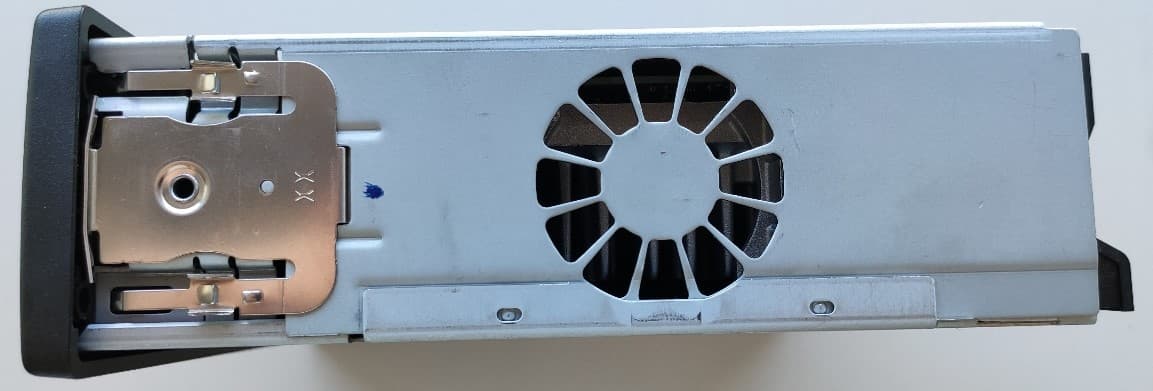
Click to zoom
Application Details
- Equipment Class
- DSS - Part 15 Spread Spectrum Transmitter
- Date of Grant
- Nov 19, 2022
- Application Purpose
- Original Equipment
- Date of Application
- Nov 16, 2022
- Equipment Note
- Truck Infotainment Unit
- Frequency Range
- 2402.00000000 - 2480.00000000
- Country
- Germany
Documents & Files
Document Text
Text extracted from the exhibit documents filed with the FCC. Open a document above to read the original.
Users Manual
TABLE OF CONTENTS 01 Infotainment Overview............................................. 2 PHONE............................................... 5 MEDIA................................................. 9 Specifications.................................... 14 Assembly date fi lter: w2037 (2020-09-07). Variant filter on: TYPE-FH,STWPOS-L,CRUISEC,HWSS-ACB,AUDIO,CO-USB,COD-BRA,COD-NS. Project filter: No Filter. 01 Infotainment Overview Overview of the infotainment system The infotainment system includes for example the truck's audio system and Bluetooth ® connectivity. 1 Display 2 USB port 3 Control panel 4 Steering wheel keypads 5 Microphone In the display you can see all the available menus and functions of the infotainment system. You can control the infotainment system with the steering wheel keypads or the control panel. There is one USB port in the instrument panel, for you to connect and charge a device. WARNING Do not use the infotainment system in such a way that it interferes with safe and attentive operation of the truck. When driving, keep your attention to the road. Infotainment tasks that require your attention should be done when the truck is stationary. Examples of such tasks are managing connected devices or adjusting the audio settings. 01 Info t ainment 2 Assembly date filter: w2037 (2020-09-07). Variant filter on: TYPE-FH,STWPOS-L,CRUISE C,HWSS-ACB,AUDIO,CO-USB,COD-BRA,COD-NS. Project filter: No Filter. X REM2.1_draft_2022-02-17 Overview Controlling the infotainment system You can use the following controls to control the functions in the infotainment system: • The steering wheel keypads • The control panel Some functions can be controlled only by the steering wheel keypad. Steering wheel keypads 1 Left. Navigate left in the display. 2 Up. Navigate up in the display. 3 Right. Navigate right in the display. 4 Down. Navigate down in the display. 5 OK. Select a highlighted item. 6 Home. Return to the display's home screen. 7 Menu. Open the main menu. 8 Push to talk. Activate voice control. 9 Accept. Open the app PHONE or answer an incoming call. 10 End/reject. End a call or reject an incoming call. 11 Back. Return to the previously viewed screen. 12 Media. Open the app MEDIA. NOTE If there is no save option on the screen, any changes that have been done are automatically saved when you select Back. If there is a save option, and if you do not select Save before you select Back, any changes are disregarded. 1 Mute. 2 Reduce volume. 3 Increase volume. 01 Inf otainment 3 Assembly date filter: w2037 (2020-09-07). Variant fi lter on: TYPE-FH,STWPOS-L,CRUISEC,HWSS-ACB,AUDIO,CO-USB,COD-BRA,COD-NS. Project filter: No Filter. X REM2.1_draft_2022-02-17 Overview Control panel 1 Volume. Turn to adjust the volume. 2 On/off. When in function mode Living, press On/off to start the infotainment system and long-press to turn it off. When listening to radio or media files, press On/off to mute or unmute. 3 Media. Open the app MEDIA. 4 Phone. Open the app PHONE. 5 Vehicle. Open the app VEHICLE. 6 Camera. Open the app CAMERA. 7 Preset 1 to 4. When you listen to FM radio, press and hold one of the keys 1 to 4 to store the current station as a preset station. 8 Previous. Switch to the previous radio station or skip to the previous media file. 9 Next. Switch to the next radio station or skip to the next media file. 01 In f otainment 4 Assembly date filter: w2037 (2020-09-07). Variant fi lter on: TYPE-FH,STWPOS-L,CRUISEC,HWSS-ACB,AUDIO,CO-USB,COD-BRA,COD-NS. Project filter: No Filter. X REM2.1_draft_2022-02-17 PHONE 01 Inf otainment 5 Assembly date filter: w2037 (2020-09-07). Variant fi lter on: TYPE-FH,STWPOS-L,CRUISEC,HWSS-ACB,AUDIO,CO-USB,COD-BRA,COD-NS. Project filter: No Filter. X REM2.1_draft_2022-02-17 PHONE A short introduction to Phone When a mobile phone or other device with a SIM card is connected to the truck by Bluetooth ® , the infotainment system in the truck works as a handsfree for the connected device. The audio is routed via the truck's loudspeakers and a microphone is fitted in the panel above the windscreen on the driver's side. Opening Phone To open the app PHONE, do any of the following: • Press the Accept key in the steering wheel keypad. • Press the Phone key in the control panel. Connecting your mobile phone PHONE works only when a device with a SIM card is connected to the truck by Bluetooth ® . If you open PHONE with no device connected, you must first connect a device. You can have up to two devices connected, but only one at a time can be used for phone. 1 Make sure that the device you want to connect has Bluetooth ® on and that it is discoverable. 2 Select Yes. The truck searches for available Bluetooth ® devices. 3 Select the device from the list of available Bluetooth ® devices. 4 Check that the number in the display and the number shown on the device matches. If they do, accept the paring on the device. If the infotainment system has paired devices saved, you can connect a device in two ways. You can either search for available Bluetooth ® devices or you can connect a previously paired device from the device history. Press the Down key to open the Options menu and select Search for Devices or Paired Devices. If you select Search for Devices, do as follows to connect a device: 1 Make sure that the device you want to connect has Bluetooth ® on and that it is discoverable. 2 Select the device from the list of available Bluetooth ® devices. 3 Check that the number in the display and the number shown on the device matches. If they do, accept the paring on the device. If you select Paired Devices, do as follows to connect a device: 1 Make sure that the device you want to connect has Bluetooth ® on. 2 Select the device from the list of paired Bluetooth ® devices. 3 Select Connect. The first device you connect will automatically be used for both phone and media. If you want to connect a second device, select Search for Devices or Paired Devices again. When you connect the sec…
Text truncated - open the document above for the full version.
Test Report
Test Laboratory: 7layers GmbH Borsigstrasse 11 40880 Ratingen Germany Note: The following test results relate only to the devices specified in this document. This report shall not be reproduced in parts without the written approval of the test laboratory. 7layers GmbH Geschäftsführer/ Borsigstraße 11 Managing Directors: Registergericht/registered: a Bureau Veritas 40880 Ratingen, Germany Sebastian Doose Düsseldorf HRB 75554 Group Company T +49 (0) 2102 749 0 Stefan Kischka USt-Id.-Nr./VAT-No. DE203159652 F +49 (0) 2102 749 350 Bernhard Retka Steuer-Nr./TAX-No. 147/5869/0385 www.7layers.com Commerzbank AG Account No. 303 016 000 Bank Code 300 400 00 IBAN DE81 3004 0000 0303 0160 00 Swift Code COBADEFF FCC Measurement/Technical Report on Truck Infotainment Unit Radio and Entertainment Module 2.1 FCC ID: LTQVTREMNAR IC: 3659AVTREMNAR Test Report Reference: MDE_APTIV_2111_FCC_01 TEST REPORT REFERENCE: MDE_APTIV_2111_FCC_01 Page 2 of 77 Table of Contents 1 Applied Standards and Test Summary 3 1.1 Applied Standards 3 1.2 FCC-IC Correlation Table 4 1.3 Measurement Summary 5 2 Revision History / Signatures 9 3 Administrative Data 10 3.1 Testing Laboratory 10 3.2 Project Data 10 3.3 Applicant Data 10 3.4 Manufacturer Data 11 4 Test object Data 12 4.1 General EUT Description 12 4.2 EUT Main components 12 4.3 Ancillary Equipment 13 4.4 Auxiliary Equipment 13 4.5 EUT Setups 13 4.6 Operating Modes / Test Channels 13 4.7 Duty Cycle 14 4.8 Product labelling 15 5 Test Results 16 5.1 Occupied Bandwidth (20 dB) 16 5.2 Occupied Bandwidth (99%) 21 5.3 Peak Power Output 25 5.4 Spurious RF Conducted Emissions 30 5.5 Transmitter Spurious Radiated Emissions 36 5.6 Band Edge Compliance Conducted 45 5.7 Band Edge Compliance Radiated 53 5.8 Dwell Time 59 5.9 Channel Separation 63 5.10 Number of Hopping Frequencies 65 6 Test Equipment 67 7 Antenna Factors, Cable Loss and Sample Calculations 70 7.1 LISN R&S ESH3-Z5 (150 kHz – 30 MHz) 70 7.2 Antenna R&S HFH2-Z2 (9 kHz – 30 MHz) 71 7.3 Antenna R&S HL562 (30 MHz – 1 GHz) 72 7.4 Antenna R&S HF907 (1 GHz – 18 GHz) 73 7.5 Antenna EMCO 3160-09 (18 GHz – 26.5 GHz) 74 7.6 Antenna EMCO 3160-10 (26.5 GHz – 40 GHz) 75 8 Measurement Uncertainties 76 9 Photo Report 77 TEST REPORT REFERENCE: MDE_APTIV_2111_FCC_01 Page 3 of 77 1 APPLIED STANDARDS AND TEST SUMMARY 1.1 APPLIED STANDARDS Type of Authorization Certification for an Intentional Radiator. Applicable FCC Rules Prepared in accordance with the requirements of FCC Rules and Regulations as listed in 47 CFR Ch.1 Parts 2 and 15 (10-1-20 Edition). The following subparts are applicable to the results in this test report. Part 2, Subpart J - Equipment Authorization Procedures, Certification Part 15, Subpart C – Intentional Radiators § 15.201 Equipment authorization requirement § 15.207 Conducted limits § 15.209 Radiated emission limits; general requirements § 15.247 Operation within the bands 902-928 MHz, 2400-2483.5 MHz Note: The tests were selected and performed with reference to the FCC Public Notice “Guidance for Compliance Measurements on Digital Transmission System, Frequency Hopping Spread Spectrum System, and Hybrid System Devices Operating under Section 15.247 of the FCC Rules, 558074 D01 15.247 Meas Guidance v05r02, 2019-04-02”. ANSI C63.10–2013 is applied. TEST REPORT REFERENCE: MDE_APTIV_2111_FCC_01 Page 4 of 77 1.2 FCC-IC CORRELATION TABLE Correlation of measurement requirements for FHSS (e.g. Bluetooth ® ) equipment from FCC and IC FHSS equipment Measurement FCC reference IC reference Conducted emissions on AC Mains § 15.207 RSS-Gen Issue 5: 8.8 Occupied bandwidth § 15.247 (a) (1) RSS-247 Issue 2: 5.1 (b) Peak conducted output power § 15.247 (b) (1), (4) RSS-247 Issue 2: 5.4 (b) Transmitter spurious RF conducted emissions § 15.247 (d) RSS-Gen Issue 5: 6.13/8.9/8.10; RSS-247 Issue 2: 5.5 Transmitter spurious radiated emissions § 15.247 (d); § 15.209 (a) RSS-Gen Issue 5: 6.13 / 8.9/8.10; RSS-247 Issue 2: 5.5 Band edge compliance § 15.247 (d) RSS-247 Issue 2: 5.5 Dwell time § 15.247 (a) (1) (iii) RSS-247 Issue 2: 5.1 (d) Channel separation § 15.247 (a) (1) RSS-247 Issue 2: 5.1 (b) No. of hopping frequencies § 15.247 (a) (1) (iii) RSS-247 Issue 2: 5.1 (d) Hybrid systems (only) § 15.247 (f); § 15.247 (e) RSS-247 Issue 2: 5.3 Antenna requirement § 15.203 / 15.204 RSS-Gen Issue 5: 8.3 Receiver spurious emissions – - TEST REPORT REFERENCE: MDE_APTIV_2111_FCC_01 Page 5 of 77 1.3 MEASUREMENT SUMMARY 47 CFR CHAPTER I FCC PART 15 Subpart C §15.247 § 15.247 (a) (1) Occupied Bandwidth (20 dB) The measurement was performed according to ANSI C63.10, chapter 6.9.2 Final Result OP-Mode Radio Technology, Operating Frequency SetupDateFCC IC Bluetooth BDR, high S01_BB012022-08-26 Passed Passed Bluetooth BDR, low S01_BB012022-08-26 Passed Passed Bluetooth BDR, mid S01_BB012022-08-26 Passed Passed Bluetooth EDR 2, high S01_BB012022-08-26 Passed Passed Bluetooth EDR 2, low S01_BB012022-08-26 Passed Passed Bluetooth EDR 2, mid S01_BB012022-08-26 Passed Passed Bluetooth EDR 3, high S01_BB012022-08-26 Passed Passed Bluetooth EDR 3, low S01_BB012022-08-26 Passed Passed Bluetooth EDR 3, mid S01_BB012022-08-26 Passed Passed 47 CFR CHAPTER I FCC PART 15 Subpart C §15.247 IC RSS-Gen & IC TRC-43; Ch. 6.7 & Ch. 8 Occupied Bandwidth (99%) The measurement was performed according to ANSI C63.10, chapter 6.9.3 Final Result OP-Mode Radio Technology, Operating Frequency Setup Date FCC IC Bluetooth BDR, high S01_BB012022-08-26 N/A Performed Bluetooth BDR, low S01_BB012022-08-26 N/A Performed Bluetooth BDR, mid S01_BB012022-08-26 N/A Performed Bluetooth EDR 2, high S01_BB012022-08-26 N/A Performed Bluetooth EDR 2, low S01_BB012022-08-26 N/A Performed Bluetooth EDR 2, mid S01_BB012022-08-26 N/A Performed Bluetooth EDR 3, high S01_BB012022-08-26 N/A Performed Bluetooth EDR 3, low S01_BB012022-08-26 N/A Performed Bluetooth EDR 3, mid S01_BB012022-08-26 N/A Performed 47 CFR CHAPTER I FCC PART 15 Subpart C §15.247 § 15.247 (b) (1) (2) Peak Power Output The measure…
Text truncated - open the document above for the full version.
Test Report
Released: 2021-12-23 © 2021 Aptiv. All rights reserved Revision 3 Bluetooth Service The supported Bluetooth is 4.2 core version, being this an interface intended to provide connectivity with devices brought into the vehicle by the vehicle user. Table 11 – Bluetooth Antenna Characteristics Comments Min. Typ. Max. Mode Bluetooth 4.1 Frequency Range 2402 [MHz] -- 2480 [MHz] Output Power Effective Isotropic Radiated Power (EIRP) Antenna Gain Peak Gain of Internal Antenna -- -- 2.3 [dBi] Bandwidth -- 1MHz -- Modulation GFSK (1 Mbps) , n/4 DQPSK (2 Mbps), 8 DPSK (3 Mbps) Distance to Persons >20cm-- -- In Table 12 are present the pre-certifications existing for the Bluetooth used in the REM platform. T Bluetooth Antenna Characteristics Released: 2021-12-23 © 2021 Aptiv. All rights reserved Revision 3 Phone / Bluetooth Capabilities Using the Bluetooth Infotainment capability of REM to connect to Phone or Smartphone it is possible to use the following capabilities: •Via Bluetooth Hands-free profile is possible to perform: ▪Number dialing; ▪Multiparty calls / conference calls; ▪Access Address book (up to 2000 contacts); ▪Access call stacks (outgoing calls, received calls, missed calls); •Connecting user’s mobile phone / media player via Bluetooth A2DP/AVRCP profile it is possible to perform: ▪Stereo audio streaming from mobile device; ▪Controlling remote device (play, pause, stop, skip); ▪Display of meta data (title, artist, album, etc.); •Two different Bluetooth devices can be connected simultaneously (one phone and one media player) •One microphone supported Internal Antenna REM platform uses two internal antennas for Bluetooth. The antenna can work with 2.4GHz (Bluetooth) and the antenna specifications are presented in Table 13. Table 13 – Internal Antenna Electrical Specifications Frequency Range [MHz] 2400 ~ 2485 VSWR Max 3.0 : 1 Avg. Gain [dBi] -0.6 Efficiency [%] 84 Polarization Linear Impedance [Ω] 50Ω Maximum antenna gain was measured when placed in the REM Unit,
Test Setup Photos
Test Laboratory: 7layers GmbH Borsigstrasse 11 40880 Ratingen Germany Note: The following test results relate only to the devices specified in this document. This report shall not be reproduced in parts without the written approval of the test laboratory. 7layers GmbH Geschäftsführer/ Borsigstraße 11 Managing Directors: Registergericht/registered: a Bureau Veritas 40880 Ratingen, Germany Sebastian Doose Düsseldorf HRB 75554 Group Company T +49 (0) 2102 749 0 Stefan Kischka USt-Id.-Nr./VAT-No. DE203159652 F +49 (0) 2102 749 350 Bernhard Retka Steuer-Nr./TAX-No. 147/5869/0385 www.7layers.com Commerzbank AG Account No. 303 016 000 Bank Code 300 400 00 IBAN DE81 3004 0000 0303 0160 00 Swift Code COBADEFF Photo Report on Test Setups Service and Entertainment Module FCC ID: LTQVTREMNAR Test Report Reference: MDE_APTIV_2111_FCC_Photo_Report Adyl Mssalak Test report Reference: MDE_APTIV_2111_FCC_Photo_Report Page 2 of 4 Photo 1: Test setup for radiated measurements (9 kHz - 30 MHz) Test report Reference: MDE_APTIV_2111_FCC_Photo_Report Page 3 of 4 Photo 2: Test setup for radiated measurements (30 MHz – 1 GHz) Test report Reference: MDE_APTIV_2111_FCC_Photo_Report Page 4 of 4 Photo 3: Test setup for radiated measurements above 1 GHz
Contact Information
Applicant
Luis Filipe Figueiredo(Certification Engineer)
Technical Contact
Aptiv Services Deutschland GmbHLjiljana Trivic
[email protected]+492261971
Am Technologiepark 1 · Wuppertal · Germany
Non-Technical Contact
Aptiv Services Deutschland GmbHLjiljana Trivic
[email protected]+492261971
Test Firm
7layers GmbHBernhard Retka
Technical Specifications
| # | Rule Parts | Frequency Range | Power Output |
|---|---|---|---|
| 1 | 15C | 2.40 GHz - 2.48 GHz | 6.00 mW |
Other Applications from Aptiv Services Deutschland GmbH
LTQSRR6PH
Mar 09, 2026SRR6+
Equipment Class
VRD - Part 95 Vehicular Radar SystemsLTQSRR6PT
Jan 14, 2026Radar Sensor
Equipment Class
VRD - Part 95 Vehicular Radar SystemsLTQIHU42
Sep 05, 2024Infotainment Head Unit
Equipment Class
CXX - Communications Rcvr for use w/ licensed Tx and CBsLTQFLR7B
Jan 28, 2024Radar Sensor
Equipment Class
VRD - Part 95 Vehicular Radar Systems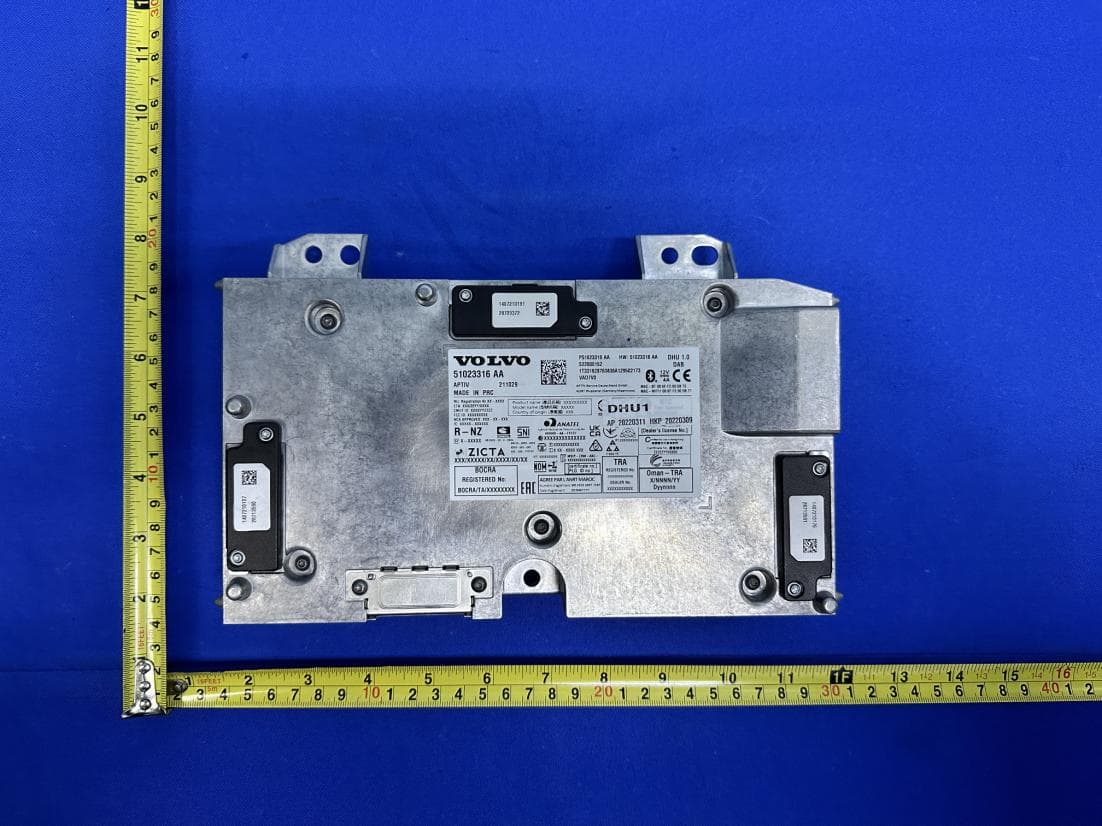
LTQDHU1
May 05, 2023Display Head Unit
Equipment Class
DTS - Digital Transmission System