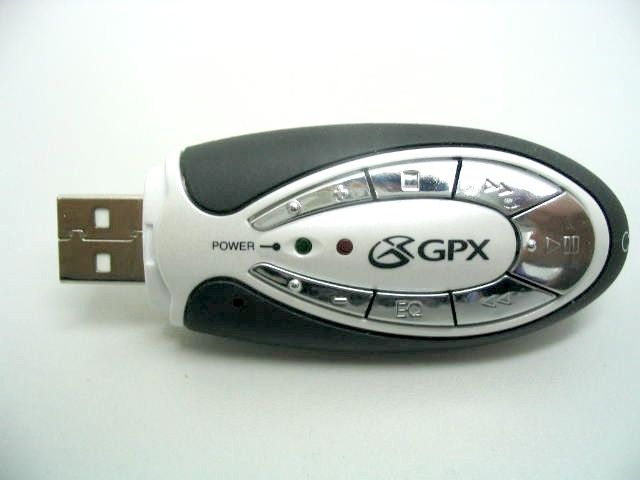
M2UTEC50MULTI-FORMAT DIGITAL AUDIO PLAYER
DPI (HK) Ltd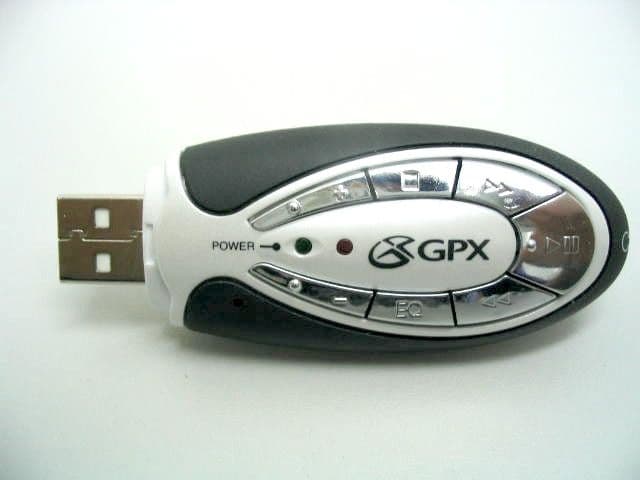
Click to zoom
Application Details
- Equipment Class
- JBP - Part 15 Class B Computing Device Peripheral
- Date of Grant
- Oct 09, 2003
- Application Purpose
- Original Equipment
- Date of Application
- Oct 09, 2003
- Equipment Note
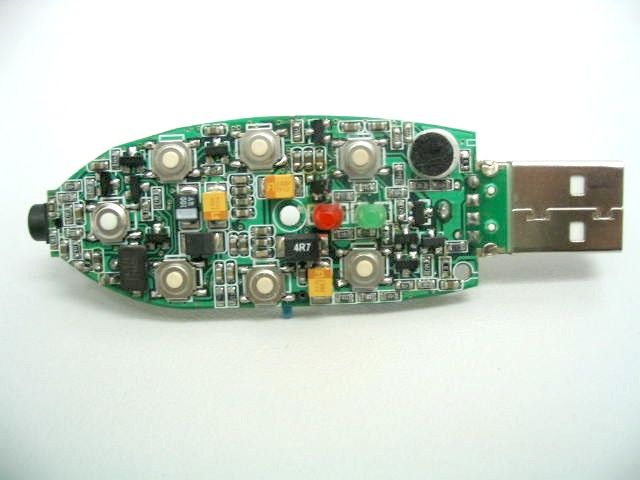
- MULTI-FORMAT DIGITAL AUDIO PLAYER
- Company
- DPI (HK) Ltd
- Country
- Hong Kong
Documents & Files
Document Text
Text extracted from the exhibit documents filed with the FCC. Open a document above to read the original.
Users Manual
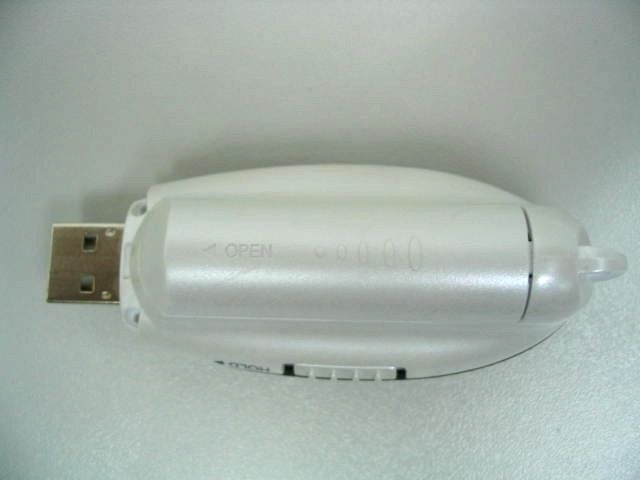
TEC50 INSTRUCTION MANUAL COPYRIGHTLAW You must be aware that distributing copies of MP3/WMA™ files without permission of owner is against copyright law. This product is for personal use only. It is a violation of copyright law to download files without permission of the copyright owner or copying CDs or downloading music for sale or other business purposes. Microsoft, Windows Media and the Windows logos are trademarks or registered trademarks of Microsoft Corporation in the United States and/or other countries. Macintosh and iMac are trademarks of Apple. All other trademarks belong to their respective owner. This manual is copyrighted. All rights reserved. This manual in whole or part may not be copied, reduced, reproduced or translated by any means, including electronic or mechanical without written approval from GPX, Inc. NOTE This device complies with Part 15 of the FCC Rules. Operation is subject to the following two conditions: (1) this device may not cause harmful interference, and (2) this device must accept any interference received, including interference that may cause undesired operation. WARNING WARNING:Risk of electric shock - DO NOT OPEN. To reduce the risk of electric shock, do not disassemble the player. No user-serviceable parts are inside. Refer servicing to qualified personnel. WARNING:Changes or modifications to this unit not expressly approved by the party responsible for compliance could void the user's authority to operate the equipment. NOTE:This equipment has been tested and found to comply with the limits for a Class B digital device, pursuant to Part 15 of the FCC Rules. These limits are designed to provide reasonable protection against harmful interference in a residential installation. This equipment generates, uses, and can radiate radio frequency energy and, if not installed and used in accordance with the instructions, may cause harmful interference to radio communications. However, there is no guarantee that interference will not occur in a particular installation. If this equipment does cause harmful interference to radio or television reception, which can be determined by turning the equipment off and on, the user is encouraged to try to correct the interference by one or more of the following measures: -Reorient or relocate the receiving antenna. -Increase the separation between the equipment and receiver. -Connect the equipment into an outlet on a circuit different from that to which the receiver is connected. -Consult the dealer or an experienced radio/TV technician for help. SYSTEMREQUIREMENTS • Windows98 ® or greater • 16MB RAM or more • USB port TABLE OFCONTENTS Unit Features ...............................1 Installing the Battery....................2 Internal Memory ..........................2 Special Note to Windows98 ® Users ..................3 Downloading Files to the Player....4 Operation.....................................8 Deleting Songs...........................10 Troubleshooting .........................11 1 UNITFEATURESBOTONES DE LAUNIDADBOUTONS DE L’ APPAREIL 2 INSTALLING THEBATTERY (fig. 1) 1. Remove the battery cover and install 1 “AAA” size battery. 2. Replace the battery cover. INTERNALMEMORY 64MB memory will store approximately 64* minutes of MP3 format or 128* minutes of WMA™ format continuous music. * Encode Mode: Stereo/Bitrate: 128kbit/s for MP3 (CD Quality) and 64 kbit/s for WMA™ (CD Quality). 3 (fig. 1) 4 SPECIALNOTE TO WINDOWS98 ® USERS (fig. 2) Windows98 ® users will need to download a TEC50 device driver from our website before downloading files to the unit. The TEC50 device driver, along with instructions for installing the device driver, are available at www.gpx.com. • If you need further assistance, contact us at 314- 621-2881 or email technical support at [email protected] 5 (fig. 2) 6 DOWNLOADINGFILES TO THEPLAYER (fig. 3) 1. Slide the HOLD switch to the OFF position. 2. Press and hold the POWER ON/PLAY/PAUSE button for approximately 2 seconds. • The power indicator will illuminate. 3. Remove the USB cap and plug the unit into your computer’s USB port. • Upon connecting to your computer, the player will be shown as a “removeable disk” in your computer’s browser. 7 (fig. 3) 8 (fig. 4) 4. Use your computer’s browser to locate the desired files to download to the player. • Do not alter the contents of the “system” folder. This folder will normally be hidden from view. • You can also use Windows Media® player to transfer songs. Refer to the help menu in Windows Media® player for more information.
Users Manual
9 (fig. 4) 10 (fig. 5) 5. Drag/drop or copy/paste the desired files to the player (“removeable disk”). • You can play MP3, WMA™ files. • You can also download photos, data, and other files to the player which allows the unit to function as a portable storage/transfer device. • You can add a total of 64 MB to the internal memory (including the hidden “system folder”). 11 (fig. 5) 12 (fig. 6) 6. Disconnect the unit from your computer. • We recommend safely disconnecting any USB device in accordance with your computer’s operating system instructions. In Windows98®/WindowsME®, after copying files to the player, wait approximately 5 seconds before unplugging the unit. In Windows2000®/WindowsXP ®, click the USB icon in your computer’s System Tray and “Stop [the] USB Mass Storage Device”. 7. Replace the USB cap on the unit. 13 (fig. 6) 14 OPERATION (fig. 7) 1. Connect the headphones (included) as shown below. 2. Slide the HOLD switch to the OFF position. 3. If the power is off, press and hold the POWER ON/PLAY/PAUSE button for approximately 2 seconds. • The power indicator will illuminate. 15 (fig. 7) 16 (fig. 8) 4. Press the POWER ON/PLAY/PAUSE button to begin playback. 5. Press the VOLUME +/- buttons to adjust the volume. 6. Press the EQ button repeatedly to select between 5 preset equalizer settings. 7. To power off the player, press and hold the POWER OFF/STOP button for approximately 2 seconds. • Slide the HOLD switch to the ON position to keep the buttons from accidentally being pressed. • You will need to slide the HOLD switch to the OFF position to perform any additional functions. 17 (fig. 8) 18 DELETINGSONGS (fig. 9) 1. Follow steps 1-4 of “Downloading Files to the Player”. 2. Highlight the desired songs to delete in your computer’s browser. 3. Press the “Delete” key on your computer’s keyboard. 4. Follow the steps for safely disconnecting USB devices explained in “Downloading Files to the Player”. • You can also delete a song directly from the player: press and hold the POWER OFF/STOP and POWER ON/PLAY/PAUSE buttons simultaneously while the track is playing. 19 TROUBLESHOOTINGRESOLUCIÓN DEPROBLEMASENCAS DEPROBLÈMES
Block Diagram
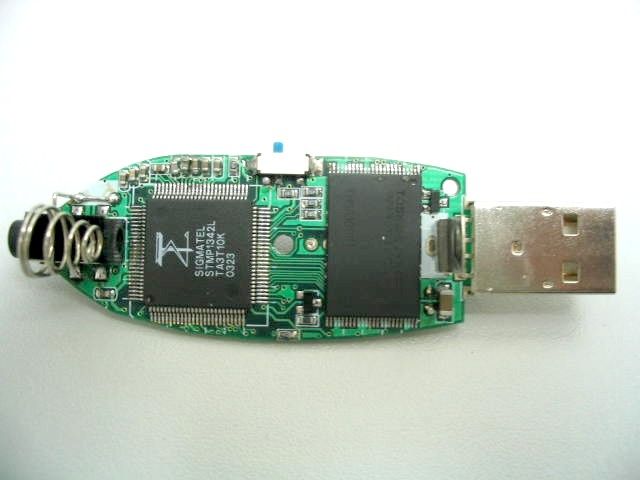
Block Diagram of TEC50 DSP STMP1342 U1 USB Connector Earphone Key Matrix AAA Battery Crystal 24.576MHz Internal Memory U2
Operational Description
Operation Description The Multi-format Digital Audio Player is a standalone multi-function product, built in 64MB memory and has 2 different features: 1. Music Player, supports MP3 and WMA digital music format. 2. USB interface for PC uploading and downloading both data and audio files. (Details see manual) The brief circuit description is listed as follows : 1. U1 is a digital signal processor act as MP3 and WMA decoding, data I/O control, audio output and controlled by a 24.576MHz crystal. 2. U2 and associated circuit act as internal memory for data and audio files storage.
Test Report
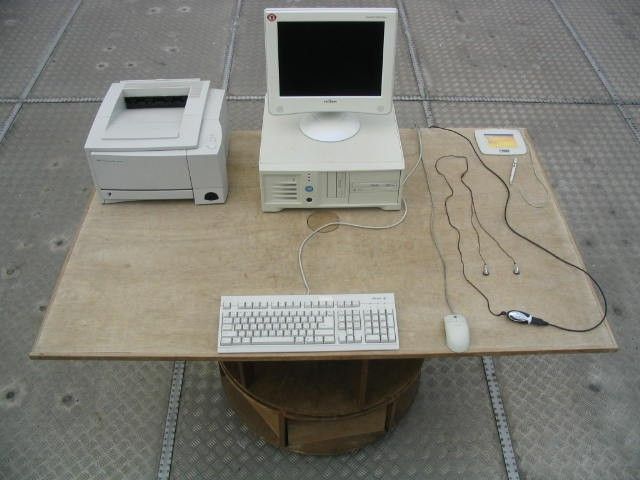
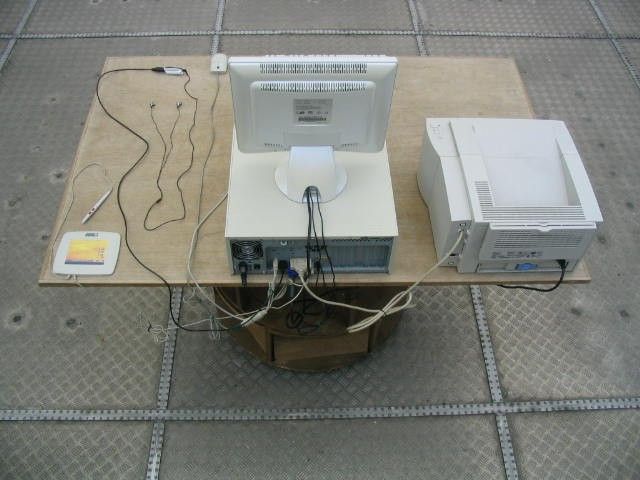
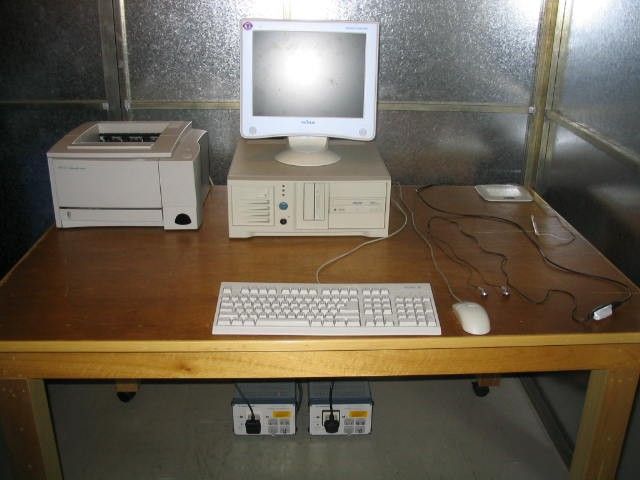
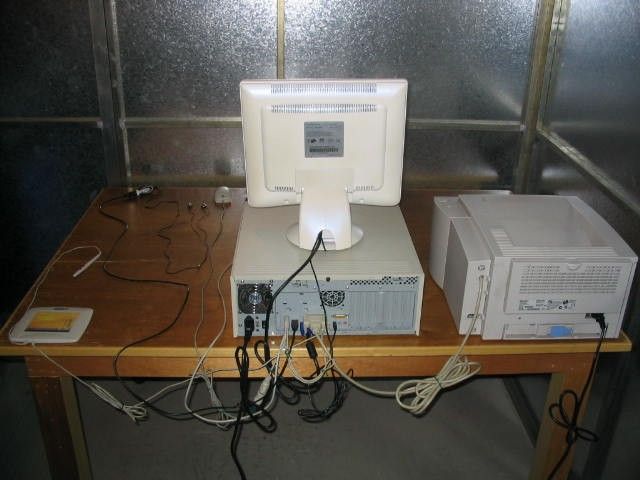
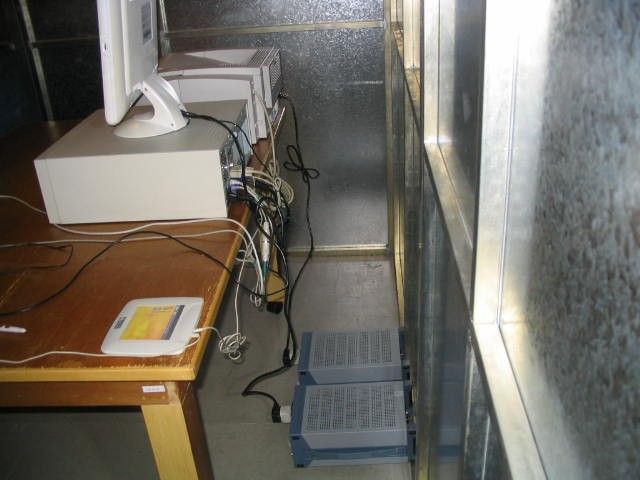
TEST REPORT This document shall not be reproduced either in full or in part except with written approval by the Authorized Representative of CMA Testing. Room 1401-3, Yan Hing Centre, 9-13 Wong Chuk Yeung St.., Fo Tan, Shatin, Hong Kong. Tel: (852) 2698 8198 Fax: (852) 2695 4177 E-mail: [email protected] Web Site: http://www.cmatcl.com Report No. : AD017183-1 Date : 2003 October 09 Applicant : D.P.I. (HK) Ltd. Unit A, 4/F., Big Star Centre, 8 Wang Kwong Road, Kowloon Bay, Kowloon, Hong Kong. Sample Description : One(1) submitted sample stated to be : Model Name : Multi-Format Digital Audio Player Model No. : TEC50 Rating : 1 x 1.5 V AAA size battery Testing Voltage : AC 120 V and 1 x 1.5 V No. of sample(s) : One(1) set *** Date Received : 2003 September 17. Test Period : 2003 September 17 – 2003 October 09. Test Requested : FCC Part 15 Certification Test Method : FCC Rules and Regulations Part 15 – May 2002 ANSI C63.4 – 1992 Test Result : See attached sheet(s) from page 2 to 12. Conclusion : The submitted sample was found to comply with requirement of FCC Part 15 Subpart B. For and on behalf of CMA Testing and Certification Laboratories Authorized Signature : Page 1 of 12 Danny Chui EMC Engineer - EL. Division FCC ID : M2UTEC50 TEST REPORT This document shall not be reproduced either in full or in part except with written approval by the Authorized Representative of CMA Testing. Room 1401-3, Yan Hing Centre, 9-13 Wong Chuk Yeung St.., Fo Tan, Shatin, Hong Kong. Tel: (852) 2698 8198 Fax: (852) 2695 4177 E-mail: [email protected] Web Site: http://www.cmatcl.com Report No. : AD017183-1 Date : 2003 October 09 Table of Contents 1 General Information........................................................................................................................ 3 1.1 General Description.................................................................................................................. 3 1.2 Related Submittal Grants.......................................................................................................... 3 1.3 Location of the test site............................................................................................................. 4 1.4 List of measuring equipment..................................................................................................... 5 1.5 List of support equipment......................................................................................................... 6 2 Description of the radiated emission test.......................................................................................... 7 2.1 Test Procedure......................................................................................................................... 7 2.2 Test Result............................................................................................................................... 7 2.3 Radiated Emission Measurement Data....................................................................................... 8 2.3 Radiated Emission Measurement Data....................................................................................... 9 3 Description of the Line-conducted Test.......................................................................................... 10 3.1 Test Procedure....................................................................................................................... 10 3.2 Test Result............................................................................................................................. 10 3.3 Graph and Table of Conducted Emission Measurement Data.................................................... 10 4 Photograph................................................................................................................................... 11 4.1 Photographs of the Test Setup for Radiated Emission and Conduction Emission........................ 11 4.2 Photographs of the External and Internal Configurations of the EUT......................................... 11 5 Supplementary document............................................................................................................... 11 6 Appendices............................................................................................................................... 12 Page 2 of 12 FCC ID : M2UTEC50 TEST REPORT This document shall not be reproduced either in full or in part except with written approval by the Authorized Representative of CMA Testing. Room 1401-3, Yan Hing Centre, 9-13 Wong Chuk Yeung St.., Fo Tan, Shatin, Hong Kong. Tel: (852) 2698 8198 Fax: (852) 2695 4177 E-mail: [email protected] Web Site: http://www.cmatcl.com Report No. : AD017183-1 Date : 2003 October 09 1 General Information 1.1 General Description The equipment under test (EUT) is a standalone multi-function product. The (EUT) is powered by 1 x 1.5 V AAA size batteries built in 64MB memory and has 2 different features: 1. Music Player, supports MP3 and WMA digital music format. 2. USB interface for PC uploading and downloading both data and audio files. (Details see manual) The brief circuit description is listed as follows : 1. U1 is a digital signal processor act as MP3 and WMA decoding, data I/O control, audio output and controlled by a 24.576MHz crystal. 2. U2 and associated circuit act as internal memory for data and audio files storage. A brief circuit description is saved with file name : OpDes.pdf 1.2 Related Submittal Grants This is a single application for certification of a computer peripheral product. Page 3 of 12 FCC ID : M2UTEC50 TEST REPORT This document shall not be reproduced either in full or in part except with written approval by the Authorized Representative of CMA Testing. Room 1401-3, Yan Hing Centre, 9-13 Wong Chuk Yeung St.., Fo Tan, Shatin, Hong Kong. Tel: (852) 2698 8198 Fax: (852) 2695 4177 E-mail: [email protected] Web Site: http://www.cmatcl.com Report No. : AD017183-1 Date : 2003 October 09 1…
Text truncated - open the document above for the full version.
Contact Information
Test Firm
CMA Industrial Development Foundations LimitedStephen Lam
Technical Specifications
| # | Rule Parts | Frequency Range | Power Output |
|---|---|---|---|
| 1 | 15B | - | - |
Other Applications from DPI (HK) Ltd

M2UFRS-200
Oct 27, 1999FRF - Part 95 Family Radio Face Held Transmitter
Equipment Class
FRF - Part 95 Family Radio Face Held Transmitter