N3ITF3303WWIFI BORESCOPE
Teamforce Company Limited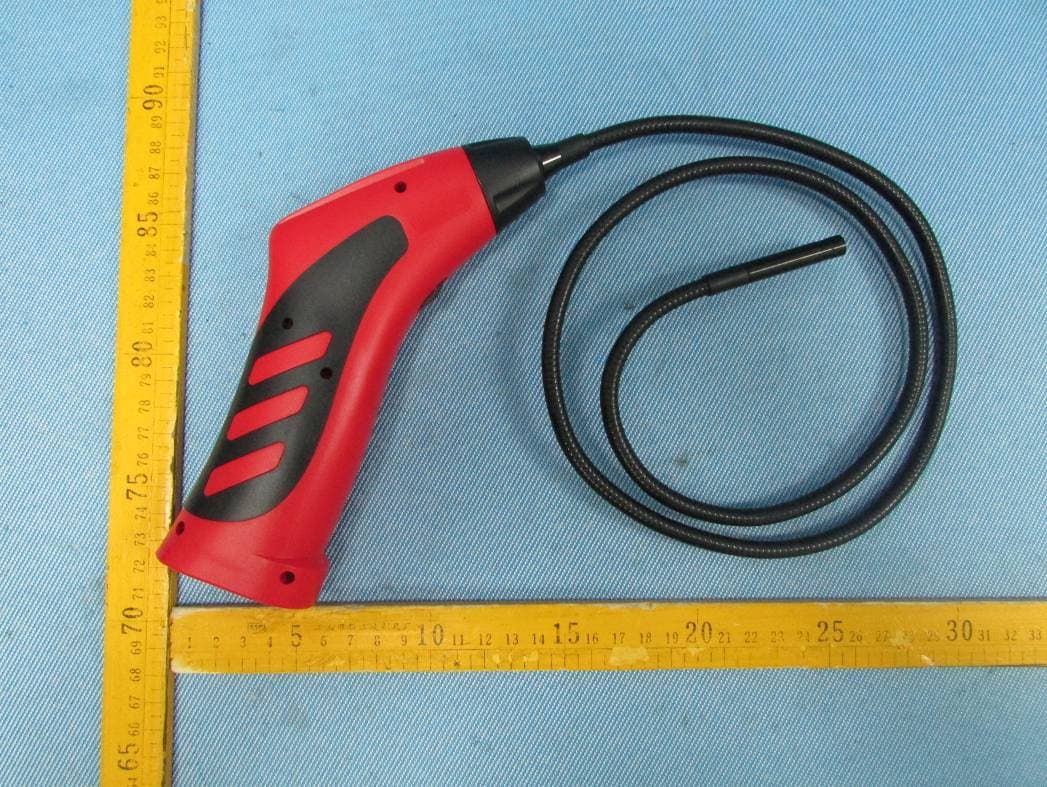
Click to zoom
Application Details
- Equipment Class
- DTS - Digital Transmission System
- Date of Grant
- Nov 18, 2013
- Application Purpose
- Original Equipment
- Date of Application
- Nov 18, 2013
- Equipment Note
- WIFI BORESCOPE
- Frequency Range
- 2412.00000000 - 2462.00000000
- Company
- Teamforce Company Limited
- Country
- Taiwan
Documents & Files
Document Text
Text extracted from the exhibit documents filed with the FCC. Open a document above to read the original.
Users Manual
1 TF3303W WIFI Borescope USER’S MANUAL INTRODUCTION This Wifi iSNAKESCOPE is a unique instrument that can wirelessly stream high-quality video from a camera at the tip of a long probe to the screen of a nearby iPhone® or iPad® or Android™ smartphone or tablet computer. Application Possibility include inspections of hard-to-reach or hard-to-see areas like crowded engine compartments, equipment enclosures or HVAC ductwork. To receive the video, the smartphone or the tablet computer must install and run a free app (”iSNAKESCOPE”), downloadable from the iTunes® App Store., or from the Google Play Store. Soft buttons on each app allow the user to record inspection video clips and take snapshots of the video stream and store them on the iPhone, iPad or Android device. A saved clip or snapshot can be shared immediately by attaching it to a text message, or shared later via e-mail or Skype™. All transfers between iSNAKESCOPE and the iPhone/iPad or Android device are wireless, via an ad hoc WiFi hot spot (without Internet access) generated by the instrument. 2 PRODUCT OVERVIEW Fig. 1 shows the controls, indicators and physical features of the iSNAKESCOPE instrument. Fig. 2 shows the unit’s standard accessories. Familiarize yourself with the names and functions of all components before moving on to the Setup Instructions and Operating Instructions. Fig. 1. iSNAKESCOPE physical features, indicators, controls. 1. WiFi status light: Green light on = No signal , Green light slow flash=signal sent ,but connection failed, Green light quick flash=signal sent and connected, Green and red light on both= low battery 2. Power switch/brightness adjustment thumbwheel, for camera and LEDs 3. Battery room 4. Camera and LEDs 5. Magnetic pickup 6. 45° mirror 7. Pickup hook 3 Fig. 2. iSNAKESCOPE’s standard accessories Installation Please install the batteries before using the product, choose the accessory according to the actual situation. Steps of installation as following : To Install Batteries 1. Remove the cover. (Fig3) 2. Remove battery compartment (Fig4) and insert 4 new AA (1.5 V) batteries into the proper slots in the battery compartment. Proper battery orientation is indicated on the battery compartment. 3. Reinstall battery compartment and battery cover.( Fig5) Fig3 Fig4 Fig5 DOWNLOAD THE APP (APPLE iOS AND ANDROID DEVICES) ¾ To download the free Apple app that enables iSNAKESCOPE (the instrument): First, make sure that your iPhone or iPad is connected to the Internet. Then touch the App Store icon to visit the Apple App Store. Then enter “iSNAKESCOPE” in the Search box. When iSNAKESCOPE’s landing page appears, touch the Free App link at the upper left of the page. You will be prompted to sign in to the iTunes Store using your Apple ID and password. If you do not have an Apple ID, you can create one now. Before downloading the app, you will be shown Apple’s Privacy Policy page. Select the box indicating that “I have read and agree to these terms and conditions.” Then touch Agree. Doing so will return you to the landing page of the iSNAKESCOPE app and begin downloading it. 4 ¾ To download the free Android app that enables iSNAKESCOPE (the instrument): Make sure that your device is connected to the Internet. Go to the Google Play Store and enter “iSNAKESCOPE” in the Search box at the top of the store’s home page. On the APPS screen that appears next, touch the iSNAKESCOPE icon. On the iSNAKESCOPE app’s landing page that appears next, touch the Install button at upper right. On the next screen, touch the “Accept & download” button. While the app downloads, on the following screen check the “Allow automatic updating”box The installation should take less than a minute. Installation is complete when you receive a notification that “iSNAKESCOPE” [has been] “Successfully installed.” To activate the iSNAKESCOPE app and begin displaying inspection video on your Apple iOS or Android device, you must disconnect from the Internet and establish connectivity between your device and iSNAKESCOPE 's ad hoc WiFi network by following the Operating Instructions for your platform in the next section. OPERATING INSTRUCTIONS APPLE iOS PLATFORM VIEWING VIDEO 1. Turn on iSNAKESCOPE by rolling the power switch/brightness adjustment thumbwheel (Fig. 1, Callout 2) to the right until you hear a click. The WiFi status light on top of the unit will glow slow flashing for 30 seconds while iSNAKESCOPE prepares to generate an ad hoc hot spot (without Internet connectivity). 2. When the light turns slow flashing, power on your device and touch the Settings icon (Fig. 6 the top button at the right side)to open your Settings screen(Fig. 7). 3. Touch the WiFi row to enter the WiFi Networks screen. The iSNAKESCOPE hot spot should appear in the list of available networks. Touching the iSNAKESCOPE row connects the instrument to the network, enabling wireless transmission of probe video to a nearby iPhone or iPad running the iSNAKESCOPE app. Be aware that while you are connected to the ad hoc iSNAKESCOPE WiFi network, your iPhone/iPad will not have Internet connectivity. 4. The first time you try to connect to the hot spot, you will be prompted to enter the app’s password (the default password is 12345678). Thereafter, you will not be asked for a password; the iSNAKESCOPE line will already have a check mark. 5. Touch the button on your iPhone/iPad to back out of the Settings screen., choose iSNAKESCOPE and then the WiFi status light on top will glow quick flashing. The connection has been established , and all of the functions can be used now. 5 Fig6 Fig. 7 Fig. 8 6. Let’s go ahead to learn the five soft buttons at the right side of the iSNAKESCOPE app. The second 6 button can turn the image upside down( Fig. 9),and the icon of the button will change(Fig. 10) ,too. Fig. 9 Fig. 10 7.Enabling live video activates you can just touch the button , the button will change(Fig. 11)when you need to stop, you can press button to stop it., Fig. 11 8.To save …
Text truncated - open the document above for the full version.
Cover Letter(s)
Teamforce Company Limited Date: Nov 17, 2013 Federal Communications Commission Authorization and Evaluation Division Confidentiality Request regarding application for certification of FCC ID: N3ITF3303W Pursuant to Sections 0.457 and 0.459 of the Commission’s Rules, we hereby request confidential treatment of information accompanying this application as outlined below: Exhibit Type File Name Schematics SCH.pdf Block Diagram BlockDiagram.pdf Operational Description CircuitDescription.pdf The above materials contain trade secrets and proprietary information not customarily released to the public. The public disclosure of these materials may be harmful to the applicant and provide unjustified benefits to its competitors. The applicant understands that pursuant to Section 0.457 of the Rules, disclosure of this application and all accompanying documentation will not be made before the date of the Grant for this application. Sincerely, Teamforce Company Limited 5FL,No.13 Pao-Kao Road, Hsin Tien District,New Taipei City,Taiwan ............................................................... Signature David.Liu/General Manager .................................................................................... [typed name and title]
Cover Letter(s)
Teamforce Company Limited FCC ID: N3ITF3303W POWER OF ATTORNEY Date: Nov 17,2013 Federal Communications Commission Authorization and Evaluation Division 7435 Oakland Mills Road Columbia, MD 21046 To Whom It May Concern: We, the undersigned, hereby authorize Waltek Services (ShenZhen) Co., Ltd. (Philo Zhong) on our behalf, to apply to the Federal Communications Commission on our equipment. Any and all acts carried out by Waltek Services (ShenZhen) Co., Ltd. (Philo Zhong) on our behalf shall have the same effect as acts of our own. This authorization expires on Nov 16,2014. This is to advise that we are in full compliance with the Anti-Drug Abuse Act. We, Teamforce Company Limited, are not subject to a denial of federal benefits pursuant to Section 5301 of the Anti-Drug Act of 1988, 21 USC853a, and no party to the application is subject to a denial of federal benefits pursuant to that section. Sincerely, Signature: David.Liu / General Manager .................................................................................... [typed name and title] Teamforce Company Limited 5FL,No.13 Pao-Kao Road, Hsin Tien District,New Taipei City,Taiwan
External Photos
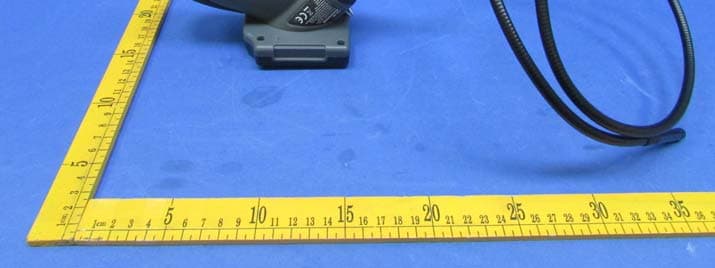
Reference No.: WTN13S1008268E Page 61 of 65 Waltek Services (Shenzhen) Co.,Ltd. http://www.waltek.com.cn 16 Photographs - Constructional Details 16.1 EUT –Appearance View Reference No.: WTN13S1008268E Page 62 of 65 Waltek Services (Shenzhen) Co.,Ltd. http://www.waltek.com.cn
ID Label/Location Info
FCC Label Location for model: TF3303W The Label must not be a stick-on paper. The Label on these products must be permanently affixed to the product and readily visible at the time of purchase and must last the expected lifetime of the equipment not be readily detachable. Model No.:TF3303W FCC ID: N3ITF3303W
ID Label/Location Info
FCC Label Sample for model: TF3303W FCC ID: N3ITF3303W This device complies with Part 15 of the FCC Rules. Operation is subject to the following two conditions: (1) this device may not cause interference, and (2) this device must accept any interference, including interference that may cause undesired operation of the device.
Internal Photos
Reference No.: WTN13S1008268E Page 63 of 66 Waltek Services (Shenzhen) Co.,Ltd. http://www.waltek.com.cn 16.2 EUT- Internal View Reference No.: WTN13S1008268E Page 64 of 66 Waltek Services (Shenzhen) Co.,Ltd. http://www.waltek.com.cn Wifi ANT RF Module Reference No.: WTN13S1008268E Page 65 of 66 Waltek Services (Shenzhen) Co.,Ltd. http://www.waltek.com.cn Reference No.: WTN13S1008268E Page 66 of 66 Waltek Services (Shenzhen) Co.,Ltd. http://www.waltek.com.cn ==End of test report==
Test Report
Reference No.: WTN13S1008268E Page 1 of 66 FCC TEST REPORT Waltek Services (Shenzhen) Co.,Ltd. http://www.waltek.com.cn Reference No. : WTN13S1008268E FCC ID : N3ITF3303W Applicant : Teamforce Company Limited Address : 5FL,No.13 Pao-Kao Road, Hsin Tien District,New Taipei City,Taiwan Manufacturer : The same as above Address : The same as above Equipment Under Test (EUT) : Product Name : WIFI Borescope Model No. : TF3303W Rules : FCC CFR47 Part 15 C Section 15.247:2012 Date of Test : Oct 22~31, 2013 Date of Issue : Nov 15, 2013 Test Result : PASS* Remark: * The sample detailed above has been tested to the requirements of FCC rules mentioned above. The test results have been reviewed against the directives above and found to meet their essential requirements. The results shown in this test report refer only to the sample(s) tested, this test report cannot be reproduced, except in full, without prior written permission of the company. The report would be invalid without specific stamp of test institute and the signatures of compiler and approver. PERPARED BY: Waltek Services (Shenzhen) Co., Ltd. 1/F, Fukangtai Building, West of Baima Road., Songgang Street, Bao’an District, Shenzhen, China Tel: +86-755-83551033 Fax: +86-755-83552400 Compiled by: Approved by: Maikou Zhang / Project Engineer Philo Zhong / Manager Reference No.: WTN13S1008268E Page 2 of 66 Waltek Services (Shenzhen) Co.,Ltd. http://www.waltek.com.cn 2 Test Summary Test Items Test Requirement Result Radiated Emissions 15.205(a) 15.209(a) PASS Conducted Emissions 15.207(a) N/A 6dB Bandwidth 15.247(a)(2) PASS Maximum Peak Output Power 15.247(b)(3),(4) PASS Power Spectral Density 15.247(e) PASS Band Edge 15.247(d) PASS Emissions from out of band 15.247(d) PASS Antenna Requirement 15.203 PASS Maximum Permissible Exposure (Exposure of Humans to RF Fields) 1.1307(b)(1) PASS Reference No.: WTN13S1008268E Page 3 of 66 Waltek Services (Shenzhen) Co.,Ltd. http://www.waltek.com.cn 3 Contents Page 1 COVER PAGE .......................................................................................................................................... 1 2 TEST SUMMARY................................................................................................................................................... 2 3 CONTENTS............................................................................................................................................................. 3 4 GENERAL INFORMATION.................................................................................................................................. 5 4.1 GENERAL DESCRIPTION OF E.U.T.................................................................................................................. 5 4.2 DETAILS OF E.U.T........................................................................................................................................... 5 4.3 TEST MODE..................................................................................................................................................... 5 4.4 TEST FACILITY................................................................................................................................................. 6 4.5 TEST LOCATION............................................................................................................................................... 6 4.6 GENERAL CONDITION...................................................................................................................................... 6 5 EQUIPMENT USED DURING TEST................................................................................................................... 7 5.1 EQUIPMENTS LIST........................................................................................................................................... 7 5.2 MEASUREMENT UNCERTAINTY........................................................................................................................ 7 5.3 TEST EQUIPMENT CALIBRATION..................................................................................................................... 7 6 CONDUCTED EMISSION..................................................................................................................................... 8 7 RADIATED EMISSIONS....................................................................................................................................... 9 7.1 EUT OPERATION :........................................................................................................................................... 9 7.2 TEST SETUP.................................................................................................................................................. 10 7.3 SPECTRUM ANALYZER SETUP...................................................................................................................... 11 7.4 TEST PROCEDURE......................................................................................................................................... 12 7.5 CORRECTED AMPLITUDE & MARGIN CALCULATION..................................................................................... 12 7.6 SUMMARY OF TEST RESULTS....................................................................................................................... 13 8 BAND EDGE MEASUREMENT........................................................................................................................ 25 8.1 TEST PRODUCE............................................................................................................................................. 25 8.2 TEST RESULT................................................................................................................................................ 26 9 6 DB BANDWIDTH MEASUREMENT................................................................................…
Text truncated - open the document above for the full version.
Test Setup Photos
Reference No.: WTN13S1008268E Page 59 of 65 Waltek Services (Shenzhen) Co.,Ltd. http://www.waltek.com.cn 15 Photographs – Test Setup 15.1 Radiated Emission Test frequency below 30MHz Test frequency from 30MHz to 1GHz Reference No.: WTN13S1008268E Page 60 of 65 Waltek Services (Shenzhen) Co.,Ltd. http://www.waltek.com.cn Test frequency above 1GHz
Contact Information
Applicant
David Liu(President)
Test Firm
Waltek Services(Shenzhen) Co., Ltd.Philo zhong
Technical Specifications
| # | Rule Parts | Frequency Range | Power Output |
|---|---|---|---|
| 1 | 15C | 2.41 GHz - 2.46 GHz | 9.35 mW |
Other Applications from Teamforce Company Limited
N3ITS03
Dec 28, 2015TOOLSMART VIDEO INAPECTION CAMERA
Equipment Class
DTS - Digital Transmission System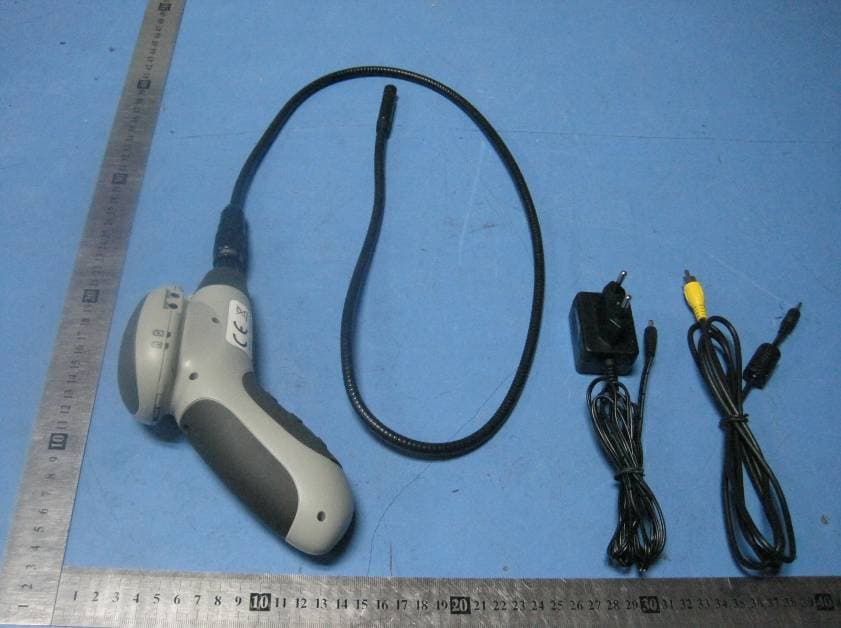
N3ITF3003WX
Jul 02, 2012WIFI BORESCOPE
Equipment Class
DTS - Digital Transmission System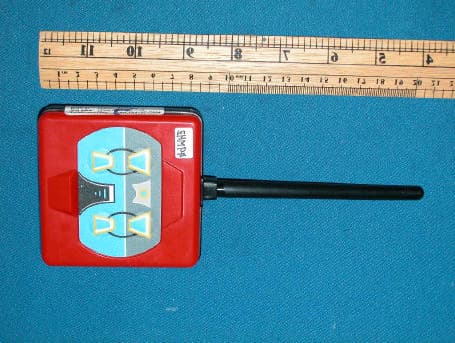
N3ITF2401TX
Feb 24, 2004RC Toy
Equipment Class
DXX - Part 15 Low Power Communication Device Transmitter