NC8KX-TC1461900 MHz Cordless Phone
CCT Tech Advanced Products Limited
Click to zoom
Application Details
- Equipment Class
- DXX - Part 15 Low Power Communication Device Transmitter
- Date of Grant
- Dec 05, 2001
- Application Purpose
- Original Equipment
- Date of Application
- Dec 05, 2001
- Equipment Note
- 900 MHz Cordless Phone
- Frequency Range
- 925.90000000 - 927.85000000
- Country
- Hong Kong
Documents & Files
Document Text
Text extracted from the exhibit documents filed with the FCC. Open a document above to read the original.
Users Manual
900MHz Cordless Phone Model No.KX-TC1460B KX-TC1460W/KX-TC1461B Pulse-or-tone dialing capability Operating Instructions PLEASE READ BEFORE USE AND SAVE. PQQX13231ZAF1001-0D 1 Getting Started 2 Making/Answering Calls 3 Speed Dialer 4 Special Features 5 Things You Should Know 6 Referencia rápida Contents by Section Charge the battery for 15 hours before initial use. KX-TC1461B n 6 e ar RAM). rtátil. moria. . )o a (9)) For your future reference Serial No.Date of purchase (found on the bottom of the unit) Name and address of dealer For product service ≥Call 1-800-211-PANA(7262) or 1-800-833-9626 for the location of an authorized servicenter. ≥Panasonic’s e-mail address for customer inquiries: [email protected] for customers in the USA or Puerto Rico ONLY When you ship the product ≥Carefully pack your unit, preferably in the original carton. ≥Attach a letter, detailing the symptom, to the outside of the carton. Symptom ≥Send the unit to an authorized servicenter, prepaid and adequately insured. ≥Do not send your unit to the Panasonic Consumer Electronics Company listed below or to executive or regional sales offices. These locations do not repair consumer products. Panasonic Consumer Electronics Company, Division of Matsushita Electric Corporation of America One Panasonic Way, Secaucus, New Jersey 07094 Panasonic Sales Company, Division of Matsushita Electric of Puerto Rico, Inc. Ave. 65 de Infantería, Km. 9.5, San Gabriel Industrial Park Carolina, Puerto Rico 00985 Attach your purchase receipt here. Panasonic World Wide Web address: http://www.panasonic.com for customers in the USA or Puerto Rico PQQX13231ZA 01.11.13 2:33 PM y[W 14 Getting StartedSection 11 1-A Accessories1-B Location of Controls 1-C Settings ∑AC Adaptor . . . . . . . . . . . . . . . . one ∑Order No. PQWATC1461M ∑Telephone Line Cord . . . . . . . . . one ∑Battery . . . . . . . . . . . . . . . . . . . . one ∑Order No. P-P504 ∑Handset Cover . . . . . . . . . . . . . . one ∑Order No. PQYNTC1460W (White) PQYNTC1461B (Black) ≥For extra orders, call 1-800-332-5368. 3 Charge the battery for 15 hours. ≥See section 5-A for more details. ≥The IN USE/CHARGE indicator lights. HandsetBase unit ≥USE ONLY WITH Panasonic AC ADAPTOR PQWATC1461M (Order No. PQWATC1461M). ≥The AC adaptor must remain connected at all times. (It is normal for the adaptor to feel warm during use.) ≥To connect a standard telephone on the same line, see section 5-E. OR IN USE/CHARGE Indicator To select the dialing mode TONE (preset) or PULSE You can program the dialing mode using the handset near the base unit. The IN USE indicator light must be off before programming. (#)(PULSE) Press (AUTO/PROGRAM)¤ ($)¤OR¤ (AUTO/PROGRAM). ($)(TONE) ≥To cancel during programming, press (OFF). Start again from the beginning. STOP 1 Connect as shown. Power Outlet (AC 120 V, 60 Hz) AC Adaptor Telephone Line Cord Single-Line Telephone Jack (RJ11C) Raise the antenna. Fasten the AC adaptor cord. Hook Charge Contacts (5-A) IN USE/CHARGE Indicator (1-C, 4-E) (HANDSET\LOCATOR) Button (4-E) Antenna (1-C) Hook (5-C) CORDLESS z 900 M H IN USE Indicator (2-A, 5-A) Antenna (PAUSE/REDIAL) Button (2-A, 4-D) Charge Contacts (5-A) (–––/FLASH) Button (2-A, 4-A) (AUTO/PROGRAM) Button (1-C, 3-A) (LOUD) Button (2-A) (OFF) Button (1-C, 2-A) RINGER Selector (2-B) (TONE) Button (4-C) (CH) (Channel) Button (2-A) 2 Install the battery in the handset and close the handset cover, locking it into place. ≥Please do not put off the tape from the battery. Red Lead Black Lead For assistance, please call: 1-800-211-PANA(7262) PQQX13231ZA 01.11.13 2:34 PM y[W 1 3Speed DialerSection 3 n 1 SE se g. M). IN USE Indicator (OFF) (–– –/FLASH) Memory Station Numbers (AUTO/PROGRAM) (PAUSE/REDIAL) 2Making /Answering CallsSection 2 2-A Making Calls 2-B Answering Calls ≥For best operating performance, see section 5-B. (CH) RINGER Selector IN USE Indicator (OFF) (PAUSE/REDIAL) (LOUD) (–– –/FLASH) 1 Press . ≥The IN USE indicator lights. ≥If an alarm tone sounds, see section 5-F. 2 Dial a phone number. 3 To hang up, press (OFF)or place the handset on the base unit. ≥The indicator light goes out. (–––/FLASH) Lift the handset off the base unit and press . ≥You can also answer a call by pressing any button except (OFF)(—Any Key Talk). (–––/FLASH) Selecting the ringer volume Set the RINGER selector to ON or OFF. ≥When set to OFF, the unit will not ring. To redial the last number dialed Press ¤(PAUSE/REDIAL). To select the receiver volume 4 levels (HIGH, MEDIUM, NORMAL, LOW) are available. Press (LOUD)while talking. ≥Each time you press (LOUD), the volume level will change. If noise interferes with the conversation Press (CH)to select a clearer channel or move closer to the base unit. (–––/FLASH) You can store up to 10 phone numbers in the handset. The dialing buttons ( (0)to (9)) function as memory stations. The IN USE indicator light must be off before programming. 1 Press (AUTO/PROGRAM). ≥The IN USE indicator flashes. 2 Press a memory station number ((0)to(9)). 3 Enter a phone number up to 16 digits. 4 Press (AUTO/PROGRAM). ≥A beep sounds. ≥To store other numbers, repeat steps 1 through 4. If you misdial Press(OFF)to end storing. ¤Start again from step 1. To erase a stored number Press (AUTO/PROGRAM)¤the memory station number ( (0)to (9)) for the phone number to be erased ¤ (AUTO/PROGRAM). ≥A beep sounds. Press ¤(AUTO/PROGRAM)¤ ¤the memory station number ( (0)to (9)). (–––/FLASH) 3-A Storing Phone Numbers in Memory 3-B Dialing a Stored Number ≥If a pause is required for dialing, press (PAUSE/REDIAL)where needed. Pressing (PAUSE/REDIAL)counts as one digit (4-D). For assistance, please call: 1-800-211-PANA(7262) ≥If additional dialing is necessary after using speed dialing functions such as AUTO (3-B) or REDIAL, wait until speed dialing is finished to continue further dialing. Otherwise, the unit may not dial properly. PQQX13231ZA 01.11.13 2:35 PM y[W 3 n 3 n 2 will M)¤ (9)). r 4-B Automatic Security Code Setting Each tim…
Text truncated - open the document above for the full version.
Block Diagram
TC1461bbd.sch-1 - Wed Nov 21 21:34:58 2001 TC1461hbd.sch-1 - Wed Nov 21 21:36:45 2001
Cover Letter(s)
– 4 – When programming emergency numbers and/or making test calls to emergency numbers: 1. Remain on the line and briefly explain to the dispatcher the reason for the call before hanging up. 2. Perform such activities in the off-peak hours, such as early morning hours or late evenings. This device complies with Part 15 of the FCC Rules. Operation is subject to the following two conditions: (1) This device may not cause harmful interference, and (2) this device must accept any interference received, including interference that may cause undesired operation. Privacy of communications may not be ensured when using this phone. CAUTION: Any changes or modifications not expressly approved by the party responsible for compliance could void the user’s authority to operate this device. Note: This equipment has been tested and found to comply with the limits for a Class B digital device, pursuant to Part 15 of the FCC Rules. These limits are designed to provide reasonable protection against harmful interference in a residential installation. This equipment generates, uses, and can radiate radio frequency energy and, if not installed and used in accordance with the instructions, may cause harmful interference to radio communications. However, there is no guarantee that interference will not occur in a particular installation. If this equipment does cause harmful interference to radio or television reception, which can be determined by turning the equipment off and on, the user is encouraged to try to correct the interference by one or more of the following measures: —Reorient or relocate the receiving antenna. —Increase the separation between the equipment and receiver. —Connect the equipment into an outlet on a circuit different from that to which the receiver is connected. —Consult the dealer or an experienced radio/TV technician for help. Some cordless telephones operate at frequencies that may cause interference to nearby TVs and VCRs. To minimize or prevent such interference, the base of the cordless telephone should not be placed near, or on top of, a TV or VCR. If interference is experienced, move the cordless telephone further away from the TV or VCR. This will often reduce, or eliminate, interference. PQQW12108ZA F1001-0 D
External Photos
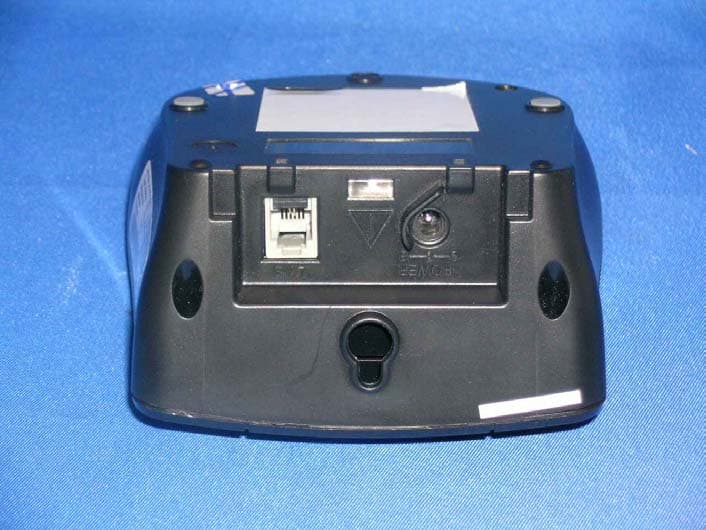
External photos FCC ID: NC8KX-TC1461 External photos FCC ID: NC8KX-TC1461
ID Label/Location Info
ENGRAVE K X - T C 1 4 6 1 B ENGRAVE S E R I A L N O . LABEL B/U NAME B/U FCC LABEL BLANK LABEL A4 SHEET 1 X X G X X X X X X X B/U REAR SIDE ENGRAVE P a n a s o n i c PP aa nn aa ss oo nn ii cc LABEL NAME H/S
Internal Photos
Internal photosFCC ID: NC8KX-TC1461 Base assembly Base Main PCB comp s ide Internal photosFCC ID: NC8KX-TC1461 Base Main PCB solder side Base Oscillator PCB co mp side Internal photosFCC ID: NC8KX-TC1461 Base Oscillator PCB so lde r side Internal photosFCC ID: NC8KX-TC1461 Ha ndse t asse mbly Ha ndse t Main PCB co mp s ide Internal photosFCC ID: NC8KX-TC1461 Handset Main PCB keypad side Ha ndse t Oscillato r PCB co mp s ide Internal photosFCC ID: NC8KX-TC1461 Ha ndse t Oscillato r PCB solde r side
Operational Description
1. Frequency Allocation Tables 1. Base Unit Frequencies Channel spacing: +/-50KHz Channel # Transmit Frequency (MHz) Receive Frequency (MHz) Rx Lo Frequency (MHz) 1 902.1 925.9 936.6 2 902.15 925.95 936.65 3 902.2 926 936.7 4 902.25 926.05 936.75 5 902.3 926.1 936.8 6 902.35 926.15 936.85 7 902.4 926.2 936.9 8 902.45 926.25 936.95 9 902.5 926.3 937 10 902.55 926.35 937.05 11 902.6 926.4 937.1 12 902.65 926.45 937.15 13 902.7 926.5 937.2 14 902.75 926.55 937.25 15 902.8 926.6 937.3 16 902.85 926.65 937.35 17 902.9 926.7 937.4 18 902.95 926.75 937.45 19 903 926.8 937.5 20 903.05 926.85 937.55 21 903.1 926.9 937.6 22 903.15 926.95 937.65 23 903.2 927 937.7 24 903.25 927.05 937.75 25 903.3 927.1 937.8 26 903.35 927.15 937.85 27 903.4 927.2 937.9 28 903.45 927.25 937.95 29 903.5 927.3 938 30 903.55 927.35 938.05 31 903.6 927.4 938.1 32 903.65 927.45 938.15 33 903.7 927.5 938.2 34 903.75 927.55 938.25 35 903.8 927.6 938.3 36 903.85 927.65 938.35 37 903.9 927.7 938.4 38 903.95 927.75 938.45 39 904 927.8 938.5 40 904.05 927.85 938.55 2. Handset Frequencies Channel # Transmit Frequency (MHz) Receive Frequency (MHz) Rx Lo Frequency (MHz) 1 925.9 902.1 891.4 2 925.95 902.15 891.45 3 926 902.2 891.5 4 926.05 902.25 891.55 5 926.1 902.3 891.6 6 926.15 902.35 891.65 7 926.2 902.4 891.7 8 926.25 902.45 891.75 9 926.3 902.5 891.8 10 926.35 902.55 891.85 11 926.4 902.6 891.9 12 926.45 902.65 891.95 13 926.5 902.7 892 14 926.55 902.75 892.05 15 926.6 902.8 892.1 16 926.65 902.85 892.15 17 926.7 902.9 892.2 18 926.75 902.95 892.25 19 926.8 903 892.3 20 926.85 903.05 892.35 21 926.9 903.1 892.4 22 926.95 903.15 892.45 23 927 903.2 892.5 24 927.05 903.25 892.55 25 927.1 903.3 892.6 26 927.15 903.35 892.65 27 927.2 903.4 892.7 28 927.25 903.45 892.75 29 927.3 903.5 892.8 30 927.35 903.55 892.85 31 927.4 903.6 892.9 32 927.45 903.65 892.95 33 927.5 903.7 893 34 927.55 903.75 893.05 35 927.6 903.8 893.1 36 927.65 903.85 893.15 37 927.7 903.9 893.2 38 927.75 903.95 893.25 39 927.8 904 893.3 40 927.85 904.05 893.35
Schematics
TC1461MB_GA2_KME.sch-1 - Wed Nov 21 21:39:38 2001 TC1461KB_GA2_KME.sch-1 - Wed Nov 21 21:38:15 2001
Test Setup Photos
The Worst Case Configuration Photographs FCC ID: NC8KX-TC1461 Radiated Emission – Base Front View Re ar Vie w The Worst Case Configuration Photographs FCC ID: NC8KX-TC1461 Radiated Emission – Handset Front View Re ar Vie w The Worst Case Configuration Photographs FCC ID: NC8KX-TC1461 Conducted Emission Front View Re ar Vie w The Worst Case Configuration Photographs FCC ID: NC8KX-TC1461 Conducted Emission Side View
Contact Information
Applicant
Ronilo Paredes(Senior Approval Engineer)
Technical Contact
Bay Area Compliance LaboratoryJohn Chan
[email protected](408) 732 9162
230 Commercial Street · Sunnyvale, California · United States
Non-Technical Contact
Bay Area Compliance LaboratoryRita Cai
[email protected](408) 732 9162
Test Firm
Bay Area Compliance LaboratoryJohn Chan
Technical Specifications
| # | Rule Parts | Frequency Range | Power Output |
|---|---|---|---|
| 2 | 15C | 925.9 MHz - 927.85 MHz | - |
Other Applications from CCT Tech Advanced Products Limited
NC8P9122G
May 16, 2007900MHz 40Ch Analog Modulation Cordless Phonew/CID
Equipment Class
DXT - Part 15 Low Power Transceiver, Rx Verified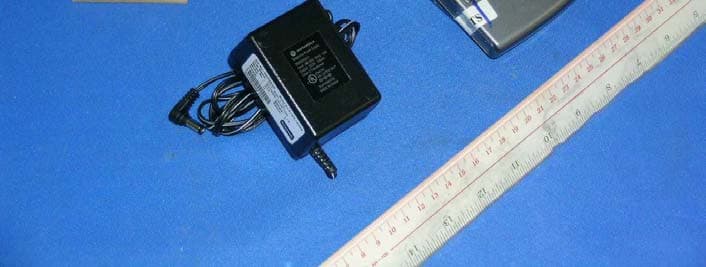
NC8SD7505
Sep 12, 20065.8GHz FHSS CellDock w/ Bluetooth
Equipment Class
DXT - Part 15 Low Power Transceiver, Rx Verified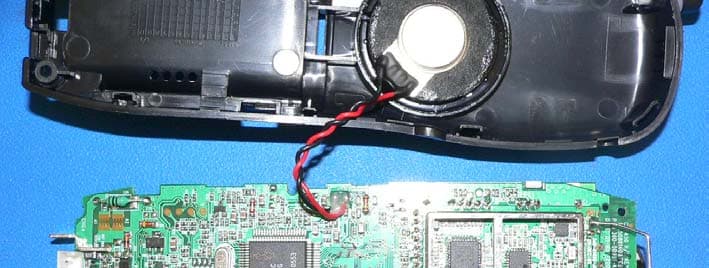
NC8CT5450
Aug 14, 20065.8GHz Cordless Phone
Equipment Class
DSS - Part 15 Spread Spectrum Transmitter
NC8MD2400
Jun 11, 20062.4Gz Cordless Phone
Equipment Class
DSS - Part 15 Spread Spectrum Transmitter
NC8KX-TG2120
May 24, 20062.4GHz/900MHz Analog Cordless phone w/ CID (Base)
Equipment Class
DXT - Part 15 Low Power Transceiver, Rx Verified