NC8SD45812.4GHz FHSS Cordless Phone w/ CID
CCT Tech Advanced Products Limited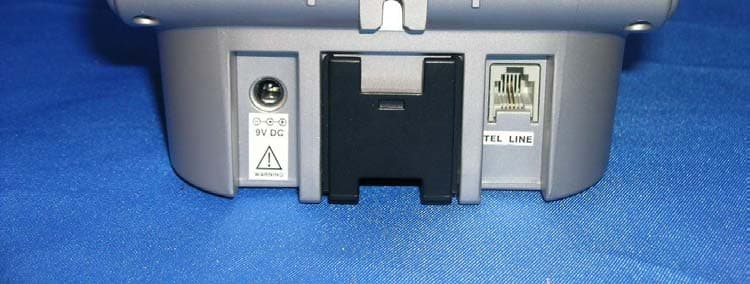
Click to zoom
Application Details
- Equipment Class
- DSS - Part 15 Spread Spectrum Transmitter
- Date of Grant
- Mar 29, 2005
- Application Purpose
- Original Equipment
- Date of Application
- Mar 29, 2005
- Equipment Note
- 2.4GHz FHSS Cordless Phone w/ CID
- Frequency Range
- 2401.80800000 - 2478.50900000
- Country
- Hong Kong
Documents & Files
Document Text
Text extracted from the exhibit documents filed with the FCC. Open a document above to read the original.
Users Manual
55 • Inform you of your right to bring a complain t to the Commission pursuant to procedures set forth in Subpart E of Part 68, FCC Rules and Regulations. The telephone company may make changes in its facilities, equipment, operations, or procedures that could affect the operation of the equipment. If this happens, the telephone company will provide advance notice in order for you to make necessary modifications to maintain uninterrupted service.Interference InformationThis device complies with Part 15 of the FCC Ru les. Operation is subject to the following two conditions:This device may not cause harmful interference.This device must accept any interference received, including interference that may cause undesired operation.This equipment has been tested and found to comply with the limits for a Class B digital device, pursuant to Part 15 of the FCC Rules. These limits are designed to provide reasonable protection against harmful inte rference in a residential installation. This equipment generates, uses, and can radiate radio frequency energy and, if not installed and used in accordance with the instructions, may cause harmful interference to radio communications. However, there is no guaran tee that interference will not occur in a particular installation. SD4580English.book Page 55 Tuesday, January 25, 2005 7:34 PM 56 If this equipment does cause harmful interferen ce to radio or television reception, which can be determined by turning the equipment on and off, the user is encouraged to try to correct the interference with one or more of the following measures: • Reorient or relocate the receiving antenna (tha t is, the antenna for the radio or television that is "receiving" the interference). • Reorient or relocate and increase the separation between the telecommunications equipment and the receiving antenna. Connect the telecommunications equipment into an outlet on a circuit different from that to which the receiving antenna is connected. If these measures do not elim inate the interference, please consult your dealer or an experienced radio/television technician for additional suggestions. Also, the Federal Communications Commission has prepared a helpful booklet, "How to Identify and Resolve Radio/TV Interference Problems." This bookle t is available from the U.S. Government Printing Office, Washington, D.C. 20402. Please specify stock number 004-000-00345-4 when ordering copies. The FCC requires this product to be serviced only by Motorola or its authorized service agents. CAUTION / WARNING : Changes or modifications not expressly approved by Motorola could void not only the user's authority to operate the equipment, but also the limited warranty.Hearing Aid CompatibilityThis telephone system meets the FCC standards for hearing aid compatibility. SD4580English.book Page 56 Tuesday, January 25, 2005 7:34 PM
Users Manual
For a large-print version of this gui de, or for product-related questions, please contact: • 1-800-353-2729 U.S.A. • 1-800-461-4575 Canada • 1-888-390-6456 TTY (Text Telephone) Or visit us online at www.motorola.com/cordless Copyright © 2005 Motorola, Inc.All rights reserved. No part of this publication may be reproduced in any form or by any means or used to make any derivative work (such as translation, trans formation or adaptation) without written permission from Motorola, Inc.Motorola reserves the right to revise this publicati on and to make changes in content from time to time without obligation on the part of Motorola to provide notification of such revision or change. Motorola provides this guide without warranty of any kind, either implied or expressed, including but not limited to, the implied warranties of merchantability and fitness for a particular purpose. Motorola may make improvements or changes in the product(s) desc ribed in this manual at any time. MOTOROLA and the Stylized M Logo are registered in the U.S. Patent and Trademark Office. All other product or service names are the property of their respective owners. SD4580English.book Page ii Tuesday, January 25, 2005 7:34 PM i Welcome WelcomeCongratulations on your purchase of a Motorola SD4580 series telephone. Take a moment to ensure that your purchase includes each of the items pictured. Product registration is an important step toward enjoying your new Motorola product. Registering helps us facilitate warranty service, and permits us to contact you should your Motorola product require an update or other service. Registration is not required for warranty coverage. To register your product online, visit: www.motorola.com/warranty/cordless Please retain your original dated sales receipt for your records. For warranty service of your Motorola Product, you will need to provide a copy of your dated sales receipt to confirm warranty status. SD4580English.book Page i Tuesday, January 25, 2005 7:34 PM ii Handset Overview1 Volume Controls 2 LCD Display 3 Left and Right Soft Keys 4 Up and Down Scroll 5 Phone On/Switch Lines 6 Redial list of the last 5 numbers dialed 7 Switch from upper to lower case letters 8 Use handset as intercom 9 Microphone 10 Connect to other registered devices 11 Removes Last Number Entered/Entries in Phonebook/Caller ID List 12 End Call/Cancel Function 13 Headset/Earphone Jack 14 Handset Antenna, Ringer and Voicemail Message Indicator 124356897 14 13111210 SD4580English.book Page ii Tuesday, January 25, 2005 7:34 PM iii Welcome Base UnitSoft KeysThe left and right soft keys perform the function displayed. For example, pressing the left soft key while PHONEBK is displayed, opens your list of phone numbers and names. Speakerphone Left soft key Redial Deletes: Last Number entered/Entries in Phonebook/Caller ID List Phone On/ Switch lines End call/Cancel functionScroll up ordown on displayRightsoft key Handsfree Connects devices Volume Record a memo Page Handsets Skip backwards Delete message Skip forwards Play/Stop message SD4580English.book Page iii Tuesday, January 25, 2005 7:34 PM iv Table of ContentsWelcome . . . . . . . . . . . . . . . . . . . . . . . . . . . . . . . . . . i Handset Overview . . . . . . . . . . . . . . . . . . . . . . . . .iiBase Unit . . . . . . . . . . . . . . . . . . . . . . . . . . . . . . . iii Soft Keys . . . . . . . . . . . . . . . . . . . . . . . . . . . . . . iii Important Safety Instructions . . . . . . . . . . . . . . . . xi Getting Started . . . . . . . . . . . . . . . . . . . . . . . . . . . . 1 Battery Safety Instructions . . . . . . . . . . . . . . . . . . 1Installing the Batteries . . . . . . . . . . . . . . . . . . 2Installing the Base Unit . . . . . . . . . . . . . . . . . 4 Removing the Wall Mount Bracket . . . . . . . . . . 4Setting Up Your Phone . . . . . . . . . . . . . . . . . . . 5Removing the Wall Mount and Base Unit . . . . . 6Removing the Base Unit from the Wall Bracket 6 Handset Overview . . . . . . . . . . . . . . . . . . . . . . . . 7 Standby Screen Information . . . . . . . . . . . . . . . 7 SD4580English.book Page iv Tuesday, January 25, 2005 7:34 PM v Using the Soft Keys . . . . . . . . . . . . . . . . . . . . . . . . 8Using the Navigation Keys . . . . . . . . . . . . . . . . . . . 8 Setting Up . . . . . . . . . . . . . . . . . . . . . . . . . . . . . . . . . 9 Registering Your Handset . . . . . . . . . . . . . . . . . . . 9Deregistering a Handset . . . . . . . . . . . . . . . 10Personalizing Your Handset . . . . . . . . . . . . 11 Ringer Options . . . . . . . . . . . . . . . . . . . . . . . . . 11 Setting the Ring Tone and Ring Volume . . . . . . . 12Setting Key Beeps On or Off . . . . . . . . . . . . . . . . 13Naming a Handset or Base Station . . . . . . . . . . . 14 Setting Date and Time . . . . . . . . . . . . . . . . 16Setting the Language Option . . . . . . . . . . . 17Setting Touch Tone or Pulse Dialing . . . . . . . . . . 18 Using Your SD4580. . . . . . . . . . . . . . . . . . . . . . . . . 19 Making a Call from the Handset or Base Unit . . . 19Answering/Ending a Call . . . . . . . . . . . . . . . . . . . 20 SD4580English.book Page v Tuesday, January 25, 2005 7:34 PM vi Adjusting the Volume During a Call . . . . . . . . . . 20Making a Call Using the Speakerphone . . . . . . . 21Switching Between the Handset and Speakerphone 21Muting a Call . . . . . . . . . . . . . . . . . . . . . . . . . . . . 21Placing a Call on Hold . . . . . . . . . . . . . . . . . . . . 22Redialing a Number . . . . . . . . . . . . . . . . . . . . . . 22Finding a Lost or Misplaced Handset . . . . . . . . . 23 SD4580English.book Page vi Tuesday, January 25, 2005 7:34 PM vii Saving a Number in the Phonebook . . . . . . . . . . 24 Private Phonebooks . . . . . . . . . . . . . . . . . . . . . 24Shared Phonebooks . . . . . . . . . . . . . . . . . . . . . 25Adding a New Entry . . . . . . . . . . . . . . . . . . . . . 25Adding Numbers to the Phonebook from Redial 26Sorting the P…
Text truncated - open the document above for the full version.
Users Manual
12 Setting the Ring Tone and Ring Volume1 Press Menu . 2 Scroll to Ringer . 3 Press Select . 4 Scroll through list of options. (Day Volume, Night Volume, Ringer Tone, etc.) 5 Select desired option. 6 Press Change . Each tone/volume plays as you press Change . 7 Stop at desired tone/volume to set. 8 Press Done . 9 Press Exit to return to Standby Screen or press scroll keys to view different menu options. RINGER SUBMENU OPTIONS Day Volume : Ringer volume from 6:00 AM to 9:00 PM (off, low, medium, high) Night Volume : Ringer volume from 9:00 PM to 6:00 AM (off, low, medium, high) Ringer Tone : 24 ring tones Phonebook Tone : 24 ring tones Key Beeps : On, O ff, Link to Ringer SD4580English.book Page 12 Tuesday, January 25, 2005 7:34 PM 13 Setting Up Setting Key Beeps On or Off1 Press Menu . 2 Scroll to Ringer . 3 Press Select . 4 Scroll to Key beeps . 5 Press Change to view options. ( Off, On, Link to Ringer ) Stop at the desired option. 6 Press Done to save changes. 7 Press Exit to return to Standby Screen. SD4580English.book Page 13 Tuesday, January 25, 2005 7:34 PM 14 Naming a Handset or Base StationWhen you register a handset , it is assigned a default name of Handsets(X) . The X represent the list of devices registered to the base unit. (e.g., Handset(1), Camera(2) , etc.) The number assigned at registration remains part of the name (e.g., Handset(1) ). 1 Press Menu. 2 Scroll to Namehandset . 3 Press SELECT . 4 Enter new name using keypad (up to12 characters). The flashing underline shows cursor position. Use DELETE to backspace and erase characters to left of cursor. SD4580English.book Page 14 Tuesday, January 25, 2005 7:34 PM 15 Setting Up The chart below shows how many times to press each button on the handset to enter letters and special characters (e.g., Press 7 three times to enter R). Use the up and down scroll keys to backspace to make corrections. Note: To shift from upper to lower case letters, press * . Button Number of Presses 1 2 3 4 5 1 space – * , 1 2 ABC ( 23DEF ) 34GH I # 45JKL / 56MNO ‘ 67PQRS78TUV?89WXY Z 9 SD4580English.book Page 15 Tuesday, January 25, 2005 7:34 PM 16 Setting Date and TimeIf you subscribe to Caller ID service, the date and time set automatically with the next incoming call. Use the following steps to manually set the date and time.1 Press Menu . 2 Scroll to Date/Time . 3 Press Select . 4 Enter the time. (2 digits required for both hour and minutes, use leading 0 for 1-digit values) 5 Press AM/PM to set AM or PM mode. (Only for 12-hour clock user) 6 Scroll to the next field. 7 Press Change to switch time format (12 or 24 hour clock). SD4580English.book Page 16 Tuesday, January 25, 2005 7:34 PM 17 Setting Up 8 Scroll to next field. 9 Press Change to select date format (MM/DD, DD/MM) 10 Scroll to next field. 11 Enter the current date. 12 Press Done . 13 Press Exit to return to Standby Screen. Setting the Language Option1 Press Menu . 2 Scroll to Language . 3 Press Select . 4 Press Change until desired language is listed. 5 Press Done . 6 Press Exit to return to the Standby Screen. SD4580English.book Page 17 Tuesday, January 25, 2005 7:34 PM 18 Setting Touch Tone or Pulse DialingYour phone is set for touch tone dialing. Do not change the setting unless touch tone service is not available in your area.1 Press Menu . 2 Scroll to Tone/Pulse. 3 Press Select. 4 Press Change to switch between Tone and Pulse. 5 Press Done . 6 Press Exit to return to the Standby Screen. SD4580English.book Page 18 Tuesday, January 25, 2005 7:34 PM 19 Using Your SD4580 Using Your SD4580Making a Call from the Handset or Base UnitPress . When you hear the dial tone, dial the number.OREnter the phone number, then press . The phone number appears on the display before it is dialed. Use the DELETE to make corrections. During a call, a timer on the display shows the amount of time on the call. SD4580English.book Page 19 Tuesday, January 25, 2005 7:34 PM 20 Answering/Ending a CallPress to answer an incoming call. Press ON or Handsfree to answer using the speakerphone.If you have call waiting service, press to answer the second call. Press to end the call. ORPlace the handset on the base unit end the call.Adjusting the Volume During a CallPress the top button to make caller’s voice louder, and the bottom button to ma ke voice softer. When you are not on a call, use the volume keys to change the day (6 am–9 pm) or night (9 pm–6 am) ringer volume. Audio volume up Audio volume down SD4580English.book Page 20 Tuesday, January 25, 2005 7:34 PM 21 Using Your SD4580 Making a Call Using the Speakerphone1 Press HANDSFREE . 2 Dial the number. Note: For optimal speakerphone quality, when using the handset, make sure the belt clip is on. This raises the handset up so it is not lying flat (the speakerphone is on the back of the handset). Pressing Handsfree while in the Phonebook, Caller ID Redial lists, automatically turns on the speakerphone and dials the number. Switching Between the Handset and SpeakerphonePress HANDSFREE to toggle between handset and speakerphone. Muting a Call Press MUTE . To unmute the call, press UNMUTE . SD4580English.book Page 21 Tuesday, January 25, 2005 7:34 PM 22 Placing a Call on Hold1 Press HOLD . 2 To return to the call, press UNHOLD or . When a call is on hold, the intercom features are available. Redialing a NumberTo redial the most recently dialed number:1 Press . 2 Press REDIAL . To redial one of the last 5 numbers you dialed:1 Press Redial. 2 Scroll to desired number. 3 Press or Handsfree. SD4580English.book Page 22 Tuesday, January 25, 2005 7:34 PM 23 Using Your SD4580 Finding a Lost or Misplaced HandsetPress PAGE on the base unit. All handsets registered to the base unit beep.Press , EXIT or OK on a handset to stop paging that handset, or press PAGE on the base unit to stop paging all handsets. SD4580English.book Page 23 Tuesday, January 25, 2005 7:34 PM 24 Saving a Number in the PhonebookStoring numbers in the phonebook makes it easy to dial numbers you call fre…
Text truncated - open the document above for the full version.
External Photos
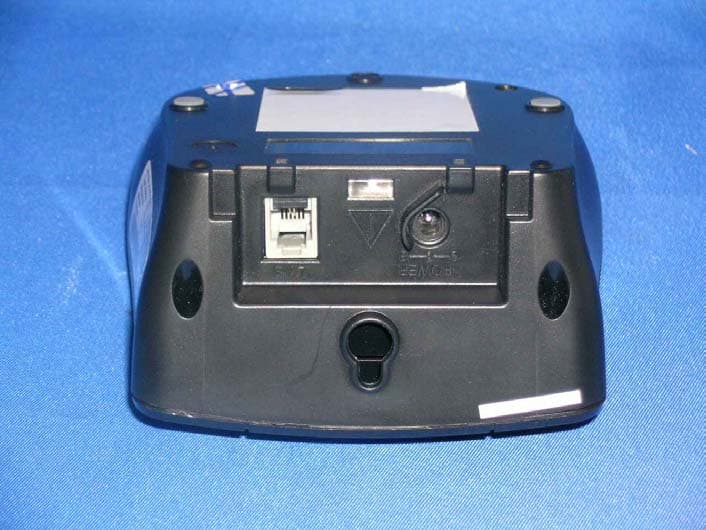
External photos FCC ID: NC8SD4581 External photos FCC ID: NC8SD4581
ID Label/Location Info
SCALE 25.400 SCALE 25.400 M48AA (SD4581) LABEL DRAWING DATE : 27 JAN, 2005
Internal Photos
Internal photos FCC ID: NC8SD4581 Base assembly Base Main PCB comp side Internal photos FCC ID: NC8SD4581 Base Main PCB solder side Base TAD and keypad PCB front side Internal photos FCC ID: NC8SD4581 Base TAD and keypad PCB rear side Base Oscillator PCB comp side Internal photos FCC ID: NC8SD4581 Handset assembly Handset Main PCB comp side Internal photos FCC ID: NC8SD4581 Handset Main PCB display side Handset Oscillator PCB comp side
RF Exposure Info
55 • Inform you of your right to bring a complain t to the Commission pursuant to procedures set forth in Subpart E of Part 68, FCC Rules and Regulations. The telephone company may make changes in its facilities, equipment, operations, or procedures that could affect the operation of the equipment. If this happens, the telephone company will provide advance notice in order for you to make necessary modifications to maintain uninterrupted service.Interference InformationThis device complies with Part 15 of the FCC Ru les. Operation is subject to the following two conditions:This device may not cause harmful interference.This device must accept any interference received, including interference that may cause undesired operation.This equipment has been tested and found to comply with the limits for a Class B digital device, pursuant to Part 15 of the FCC Rules. These limits are designed to provide reasonable protection against harmful inte rference in a residential installation. This equipment generates, uses, and can radiate radio frequency energy and, if not installed and used in accordance with the instructions, may cause harmful interference to radio communications. However, there is no guaran tee that interference will not occur in a particular installation. SD4580English.book Page 55 Tuesday, January 25, 2005 7:34 PM Intertek Testing Services For SAR evaluation of the handset, refer to TCB Exclusions List Revised on 17 July 2002. Potable transmitter with output power less than 60/fGHz (d < 2.5cm) can be certified by TCB without the SAR evaluation. In fact, the Output power for portable transmitters is the higher of the conducted or radiated (EIRP) source-based time-averaged output. And the fGHz is mid- band frequency in GHz, and d is the distance to a person’s body, excluding hands, wrists, feet, and ankles. For the tested model of SD4581, the measured peak conducted power was 106.91mW. The conducted source-based time averaged output power = (106.91 * 0.188) mW = 20.10mW The maximum field strength (FS) was 114.8BμV/m at 2478.509MHz. The distance (D) between the antenna and the equipment under test (EUT) was 3 meters. From these data, the EIRP can be calculated by: EIRP = (FS*D) 2 / 30 = 90.60mW The radiated source-based time averaged output power = (90.60 * 0.188) mW = 17.03mW Based on the above calculation, it is concluded that the handset can be certified by TCB without the SAR evaluation and the maximum source-based time- averaging duty factor is 18.8%. FCC ID: NC8SD4581 Date: March 8, 2005
Test Report
E Intertek Testing Services Hong Kong Ltd. 2/F., Garment Centre, 576 Castle Peak Road, Kowloon, Hong Kong. Tel: (852) 2173 8888 Fax: (852) 2741 1693 Website: www.hk.intertek-etlsemko.com March 11, 2005 CCT R&D Ltd. 18/F., CCT Telecom Building, 11 Wo Shing Street, Fotan, Shatin, N.T., Hong Kong. Tel. : (852) 2695 8333 Fax. : (852) 2694 8660 Dear Mr. Ronilo Paredes: Enclosed you will find your file copy of a Part 15 Certification (FCC ID: NC8SD4581). For your reference, TCB will normally take another 15-20 days for reviewing the report. Approval will then be granted when no query is sorted. Please contact me if you have any questions regarding the enclosed material. Sincerely, Tommy Leung Assistant Manager Enclosure E • The test results reported in this test report shall refer only to the sample actually tested and shall not refer or be deemed to refer to bulk from which such a sample may be said to have been obtained. • This report shall not be reproduced except in full without prior authorization from Intertek Testing Services Hong Kong Limited. • For Terms And Conditions of the services, it can be provided upon request. • The evaluation data of the report will be kept for 3 years from the date of issuance. Intertek Testing Services Hong Kong Ltd. 2/F., Garment Centre, 576 Castle Peak Road, Kowloon, Hong Kong. Tel: (852) 2173 8888 Fax: (852) 2741 1693 Website: www.hk.intertek-etlsemko.com CCT R&D Ltd. Application For Certification 2.4GHz Frequency Hopping Spread Spectrum Cordless Phone with Caller ID, Speakerphone, and Digital Answering Machine (FCC ID: NC8SD4581) 05019591 TL/Ann Choy March 11, 2005 INTERTEK TESTING SERVICES FCC ID: NC8SD4581 i LIST OF EXHIBITS INTRODUCTION EXHIBIT 1: Summary of Tests EXHIBIT 2: General Description EXHIBIT 3: System Test Configuration EXHIBIT 4: Measurement Results EXHIBIT 5: Equipment Photographs EXHIBIT 6: Product Labelling EXHIBIT 7: Technical Specifications EXHIBIT 8: Instruction Manual EXHIBIT 9: Security Code Information EXHIBIT 10: Confidentiality Request INTERTEK TESTING SERVICES FCC ID: NC8SD4581 ii MEASUREMENT/TECHNICAL REPORT CCT R&D Ltd.- MODEL: SD458X series, SD4501 FCC ID: NC8SD4581 This report concerns (check one) Original Grant X Class II Change Equipment Type: DSS-Part 15 Spread Spectrum Transmitter Deferred grant requested per 47 CFR 0.457(d)(1)(ii)? Yes No X If yes, defer until : dae Company Name agrees to notify the Commission by: date of the intended date of announcement of the product so that the grant can be issued on that date. Transition Rules Request per 15.37? Yes No X If no, assumed Part 15, Subpart C for intentional radiator - the new 47 CFR [12- 08-03 Edition] provision. Report prepared by: Tommy Leung Intertek Testing Services 2/F., Garment Centre, 576 Castle Peak Road, Kowloon, Hong Kong. Phone: 852-2173-8538 Fax: 852-2741-1693 INTERTEK TESTING SERVICES FCC ID: NC8SD4581 iii Table of Contents 1.0 Summary of test results ....................................................................................2 2.0 General Description .................................................................................................... 4 2.1 Product Description ................................................................................................... 4 2.2 Related Submittal(s) Grants....................................................................................... 5 2.3 Test Methodology ...................................................................................................... 5 2.4 Test Facility ............................................................................................................... 5 3.0 System Test Configuration ........................................................................................ 7 3.1 Justification................................................................................................................ 7 3.2 EUT Exercising Software........................................................................................... 7 3.3 Support Equipment List and Description.................................................................... 8 3.4 Measurement Uncertainty .............................................................................................. 9 3.5 Equipment Modification ............................................................................................. 9 4.0 Measurement Results............................................................................................... 11 4.1 Maximum Conducted Output Power at Antenna Terminals...................................... 11 4.2 Maximum 20 dB RF Bandwidth................................................................................ 13 4.3 Minimum Number of Hopping Frequencies ................................................................. 15 4.4 Minimum Hopping Channel Carrier Frequency Separation ........................................ 16 4.5 Average Time of Occupancy.................................................................................... 18 4.6 Out of Band Conducted Emissions .............................................................................. 19 4.7 Out of Band Radiated Emissions ............................................................................. 20 4.8 Transmitter Radiated Emissions in Restricted Bands............................................... 21 4.9 Field Strength Calculation ........................................................................................ 22 4.10 Radiated Emission Configuration Photograph - Base Unit ....................................... 23 4.11 Radiated Emission Data - Base Unit ...................................................................... 24 4.12 Radiated Emission Configuration Photograph - Handset ....................................... 28 4.13 Radiated Emission Data - Handset ........................................................................ 29 4.14 AC Line Conducted Emission......................…
Text truncated - open the document above for the full version.
Test Report
Report No.:05019591 Talk (1 Handset) Mode Ctrl No.:N/A PAGE 1 Tested By:Hong, Report No.:05019591 Scan Settings (1 Range) |--------- Frequencies -----------||----------- Receiver Settings ------------| Start Stop Step IF BW Detector M-Time Atten Preamp OpRge 150k 30M 5k 10k PK+AV 10ms AUTO LN OFF 60dB Final Measurement: x QP / + AV Meas Time: 1 s Subranges: 16 Acc Margin: 20dB Transducer No. Start Stop Name 21 9k 30M EW0698 0 10 20 30 40 50 60 70 80 90 dBuV 100 0.15 MHz 30110 F15Q F15A Report No.:05019591 Talk (1 Handset) Mode Ctrl No.:N/A Tested By:Hong, Report No.:05019591 Scan Settings (1 Range) |--------- Frequencies -----------||----------- Receiver Settings ------------| Start Stop Step IF BW Detector M-Time Atten Preamp OpRge 150k 30M 5k 10k PK+AV 10ms AUTO LN OFF 60dB Final Measurement Results: no Results
Test Setup Photos
The Worst Case Configuration Photographs FCC ID: NC8SD4581 Radiated Emission – Base Front View Rear View The Worst Case Configuration Photographs FCC ID: NC8SD4581 Radiated Emission – Handset Front View Rear View The Worst Case Configuration Photographs FCC ID: NC8SD4581 Conducted Emission Front View Rear View The Worst Case Configuration Photographs FCC ID: NC8SD4581 Conducted Emission Side View
Test Setup Photos
The Worst Case Configuration Photographs FCC ID: NC8SD4581 Radiated Emission – Base Front View Rear View The Worst Case Configuration Photographs FCC ID: NC8SD4581 Radiated Emission – Handset Front View Rear View The Worst Case Configuration Photographs FCC ID: NC8SD4581 Conducted Emission Front View Rear View The Worst Case Configuration Photographs FCC ID: NC8SD4581 Conducted Emission Side View
Contact Information
Applicant
Ronilo Paredes(Senior Approval Engineer)
Technical Contact
Intertek Testing Services Hong Kong Ltd.Tommy Leung
[email protected]852-2173-8538
2/F., Garment Centre, · Kowloon · Hong Kong
Non-Technical Contact
Intertek Testing Services Hong Kong Ltd.Tommy Leung
[email protected]852-2173-8538
Test Firm
Intertek Testing Services Hong KongBilly Chow
Technical Specifications
| # | Rule Parts | Frequency Range | Power Output |
|---|---|---|---|
| 2 | 15C | 2.40 GHz - 2.48 GHz | 107.00 mW |
Other Applications from CCT Tech Advanced Products Limited
NC8P9122G
May 16, 2007900MHz 40Ch Analog Modulation Cordless Phonew/CID
Equipment Class
DXT - Part 15 Low Power Transceiver, Rx Verified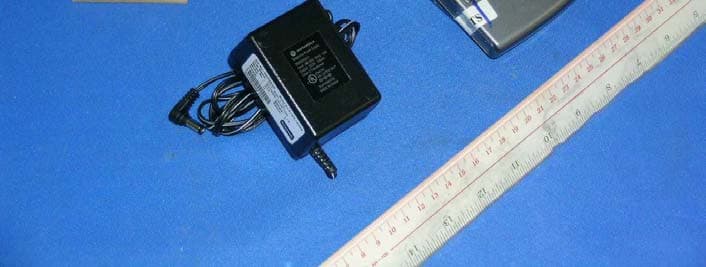
NC8SD7505
Sep 12, 20065.8GHz FHSS CellDock w/ Bluetooth
Equipment Class
DXT - Part 15 Low Power Transceiver, Rx Verified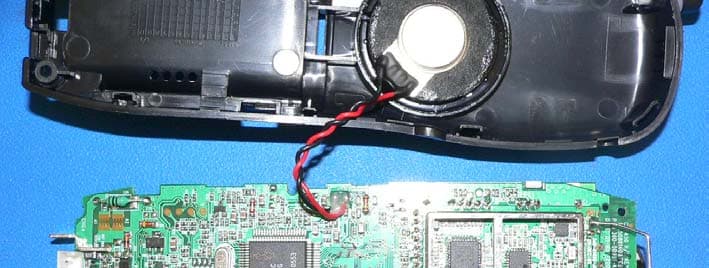
NC8CT5450
Aug 14, 20065.8GHz Cordless Phone
Equipment Class
DSS - Part 15 Spread Spectrum Transmitter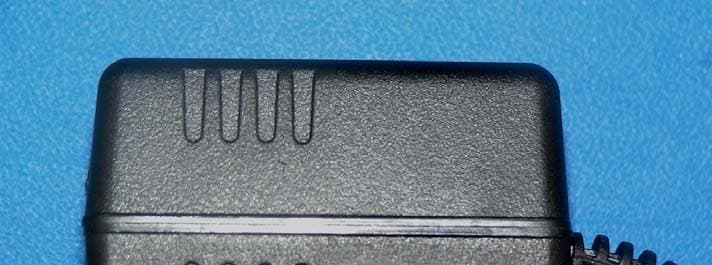
NC8MD2400
Jun 11, 20062.4Gz Cordless Phone
Equipment Class
DSS - Part 15 Spread Spectrum Transmitter
NC8KX-TG2120
May 24, 20062.4GHz/900MHz Analog Cordless phone w/ CID (Base)
Equipment Class
DXT - Part 15 Low Power Transceiver, Rx Verified