O5XHL-370BLCD TV Monitor
Harsper Co., Ltd.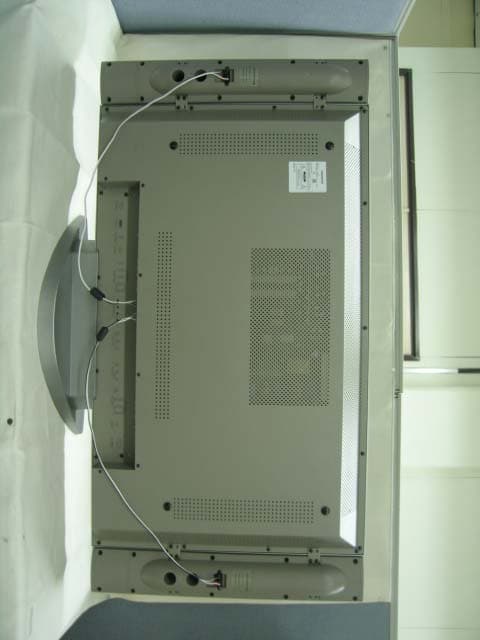
Click to zoom
Application Details
- Equipment Class
- JBP - Part 15 Class B Computing Device Peripheral
- Date of Grant
- Mar 22, 2005
- Application Purpose
- Original Equipment
- Date of Application
- Mar 22, 2005
- Equipment Note
- LCD TV Monitor
- Company
- Harsper Co., Ltd.
- Country
- South Korea
Documents & Files
Document Text
Text extracted from the exhibit documents filed with the FCC. Open a document above to read the original.
Users Manual
FCC ID : O5XHL-370B REPORT NO. : HCT-F05-0302 HYUNDAI C–TECH 1/1 ATTACHMENT E. - USER’S MANUAL - Contents 1 OWNER'S MANUAL Foreword Caution........................................................................................................................................ 3 Important Safety Instructions.................................................................................................. 4 Precaution.................................................................................................................................. 5 Overviewing the Monitor Viewing the Control Panel........................................................................................................ 9 Viewing the Connecting Panel............................................................................................................ 10 Viewing the Remote Control - Button Description ............................................................................................................................ 12 - PIP (Picture in Picture) Buttons ...................................................................................................... 13 - Loading the Batteries........................................................................................................................ 15 Installation Table Stand Installation ............................................................................................................ 16 Speaker Installation .................................................................................................................. 17 Connecting the Cable/Devices Connecting the TV Cable.......................................................................................................... 18 Connecting the VCR.................................................................................................................. 19 Connecting the DVD.................................................................................................................. 20 Connecting the Set Top Box.................................................................................................... 21 Connecting the PC [ D-Sub & DVI ].......................................................................................... 22 - Displayable Monitor Specification.......................................................................................... 23 Setting the Channel Basic Operation.......................................................................................................................... 24 OSD Menu Structure.................................................................................................................. 25 Choosing the Channel Type...................................................................................................... 26 Storing the Channel Automatically.......................................................................................... 26 Fine Tuning the Channel Reception........................................................................................ 27 Setting the Favorite Channel.................................................................................................... 28 Setting the Picture Changing the Picture Mode...................................................................................................... 29 - Adjust User Mode................................................................................................................ 30 Changing the Color Temperature............................................................................................ 32 Video NR (Noise Reduction).................................................................................................... 32 Selecting the Film Mode............................................................................................................ 33 Changing the Screen Form...................................................................................................... 33 Setting the Black Enhancer........................................................................................................ 34 Adjusting the PC Screen (Geometry) ...................................................................................... 35 - Native Mode.......................................................................................................................... 36 Setting the Sound Adjusting the Sound Balance.................................................................................................... 37 Changing the Sound Mode........................................................................................................ 37 Adjusting the User Sound Mode................................................................................................ 38 Spatial Effect................................................................................................................................38 AVC (Auto Volume Control)........................................................................................................ 38 MTS (Multichannel Television Sound)...................................................................................... 39 Setting the Others Adjusting the Transparency of the OSD Window.................................................................... 40 PIP (Picture in Picture) .............................................................................................................. 40 - Changing the Size in PIP........................................................................................................ 40 - Choosing the Source in PIP...................................................................................................... 41 - Picture Swap in PIP................................................................................................................ 41 - Changing the Position in PIP...........................................…
Text truncated - open the document above for the full version.
Block Diagram
FCC ID : O5XHL-370B REPORT NO. : HCT-F05-0302 HYUNDAI C–TECH 1/1 ATTACHMENT C. - BLOCK DIAGRAM - 5 5 4 4 3 3 2 2 1 1 DD CC BB AA COMPONENT1 DSUB-15 RGB VIDEO_A PANEL 5 SDRAM VBPCLK(27Mhz) VIDEO_B 3 ASI510 LVDS MUX VAPCLK(100Mhz) SUB 3230 COMPONENT2 3 MUX AHSYNC GCLK(110Mhz) HSFRMPLL GVSYNC G_EVEN G_ODD DPCLK(82.5Mhz) DHSYNC DVSYNC DVALID 4 ADC 24 DVITMDS 4 8 24 ; Damping Resistor ; Junction EX_RAM EX_ROM KEYPAD 4(R,G,B,FB) MICOM EEPROM EXPAND I/O VOUT VPC_HSA VPC_VSA MAIN3230 RGB_IN AV1 CVBS AV2 CVBS AV CVBS TV1 CVBS TV2 CVBS AV MUX 2069 SCART2 RGB 1 2 CVBS Y/C SVHS 2 1 1 1 1 2 1 1 4 RGB2 1 8 8 1 656 656 ENHANCER 24 24 RGB1 TTX FROM SDA5550M 4053 VOUT_S VPC_HSB VPC_VSB VOUT_M VPC_HSA1 VPC_VSA1 3 3 3 TTX FROM SDA5550M MAIN 3230 VOUT_M VPC_HSA1 VPC_VSA1 Y/C RGB2 CVBS RGB1 SCART2 RGB 656 SV_VS SV_HS SV_CLK(27Mhz) ITU-R BT 601 601 PW1232 PV_VS PV_HS PV_CLK(110Mhz) ITU-R BT 656 3 8 MUXMUX 163 <Doc>V0.9 LCD 37inch (HL-3710B) C 11Wednesday, March 02, 2005 Title SizeDocument NumberRev Date:Sheet of
Cover Letter(s)
FCC ID : O5XHL-370B HYUNDAI C–TECH MARCH 22, 2005 Federal Communications Commission Equipment Approval Services 7435 Oakland Mills Road Columbia, MD 21046 SUBJECT : HASRPER CO., LTD. FCC ID: O5XHL-370B FCC Part 15 Subpart B Certification Gentlemen: Transmitted herewith, on behalf of HASPER CO., LTD. is an application for a FCC Part 15 Subpart B Certification of the following LCD TV MONITOR: FCC ID : O5XHL-370B Model : HL-3710B Attached is the applicant’s Cover Letter, External/Internal Photos, Test Set-Up Photos, FCC ID & Label Location, User Manual, Block Diagram and Test Report. Should you have any questions or comments concerning the above, please contact the undersigned. KI SOO KIM EMC MANAGER cc: Mr. HAN-IL WOO ------- R & D / ASSISTANT MANAGER FCC ID : O5XHL-370B HYUNDAI C–TECH • Solution for EMI We, HARSPER CO., LTD. , announce that all modifications will be incorporated into each unit sold in the U.S. 1. Attach a gasket on LCD panel back case 2. Apply a ferrite core to the speaker cable (Please refer to next page of the photographs for Solution for EMI) HARSPER CO., LTD. 2005. 3. 21. HAN-IL WOO R & D Team / ASSISTANT MANAGER FCC ID : O5XHL-370B HYUNDAI C–TECH 1. Attach a gasket on LCD panel back case 2. Apply a ferrite Core to the Speaker Cable
External Photos
FCC ID : O5XHL-370B REPORT NO. : HCT-F05-0302 HYUNDAI C–TECH 1/6 AT TA CH MEN T B. - EXTERNAL PHOTOS - FCC ID : O5XHL-370B REPORT NO. : HCT-F05-0302 HYUNDAI C–TECH 2/6 FCC ID : O5XHL-370B REPORT NO. : HCT-F05-0302 HYUNDAI C–TECH 3/6 FCC ID : O5XHL-370B REPORT NO. : HCT-F05-0302 HYUNDAI C–TECH 4/6 FCC ID : O5XHL-370B REPORT NO. : HCT-F05-0302 HYUNDAI C–TECH 5/6 FCC ID : O5XHL-370B REPORT NO. : HCT-F05-0302 HYUNDAI C–TECH 6/6
ID Label/Location Info
FCC ID : O5XHL-370B REPORT NO. : HCT-F05-0302 HYUNDAI C–TECH 1/3 ATTACHMENT A. - ID LABEL INFORMATION AND LOCATION PHOTOS - FCC ID : O5XHL-370B REPORT NO. : HCT-F05-0302 HYUNDAI C–TECH 2/3 1.1 ID Label Information Following is a copy of the label that will be placed on the rear side of the cabinet. Both the FCC ID and compliance statement are included in the product label Figure 3.1 PRODUCT LABEL FCC ID : O5XHL-370B REPORT NO. : HCT-F05-0302 HYUNDAI C–TECH 3/3 1.2 Label Location Photos The label shown shall be permanently affixed at a conspicuous location on the device and be readily visible to the user at the time purchase.(Labeling requirements per 2.925)
Internal Photos
FCC ID : O5XHL-370B REPORT NO. : HCT-F05-0302 HYUNDAI C–TECH 1/38 ATTACHMENT F. - INTERNAL PHOTOS - FCC ID : O5XHL-370B REPORT NO. : HCT-F05-0302 HYUNDAI C–TECH 2/38 FCC ID : O5XHL-370B REPORT NO. : HCT-F05-0302 HYUNDAI C–TECH 3/38 FCC ID : O5XHL-370B REPORT NO. : HCT-F05-0302 HYUNDAI C–TECH 4/38 FCC ID : O5XHL-370B REPORT NO. : HCT-F05-0302 HYUNDAI C–TECH 5/38 FCC ID : O5XHL-370B REPORT NO. : HCT-F05-0302 HYUNDAI C–TECH 6/38 FCC ID : O5XHL-370B REPORT NO. : HCT-F05-0302 HYUNDAI C–TECH 7/38 FCC ID : O5XHL-370B REPORT NO. : HCT-F05-0302 HYUNDAI C–TECH 8/38 FCC ID : O5XHL-370B REPORT NO. : HCT-F05-0302 HYUNDAI C–TECH 9/38 FCC ID : O5XHL-370B REPORT NO. : HCT-F05-0302 HYUNDAI C–TECH 10/38 FCC ID : O5XHL-370B REPORT NO. : HCT-F05-0302 HYUNDAI C–TECH 11/38 FCC ID : O5XHL-370B REPORT NO. : HCT-F05-0302 HYUNDAI C–TECH 12/38 FCC ID : O5XHL-370B REPORT NO. : HCT-F05-0302 HYUNDAI C–TECH 13/38 FCC ID : O5XHL-370B REPORT NO. : HCT-F05-0302 HYUNDAI C–TECH 14/38 FCC ID : O5XHL-370B REPORT NO. : HCT-F05-0302 HYUNDAI C–TECH 15/38 FCC ID : O5XHL-370B REPORT NO. : HCT-F05-0302 HYUNDAI C–TECH 16/38 FCC ID : O5XHL-370B REPORT NO. : HCT-F05-0302 HYUNDAI C–TECH 17/38 FCC ID : O5XHL-370B REPORT NO. : HCT-F05-0302 HYUNDAI C–TECH 18/38 FCC ID : O5XHL-370B REPORT NO. : HCT-F05-0302 HYUNDAI C–TECH 19/38 FCC ID : O5XHL-370B REPORT NO. : HCT-F05-0302 HYUNDAI C–TECH 20/38 FCC ID : O5XHL-370B REPORT NO. : HCT-F05-0302 HYUNDAI C–TECH 21/38 FCC ID : O5XHL-370B REPORT NO. : HCT-F05-0302 HYUNDAI C–TECH 22/38 FCC ID : O5XHL-370B REPORT NO. : HCT-F05-0302 HYUNDAI C–TECH 23/38 FCC ID : O5XHL-370B REPORT NO. : HCT-F05-0302 HYUNDAI C–TECH 24/38 FCC ID : O5XHL-370B REPORT NO. : HCT-F05-0302 HYUNDAI C–TECH 25/38 FCC ID : O5XHL-370B REPORT NO. : HCT-F05-0302 HYUNDAI C–TECH 26/38 FCC ID : O5XHL-370B REPORT NO. : HCT-F05-0302 HYUNDAI C–TECH 27/38 FCC ID : O5XHL-370B REPORT NO. : HCT-F05-0302 HYUNDAI C–TECH 28/38 FCC ID : O5XHL-370B REPORT NO. : HCT-F05-0302 HYUNDAI C–TECH 29/38 FCC ID : O5XHL-370B REPORT NO. : HCT-F05-0302 HYUNDAI C–TECH 30/38 FCC ID : O5XHL-370B REPORT NO. : HCT-F05-0302 HYUNDAI C–TECH 31/38 FCC ID : O5XHL-370B REPORT NO. : HCT-F05-0302 HYUNDAI C–TECH 32/38 FCC ID : O5XHL-370B REPORT NO. : HCT-F05-0302 HYUNDAI C–TECH 33/38 FCC ID : O5XHL-370B REPORT NO. : HCT-F05-0302 HYUNDAI C–TECH 34/38 FCC ID : O5XHL-370B REPORT NO. : HCT-F05-0302 HYUNDAI C–TECH 35/38 FCC ID : O5XHL-370B REPORT NO. : HCT-F05-0302 HYUNDAI C–TECH 36/38 FCC ID : O5XHL-370B REPORT NO. : HCT-F05-0302 HYUNDAI C–TECH 37/38 FCC ID : O5XHL-370B REPORT NO. : HCT-F05-0302 HYUNDAI C–TECH 38/38
Test Report
HYUNDAI CALIBRATION & CERTIFICATION TECH. CO., LTD. Product Compliance Division, EMC Team SAN 136-1, AMI-RI , BUBAL-EUP, ICHEON-SI, KYOUNKI-DO, 467-701, KOREA TEL : +82 31 639 8517 FAX : +82 31 639 8525 CERTIFICATION Rule Part(s): Equipment Class: Standard(s): EUT Type: Max. Resolution(s): Model(s): Port/Connector(s) This equipment has been shown to be in compliance with the applicable technical standards as indicated in the measurement report and was tested in accordance with the measurement procedures specified in ANSI C63.4-2001. I attest to the accuracy of data. All measurements reported herein were performed by me or were made under my supervision and are correct to the best of my knowledge and belief. I assume full responsibility for the completeness of these measurements and vouch for the qualifications of all persons taking them. Report prepared by : Ki-Soo Kim Manager of EMC Tech. Part HYUNDAI CALIBRATION & CERTIFICATION TECH. CO., LTD. 1/ 25 O5XHL-370B HL-3710B Manufacture; HARSPER CO.,LTD. 546-4. Ami-Ri Bubai-Eub, Ichon-City, Kyoungki-Do Korea HARSPER FRN : 00007-9131-06 Date of Issue : MARCH 12, 2005 Test Report No.: HCT-F05-0302 Test Site: HYUNDAI CALIBRATION & CERTIFICATION TECHNOLOGIES CO., LTD. HCT FRN : 0005-8664-21 FCC ID : MODEL : Part 15 & 2 FCC Class B Peripheral Device (JBP) FCC Class B: 2003 LCD TV MONITOR 1280×1024(@60Hz) HL-3710B POWER, COMPOSITE, RS-232C, COMPONENT, SPEAKER, DSUB DVI, S-VIDEO, ANTENNA FCC ID : O5XHL-370B REPORT NO. : HCT-F05-0302 HYUNDAI C–TECH 2/25 TABLE OF CONTENTS PAGE REPORT COVER 1 TABLE OF CONTENTS 2 1.1 SCOPE 3 2.1 INTRODUCTION (SITE DESCRIPTION) 4 3.1 PRODUCTION INFORMATION 5-6 4.1 DESCRIPTION OF TESTS (CONDUCTED) 7 4.3 DESCRIPTION OF TESTS (RADIATED) 8 5.1 LIST OF SUPPORT EQUIPMENT 9-10 6.1 TEST DATA (CONDUCTED) 11-19 7.1 TEST DATA (RADIATED) 20-21 8.1 SAMPLE CALCULATIONS 22 9.1 TEST EQUIPMENT 23 10.1 TEST SOFTWARE USED 24 11.1 CONCLUSION 25 ATTACHMENT A: FCC ID LABEL & LOCATION ATTACHMENT B: EXTERNAL PHOTOGRAPHS ATTACHMENT C: BLOCK DIAGRAM ATTACHMENT D: TEST SETUP PHOTOGRAPHS ATTACHMENT E: USER’S MANUAL ATTACHMENT F: INTERNAL PHOTOGRAPHS FCC ID : O5XHL-370B REPORT NO. : HCT-F05-0302 HYUNDAI C–TECH 3/25 MEASUREMENT REPORT 1.1 Scope Measurement and determination of electromagnetic emissions (EME) of radio frequency devices including intentional and/or unintentional radiators for compliance with the technical rules and regulations of the Federal Communications Commission. • FCC ID : O5XHL-370B • Equipment Class: FCC Class B Peripheral Device (JBP) • EUT Type: LCD TV MONITOR • Model(s): HL-3710B • Max. Resolution: 1280×1024( @60Hz) • Power Cord: Unshielded • Rule Part(s): FCC Part 15 Subpart B • Test Procedure(s): ANSI C63.4 (2001) • Dates of Tests: March 08, 2005 ~ March 14, 2005 • Place of Tests: 254-1,MAEKOK-RI,HOBUP-MYUN,ICHON-SI,KYOUNGKI-DO,467-701,KOREA Applicant Name: Address: HARSPER CO., LTD. 546-4. Ami-Ri, Bubai-Eub, Ichon-City, Kyoungki-Do Korea FCC ID : O5XHL-370B REPORT NO. : HCT-F05-0302 HYUNDAI C–TECH 4/25 2.1 INTRODUCTION The measurement procedure described in American National Standard for Methods of Measurement of Radio-Noise Emissions from Low-Voltage Electrical and Electronic Equipment in the Range of 9kHz to 40GHz (ANSIC63.4-2001) was used in determining radiated and conducted emissions emanating from HARSPER CO., LTD. LCD TV MONITOR FCC ID: O5XHL-370B The open area test site and conducted measurement facility used to collect the radiateddata are located at the 254-1, MAEKOK-RI,HOBUP-MYUN,ICHON-SI,KYOUNGKI-DO, 467-701,KOREA. The site is constructed in conformance with the requirements of ANSI C63.4and CISPR Publication 22. Detailed description of test facility was submitted to the Commissionand accepted dated July 23,2003 (Confirmation Number: EA90661) FCC ID : O5XHL-370B REPORT NO. : HCT-F05-0302 HYUNDAI C–TECH 5/25 3.1 PRODUCT INFORMATION 3.2 Equipment Description Equipment Under Test (EUT) is the HARSPER CO.,LTD. ( Model : HL-3710B ) LCD TV MONITOR FCC ID: O5XHL-370B Maximum Resolution(s): 1280×1024(@60Hz) Dimensions: 991.8mm(W) x 645.4mm(H) x 250mm(D) Power Supply: AC 100-240V, 50/ 60Hz 150W Connectivity: TV Input: RF / CATV (NTSC) Composite Input/Output: RCA ×4 Port (AV INPUT 1/2/3, AV OUTPUT) Component 1, 2 Input: (Y, Pb/Cb, Pr/Cr: 480i, 480p, 576i, 576p, 720p, 1080i) S-video Input: Mini DIN 4Pin × 1 Port RGB Input: Mini D-sub 15Pin × 1Port (480p/576p, 720p, 1080i) DVI Input: Mini D-sub 29Pin ×1Port (480p/576p, 720p, 1080i) Audio In/Output: RCA × 5Port : Full support separated audio input Speaker output : Cinch Type × 4Port(Stereo L/R) Control ports : RS-232 D-sub 9Pin × 1Port Power Consumption : 150Watts Weight (Net):24Kg EMI Suppression Devices: Modifications were made to the device. Please refer to the next page. FCC ID : O5XHL-370B REPORT NO. : HCT-F05-0302 HYUNDAI C–TECH 6/25 1. Attach a gasket on LCD panel back case 2. Apply a ferrite Core to the Speaker Cable and LVDS Cable FCC ID : O5XHL-370B REPORT NO. : HCT-F05-0302 HYUNDAI C–TECH 7/25 4.1 Description of Tests(Conducted & Radiated) 4.2 Powerline Conducted Emission (150kHz- 30MHz) The power line conducted RFI measurements were performed according to CISPR 22. The EUT was placed on a non-conducting 1.0 by 1.5 meter table which is 0.8 meters in height and 0.40 meters away from the vertical wall of the shielded enclosure. Power to the EUT is provided through a Rohde & Schwarz 50 Ω / 50 uH Line Impedance Stabilization Network (LISN) and the support equipment through a separate Solar 50 Ω / 50 uH Line- Conducted Test Facility LISN. Sufficient time for the EUT, support equipment, and test equipment were allowed in order for them to warm up to their normal operating condition. The RF output of the LISN was connected to the spectrum analyzer to determine the frequency producing the maximum EME. The spectrum was scanned from 150kHz to 30 MHz. Each maximum EME was measured using an EMI receiver. The detector function of the receiver was set to CISPR quasi- …
Text truncated - open the document above for the full version.
Test Setup Photos
FCC ID : : O5XHL-370B REPORT NO. : HCT-F05-0302 HYUNDAI C–TECH 1/4 ATTACHMENT D. - TEST SETUP PHOTOS- FCC ID : : O5XHL-370B REPORT NO. : HCT-F05-0302 HYUNDAI C–TECH 2/4 1.CONDUCTED AND RADIATED MEASUREMENT PHOTOS [CONDUCTED MEASUREMENT PHOTO] FCC ID : : O5XHL-370B REPORT NO. : HCT-F05-0302 HYUNDAI C–TECH 3/4 [RADIATED MEASUREMENT PHOTO] FCC ID : : O5XHL-370B REPORT NO. : HCT-F05-0302 HYUNDAI C–TECH 4/4
Contact Information
Applicant
Harry Noh(Manager of Quality Control)
Test Firm
HCT Co., LTDSang Lee
Technical Specifications
| # | Rule Parts | Frequency Range | Power Output |
|---|---|---|---|
| 1 | 15B | - | - |
Other Applications from Harsper Co., Ltd.
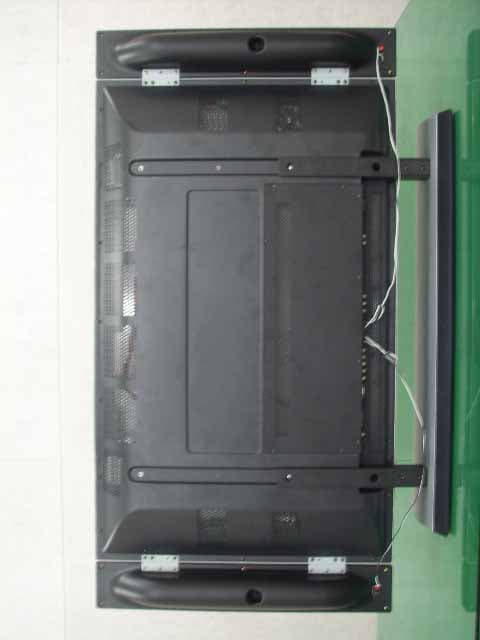
O5XHP-421VTM
Aug 14, 2006PDP Monitor
Equipment Class
JBP - Part 15 Class B Computing Device Peripheral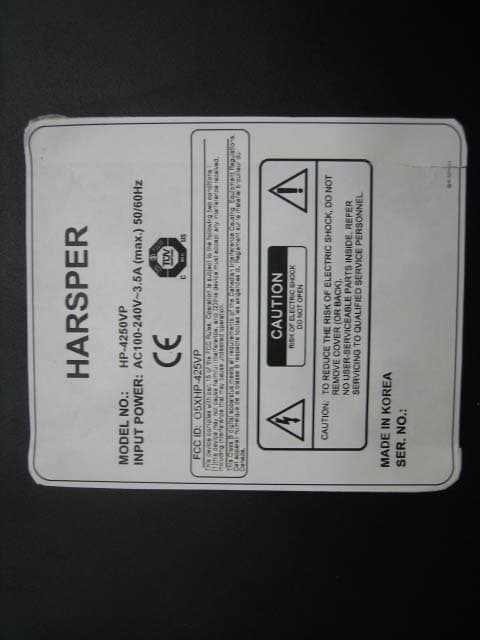
O5XHP-425VP
Nov 27, 2005PDP TV Monitor
Equipment Class
JBP - Part 15 Class B Computing Device Peripheral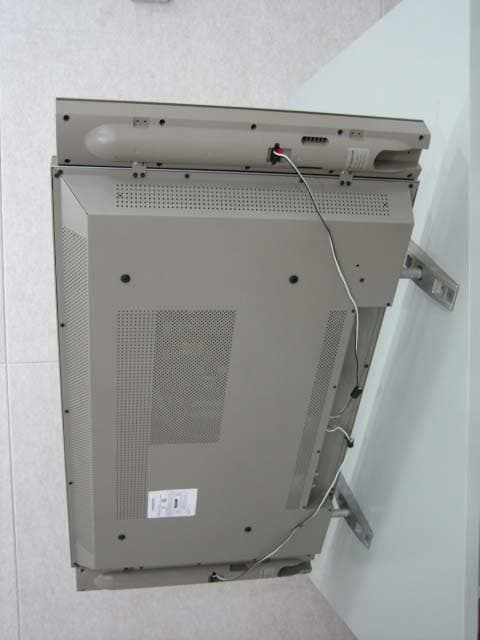
O5XHL-420V
Sep 27, 2005LCD Monitor TV
Equipment Class
JBP - Part 15 Class B Computing Device Peripheral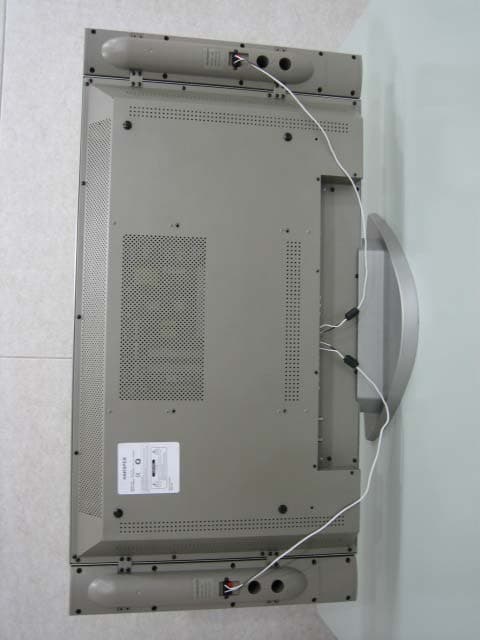
O5XHL-370V
Sep 27, 2005LCD Monitor TV
Equipment Class
JBP - Part 15 Class B Computing Device Peripheral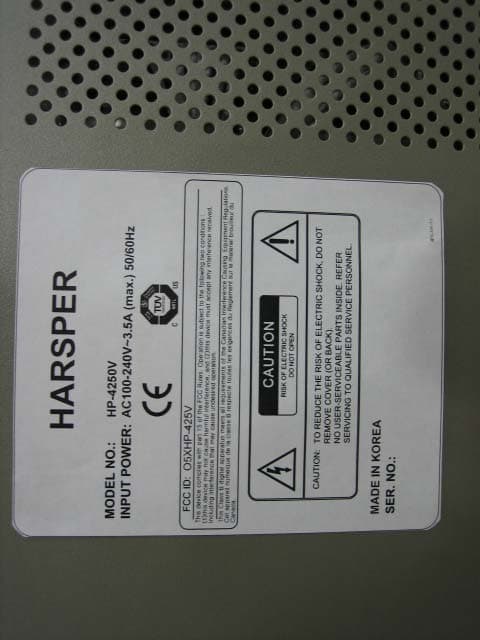
O5XHP-425V
Sep 27, 2005PDP Monitor TV
Equipment Class
JBP - Part 15 Class B Computing Device Peripheral