O5XHP-500BPDP TV Monitor
Harsper Co., Ltd.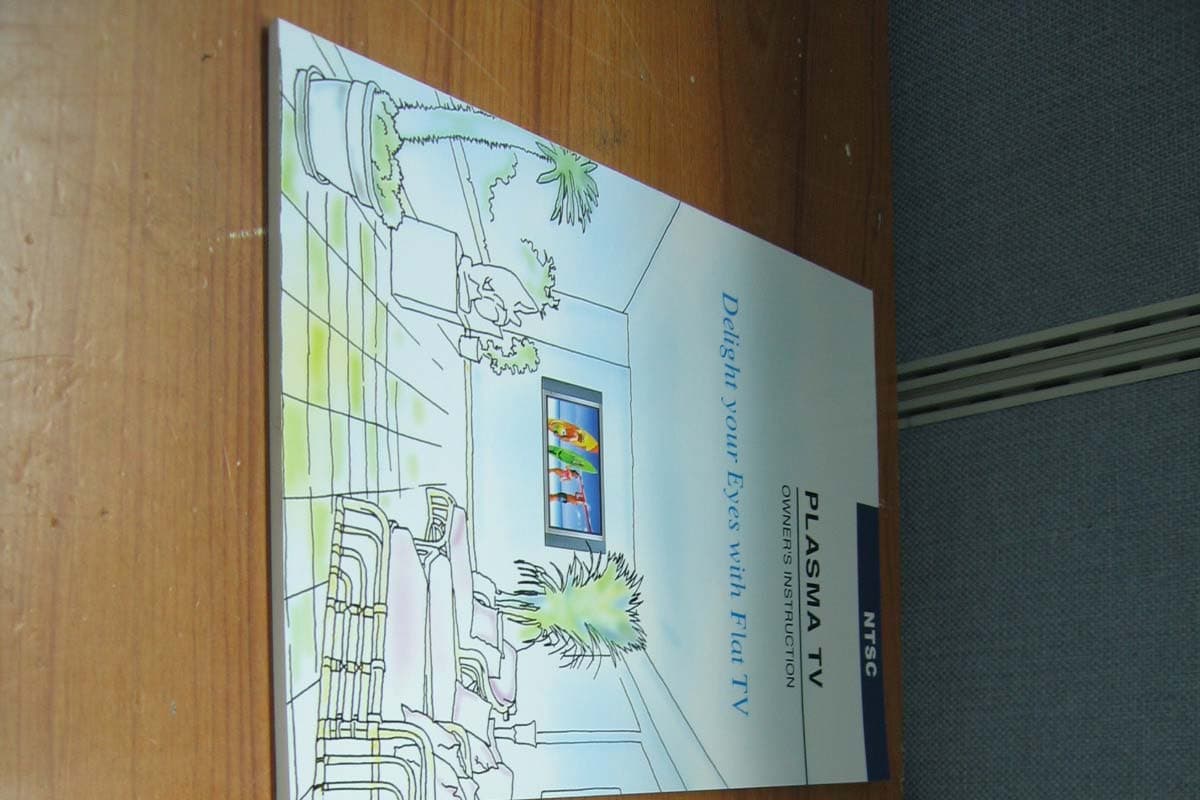
Click to zoom
Application Details
- Equipment Class
- JBP - Part 15 Class B Computing Device Peripheral
- Date of Grant
- Oct 18, 2004
- Application Purpose
- Original Equipment
- Date of Application
- Oct 18, 2004
- Equipment Note
- PDP TV Monitor
- Company
- Harsper Co., Ltd.
- Country
- South Korea
Documents & Files
Document Text
Text extracted from the exhibit documents filed with the FCC. Open a document above to read the original.
Users Manual
REPORT NO : HCT-F04-1004 FCC ID : O5XHP-500B DATE : OCTOBER 18, 2004 HYUNDAI CALIBRATION & CERTIFICATION TECHNOLOGIES CO., LTD. SAN 136-1, AMI-RI , BUBAL-EUP, ICHEON-SI,KYOUNKI-DO, 467-701,KOREA TEL : +82 31 639 8518 FAX : +82 31 639 8525 www.hctec.co.kr ATTACHMENT E-1. - USER’S MANUAL(1) z z z z ’ Contents 1 OWNER'S MANUAL Important Safety Information ................................................................................................................ 2 Overview of Your New PDP.................................................................................................................... 8 OSD key Position .............................................................................................................................................. 8 OSD key function .............................................................................................................................................. 8 Back Panel and Ports ...................................................................................................................................... 9 Ports descriptions and RS-232C ...................................................................................................................... 10 Accessories ............................................................................................................................................ 11 Optional Extras ...................................................................................................................................... 12 Remote Control ...................................................................................................................................... 13 Key Description .................................................................................................................................................. 13 Loading The Batteries ........................................................................................................................................ 15 Reception Rage of Remote Control ................................................................................................................ 15 Monitor Installation ................................................................................................................................16 Wall Mount Installation (optional) .................................................................................................................... 16 Table Stand Installation (optional) .................................................................................................................... 20 Speaker Installation (optional) .......................................................................................................................... 23 Watching TV............................................................................................................................................ 27 Watching VCR ........................................................................................................................................ 28 Watching DVD ........................................................................................................................................ 29 Watching Set Top Box .......................................................................................................................... 30 Connecting The PC (D-Sub and DVI) .................................................................................................. 31 Displayable Monitor Specification........................................................................................................ 32 Basic Operation...................................................................................................................................... 33 Turning PDP TV on / off .................................................................................................................................. 33 TV Channel Selection ........................................................................................................................................ 33 Volume Control .................................................................................................................................................. 33 OSD Menu Structure.............................................................................................................................. 34 CHANNEL (TV)........................................................................................................................................ 35 PICTURE (TV).......................................................................................................................................... 39 PICTURE (PC) ........................................................................................................................................ 46 SOUND .................................................................................................................................................... 48 SET UP.................................................................................................................................................... 51 V-Chip ................................................................................................................................................................ 58 TIME........................................................................................................................................................ 61 Viewing the Picture-In-Picture.............................................................................................................. 64 Specification .......................................................................................................................................... 65 Trouble Shooting...................................................................................................…
Text truncated - open the document above for the full version.
Users Manual
REPORT NO : HCT-F04-1004 FCC ID : O5XHP-500B DATE : OCTOBER 18, 2004 HYUNDAI CALIBRATION & CERTIFICATION TECHNOLOGIES CO., LTD. SAN 136-1, AMI-RI , BUBAL-EUP, ICHEON-SI,KYOUNKI-DO, 467-701,KOREA TEL : +82 31 639 8518 FAX : +82 31 639 8525 www.hctec.co.kr ATTACHMENT E-2. - USER’S MANUAL(2) Monitor Installation 18 OWNER'S MANUAL 1. Shown as left, carefully place the monitor screen side down on a cushioned surface that will protect the monitor and screen from damage. 2. Insert the monitor brackets on the monitor shown as left. Install the 4 bolts securely, in the back of the monitor in the holes provided. Be sure the bracket hooks are at the top side of the monitor. (for 42" PDP) 1. Two people who are capable of lifting the weight of the monitor should do the following : Carefully lift up the monitor and place it in position on the wall mounting bracket securely shown as by arrow Push the bottom of the monitor toward the wall as shown in arrow2. so that the monitor will "click" into position onto the wall mounting bracket. 2. Wall mounting bracket and monitor bracket should combine together by bolt shown as left. 3. Caution : Be sure to lift a monitor/speakers assembly by the monitor only, do not lift using only the speakers. 4. When separate the monitor, follow shown as below "A". “A” 3 4 1 1 2 3 Monitor Installation 19 OWNER'S MANUAL ANCHOR 8EASCREW 8EABOLT 6EA M8 x 30L BOLT 6EA M4 x 6L Wall Mount Accessories Monitor Installation 20 OWNER'S MANUAL < The Monitor can be installed on the desk as shown above. > • Table Stand mount minimum allowable clearances for adequate ventilation. Table Stand Installation (optional) 1.18inch 4inch 2.36inch 4inch4inch 21 OWNER'S MANUAL Monitor Installation Installation (Separate Type) Monitor Installation 22 OWNER'S MANUAL Installation (United Type) 23 OWNER'S MANUAL Monitor Installation • Be sure monitor power is turned off before making any connections. Place the speakers in the position you want. Install the speaker wires on the monitor and speaker. Be sure to connect the positive "+" wire to the "+" input and the negative "-" wire to the "-" input. Connect left monitor input to left speaker and right monitor input to right speaker. Any extra speaker wire length remaining can be bunched into the wire holders provided. (Caution: Once installed, the speaker wire holders lock into position and can't be removed.) • Always lift the monitor itself (not the speakers) when handling or moving the monitor after speakers have been installed. Speaker Installation(optional) 42" Speaker Installation (Optional) Monitor Installation 24 OWNER'S MANUAL 4-Iron Plates (Mount speakers to monitor) 8-4 x 16 Long Bolts (Attach iron plates to speakers) 8-4 x 8 Short Bolts (Attach iron plates to monitor) 2-Speaker Wires Speaker Accessories 25 OWNER'S MANUAL Monitor Installation • Match red to red, black to black of speaker / TV • Be sure monitor power is turned off before making any connections. Place the speakers in the position you want. Install the speaker wires on the monitor and speaker. Be sure to connect the positive "+" wire to the "+" input and the negative "-" wire to the "-" input. Connect left monitor input to left speaker and right monitor input to right speaker. Any extra speaker wire length remaining can be bunched into the wire holders provided. (Caution: Once installed, the speaker wire holders lock into position and can't be removed.) • Always lift the monitor itself (not the speakers) when handling or moving the monitor after speakers have been installed. 50" Speaker Installation (Optional) Monitor Installation 26 OWNER'S MANUAL 4-Iron Plates (Mount speakers to monitor) 8-4 x 16 Long Bolts (Attach iron plates to speakers) 8-4 x 8 Short Bolts (Attach iron plates to monitor) 2-Speaker Wires Speaker Accessories Watching TV 27 OWNER'S MANUAL 1 2 3 4 To watch TV Connect the TV antenna cable to the TV input jack. Press INPUT button on the remote control and select TV on OSD. Use CH+, CH- button or numeric button to change TV channel for your channel selection. Press Pre.CH button on the remote control to tune the previous channel. Also, you can tune to cable service provided channels using the cable box. For further information regarding cable TV service, contact cable TV service provider(s). Watching VCR 28 OWNER'S MANUAL Press INPUT button on the remote control and select Video Sources. Insert a video tape into the VCR and press the PLAY button on the VCR. With S-Video Connect a S-Video cable to the S-Video jacks of the VCR and the PDP. Connect L (White), R (Red) sound cable (composite) to the sound jacks of the VCR and the PDP. With AV input Connect a composite cable to the AV video jacks of the VCR and the PDP. Connect L (White), R (Red) sound cable (composite) to the sound jacks of the VCR and the PDP. How to connect 1 2 To watch VCR •To avoid picture noise (interference), leave an adequate distance(over 3m) between the VCR and monitor. • When connecting the PDP with external equipments, match the colour of connecting ports ( e.g. Video -yellow, Audio(L) - white, Audio(R) - red). • If you have a mono VCR, connect the audio cable from the VCR to the AUDIO(L/MONO) input of the PDP. • If you connect an S-VHS VCR to the S-VIDEO input socket, you can get a better picture quality than normal video input (AV). •Avoid having a fixed image remain on the screen for a long period of time. Typically a frozen still picture from a VCR 4:3 picture format or if a channel information is present. 29 OWNER'S MANUAL Turn on the DVD player. Press INPUT button on the remote control of the PDP and select Component1 or Component2. • Connect the three separate component video cables to the DVD player's Y, Pb and Pr jacks and to the Component jacks on the PDP. • Connect the audio cable to the DVD player's audio L (White) and R (Red) jacks and to the L and R audio jacks beside the Component jacks on the PDP. How to connect 1 2 How to use Component Input ports You can get better picture q…
Text truncated - open the document above for the full version.
Block Diagram
REPORT NO : HCT-F04-1004 FCC ID : O5XHP-500B DATE : OCTOBER 18, 2004 HYUNDAI CALIBRATION & CERTIFICATION TECHNOLOGIES CO., LTD. SAN 136-1, AMI-RI , BUBAL-EUP, ICHEON-SI,KYOUNKI-DO, 467-701,KOREA TEL : +82 31 639 8518 FAX : +82 31 639 8525 ATTACHMENT C. - BLOCK DIAGRAM. 5 5 4 4 3 3 2 2 1 1 DD CC BB AA COMPONENT1 DSUB-15 RGB VIDEO_A PANEL 5 SDRAM VBPCLK(27Mhz) VIDEO_B 3 ASI510 LVDS MUX VAPCLK(100Mhz) SUB 3230 COMPONENT2 3 MUX AHSYNC GCLK(110Mhz) HSFRMPLL GVSYNC G_EVEN G_ODD DPCLK(82.5Mhz) DHSYNC DVSYNC DVALID 4 ADC 24 DVITMDS 4 8 24 ; Damping Resistor ; Junction EX_RAM EX_ROM KEYPAD 4(R,G,B,FB) MICOM EEPROM EXPAND I/O VOUT VPC_HSA VPC_VSA MAIN3230 RGB_IN AV1 CVBS AV2 CVBS AV CVBS TV1 CVBS TV2 CVBS AV MUX 2069 SCART2 RGB 1 2 CVBS Y/C SVHS 2 1 1 1 1 2 1 1 4 RGB2 1 8 8 1 656 656 ENHANCER 24 24 RGB1 TTX FROM SDA5550M 4053 VOUT_S VPC_HSB VPC_VSB VOUT_M VPC_HSA1 VPC_VSA1 3 3 3 TTX FROM SDA5550M MAIN 3230 VOUT_M VPC_HSA1 VPC_VSA1 Y/C RGB2 CVBS RGB1 SCART2 RGB 656 SV_VS SV_HS SV_CLK(27Mhz) ITU-R BT 601 601 PW1232 PV_VS PV_HS PV_CLK(110Mhz) ITU-R BT 656 3 8 MUXMUX 163 <Doc>V0.9P PDP_50inch C 215Wednesday, September 22, 2004 Title SizeDocument NumberRev Date:Sheet of
Cover Letter(s)
FCC ID : O5XHP-500B HYUNDAI C–TECH October 18, 2004 Federal Communications Commission Equipment Approval Services 7435 Oakland Mills Road Columbia, MD 21046 SUBJECT : HASRPER CO., LTD. FCC ID: O5XHP-500B FCC Part 15 Subpart B Certification Gentlemen: Transmitted herewith, on behalf of HASPER CO., LTD. is an application for a FCC Part 15 Subpart B Certification of the following PDP TV MONITOR: FCC ID : O5XHP-500B Model : HP-5000B Attached is the applicant’s Cover Letter, External/Internal Photos, Test Set-Up Photos, FCC ID & Label Location, User’s Manual, Block Diagram and Test Report. Should you have any questions or comments concerning the above, please contact the undersigned. KI SOO KIM EMC MANAGER cc: HAN-IL WOO ------- R & D / ASSISTANT MANAGER FCC ID : O5XHP-500B HYUNDAI C–TECH • Solution for EMI We, HARSPER CO., LTD. , announce that all modifications will be incorporated into each unit sold in the U.S. 1. Attach a gasket & gasket tape on the EUT’s inner part 2. Apply a ferrite core to the audio signal cable (Please refer to next page of the photographs for Solution for EMI) HARSPER CO., LTD. 2004. 10. 18. HAN-IL WOO R & D Team / ASSISTANT MANAGER FCC ID : O5XHP-500B HYUNDAI C–TECH 1. Attach a gasket & gasket tape on the EUT’s inner part. 2. Apply a ferrite core to the audio signal cable
External Photos
REPORT NO : HCT-F04-1004 FCC ID : O5XHP-500B DATE : OCTOBER 18, 2004 HYUNDAI CALIBRATION & CERTIFICATION TECHNOLOGIES CO., LTD. SAN 136-1, AMI-RI , BUBAL-EUP, ICHEON-SI,KYOUNKI-DO, 467-701,KOREA TEL : +82 31 639 8518 FAX : +82 31 639 8525 AT TA CH MEN T B. - EXTERNAL PHOTOS REPORT NO : HCT-F04-1004 FCC ID : O5XHP-500B DATE : OCTOBER 18, 2004 HYUNDAI CALIBRATION & CERTIFICATION TECHNOLOGIES CO., LTD. SAN 136-1, AMI-RI , BUBAL-EUP, ICHEON-SI,KYOUNKI-DO, 467-701,KOREA TEL : +82 31 639 8518 FAX : +82 31 639 8525 REPORT NO : HCT-F04-1004 FCC ID : O5XHP-500B DATE : OCTOBER 18, 2004 HYUNDAI CALIBRATION & CERTIFICATION TECHNOLOGIES CO., LTD. SAN 136-1, AMI-RI , BUBAL-EUP, ICHEON-SI,KYOUNKI-DO, 467-701,KOREA TEL : +82 31 639 8518 FAX : +82 31 639 8525 REPORT NO : HCT-F04-1004 FCC ID : O5XHP-500B DATE : OCTOBER 18, 2004 HYUNDAI CALIBRATION & CERTIFICATION TECHNOLOGIES CO., LTD. SAN 136-1, AMI-RI , BUBAL-EUP, ICHEON-SI,KYOUNKI-DO, 467-701,KOREA TEL : +82 31 639 8518 FAX : +82 31 639 8525 REPORT NO : HCT-F04-1004 FCC ID : O5XHP-500B DATE : OCTOBER 18, 2004 HYUNDAI CALIBRATION & CERTIFICATION TECHNOLOGIES CO., LTD. SAN 136-1, AMI-RI , BUBAL-EUP, ICHEON-SI,KYOUNKI-DO, 467-701,KOREA TEL : +82 31 639 8518 FAX : +82 31 639 8525 REPORT NO : HCT-F04-1004 FCC ID : O5XHP-500B DATE : OCTOBER 18, 2004 HYUNDAI CALIBRATION & CERTIFICATION TECHNOLOGIES CO., LTD. SAN 136-1, AMI-RI , BUBAL-EUP, ICHEON-SI,KYOUNKI-DO, 467-701,KOREA TEL : +82 31 639 8518 FAX : +82 31 639 8525 REPORT NO : HCT-F04-1004 FCC ID : O5XHP-500B DATE : OCTOBER 18, 2004 HYUNDAI CALIBRATION & CERTIFICATION TECHNOLOGIES CO., LTD. SAN 136-1, AMI-RI , BUBAL-EUP, ICHEON-SI,KYOUNKI-DO, 467-701,KOREA TEL : +82 31 639 8518 FAX : +82 31 639 8525 REPORT NO : HCT-F04-1004 FCC ID : O5XHP-500B DATE : OCTOBER 18, 2004 HYUNDAI CALIBRATION & CERTIFICATION TECHNOLOGIES CO., LTD. SAN 136-1, AMI-RI , BUBAL-EUP, ICHEON-SI,KYOUNKI-DO, 467-701,KOREA TEL : +82 31 639 8518 FAX : +82 31 639 8525
ID Label/Location Info
REPORT NO : HCT-F04-1004 FCC ID : O5XHP-500B DATE : OCTOBER 18, 2004 HYUNDAI CALIBRATION & CERTIFICATION TECHNOLOGIES CO., LTD. SAN 136-1, AMI-RI , BUBAL-EUP, ICHEON-SI,KYOUNKI-DO, 467-701,KOREA TEL : +82 31 639 8518 FAX : +82 31 639 8525 www.hctec.co.kr ATTACHMENT A. - ID LABEL INFORMATION AND LOCATION PHOTOS REPORT NO : HCT-F04-1004 FCC ID : O5XHP-500B DATE : OCTOBER 18, 2004 HYUNDAI CALIBRATION & CERTIFICATION TECHNOLOGIES CO., LTD. SAN 136-1, AMI-RI , BUBAL-EUP, ICHEON-SI,KYOUNKI-DO, 467-701,KOREA TEL : +82 31 639 8518 FAX : +82 31 639 8525 www.hctec.co.kr 1.1 ID Label Information Following is a copy of the label that will be placed on the rear side of the cabinet. Both the FCC ID and compliance statement are included in the product label Figure 3.1 PRODUCT LABEL FCC ID: O5XHP-500B REPORT NO : HCT-F04-1004 FCC ID : O5XHP-500B DATE : OCTOBER 18, 2004 HYUNDAI CALIBRATION & CERTIFICATION TECHNOLOGIES CO., LTD. SAN 136-1, AMI-RI , BUBAL-EUP, ICHEON-SI,KYOUNKI-DO, 467-701,KOREA TEL : +82 31 639 8518 FAX : +82 31 639 8525 www.hctec.co.kr 1.2 Label Location Photos The label shown shall be permanently affixed at a conspicuous location on the device and be readily visible to the user at the time purchase.(Labeling requirements per 2.925)
Internal Photos
%PDF-1.5%âãÏÓ 348 0 obj<</Length 908/Filter/FlateDecode/Type/ObjStm/First 507/N 59>>stream xÚÔWÑŠ\7 ý ü$”rmɶd Iº”²m »y[ò0„! ,»a3 äï{| ̄ZÚA ‘ìK_FÖú I>’=³’rÒTJN...S‘‘JMÔ$•– ̃Z*=ñ ̃ ©ö’ ̈Rj<`9õ<mK] ¶'á +I §ªI ð aï„ø-cQ‘¡( ÍX }C`ê ÷ p ̧w€;ÀB ÃAm w€ ÁH -³V x À '3ÀÓ) ` S Œf "ì+ Rì+ F•«SqzR åc ¦iŒý § ìÏ t”IÓ Âþ ̃i Œ g - ‹• μæ ÊäÕጠé # ã ̈ø€CSZ €g™< †² i ̧"*# OÍ™ nó ঌ À}&...4, ši¤Ï À) ØVœ‰yv°"2¤©y–P3 RÒ³gË› ̄- Ëõéáó»Ó›‡ãñêþþ ́\Þ(fâjm6ìÛååíáÓ§? Ó ̃þòúðp¼[á Ñþû—WÇ/§ËãW Ëru {œ¤R&æùsdûýp÷þÉÅ«Ÿ }ñ Y0o3 $XMÛLߌl©_§u±\/×Çw§5ÈeÊËþ¦ «mÙ]¼Üíe§ewñËn ́Ý^ÁRcy›ïÑÕ JºLå bÐ#ÄàGˆQ§2úHÊÜÌ[¾ B3ÛÍŠÙmPæ@}«[{ Ö »õüTÀ±9skZcü¿ ̃ Ð-åMŸFf«YÓ ̄Ù ë†ë†ë†ë†ë† ÉáÄpb81œ N §†Séá†á†á†á†á†õ5g³d¶šíf W W gWší2s1 Ž G†#ÑáØpl86 Ží o×ñ ß?^sä·`Ö:|©¬A[Ù-¶¿g ìßîn?Ü ̄ÿ<àÅÜßžž<]ï ³Çæ ›†ÇnQvóØ e =‚ìí >c÷ ̈jÛ œ³£ªe ̄c=ªÚ6Äçì ̈jÛ•8g U+Û ;cK‰²½ŽIPμ¢^ǤEÙÞœKPμù³ÒaGU oÎ5 ªšx Ó ̈jÝë ̃FUëÞœkTμæ͹FUkÞœ ̈jÕë؈ªV½Ž ̈jÕ›ó U ½9- QÕ¼÷œsT5R U ªÇŽªFÙcGU+ÝcGUóÞs.QÕ²xì ̈jÙëX ª6†G Š6šG jæ=æLAÉÔËLAÅÔÍ L¼^QP0ñZEAÁº×* Ö=Á8(X÷ ã `Í Œƒ‚5O0 öï¶øï ÌíaýñŸÊ 0 }ò;¶ endstreamendobj349 0 obj<</Length 304/Filter/FlateDecode/Type/ObjStm/First 12/N 2>>stream xÚ,ÓAjÅ0 „á«ä $'–áñŽÐÅÛ ¡«Òûw°þÕ$Cø Œcçq-æG¦- ̄××÷ßÏﳋóø öøuî'²\ Óì¬P3hvÖPsÓì¬KMÒì¬ûñ ¹³¦ äÎJ5È μÔ w– ª ;Ë ́zbw– iö ï,Óî‰ÞY¦á ~Âkù„Ÿðšžð ̄í Ÿð Ÿð ̄õ ßY®õ ßY®õ ~qæZ¿à;Ëμ~Áw–ký‚_ðZ¿à üýÄÙ<Y>U9 |ª TðKÕMÕ|œª’ªù°' ¾³ÂUÁ W&TÁwV Uð ©‚7x-wx‡×z‡wx-wx‡×z‡ï¬¡õ ßYCë ¾³†Ö |g- øàÆk}À ¼Ö <éƒ÷Ñv½ß EÿhíÙÕÑ”ÍýÙ¿ ÒÒ endstreamendobj350 0 obj<</Size 351/Root 22 0 R/ID[<2a2ac8cf79677294cc03352959a35dd9><1980f619bebeb8418382418f68112f8d>]/Lengt h 47/Filter/FlateDecode/DecodeParms<</Columns 4/Predictor 12>>/W[1 2 1]/Type/XRef/Info 6 0 R/Index[7 2 10 1 12 6 242 2 245 4 250 1 252 1 254 1 256 1 258 1 260 1 262 1 264 1 266 1 268 1 270 1 272 1 274 1 276 1 278 1 280 1 282 1 284 1 286 1 288 1 290 1 292 1 294 1 296 1 298 1 300 1 302 1 304 1 306 1 308 1 310 1 312 1 314 1 316 1 318 1 320 1 322 1 324 1 326 1 328 1 330 1 332 1 334 1 336 1 338 1 340 1 348 3]>>stream xÚbbbŒa`b``` Œÿa¬ÿŒ0Ö( Füÿ¿å ó[` ̈1õ3 zÛ endstreamendobj2 0 obj<</Nums[0 3 0 R]>>endobj3 0 obj<</S/D>>endobj4 0 obj<</Count 47/Kids[90 0 R 237 0 R 216 0 R 195 0 R 174 0 R 153 0 R 132 0 R 111 0 R 89 0 R]/Type/Pages>>endobj6 0 obj<</ModDate(D:20041019105723+09'00')/CreationDate(D:20041019105643+09'00')/Tit le(1)/Creator(þÿ W o r dÆ© A c r o b a t P D F M a k e r 6 . 0)/Author(þÿÁ ¬½ÖÈ)/Producer(Acrobat Distiller 6.0 \(Windows\))/Company(þÿÖ ³ -PÈ ÇxÉ ®0 ÆÐ)/SourceModified(D:20041019015627)>>endobj9 0 obj<</#EC#A7#81#ED#95#A8 20 0 R/#EC#A7#81#ED#95#A8+1 342 0 R>>endobj11 0 obj<</Outline/Span/Underline/Span/Strikeout/Span/TextBox/Div/Frame/Div/Footnote/ Note/Endnote/Note/Shape/Figure/InlineShape/Figure/TOA/TOC/TOAI/TOCI/TOF/TOC/TOFI /TOCI/Superscript/Span/Subscript/Span/DropCap/Figure/#ED#8E#98#EC#9D#B4#EC#A7#80 #20#EB#B2#88#ED#98#B8/Span/#EC#A7#81#ED#95#A8/P>>endobj18 0 obj<</O/Layout/TextAlign/Justify>>endobj19 0 obj<</O/Layout/TextAlign/Justify>>endobj20 0 obj<</O/Layout/EndIndent - 42.800003/SpaceAfter 0.0/SpaceBefore 0.0/StartIndent 0.0/TextAlign/Center/TextIndent 0.0/WritingMode/LrTb>>endobj22 0 obj<</Pages 4 0 R/Type/Catalog/Lang(EN-US)/PageLabels 2 0 R/AcroForm 343 0 R/StructTreeRoot 7 0 R/Metadata 347 0 R/OCProperties<</D<</Order[]/OFF[]/RBGroups[]>>/OCGs[24 0 R 40 0 R]>>/PieceInfo<</MarkedPDF<</LastModified(D:20041019105703)>>>>/LastModified(D:2 0041019105703)/MarkInfo<</Marked true/LetterspaceFlags 0>>>>endobj24 0 obj<</Type/OCG/Name(HeaderFooter)/Usage<</CreatorInfo<</Creator(Word¿ë Acrobat PDFMaker 6.0)>>/PageElement<</SubType/HF>>>>>>endobj25 0 obj<</Contents 28 0 R/Type/Page/Parent 90 0 R/Rotate 0/MediaBox[0 0 595 842]/CropBox[0 0 595 842]/Resources<</ColorSpace<</CS0 27 0 R>>/Font<</TT2 29 0 R/TT0 26 0 R/TT1 30 0 R>>/ProcSet[/PDF/Text]/ExtGState<</GS0 35 0 R>>/Properties<</MC0 36 0 R>>>>/StructParents 0>>endobj26 0 obj<</Type/Font/Encoding/WinAnsiEncoding/BaseFont/TimesNewRomanPSMT/FirstChar 32/LastChar 89/Subtype/TrueType/FontDescriptor 33 0 R/Widths[250 0 0 0 0 0 0 0 0 0 0 564 250 333 0 0 500 500 500 500 500 500 500 500 500 500 278 0 0 0 0 0 0 722 667 667 722 611 556 0 722 333 0 722 611 889 722 722 556 0 667 556 611 722 0 0 722 722]>>endobj27 0 obj[/ICCBased 31 0 R]endobj28 0 obj<</Length 1561/Filter/FlateDecode>>stream H‰œW[OÛH ~Ï ̄ ̃§•-Å“™3÷ !%&,i!AÄH- ˆ^–ª7 $v÷×ï76—2¦ÒQ„„ ñ|ç~ Î~Þ^ ¼¼º »»Óîß- ÄôäòÓõ·ËÛëïßÄt>ÿþ 8wV ¥ ‰ œôÑâÍY+UHÉ‹ ̈”4AÙ(.¦³ÛÛË«¿?¼ çÓîû q±·7ßoÅdºnÅô ̧UbøÕn” ̧º ªÿ 7Wß&Z\ãü/œ º™Ì»É ́ë”Тû8Q’¬OItW ̧ÛÝe@w# ́ÊÏÿòÑOü (Ó Þœ— A„ dT D÷uR ÖÝçÉ¢{NºÄy# Wd ì‚...MÒFm è “*—¬/°k 6’4:¤m ́ ^ © ¹ã` âA§à ¬`aá \)óŠƒÕÊÈ ́ÞÆVZkIÆ›Rc– ÔZ œ/cã ë¥uÁoÉ8f•= àC ̃|VY•œ[ Ø ŒÉSé)V„h ÕÁ• kX`«¥ÕAÇ |À {™ŒÓ%gÅ ;-“vª 0Ë ƒ³sªt Og ˆ³®Ì)Í ;IɺÒÏ< ÁÚí †ê ±K,Ï^Qe©Mil!x™‘z¥U %L8éÌÝÄQV2ᔹ ¿¥ðd{îf[á]Ï}ÔpX B μ 4•qʪ äƒt`\Æ) ¬ÔI—Ý™§rðÒ;=J % ŒPSh ¥¹÷yà I¥-º Å$ ¢ ́dÌj ”HÚ¤Ré(-g4éäT(9³z¥Q”U¦2º ¤Ž » ¿e 5f‹ lÉ™Õï ié-‹e9bÍa† ¶7£iŠU¾ QÒ‘±eBò fœtÊŒ !« T M #L¬ËR Ü<g ÁÍc•YÑi r ö*=Ŭ &P† çÂsF ¥-« ̄ÍÙA4ž ™pÝs/ѬZdÉJK*– îž±À9HMLeýeMtÖ þz5j9¬õÈZ’!Žf2ž¹ ¤Fi*¥f•Pk1‡z £@a ]Njr%gV ÅÄŸU- ’¬Fi=Ül5mμ Y t Ñ]Æ Oì€þ O•ë(«$Øh%Y=Zîx1 ˆñã¬bm³6 <^Èh-8¡„Ò ̈m°fo§l ’Ñ yà„ÊO¡tÕ ¬)ëìKk³tvè³Ðy ́2 œúÄ(]Åj: % :o·o8ê]5jw¬...ÙÞUã...ã%° Ý• Qð Å D <4x ž¶ %ÚM Y ±iW %“W( w@‹c ýŒ/ ̄Åù... ïÅäžV’šÄ׉ÃÎëCJéáèËý... ̈¥2 ýìÎãé— Éf²8nÅðo:ûy{ýñòêVÌóÏA!=(Ô@ H£³^ùU{ÑÝ 4Ôp-õ FDÎe— ]Ðò¼:|w¶ÚŸ- Eí«vv ́œŸÎjŸP ̧GiqÕJüQ‡J ́‹:"g >-àë²}º<ܬ/º×Y4º·u– ,= ¦zÁ0ÊaGñ ¬{ þÝ¢NU{ j«um«£õ_`“Y/6¢ÅÁºn ̈’; .Ž:ȱ/xè -äÐFz&½âFF ] ýjèÜOÞŒ -eÂ< Lê •„¶FÚlL Œ Tz mf+ õ Þ μ3ÕìxÙœ.ÅŽ ̃ŸÍgGÍâì¤ÖÚ!· [ ̧ ̧ &Ø ³`N*g̃âËöp±^5›eÝ„jçÍ»õÙêͲ٠̄ —u~ g}h‚Ò°ÇΛõéb6ÐïÉÓ#ù^‡&¢Êú -5P ëÙ #Õ&Vâ•ø3Rv& -O“DtXž†[Ï uðÕì-0 ̧ 0 é{ ÞÈ¢< ¾ Æ <mrT{ƒÑ_QzÊ«ÆÀÐ Ý;KkB |uŸq}Äk ‘_C®$‡Úð,O†“œ#Jz5äâý]Ì`ÅÝþ$ß žˆÝÝéq»Ü‡ {{ óý2•`Š^þx_ ¬ÏÔ þμ ùDJ¿H*‡@0÷.Ê/wâ‰:aô‰!ç»VO ΫY‡`@‚Íð° ̃(š ± 5 ªãþÿ¢ÿ¼ê¿âªó•8 ̈IW²?bã éE ñÜ£` UBé„7- ,Cwó[݇°¼ ý».õÇJF:©€Ðˆ¿ ËU·8]ÍŽj‡`;9\wμ6Õz“ƒÒÑïU ́l áYŸ :3*ýï4ü_€ ~"Ý endstreamendobj29 0 obj<</Type/Font/Encoding/WinAnsiEncoding/BaseFont/BookmanOldStyle-Bold/FirstChar 32/LastChar 84/Subtype/TrueType/FontDescrip…
Text truncated - open the document above for the full version.
Test Report
HYUNDAI CALIBRATION & CERTIFICATION TECH. CO., LTD. Product Compliance Division, EMC Team SAN 136-1, AMI-RI , BUBAL-EUP, ICHEON-SI, KYOUNKI-DO, 467-701, KOREA TEL : +82 31 639 8517 FAX : +82 31 639 8525 CERTIFICATION Rule Part(s): Equipment Class: Standard(s): EUT Type: Max. Resolution(s): Model(s): Port/Connector(s) This equipment has been shown to be in compliance with the applicable technical standards as indicated in the measurement report and was tested in accordance with the measurement procedures specified in ANSI C63.4-2001. I attest to the accuracy of data. All measurements reported herein were performed by me or were made under my supervision and are correct to the best of my knowledge and belief. I assume full responsibility for the completeness of these measurements and vouch for the qualifications of all persons taking them. Report prepared by : Ki-Soo Kim Manager of EMC Tech. Part HYUNDAI CALIBRATION & CERTIFICATION TECH. CO., LTD. 1/ 25 O5XHP-500B HP-5000B Manufacture; HARSPER CO.,LTD. 546-4. Ami-Ri Bubai-Eub, Ichon-City, Kyoungki-Do Korea HARSPER FRN : 00007-9131-06 Date of Issue : October 18, 2004 Test Report No.: HCT-F04-1004 Test Site: HYUNDAI CALIBRATION & CERTIFICATION TECHNOLOGIES CO., LTD. HCT FRN : 0005-8664-21 FCC ID : MODEL : Part 15 & 2 FCC Class B Peripheral Device (JBP) FCC Class B: 2003 PDP TV MONITOR 1280×1024(@60Hz) HP-5000B POWER, COMPOSITE, RS-232C, COMPONENT, SPEAKER, DSUB DVI, S-VIDEO, ANTENNA FCC ID : O5XHP-500B REPORT NO. : HCT-F04-1004 HYUNDAI C–TECH 2/25 TABLE OF CONTENTS PAGE REPORT COVER 1 TABLE OF CONTENTS 2 1.1 SCOPE 3 2.1 INTRODUCTION (SITE DESCRIPTION) 4 3.1 PRODUCTION INFORMATION 5-6 4.1 DESCRIPTION OF TESTS (CONDUCTED) 7 4.3 DESCRIPTION OF TESTS (RADIATED) 8 5.1 LIST OF SUPPORT EQUIPMENT 9-10 6.1 TEST DATA (CONDUCTED) 11-19 7.1 TEST DATA (RADIATED) 20-21 8.1 SAMPLE CALCULATIONS 22 9.1 TEST EQUIPMENT 23 10.1 TEST SOFTWARE USED 24 11.1 CONCLUSION 25 ATTACHMENT A: FCC ID LABEL & LOCATION ATTACHMENT B: EXTERNAL PHOTOGRAPHS ATTACHMENT C: BLOCK DIAGRAM(S) ATTACHMENT D: TEST SETUP PHOTOGRAPHS ATTACHMENT E: USER’S MANUAL ATTACHMENT F: INTERNAL PHOTOGRAPHS I, II FCC ID : O5XHP-500B REPORT NO. : HCT-F04-1004 HYUNDAI C–TECH 3/25 MEASUREMENT REPORT 1.1 Scope Measurement and determination of electromagnetic emissions (EME) of radio frequency devices including intentional and/or unintentional radiators for compliance with the technical rules and regulations of the Federal Communications Commission. • FCC ID : O5XHP-500B • Equipment Class: FCC Class B Peripheral Device (JBP) • EUT Type: PDP TV MONITOR • Model(s): HP-5000B • Max. Resolution: 1280×1024( @60Hz) • Power Cord: Unshielded • Rule Part(s): FCC Part 15 Subpart B • Test Procedure(s): ANSI C63.4 (2001) • Dates of Tests: October 01, 2004~October 08, 2004 • Place of Tests: 254-1,MAEKOK-RI,HOBUP-MYUN,ICHON-SI,KYOUNGKI-DO,467-701,KOREA Applicant Name: Address: HARSPER CO., LTD. 546-4. Ami-Ri, Bubai-Eub, Ichon-City, Kyoungki-Do Korea FCC ID : O5XHP-500B REPORT NO. : HCT-F04-1004 HYUNDAI C–TECH 4/25 2.1 INTRODUCTION The measurement procedure described in American National Standard for Methods of Measurement of Radio-Noise Emissions from Low-Voltage Electrical and Electronic Equipment in the Range of 9kHz to 40GHz (ANSIC63.4-2001) was used in determining radiated and conducted emissions emanating from HARSPER CO., LTD. PDP TV Monitor FCC ID: O5XHP-500B The open area test site and conducted measurement facility used to collect the radiateddata are located at the 254-1, MAEKOK-RI,HOBUP-MYUN,ICHON-SI,KYOUNGKI-DO, 467-701,KOREA. The site is constructed in conformance with the requirements of ANSI C63.4and CISPR Publication 22. Detailed description of test facility was submitted to the Commissionand accepted dated July 23,2003 (Confirmation Number: EA90661) FCC ID : O5XHP-500B REPORT NO. : HCT-F04-1004 HYUNDAI C–TECH 5/25 3.1 PRODUCT INFORMATION 3.2 Equipment Description Equipment Under Test (EUT) is the HARSPER CO.,LTD. ( Model : HP-5000B ) PDP TV Monitor FCC ID: O5XHP-500B Maximum Resolution(s): 1280×1024(@60Hz) Dimensions: 1416mm(W) x 798mm(H) x 299mm(D) Power Supply: AC 100-240V, 50/ 60Hz 450W Connectivity: TV Input: RF / CATV (NTSC) Composite Input/Output: RCA ×4 Port (AV INPUT 1/2/3, AV OUTPUT) Component 1, 2 Input: (Y, Pb/Cb, Pr/Cr: 480i, 480p, 576i, 576p, 720p, 1080i) S-video Input: Mini DIN 4Pin × 1 Port RGB Input: Mini D-sub 15Pin × 1Port (480p/576p, 720p, 1080i) DVI Input: Mini D-sub 29Pin ×1Port (480p/576p, 720p, 1080i) Audio In/Output: RCA × 5Port : Full support separated audio input Speaker output : Cinch Type × 4Port(Stereo L/R) Control ports : RS-232 D-sub 9Pin × 1Port Power Consumption : 450Watts Weight (Net):59.0Kg EMI Suppression Devices: Modifications were made to the device. Please refer to the next page. FCC ID : O5XHP-500B REPORT NO. : HCT-F04-1004 HYUNDAI C–TECH 6/25 1. Attach a gasket & gasket tape on the EUT’s inner part. 2. Apply a ferrite core to the audio signal cable FCC ID : O5XHP-500B REPORT NO. : HCT-F04-1004 HYUNDAI C–TECH 7/25 4.1 Description of Tests(Conducted & Radiated) 4.2 Powerline Conducted Emission (150kHz- 30MHz) The power line conducted RFI measurements were performed according to CISPR 22. The EUT was placed on a non-conducting 1.0 by 1.5 meter table which is 0.8 meters in height and 0.40 meters away from the vertical wall of the shielded enclosure. Power to the EUT is provided through a Rohde & Schwarz 50 Ω / 50 uH Line Impedance Stabilization Network (LISN) and the support equipment through a separate Solar 50 Ω / 50 uH Line- Conducted Test Facility LISN. Sufficient time for the EUT, support equipment, and test equipment were allowed in order for them to warm up to their normal operating condition. The RF output of the LISN was connected to the spectrum analyzer to determine the frequency producing the maximum EME. The spectrum was scanned from 150kHz to 30 MHz. Each maximum EME was measured using an EMI receiver. The detector function of the receiver was se…
Text truncated - open the document above for the full version.
Test Setup Photos
REPORT NO : HCT-F04-1004 FCC ID : O5XHP-500B DATE : OCTOBER 18, 2004 HYUNDAI CALIBRATION & CERTIFICATION TECHNOLOGIES CO., LTD. SAN 136-1, AMI-RI , BUBAL-EUP, ICHEON-SI,KYOUNKI-DO, 467-701,KOREA TEL : +82 31 639 8518 FAX : +82 31 639 8525 www.hctec.co.kr ATTACHMENT D. - TEST SETUP PHOTOS REPORT NO : HCT-F04-1004 …
Text truncated - open the document above for the full version.
Contact Information
Applicant
Harry Noh(Manager of Quality Control)
Test Firm
HCT Co., LTDSang Lee
Technical Specifications
| # | Rule Parts | Frequency Range | Power Output |
|---|---|---|---|
| 1 | 15B | - | - |
Other Applications from Harsper Co., Ltd.
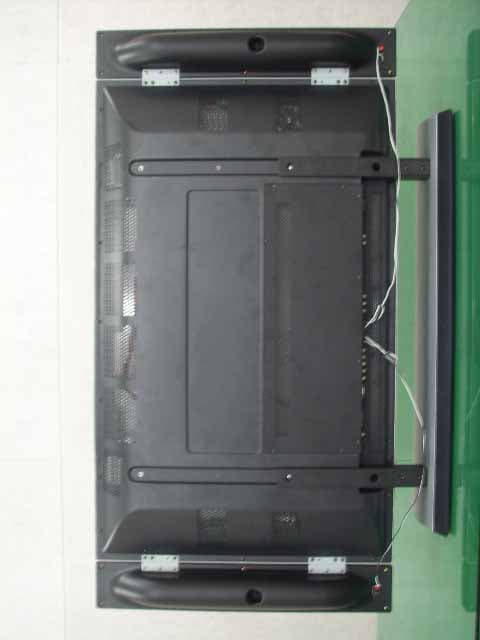
O5XHP-421VTM
Aug 14, 2006PDP Monitor
Equipment Class
JBP - Part 15 Class B Computing Device Peripheral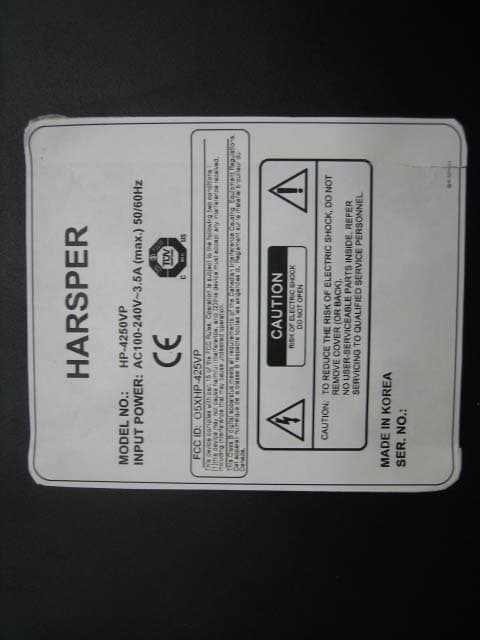
O5XHP-425VP
Nov 27, 2005PDP TV Monitor
Equipment Class
JBP - Part 15 Class B Computing Device Peripheral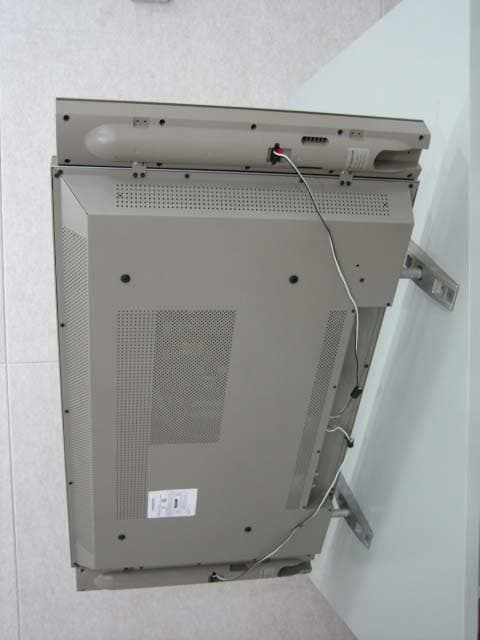
O5XHL-420V
Sep 27, 2005LCD Monitor TV
Equipment Class
JBP - Part 15 Class B Computing Device Peripheral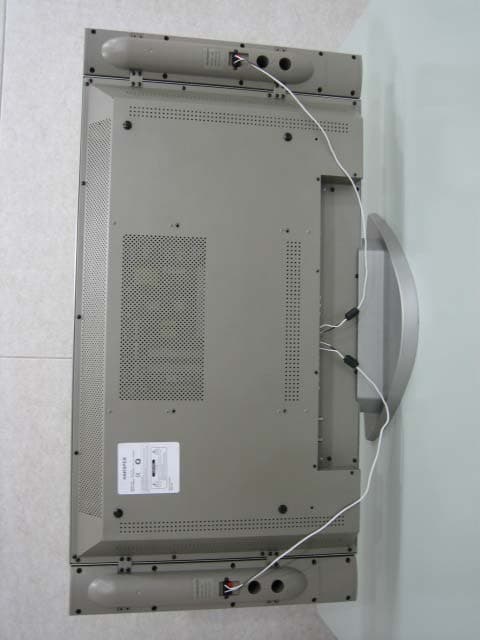
O5XHL-370V
Sep 27, 2005LCD Monitor TV
Equipment Class
JBP - Part 15 Class B Computing Device Peripheral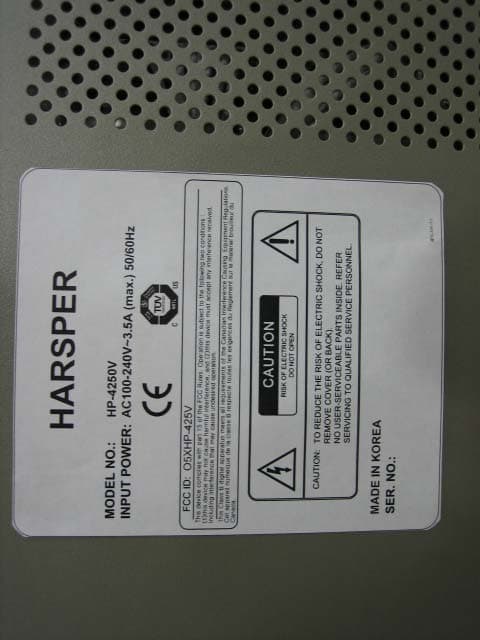
O5XHP-425V
Sep 27, 2005PDP Monitor TV
Equipment Class
JBP - Part 15 Class B Computing Device Peripheral