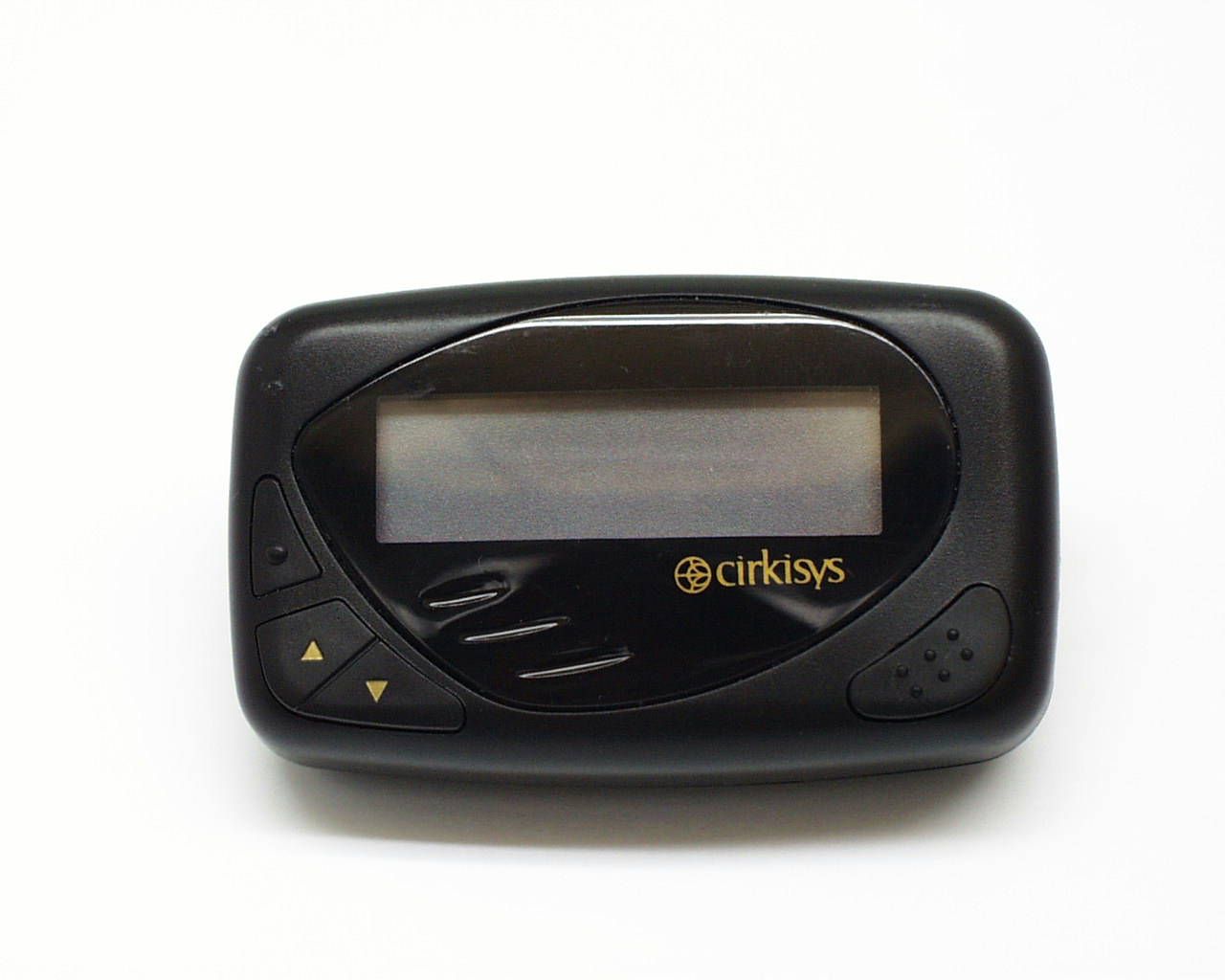
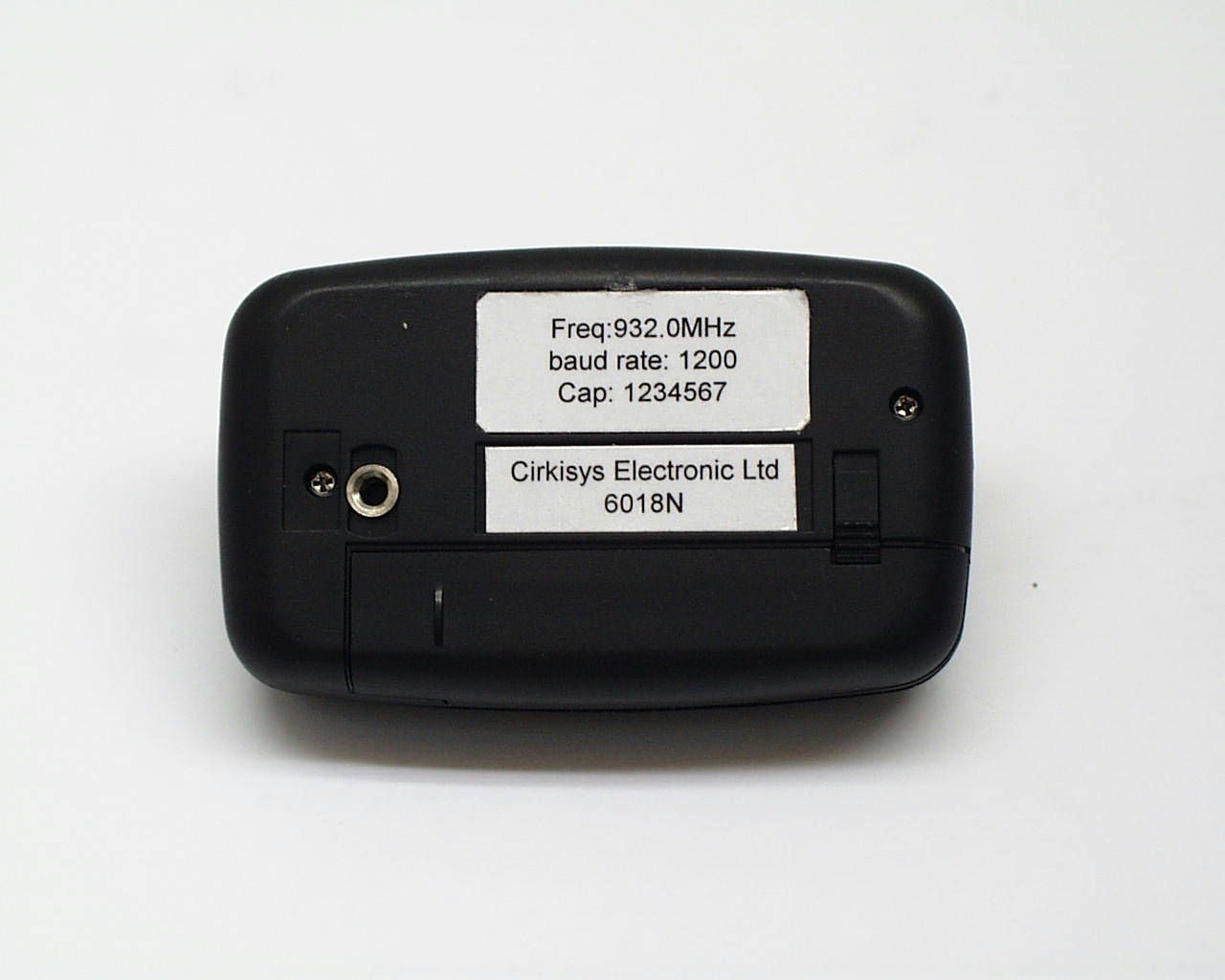
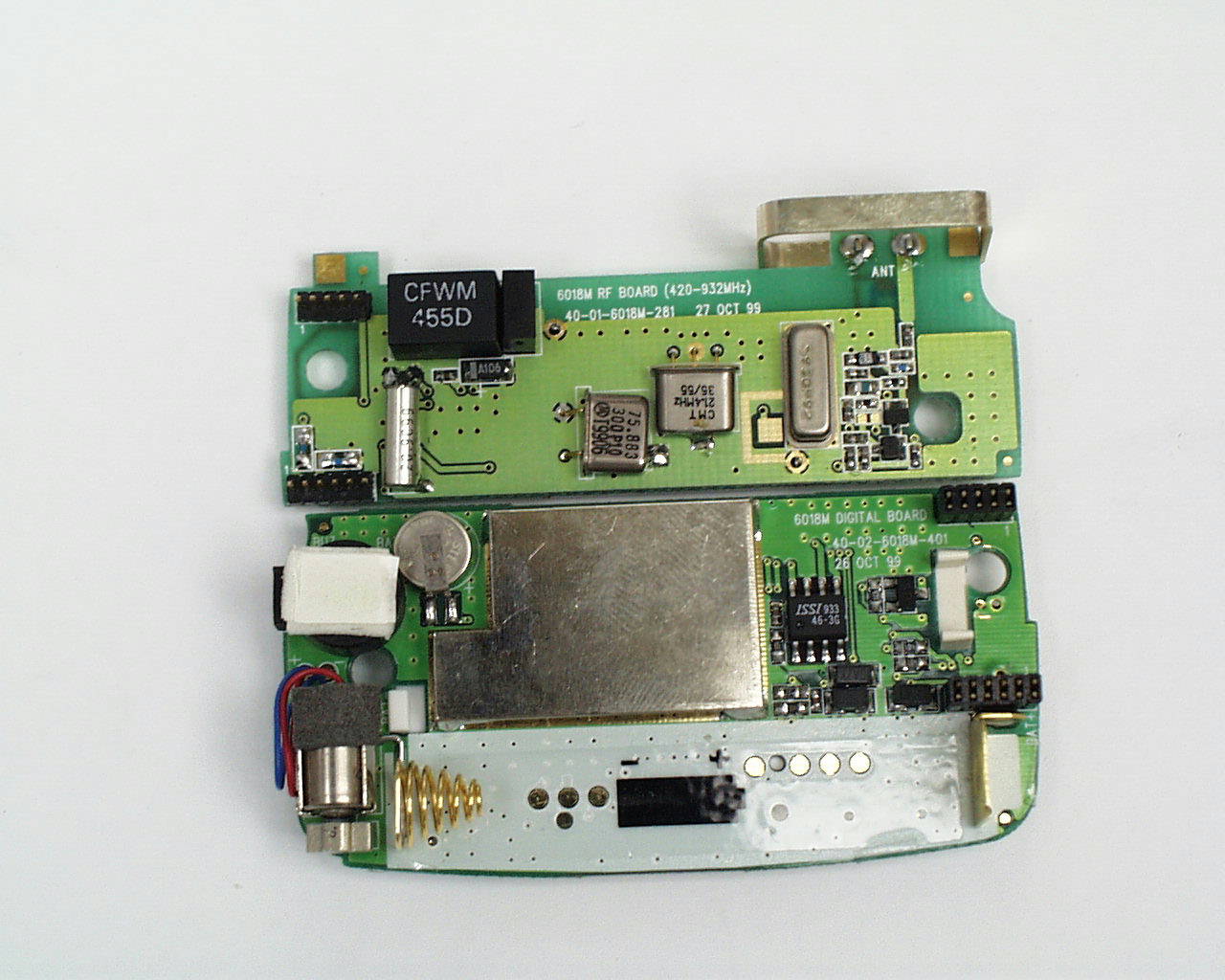
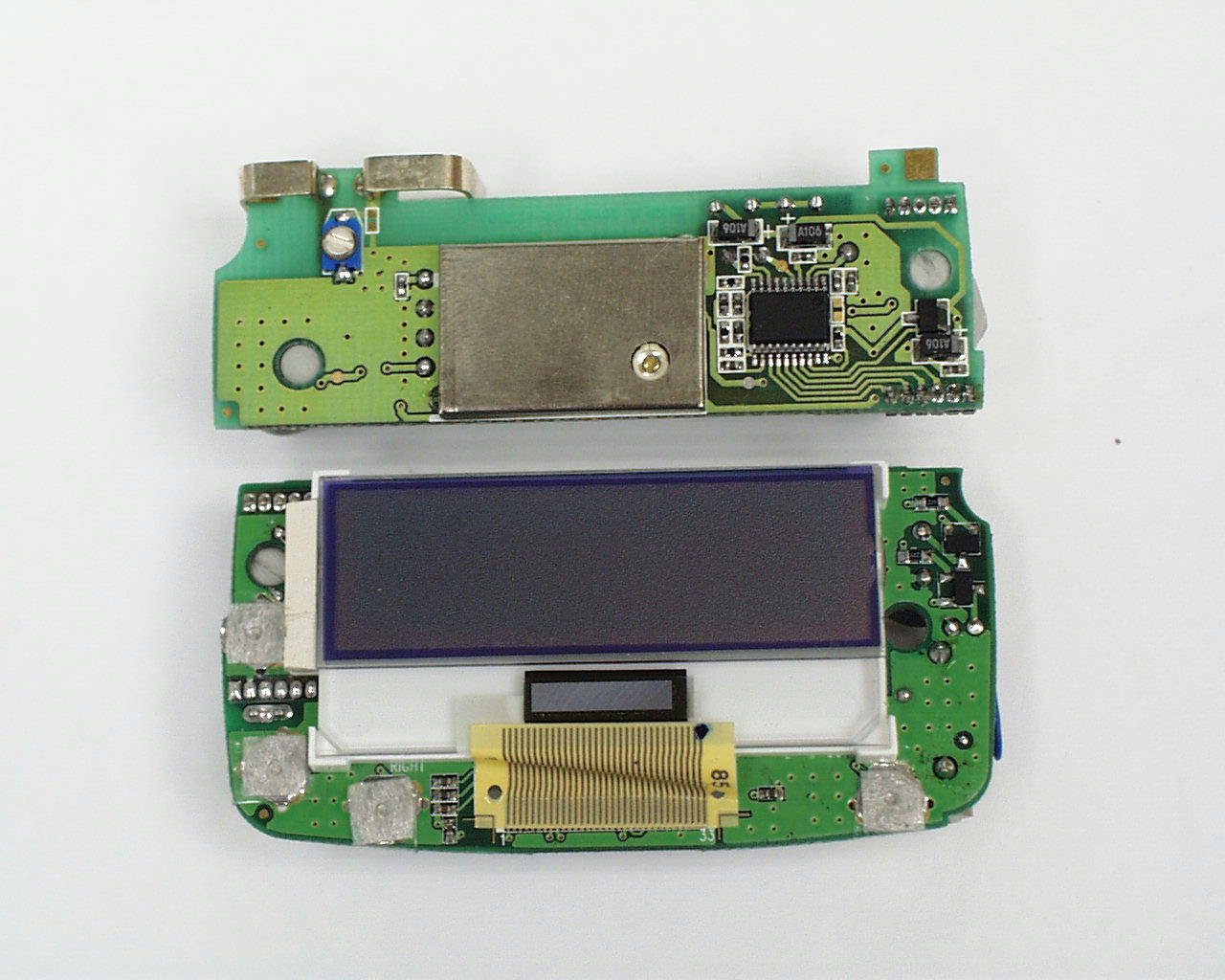
OBM6018-930Pager
VTech Connect Limited
Click to zoom
Application Details
- Equipment Class
- CXX - Communications Rcvr for use w/ licensed Tx and CBs
- Date of Grant
- Feb 01, 2000
- Application Purpose
- Original Equipment
- Date of Application
- Jan 20, 2000
- Equipment Note
- Pager
- Frequency Range
- 928.00000000 - 932.00000000
- Company
- VTech Connect Limited
- Country
- Hong Kong
Documents & Files
Document Text
Text extracted from the exhibit documents filed with the FCC. Open a document above to read the original.
Users Manual
6018 POCSAG CCD-2 2-line Multi-lingual Display Pager User Manual Version 0.0 (ENGINEERING DEPARTMENT) Document No.: C 3G 6018 UM 9N M 0000 002 0 NameSignatureDate Prepared by: Approved by a member of the group Electronics Limited Uncontrolled ( )Controlled ( )Copy No.: Document History DateAuthorVersionDescription of Changes Nov 22, 99Bili Cheung0.0Original release. Table of Contents 1.OVERVIEW OF 60186 2.ICONS7 2.1.1Status Icons7 2.1.2Memory Bank Icons7 2.1.3Function Icons8 2.1.4Operation Icons8 3.OPERATIONS9 3.1To Power On the Pager9 3.2To Power Off the Pager9 3.3Accessing Memory Banks10 3.4Receiving and Reading Messages10 3.5Individual Message Removal11 3.6Removing All Messages11 3.7Message Protection11 3.8Copying Message to Personal Memory Bank12 3.9Personal Message Alarm Setup12 3.10News Message Alarm Setup13 3.11Real Time Clock Setup13 3.12Alert Mode Selection14 3.13Appointment Alarm Setup14 3.14Melody Selection15 3.15Unread Message Alarm Adjustment16 3.16Font Size Changing16 3.17Password Setup16 3.18Alert Duration Adjustment18 3.19Auto Timer Setup18 3.20Silent Timer Setup19 3.21Message Display Duration Adjustment19 3.22Low Battery Alert20 3.23Illumination20 DATE OF ISSUE: 4-Jan-00 Page 6 of 21 DOC. NO.: C 3G 6018 UM 9N M 0000 002 0 VERSION 0.0 6018 POCSAG CCD-2 2-line Multi-lingual Display Pager User Manual CIRKISYS ELECTRONICS LTD. 1.Overview of 6018 The dimensions of 6018 numeric pager are 73.5mm(L) x 50mm(W) x 18.5mm(D). Its two dimensional drawing is shown below. 69.7mm 43.0mm Function key Left key Right key Confirm key DATE OF ISSUE: 4-Jan-00 Page 7 of 21 DOC. NO.: C 3G 6018 UM 9N M 0000 002 0 VERSION 0.0 6018 POCSAG CCD-2 2-line Multi-lingual Display Pager User Manual CIRKISYS ELECTRONICS LTD. 2.Icons 2.1.1Status Icons The pager is outside the service area Audio alarm mode Vibrating alert mode Silent mode Auto on/off timer is being set The silent reception function is set but inactivated The silent reception function is set and activated The first alarm clock is set The second alarm clock is set Both the first and the second alarm clocks are set The message is protected A password is set Full battery indication Half battery indication Low battery indication Unread message indicator, the number indicates the total number of unread messages Unread news indicator 2.1.2Memory Bank Icons User memory bank Personal memory bank News memory bank DATE OF ISSUE: 4-Jan-00 Page 8 of 21 DOC. NO.: C 3G 6018 UM 9N M 0000 002 0 VERSION 0.0 6018 POCSAG CCD-2 2-line Multi-lingual Display Pager User Manual CIRKISYS ELECTRONICS LTD. 2.1.3Function Icons Making copy of user/group message to personal memory bank Message protection Turning off the pager Date and time setting Alert mode selection Music selection for audio alert Appointment alarm setting Auto on/off timer setting Silent reception timer setting Unread message alarm interval setting Alert duration setting Message display duration setting Password setup Deleting individual message from the current memory bank Deleting all messages from the current memory bank Personal message alarm setting News message receiving alarm setting Changing the message display font size 2.1.4Operation Icons Next page/screen Exit from a current screen DATE OF ISSUE: 4-Jan-00 Page 9 of 21 DOC. NO.: C 3G 6018 UM 9N M 0000 002 0 VERSION 0.0 6018 POCSAG CCD-2 2-line Multi-lingual Display Pager User Manual CIRKISYS ELECTRONICS LTD. 3.Operations 3.1To Power On the Pager • Press and hold the Confirm key for 3 seconds. • Either an audio beeping tone or pager vibration will be generated as the power on signal. • Stop the power on signal by pressing any key, the pager will then display the status screen. • The pager will then enter the standby mode for power saving with the LCD turned off. • The status screen can be displayed again by pressing any key. 3.2To Power Off the Pager • Press the Function key to evoke the second function menu from the status screen. • Press either one of the arrow keys to select the ‘’ icon. • Hold the Confirm key for 3 seconds to turn off the pager. DATE OF ISSUE: 4-Jan-00 Page 10 of 21 DOC. NO.: C 3G 6018 UM 9N M 0000 002 0 VERSION 0.0 6018 POCSAG CCD-2 2-line Multi-lingual Display Pager User Manual CIRKISYS ELECTRONICS LTD. 3.3Accessing Memory Banks • Press the Function key to evoke the first function menu from the status screen. • Press an arrow key to select the ‘’ icon and press the confirm key to access the user memory bank. • Press an arrow key to select the ‘’ icon and press the confirm key to access the personal memory bank. • Press an arrow key to select the ‘’ icon and press the confirm key to access the news memory bank. 3.4Receiving and Reading Messages • The pager will generate an audio alert, a vibration alert or remain silent when receiving a call. • The following screen will be displayed simultaneously. • Press any key to stop the alert. • Press the Confirm key read the latest message. • The pager will notify the user the number of unread messages by displaying the ‘’ icon. • Fast message scrolling can be invoked by continuously pressing the Confirm key (all unread messages will be displayed first). • The following prompt message will be displayed if there is no message. DATE OF ISSUE: 4-Jan-00 Page 11 of 21 DOC. NO.: C 3G 6018 UM 9N M 0000 002 0 VERSION 0.0 6018 POCSAG CCD-2 2-line Multi-lingual Display Pager User Manual CIRKISYS ELECTRONICS LTD. 3.5Individual Message Removal • Recall the message to be deleted. • Press the Function key to evoke the user memory bank menu. • Press an arrow key to select the ‘’ icon. • Press the Confirm key to delete the message. 3.6Removing All Messages • Press the Function key to evoke the user memory bank menu. • Press an arrow key to select the ‘’ icon. • Press Confirm key to delete all the messages. • Protected messages will not be deleted. 3.7Message Protection • Up to 10 messages can be protected. • Recall a message in the user memory bank and press the Function key to evoke the user memo…
Text truncated - open the document above for the full version.
Test Report
Intertek Testing Services Hong Kong Ltd. 2/F., Garment Centre, 576 Castle Peak Road, Kowloon, Hong Kong. Tel: (852) 2173 8888 Fax: (852) 2745 8306 January 19, 2000 Cirkisys Electronics Limited Unit C&D, 23/F., Blk. 1, Kingsford Ind. Bldg., 26-32 Kwai Hei St., Kwai Chung, Hong Kong. Dear Mr. C. O. Cheng: Enclosed you will find your file copy of a Part 15 Certification (FCC ID: OBM6018-930). We have forwarded the original, along with your check for $365.00, to FCC. For your reference, FCC will normally take another 90 days for reviewing the report. Approval will then be granted when no query is sorted. Please contact me if you have any questions regarding the enclosed material. Sincerely, Wilson Loke Manager Enclosure • The test results reported in this test report shall refer only to the sample actually tested and shall not refer or be deemed to refer to bulk from which such a sample may be said to have been obtained. • This report shall not be reproduced except in full without prior authorization from Intertek Testing Services Hong Kong Limited • For Terms And Conditions of the services, it can be provided upon request. Intertek Testing Services Hong Kong Ltd. 2/F., Garment Centre, 576 Castle Peak Road, Kowloon, Hong Kong. Tel: (852) 2713 8888 Fax: (852) 2745 8306 Cirkisys Electronics Ltd. Application For Certification (FCC ID: OBM6018-930) Superheterodyne Receiver WO# 9913742 WN/at January 19, 2000 INTERTEK TESTING SERVICES FCC ID: OBM6018-930 i LIST OF EXHIBITS INTRODUCTION EXHIBIT 1:General Description EXHIBIT 2:System Test Configuration EXHIBIT 3:Emission Results EXHIBIT 4:Equipment Photographs EXHIBIT 5:Product Labelling EXHIBIT 6:Technical Specifications EXHIBIT 7:Instruction Manual EXHIBIT 8:Miscellaneous Information INTERTEK TESTING SERVICES FCC ID: OBM6018-930 ii MEASUREMENT/TECHNICAL REPORT Cirkisys Electronics Ltd. - MODEL: 6018 FCC ID: OBM6018-930 This report concerns (check one:)Original Grant X Class II Change _____ Equipment Type: Superheterodyne Receiver (example: computer, printer, modem, etc.) Deferred grant requested per 47 CFR 0.457(d)(1)(ii)?Yes No X If yes, defer until: date Company Name agrees to notify the Commission by: date of the intended date of announcement of the product so that the grant can be issued on that date. Transition Rules Request per 15.37?Yes No X If no, assumed Part 15, Subpart B for unintentional radiator - the new 47 CFR [10-1-96 Edition] provision. Report prepared by:Wilson Loke Intertek Testing Services Hong Kong Ltd. 2/F., Garment Centre, 576, Castle Peak Road, Kowloon, Hong Kong Phone:852-2173-8575 Fax:852-2745-8306 INTERTEK TESTING SERVICES FCC ID: OBM6018-930 iii Table of Contents 1.0 General Description............................................................................................................2 1.1 Product Description ...........................................................................................................2 1.2 Related Submittal(s) Grants ...............................................................................................2 1.3 Test Methodology ..............................................................................................................3 1.4 Test Facility .......................................................................................................................3 2.0 System Test Configuration.................................................................................................5 2.2 EUT Exercising Software ..................................................................................................5 2.4 Equipment Modification ....................................................................................................6 3.0 Emission Results..................................................................................................................8 3.1 Field Strength Calculation..................................................................................................9 3.2 Radiated Emission Configuration Photograph .................................................................10 3.3 Radiated Emission Data...................................................................................................11 4.0 Equipment Photographs...................................................................................................15 5.0 Product Labelling..............................................................................................................17 6.0 Technical Specifications....................................................................................................19 7.0 Instruction Manual...........................................................................................................21 8.0 Miscellaneous Information...............................................................................................23 8.1 Stabilization Waveform ...................................................................................................24 8.2 Discussion of Pulse Desensitization.................................................................................25 8.3 Calculation of Average Factor .........................................................................................26 8.4 Emissions Test Procedures...............................................................................................27 INTERTEK TESTING SERVICES FCC ID: OBM6018-930 iv List of attached file Exhibit typeFile Descriptionfilename Cover LetterLetter of Agencyletter.pdf Test ReportTest Reportreport.doc Operation DescriptionTechnical Descriptiondescri.pdf Test Setup PhotoRadiated Emissionradiated1.jpg, radiated2.jpg External PhotoExternal Photoophoto1.jpg to ophoto2.jpg Internal PhotoInternal Photoiphoto1.jpg to iphoto2.jpg Block DiagramBlock Diagramblock.pdf SchematicsCircuit Diagramcircuit.pdf ID Label/LocationLabel Artwork and Locationlabel.pdf User ManualUser Manualmanual.pdf INTERTEK TESTING SERVICES FCC ID: OBM601…
Text truncated - open the document above for the full version.
Contact Information
Applicant
Ricky K. W. Chan(Engineering Manager)
852-2409-2022Fax: 852-2612-0661
Technical Contact
Intertek Testing Services Hong Kong Ltd.Wilson Loke
[email protected]852-21738575
2/F., Garment Centre, · Kowloon · Hong Kong
Non-Technical Contact
Intertek Testing Services Hong Kong Ltd.Wilson Loke
[email protected]852-21738575
Test Firm
Intertek Testing Services Hong KongBilly Chow
Technical Specifications
| # | Rule Parts | Frequency Range | Power Output |
|---|---|---|---|
| 1 | 15B | 928 MHz - 932 MHz | - |
Other Applications from VTech Connect Limited

OBM8003N-930
Mar 16, 2000Wireless Email Unit
Equipment Class
CXX - Communications Rcvr for use w/ licensed Tx and CBs
OBM8015-930
Mar 07, 2000Alphanumeric Flex Pager
Equipment Class
CXX - Communications Rcvr for use w/ licensed Tx and CBs
OBM8001-930
Nov 22, 1999Pager
Equipment Class
CXX - Communications Rcvr for use w/ licensed Tx and CBs
OBM8022-155
Oct 08, 1999CXX - Communications Rcvr for use w/ licensed Tx and CBs
Equipment Class
CXX - Communications Rcvr for use w/ licensed Tx and CBs
OBMALPHA-1-139
Oct 06, 1999Pager
Equipment Class
CXX - Communications Rcvr for use w/ licensed Tx and CBs