OH6-5234DHFMMobile Messenger DHF-2000
Terion, Inc.
Click to zoom
Application Details
- Equipment Class
- TNB - Licensed Non-Broadcast Station Transmitter
- Date of Grant
- Jul 08, 2001
- Application Purpose
- Original Equipment
- Date of Application
- Jul 08, 2001
- Equipment Note
- Mobile Messenger DHF-2000
- Frequency Range
- 3.17000000 - 25.03700000
- Company
- Terion, Inc.
- Country
- United States
Documents & Files
Document Text
Text extracted from the exhibit documents filed with the FCC. Open a document above to read the original.
Users Manual
Mobile Messaging System Installation Manual UM20-100111B June 15, 2001 Upon receipt of this manual, log on to www.terion.com/webdownload to check for any updates that may be in effect for this manual. Terion publishes the latest software and documentation on this website, so be sure to check for updates periodically. Customer Service United States 1-877-283-7466 Canada 1-877-483-8466 FM0014QS Rev. F COPYRIGHT AND CONFIDENTIALITY NOTICE Copyright © 2000, 2001 by Terion, Inc. All rights reserved. Printed in the United States of America. No part of this document may be reproduced, stored in a retrieval system or transmitted in any form or by any means without the prior written permission of Terion, Inc. This document contains valuable confidential and proprietary information of Terion, Inc. that is protected by applicable law. You may not use, copy, disseminate or distribute this document or its contents without the prior written permission of Terion, Inc. If you are a Terion customer, the standard Terion Terms and Conditions provides certain rights to use this document, provided you at all times comply with the provisions of the standard Terion Terms and Conditions. Mobile Messenger, Mobile Workstation, Tfleet, FleetView, Journeyman I, and Journeyman-II mmc are registered trademarks of Terion, Incorporated. Loctite is a trade name of Loctite Corporation, copyright 1997-2000, Loctite Corporation. Automotive Adhesion Promoter 4298 is a trade name of 3M Automotive Division, copyright 1999, Minnesota Mining and Manufacturing Company. NOTE The installation of a Terion system in a manner inconsistent with Terion's requirements may void the customer warranty. All installations must be conducted by a Terion-certified installer in conformance with Terion's application information (i.e., the right system and kit for the vehicle) and to Terion's installation instructions. is a registered trademark of Terion, Incorporated. ii Mobile Messaging System Installation Manual June 15, 2001 UM20-100111B Terion, Inc. Terion Contact Information Web Address: www.terion.com U.S.A. Florida (Headquarters) Terion, Inc. 420 N. Wickham Road Melbourne, FL 32935 Telephone: (321) 752-3000 Toll-free telephone: (888) 772-3306 Fax: (321) 752-9567 Customer Service: (877) 283-7466 Texas Terion, Inc. 6505 Windcrest Plano, TX 75024 Telephone: (972) 398-7300 Toll-free telephone: (888) 496-8945 Fax: (972) 398-7322 Customer Service: (877) 283-7466 CANADA Ontario Terion Canada Communications, Inc. 1 Eglinton Ave East, Suite 619 Toronto, Ontario M4P 3A1 Telephone: (416) 640-4885 Fax: (416) 640-4886 Customer Service: (877) 483-8466 Quebec Terion, Inc. (Dolphin Software Services, ULC) 455 Fenelon Blvd., Suite 110 Dorval, Quebec H9S 5T8 Telephone: (514) 422-0880 Fax: (514) 422-9792 Customer Service: (877) 483-8466 iii Mobile Messaging System Installation Manual June 15, 2001 UM20-100111B Terion, Inc. iv Mobile Messaging System Installation Manual June 15, 2001 UM20-100111B Terion, Inc. Contents 1 Introduction 1.1 Scope...................................................................................................................1-1 1.2 Contents..............................................................................................................1-1 1.3 Safety..................................................................................................................1-2 1.4 Related Publications................................................................................................1-3 1.5 Web Available Manuals..........................................................................................1-3 1.6 Conventions............................................................................................................1-3 2 Installation Overview 2.1 Installation Kit.........................................................................................................2-1 2.2 Major Components..................................................................................................2-1 2.2.1 Antenna System..........................................................................................2-1 2.2.2 Intelligent Transceiver Unit (ITU)..............................................................2-1 2.2.3 Driver Terminal (DT).................................................................................2-1 3 Before You Begin 3.1 Verification of Hardware........................................................................................3-1 3.2 Verification of Power Source..................................................................................3-1 3.3 Verification of Serial Numbers...............................................................................3-1 3.4 Verification of Software Versions..........................................................................3-1 3.5 Inspection for Non-Standard Modifications or Protrusions....................................3-2 3.6 Selection of FM/DHF Antenna Location................................................................3-2 3.7 Selection of GPS Antenna Mount Location............................................................3-3 3.8 Selection of Driver Terminal (DT) Location..........................................................3-3 3.9 Selection of Intelligent Transceiver Unit (ITU) Location......................................3-4 4 FM/DHF Antenna Installation 4.1 Side Mount Instructions..........................................................................................4-1 4.2 Identification of Best Antenna Ground Point.........................................................4-1 4.3 Side Mount Instructions..........................................................................................4-2 4.3.1 Attaching Antenna Base Mount to Composite Body Panels......................4-2 4.3.2 Attaching Antenna Base Mount to Aluminum or Steel Body Panels with Inaccessible Backsides..................................................…
Text truncated - open the document above for the full version.
Users Manual
Journeyman-II mmc Mobile Messenger / Mobile Workstation User Manual UM10-100124A March 5, 2001 Upon receipt of this manual, log on to www.terion.com/webdownload to check for any updates that may be in effect for this manual. Terion publishes the latest software and documentation on this website, so be sure to check for updates periodically. Customer Service United States 1-877-283-7466 Canada 1-877-483-8466 FM0014QS Rev. E is a registered trademark of Terion, Incorporated. ii Journeyman-II mmc Mobile Messenger / Mobile Workstation User Manual March 5, 2001 UM10-100124A Terion, Inc. COPYRIGHT AND CONFIDENTIALITY NOTICE Copyright © 2001 by Terion, Inc. All rights reserved. Printed in the United States of America. No part of this document may be reproduced, stored in a retrieval system or transmitted in any form or by any means without the prior written permission of Terion, Inc. This document contains valuable confidential and proprietary information of Terion, Inc. that is protected by applicable law. You may not use, copy, disseminate or distribute this document or its contents without the prior written permission of Terion, Inc. If you are a Terion customer, the standard Terion Terms and Conditions provides certain rights to use this document, provided you at all times comply with the provisions of the standard Terion Terms and Conditions. Mobile Messenger, Mobile Workstation, and Tfleet are registered trademarks of Terion, Incorporated. Windows, Windows NT, Windows 95, Windows 98, and Internet Explorer are registered trademarks of Microsoft Corporation. Pentium is a registered trademark of Intel Corporation. Netscape, Netscape Navigator, and the Netscape N and Ship's Wheel logos are registered trademarks of Netscape Communications Corporation. Acrobat Reader is a registered trademark of Adobe Systems Incorporated. Macintosh is a registered trademark of Apple Computer Corporation. MapPro40.OCX, and Precision Mapping Streets used in Tfleet™ are registered trademarks of Chicago Map Corporation. Terion Contact Information Web Address: www.terion.com U.S.A. Florida (Headquarters) Terion, Inc. 420 N. Wickham Road Melbourne, FL 32935 Telephone: (321) 752-3000 Toll-free telephone: (888) 772-3306 Fax: (321) 752-9567 Customer Service: (877) 283-7466 Texas Terion, Inc. 6505 Windcrest Plano, TX 75024 Telephone: (972) 398-7300 Toll-free telephone: (888) 496-8945 Fax: (972) 398-7322 Customer Service: (877) 283-7466 CANADA Ontario Terion Canada Communications, Inc. 1 Eglinton Ave East, Suite 619 Toronto, Ontario M4P 3A1 Telephone: (416) 640-4885 Fax: (416) 640-4886 Customer Service: (877) 483-8466 Quebec Terion, Inc. (Dolphin Software Services, ULC) 455 Fenelon Blvd., Suite 110 Dorval, Quebec H9S 5T8 Telephone: (514) 422-0880 Fax: (514) 422-9792 Customer Service: (877) 483-8466 iii Journeyman-II mmc Mobile Messenger / Mobile Workstation User Manual March 5, 2001 UM10-100124A Terion, Inc. iv Journeyman-II mmc Mobile Messenger / Mobile Workstation User Manual March 5, 2001 UM10-100124A Terion, Inc. Contents 1 – Introduction Scope................................................................................................................................1-1 Content.............................................................................................................................1-1 Related Publications.........................................................................................................1-2 Web Available Manuals...................................................................................................1-2 Conventions.....................................................................................................................1-2 2 – Before You Begin Safety Instructions...........................................................................................................2-1 Care of Your Journeyman-II mmc ...................................................................................2-1 3 – The Journeyman-II mmc Driver Terminal The Journeyman-II mmc Keyboard.................................................................................3-1 Display Elements.............................................................................................................3-3 Message Priorities............................................................................................................3-4 4 – Inbox Display The Inbox Message Line..................................................................................................4-2 To Read a Message..........................................................................................................4-3 To Reply to a Message.....................................................................................................4-3 To Save a Message...........................................................................................................4-4 To Delete a Message........................................................................................................4-5 To Delete All Messages...................................................................................................4-5 5 – Edit Text Message Display To Create and Send a Message........................................................................................5-1 6 – Outbox Display The Outbox Message Line...............................................................................................6-1 To Delete a Message........................................................................................................6-2 To Delete All Messages...................................................................................................6-2 7 – Savebox Display To Save a Message from the Inbox..................................................................................7-1 To Save a Message from the Outbox...............................................................................7-2 To Save a Message …
Text truncated - open the document above for the full version.
Users Manual
Journeyman-I Mobile Messenger / Mobile Workstation User Manual U U M M 1 1 0 0 - - 1 1 0 0 0 0 1 1 0 0 7 7 B B . . 0 0 3 3 ©September 18, 2000 Upon receipt of this manual, log on to www.terion.com/webdownload to check for any updates that may be in effect for this manual. Terion publishes the latest software and documentation on this website so be sure to check for updates periodically. Terion, Inc. 420 North Wickham Rd. Melbourne, Florida 32935 www.terion.com Customer Service (877) 283-7466 COPYRIGHT AND CONFIDENTIALITY NOTICE Copyright © 2000 by Terion, Inc. All rights reserved. Printed in the United States of America. No part of this document may be reproduced, stored in a retrieval system or transmitted in any form or by any means without the prior written permission of Terion, Inc. This document contains valuable confidential and proprietary information of Terion, Inc. that is protected by applicable law. You may not use, copy, disseminate or distribute this document or its contents without the prior written permission of Terion, Inc. If you are a Terion customer, the standard Terion Terms and Conditions provides certain rights to use this document, provided you at all times comply with the provisions of the standard Terion Terms and Conditions. Mobile Messenger, Mobile Workstation, and Journeyman-I are registered trademarks of Terion, Incorporated. is a registered trademark of Terion, Incorporated. ii Journeyman-I MM/MW User Manual September 18, 2000, Terion, Inc. UM10-100107B.03 Contents 1 – Introduction.................................................................................................................... 1-1 Scope................................................................................................................................1-1 Content.............................................................................................................................1-1 Related Publications.........................................................................................................1-2 Web Available Manuals...................................................................................................1-2 Conventions.....................................................................................................................1-2 2 – Before You Begin...........................................................................................................2-1 Safety Instructions...........................................................................................................2-1 Care of Your Journeyman-1.............................................................................................2-1 3 – The Journeyman-I Driver Terminal............................................................................3-1 The Journeyman-I Keyboard...........................................................................................3-1 Display Elements.............................................................................................................3-3 Message Priorities............................................................................................................3-4 4 – Inbox Display.................................................................................................................. 4-1 The Inbox Message Line..................................................................................................4-2 5 – Edit Text Message Display............................................................................................5-1 6 – Outbox Display...............................................................................................................6-1 7 – Savebox Display.............................................................................................................7-1 8 – Calculator.......................................................................................................................8-1 9 – Additional Operational Information............................................................................9-1 iii Journeyman-I MM/MW User Manual September 18, 2000, Terion, Inc. UM10-100107B.03 iv Journeyman-I MM/MW User Manual September 18, 2000, Terion, Inc. UM10-100107B.03 1 – Introduction Journeyman-I is the driver terminal that operates the Mobile Messenger and Mobile Workstation driver messaging systems. Use the Journeyman-I to receive, read, create and send messages to and from your dispatcher. This manual will guide you through use of the Journeyman-I Mobile Messenger and Mobile Workstation application. Mobile Messenger and Mobile Workstation will make your job easier. • You can communicate with your dispatcher without having to find and wait for a pay phone, then wait on hold for your dispatcher. • You can tell your dispatcher where you are. Loading and unloading appointments are made with more precision so that you can spend less time waiting for loads and more time driving. • Breakdowns and other on-the-road problems are less difficult. You can send a message to your dispatcher identifying the problem. By knowing your exact location, help can be quickly dispatched with less confusion. • With Mobile Workstation, you can send commonly-used information in a form format to your dispatcher. Scope This book covers the Journeyman-I driver terminal system, including features and procedures for the driver terminal user interface. Content The Journeyman-I Mobile Messenger/Mobile Workstation User Manual is intended to be a guide to using and understanding the Journeyman-I driver terminal and all of its features. The following is a description of how the manual is organized. There are nine major sections: • Section 1 – Introduction. Provides the scope, contents, related publications, web available manuals, and conventions. • Section 2 – Before You Begin. Describes proper care and safety when using the Journeyman-I Driver Terminal. • Section 3 – The Journeyman-I Driver Terminal. …
Text truncated - open the document above for the full version.
Cover Letter(s)
420 N. Wickham Rd. ! Melbourne, FL 32935 ! Ph: 321-752-3000 ! FAX: 321-752-0294 July 9, 2001 Federal Communications Commission – Office of Engineering and Technology Request for Confidential Treatment - Terion Incorporated FCC ID No: OH6-5234DHFM To Whom It May Concern, Terion Incorporated requests that the schematics associated with this application be withheld from public disclosure in accordance with Section 0.459 of the Commission’s Rules, 47 C.F.R. § 0.459 (1998), following grant of the application. In support of this request, Terion submits the following: (1) identification of the specific information for which confidential treatment is sought: The schematics for which confidentiality is sought are clearly evident and were originally uploaded as files Digital_Board_Schematics.PDF and RF_Board_Schematics.PDF, which were segregated from the balance of the application. (2) identification of the Commission proceeding in which the information was submitted or a description of the circumstances giving rise to the submission: The proceeding is that involving the application for equipment authorization (certification) under FCC ID No: OH6-5234DHFM (3) explanation of the degree to which the information is commercial or financial, or contains a trade secret or is privileged: This material includes schematics. As such, this material is treated as highly confidential and not provided to other parties except pursuant to confidentiality or non-disclosure agreements. (4) explanation of the degree to which the information concerns a service that is subject to competition: The material for which confidentiality is sought is employed in the design and manufacture of a commercial radio service that competes with a variety of other such services including satellite and cellular based services. (5) explanation of how disclosure of the information could result in substantial competitive harm: Disclosure would, in effect, give away the fruits of the labors of Terion’s engineering personnel, who have designed the equipment. Disclosure would also offer competitors additional unwarranted insight into the state of product development thereby allowing such competitors an advantage that would not be available to Terion. (6) identification of any measures taken by the submitting party to prevent unauthorized disclosure: The information for which confidential treatment is sought is kept confidential by Terion and not made available to third parties except pursuant to non-disclosure and confidentiality agreements. (7) identification of whether the information is available to the public and the extent of any previous disclosure of the information to third parties: To the knowledge of those preparing this application, the information has not been disclosed publicly heretofore. While the general theory of operation of this equipment has been the subject of numerous submittals made to the Commission in connection with the waiver granted to Terion, Inc. (then known as Flash Comm, Inc.), the protection sought is narrowly drawn and pertains to certain specific implementations of the communications technology previously described in general. (8) justification of the period during which the submitting party asserts that material should not be available for public disclosure: This material should not be disclosed for at least 25 years. While improvements in design are made over the next few years, disclosure of the design information would lead to insights into both designs and manufacturing techniques and could have an adverse competitive effect for many years to come. This equipment is designed for commercial, industrial, and governmental transportation applications. As such, unlike most consumer equipment, it is expected to be used for more than a decade in some cases. Moreover, this equipment will be used in the transport of valuable cargo. As such, it is important that its design not be made available to unauthorized persons who might attempt to use knowledge of the design to compromise the applications for which the equipment will be employed. (9) any other information that the party seeking confidential treatment believes may be useful in assessing whether its request for confidentiality should be granted: See item 8 above. Note that the equipment for which approval is being sought will be employed in applications that inherently carry a premium on security. Sincerely, James F. Roesch, Jr. Assistant VP – Product Development JFR
Cover Letter(s)
To: FCC Reviewer From: Richard King Certification Department Coordinator Elite Electronic Engineering Clarification of RF exposure requirement from Terion: The attached document contains an analysis (originally writen by Jim Roesch and modified for our current situation by Rue Hestand) of the ERP (Equivelent Radiated Power) of our cab product. This analysis was done using an 8' whip antenna on a tractor (large semi-truck), which is how the application is being used. The only difference now is that the antenna we use is 7.25' long. The current antenna is a little less efficient across most of the band (3 to 21 MHz) and a little more efficient at the higher end (21 to 25 MHz). For all practical purposes it's roughly the same except itsresonant frequency (most efficient frequency) is around 22 MHz instead of 20 MHz. A brief summary: Maximum transmitted power is about 0.5 W. Average transmitted power is about 0.2 W (this implies we could increase our transmit power by a factor of 5, from 10 W to 50 W, or somehow decrease our losses by a factor of 5, and we would still meet our ERP requirement). This analysis was done using an 8' whip antenna on a tractor (large semi-truck), which is how the application is being used. The only difference now is that the antenna we use is 7.25' long. The current antenna is a little less efficient across most of the band (3 to 21 MHz) and a little more efficient at the higher end (21 to 25 MHz). For all practical purposes it's roughly the same except its resonant frequency (most efficient frequency) is around 22 MHz instead of 20 MHz. Question to Rich Fabina at the FCC Lab. To: FCC Lab From: Richard King Certification Department Coordinator Elite Electronic Engineering In reference to a request to certify a Terion HF (14MHz) mobile messaging service primarily targeted to over the road transportation assets or heavy-duty vehicles. The Terion mobile messenger is a *mobile* transceiver mounted in the cab of the truck with either a 7* or 11* coaxial cable extending to the rear of the cab or the side mirror where a whip antenna is mounted. The mobile messenger has received certification by the commission under FCC ID number OH6- 4123DHFM on 07/30/1999. A board change to the mobile messenger has increased its power output at the amplifier to 10 watts from its original power output at the amplifier of 5.75 watts. The EIRP of the mobile messenger is 100mW. The TCB exclusion list dated December 18, 2000 for categorically excluded mobile transmitters identified in the 2.1091 with an EIRP that does not exceed 1.5W at a frequency of less than 1.5GHz qualifies for TCB approval. We are seeking confirmation that the above device can in fact be certified because of the EIRP radiated power being 100mW. Answer from FCC: Rick, The modified device will require a new FCC ID number. The grant for the original device lists 5.75 Watts as the maximum output power. It does not llist 100 miliwatts anywhere on the grant. Therefore, a grant that would show 10 Watts maximum ouput power would require a new FCC ID number as specified in Section 2.1043 of the FCC Rules. Use the TCB exlucsion list, under Transmitter Category column the heading III) Mobile Transmitters indentified in Section 2.1091, to determine if this transmitter can be approve by a TCB. The transmitters in Exclusion list column b), c) and d) do not apply to this transmitter. So the question becomes, does this transmitter satisfy a) under this heading. I believe the answer to this will answer your second question. I trust that this has responded to this inquiry. Rich Fabina Thank you in advance for your help. Richard King Certification Department Coordinator Elite Electronic Engineering Telephone: (630) 495-9770 E-mail: [email protected]
ID Label/Location Info
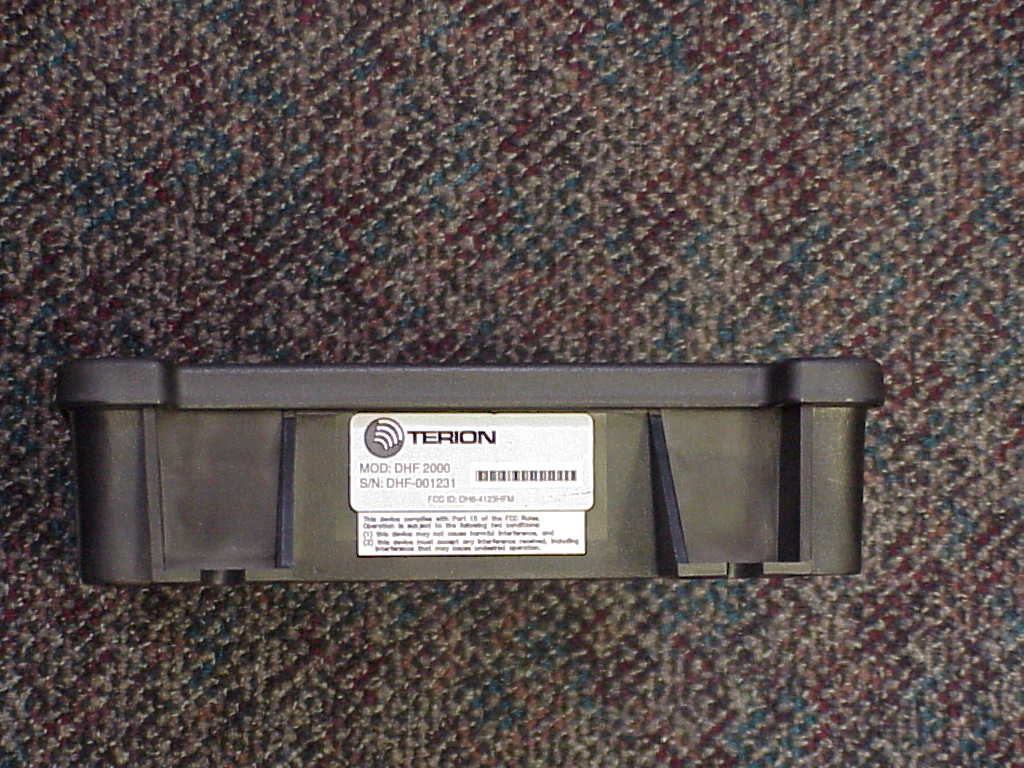
N/A N/A APPLICATION NEXT ASSY.USED ONDESCRIPTIONREV. REVISIONS DATEAPPROVED MATERIAL FINISH DO NOT SCALE DRAWING DRAWN RESP ENGR APRVL APRVL APRVL APPROVALSDATE TITLE SIZECODE SCALE A DWG. NO. SHEET 1 OF 2 CONTRACT NO. UNLESS OTHERWISE SPECIFIED DIMENSIONS ARE IN INCHES. TOLERANCES ARE: FRACTIONS DECIMALS ANGLES FCC ID: OH6-5234DHFM MOD: DHFM-1 S/N: DHF-001231 *DHF-001231* ITU/G LABEL FCC AI15-100117 G SEE ECN 01495 2.50 1.00 G NOTES: UNLESS OTHERWISE SPECIFIED HEREIN 1. LABEL MATERIAL SHALL BE VINYL SUITABLE FOR OUTDOOR CONDITIONS INCLUDING TEMPERATURES RANGING FROM -40C TO +85C AND UV EXPOSURE. IT SHALL BE BACKED WITH A PRESSURE SENSITIVE ADHESIVE SUITABLE FOR APPLICATION TO A PLASTIC SURFACE. (SETON STYLE NO. M1678 OR EQUIV.) 2. THE HUMAN READABLE AND BAR CODE SERIAL NUMBERS WILL BE NUMERICALLY SEQUENTIAL WITH THE STARTING NUMBERS AS SPECIFIED BY THE PURCHASE ORDER. THE SERIAL NUMBER SHALL HAVE SIX SERIALIZED NUMERIC CHARACTERS PREFIXED BY "DHF-". EXAMPLE: DHF-000001 IS SERIAL NUMBER ONE. 3. LABELS WILL BE SUPPLIED IN ROLL FORM, PRE-PRINTED WITH THE INFORMATION SHOWN IN THIS DRAWING. 4. MAKE LABEL FROM ARTWORK FILE "AI15-100117-ARTWORK-REV G". THIS IN ADOBE ILLUSTRATOR FILE FORMAT. THE ARTWORK FILE REV LETTER MUST MATCH THIS CONTROL DRAWING REV LETTER. THE ARTWORK CONTROLS THE FONTS AND GRAY BACKGROUND COLOR NO: PANTONE 427 CVU BLACK CHARACTERSHUMAN READABLE SERIAL NUMBER CODE 39 BARCODE SERIAL NUMBER IN BLACK WHITE BACKGROUND IN THIS AREA NO BORDER TERION LOGO IN GREEN COLOR NO: PANTONE 354 CVU BLACK CHARACTERS 6/12/01 AD20-100154 ITU 4/21/99 4/21/99 4/21/99 4/19/99 S.L. A.W. B.B. J.R. CANADA: DHF-2000 RSS125 3443251107 AD20-100154 2 OF 2 SHEET Actual Size 2.5" w x 1.0" h Colors are Pantone Uncoated series Grey Pantone 427 CVU Green Pantone 354 CVU FCC ID: OH6-5234DHFM MOD: DHFM-1 S/N: DHF-001231 *DHF-001231* FCC ID: OH6-5234DHFM MOD: DHFM-1 S/N: DHF-001231 *DHF-001231* AI15-100117 CANADA: DHF-2000 RSS125 3443251107 CANADA: DHF-2000 RSS125 3443251107 AD20-100154 AD20-100154
RF Exposure Info
DATE:July 9, 2001 TO:FCC OET FROM:Jim Roesch; Asst. VP – Product Development RE:RF EXPOSURE LIMITS CC:File Statement of exclusion: The Terion mobile messaging service is primarily targeted to over the road transportation assets, or heavy-duty vehicles (18 wheeled trucks). The DHF-2000 transceiver is mounted in the cab of the truck with either a 7' or an 11' coaxial cable extending to either the rear of the cab or the side mirror where a whip antenna is mounted (in every case the separation is much greater than 20 cm). In this configuration, the DHF-2000 mobile messaging unit would be classified as a "mobile" device, not "portable". In addition, it could be argued that truck cabs, where the Terion mobile messaging service is knowingly operated by the human occupants in the performance of their duties (truck drivers or passengers) is a "controlled" environment. However, the Terion transmitter is subject to exclusion even if operated in what would be considered an "uncontrolled environment". Devices operating below 1.5 GHz with a radiated power of less than 1.5 Watts are "categorically excluded" from RF exposure evaluations (e.g., assumed to comply without any testing). The grant authorizing Terion (formerly Flash Comm, Inc.) waivers to operate in portions of the land mobile business radio services band (Part 90) include only frequencies below 25.037 MHz (DA 97-1451 Appendix C) and a radiated power of less than or equal to 1 Watt (DA 97-1451 Appendix A). Therefore, Terion transmitters are categorically excluded from RF exposure evaluations. Definitions for terminology and technical guidelines for this memo derived from: IEEE C95.1-1992 - "IEEE standard for Safety Levels with respect to Human Exposure to Radio …
Text truncated - open the document above for the full version.
Contact Information
Applicant
Ronald Cleveland
Test Firm
Elite Electronic Engineering Co.Daniel Crowder
Technical Specifications
| # | Rule Parts | Frequency Range | Power Output | Emission | Tolerance |
|---|---|---|---|---|---|
| 1 | 90 | 3.17 MHz - 25.037 MHz | 15 W | 2K80G1D | 10.0000000000 ppm |
Other Applications from Terion, Inc.

OH6-4123DHFM
Jul 29, 1999Mobile Messenger DHF-2000
Equipment Class
TNB - Licensed Non-Broadcast Station Transmitter