OL9-019
Gama Electronics Inc
Click to zoom
Application Details
- Equipment Class
- DSC - Part 15 Security/Remote Control Transmitter
- Date of Grant
- Aug 11, 1999
- Application Purpose
- Original Equipment
- Date of Application
- Jun 29, 1999
- Frequency Range
- 315.00000000 - 315.00000000
- Company
- Gama Electronics Inc
- Country
- United States
Documents & Files
Document Text
Text extracted from the exhibit documents filed with the FCC. Open a document above to read the original.
Users Manual
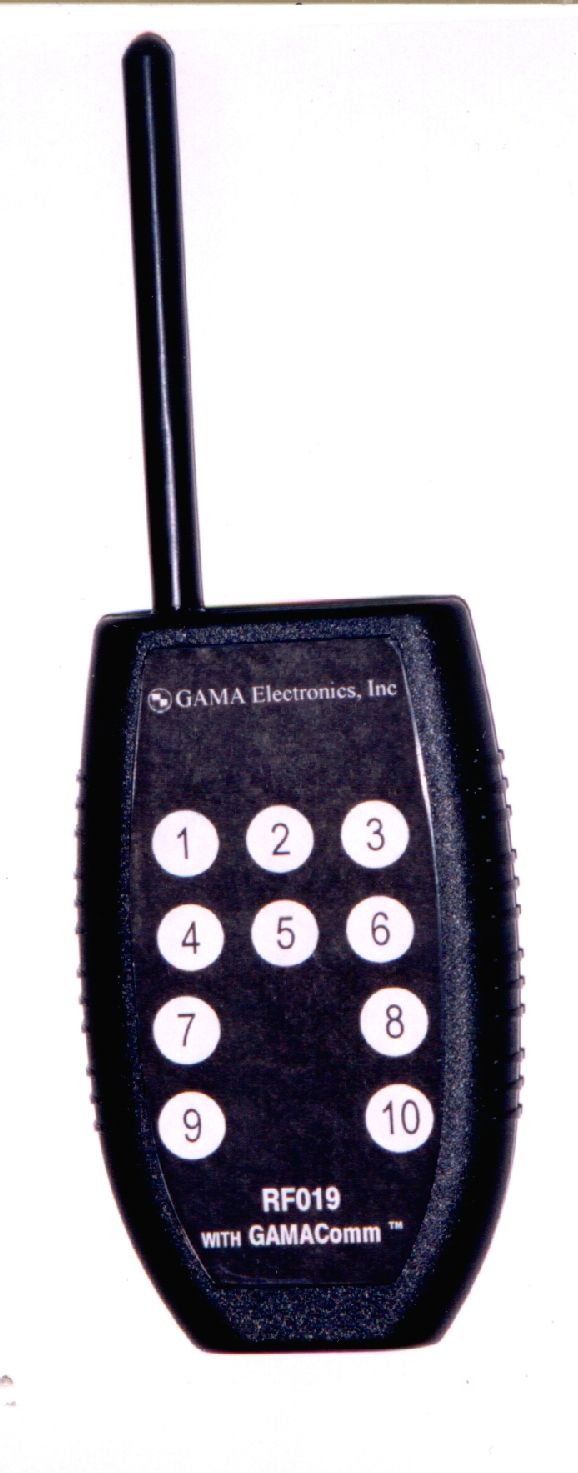
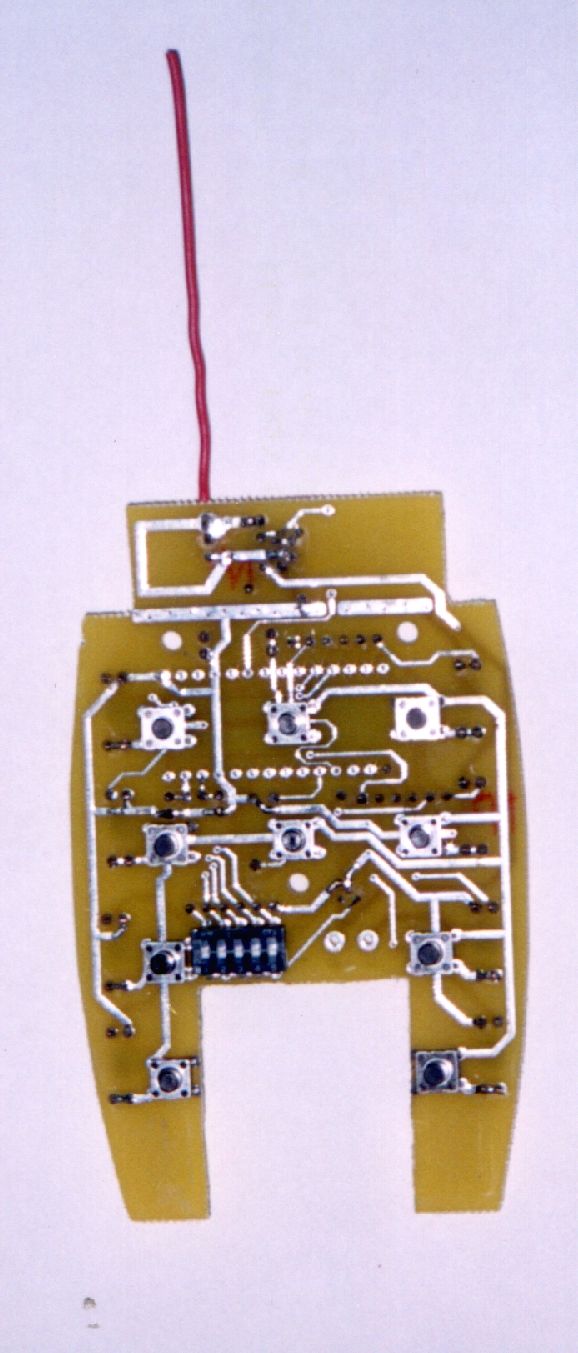
RF019 REMOTE CONTROL Introduction. Model RF019 is a hand held, battery operated, Radio Frequency (RF) transmitter, which operates in conjunction with RF receiver modules. The remote has momentary switches that upon activation provide switch closures on a receiver /control module. This enables the system to control multiple functions. Each RF019 remote is addressable by initializing selector switches so that the system can be operated in close proximity to other systems without interference or cross talk. Channels:1 Frequency:315 MHz Operating Temperature Range:-20 o C to 120 o C Power Source:9-Volt Alkaline Battery Dimensions:3.25”L x 5.5”W x 1.0”D Weight:4.0 ounces Specifications subject to change without notice. YOU DO NOT NEED AN FCC LICENSE TO OPERATE THIS DEVICE. HOWEVER, ANY CHANGES OR MODIFICATIONS TO THE DEVICE WILL VOID THE USERS AUTHORITY TO OPERATE THE EQUIPMENT. OPERATION OF THIS DEVICE IS SUBJECT TO THE FOLLOWING TWO CONDITIONS: (1) THIS DEVICE MAY NOT CAUSE HARMFUL INTERFERENCE AND (2) THIS DEVICE MUST ACCEPT ANY INTERFERENCE RECEIVED, INCLUDING INTERFERENCE THAT MAY CAUSE UNDESIRED OPERATION. CAUTION Batteries. All batteries can cause damage and/or bodily injury such as burns if a conductive material such as jewelry, keys or beaded chains touches exposed terminals. The material may complete an electrical circuit (short circuit) and become quite hot. Exercise care in handling any charged battery, particularly when placing it inside a pocket, purse or other container with metal objects. Care and Safety. To clean the remote, wipe with a soft cloth dampened with water. Don’t use cleaners or solvents on the remote, they can harm the body and leak inside, causing permanent damage. Battery contacts may be wiped with a dry, lint-free cloth. If the remote gets wet, remove batteries immediately. Dry battery compartment with a soft cloth to minimize potential water damage. Leave cover off the battery compartment overnight or until completely dry. Do not use the remote until completely dry. Installation. Perform the steps below to set the remote’s unique address and install the battery. Selection of Remote’s Unique Address. The remote control contains switches that are set to operate with a receiver/control module with matching switch positions. This allows multiple remotes to be operated in close proximity to each other without causing interference. Refer to Figure 1. To configure the switches in the remote, remove the four screws and separate the plastic enclosure top from the bottom to access the switches. Locate the selector switches (Figure 1). Using a very small tip, flat blade screwdriver, slide each actuator position to either above or below the centerline. The switch positions must be the same as the switch positions on the receiver/control module. Once the switches have been set, assemble the top and bottom of the enclosure together and install the four screws. Battery Installation. The remote control operates from one 9-volt Alkaline battery. To install the battery, grasp the door and slide it away from the remote. Install the battery into the compartment, which is keyed for the correct polarity. Replace the battery door onto the enclosure. Operation. The range of the remote will vary depending upon ambient conditions but a typical range of 20 feet around the receiver can be expected. The remote should be held in an upright vertical position with the keypad towards the user. For the best possible reception the user should be facing towards the receiver module. There are multiple switch positions that control separate functions. As each key is pressed the corresponding function on the receiver/control module will engage. Release of the key will interrupt the transmission and return the receiver to its normal state. During operation, if the reception is intermittent the remote should be repositioned by moving it to the left or right, up or down, or by the user changing locations until the optimum reception is achieved. Figure 1. Top View of Remote Control, Top Panel Removed, Showing Location of Selector Switches.
ID Label/Location Info
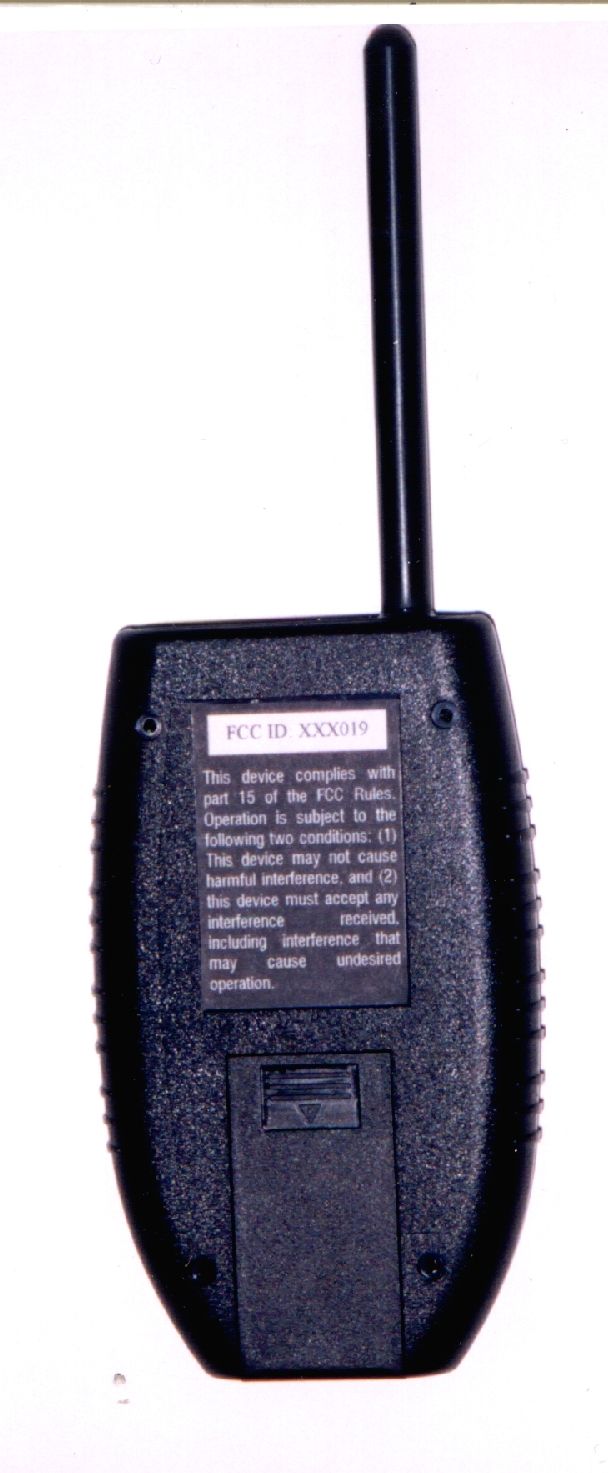
RF019 FCC Label & Position Height: 2.2” Width: 1.5” The label is located in the center of the back of the RF019 enclosure. This device complies with part 15 of the FCC Rules. Operation is subject to the following two conditions: (1) This device may not cause harmful interference, and (2) this device must accept any interference received, including interference that may cause undesired operation. FCC ID: OL9-019
Contact Information
Applicant
John J. Golbeck(President)
Test Firm
Elite Electronic Engineering Co.Daniel Crowder
Technical Specifications
| # | Rule Parts | Frequency Range | Power Output |
|---|---|---|---|
| 1 | 15C | 315 MHz - 315 MHz | - |