OZ5URC200Universal Remote Control
Ohsung Electronics Co., Ltd.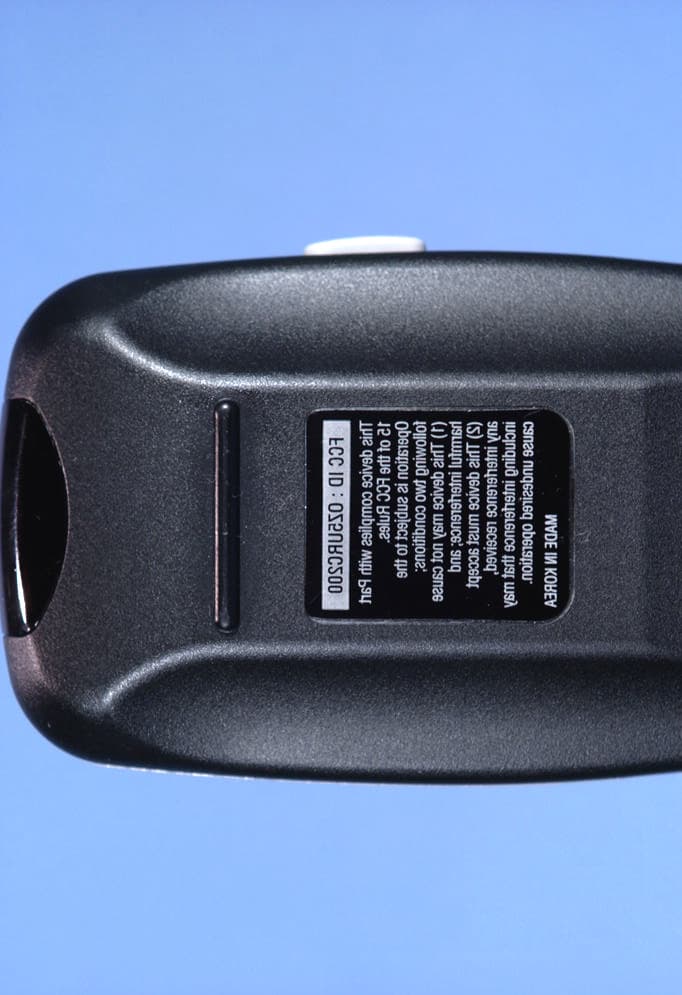
Click to zoom
Application Details
- Equipment Class
- DSC - Part 15 Security/Remote Control Transmitter
- Date of Grant
- Dec 16, 2003
- Application Purpose
- Original Equipment
- Date of Application
- Dec 16, 2003
- Equipment Note
- Universal Remote Control
- Frequency Range
- 417.50000000 - 418.50000000
- Company
- Ohsung Electronics Co., Ltd.
- Country
- South Korea
Documents & Files
Document Text
Text extracted from the exhibit documents filed with the FCC. Open a document above to read the original.
Users Manual
Owner’s Manual URC-200 Owner’s Manual © 2003 Universal Remote Control, Inc. The information in this manual is copyright protected. No part of this manual may be copied or reproduced in any form without prior written consent from Universal Remote Control, Inc. UNIVERSAL REMOTE CONTROL, INC. SHALL NOT BE LIABLE FOR OPERATIONAL, TECHNICAL OR EDITORIAL ERRORS/OMISSIONS MADE IN THIS MANUAL. The information in this manual may be subject to change without prior notice. Automator is a registered trademark of Universal Remote Control, Inc. Power of Simple is a trademark of Universal Remote Control, Inc. DoubleTap Learning is a trademark of Universal Remote Control, Inc. All other brand or product names are trademarks or registered trademarks of their respective companies or organizations. 500 Mamaroneck Avenue, Harrison, NY 10528 Phone: (914) 835-4484 Fax: (914) 835-4532 Thank You! Thank you for purchasing the Automator URC-200 Pre-Programmed and Learning Remote Control. The DVD tutorial supplied with the Automator demonstrates the process of program- ming and automating a home entertainment sys- tem. Watch the DVD first to familiarize yourself with the capabilities of the Automator and the process of programming. This manual is designed to assist you step-by-step as you program the Automator to replace all of your remote controls and automate your home entertainment system. TM Table of Contents Getting Started2 Button Layout3 Basic Set Up5 Pre-programmed Standard Method5 Pre-programmed Scan Method9 Learning Method10 Punch Through Volume Control13 Advanced Operation15 Advanced Set Up17 Editing Button Labels17 Macro Button Setup20 Favorite Channel Setup22 Hiding/Adding Pages24 Erasing Mistakes26 Cloning One Automator to Another28 Recalling Three Digit Pre-Programmed Codes29 Expanding Via the Expander30 Pre-Programmed Code Notes32 Pre-Programmed Code Tables33 Frequently Asked Questions48 Specifications/Warranty49 Getting Started Congratulations! You’ve purchased one of the most advanced control systems available! The Automator comes pre-pro- grammed with over one thousand devices. All you have to do is set the Automator to the brand and model of each of your components. You’ll find instructions for quick set up on page five. In addition, the Automator buttons can also learn any button from any remote control. The Automator’s many exciting advanced features will help you enjoy the home entertainment experience. As an example, by using Macro programming, you can power on all of your components and start the show with the press of one button! You can even program your favorite channels to tune in with the press of one button instead of entering the channel number each time. The Automator’s features can help you make operating your home entertainment system fun and easy for everyone in your family. We hope you will review this manual carefully and take full advantage of all the Automator has to offer. Battery Installation Remove the battery compartment cover by pressing up the cover lock. Insert four AAA batteries into the battery compartment as shown in the diagram. 2 The Automator + + + + - - - - 3 URC-200 MAIN Button takes you to the MAIN Menu. These Labeled Buttons change their functions when the Page is changed. PAGE numbers of the Device FUNCTION buttons change their commands whenever a new DEVICE is selected. TITLE FAVORITE Channel Button PAGE buttons change the page of buttons displayed. Button Layout 4 The Automator Selecting a New DEVICE Changes All Button Commands Instantly The Automator can operate ten different devices even though it is only one remote control. Let’s try it now! Press the MAIN button, then press the TV Device button. The TITLE changes to TV. Now all of the buttons are dedicated to TV functions. If you press the PAGE but- tons, you can see that the TV DEVICE has a total of five pages. If you go back to the MAIN Menu by pressing the MAIN button, then select any of the other ten DEVICES, each of which contains five pages total. In the next few pages, you’ll set up the Automator to control all the devices in your home theater system! Light Button The LIGHT button will backlight all the buttons. Pressing it again will turn off the light, or just wait ten seconds (the backlighting automatically shuts itself off). TV DEVICE Button LIGHT Button 5 URC-200 Basic Set Up You can set up your Automator using either the learning or the pre-programmed method. Because all the buttons can be set up in one quick operation rather than one button at a time, we recommend you start with pre-programmed set up before you do any learning. Pre-Programmed Standard Method Turn on the component you wish to set up in your Automator (TV, VCR, DVD, etc.) Look up the code table shown on pages 33 - 49 and take note of the three digit codes listed for your component and brand. Press and hold the MAIN and ENT (Enter) buttons at the same time for approximately three seconds. The top of the display screen will show “SET UP”. You are in SET UP mode now. Note:You have 30 seconds to perform a step while you are in SET UP mode. If you don’t press a button within that time, the Automator will time out and return to normal operation. MAIN Button ENT Button 1 2 3 Press the P-PRO button to select the Pre-Programmed Code method. The display will show a list of the first five devices. Move the blinking cursor to the device you wish to program by using the cursor UP or cursor DOWN button shown below, then press SELECT. For Example: If you want to program your TV, make “TV” blink by pressing the cursor up or down, then press the SELECT button. P-PRO Button Pressing the Page Up or Down button will display a list of the next five devices. First Five Devices 6 The Automator 4 5 6 UP SELECT DOWN 7 URC-200 The bottom of the display should now be flashing FROM TABLE. This prompts you to select the CODE TABLE via the Cursor and SELECT buttons. For Example: Let’s pretend you are programming a TV. You would find the the three digit…
Text truncated - open the document above for the full version.
Attestation Statements
, 82 MAR 'WB 15:21 STD ENG 839-6549 .4 OHSUNG ELECTRONICS Cow, LTD. June 9, 2003 I)eu Sir, I. D. J, Jung I Managter OHSUNG ELECTRNB Co., Ltd
Cover Letter(s)
July 7, 2003 Federal Communications Commission Authorization & Evaluation Division Equipment Authorization Branch 7435 Oakland Mills Road Columbia, MD 21046 SUBJECT: OHSUNG Electronics Co., Ltd. FCC ID: OZ5URC200 Gentlemen: Submitted herewith, on behalf of OHSUNG Electronics Co. Ltd., is an application for Part 15 Class B certification of the RF Transmitter Universal Remote Control. Attached are the authorization letter, measurement report (measurement data and test plots), FCC ID label and location, test setup photographs, internal and external photographs, block diagram, schematic diagram, and the user's manual. Should you have any questions or comments concerning the above, please contact the undersigned. cc: OHSUNG Electronics Co., Ltd.
External Photos
OHSUNG FCC ID: OZ5URC200 EUT Photographs © 2003 PCTEST Lab. RF TX Universal Remote Control Model: URC-200 OHSUNG FCC ID: OZ5URC200 EUT Photographs © 2003 PCTEST Lab. RF TX Universal Remote Control Model: URC-200 OHSUNG FCC ID: OZ5URC200 EUT Photographs © 2003 PCTEST Lab. RF TX Universal Remote Control Model: URC-200 OHSUNG FCC ID: OZ5URC200 EUT Photographs © 2003 PCTEST Lab. RF TX Universal Remote Control Model: URC-200 OHSUNG FCC ID: OZ5URC200 EUT Photographs © 2003 PCTEST Lab. RF TX Universal Remote Control Model: URC-200
ID Label/Location Info
FCC ID SAMPLE LABEL & LOCATION LABELLING REQUIREMENTS PER §§ 2.925 & §§ 15.19 The Label shown shall be permanently affixed at a conspicuous location on the device and be readily visible to the user at the time of purchase. (SEE NEXT PAGE) CONFIDENTIAL MADE I N KO R E A FC C I D : OZ 5U R C 2 0 0 MADE IN KOREA SCALE : 2 / 1 FCC ID : OZ5URC200 URC-200
Internal Photos
OHSUNG FCC ID: OZ5URC200 EUT Photographs © 2003 PCTEST Lab. RF TX Universal Remote Control Model: URC-200 OHSUNG FCC ID: OZ5URC200 EUT Photographs © 2003 PCTEST Lab. RF TX Universal Remote Control Model: URC-200 OHSUNG FCC ID: OZ5URC200 EUT Photographs © 2003 PCTEST Lab. RF TX Universal Remote Control Model: URC-200 OHSUNG FCC ID: OZ5URC200 EUT Photographs © 2003 PCTEST Lab. RF TX Universal Remote Control Model: URC-200 OHSUNG FCC ID: OZ5URC200 EUT Photographs © 2003 PCTEST Lab. RF TX Universal Remote Control Model: URC-200
Operational Description
Date Rev Revision Record Approved 04/05/03 1 Initial Release Job Approvals Date Originator: Jak H You O4/05/03 Universal Remote Control, Inc. Approved: Checked: Title: Basic URC-200 Specification Sheet 1 of 1 CAGE No. 040503-001 No. URC-200 Form E75 This document created in Microsoft Word URC Proprietary II Copyright 2003 Universal Remote Control, Inc. a wholly owned subsidiary of Universal Remote Control, Inc. Notice of Proprietary Information This document and its contents are proprietary to Universal Remote Control, Inc and are intended solely for the internal use of Universal Remote Control, Inc. This publication and its contents may not be reproduced or distributed for any other purpose without the written permission of Universal Remote Control, Inc. Specification For URC-200 IR/RF Remote Control URC Proprietary II No. URC-200 URC Proprietary II Rev. 1 Sheet 2 of 2 Form E75a Universal Remote Control, Inc. TABLE OF CONTENTS Section Page 1.0 INTRODUCTION .............................................................................................................................3 1.1 DESCRIPTION 1.2 FEATURES 1.2.1 MAIN FUNCTIONS 1.3 REVISION RECORD 1.4 APPEARANCE 1.5 FUNCTION TABLE 2.0 PROGRAMMING THE REMOTE CONTROL................................................................................10 2.1 PREPROGRAMMED SET UP 2.1.1 ENTERING A THREE DIGIT DEVICE CODE 2.1.2 USING THE AUTO SEARCH METHOD 2.1.3 PROGRAMMING A SECOND DEVICE TO OTHER DEVICE BUTTONS 2.1.4 IDENTIFYING THE SET UP CODE NUMBER 2.2 LEARNING SET UP 2.2.1 LEARNING NEW FUNCTION ON THE REMOTE 2.2.2 ERASING LEARNED FUNCTIONS 2.3 PUNCH THROUGH 2.3.1 VOLUME CONTROL "PUNCH THROUGH" 2.3.2 CHANNEL CONTROL "PUNCH THROGH" 2.3.3 TRANSPORT CONTROL "PUNCH THROUGH" 2.3.4 VOD CONTROL "PUNCH THROUGH" 2.3.5 POWER CONTROL "PUNCH THROUGH" 2.4 MACRO MEMORY BUTTONS 2.4.1 PROGRAMMING MEMORY BUTTONS 2.4.2 ERASING MEMORY BUTTONS 2.5 CHANGING THE LCD TEXT 2.6 BACK LIGHT 2.7 LOW VOLTAGE MESSAGE 2.8 FACTORY RESET 3 . 0 BRAND LIST FOR EACH DEVICE..............................................................................17 URC Proprietary II No. URC-200 URC Proprietary II Rev. 1 Sheet 3 of 3 Form E75a Universal Remote Control, Inc. 1. INTRODUCTION 1.1 DESCRIPTION The URC-200 IR & RF remote control is preprogrammed to operate Audio and Video components so that you can set it up by simply punching in a three digit code number that matches your equipment. The URC-200 IR & RF remote control also has the ability to learn new functions from your original remote controls, allowing you to customize the remote to your own needs and update it as you add new equipment. The URC-200 IR & RF remote control operates up to 8 different audio and video devices in your home entertainment system with 53 buttons. 1.2 FEATURES 1.2.1 Main Functions -. Preprogrammed Setup Codes -. Learning from Other Remote Controls -. Punch Through Operations -. Macro Operations -. Changing the LCD Text -. Back Light -. Low Battery Message -. Factory Reset -. RF Capability with 418MHz -. Shift Mode Button 1.3 REVISION RECORD Revision Description 1 Initial release 1.4 APPEARANCE URC Proprietary II No. URC-200 URC Proprietary II Rev. 1 Sheet 4 of 4 Form E75a Universal Remote Control, Inc. URC Proprietary II No. URC-200 URC Proprietary II Rev. 1 Sheet 5 of 5 Form E75a Universal Remote Control, Inc. 1.5 FUNCTION TABLE 04-14-2003 Version 1.0 AUDIO CD Device Buttons Page1 Page2 Page1 Page2 AUD AUD Device SELECT TUNER AUD Device SELECT CD CD Device SELECT CD CD Device SELECT DVD DVD Device SELECT DVD DVD Device SELECT AUX AUX Device SELECT AUX AUX Device SELECT SAT SAT Device SELECT VCR3 SAT Device SELECT TV TV Device SELECT VCR2 TV Device SELECT VCR VCR Device SELECT VCR1 VCR Device SELECT CBL CBL Device SELECT TAPE CBL Device SELECT OFF Power/On Power/On SHIFT Page1/Page2 SWITCH Page1/Page2 SWITCH ON Power/Off Power/Off VOL+ Vol+ VOL- Vol- MUTE Mute CH+ Preset+ Track+ CH- Preset- Track- PREV CH SCAN EJECT T/V BAND,FM/AM RANDOM MENU MODE HALL EDIT GUIDE DISPLAY THEATER PROGRAM INFO OSD CATHEDRAL DISPLAY EXIT CLEAR PARTY CLEAR UP UP NIGHT CLUB UP DOWN DOWN CHURCH DOWN SELECT SELECT JAZZ SELECT LEFT LEFT DISCO LEFT RIGHT RIGHT OPERA/ARENA RIGHT REW Scan- / REW FF Scan+ / FF STOP/REC Stop PLAY Play PAUSE Pause 1 /SLEEP 1 SLEEP 1 REPEAT 2 /6.7 CH 2 5/6/7 CH 2 INTRO 3 / TEST 3 TEST 3 DISC 4/ THX 4 THX 4 TIME 5 / DD 5 DOLBY DIGITAL 5 6 / DTS 6 DTS 6 7 / LOGIC 7 LOGIC 7 7 8 / ST 8 STEREO 8 9 / SURR 9 SURR 9 0 / TAPE 2 0 TAPE2 0 +10 / VCR 4 +10 VCR4 +10 ENTER / PH Enter PHONO Enter MODE+ Mode+ BASS+ DISC1 SUB+ Sub+ TREBLE+ DISC2 CENTER+ Center+ SURR+ DISC3 URC Proprietary II No. URC-200 URC Proprietary II Rev. 1 Sheet 6 of 6 Form E75a Universal Remote Control, Inc. REAR+ Rear+ DELAY+ DISK SKIP+ MODE- Mode- BASS- DISC4 SUB- Sub- TREBLE- DISC5 CENTER- Center- SURR- DISC6 REAR- Rear- DELAY- DISK SKIP- LIGHT Light On/Off Light On/Off DVD AUX (TAPE, LIGHT) Device Buttons Page1 Page2 Page1 Page2 AUD AUD Device SELECT AUD Device SELECT CD CD Device SELECT CD Device SELECT DVD DVD Device SELECT DVD Device SELECT AUX AUX Device SELECT AUX Device SELECT SAT SAT Device SELECT SAT Device SELECT TV TV Device SELECT TV Device SELECT VCR VCR Device SELECT VCR Device SELECT CBL CBL Device SELECT CBL Device SELECT OFF Power/On Power/On SHIFT Page1/Page2 SWITCH Page1/Page2 SWITCH ON Power/Off Power/Off VOL+ Vol+ VOL+ VOL- Vol- VOL- MUTE Mute MUTE CH+ Skip+ STEP+ CH- Skip- STEP- PREV CH EJECT T/V MENU MENU TOP MENU GUIDE PROGRAM SETUP INFO DISPLAY SEARCH EXIT CLEAR UP Up DOWN Down SELECT Select LEFT Left RIGHT Right REW Scan- / REW SLOW- (A)REW FF Scan+ / FF SLOW+ (A)FF STOP/REC Stop REC (A)STOP (A)REC PLAY Play (A)PLAY (A)PLAY BACK PAUSE Pause (A)PUASE 1 /SLEEP 1 ANGLE 1 2 /6.7 CH 2 SUBTITLE ON/OFF 2 3 / TEST 3 SUBTITLE 3 4/ THX 4 PICTURE 4 5 / DD 5 SURR 5 6 / DTS 6 ZOOM 6 7 / LOGIC 7 7 8 / ST 8 8 9 / SURR 9 9 0 / TAPE 2 0 0 +10 / VCR 4 +10 +10 URC Proprietary II No. URC-200 URC Proprietary II Rev. 1 Sheet 7 of 7 Form …
Text truncated - open the document above for the full version.
Test Report
PCTEST PT. 15.231 REPORT FCC Certification Reviewed By: Quality Manager Test Report S/N: TX.231112565.OZ5 Test Dates: November 24, 2003 EUT Type: RF TX Universal Remote Control FCC ID: OZ5URC200 Page 1 of 15 PCTEST Engineering Laboratory, Inc. 66606660--B Dobbin Road B Dobbin Road •• Columbia, MD 21045 Columbia, MD 21045 •• U.S.A. U.S.A. TEL (410) 290TEL (410) 290--6652 6652 •• FAX (410) 290 FAX (410) 290--66546654 http://www.pctestlab.comhttp://www.pctestlab.com CERTIFICATE OF COMPLIANCE FCC Part 15.231 Certification OHSUNG ELECTRONICS CO., LTD. Dates of Tests: November 24, 2003 #181 Dong Dan-Dong Test Report S/N: TX.231112565.OZ5 Gu-Mi Kyung Buk, Korea Test Site: PCTEST Lab, MD U.S.A. Attention: D.J. Jung, Manager FCC ID OZ5URC200 APPLICANT OHSUNG ELECTRONICS CO., LTD. FCC Rule Part(s): § 15.231 Subpart C – Intentional Radiator Classification: Remote Control Transmitter (DSC) EUT Type: RF Transmitter Universal Remote Control Tx Frequency: 417.5 – 418.5 MHz Trade Name: Universal Remote Control Model No.: URC-200 This device has been shown to be capable of compliance with the applicable technical standards as indicated in the measurement report and was tested in accordance with the measurement procedures specified is ANSI C63.4-1992. I attest to the accuracy of data. All measurements reported herein were performed by me or were made under my supervision and are correct to the best of my knowledge and belief. I assume full responsibility for the completeness of these measurements and vouch for the qualifications of all persons taking them. PCTEST certifies that no party to this application has been denied the FCC benefits pursuant to Section 5301 of the Anti-Drug Abuse Act of 1988, 21 U.S.C. 862. 231112565.OZ5 PCTEST PT. 15.231 REPORT FCC Certification Reviewed By: Quality Manager Test Report S/N: TX.231112565.OZ5 Test Dates: November 24, 2003 EUT Type: RF TX Universal Remote Control FCC ID: OZ5URC200 Page 2 of 15 TABLE OF CONTENTS ATTACHMENT A: COVER LETTER(S) ATTACHMENT B: ATTESTATION STATEMENT(S) ATTACHMENT C: TEST REPORT SCOPE 3 INTRODUCTION (SITE DESCRIPTION) 4 PRODUCTION INFORMATION 5 DESCRIPTION OF TESTS (CONDUCTED) 6 DESCRIPTION OF TESTS (RADIATED) 7 ANTENNA REQUIREMENT / BANDWIDTH MEASUREMENT 8 FREQUENCY MEASUREMENTS (SPURIOUS) 9 FREQUENCY MEASUREMENTS (HARMONICS) 10 PLOTS OF EMISSION 11 SAMPLE CALCULATIONS 12 ACCURACY OF MEASUREMENT 13 LIST OF TEST EQUIPMENT 14 CONCLUSION 15 ATTACHMENT D: TEST PLOTS ATTACHMENT E: FCC ID LABEL & LOCATION ATTACHMENT F: BLOCK DIAGRAM(S) ATTACHMENT G: SCHEMATIC DIAGRAM(S) ATTACHMENT H: TEST SETUP PHOTOGRAPHS ATTACHMENT I: EXTERNAL PHOTOGRAPHS ATTACHMENT J: INTERNAL PHOTOGRAPHS ATTACHMENT K: USERS MANUAL PCTEST PT. 15.231 REPORT FCC Certification Reviewed By: Quality Manager Test Report S/N: TX.231112565.OZ5 Test Dates: November 24, 2003 EUT Type: RF TX Universal Remote Control FCC ID: OZ5URC200 Page 3 of 15 MEASUREMENT REPORT Scope - Measurement and determination of electromagnetic emissions (EME) of radio frequency devices including intentional and/or unintentional radiators for compliance with the technical rules and regulations of the Federal Communications Commission. Company Name: OHSUNG ELECTRONICS CO., LTD. Address: #181 Dong Dan-Dong Gu-Mi Kyung Buk, Korea Attention: D.J. Jung, Manager • FCC ID: OZ5URC200 • Model: URC-200 • Trade Name: Universal Remote Control • EUT Type: RF Transmitter Remote Control • Application Type: Transmitter Certification • Tx Frequency: 417.5 – 418.5 MHz • FCC Rule Part(s): § 15.231 Subpart C – Intentional Radiator • Dates of Tests: November 24, 2003 • Place of Tests: PCTEST Lab, Columbia, MD U.S.A. • Test Report S/N: TX. 231112565.OZ5 PCTEST PT. 15.231 REPORT FCC Certification Reviewed By: Quality Manager Test Report S/N: TX.231112565.OZ5 Test Dates: November 24, 2003 EUT Type: RF TX Universal Remote Control FCC ID: OZ5URC200 Page 4 of 15 1.1 INTRODUCTION The measurement procedure described in American National Standard for Methods of Measurement of Radio- Noise Emissions from Low-Voltage Electrical and Electronic Equipment in the Range of 9kHz to 40GHz (ANSI C63.4-1992) was used in determining radiated and conducted emissions emanating from OHSUNG (Model: URC-200) RF Transmitter Universal Remote Control FCC ID: OZ5URC200. These measurement tests were conducted at PCTEST Engineering Laboratory, Inc. facility in New Concept Business Park, Guilford Industrial Park, Columbia, Maryland. The site address is 6660-B Dobbin Road, Columbia, MD 21045. The test site is one of the highest points in the Columbia area with an elevation of 390 feet above mean sea level. The site coordinates are 39° 11'15" N latitude and 76° 49'38" W longitude. The facility is 1.5 miles North of the FCC laboratory, and the ambient signal and ambient signal strength are approximately equal to those of the FCC laboratory. There are no FM or TV transmitters within 15 miles of the site. The detailed description of the measurement facility was found to be in compliance with the requirements of § 2.948 according to ANSI C63.4 on October 19, 1992. 1.2 PCTEST Location The map at right shows the location of the PCTEST Lab, its proximity to the FCC Lab, the Columbia vicinity area, the Baltimore-Washington International (BWI) airport, and the city of Baltimore, and the Washington, D.C. area. (see Figure1). Figure 1. Map of the Greater Baltimore and Metropolitan Washington, D.C. area. PCTEST PT. 15.231 REPORT FCC Certification Reviewed By: Quality Manager Test Report S/N: TX.231112565.OZ5 Test Dates: November 24, 2003 EUT Type: RF TX Universal Remote Control FCC ID: OZ5URC200 Page 5 of 15 2.1 Product Information 2.2 Equipment Description The Equipment Under Test (EUT) is the OHSUNG (Models: URC-200) RF Transmitter Universal Remote Control FCC ID: OZ5URC200. * Tx Frequency: 417.5 – 418.5 MHz * Oscillator(s): 418 MHz * Antenna: Built-in internal looped antenna on-board * Power Supply: (4) AAA Batteries 2.3 EMI Suppression Device(s) EMI suppression dev…
Text truncated - open the document above for the full version.
Test Setup Photos
OHSUNG FCC ID: OZ5URC200 EUT Photographs © 2003 PCTEST Lab. RF TX Universal Remote Control Model: URC-200 OHSUNG FCC ID: OZ5URC200 EUT Photographs © 2003 PCTEST Lab. RF TX Universal Remote Control Model: URC-200 OHSUNG FCC ID: OZ5URC200 EUT Photographs © 2003 PCTEST Lab. RF TX Universal Remote Control Model: URC-200 OHSUNG FCC ID: OZ5URC200 EUT Photographs © 2003 PCTEST Lab. RF TX Universal Remote Control Model: URC-200
Contact Information
Applicant
Hak-Ki Kim(General Manager)
Technical Contact
PCTEST Engineering Lab., Inc.Randy Ortanez
[email protected]410-290-6652
6660-B Dobbin Road · Columbia, Maryland · United States
Test Firm
PCTEST Engineering Laboratory, Inc.Randy Ortanez
Technical Specifications
| # | Rule Parts | Frequency Range | Power Output |
|---|---|---|---|
| 1 | 15.231 | 417.5 MHz - 418.5 MHz | - |
Other Applications from Ohsung Electronics Co., Ltd.
OZ5PSRMT
Jan 13, 2026RF4CE RCU
Equipment Class
DTS - Digital Transmission SystemOZ5G32
Dec 29, 2025Remote Controller
Equipment Class
DTS - Digital Transmission SystemOZ5PSEMR
Dec 19, 2025RF Module
Equipment Class
DTS - Digital Transmission SystemOZ5G22
Dec 16, 2025Remote Controller
Equipment Class
DTS - Digital Transmission SystemOZ5G12
Dec 16, 2025Remote Controller
Equipment Class
DTS - Digital Transmission System