OZXDMP-2000LMP3 PLAYER
OPENERS Co., Ltd.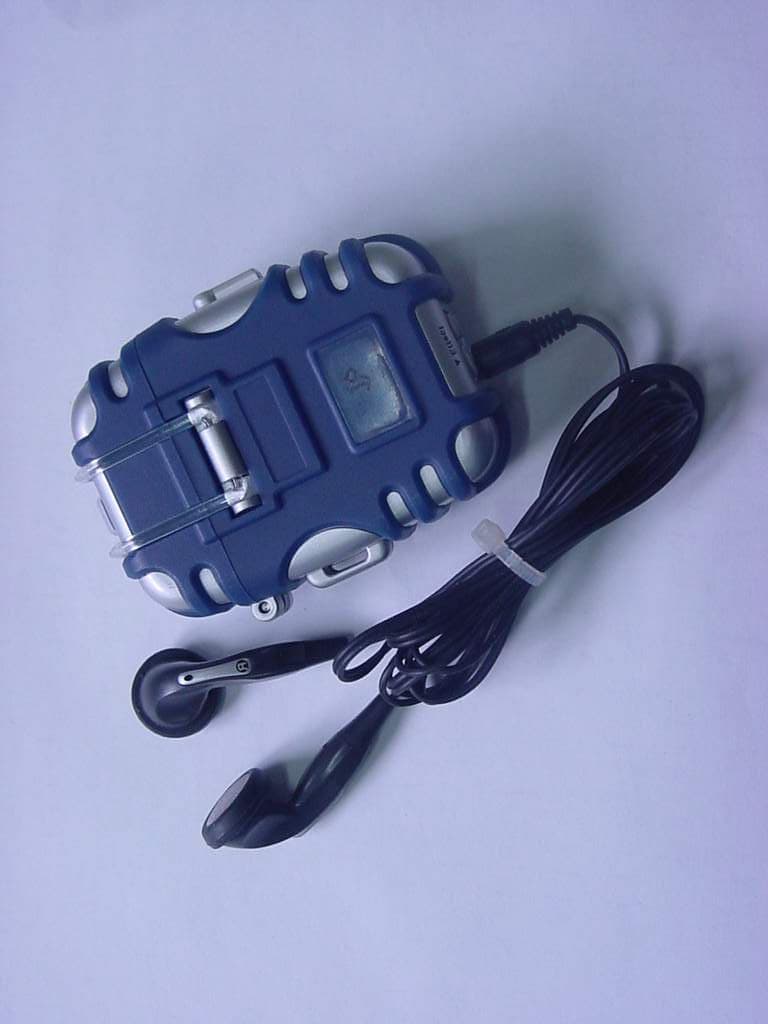
Click to zoom
Application Details
- Equipment Class
- JBP - Part 15 Class B Computing Device Peripheral
- Date of Grant
- Dec 18, 2000
- Application Purpose
- Original Equipment
- Date of Application
- Dec 18, 2000
- Equipment Note
- MP3 PLAYER
- Company
- OPENERS Co., Ltd.
- Country
- South Korea
Documents & Files
Document Text
Text extracted from the exhibit documents filed with the FCC. Open a document above to read the original.
Users Manual
Table of Contents Product Features / Terminology Unit Contents Designations Operation Opening the cover / Attaching a battery Inserting Multimedia Card (option) Connecting DMP-2000L to PC for download MP3 File Program Installation System Requirements Connect USB cable to PC Installation of USB Driver Installation of MP3 music file downloading Program Download music files from PC to DMP-2000L Upload music files from DMP-2000L to PC Delete music files from DMP-2000L Format DMP-2000L Uninstallation of program How to play DMP-2000L Power-on and Play Pause / Forward / Rewind Repeat Mode Stop and Power-off / Mode Selection / Volume Control Troubleshooting Cautions / Specifications The MP3 resources on the internet Approval Customer Support Features DMP which stands for Digital Music Player has a CD quality sound supporting MP3 file for the next new generation. Terminology MP3 ( MPEG1 Audio Layer3 ) MP3 is a standard audio file format that uses high technology to compress audio data 10 times or more than original but still has near- CD quality. Unit Contents Designations Designations Operation Program Installation System Requirements Pentium 200 (or higher), RAM 32MB (or higher), 8XCD-ROM Drive (or higher), HDD 10MB (and more space), USB Port, Window 95/98/2000 Installation of USB Cable 1)Plug USB cable into USB port of PC. Installation of USB Driver 2) When "Add New Hardware Wizard" window appears, press "Next>" button. 3) Select "Search for the best driver for you device (Recommended)" item, and press "Next>" button. 4) Searching suitable USB driver. Insert DMP-2000L installation program CD into CD-ROM drive of your PC. Select "CD-ROM drive" and press "Next>" button. Now suitable USB driver was searched. Press "Next>" button. Press "Finish" button to complete Installation of USB driver. Caution: When MS-Windows can not recognize DMP-2000L, check if USB cable is properly plugged. Installation of MP3 music file downloading Program 1) Insert DMP-2000L installation CD into CD-ROM Drive of your PC. 2) Execute "Setup.exe". Note : Depe nding o n yo ur s yste m configuration, the system must be restarted. 3) Press the "Next>" button. 4) Choose "I accept the terms in the license agreement" and press the "Next>" button. 5) Press the "Next>" button. 5) Press the "Install" button. 6) Installation is completed by clicking "Finish" button. Execution of Program Double-click the program icon (Jetshell) on your desktop, or select [start]-[program]-[cowon]-[Jet-shell]- [Jet-shell]. Download music files from PC to MP3 Player DMP2000L 1) Plug the USB cable into USB port of your DMP-2000L. 2) Execute the program. 3) Select the MP3 music files in "File List Window". 4) Select the target. The "Flash Memory Card 1" icon must be selected if yo u w a nt dow nload into the flas h me mory o f your DMP-2000L. (If you select the "Flash Memory Card 2" icon the MP3 music files will be downloaded into MMC) 5) Press " " button. Upload files from DMP-2000L to PC 1) Plug the USB cable into USB port of your DMP-2000L. 2) Execute the program. 3) Select the files excluding MP3 extension file in "Flash Memory Card Window". 4) Press " " button. Delete music files from DMP-2000L 1) Plug the USB cable into USB port of your DMP-2000L. 2) Execute the program. 3) Select the MP3 music files in "Flash Memory Card Window". 4) Press " " button Format DMP-2000L 1)Plug the USB cable into USB port of your DMP-2000L. 2) Execute the program. 3) Select the target.(Flash Memory or MMC) 4) Select "Format Flash Memory Card..."in "File" menu. 5) When "Format-Flash Memory Card" window appears, press "Start" button. Note : Using 'Fix bad cluster' feature, you can detect and fix bad cluster while proceeding formatting. This will take a quite long time. Usually you are recommended to use Fast Format feature since you will rarely encounter bad cluster in flash memory cards. If you face transfer fail error in same position repeatedly, it is assumed that you have bad cluster in flash memory card. Choosing 'Fix bad cluster' option is recommended in this case. Uninstallation of program 1) Execute [Start]-[Settings]-[Control Panel]. 2) Double click "Add / Remove Program". 3) Select "Jet-Shell" and press "Add / Remove" button. 4) Press "Next>" b utto n. 5) Select "Remove" and press "Next>" button. 6) Press "Remove" button. 7) Press "Finish" button. Now the program is properly uninstalled. How to play DMP-2000L Power-on and playing a music 1) Power is on when you press Play button during 1 second. 3) Music is played automatically approximately 1 second later. When using MMC, inserting card befor power up. When using Flash, LED repeats on and off slowly at regular interval. Whe n using MMC, LE D blinks at hi gh speed. Pause 1) Press Play button during playing for a pause function, (LED on). 2) Press Play button again to release pause function. If you don't press any button for 3 minutes in 'pause' condition, power is disconnected to protect the battery. Listening Forthcoming Music 1) If yo u press FF butto n , yo u ca n hear the next music. 2) Pressing FF button in the last music goes to the first. Listening Previous Music 1)When you press REW button , it goes back to previous music. Note : If you press REW button within three seconds after playing, you can go to the previous music. If you press it after three or more seconds, it moves to the beginning part of the music. 2) Pressing REW button while the first music's playing, it does not go to the last music, but just starts from the beginning part of the first music. Repeat Mode 1) When you press and hold Play button for about 1 seconds during playing, repeat function starts working. In this time, LED blinks at short intevals in on condition, blink at long intevals in off condition. In this case, you can listen to the same music repeatedly. 2) To return to normal play from the repeat function, keep Play button pressed for about 1 second. Stop and Power off - If you press Stop button for about 1 second, it stops p…
Text truncated - open the document above for the full version.
Block Diagram
USB Controller (GDS30C6001) MMC Socket Cristal 48MHz USB Port Flash Memory RCH LCH Main Controller (PIC17C756A) MP3 Decoder (TL7232MD) Audio Amplifier Key Pads Cristal 16.9644MHz (DMP-2000L Block diagram)
External Photos
FCC ID. : OZXDMP-2000L File No. : E00NR-015 ONETECH Testing & Evaluation Lab. FCC ID. : OZXDMP-2000L File No. : E00NR-015 ONETECH Testing & Evaluation Lab.
ID Label/Location Info
FCC ID. : OZXDMP-2000L ONETECH Testing & Evaluation Lab . IDENTIFICATION LABEL: PROPOSED FCC ID LABEL The label included following statement will be attached on the rear side of product. This device complies with Part 15 of the FCC Rules. Operation is subject to the following two conditions: (1) this device may not cause harmful interference, and (2) this device must accept any interference received, including interference that may cause undesired operations. Made in Korea FCC ID : OZXDMP-2000L ΦΧΧ Ι∆ ΑΡΕΑ
Internal Photos
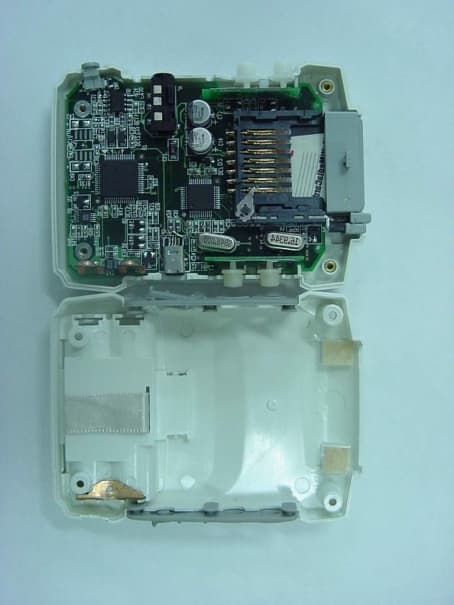
FCC ID. : OZXDMP-2000L File No. : E00NR-015 ONETECH Testing & Evaluation Lab. FCC ID. : OZXDMP-2000L File No. : E00NR-015 ONETECH Testing & Evaluation Lab. FCC ID. : OZXDMP-2000L File No. : E00NR-015 ONETECH Testing & Evaluation Lab. FCC ID. : OZXDMP-2000L File No. : E00NR-015 ONETECH Testing & Evaluation Lab.
Test Report
Page 1 of 13 FCC ID. : Error! Unknown docume nt prope rty name . File No. : Error! Unknown docume nt prope rty name . This report shall not be reproduced except in full without our written approval.FCC-004 (Rev.0) HEAD OFFICE : #505 SK APT. Factory 223-28, Sangdaewon 1 Dong, Jungwon- Gu, Seongnam- C ity, K yunggi- Do, 462-121, Korea (TEL: 82- 31-746-8500 FAX: 82-31-746-8700 ) EM C Te s ting De pt : 426-1 Daessangryung- Ri, C howol- Myun, K wangju- K un, K yunggi- Do 464-860 Korea. (TEL: 82- 31-765-8289 FAX: 82-31-766-2904) ONETECH Testing & Evaluation Lab . ELECTROMAGNETIC EMISSION COMPLIANCE REPORT Test report file number : E00NR-015 Applicant : OPENERS CO., LTD. Address: 3F. Sungji BD., 499 Wolpyung 1-Dong, Seo-Ku, Taejon, 302-281, Korea Manufacturer : OPENERS CO., LTD. Address: 3F. Sungji BD., 499 Wolpyung 1-Dong, Seo-Ku, Taejon, 302-281, Korea Type of Equipme nt : MP3 PLAYER FCC ID: OZXDMP-2000L Model / Type No. : DMP-2000L Se rial numbe r: N/ A Total page of Report: 13 pages (including this page) Date of Incoming: November 1, 2000 Date of issuing : November 16, 2000 SUMMARY The equipment complies with the regulation; FCC PART 15 CFR 47 SUBPART B Section 15.101. This test report contains only the result of a single test of the sample supplied for the examination. It is not a general valid assessment of the features of the respective products of the mass-production. Prepared by: Reviewed by: Y. K. Nam / Asst. Chief EngineerS. S. Hong / Managing Director Page 2 of 13 FCC ID. : Error! Unknown docume nt prope rty name . File No. : Error! Unknown docume nt prope rty name . This report shall not be reproduced except in full without our written approval.FCC-004 (Rev.0) HEAD OFFICE : #505 SK APT. Factory 223-28, Sangdaewon 1 Dong, Jungwon- Gu, Seongnam- C ity, K yunggi- Do, 462-121, Korea (TEL: 82- 31-746-8500 FAX: 82-31-746-8700 ) EM C Te s ting De pt : 426-1 Daessangryung- Ri, C howol- Myun, K wangju- K un, K yunggi- Do 464-860 Korea. (TEL: 82- 31-765-8289 FAX: 82-31-766-2904) ONETECH Testing & Evaluation Lab . EMC Dept.EMC Dept. ONETECH Corp.ONETECH Corp. Page 3 of 13 FCC ID. : Error! Unknown docume nt prope rty name . File No. : Error! Unknown docume nt prope rty name . This report shall not be reproduced except in full without our written approval.FCC-004 (Rev.0) HEAD OFFICE : #505 SK APT. Factory 223-28, Sangdaewon 1 Dong, Jungwon- Gu, Seongnam- C ity, K yunggi- Do, 462-121, Korea (TEL: 82- 31-746-8500 FAX: 82-31-746-8700 ) EM C Te s ting De pt : 426-1 Daessangryung- Ri, C howol- Myun, K wangju- K un, K yunggi- Do 464-860 Korea. (TEL: 82- 31-765-8289 FAX: 82-31-766-2904) ONETECH Testing & Evaluation Lab . CONTENTS Page 1. VERIFICATION OF COMPLIANCE ................................................................................................................ 4 2. GENERAL INFORMATION .................................................................................................................................. 5 2.1 P RODUCT D ESCRIPTION ............................................................................................................................................. 5 2.2 R ELATED S UBMITTAL ( S ) / G RANT ( S ) ...................................................................................................................... 5 2.3 T EST S YSTEM D ETAILS .............................................................................................................................................. 6 2.4 T EST M ETHODOLOGY ................................................................................................................................................ 6 2.5 T EST F ACILITY ............................................................................................................................................................ 6 3. SYSTEM TEST CONFIGURATION ................................................................................................................... 7 3.1 J USTIFICATION ............................................................................................................................................................. 7 3.2 EUT EXERCISE S OFTWARE ........................................................................................................................................ 7 3.3 C ABLE D ESCRIPTION .................................................................................................................................................. 7 3.4 N OISE S UPPRESSION P ARTS ON C ABLE ................................................................................................................... 8 3.5 E QUIPMENT M ODIFICATIONS .................................................................................................................................... 8 3.6 C ONFIGURATION OF T EST S YSTEM .......................................................................................................................... 8 4. PRELIMINARY TEST .............................................................................................................................................. 9 4.1 AC P OWER LINE C ONDUCTED E MISSION T EST ..................................................................................................... 9 4.2 R ADIAT ED E MISSION T EST ........................................................................................................................................ 9 5. FINAL RESULT OF MEASURMENT ............................................................................................................. 10 5.1 C ONDUCTED E MISSION T EST .................................................................................................................................. 10 5.2 R ADIAT ED E MISSION T EST ...................................................................................................................................... 14 6. FIELD STRENGTH CALCULATION ...............................…
Text truncated - open the document above for the full version.
Contact Information
Applicant
Byeong-Ho Yoon(Director)
Technical Contact
ONETECH CORPY.K. KWON
[email protected]+82-31-746-8500
#505 SK APT. Factory, 223-28, Sangdaewon 1-Dong · Seongnam-City, Kyunggi-Do · South Korea
Test Firm
ONETECH Corp.Y. Kwon
Technical Specifications
| # | Rule Parts | Frequency Range | Power Output |
|---|---|---|---|
| 1 | 15B | - | - |
Other Applications from OPENERS Co., Ltd.
OZXDMP-2010L
Sep 13, 2001MP3 Player
Equipment Class
JBP - Part 15 Class B Computing Device Peripheral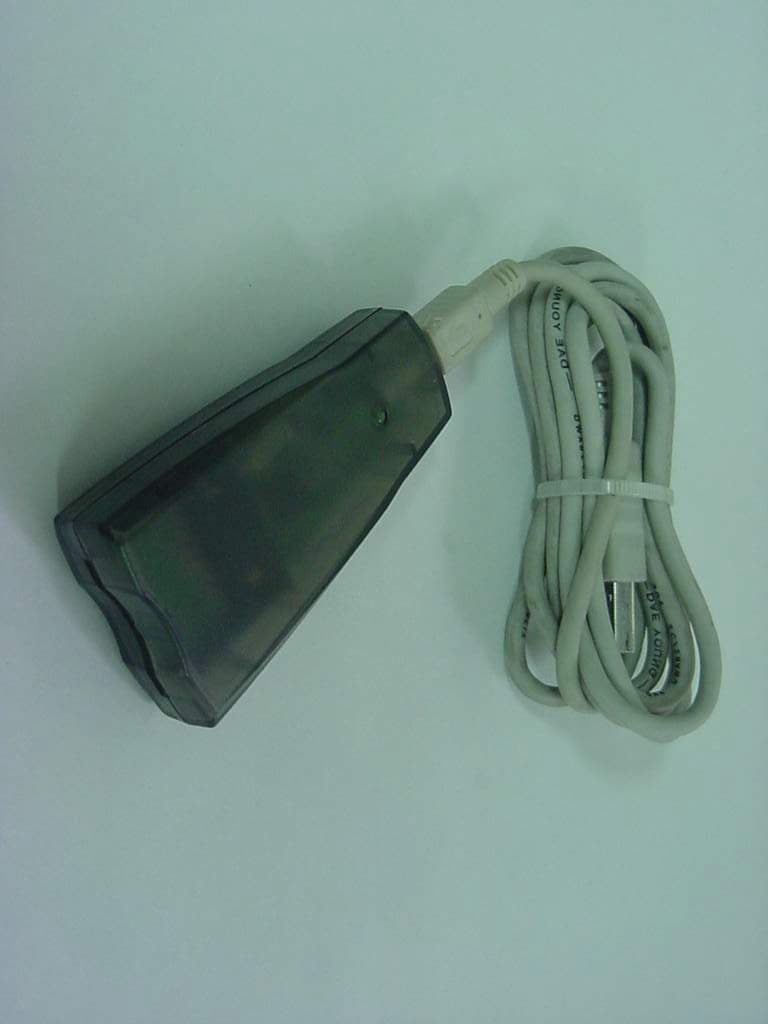
OZXMRW-6030
Dec 27, 2000MultiMedia Card Writer
Equipment Class
JBP - Part 15 Class B Computing Device Peripheral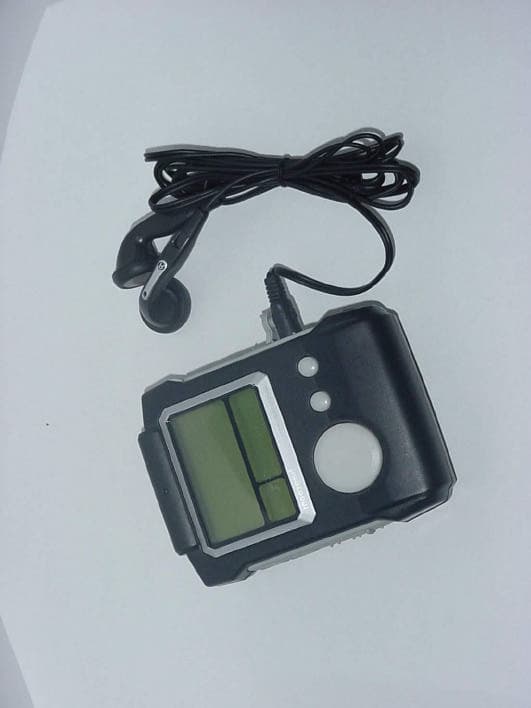
OZXDMP-2010
Nov 26, 2000MP3 PLAYER
Equipment Class
JBP - Part 15 Class B Computing Device Peripheral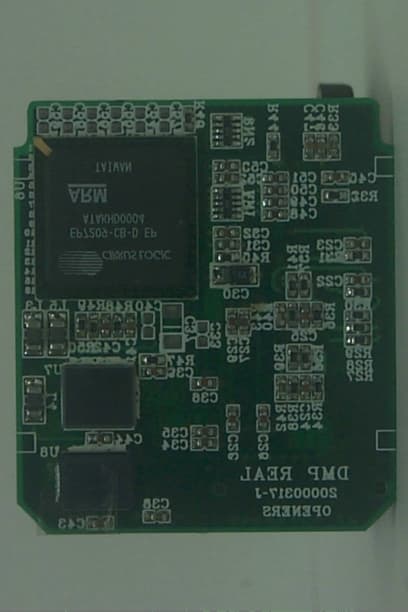
OZXDMP-2000
Jun 15, 2000MP3 PLAYER
Equipment Class
JBP - Part 15 Class B Computing Device Peripheral