P622002001Myfriend
IPM NET S.p.A.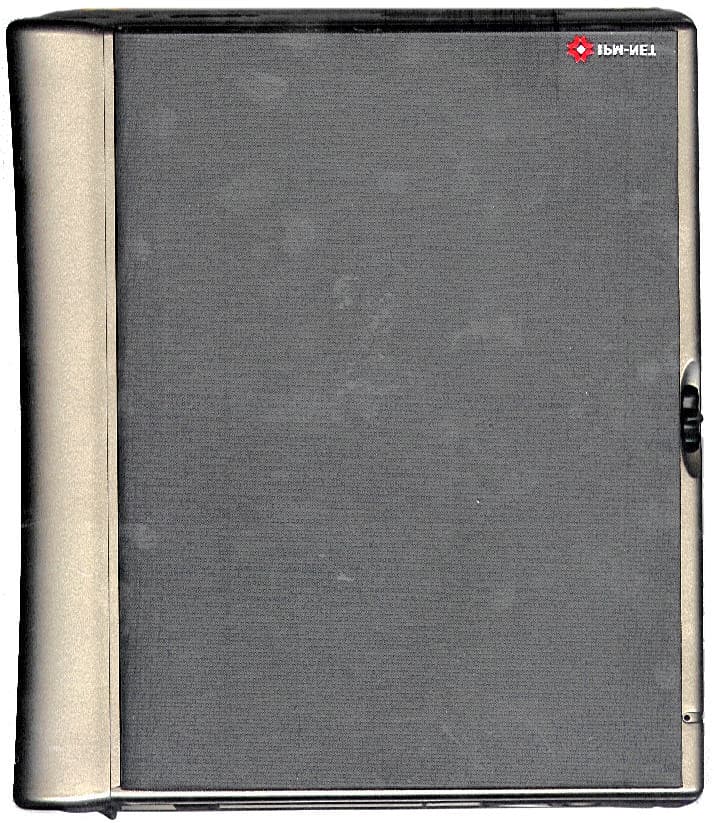
Click to zoom
Application Details
- Equipment Class
- JBC - Part 15 Class B Computing Device/Personal Computer
- Date of Grant
- Mar 31, 2002
- Application Purpose
- Original Equipment
- Date of Application
- Mar 31, 2002
- Equipment Note
- Myfriend
- Frequency Range
- 65.70000000 - 65.70000000
- Company
- IPM NET S.p.A.
- Country
- Italy
Documents & Files
Document Text
Text extracted from the exhibit documents filed with the FCC. Open a document above to read the original.
Users Manual
Myfriend User’s Guide Notice, Page 2 Notice Information in this document is subject to change without notice. THE IPM-NET SPA WILL NOT IN ANY CIRCUMSTANCES BE LIABLE FOR ANY OTHER DAMAGES WHATSOEVER ARISING OUT OF THE USE OR INABILITY TO USE OR SUPPLY OR NON-SUPPLY OF THE SOFTWARE AND ANY ACCOMPANYING HARDWARE OR WRITTEN MATERIAL. All rights reserved. No part of this publication may be reproduced in any form or by any means, without the prior permission of IPM-NET SPA.© 2001 IPM-NET SPA Myfriend – User’s guide November 2001 220003788 English Table of contents, Page 3 Table of contents NOTICE..............................................................................................................2 TABLE OF CONTENTS.........................................................................................3 CHAPTER 1 INTRODUCTION TO MYFRIEND..........................................................5 WHAT IS MYFRIEND?....................................................................................................................5 MYFRIEND FOR WORKING...............................................................................................................5 MYFRIEND FOR STUDYING..............................................................................................................5 MYFRIEND FOR LEISURE TIME.......................................................................................................5 PACKAGING CONTENTS..................................................................................................................6 CHAPTER 2 A CLOSER LOOK AT MYFRIEND - HARDWARE..................................7 FRONT VIEW..................................................................................................................................7 TOP VIEW......................................................................................................................................9 BOTTOM VIEW..............................................................................................................................11 BACK VIEW..................................................................................................................................12 CHAPTER 3 GETTING MYFRIEND STARTED.......................................................13 THE STYLUS..................................................................................................................................13 FEEDING AND RECHARGING BATTERIES..........................................................................................13 AC Adapter...........................................................................................................................13 Start Up.................................................................................................................................13 CHAPTER 4 A CLOSER LOOK AT MYFRIEND - SOFTWARE.................................15 OPERATING SYSTEM.....................................................................................................................15 Microsoft Windows CE 3.0...................................................................................................15 Desktop..................................................................................................................................15 Start Menu.............................................................................................................................15 Control Panel.........................................................................................................................16 CHAPTER 5 INTERNET OPTIONS.......................................................................22 CONNECTING TO AN INTERNET SERVICE PROVIDER (ISP).................................................................22 Create a connection...............................................................................................................22 CHAPTER 6 SOFTWARE...................................................................................23 BSQUARE BACKUP........................................................................................................................23 BSQUARE BFIND...........................................................................................................................25 BSQUARE VOICE RECORDER....................................................................................26 MICROSOFT INBOX........................................................................................................................27 Setting up your email service................................................................................................27 Composing email messages..................................................................................................27 Connecting to an email server...............................................................................................28 Message List..........................................................................................................................28 Organizing messages and working with folders...................................................................28 MICROSOFT INTERNET EXPLORER..................................................................................................29 MICROSOFT POCKET WORD...........................................................................................................30 POCKET ON-SCHEDULE.................................................................................................................31 ODYSSEY QVP – QUICK VIEW PLUS..............................................................................................34 Table of contents, Page 4 X-AUDIO PLAYER.........................................................................................................................35 CHAPTER 7 MICROSOFT READER..............................................................…
Text truncated - open the document above for the full version.
Block Diagram
Power On MICRO PROCESSOR 8.064 MHz 32768 Hz 6 MHz SW Reset Sim Controller 14.7456 MHz Battery Charge Control PLD U USB CONTROLLER LCD CONTROLLER MODEM V90 FLASH 32 Mbyte DRAM 64 Mbyte USB CONNECTOR ADD DATA SIGNAL CONTROL PCMCIA CONTROLLER PCMCIA SOCKET 12.228 MHz 28.224 MHz LINE JACK AUDIO CODEC INTERFACE BATTERY MONITOR TOUCH SCREEN INTERFACE IRDA INTERFACE RS232 INTERFACE SPI 3.6864 MHz RS232 CONNECTOR SBI MICROPHONE SPEAKER HEADPHONE JACK IRDA SERIAL INTERFACE SOCKET SIM MYFRIEND BLOCKS DIAGRAM
External Photos
FRONT VIEW FRONT VIEW OPENED COVER REAR VIEW POWER SUPPLY UPPER VIEW POWER SUPPLY LOWER VIEW DISPLAY MODULE FRONT VIEW
Internal Photos
INVERTER BOARD SIDE 1 INVERTER BOARD SIDE 2 POWER SUPPLY BOARD COMPONENT SIDE POWER SUPPLY MAIN BOARD SIDE 2 WITHOUT MWTAL SHIELD MAIN BOARD SIDE 2 MAIN BOARD SIDE 1 DISPLAY MODULE REAR VIEW PARTIALLY DISASSEMBLED
Test Report
Test Report No. RD2002/047 Date February 28th, 2002 TÜV ITALIA 1/17 MEASUREMENT/TECHNICAL REPORT FCC Part 15 Sections 15-107 and 15.109 IPM-NET February 28th, 2002 This report concerns (check one): Original grant __X__ Class II change____ Equipment type: Reader, Browser, Player Unit (ex.: computer, printer, modem, etc.) Deferred grant request per 47 CFR 0.457(d)(1)(ii)? yes _____ no __X__ If yes, defer until: ______________ date Company Name agrees to notify the Commission by ______________ date of the intended date of announcement of the product so that the grant can be issued on that date. Report prepared by: Giuseppe MECCHIA TÜV ITALIA S.R.L. Via Montalenghe 12 10010 Scarmagno ( TO ) Italy Phone : 0125 - 525441 Fax : 0125 – 525499 Test Report No. RD2002/047 Date February 28th, 2002 TÜV ITALIA 2/17 Table of Contents Page 1 GENERAL INFORMATION ................................................................ 3 1.1 Product Description ................................................................ 3 1.2 Related Submittal(s)/Grant(s)................................................. 3 1.3 Tested System Details............................................................ 4 1.4 Test Methodology..................................................................... 5 1.5 Test Facility............................................................................... 5 1.6 Test Equipment List................................................................. 5 2 PRODUCT LABELING........................................................................ 6 Figure 2.1 FCC ID Label............................................................... 6 Figure 2.2 Location of the Label on EUT..................................... 7 3 SYSTEM TEST CONFIGURATION.................................................... 8 3.1 Justification............................................................................... 8 3.2 EUT Exercise Software........................................................... 8 3.3 Special Accessories................................................................ 9 3.4 Equipment Modifications......................................................... 9 3.5 Configuration of the Tested System.......................................10 Figure 3.1 Configuration of the Tested System............................10 4 BLOCK DIAGRAM(S) OF THE EUT..................................................11 4.1 Block Diagram Description......................................................11 Figure 4.1 Block Diagram of the EUT..........................................13 5 CONDUCTED AND RADIATED MEASUREMENT PHOTOS.......14 6 CONDUCTED EMISSION DATA.......................................................15 7 RADIATED EMISSION DATA............................................................16 7.2 Field Strength Calculation.......................................................17 8 PHOTOS OF TESTED EUT...............................................................18 User Manual .................................................................................................19 Test Report No. RD2002/047 Date February 28th, 2002 TÜV ITALIA 3/17 1 GENERAL INFORMATION 1.1 Product Description Myfriend is a portable device designed for work, study and leisure time. Thanks to its wide high definition display, Myfriend is ideal for reading Microsoft Reader LIT eBooks. Based on Microsoft Windows CE 3.0 operating system, Myfriend has a built-in modem, allowing users to either navigate the Internet with the use of the Microsoft Internet Explorer browser, or send and receive emails. The built-in microphone located on the front allows you to record vocal messages, while the speaker makes it possible to listen to audio MP3 files. EUT is formed by a main board, an inverter board TAMURA HBL-0243 and a Toshiba TFT-LCD module LTM 07C388 all contained in the same case, plus an external TAMURA PAA1628N7 power supply. 1.2 Related Submittal(s)/Grant(s) None Test Report No. RD2002/047 Date February 28th, 2002 TÜV ITALIA 4/17 1.3 Tested System Details The FCC IDs for all equipment, plus descriptions of all cables used in the tested system (including inserted cards, which have grants) are: Model & Serial No. FCC ID Description Cable Descriptions Myfriend (1) s/n EMC-2001-301 P622002001 Reader, browser, player unit Unshielded power cord Shielded signal cables TAMURA PAA1628N7 S/n 0132 None Power supply Unshielded power cords SanDisk FPC-PC.U S/n none Declaration of Conformity Compact flash memory card 32MB PCMCIA I/F No cables SanDisk S/n none None Memory card 16MB Smart Media I/F No cables Smart card S/n none None Smart card No cables CD-1000 S/n none None Stereo headphones Shielded signal cable Acer TravelMate 312 T S/n 9142B0134 Declaration of Conformity Personal Computer USB I/F IrDA I/F Unshielded power cord Shielded signal cable HP 7440A s/n 2539A94878 BSD8537440 Plotter, serial I/F Shielded serial cable Unshielded power cord 20m unshielded telephone cable connected to a remote telephone plug. (1) EUT submitted for grant. Test Report No. RD2002/047 Date February 28th, 2002 TÜV ITALIA 5/17 1.4 Test Methodology Both conducted and radiated testing were performed according to the ANSI C63.4-1992 test procedures . Radiated testing was performed at an antenna to EUT distance of 3 meters. 1.5 Test Facility TÜV ITALIA test site No. 3 – semi-anechoic chamber The semi-anechoic chamber test site and conducted measurement facility used to collect the radiated data are located at Via Montalenghe 12, Scarmagno, Italy. This site has been fully described in a report dated May 12, 2000 submitted to your office, and accepted in a letter dated May 30, 2000 (registration Number: 90860) 1.6 Test equipment list: Description Model serial No. Cal due date Test receiver Rohde & Sch.ESH3 s/n 881364/012 10/02 Spectrum analyzer HP 8568B+QP adapter s/n 2601A02134 04/02 Spectrum analyzer HP 8562A s/n 3043A05627 10/02 LISN Schwarzb.NNLA 8120 s/n 8120471A 02/03 Biconical antenna …
Text truncated - open the document above for the full version.
Contact Information
Applicant
Antonio Di Paola(Product Manager)
Test Firm
TUV ItaliaGiuseppe Mecchia
Technical Specifications
| # | Rule Parts | Frequency Range | Power Output |
|---|---|---|---|
| 1 | 15B | 65.7 MHz - 65.7 MHz | - |