P7CORC-250DIGITAL AUDIO PLAYER
ORACOM Co., Ltd.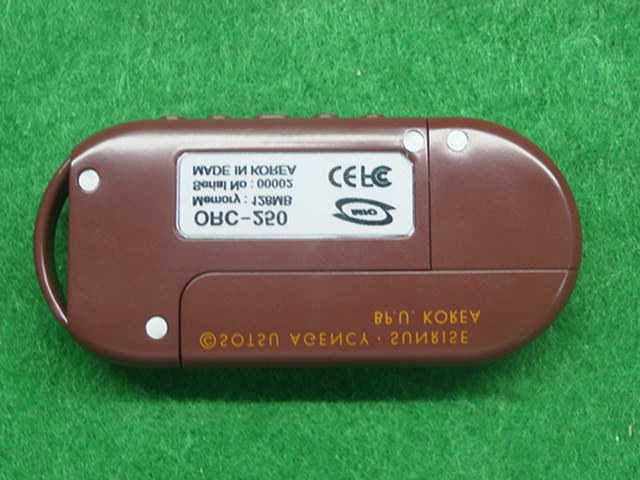
Click to zoom
Application Details
- Equipment Class
- JBP - Part 15 Class B Computing Device Peripheral
- Date of Grant
- Oct 22, 2003
- Application Purpose
- Original Equipment
- Date of Application
- Oct 22, 2003
- Equipment Note
- DIGITAL AUDIO PLAYER
- Company
- ORACOM Co., Ltd.
- Country
- South Korea
Documents & Files
Document Text
Text extracted from the exhibit documents filed with the FCC. Open a document above to read the original.
Users Manual
DIGITAL AUDIO PLAYER ORC-250 User Manual # CONTENTS # @ PREPARATION ■ Feature ■ Checking parts ■ Names and functions of ORC-250 ■ LCD display panel @ INSTALLATION AND USE ■ Turning on/off the power ■ Setting the modes ■ Playing back digital music/voice files ■ Adjusting the volume ■ Searching music/voice file ■ Setting the section repeating function ■ Recording voice ■ Tuning FM Frequency ■ Memorizing FM Frequency ■ Listening Memorized FM channel ■ Button table @ APPLICATION ■ Setting the menu ■ Setting the repeat function ■ Setting the equalizer function ■ Managing files ■ Setting the logo ■ Setting display function ■ Display the file information ■ Setting the language ■ Menu table @ COMPUTER CONNCETION ■ Installing USB Device Driver for Windows98/SE ■ Connecting ORC-250 to PC ■ Managing files ■ Formatting ■ Separating ORC-250 from PC @ LOGO EDITOR ■ Installing logo editor ■ Editing logo ■ Installing logo @ CUSTOMER SERVICE ■ Product Specification @ PREPARATION ■ FEATURE ° Compact and slim design ° Plug-and-Play USB flash drive (USB driver is needed only for Windows 98/SE) ° MP3,WMA music file playback ° Voice recording function ° F/W upgradable ° 10 band Equalizer ° Controlling diverse menu ° User logo support ° High-speed USB communication ° Indigo blue backlight ° Diverse OS support for Windows, Mac and Linux °FM tuner °10 channels of user defined FM station ■ CHECKING PARTS ° Digital Audio Player (ORC-250) ° Stereo Earphone ° USB cable ° Installation CD ° One AAA size battery ° User manual ■ Names and functions of ORC-250 LCD display pannel Microphone Earphone jack Volume control button ○ + ○ - Mode button ◄◄/►► button ▶■ button Battery case ■ LCD display panel 1 1/030 MahavishnuOrche 03:36:52 RepeaticonPlayingtime Text scroll area EQ icon File No/Total file No.Battery iconModeMode icon @ INSTALLATION AND USE ■ TURNING ON/OFF THE POWER ° Press the ▷□ button on the ORC-250 to turn on the power. LOG O ◀ 12 5 MB free ▶ Mahavishnu Orche 03: 36:5 2 1/030 ° Press the ▷□ button on the ORC-250 for longer than 1 seconds to turn off the power. If the unit is in the Stop mode for longer than 1 minute, it will power off automatically. Power Off ■ CONVERTING MODES ° Stop playback and press the mode button. It converts like Music mode→Voice mode→Voice recording mode→FM Radio mode Ma havishn u Orche 03: 36:5 2 1/ 030 VI 002. WAVE 01: 25:4 3 1/ 015 Stan dby 00: 06:2 1 91.9 MHz (Music mode) (Voice mode) (Voice recording mode) (FM Radio mode) ■ PLAYING BACK DIGITAL MUSIC/VOICE FILES ° To playback - Press ▷□ button on ORC-250 in stop mode, and digital music/voice will be played back. ° To stop - Press ▷□ button on ORC-250 in playback mode, and digital music/voice will be stopped. ■ CONTROLLING VOLUME ° Control volume with volume control button( + - )on ORC-250 player. Volume can be controlled in the range from 0 to 30. Press the button briefly to control the volume by one level. Press and hold button to control continuously 03: 36:5 2 1/ 030 15 ■ SEARCHING MUSIC/VOICE FILE ° To move desired music/voice file - Press the ◀◀ button to move one track backward in the playback or stop mode. - Press the ▶▶ button to move one track forward in the playback or stop mode. Note) If the ◀◀ button is pressed within 5 seconds after a song started, the previous song will be repeated. If the button is pressed 5 seconds after the song started, the current song will be repeated. (For VBR files, the previous song won't be played even if the button is pressed within 5 seconds.) For VBR files, the actually playtime may not match the playback time displayed on ORC-250. * VBR(Variable Bit Rate) file: MP3 file which has multi compression rates applied ° To move the desired spot of the song during playback Press the ◀◀ / ▶▶ button for longer than 1 second and release the ◀◀ / ▶▶ button at the desired spot of the song. ■ SETTING SECTION REPEATING FUNCTION ° To set a start point of section repeating Press the mode button briefly at the start point of the desired section repeating during digital music/voice playback. Then, the icon brinks on the display panel. ° To set an end point of section repeating Press the mode button again briefly at the end point of the desired section repeating. Then, it shows Icon on the display panel and the section from A to B will be automatically repeated. ° To cancel a section repeating Press the mode button in the section repeating status. Then, the section repeating is cancelled, and it is played back automatically. Mahavishnu Orche 03: 36:5 2 1/030 Mahavishnu Orche 03: 36:5 2 1/ 030 Mahavishnu Orche 03: 36:5 2 1/ 030 ■ RECORDING VOICE ° To record voice Move the voice recording mode Press ▷□ button and recording starts. ° To finish voice recording Press the ▷□ button. Then, recording stops and voice file will be created. Note) When memory is fully used, recording stops automatically and voice file will be created. Possible recording time shows in the low of the 'standby' text in accordance with memory capacity. VI0 03.V RF 00: 06:2 1 Standby 07: 23:4 6 ■ TUNING FM FREQUENY Press the Mode button to convert FM Radio mode To tune FM frequency, move to SCAN mode by pressing Mode button more than one second. To listen memorized channel of FM station, move to MEMORY mode by pressing Mode button more than one second. 91.9 MHz Press ◀◀ or ▶▶ button to tune FM frequency by 100kHz step. Press ◀◀ or ▶▶ button more than one second to find a next station available. ■ MEMORIZING FM FREQUENCY Tune FM frequency and press ▷□ button. Select channel number by ◀◀ or ▶▶ button. Press ▷□ button again to memorize the FM frequency. ( Maximum 10 channels can be momorized) ■ LISTENING MEMORIZED FM CHANNEL Press Mode button more than one second to move to Memory mode. Select channel number by ◀◀ or ▶▶ button. 91.9 MHz ■ BUTTON TABLE Button Former status Push time Operation Power off Briefly Playback after power on Music/Voice playback Briefly Stop Music/Voice playback Recording Stop Longer Power off Stop (Music/Voice mode)…
Text truncated - open the document above for the full version.
Block Diagram
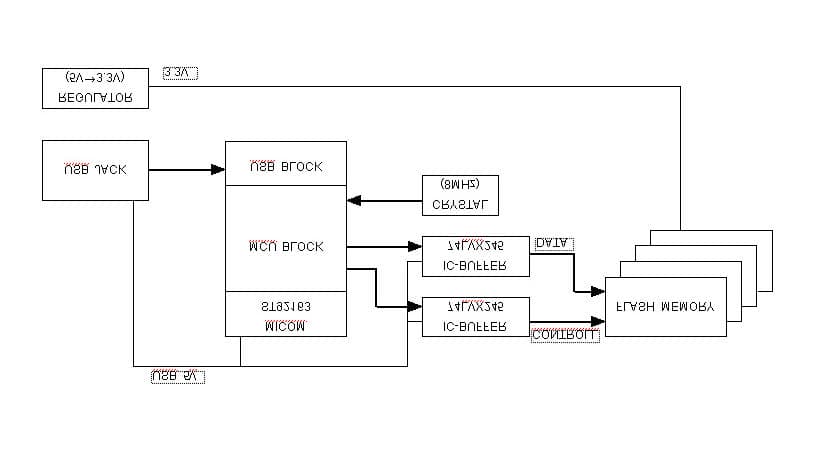
ORC-250 BLOCK D iagram COMPUTER USB 5V BATTERY 1.0V~1.5V USB JACK A Type LDO Regulator 5V --> 3.3V DC DC Converter Power Management Unit Switching USB VDD Battery Booster MCU ML67Q5200 USB Interface USB Data Tx/Rx Nand Flash Memory 64MB/128MB/ 256MB LCD Display 128 * 48 KEY MATRIX AUDIO CODEC DAC ADC MIC AMPLIFIER FM MODULE DA201 Main System MIC Ear Phone VDD IN MCU X-TAL 8MHz & 11. 2896MHz
Operational Description
Rev Page ORC-250 Specification 1.0 1 ORC-250 Specification Rev 1.0 2003-10-06 Rev Page ORC-250 Specification 1.0 2 ■ FEATURE ° Compact and slim design ° Plug-and-Play USB flash drive (USB driver is needed only for Windows 98/SE) ° MP3, WMA music file playback ° Voice recording function ° F/W up gradable ° 10 band Equalizer ° Controlling diverse menu ° User logo support ° High-speed USB communication ° Indigo blue backlight ° Diverse OS support for Windows, Mac and Linux °FM tuner °10 channels of user defined FM station ■ NAMES OF ORC-200M Earphone jack Microphone LCD display panel Volume control button ○ + ○ - Mode button ◄◄/►► button Battery case ▶■ button Rev Page ORC-250 Specification 1.0 3 ■ FUNCTIONS • Main Function ① MP3 Playback : 32 ~ 320Kbps, VBR playback ② WMA Playback : 64 ~ 192Kbps ③ Voice Recording : ADPCM 8KHz Mono ④ FM Frequency Range : 87.5Mhz ~ 108Mhz ⑤ Logo image : 128 x 48 pixel ⑥ Data Transfer : USB 1.1, plug & play • Key Function - Button table ① Power On :Soft Touch - Power On / Off / Play / Pause / Stop ② Volume Up :Soft Touch - Volume Up / Menu search ③ Volume Down :Soft Touch - Volume Down / Menu search ④ Mode :Soft Touch - Music / Voice / Record / FM Radio / Menu mode ⑤ Forward :Soft Touch - Forward skip, search ⑥ Backward :Soft Touch - Backward skip, search • LCD Display ① Blue EL backlight graphic animation LCD ② 3 Line : 1 Line - Mode icon , Mode name , File No./ Total File No. , Battery 2 Line - Text (English 16 Char, Simplified Chinese, Korean 8 Character) 3 Line - Icons (Repeat, EQ) File Playing Time 1 1/030 MahavishnuOrche 03:36:52 RepeaticonPlayingtime Text scroll area EQ icon File No/Total file No.Battery iconModeMode icon Rev Page ORC-250 Specification 1.0 4 • Menu Function - Menu table ■ BUTTON TABLE Button Former status Push time Operation Power off Briefly Playback after power on Music/Voice playback Briefly Stop Music/Voice playback Recording Stop Longer Power off Stop (Music/Voice mode) Briefly Playback Stop (Recording mode) Briefly Start Voice Recording Recording Briefly Finish Voice Recording FM Radio Scan Mode Briefly Memorize current Frequency ▷□ Menu status Briefly To exit menu Playback Briefly Playback the next file Playback Longer Fast backward search in playback file FM Radio Scan mode Briefly Tune Frequency up (100KHz) FM Radio Scan mode Longer Search next station available FM Radio Memory mode Briefly Select next channel memorized ▶▶| Stop Briefly To move the next file Playback Briefly Less than 5 sec. after beginning playback : Former file playback Longer than 5 sec. after beginning playback : File playback from the start Playback Longer Fast forward search in playback file FM Radio Scan mode Briefly Tune Frequency down (100KHz) FM Radio Scan mode Longer Search previous station available FM Radio Memory mode Briefly Select previous channel memorized |◀◀ Stop Briefly To move the former file Playback / Stop Briefly/longerVolume(↑) + Menu status Briefly To move in the menu Playback / Stop Briefly/longerVolume(↓) - Menu status Briefly To move in the menu MODE Stop Briefly To change the mode ( Music → Voice → Record ) Rev Page ORC-250 Specification 1.0 5 Playback Briefly To appoint the starting spot of the section repeating During setting section repeating Briefly To appoint the ending spot of the section repeating Status of setting section repeating Briefly To cancel the section repeating Playback / Stop Longer To move the menu mode Menu status Briefly To select the menu item FM Radio Briefly Convert mode to MUSIC mode FM Radio Longer Toggle Scan mode ÅÆ Memory mode Rev Page ORC-250 Specification 1.0 6 ■ MENU TABLE Repeat 1. N o rm al 2.Repeat one 3.Repeat all 4.Repeat list ▶ 5.Shuffle 6. In tro Return EQ 1. N o rm al 2. U se r ▶ Return File 1. D e le te ▶ 2. Fo rm a t ▶ Return Logo 1. D e fa ult 2. U se r ▶ 3. D isp la y lo go ▶ Return Repeat list 1.file1 2.file2 3. file 3 ... Return User 10 Ba n d MENU Delete 1. M u sic ▶ 2. V o ice ▶ Return Music/Voice 1.M/V file1 2.M/V file1 ... Return Format 1. OK 2. C a n cel User 1.Logo1 2.Logo2 ... Return Display logo 1.On 2.Off Exit menu 1. K o re an 2. W e ste rn 3. W .Eu ro p e 4.Japanese 5. S .C h ine se 6. T.C h in e se File In fo ▶ File In fo Bitrate Spl.freq SizeTime Display 1. Ba cklig h t ▶ 2. C o n trast ▶ 3.Scroll speed ▶ Return ContrastBacklight 1. On 2. Off 3. L igh tin g tim e ▶ Return L igh tin g tim e Scroll speed Language Rev Page ORC-250 Specification 1.0 7 ■ SPECIFICATIONS • General Capacity □ 64/128/256MB built in memory I/O □ USB 1.1 Dimension /Weight □ 39 x 86 x 13.2mm □ 32g (without battery) Case □ Plastic mold Power □ AAA x 1ea Connectors □ Earphone connector □ USB port connector LCD □ Indigo blue EL backlight graphical animation LCD Key □ Tact s/w 6ea Accessory □ Earphone □ USB cable □ Software CD (Win98/SE device driver, Logo editor ) □ User manual □ Battery AAA x 1ea OS □ Microsoft Windows98/se / ME / 2000 / XP □ Linux kernel 2.4.0 or higher □ Mac OS 8.6 or higher Rev Page ORC-250 Specification 1.0 8 • Electrical # Load condition: 16Ω ① Audio Section: MP3 Part Measure Conditions Specification ITEM File Filter etc Normal Limit Unit Output Power 1KHz_0dB.mp3 Bit rate 128Kbps SPL freq. 44.1KHz - EQ: Normal Vol : Max 5 >4.7 mW S/N Ratio Infinity Zerow, 0 emphasis.mp3 Bit rate 128Kbps SPL freq 44.1KHz With A Filter EQ: Normal Vol: Max 80 >75 dB T.H.D 1KHz_0dB.mp3 Bit rate 128Kbps SPL freq 44.1KHz With A Filter EQ: Normal Vol: Max 0.15 <0.25 % Channel Separation 1KHz_0dB_R.mp3 & 1KHz_0dB_L.mp3 Bit rate 128Kbps SPL freq 44.1KHz - EQ: Normal Vol: Max 30 >25 dB Frequency Response 100Hz_0dB.mp3 & 500Hz_0dB.mp3 & 2KHz_0dB.mp3 & 5KHz_0dB.mp3 & 10KHz_0dB.mp3 & 16KHz_0dB.mp3 Bit rate 128Kbps SPL freq 44.1KHz With 30KHz LPF EQ: Normal Vol: Max 0~0.9 <1.2 dB Rev Page ORC-250 Specification 1.0 9 ② Audio Section: FM Radio Measure Conditions Specification ITEM Condition Filter etc Normal Limit Unit Output Power 90.1MHz DEV 75KHz INPUT 60dBuV MOD 1KHz - EQ: Normal Vol : Max 5 >4.7 mW T.H.D 90…
Text truncated - open the document above for the full version.
Test Report
EMI TEST REPORT Emission of electromagnetic disturbance Test Report No. : ERI-FCC03-0065 Equipment : Digital Audio Player Name of basic model : ORC-250 Family model : None Manufacturer : ORACOM Co., Ltd. Applicant : ORACOM Co., Ltd. Tested date : 2003. 10. 7 Issued date : 2003. 10. 15 Test results : PASS Test Standards : FCC Part 15 Subpart B (Class B) /digital devices & peripherals Test Procedure and Items: - AC Power line Conducted emissions measurement : ANSI C63.4-1992 - Radiated emissions measurement : ANSI C63.4-1992 Tested by: GWEON, HUR Approved by: UK-CHO, RIM The results in this report apply only to the sample tested. This test report shall not be reproduced except in full, without the written approval of ERI Laboratory. ELECTROMAGNETIC RESEARCH INSTITUTE CONTENTS 1. CLIENT INFORMATION 2. LABORATORY INFORMATION 3. EQUIPMENT UNDER TEST INFORMATION(EUT) 3.1 Identification of the EUT 3.2 Additional information about the EUT 3.3 Peripheral equipment 4. CONTINUOUS DISTURBANCE VOLTAGE, MAIN TERMINAL 4.1 Operating environment 4.2 Test set-up and test procedures 4.3 Operation Conditions 4.4 Test instrument 4.5 Test results 5. RADIATED DISTURBANCE : 30MHz – 1000MHz 5.1 Operating environment 5.2 Test set-up 5.3 Test conditions 5.4 Test instrument 5.5 Test results(Test mode: Up & download mode) 5.6 Test results(Test mode: Play mode) 5.7 Test results(Test mode : FM Tuner, Others) APPENDIX (None) ELECTROMAGNETIC RESEARCH INSTITUTE 1. CLIENT INFORMATION The EUT has been tested by request of : Company : ORACOM Co.,Ltd. Address : #720, Osan-Dong, Osan, Kyungki-Do, Korea, 447-802 Name of contact : - Telephone : +82-31-379-5008 Facsimile : +82-31-375-8978 2. LABORATORY INFORMATION The 10m full-anechoic chamber and/or EMC facilities are used for these testing. These facilities were accredited by KOLAS, EK, MIC of Korea and FCC of USA. Address ELECTROMAGNETIC RESEARCH INSTITUTE. 66-6, JEIL-RI, YANGJI-MYUN, YOUNGIN-CITY, KYUNGGI-DO, KOREA Telephone No. : +82-31-336-1186~7 Facsimile No. : +82-31-336-1184 Registered No. KOLAS : 111 EK : J MIC : KR0030 FCC Filing No. : 302567 3. EQUIPMENT UNDER TEST INFORMATION(EUT) 3.1 Identification of the EUT Type of equipment : MP3 Player Model name : ORC-250 Used clock : 11,2898MHz Brand name : - Manufacturer : ORACOM Co.,Ltd. Address : #720, Osan-Dong, Osan, Kyungki-Do, Korea, 447-802 Telephone : +82-31-379-5008 Facsimile : +82-31-375-8978 Country of origin : KOREA Rating : DC 1.5V ELECTROMAGNETIC RESEARCH INSTITUTE 3.2 Additional information about the EUT Class B, Family Models List: None 3.3 Peripheral equipment Defined as equipment needed for correct operation of the EUT. Description Model No. Serial No. Manufacture Printer C6427A CN13V1B1SZ HP Note pc CM2080 5Y17JNZ9R892 LG AC/DC adaptor ADP-60DB MJD012400851 6 DELTA ELECTRONICS Co., Ltd. Keyboard SDM4510UH 4M020619 SAMSUNG Earphone - - - ELECTROMAGNETIC RESEARCH INSTITUTE 4. CONTINUOUS DISTURBANCE VOLTAGE, MAIN TERMINAL : Frequency range 0.15 MHz to 30 MHz 4.1 Operating environment Temperature : 19.0 Relative Humidity : 58.0 % 4.2 Test set-up and test procedures The mains terminal disturbance voltage was measured with the equipment under test(EUT) in a shield room. The EUT was connected to an artificial mains network(LISN) placed on the floor. The EUT was placed on non-metallic table 0.4m above the metallic, grounded floor. The distance to other metallic surface was at least 0.8m. Amplitude measurements were performed with a quasi-peak detector and an average detector. 4.3 Operation Conditions Up & download mode, play mode 4.4 Test instrument Instrument Model No Serial No. Makers Next cal.date Used Test receiver ESCS30 100021 R&S 2004. 1. 24 ESH3-Z5 827246/008 R&S 2004. 3. 19 L.I.S.N. ESH3-Z5 831887/018 R&S 2004. 3. 19 Shield room 8 6 3.3m/H - - - AC Main LISN Printer Note PC LISN Earphone EUT Keyboard AC/DC adaptor ELECTROMAGNETIC RESEARCH INSTITUTE 4.5 Test results Date of test: Oct 7, 2003 An overview sweep performed with peak detector & average detector are included in the report as test reports. Frequency Tested LISN Meter Limits Range Freq. Reading QP AV QP AV [MHz] [MHz] [dBuV] [dBuV] 0.150 H 36.6 16.6 66.0 56.0 0.207 N 45.9 35.3 63.2 53.2 0.276 N 38.6 30.9 60.8 50.8 0.345 N 32.8 27.1 59.0 49.0 0.348 H 34.2 29.2 59.0 49.0 0.486 N 33.3 29.7 56.3 46.3 0.693 N 30.6 29.2 56.0 46.0 5.700 H 31.0 22.3 60.0 50.0 16.210 H 31.3 22.1 60.0 50.0 0.15 - 30(MHz) 25.000 N 30.3 30.0 60.0 50.0 <5 : mean less than 5dB Other frequency keep over 20dB margin. Result: Pass The measured emissions level of the EUT have found the below of the specified limit. ELECTROMAGNETIC RESEARCH INSTITUTE [Live line] [Neutral line] ELECTROMAGNETIC RESEARCH INSTITUTE 5. RADIATED DISTURBANCE : 30MHz – 1000MHz 5.1 Operating environment Temperature : 19.0 Relative Humidity : 58.0 % 5.2 Test set-up The frequency range investigated was 30 MHz to 1000 MHz. All readings are quasi-peak unless stated otherwise. The half-wave dipole antenna was tuned to the frequency found during Preliminary radiated measurements. The EUT, support equipment and Interconnecting cables were re-configured to the set-up to the producing the Maximum emission for the frequency and were placed on top of a 0.8 meter High non-metallic 1 X 1.5 meter table. The EUT, support equipment, and interconnecting cables were re-arranged and manipulated to maximize each EME emission. The turntable containing the system was rotated the antenna height was varied 1 to 4 meters and stopped at the azimuth or height producing the maximum emission. And this device(EUT) was tested in 3 orthogonal planes. The antenna measured both horizontal and vertical polarization. <General test set-up for radiated emissions> 5.3 Operation Conditions Up & download mode, play mode ELECTROMAGNETIC RESEARCH INSTITUTE 5.4 Test instrument Instrument Model No. Serial No. Makers Next cal.date Used Test receiver ESCS30 100021 R&S 2004. 1. 24 ESH3-Z5 827246/008 R&S 2004. 3. 19 L.I.S.N. ESH3-Z5 831887/018 R&S 2004. 3.…
Text truncated - open the document above for the full version.
Contact Information
Applicant
Kwan-sik Kim(Senior Engineer)
Test Firm
EMC Compliance LTDMin Seok Chung
Technical Specifications
| # | Rule Parts | Frequency Range | Power Output |
|---|---|---|---|
| 1 | 15B | - | - |
Other Applications from ORACOM Co., Ltd.
P7CCTU
May 22, 2002USB Storage Device
Equipment Class
JBP - Part 15 Class B Computing Device Peripheral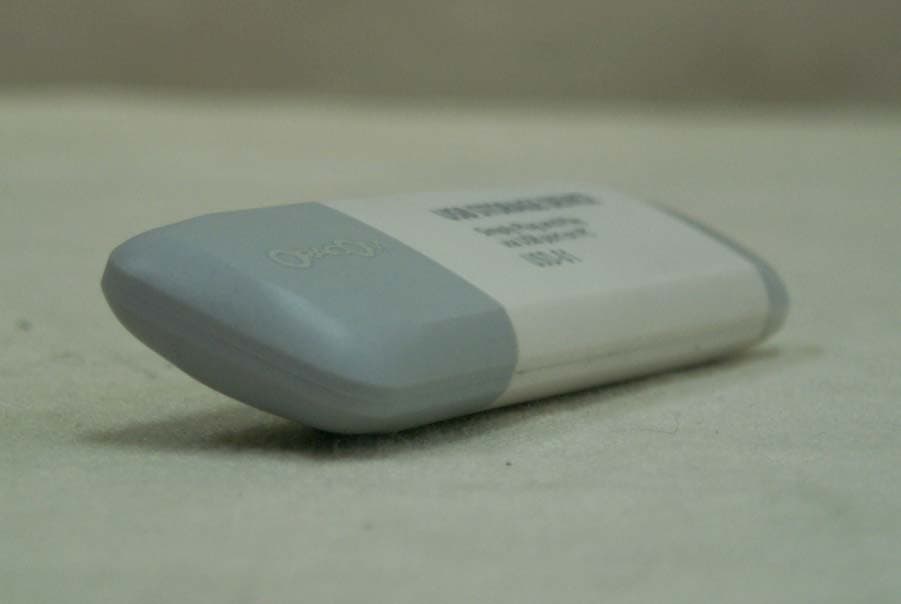
P7CUSD-01
Feb 25, 2002USB Storage Device
Equipment Class
JBP - Part 15 Class B Computing Device Peripheral