PAQXPERT2000VGA CARD
Unitech Electronics Co., Ltd.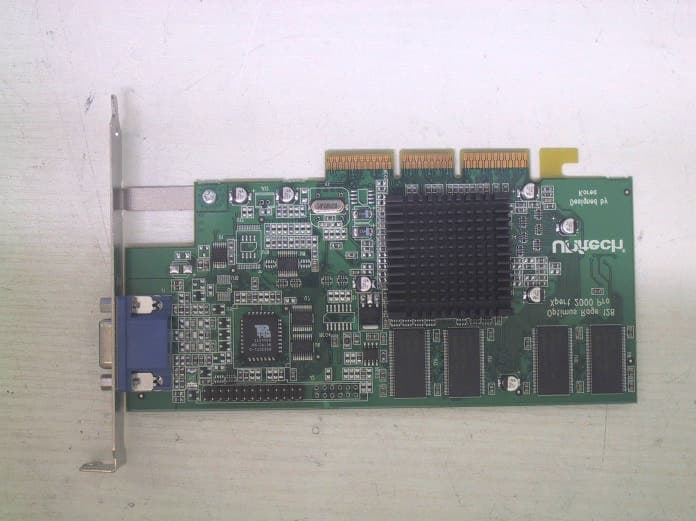
Click to zoom
Application Details
- Equipment Class
- JBP - Part 15 Class B Computing Device Peripheral
- Date of Grant
- Jul 08, 2003
- Application Purpose
- Original Equipment
- Date of Application
- Jul 08, 2003
- Equipment Note
- VGA CARD
- Country
- South Korea
Documents & Files
Document Text
Text extracted from the exhibit documents filed with the FCC. Open a document above to read the original.
Users Manual
Report No: BWS-03-EF-0027 FCC ID : PAQXPERT2000 Date of Test : June 18, 2003 Unitech Electronics Co., Ltd. VGA Card Xpert2000Pro Appendix 5. User Manual Refer to the following pages Getting Started Guide Software User’s Guides Choose one of the following categories: Online Manual Technical Specifications Compliance Information Part Number 137-40178-50 USING VIDEO IN/OUT User’s Guides ALL-IN-WONDER 128 ALL-IN-WONDER PRO Click on your product: ATI MULTIMEDIA CENTER ATI-TELETEXT MANUAL Some ATI Graphics cards will not support all of the features and functionality in the ATI Multimedia Center ATI-TV WONDER ATI-TV RAGE FURY MAXX RAGE FURY PRO RAGE FURY Technical InformationTechnical Information ALL-IN-WONDER 128 ALL-IN-WONDER PRO ALL-IN-WONDER RAGE MAGNUM XPERT 99 XPERT@WORK XPERT 2000 XPERT@PLAY XPERT 128 XPERT LCD Click on your product: XPERT 98 3D CHARGER ALL-IN-WONDER 128 PRO Getting Started... • Installing Your ATI Graphics Accelerator Card • Installing Enhanced Drivers for Windows® 95 and Windows® 98 • Installing Enhanced Drivers for Windows® NT • Multiple Display Support in Windows® 98 • Troubleshooting Tips • Using the Online Manual ATI’s graphics accelerators are the most advanced on the market today. They improve the performance of your system and display exceptional graphics. Yo u r AT I graphics accelerator comes complete with enhanced drivers and comprehensive award-winning software utilities designed to make you more productive. Please read this guide before attempting to install your card. Preparing Your Computer If you are using Windows ® NT, you need to update your operating system to Service Pack 3 (SP3) or later before installing your ATI graphics accelerator. Additionally, if your current system configuration uses special drivers that are not 640x480 VGA, you may encounter conflicts with the card. We recommend that you first reconfigure your operating system to use a VGA driver supplied with your operating system before installing the card. For more information about changing your operating system configuration, see your operating system documentation. Turn off the power to your system and discharge your body’s static electric charge by touching a grounded surface—for example, the metal surface of the power supply—before performing any hardware procedure. The manufacturer assumes no liability for any damage, caused directly or indirectly, by improper installation of any components by unauthorized service personnel. If you do not feel comfortable performing the installation, consult a qualified computer technician. Damage to system components, the accelerator card, and injury to yourself may result if power is applied during installation. M E FIRST RAGE™ 128Version 2.0 Getting Started...2 Installing Your ATI Graphics Accelerator Card Now that you have prepared your computer, you are ready to install your graphics accelerator card. To install your graphics accelerator card Power off the computer and monitor, then disconnect the display cable from the back of your computer. Remove the computer cover. If necessary, consult your computer’s manual for help in removing the cover. If you intend to run multiple displays with Windows ® 98 (see page 6), then proceed to step 4. Otherwise, remove any existing graphics card from your computer. Or, if your computer has any on-board graphics capability, you may need to disable it on the motherboard. For more information, see your computer documentation. 1 DISPLAY CABLE VIDEO OUTPUT CONNECTOR 2 POWER SUPPLY Remember to discharge your body’s static electricity by touching the metal surface of the computer chassis. 3 SCREW EXISTING GRAPHICS CARD If the old graphics card sticks, rock it gently from end to end. Remember to save the screw. Getting Started...3 If necessary, remove the metal cover from the empty expansion slot that you select (PCI card use a PCI slot; AGP cards use an AGP slot); then align your new card with the expansion slot, and press it in firmly until the card is fully seated. Replace the screw to fasten the card in place, and replace the computer cover. Plug the display cable into your card; then turn on the computer and display device. For cards with a Digital Flat Panel (DFP) connector, connect your monitor or flat panel display (or both) to the appropriate connector, as shown. Next, reboot your system. You are now ready to proceed with the installation of ATI’s enhanced drivers. For detailed instructions, select your operating system from the list below: •Windows ® 95/98, see Windows® “New Hardware Found” on page 4. •Windows ® NT, see page 6. 4 ATI3DGRAPHICSCARD CORRESPONDING EXPANSION SLOT (PCI OR AGP) Grasp the new card by the top edge and carefully seat it into the appropriate expansion slot (PCI or AGP). Ensure that the metal contacts are completely pushed into the slot. 5 SCREW AT I 3 D GRAPHICS CARD 6 DISPLAY CABLE Make sure all cables are securely connected. TO VGA MONITOR (ALL GRAPHICS CARDS) TO FLAT PANEL DISPLAY (DFP-READY CARDS ONLY) Getting Started...4 Windows ® “New Hardware Found” If you are running Windows ® 95 or Windows ® 98, new hardware may be detected after you restart your computer. Follow the step-by-step instructions below to allow Windows ® to correctly identify your new hardware. To identify new hardware in Windows ® 95 1Windows ® 95 briefly displays the “New Hardware Found” dialog before launching the “Update Device Driver Wizard”. If the wizard does not appear, proceed directly to Installing Enhanced Drivers for Windows® 95 and Windows® 98 on page 5. 2Click Next. 3Click Finish. 4Insert your Windows ® 95 CD-ROM into your CD-ROM drive. 5Click OK. 6Type the following: D:\WIN95 (If D is not your CD-ROM drive, substitute D with the correct drive letter.) 7Click OK. 8Click Ye s to restart your computer. You are now ready to install your ATI enhanced drivers. Proceed to Installing Enhanced Drivers for Windows® 95 and Windows® 98 on page 5, and follow the step-by-step instructions to complete the insta…
Text truncated - open the document above for the full version.
Block Diagram
Report No: BWS-03-EF-0027 FCC ID : PAQXPERT2000 Date of Test : June 18, 2003 Unitech Electronics Co., Ltd. VGA Card Xpert2000Pro Appendix 4. Block Diagram Refer to the following pages Radeon 8500 Chip Specifications© 2001 ATI Technologies Inc. 4-2Proprietary and Confidential Functional Block Diagram 4.1Functional Block Diagram The diagram below shows the major functional blocks of the Radeon 8500. Figure 4-1. Radeon 8500 Functional Block Diagram H ost B us Interface Concurrent Com mand Engine 2D Engine Video Im m ersion II HDTV/DVD Decoder Scaler YUV to RGB Pixel Cache HyperZ II M em ory C ontroller and Interface Rendering Pipelines DDR Display Memory 128 bits, dual channel A daptive FSAA Programmable Pixel Shader Pixel Tapestry II Texture Cache Program m able V ertex Shader Vector Array Process Charisma Engine II N-Patch Engine Vertex Cache 3D Engine Flexible Display Engine Display Controller Display Controller Graphics Stream D igital Interface TMDS T ransm itter R atiom etric Expander HDCP DAC TV Out H ardw are C ursor Scaler YUV to RGB Video Stream O ptional EEPROM Optional ROM TV CRT M onitor OptionalExternal DAC O ptional External TMDS T ransm itter AGP/PCI Bus Flat Panel M onitor 1 2
External Photos
Report No: BWS-03-EF-0027 FCC ID : PAQXPERT2000 Date of Test : June 18, 2003 Unitech Electronics Co., Ltd. VGA Card Xpert2000Pro Appendix 3. Photographs of EUT Report No: BWS-03-EF-0027 FCC ID : PAQXPERT2000 Date of Test : June 18, 2003 Unitech Electronics Co., Ltd. VGA Card Xpert2000Pro
ID Label/Location Info
Report No: BWS-03-EF-0027 FCC ID : PAQXPERT2000 Date of Test : June 18, 2003 Unitech Electronics Co., Ltd. VGA Card Xpert2000Pro Appendix 2. FCC ID Label and location Product Label Sample with FCC ID Label information Following is a sample copy of the label that will be placed on the rear cabinet of the product. The FCC identifier is marked in the product label. The warning statement is described in the user manual. Label Location The label shown above shall be permanently affixed at a conspicuous location on the device and be readily visible to the user at the time purchase.(Labeling requirements per 2.925) Unitech Electronics Co., Ltd. VGA CARD Model : Xpert2000Pro FCC ID:PAQXPERT2000 Unitech Electronics Co., Ltd. VGA CARD Model:Xpert2000Pro FCC ID:PAQXPERT2000
Internal Photos
Report No: BWS-03-EF-0027 FCC ID : PAQXPERT2000 Date of Test : June 18, 2003 Unitech Electronics Co., Ltd. VGA Card Xpert2000Pro Appendix 3. Photographs of EUT Report No: BWS-03-EF-0027 FCC ID : PAQXPERT2000 Date of Test : June 18, 2003 Unitech Electronics Co., Ltd. VGA Card Xpert2000Pro
Operational Description
XPERT™ 2000 PRO Features Available white-box versions: 32MB AGP 16MB AGP 8MB AGP with optional Digital Visual Interface (DVI) connector for Digital Flat Panels (OEM availability only) The 3D and DVD Value Leader No other graphics upgrade offers so many features at such a low price Gives PCs 32MB of graphics memory at the price of 16MB Perfect graphics upgrade for Pentium® II 300 MHz (or compatible) systems and up Avoid the pitfall of high graphics costs by adding 32MB and DVD in one solution 32MB of Graphics Power! Get the graphics horsepower that today's top 3D games crave Up to 32MB of on-board memory delivers incredible 3D visual quality Experience smooth detailed 3D graphics action and rich 3D textures like fog, water depth and lighting More memory also means faster 3D game play with no jerkiness Hardware DVD Video Playback Built-in hardware DVD technology saves you the hassle and expense of buying a separate MPEG-2/DVD decoder card Process full-frame rate, full-screen MPEG-2 or DVD video Free up a valuable slot in your computer ATI RAGE 128 PRO 3D and 2D Graphics ATI RAGE 128 PRO graphics technology Maximum 3D resolution of 1920x1440 (16-bit color or 65,000 colors) 32-bit true color (16.7 million colors) 3D graphics up to 1920x1200 Advanced 3D features including an 8 million triangles/second setup engine, twin cache architecture, complete alpha blending, video textures, texture lighting and single-pass multi- texturing Power all business applications with 32-bit true color 2D graphics support up to 1600x1200 at 85Hz Acceleration of DirectX, Direct3D and OpenGL applications Full acceleration of, and compliance with, Direct3D and OpenGL applications Experience cool effects like Z-based fog for incredible realism with advanced 3D architecture Optimized for DirectX, supporting DirectX features such as multi-texturing, stencil planes and bump mapping
Test Report
This report only responds to the tested sample and may not be reproduced, except in full, without written approval of the BWS TECH,Inc. BWS TECH Inc. www.bws.co.kr 294-9, Jungdae-Dong, Kwangju-Si, Kyunggi-Do, 464-080, Korea TEL: +82 31 762 0124 FAX: +82 31 762 0126 Electromagnetic Emission FCC MEASUREMENT REPORT VERIFICATION OF COMPLIANCE FCC PART15 CERTIFICATION PRODUCT : VGA CARD MODEL/TYPE NO : Xpert2000Pro FCC ID : PAQXPERT2000 TRADE NAME : Unitech APPLICANT : Unitech Electronics Co., Ltd. 53-5, WonHyoRo 3 Ga, YongSan-Gu, Seoul, Korea. Attn. : Young-Sung Lee / General Manager FCC CLASSIFICATION : JBP : Part 15 Class B Computing Device Peripheral FCC RULE PART(S) : FCC Part 15 Subpart B FCC PROCEDURE : Certification DATES OF TEST : June 18, 2003 DATES OF ISSUE : June 19, 2003 TEST REPORT No. : BWS-03-EF-0027 TEST LAB. BWS Tech., Inc. (Registration No. : 553281) This Xpert2000Pro VGA card has been tested in accordance with the measurement procedures specified in ANSI C63.4-2000 at the BWS TECH/EMC Test Laboratory and has been shown to be complied with the electromagnetic emission limits specified in FCC Rule Part15 Subpart B Section15.107 and 15.109 I attest to the accuracy of data. All measurement herein were performed by me or were made under my supervision and are correct to the best of my knowledge and belief. I assume full responsibility for the completeness of these measurements and vouch for the qualifications of all persons taking them. The results of testing in this report apply to the product/system which was tested only. Other similar equipment will not necessarily produce the same results due to production tolerance and measurement uncertainties. K.Young Kim Chief of Laboratory Division BWS TECH Inc. BWS TECH Inc. 2 of 16 294-9 Jungdae-Dong, Kwanggu-Si,Kyunggi-Do, 464-800, Korea Report No: BWS-03-EF-0027 FCC ID : PAQXPERT2000 Date of Test : June 18, 2003 Unitech Electronics Co., Ltd. VGA Card Xpert2000Pro TABLE OF CONTENTS Pages 1. General Information 3 2. Description of Test Facility 4 3. Product Information 5 4. Description of Tests 6~7 5. Test Condition 8~9 6. Test Results 10~14 7. Sample Calculation and Other Information 15 8. Test Equipment List 16 Appendix 1. Test Setup Photos Appendix 2. FCC ID Label and location Appendix 3. Photos of EUT Appendix 4. Block Diagram Appendix 5. User Manual BWS TECH Inc. 3 of 16 294-9 Jungdae-Dong, Kwanggu-Si,Kyunggi-Do, 464-800, Korea Report No: BWS-03-EF-0027 FCC ID : PAQXPERT2000 Date of Test : June 18, 2003 Unitech Electronics Co., Ltd. VGA Card Xpert2000Pro FCC TEST REPORT Scope – Measurement and determination of electromagnetic emission(EME) of radio frequency devices including intentional radiators and/or unintentional radiators for compliance with the technical rules and regulations of the U.S Federal Communications Commission(FCC) 1. General Information Applicant Manufacturer l EUT Type : VGA CARD l Model Number : Xpert2000Pro l FCC Identifier : PAQXPERT2000 l S/N : Prototype l FCC Rule Part(s) : CFR Title 47 Part 15 Subpart B l Test Procedure : ANSI C63.4-2000 l FCC Classification : JBP : Part 15 Class B Computing Device Peripheral l Dates of Tests : June 18, 2003 l Place of Tests : BWS TECH Inc. EMC Testing Lab (FCC Registration Number : 553281) 294-9, Jungdae-Dong, Kwangju-Si, Kyunggi-Do, 464-080, Korea TEL: +82 31 762 0124 FAX: +82 31 762 0126 l Test Report No. : BWS-03-EF-0027 Company Name : Unitech Electronics Co., Ltd Company Address : 53-5, WonHyoRo 3 Ga, YongSan-Gu, Seoul, Korea. Phone/Fax : Phone : +82 32 574 6600 Fax : +82 32 574 0536 Company Name : Unitech Electronics Co., Ltd Company Address : 53-5, WonHyoRo 3 Ga, YongSan-Gu, Seoul, Korea. Phone/Fax : Phone : +82 32 574 6600 Fax : +82 32 574 0536 BWS TECH Inc. 4 of 16 294-9 Jungdae-Dong, Kwanggu-Si,Kyunggi-Do, 464-800, Korea Report No: BWS-03-EF-0027 FCC ID : PAQXPERT2000 Date of Test : June 18, 2003 Unitech Electronics Co., Ltd. VGA Card Xpert2000Pro 2. Description of Test Facility The measurement test for radiated and conducted emission test were conducted at the open area test site of BWS TECH Inc. facility located at 294-9, Jungdae-Dong, Kwangju-Si, Kyunggi-Do, Korea. The site is constructed in conformance with the requirements of the ANSI C63.4-2000 and CISPR Publication 16. The BWS TECH measurement facility has been filed to the Commission with the FCC for 3 and 10 meter site configurations. Detailed description of test facility was found to be in compliance with the requirements of Section 2.948 FCC Rules according to the ANSI C63.4-2000 and registered to the Federal Communications Commission(Registration Number : 553281 ). The measurement procedure described in American National Standard for Method of Measurement of Radio-Noise Emission from Low-Voltage Electrical and Electronic Equipment in the Range of 9kHz to 40GHz (ANSI C.63.4-2000) was used in determining radiated and conducted emissions from the Unitech Electronics Co., Ltd. VGA Card Model : Xpert2000Pro. BWS TECH Inc. 5 of 16 294-9 Jungdae-Dong, Kwanggu-Si,Kyunggi-Do, 464-800, Korea Report No: BWS-03-EF-0027 FCC ID : PAQXPERT2000 Date of Test : June 18, 2003 Unitech Electronics Co., Ltd. VGA Card Xpert2000Pro 3. Product Information 3.1 Equipment Description The Equipment Under Test(EUT) is the Unitech Electronics Co., Ltd. VGA CARD Model : Xpert2000Pro (FCC ID : PAQXPERT2000). This VGA card is installed in the Personal Computer. 3.2 General Specification - List of Each OSC. Or X-Tal. Freq.(>=1MHz) : X1:29.498928 MHz - Power Source : Computer - Interface : 15Pin D-Sub video port 3.3 Variations covered by this report Model Difference : N/A Technical Deviation : N/A 3.4 Additional Information Related to Testing N/A BWS TECH Inc. 6 of 16 294-9 Jungdae-Dong, Kwanggu-Si,Kyunggi-Do, 464-800, Korea Report No: BWS-03-EF-0027 FCC ID : PAQXPERT2000 Date of Test : June 18, 2003 Unitech Electronics Co., Ltd. VGA Card Xpert2000Pro 4. Description of Tests 4.1 Conducted Emission Measurement Conducted emissions measu…
Text truncated - open the document above for the full version.
Test Setup Photos
Report No: BWS-03-EF-0027 FCC ID : PAQXPERT2000 Date of Test : June 18, 2003 Unitech Electronics Co., Ltd. VGA Card Xpert2000Pro Appendix 1. Test Setup Photographs Radiated Emission Test Setup Report No: BWS-03-EF-0027 FCC ID : PAQXPERT2000 Date of Test : June 18, 2003 Unitech Electronics Co., Ltd. VGA Card Xpert2000Pro Conducted Emission Test Setup
Contact Information
Applicant
Byung-Cheol Yoo(Manager)
Test Firm
BWS TECH INCCheol-Ho Lee
Technical Specifications
| # | Rule Parts | Frequency Range | Power Output |
|---|---|---|---|
| 1 | 15B | - | - |
Other Applications from Unitech Electronics Co., Ltd.
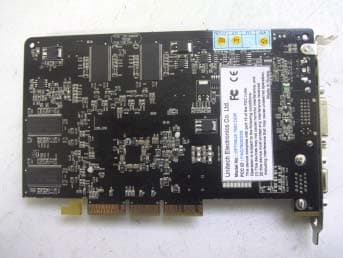
PAQOPT7500LE
Jul 21, 2002VGA Card
Equipment Class
JBP - Part 15 Class B Computing Device Peripheral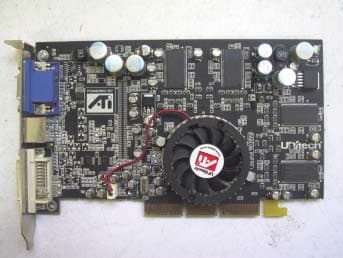
PAQOPT9000PRO
Jul 11, 2002VGA Card
Equipment Class
JBP - Part 15 Class B Computing Device Peripheral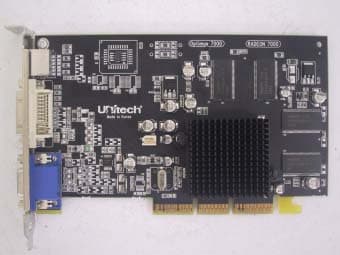
PAQOPTIMUS7000
Jun 17, 2002VGA Card
Equipment Class
JBP - Part 15 Class B Computing Device Peripheral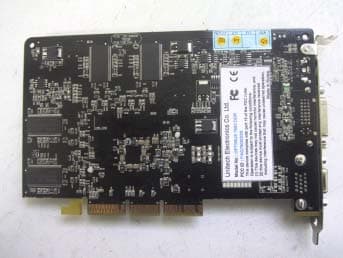
PAQ7500DDR
May 08, 2002VGA Card
Equipment Class
JBP - Part 15 Class B Computing Device Peripheral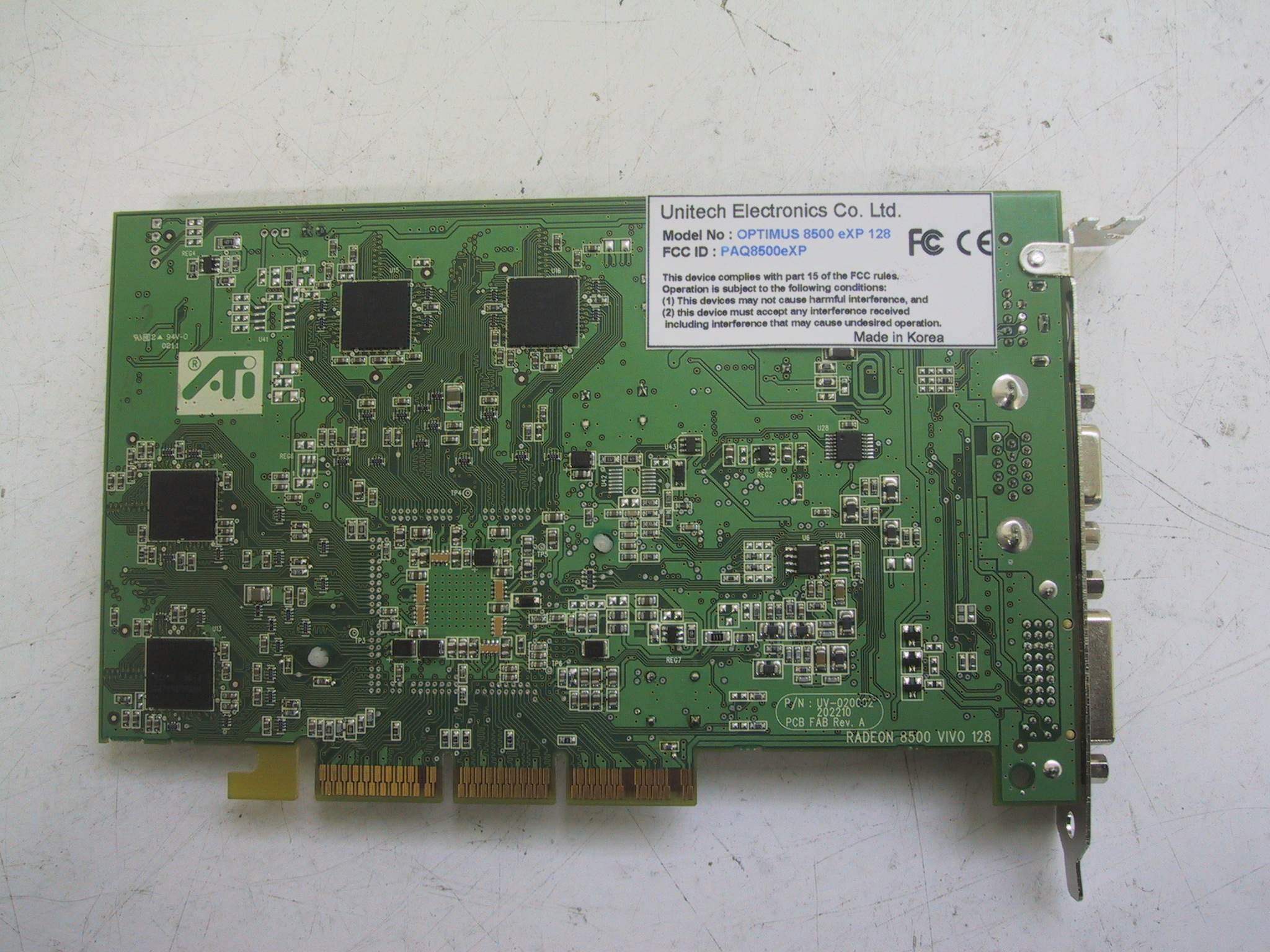
PAQ8500EXP
May 05, 2002VGA Card
Equipment Class
JBP - Part 15 Class B Computing Device Peripheral