PDA3600Multi Media Computer
Densitron Computers Ltd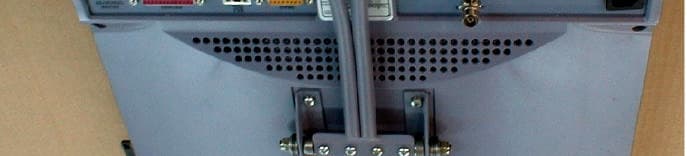
Click to zoom
Application Details
- Equipment Class
- JBC - Part 15 Class B Computing Device/Personal Computer
- Date of Grant
- Feb 19, 2001
- Application Purpose
- Original Equipment
- Date of Application
- Feb 19, 2001
- Equipment Note
- Multi Media Computer
- Company
- Densitron Computers Ltd
- Country
- United Kingdom
Documents & Files
Document Text
Text extracted from the exhibit documents filed with the FCC. Open a document above to read the original.
Users Manual
TCF/DCL/01/002 rev1 2/2/2001 PD Appendix 4 Instruction Manual GETTING STARTED AND REFERENCE GUIDE C ASSIUS PC ii Cassius PC Getting Started and Reference Guide The contents of this manual and the associated software are the property of Densitron Corporation and are copyrighted. Any reproduction in whole or in part is strictly prohibited. Densitron Corporation have prepared this manual. It is furnished on the condition that the customer will use it solely for the purpose of supporting the operation, service and maintenance of Cassius PC. The rights of the customer with respect to this document will be governed by mutually acceptable provisions of the contract with Densitron Corporation or its authorised distributor. This document shall not be duplicated by the customer, released, disclosed or used in whole or part, for any purpose other than that stated herein, without the express written permission of Densitron Corporation. Although every effort has been made to ensure that the contents of the document are accurate, Densitron Corporation and its authorised distributor assume no responsibility for any errors contained herein. Intel, Pentium and Celeron are registered trademarks of Intel Corporation. Microsoft and Windows are registered trademarks of the Microsoft Corporation in the United State and/or other countries. PS/2 is a registered trademark of the IBM Corporation. Cassius PC is a registered trademark of Densitron Corporation. Other company, product, or service names may be the trademarks or service marks of others. All other trademarks, trade names, and product names are trademarks or registered trademarks of their respective holders. Information in this document is subject to change without notice. Copyright © 2000 Densit ron Computers Ltd. Published November 2000. Document number (DEN-CAS-1.00-GR-1.00A-UK) Version 1.0 C3600 Cassius Document Revision History Revision Date Comments 1.0 7/12/2000 First release Contents About This Guide .................................................................................................................................. v Documentation Available vi Typographical Conventions vi C H A P T E R 1 1–1 Getting Started .................................................................................................................................. 1–1 What’s in the Box? 1–2 Getting to Know your Cassius PC 1–3 Cordless Keyboard and Mouse 1–11 Safety Precautions 1–15 Switching On 1–18 Windows 2000 Emergency Repair Diskette (where applicable) 1–20 C H A P T E R 2 2–1 Using your Cassius PC...................................................................................................................... 2–1 Introduction 2–2 Remote Control 2–2 TV Tuner 2–4 FM Radio Tuner 2–6 DVD Player 2–7 C H A P T E R 3 3–1 Maintaining your Cassius PC .......................................................................................................... 3–1 Introduction 3–2 Cleaning your Cassius PC 3–2 Memory Expansion 3–2 System Battery Replacement 3–4 PC Card Slot 3–6 Other Queries 3–7 C H A P T E R 4 4–1 Reinstalling Software........................................................................................................................ 4–1 Reinstalling Drivers 4–2 iv Cassius PC Getting Started and Reference Guide Obtaining New Drivers 4–2 Reinstalling Programs 4–2 C H A P T E R 5 5–1 Bios Setup .......................................................................................................................................... 5–1 The BIOS Setup 5–2 Using the Bios Setup 5–2 Changing your Bios Settings 5–3 C H A P T E R 6 6–1 Troubleshooting ................................................................................................................................ 6–1 Problems Switching On 6–2 Problems with your Keyboard and Mouse 6–4 A P P E N D I X A A–I Regulatory Statements and Battery Disposal .................................................................................A–I CE Symbol A–II FCC Part 68 A–II FCC Part 15 A–III Laser Compliance Statement A–IV Disposing of the System Battery A–V Liquid Crystal Display Warning A–V Macrovision Copy Protection A–VI Japanese Telecommunication Business Law A–VI A P P E N D I X B B–1 Overview ........................................................................................................................................... B–1 Computers Explained B–2 Your Cassius PC B–5 Index......................................................................................................................................................... About This Guide This section describes the contents and conventions of this guide and provides a list of available Cassius PC documentation. The Cassius PC Getting Started and Reference Guide contains the chapters and appendix shown below. Chapter 1: Getting Started — Describes how to start using your Cassius PC. Chapter 2: Using Your Cassius PC — Describes ways you can use your Cassius PC. Chapter 3: Maintaining Your Cassius PC — Describes how to maintain and upgrade your Cassius PC. Chapter 4: Reinstalling Software — Describes how to reinstall software on your Cassius PC. Chapter 5: Bios Setup — Describes the bios setup facility. Chapter 6: Troubleshooting – Describes how to resolve problems with your Cassius PC. Appendix A: Regulatory Statements and Battery Disposal — Describes the CE symbol, the FCC statements to which your Cassius PC conforms and how to dispose of your system battery. Appendix B: Overview – Provides a specification of your Cassius PC and a brief explanation of some computer terminology. vi Cassius PC Getting Started and Reference Guide Documentation Available The Cassius PC documentation set consists of: Cassius PC Getting Started and Reference Guide — Describes how to set up and use your Cassius PC. www.cassiuspc.com and www.cassiuspc.co.uk — Provides online information about your Cassius PC. Typographical Conventions This guide uses the typog…
Text truncated - open the document above for the full version.
Block Diagram
TCF/DCL/01/002 rev1 2/2/2001 PD Appendix 2 Block Diagram of Cassius
External Photos
TCF/DCL/01/002 rev1 2/2/2001 PD Appendix 7 Photographs (External)
Internal Photos
Hard Disk Power Supply
Internal Photos
15 inch TFT Display Inverter
Internal Photos
Pentium III Microprocessor Memory
Internal Photos
DVD/CD Player FDD EMC Shield Cooling Fans VESA Standard Mounting Plate
Operational Description
TCF/DCL/01/002 rev1 2/2/2001 PD Appendix 1 Product Literature
Contact Information
Applicant
Edward Price(Engineering Manager)
Technical Contact
Densitron Computers Ltd.Peter Dentschuk
[email protected]0044 1959 542000
Unit 4 · Biggin Hill, Kent · United Kingdom
Test Firm
EMC Projects Ltd.Michael Wood
Technical Specifications
| # | Rule Parts | Frequency Range | Power Output |
|---|---|---|---|
| 1 | 15B | - | - |