PDKET-1801TA18.1Inches TFT LCD Monitor with TV Tuner
Eastern Technology Inc
Click to zoom
Application Details
- Equipment Class
- JBP - Part 15 Class B Computing Device Peripheral
- Date of Grant
- Jan 29, 2002
- Application Purpose
- Original Equipment
- Date of Application
- Jan 29, 2002
- Equipment Note
- 18.1Inches TFT LCD Monitor with TV Tuner
- Company
- Eastern Technology Inc
- Country
- South Korea
Documents & Files
Document Text
Text extracted from the exhibit documents filed with the FCC. Open a document above to read the original.
Users Manual
18.1'' TFT LCD Monitor / TV User’s Manual ET-1801T Granvue ET-1801T 1.21 2002.1.22 12:42 PM Page I Copyright and Trademark NoticeNO part of this document may be copied, photocopied, reproduced and translated withoutthe prior written consent of manufacturer.This company reserves the right to revise this publication and to make change from timein the contents without obligation of this company to notify a person of such revision orchanges.All brand or product names are trademarks or registered trademarks of their respectivecompanies. 18.1'' TFT LCD Monitor / TV Granvue ET-1801T 1.21 2002.1.22 12:42 PM Page II Safety instructions .............................................................2 Regulatory information ...................................................3~4 General safety precautions ................................................5 Parts description Front panel ..........................................................................6Rear panel...........................................................................7Remote control unit.........................................................8~9 Menu tree ...........................................................................10 Connecting a PC ................................................................11 Viewing a PC screen Initial set PC mode............................................................12When the picture is unstable ............................................12 Adjusting the picture settings ............................................13Adjusting the sound settings .............................................15 Setting the Dolby Pro-logic .........................................16~17Adjusting the volume/switching the sound off temporarily ....18 Adjusting the geometry settings ........................................19 PC stable adjustment ........................................................20 Connecting Connecting the aerial or cable television network ............21 Connecting the VCR, DVD or other external devices.......21Connecting a DVD Player(connecting to Y, P B ,P B )...........21 Connecting surround speakers .........................................22 Viewing a TV/VCR screen Adjusting the picture settings ............................................23Adjusting the sound settings .............................................24 Settings the Dolby Pro-logic..............................................25Adjusting the volume/switching the sound off temporarily ....27 Selecting the menu language ...........................................27 Channel Memory (PAL model) Storing the channel automatically ..............................28~29Storing the channel manually .....................................30~31Fine tuning channel reception ..........................................32Skipping unwanted channels ............................................33 Channel Memory (NTSC model) Selecting the broadcast source.........................................34Storing channels in memory automatically .......................34 Adding and erasing channels............................................35 Teletext (Option) Teletext decoder................................................................36 Displaying Teletext Information .........................................36Selecting a Specific Teletext Pages ..................................37Using FLOF to select a teletext page ...............................38Sorting teletext pages .......................................................39 Caption (Option) Viewing Closed Caption..............................................40~41 V-CHIP (Option) Using the V-CHIP ..............................................................42How to enable/disable the V-CHIP ...................................43How to setup restriction using the “TV GUIDELINE” ..44~46How to setup restriction using the MPAA RATING .....47~48How to reset the TV after the V-CHIP Blocks a Channel(“Emergency Escape”) ......................................................49 About Installation of Main Body When using as general desk type.....................................50When using as wall-mounted type using stand ................51When using as ARM or wall-mounted type(VESA)...........52 Appendix Power saver ......................................................................53Display modes...................................................................53 Troubleshooting...........................................................54~55 Specification ......................................................................56 Contents Contents Granvue ET-1801T 1.21 2002.1.22 12:42 PM Page IV 2 3 Regulatory Information European Noticeproducts with the CE Marking comply with both the EMC Directive(89/336/EEC),(93/68/ECC) and the Low Voltage Directive(72/23/ECC) issued by theCommission of the European Community. Compliance with these directives implies conformity to the following European Norms: EN55022:1998-Radio Frequency InterferenceEN55024:1998-Electromagnetic ImmunityEN61000-3-2:1995 + A1 + A2 - Power Line HarmonicsEN61000-3-3:1995 - Voltage FluctuationsEN60950-Product Safety FCC InformationUser InstructionsThe Federal Communications Radio Frequency Interference Statement includes the following warning:NOTE : This equipment has been tested and found to comply with limits for a Class B digital devices, pursuant to Part 15 of the FCC Rules. These limits are designed to provide reasonable protection against harmful interference in a residential installation.This equipment generates, uses, and can radiate radio frequency energy and, if notinstalled and used in accordance with the instructions, may cause harmful interferenceto radio communication. However, there is no guarantee that interference will not occurin a particular installation. If this equipment does cause harmful interference to radio or television receptions, which can be determined by turning the equipment off and on, theuser is en…
Text truncated - open the document above for the full version.
Block Diagram
C-IN Y-IN CBVS_IN 74F14 H 15PIN D SUB V GBR PC SEL EXT_MUTE MICOM KS88C6348 IIC-BUS DDC-SCLDDC-SDA V H EEPROM 24C16 CLAMP CLK(80MHz) VPC3230 DECODER ADC & PLL AD9884 VIDEO G BR C[0..7]Y[0..7] MX88L282FC RESET IMAGE SCALER MX SDA,SCL,CS 2M SRAM X 3 FRAME BUFFER DC JACK TV_CBVS TUNER IIC-BUS AUDIO LM2596 FDS4435 AVI_AUDI O_IN SCART_AU DIO_IN SCART_AUDIO_OUT RCA_AUDIO_OUT 24.576MHz PC_AUDIO_IN FET SW PROCESSOR IIC-BUS SIF REGULATOR KA7808R REGULATOR MSP34X0G 8Vcc 78L05 REGULATOR STD 5V 12Vcc DESCRIPTION LCKA CONTROL BLACK LIGHT 12Vcc 5Vcc 3.3Vcc CONNECTOR INVERTOR LCD CONNECTOR MODEL RC1587M33 REGULATOR SOUND TDA8542AT 5Vcc EXT_MUTE AMP 3.3Vcc NO. DATE REVISION DESIGN CHECK APPROVE ¾ç½Ä-0504-05(0) DES C RIPTION BLOCK DIAGRAM 2002. 01. 10. DATE A3 (297 X 420) ET-1801TEX MODEL
External Photos
FCC ID. : PDKET-1801TA File No. : E021R-026 ONETECH Testing & Evaluation Lab . FCC ID. : PDKET-1801TA File No. : E021R-026 ONETECH Testing & Evaluation Lab . FCC ID. : PDKET-1801TA File No. : E021R-026 ONETECH Testing & Evaluation Lab . FCC ID. : PDKET-1801TA File No. : E021R-026 ONETECH Testing & Evaluation Lab .
ID Label/Location Info
FCC ID. : PDKET-1801TA ONETECH Testing & Evaluation Lab . IDENTIFICATION LABEL: PROPOSED FCC ID LABEL The label included following statement will be attached on the rear side of product. This device complies with Part 15 of the FCC Rules. Operation is subject to the following two conditions: (1) this device may not cause harmful interference, and (2) this device must accept any interference received, including interference that may cause undesired operations. Made in Korea FCC ID : PDKET-1801TA FCC ID AREA
Internal Photos
FCC ID. : PDKET-1801TA File No. : E021R-026 ONETECH Testing & Evaluation Lab . FCC ID. : PDKET-1801TA File No. : E021R-026 ONETECH Testing & Evaluation Lab . FCC ID. : PDKET-1801TA File No. : E021R-026 ONETECH Testing & Evaluation Lab . FCC ID. : PDKET-1801TA File No. : E021R-026 ONETECH Testing & Evaluation Lab . FCC ID. : PDKET-1801TA File No. : E021R-026 ONETECH Testing & Evaluation Lab . FCC ID. : PDKET-1801TA File No. : E021R-026 ONETECH Testing & Evaluation Lab . FCC ID. : PDKET-1801TA File No. : E021R-026 ONETECH Testing & Evaluation Lab . FCC ID. : PDKET-1801TA File No. : E021R-026 ONETECH Testing & Evaluation Lab . FCC ID. : PDKET-1801TA File No. : E021R-026 ONETECH Testing & Evaluation Lab . FCC ID. : PDKET-1801TA File No. : E021R-026 ONETECH Testing & Evaluation Lab . FCC ID. : PDKET-1801TA File No. : E021R-026 ONETECH Testing & Evaluation Lab . FCC ID. : PDKET-1801TA File No. : E021R-026 ONETECH Testing & Evaluation Lab . FCC ID. : PDKET-1801TA File No. : E021R-026 ONETECH Testing & Evaluation Lab .
Test Report
Page 1 of 13 FCC ID. : PDKET-1801TA File No. : E021R-026 This report shall not be reproduced except in full without our written approval. FCC-004 (Rev.0) HEAD OFFICE : #505 SK APT. Factory 223-28, Sangdaewon 1 Dong, Jungwon-Gu, Seongnam-City, Kyunggi-Do, 462-121, Korea (TEL: +82-31-746-8500 FAX: +82-31-746-8700) EMC Testing Dept : 426-1 Daessangryung-Ri, Chowol-Myun, Kwangju-Si, Kyungki-Do, 464-860, Korea. (TEL: +82-31-765-8289 FAX: +82-31-766-2904) ONETECH Testing & Evaluation Lab. ELECTROMAGNETIC EMISSION COMPLIANCE REPORT FOR FCC CLASS B CERTIFICATION Test report file number : E021R-026 Applicant : Eastern Technology, Inc. Address : 412 Chongchon-Dong, Pupyong-Gu, Inchon-City, 403-032, Korea Manufacturer : Eastern Technology, Inc. Address : 412 Chongchon-Dong, Pupyong-Gu, Inchon-City, 403-032, Korea Type of Equipment : 18.1" TFT LCD Monitor with TV FCC ID. : PDKET-1801TA Model / Type No. : ET-1801TA Serial number : N/A Total page of Report : 13 pages (including this page) Date of Incoming : December 16, 2001 Date of issue : January 21, 2002 SUMMARY The equipment complies with the regulation; FCC PART 15 CFR 47 SUBPART B, Class B. This test report contains only the result of a single test of the sample supplied for the examination. It is not a generally valid assessment of the features of the respective products of the mass-production. Prepared by: Approved by: Y. K. Nam / Asst. Chief Engineer Y. K. Kwon / Chief Engineer EMC Dept. EMC Dept. ONETECH Corp. ONETECH Corp. Page 2 of 13 FCC ID. : PDKET-1801TA File No. : E021R-026 This report shall not be reproduced except in full without our written approval. FCC-004 (Rev.0) HEAD OFFICE : #505 SK APT. Factory 223-28, Sangdaewon 1 Dong, Jungwon-Gu, Seongnam-City, Kyunggi-Do, 462-121, Korea (TEL: +82-31-746-8500 FAX: +82-31-746-8700) EMC Testing Dept : 426-1 Daessangryung-Ri, Chowol-Myun, Kwangju-Si, Kyungki-Do, 464-860, Korea. (TEL: +82-31-765-8289 FAX: +82-31-766-2904) ONETECH Testing & Evaluation Lab. CONTENTS Page 1. VERIFICATION OF COMPLIANCE...............................................................................................................................3 2. GENERAL INFORMATION.................................................................................................................................................4 2.1 PRODUCT DESCRIPTION............................................................................................................................................................4 2.2 RELATED SUBMITTAL(S) / GRANT(S)..................................................................................................................................4 2.3 TEST SYSTEM DETAILS..............................................................................................................................................................5 2.4 TEST METHODOLOGY.................................................................................................................................................................5 2.5 TEST FACILITY..............................................................................................................................................................................5 3. SYSTEM TEST CONFIGURATION.................................................................................................................................6 3.1 JUSTIFICATION..............................................................................................................................................................................6 3.2 EUT EXERCISE SOFTWARE......................................................................................................................................................6 3.3 CABLE DESCRIPTION..................................................................................................................................................................6 3.4 NOISE SUPPRESSION PARTS ON CABLE...............................................................................................................................7 3.5 EQUIPMENT MODIFICATIONS.................................................................................................................................................7 3.6 CONFIGURATION OF TEST SYSTEM.......................................................................................................................................7 4. PRELIMINARY TEST...............................................................................................................................................................8 4.1 AC POWER LINE CONDUCTED EMISSION TEST...............................................................................................................8 4.2 RADIATED EMISSION TEST......................................................................................................................................................8 5. FINAL RESULT OF MEASURMENT............................................................................................................................9 5.1 CONDUCTED EMISSION TEST..................................................................................................................................................9 5.2 RADIATED EMISSION TEST....................................................................................................................................................11 6. FIELD STRENGTH CALCULATION..........................................................................................................................12 7. LIST OF TEST EQUIPMENT............................................................................................................................................13 Page 3 of 13 FCC ID. : PDKET-1801TA File No. : E021R-026 This report shall not be reproduced except in full without our written approval. FCC-004 (Rev.0) HEAD OFFICE : #505 SK APT. Factory 223-28, Sangdaewo…
Text truncated - open the document above for the full version.
Contact Information
Applicant
Hyun-Kyu Park(General Manager)
Test Firm
ONETECH Corp.Y. Kwon
Technical Specifications
| # | Rule Parts | Frequency Range | Power Output |
|---|---|---|---|
| 1 | 15B | - | - |
Other Applications from Eastern Technology Inc

PDKET-1501TAC
Nov 25, 200115.1 Inches TFT Monitor with TV Function
Equipment Class
JBC - Part 15 Class B Computing Device/Personal Computer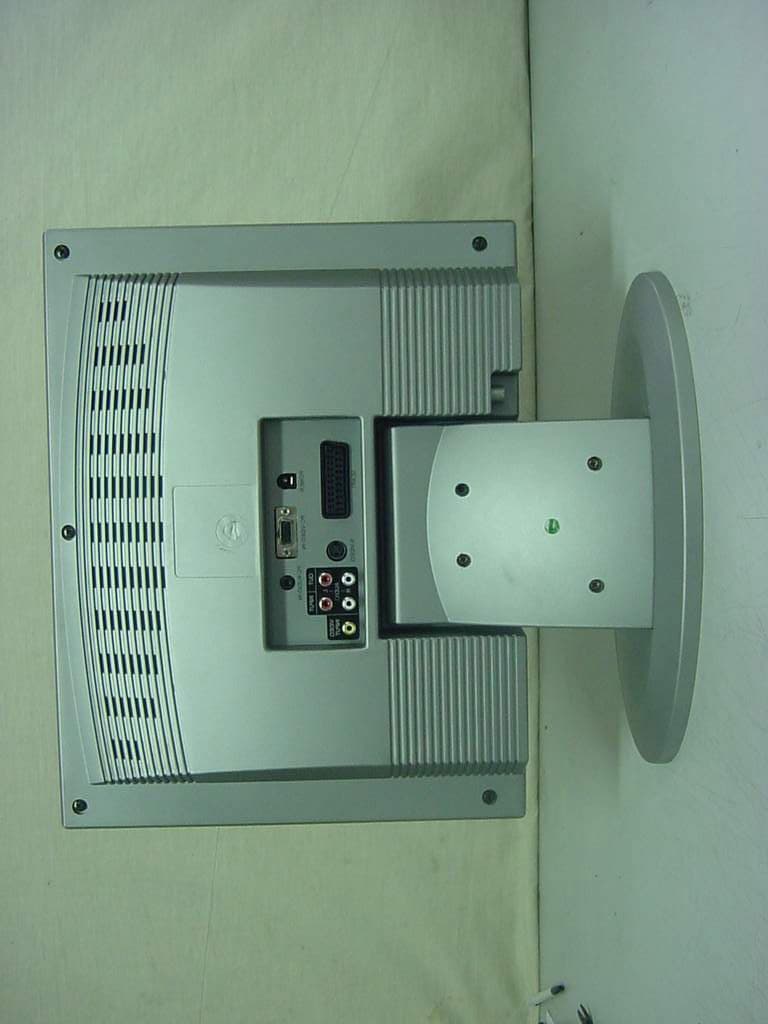
PDKET151TA
Jan 30, 2001LCD MONITOR WITH TV TUNER
Equipment Class
JBP - Part 15 Class B Computing Device Peripheral